System Activity LED Indicators
Server-style status lights for CPU, memory, disk, network and battery, on a small strip that sits at the edge of your screen.
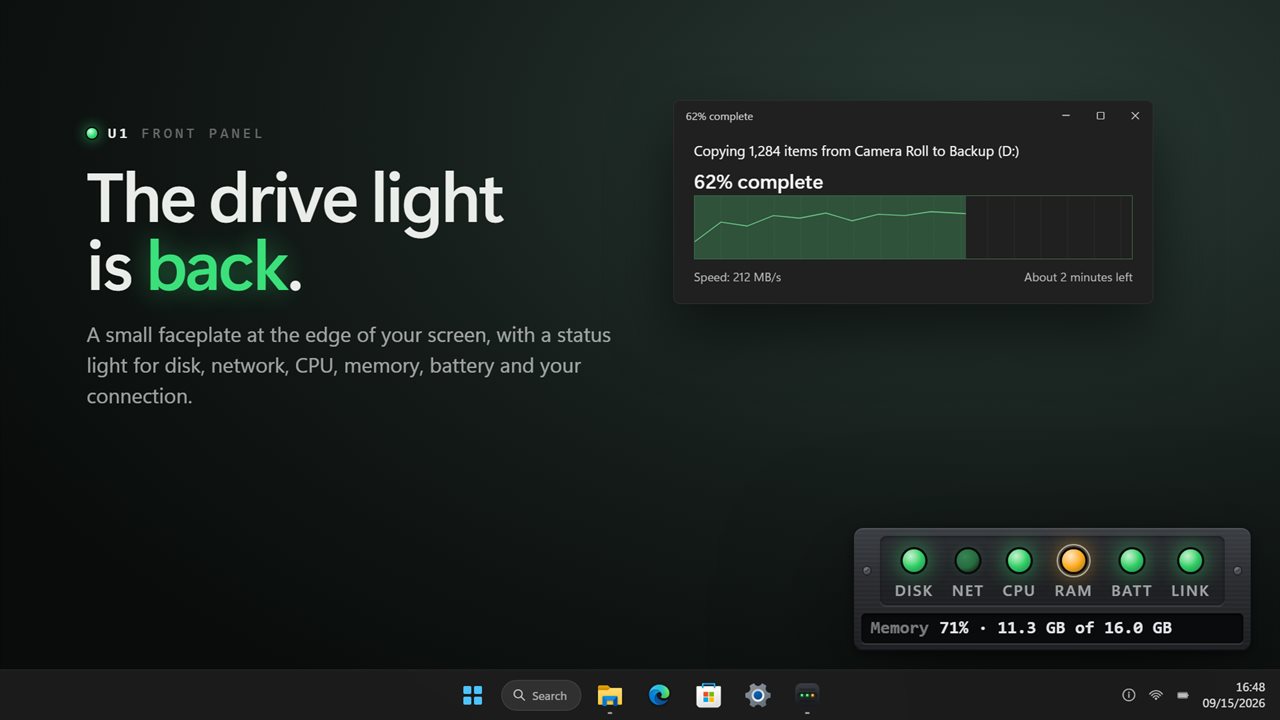
A drive light for your desktop: status lights for disk, network, CPU, memory, battery and your connection.
See it in action
About System Activity LED Indicators
Most PCs no longer have a drive light, and Task Manager is not something you keep open. System Activity LED Indicators puts the lights back: a small faceplate at the edge of your screen, like the front panel of a server, with a status light for everything that matters.
Lights that flicker like hardware
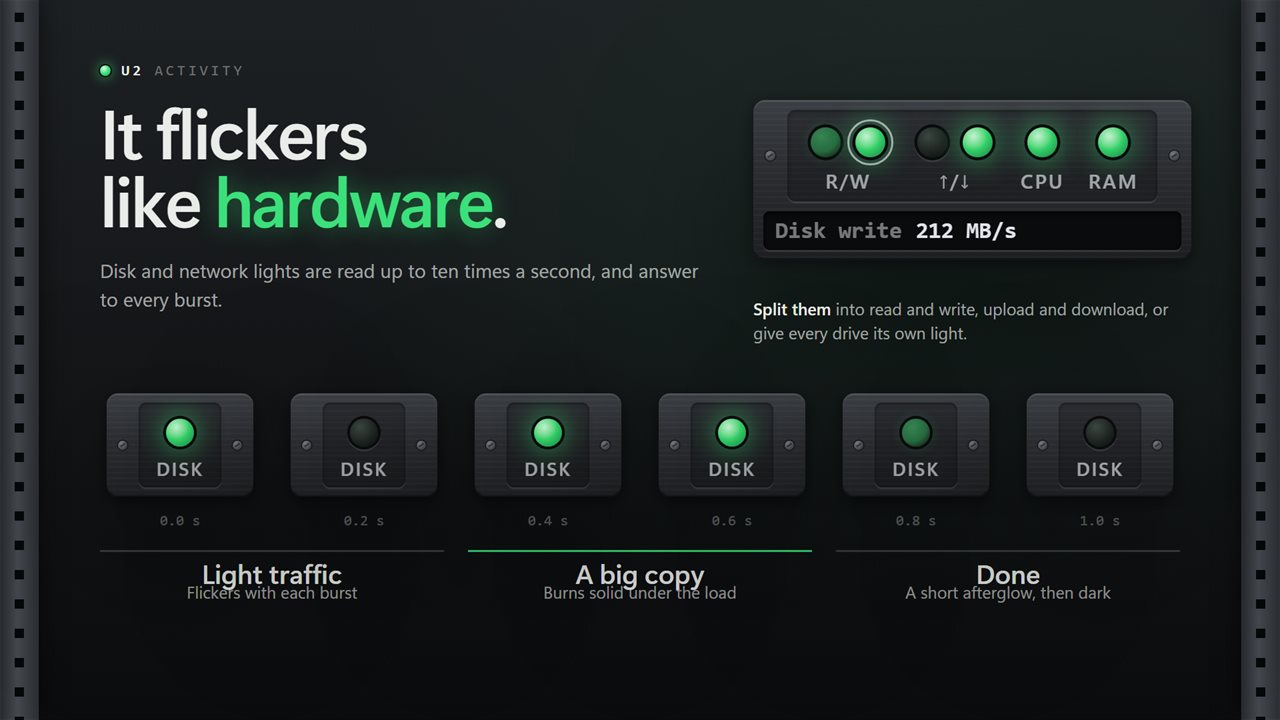
The disk and network lights are read up to ten times a second. They flicker with every burst of activity, burn solid under a heavy copy, and fade out a moment after it stops. Choose how sensitive they are and how long the afterglow lasts. Split them into read and write, upload and download, or give every drive its own light.
Lights that change color
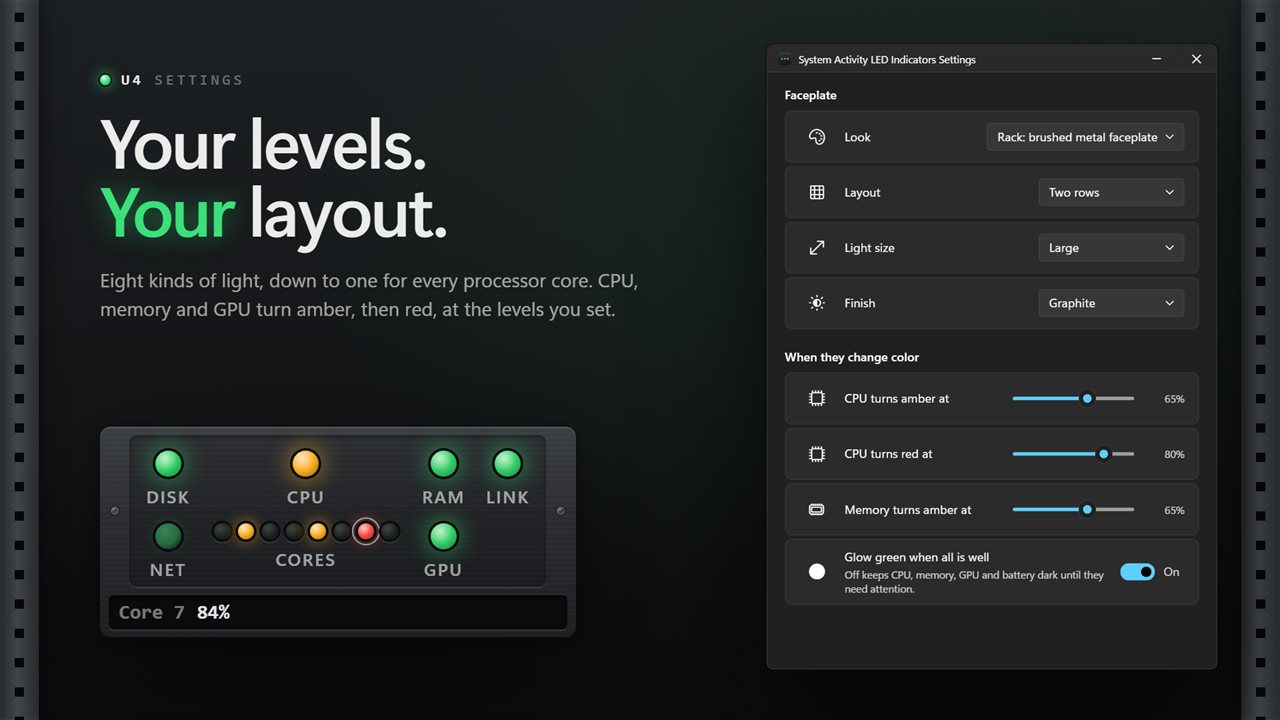
CPU, memory and GPU glow green while all is well, turn amber, then red, at the levels you set. They hold their color near a boundary instead of blinking between two. A light for each processor core shows which ones are working. The battery light appears only on a PC with a battery, and the link light tells you whether you are connected at all.
Read the number behind the light
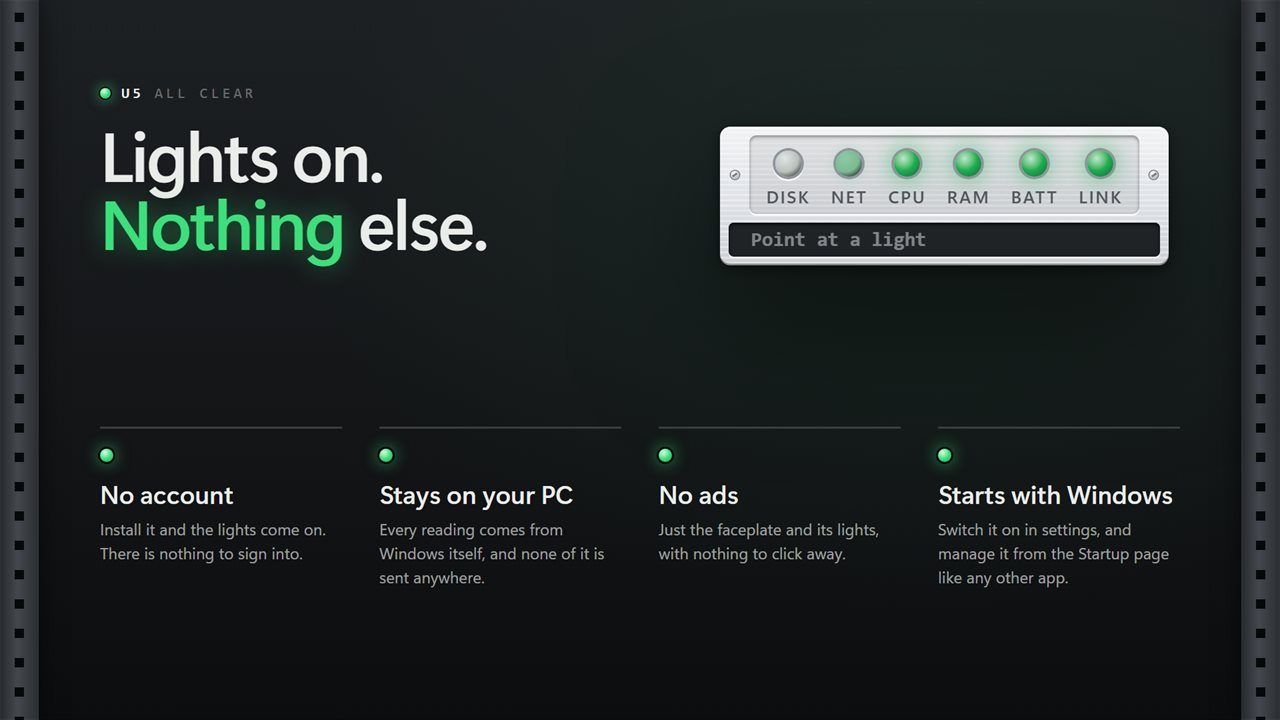
Point at a light and the readout under it shows the figure: CPU 47%, 12 MB/s read, 80 Mb/s down. Click a light to keep its figure showing.
Light on your PC
The lights change only when there is something to show, and they stop measuring entirely while a full-screen game or video has the screen.
Make it yours
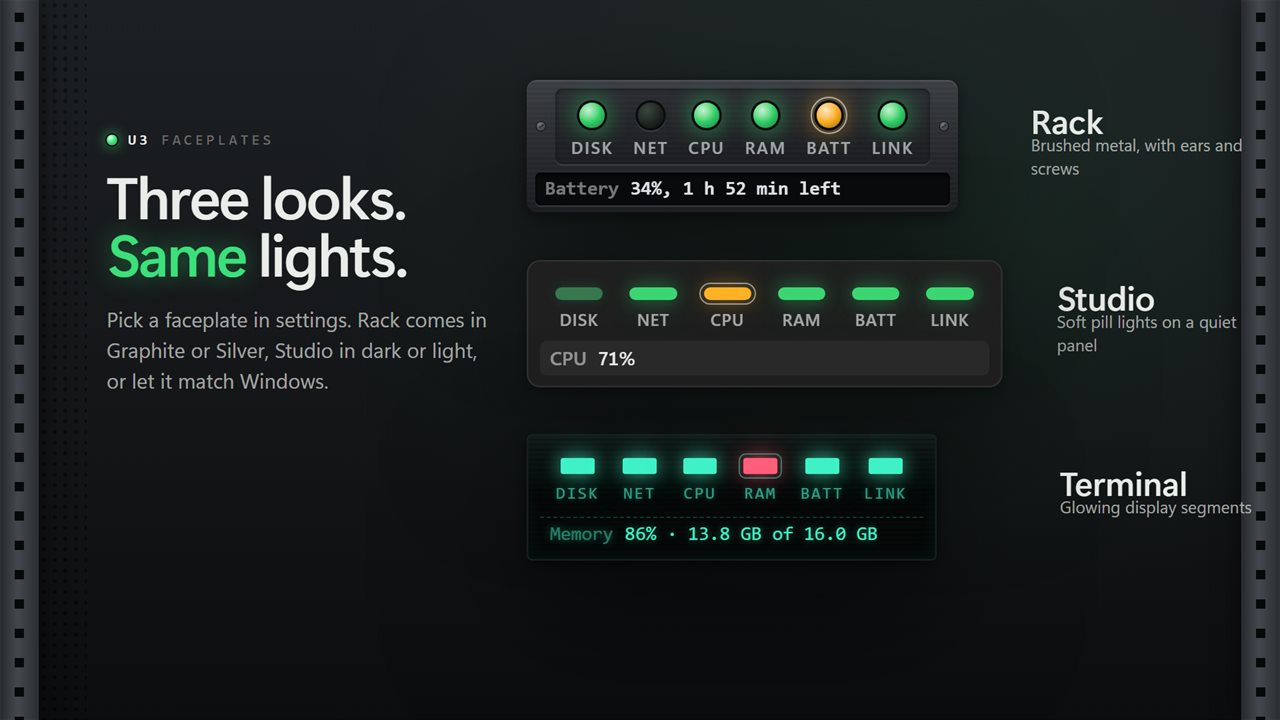
A horizontal strip, a vertical strip or two rows. Small, medium or large lights, with or without labels. Three looks: a brushed-metal rack faceplate in graphite or silver, soft studio pills, or glowing terminal segments. Seven positions that stay put when the taskbar moves, or drag it wherever you like. Right-click a light to move it along the strip or turn it off. Keep it above your windows or on the desktop, let clicks pass straight through it, and start it with Windows.
No account. No sign-in. No ads. Every reading comes from Windows itself and nothing leaves your PC unless you choose to send feedback.
Built for Windows 11, and at home on Windows 10.
Features
- Eight kinds of status light: disk, network, CPU, every processor core, memory, GPU, battery and network link
- Disk and network lights flicker with real activity up to ten times a second, like the lamps on a server
- CPU, memory and GPU glow green, then amber, then red, at the levels you choose
- Separate read and write lights, a light for every drive, and separate upload and download
- A pinpoint for every processor core, lit when that core is busy
- Point at any light to read its figure, and click it to keep that figure showing
- Tune the sensitivity, the flicker and the afterglow, or keep healthy lights dark until they need you
- A low-battery light that appears only on PCs with a battery, and never turns red while plugged in
- A link light that shows whether you are connected, and whether the connection has a gateway
- Horizontal strip, vertical strip or two rows, with small, medium or large lights
- Seven screen positions that follow the taskbar, or drag the strip anywhere
- Three looks: a rack faceplate in graphite or silver, soft studio pills, or glowing terminal segments
- Right-click any light to move it along the strip or turn it off
- Pauses while a full-screen game or video has the screen
- Sits above your windows or on the desktop, lets clicks pass through if you want, and starts with Windows
- Your thresholds, split lights, labels and position carry over from the previous version
- No account, no ads, and nothing that leaves your PC
Details
- Works on
- Windows 10 (1809 or later) and Windows 11
- Download
- About 2.8 MB
- Version
- 2.1.8, updated October 2026
- First released
- August 2022
- Price
- $2.49 once. No subscription.
- Category
- Utilities & tools
What's new in 2.1.8
- Fixed: the app no longer weighs on your processor. Readings are taken the way Windows' own tools take them, and the lights only redraw when something changes
- New server-style faceplate with lights that flicker with real disk and network activity
- New: amber and red levels for CPU, memory and GPU
- New: a light for every drive, and one for every processor core
- New: point at a light to read its figure, click to keep it showing
- New: three looks (Rack, Studio and Terminal), vertical and two-row layouts, three light sizes, and a silver finish
- New: pauses during full-screen games and videos
- Your thresholds, split lights, labels and position carry over
Questions
Anything else? Ask us
Which versions of Windows does it run on?
Windows 10 (version 1809 or later) and Windows 11.
Is it a subscription?
No. System Activity LED Indicators is a one-time purchase of $2.49, and updates are included.
How do I get it?
EvlarSoft apps are moving to direct downloads from this site. Ask to be notified and we will email you as soon as System Activity LED Indicators is ready to download.