Battery Health
Shows what your battery has become, not just how full it is right now.
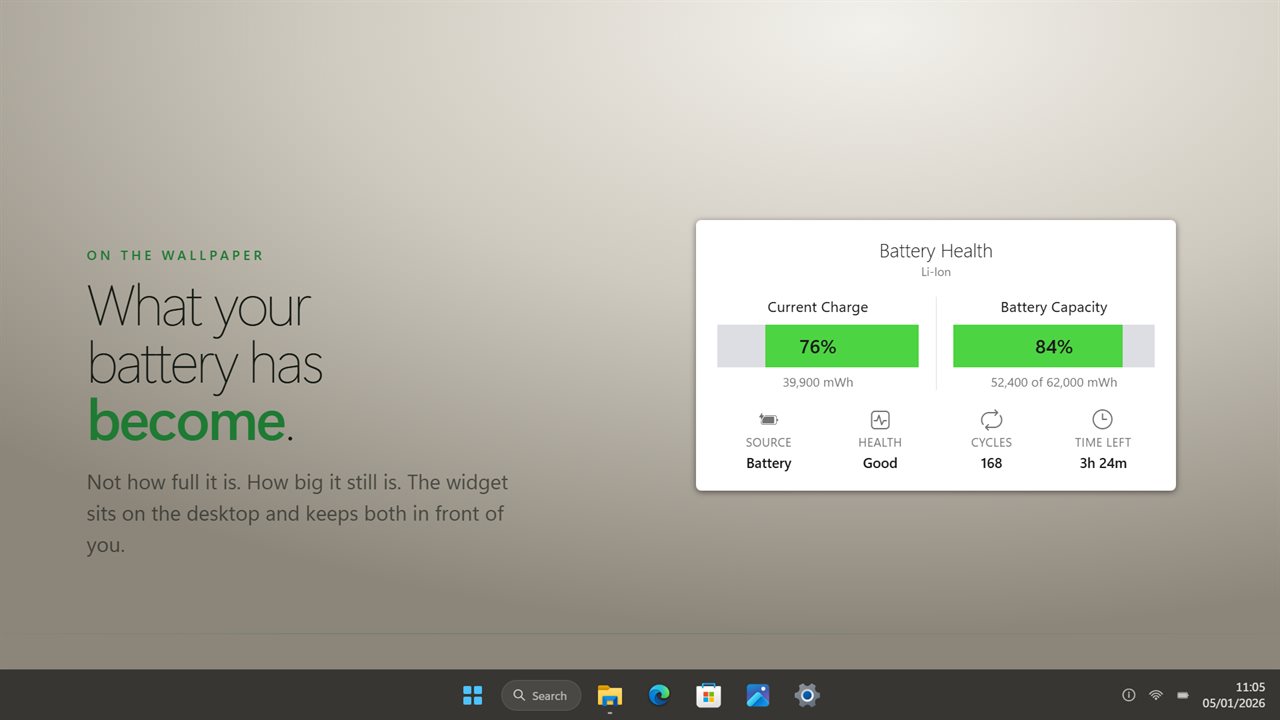
What the battery has become, on the desktop: how full it is, and how big it still is.
See it in action
About Battery Health
Every battery gets worse. It holds less than it did the day you bought the laptop, and nothing in Windows tells you how much less.
Battery Health puts that number on your desktop.
Wear, not charge
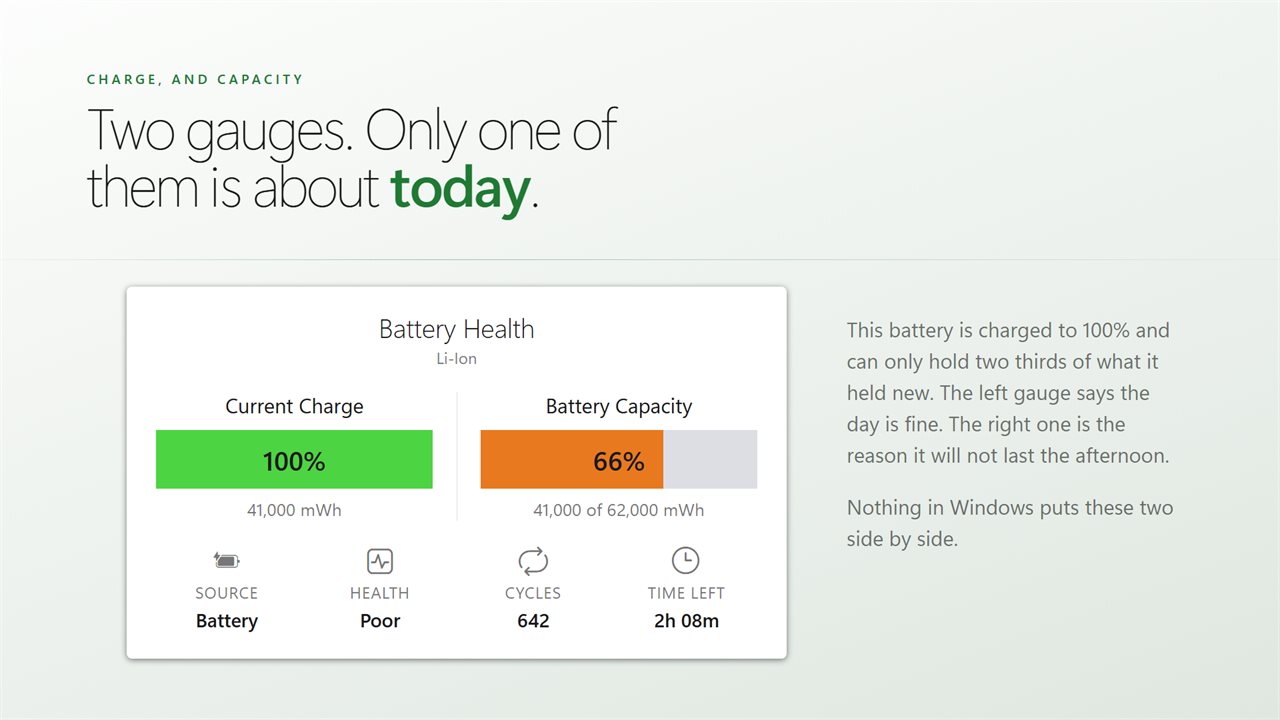
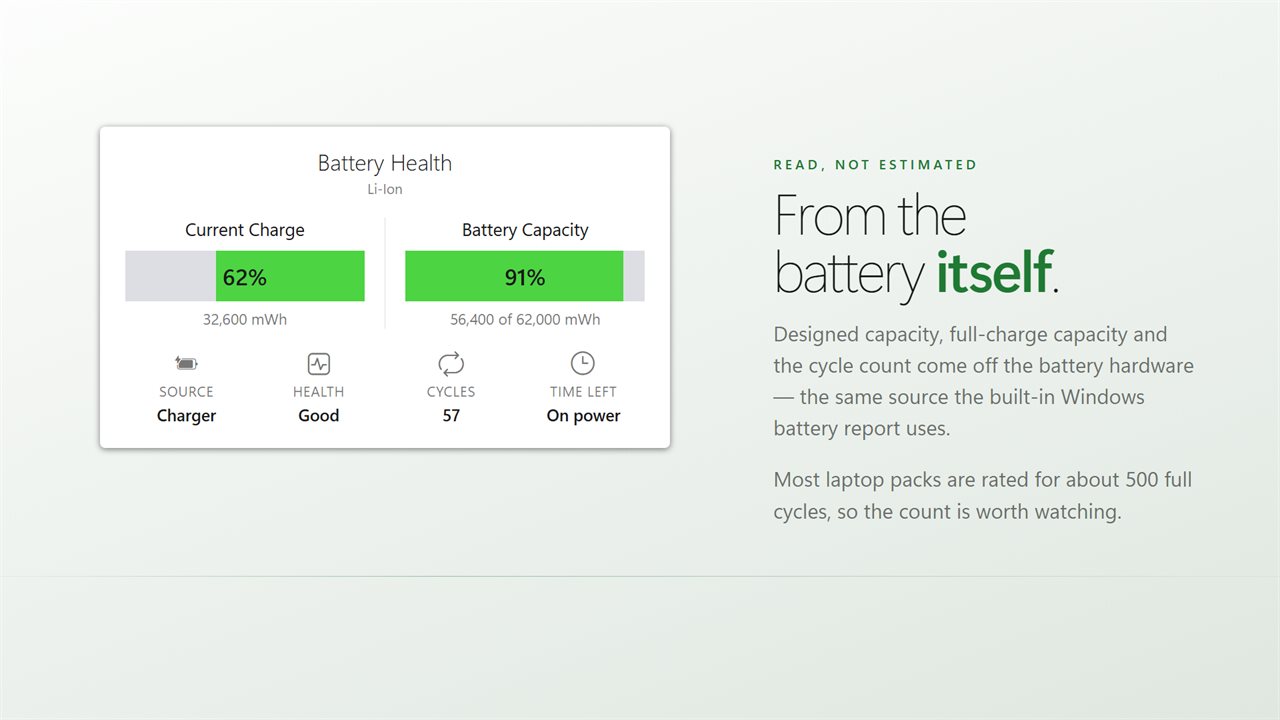
A charge reading tells you how full the battery is. It says nothing about how big the battery still is. This widget shows both, side by side: what the battery holds right now, and what it can hold at all compared to the day it left the factory.
That second figure is the one that decides whether your laptop still lasts an afternoon.
Read from the battery
The designed capacity, the full-charge capacity and the cycle count come from the battery hardware itself, the same source the built-in Windows battery report uses. Nothing is estimated and nothing is guessed.
Condition at a glance
Good, Fair, Poor or Replace, with the gauge changing color to match, so you do not have to remember what counts as a healthy percentage.
More than one battery
Some laptops and tablets carry two packs. Everything is totalled across all of them, and you can list each one separately with the capacity that tells them apart.
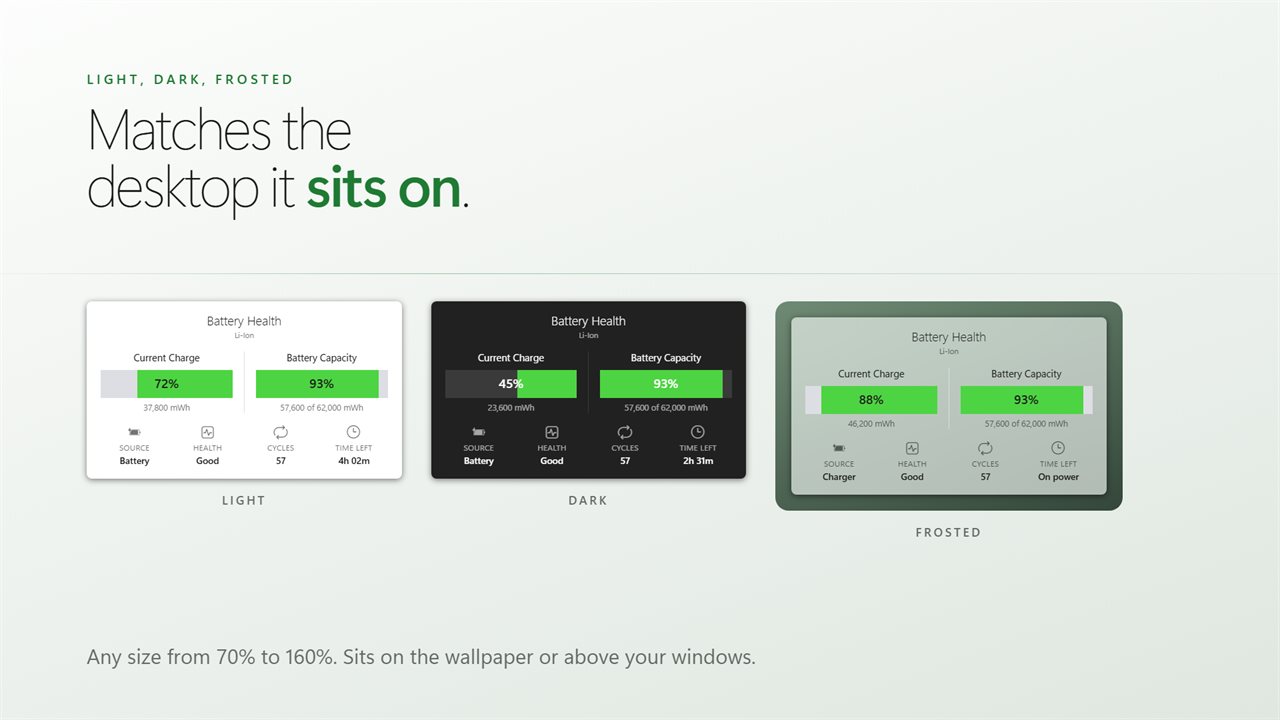
Light, dark, or frosted so the desktop shows through. Any size. Sits on the wallpaper or above your windows.
No account needed. No sign-in needed. Nothing leaves your PC unless you send feedback or turn on backup. No ads.
Built for Windows 11, and at home on Windows 10.
Features
- Real wear: what the battery holds today against what it held new
- Cycle count, read from the battery itself
- Charge and capacity side by side, so you can see the difference
- Chemistry, power source and time remaining at a glance
- Lists every pack separately on a PC that has more than one
- Light, dark or frosted, at any size from 70% to 160%
- Sits on the wallpaper or above your windows
- Starts with Windows through the Startup page rather than a shortcut
- No account needed, no ads, and nothing leaves your PC unless you turn on backup
Details
- Works on
- Windows 10 (1809 or later) and Windows 11
- Download
- About 2.4 MB
- Version
- 2.0.10, updated October 2026
- First released
- January 2023
- Price
- $2.99 once. No subscription.
- Category
- Utilities & tools
What's new in 2.0.10
- Rebuilt for Windows 11
- Battery capacity is now measured wear, read from the battery hardware
- Real cycle count
- Adds power source, time remaining and per-pack detail
- Light, dark and frosted themes, and any size from 70% to 160%
- Lower memory use and a faster start
Questions
Anything else? Ask us
Which versions of Windows does it run on?
Windows 10 (version 1809 or later) and Windows 11.
Is it a subscription?
No. Battery Health is a one-time purchase of $2.99, and updates are included.
How do I get it?
EvlarSoft apps are moving to direct downloads from this site. Ask to be notified and we will email you as soon as Battery Health is ready to download.