Batch Video Converter
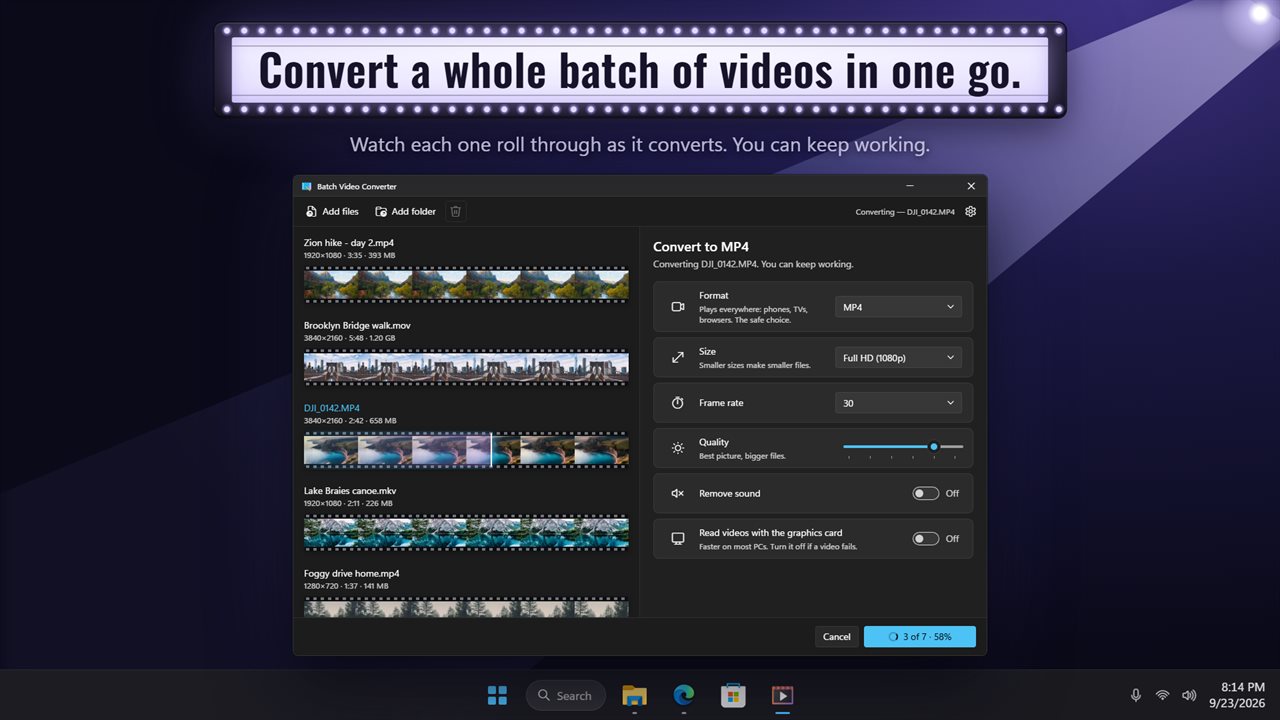
Convert videos to MP4, WebM, GIF and six more formats, a whole batch at a time. Every video shows as a strip of its own frames. Trim it by dragging two handles, then pick the size, frame rate and quality. Everything happens on your PC, and nothing is uploaded.
Convert a whole batch of videos in one go.
See it in action
About Batch Video Converter
Got a video that won't play, won't upload or won't fit? this converts it, and every other video in the folder, in one go.
Nine formats
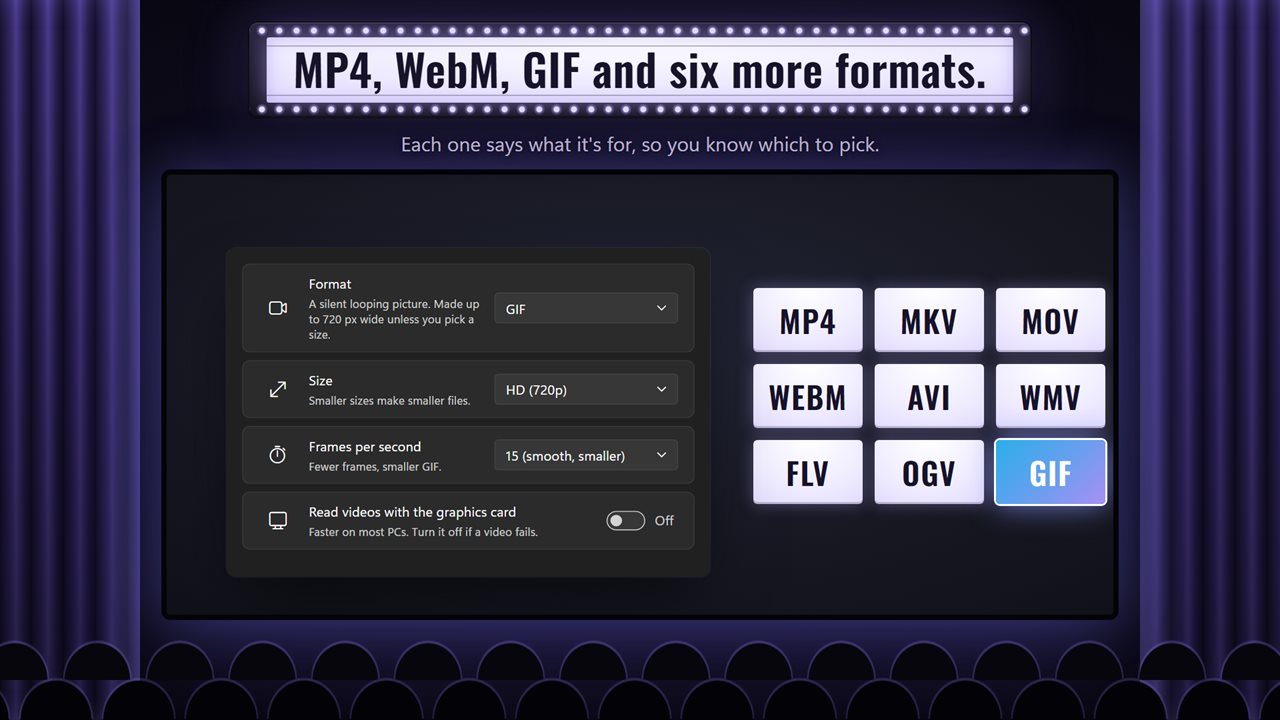
MP4 plays everywhere: phones, TVs and browsers. WebM makes small files for websites. GIF makes a silent looping picture for a chat. MKV, MOV, AVI, WMV, FLV and OGV are there too, for media players, iPhone and Mac, video editors and older software.
It opens MP4, MOV, MKV, WebM, AVI, WMV, FLV, MPG, 3GP, VOB, TS and 9 more file types.
A whole batch at once
Drop in as many videos as you like, or add a whole folder. Each one shows as a strip of its own frames, with its size, length and resolution. Click Convert All Videos and watch a playhead cross each strip as it converts.
Trim first
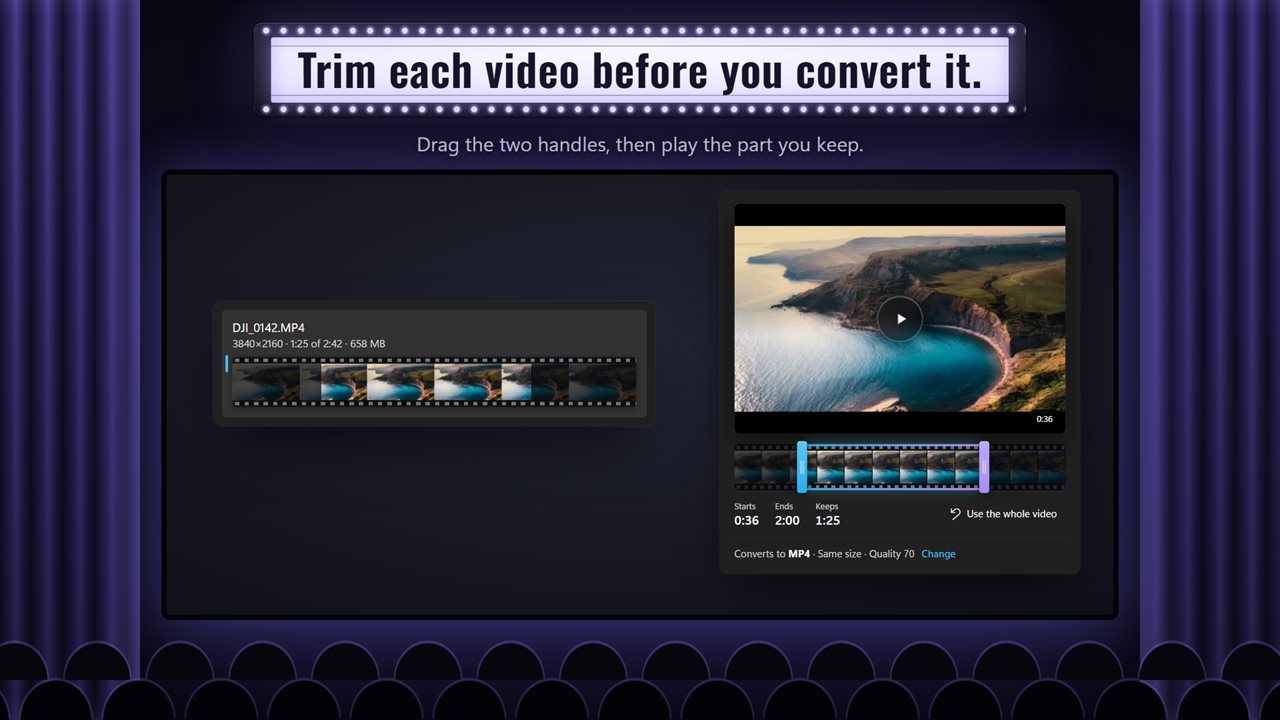
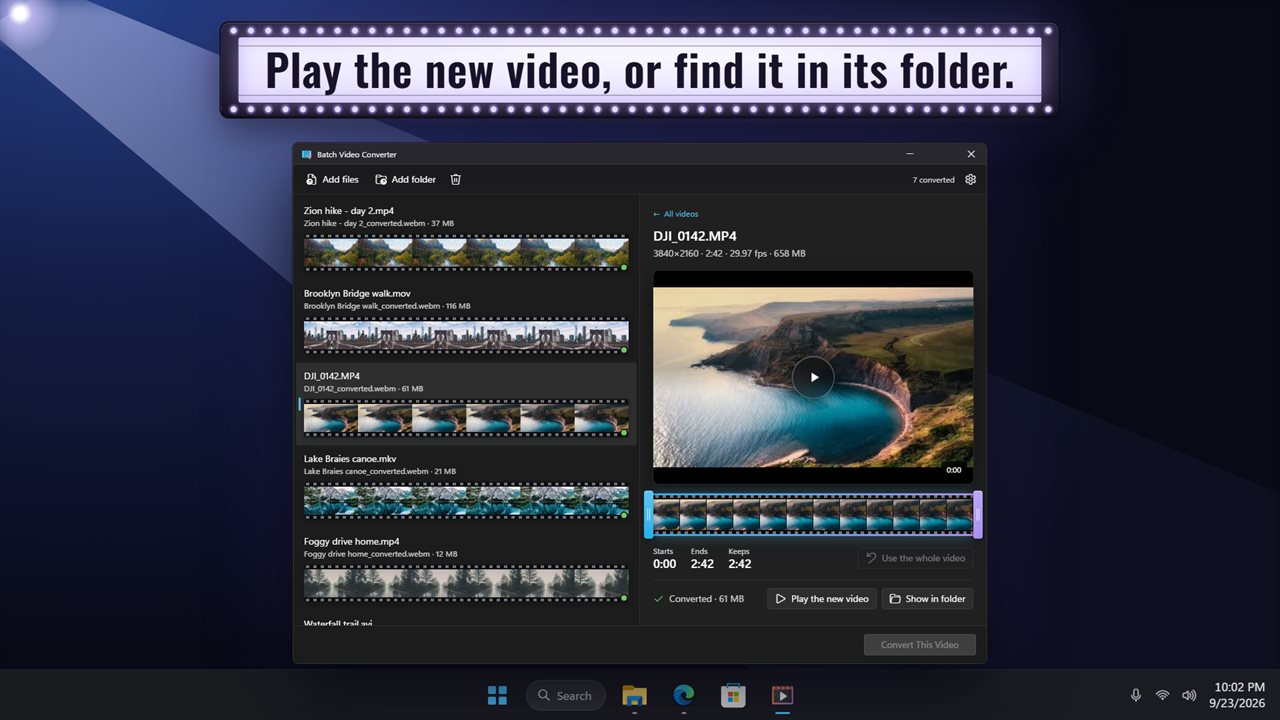
Click a video to open it on a timeline of its frames. Drag the two handles to cut the start and the end, and see how much you keep. Press play to watch the part you are keeping. MP4 and WebM play right in the app; other videos open in your own video player.
Your settings
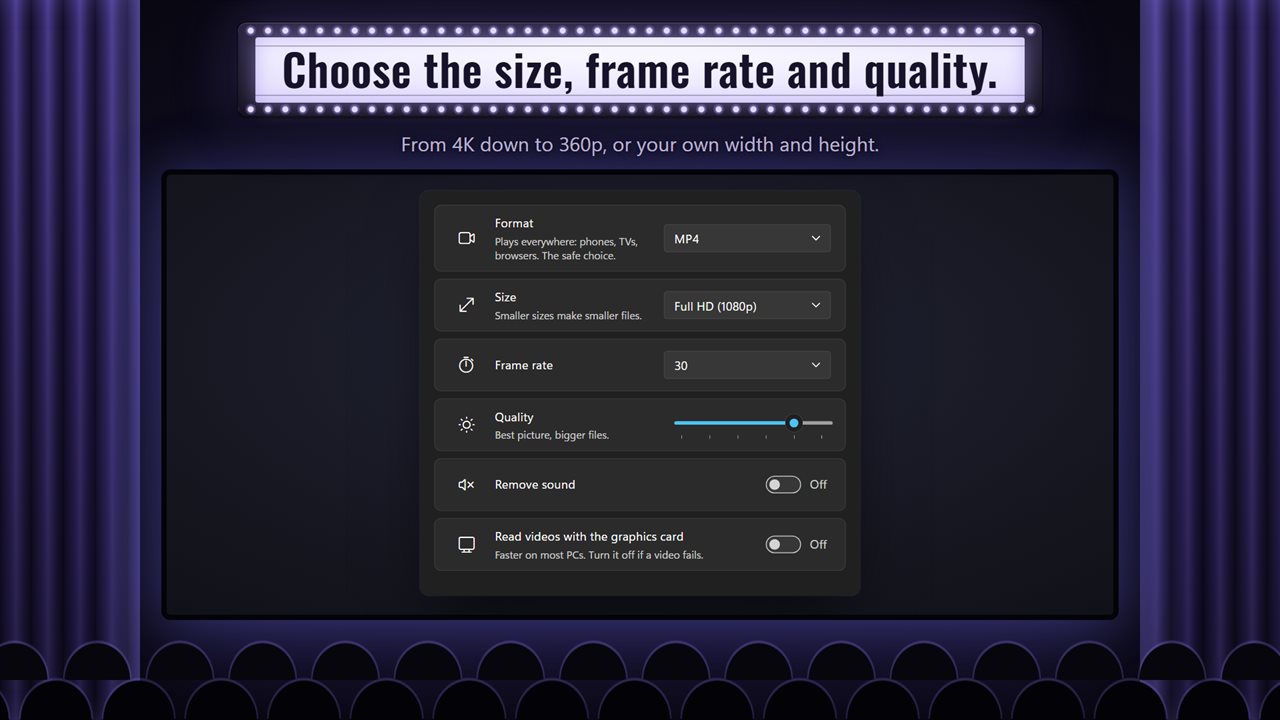
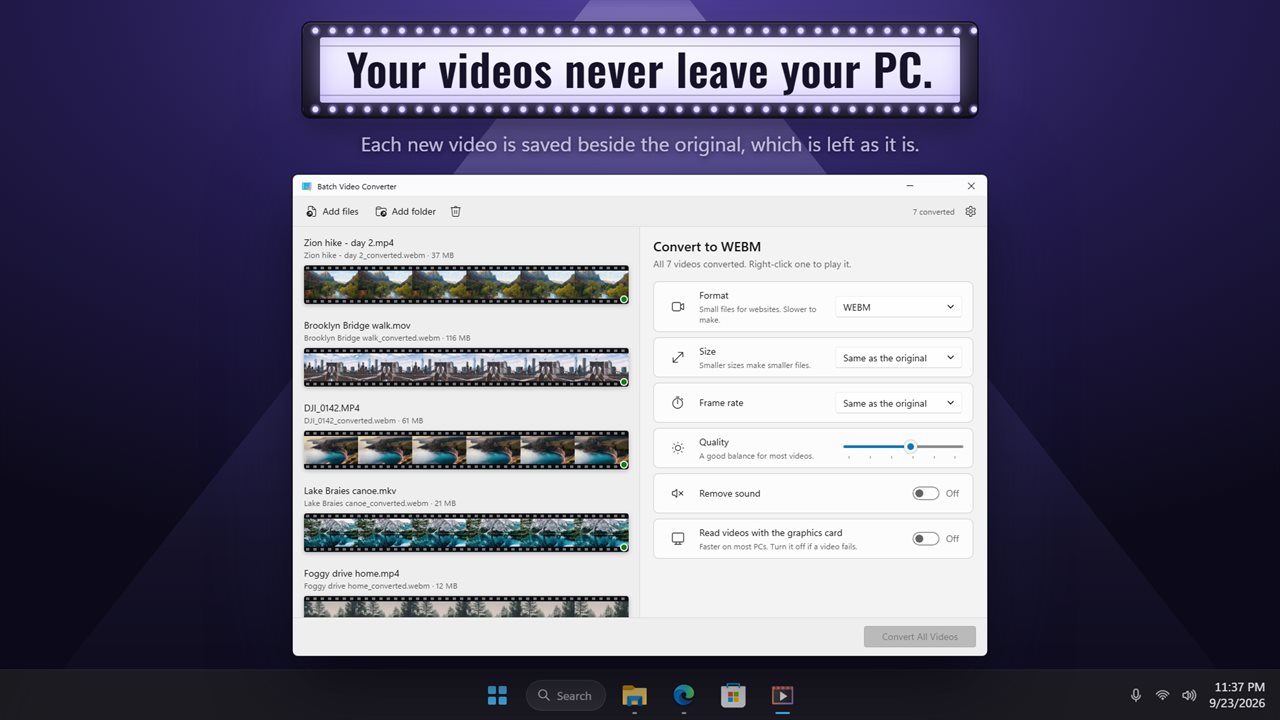
Choose the size: the same as the original, 4K, 1080p, 720p, 480p, 360p, or your own width and height. Leave one blank and the video keeps its shape. Keep the frame rate or pick 24, 25, 30, 50 or 60. Move the quality slider toward a smaller file or a better picture. Remove the sound with one switch. Make GIFs at 10, 15, 24 or 30 frames per second.
Faster on most PCS
Turn on reading with the graphics card and most videos convert faster. If one fails, turn it off again.
Your files stay yours
Each new video is saved beside the original, with _converted added to its name, and the original is left as it is. Right-click a converted video to play it or show it in its folder. Everything happens on your PC. Nothing is uploaded, and there is no account.
Features
- Convert videos to MP4, MKV, MOV, WebM, AVI, WMV, FLV, OGV or GIF
- Opens MP4, MOV, MKV, WebM, AVI, WMV, FLV, MPG, 3GP, VOB, TS and 9 more file types
- Convert a whole batch at once. Drop in videos, or add a folder
- Every video shows as a strip of its own frames, and you can watch each one convert
- Trim any video by dragging two handles along its frames
- See where the trim starts and ends, and how much you keep
- Play the part you are keeping before you convert it
- Convert them all, or just the one you picked
- Choose the size: same as the original, 4K, 1080p, 720p, 480p, 360p, or your own width and height
- Leave the width or height blank and the video keeps its shape
- Keep the frame rate, or pick 24, 25, 30, 50 or 60
- A quality slider from smallest file to best picture
- Remove the sound with one switch
- GIFs at 10, 15, 24 or 30 frames per second, up to 720 px wide unless you pick a size
- Read videos with the graphics card to go faster on most PCs
- See each new file's name and size, then right-click to play it or show it in its folder
- New videos are saved beside the originals, which are left as they are
- Everything happens on your PC. Your videos are never uploaded
- Light and dark themes, or follow Windows
Details
- Works on
- Windows 10 (1809 or later) and Windows 11
- Download
- About 74.9 MB
- Version
- 2.0.4, updated October 2026
- First released
- July 2023
- Price
- $4.89 once. No subscription.
- Category
- Utilities & tools
What's new in 2.0.4
- New name: Batch Video Converter. It's the same app, and your settings carry over
- Converted copies now end in _converted instead of _videogenius
Questions
Anything else? Ask us
Which versions of Windows does it run on?
Windows 10 (version 1809 or later) and Windows 11.
Is it a subscription?
No. Batch Video Converter is a one-time purchase of $4.89, and updates are included.
How do I get it?
EvlarSoft apps are moving to direct downloads from this site. Ask to be notified and we will email you as soon as Batch Video Converter is ready to download.
More from EvlarSoft
 WebmConverterConvert WEBM videos to MP4, GIF, MP3, MKV, AVI or WMV, a whole batch at a time.
 Quick Video Frames ExtractorLay any video out as a contact sheet, click the frames you want, and save them as pictures.
 VidToGIF - Video to GIF ConverterDrag two pink brackets around the moment you want, watch it loop, and save it as a GIF.