Quick Video Frames Extractor
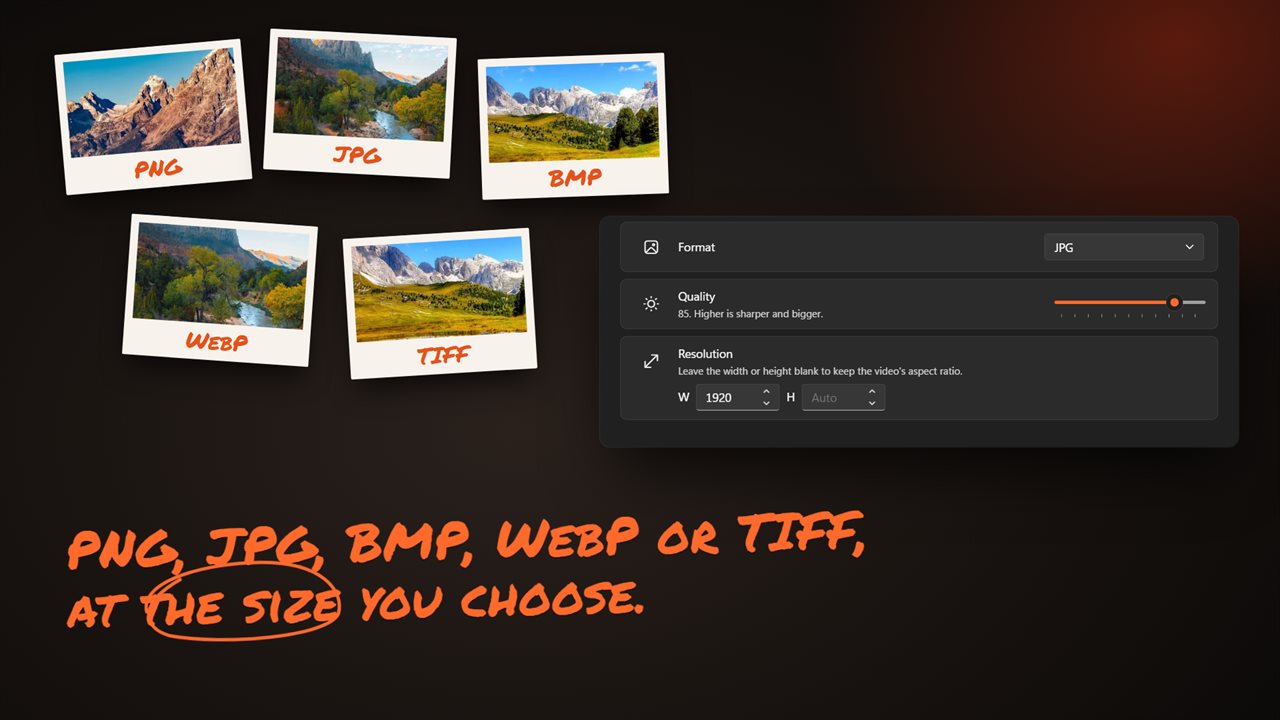
Lay any video out as a contact sheet, click the frames you want, and save them as pictures. Step one frame at a time to land on the exact moment, or save a frame every few seconds, or every frame there is. PNG, JPG, BMP, WebP or TIFF, for a whole batch of videos at once, right on your PC.
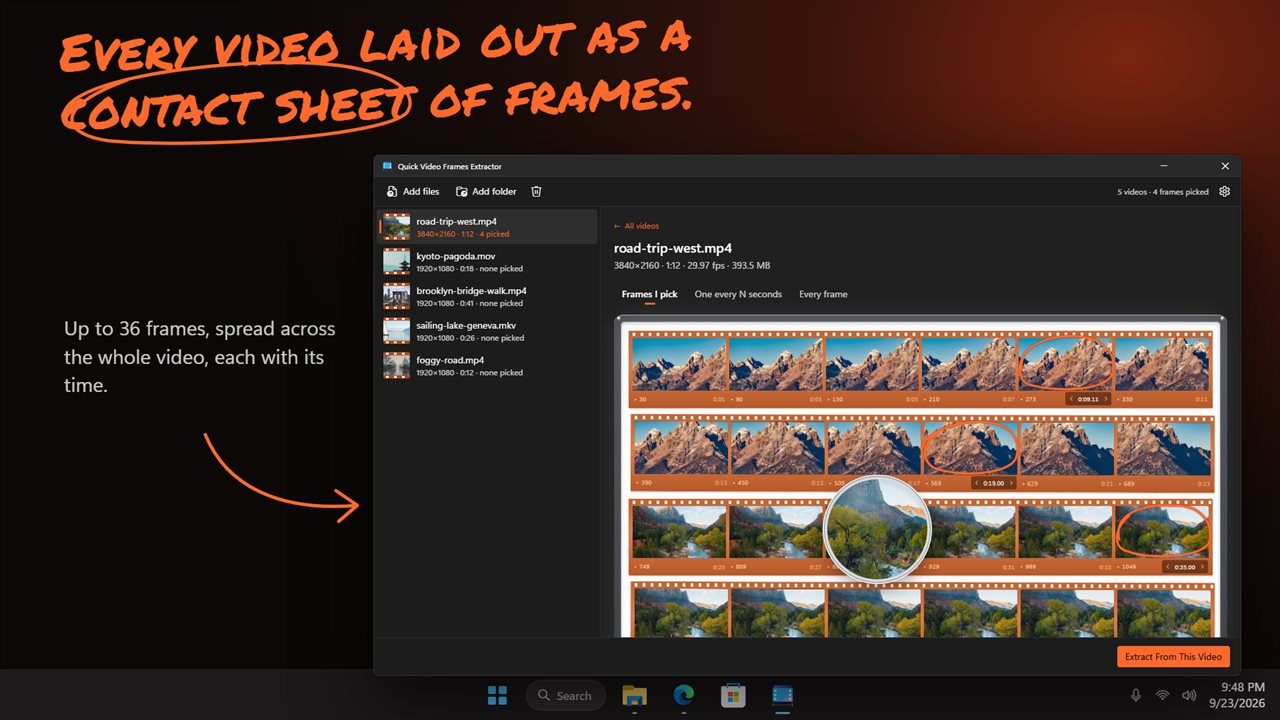
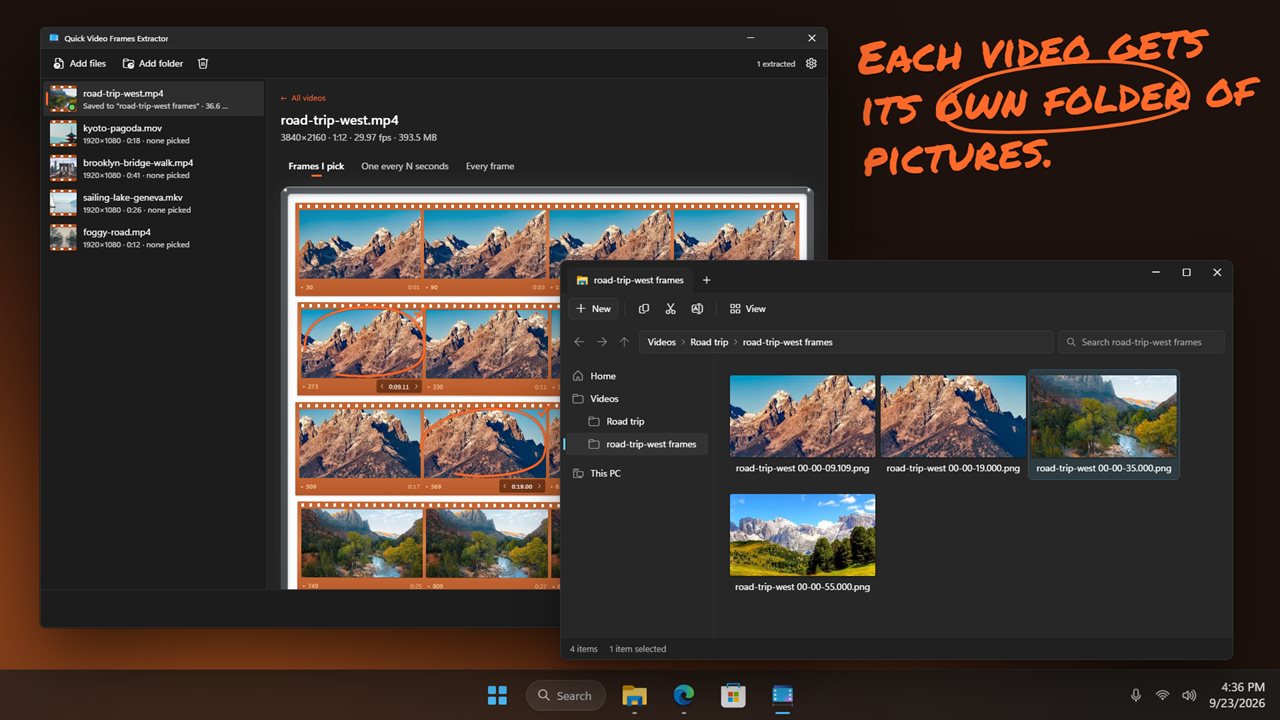
Every video laid out as a contact sheet of frames.
See it in action
About Quick Video Frames Extractor
Want a still from a video? Quick Video Frames Extractor shows you the frames and saves the ones you choose as pictures.
See the whole video at once
Open a video and it is laid out as a contact sheet: up to 36 frames spread across its whole length, each with its time and frame number. Hover over any frame to look closer through the magnifier.
Pick the frames you want
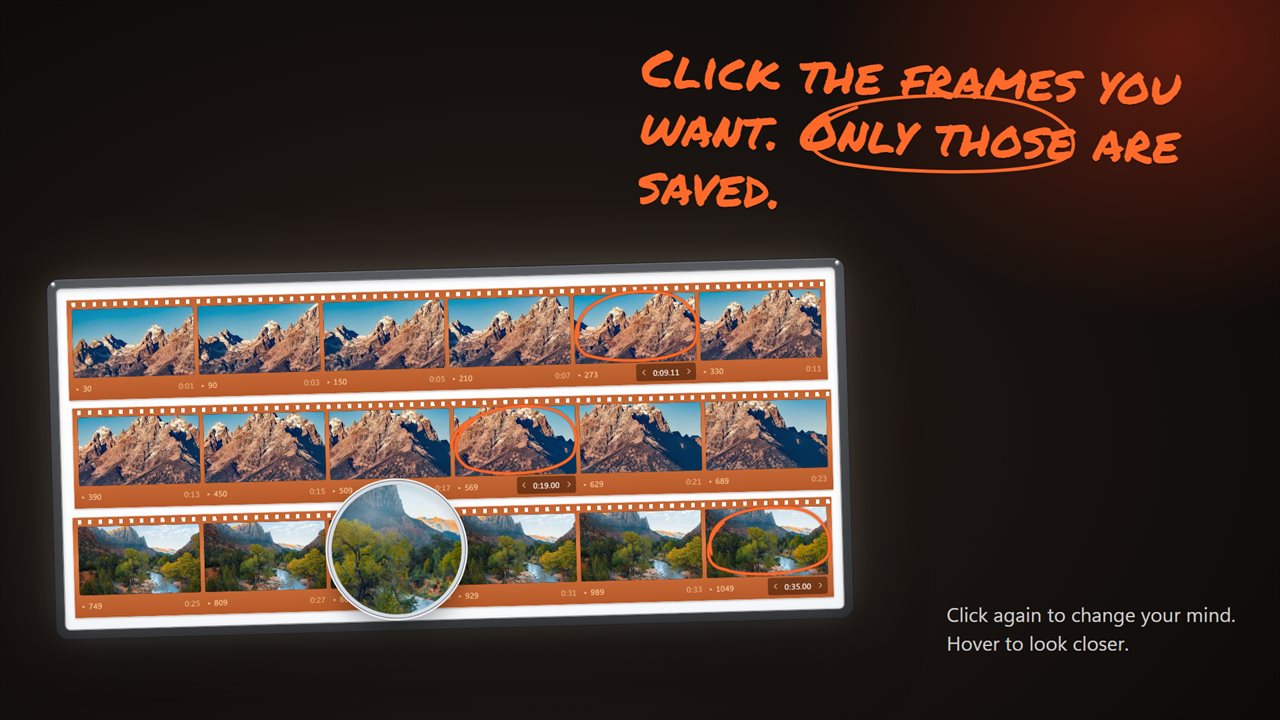
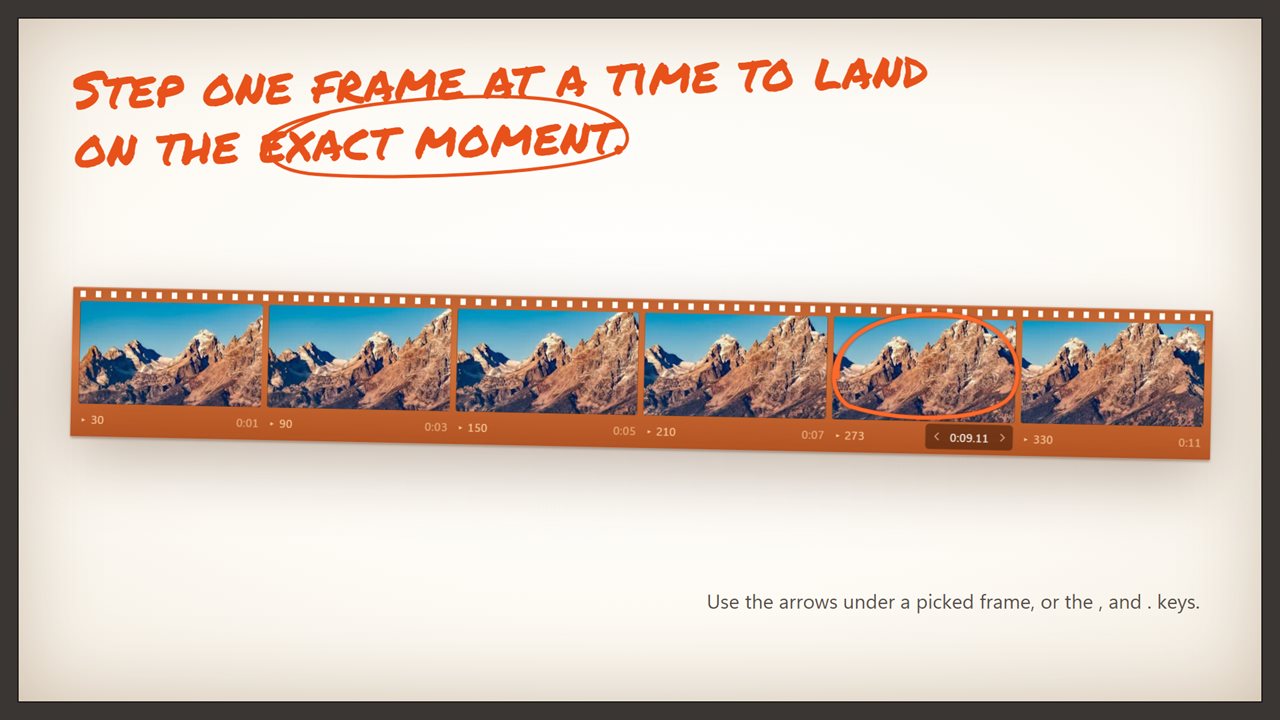
Click a frame to mark it, and click again to change your mind. Only the frames you pick are saved. Close but not quite? Use the arrows under a picked frame, or the , and . keys, to step one frame back or forward until you land on the exact moment.
Or save them all
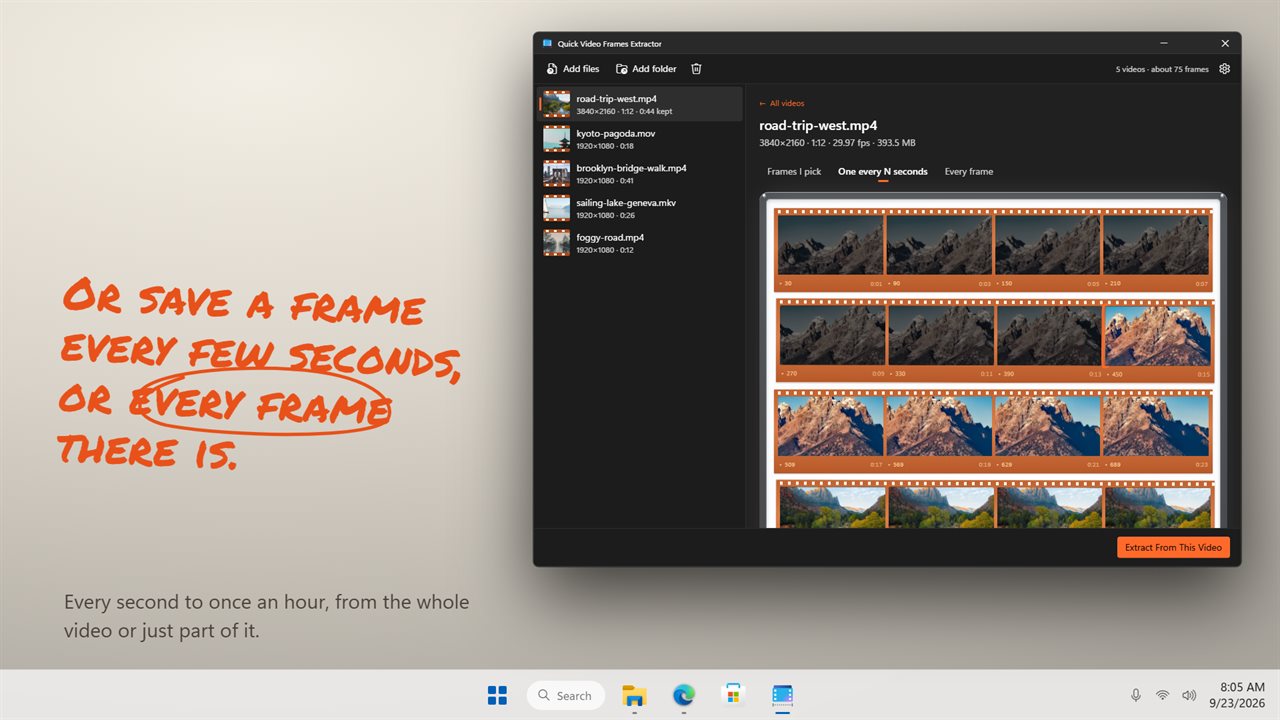
Save one frame every few seconds, anywhere from every second to once an hour, or save every single frame of the video. Want only part of it? Type a start and end time, or right-click a frame to start or end there. You can also set a limit on how many frames to save from each video, and the app warns you before a run that would save more than 2,000 pictures.
The pictures you need
Save as PNG, JPG, BMP, WebP or TIFF. PNG keeps every detail, and JPG and WebP have a quality setting for smaller files. Keep the original size, or set a width or height and the picture keeps its shape.
Tidy by default
Every video gets its own folder of frames, next to the video or in a folder you choose. Frames you pick are named for the moment they come from. The folder opens by itself when the frames are saved.
A whole batch at once
Drop in as many videos as you like, or add a folder. The app opens MP4, M4V, MOV, MKV, WebM, AVI, WMV, FLV, MPG, MPEG, M2TS, MTS, TS, 3GP, VOB, OGV, ASF, DivX and GIF.
Private
Everything happens on your PC. Your videos are never uploaded, and the videos themselves are never changed.
Features
- See each video as a contact sheet of up to 36 frames, spread across its whole length
- Click a frame to mark it, and only the frames you pick are saved
- Step a picked frame one frame back or forward with the arrows under it, or the , and . keys
- Hover over a frame for a close-up through the magnifier
- Or save one frame every few seconds, anywhere from every second to once an hour
- Or save every single frame of the video
- Save from just part of a video: type a start and end time, or right-click a frame to start or end there
- Set a limit on how many frames to save from each video
- Save as PNG, JPG, BMP, WebP or TIFF, with a quality setting for JPG and WebP
- Keep the original size, or set a width or height. Leave one blank and the picture keeps its shape
- Every video gets its own folder of frames, next to the video or in a folder you choose
- Frames you pick are named for the moment they come from, so you always know where each one was taken
- The folder opens by itself when the frames are saved
- Work through a whole batch of videos at once. Drop in the files, or add a folder
- Opens MP4, M4V, MOV, MKV, WebM, AVI, WMV, FLV, MPG, MPEG, M2TS, MTS, TS, 3GP, VOB, OGV, ASF, DivX and GIF
- Warns you before a run that would save more than 2,000 pictures
- Everything happens on your PC. Your videos are never uploaded and never changed
- Light and dark themes, or match Windows
Details
- Works on
- Windows 10 (1809 or later) and Windows 11
- Download
- About 74.9 MB
- Version
- 2.0.3, updated October 2026
- First released
- July 2023
- Price
- $1.99 once. No subscription.
- Category
- Utilities & tools
What's new in 2.0.3
- New: every video is laid out as a contact sheet of frames
- New: click the frames you want, and step one frame at a time to the exact moment
- New: a magnifier for a closer look at any frame
- New: save from just part of a video, and set a limit on how many frames
- New: save as WebP and TIFF too, and choose the size
- Each video gets its own folder of frames
Questions
Anything else? Ask us
Which versions of Windows does it run on?
Windows 10 (version 1809 or later) and Windows 11.
Is it a subscription?
No. Quick Video Frames Extractor is a one-time purchase of $1.99, and updates are included.
How do I get it?
EvlarSoft apps are moving to direct downloads from this site. Ask to be notified and we will email you as soon as Quick Video Frames Extractor is ready to download.