VidToGIF - Video to GIF Converter
Drag two pink brackets around the moment you want, watch it loop, and save it as a GIF. VidToGIF shows the real loop and about how big the file will be before you convert. Make animated WebP or animated PNG too, convert a whole batch at once, and keep every video on your PC.
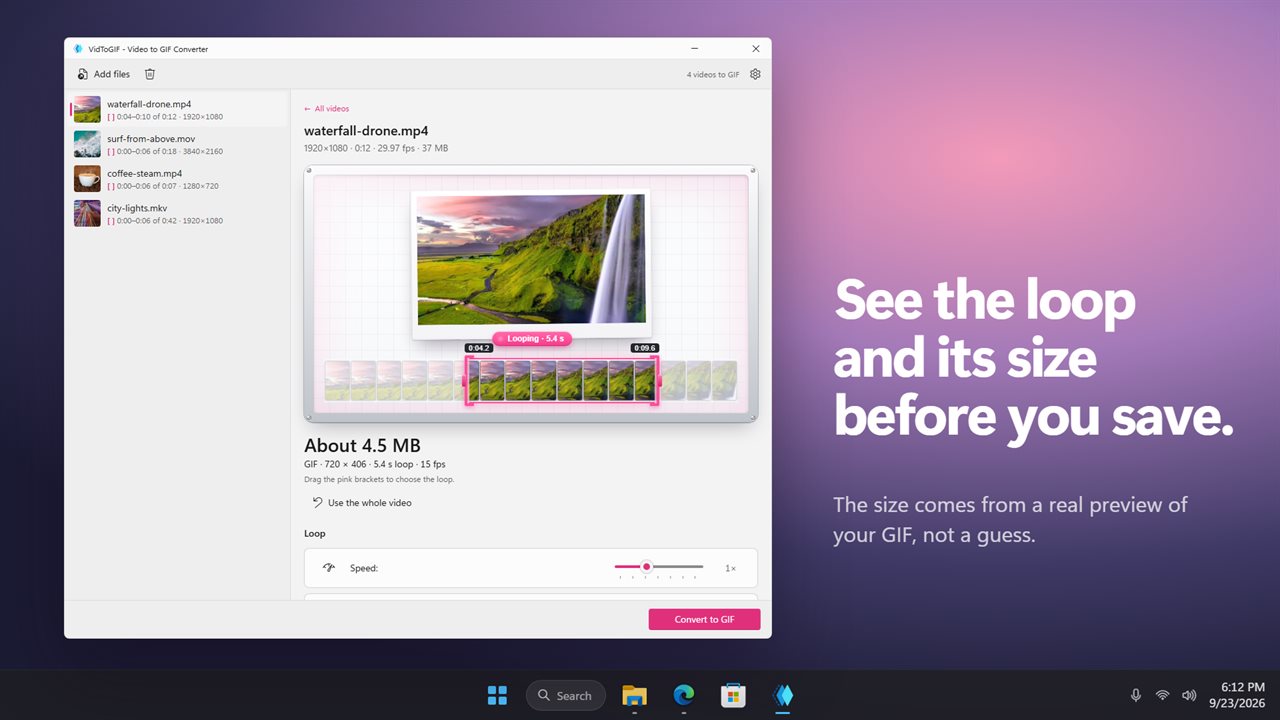
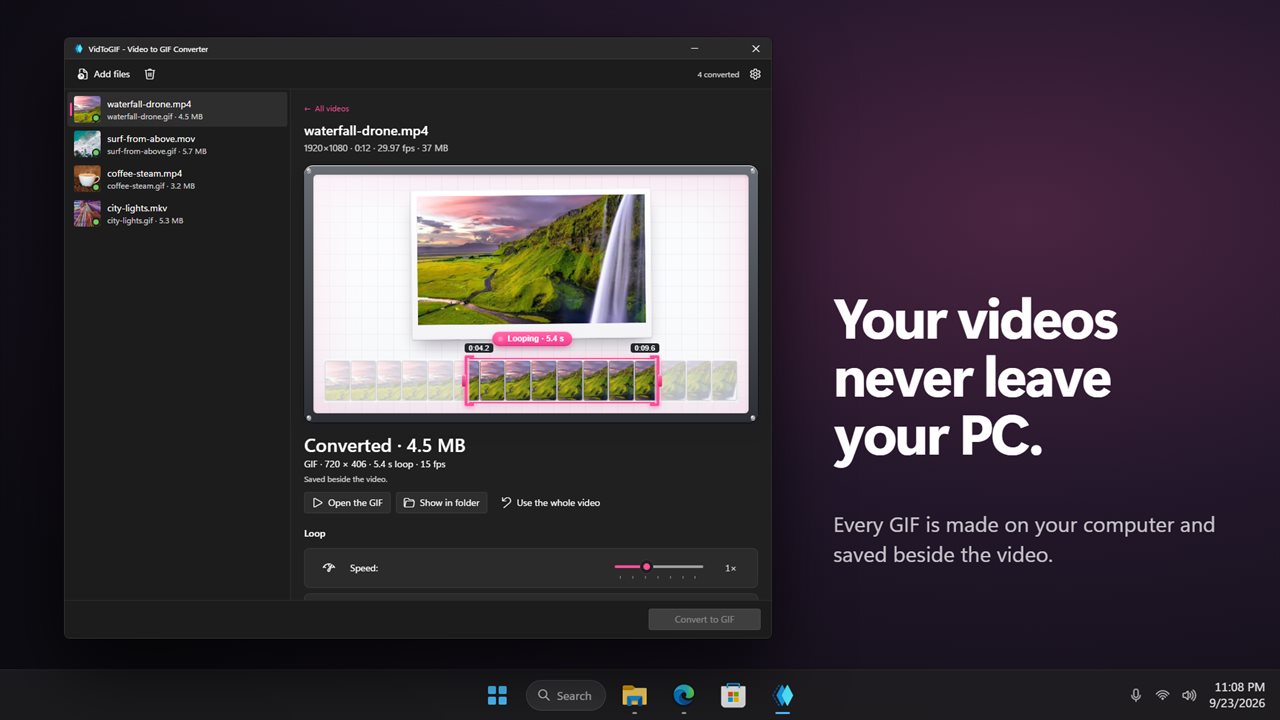
See the loop, and about how big it is, before you save.
See it in action
About VidToGIF - Video to GIF Converter
Found the perfect moment in a video? VidToGIF turns it into a looping GIF you can drop into a chat, an email or a forum post.
Pick the loop
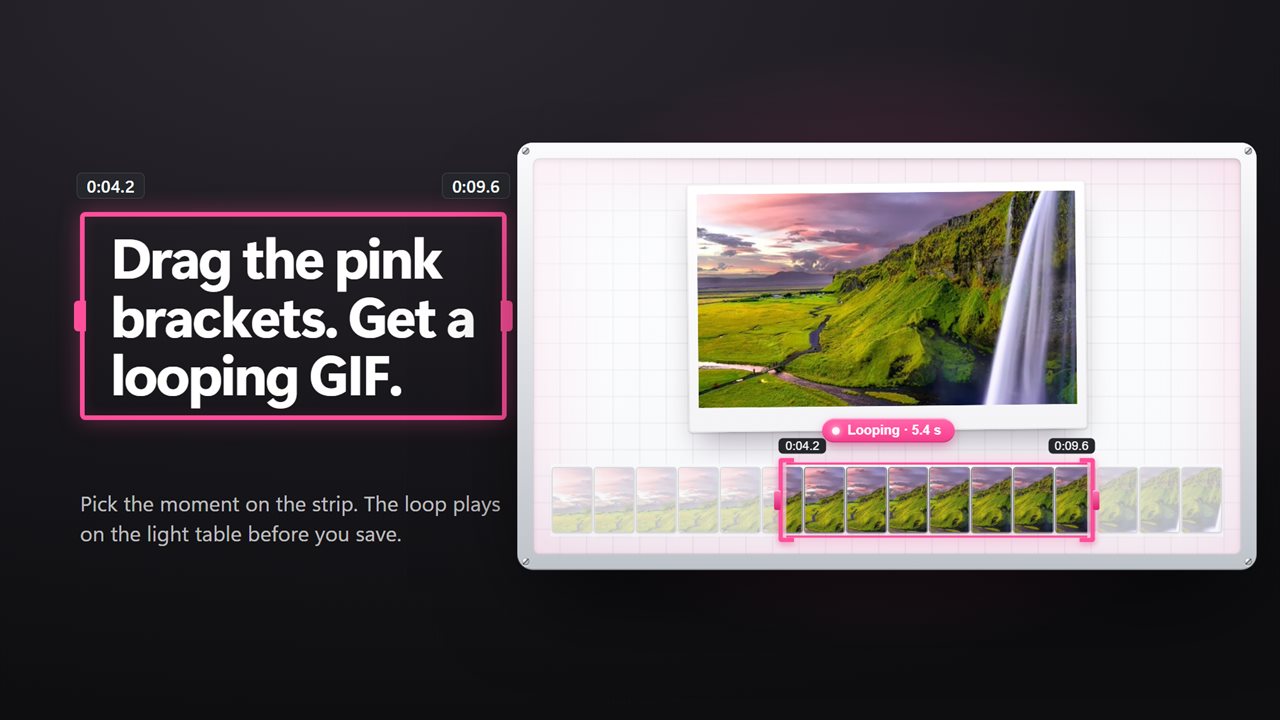
Add a video and its frames are laid out in a strip. Drag the two pink brackets to where the loop should start and end, or drag between them to slide the whole loop along. Long videos start on their first 6 seconds, so you never make a huge GIF by accident.
See it before you save it
The preview plays the real loop with your settings, and the app tells you about how big the file will be. Click the preview to pause it. Change a setting and the preview catches up on its own.
Three formats
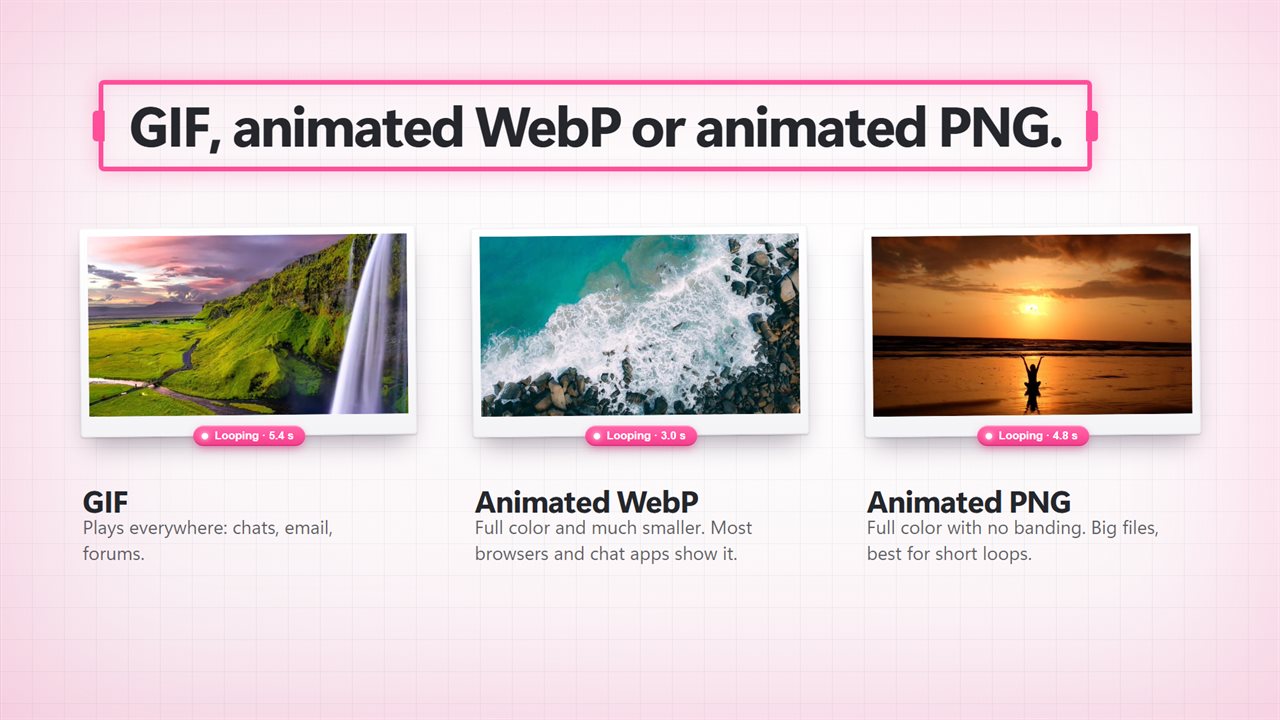
GIF plays everywhere. Animated WebP keeps full color and is much smaller. Animated PNG has no banding at all, best for short loops.
Make it yours
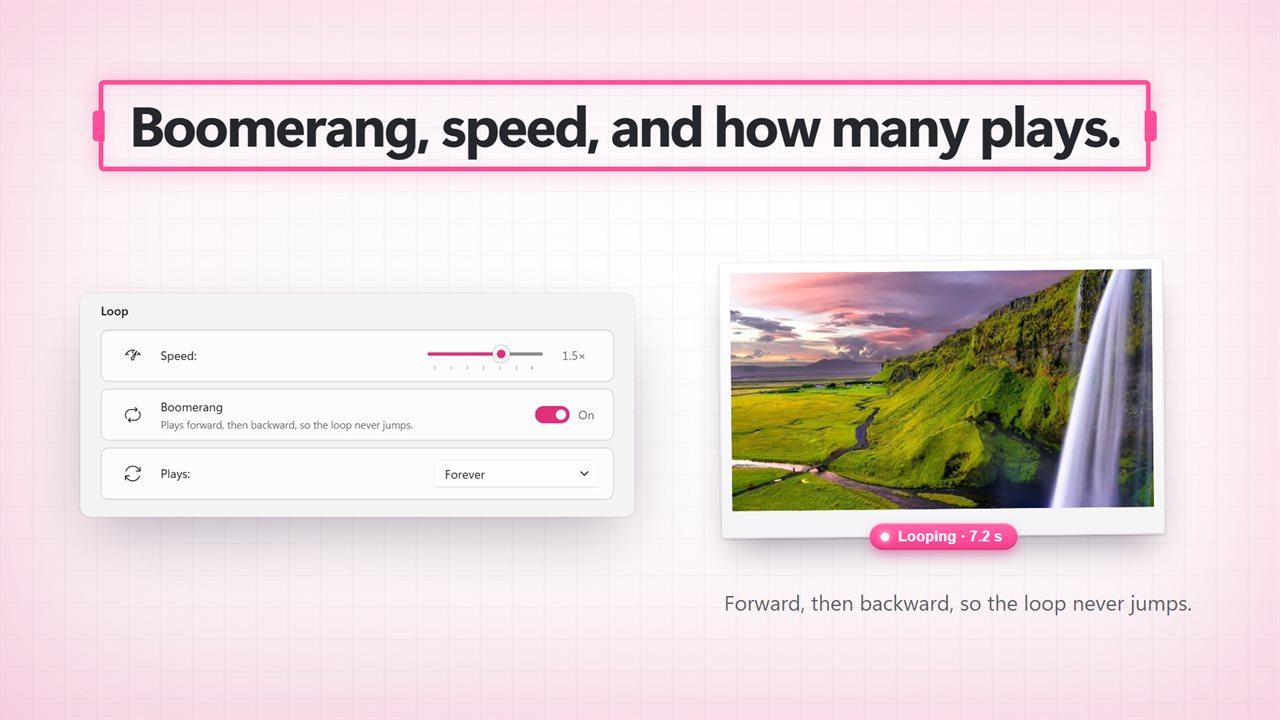
Boomerang plays the clip forward, then backward, so the loop never jumps. Set the speed from 0.5x to 2x, and choose whether it plays forever, once, or 2, 3 or 5 times.
Small enough to send
Pick a width from 240 to 1080, let it fit up to 720 wide, or type your own size. Choose 8 to 30 frames per second. For GIFs, pick 16 to 256 colors and one of four dither styles. For WebP, set the quality from 30 to 100.
A whole folder at once
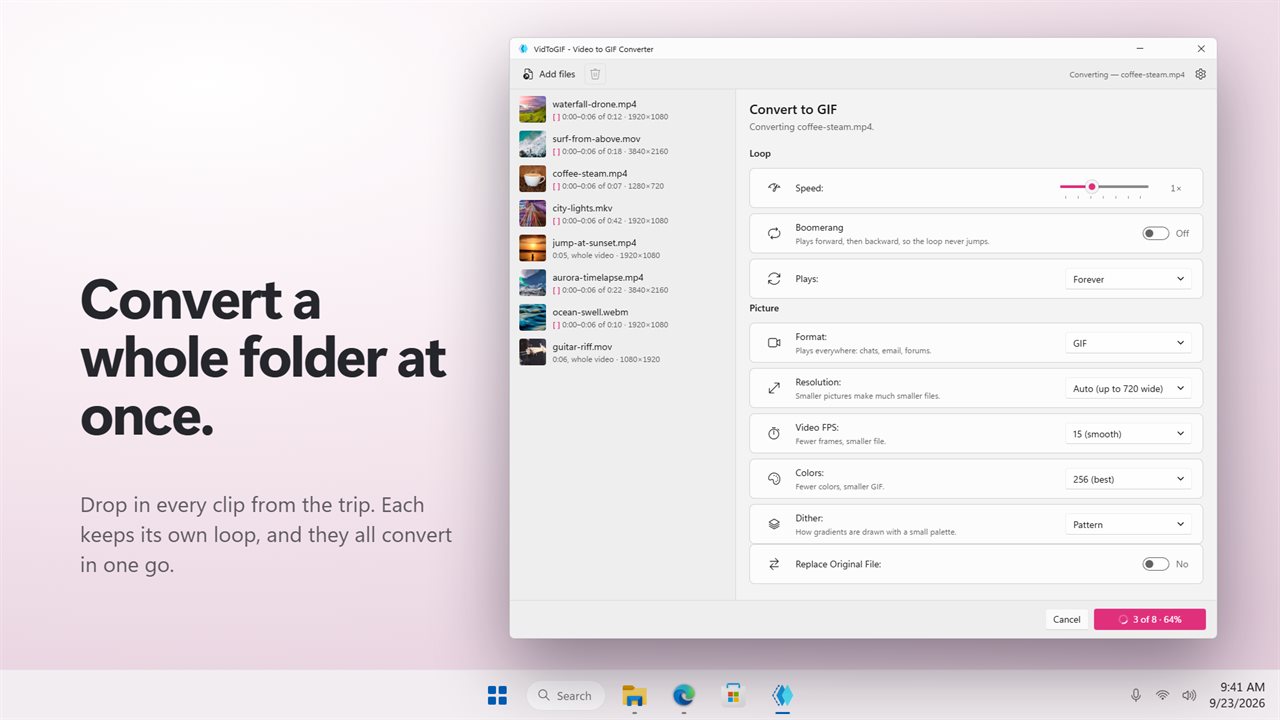
Add as many videos as you like and convert them in one go. VidToGIF opens MP4, MOV, MKV, WebM, AVI, WMV and 12 more video formats, and GIFs too. Each result is saved beside its video, or replaces it if you choose, after asking first.
Private by design
Everything happens on your PC. Your videos are never uploaded, and there is no account.
Features
- Turn videos into looping GIFs, animated WebP or animated PNG
- Drag two pink brackets along a strip of frames to pick where the loop starts and ends
- A live preview plays the real loop before you convert. Click it to pause
- See about how big the file will be before you save it
- Long videos start on their first 6 seconds, so a GIF never grows huge by accident
- Convert a whole batch of videos in one go
- Opens MP4, MOV, MKV, WebM, AVI, WMV and 12 more video formats, and GIFs too
- Boomerang plays the clip forward, then backward, so the loop never jumps
- Speed it up or slow it down, from 0.5x to 2x
- Play forever, once, 2, 3 or 5 times
- Pick a width from 240 to 1080, let it fit up to 720 wide, or type your own size
- Choose 8 to 30 frames per second
- For GIFs, choose 16 to 256 colors and one of four dither styles
- For animated WebP, set the quality from 30 to 100
- Each GIF is saved beside its video, or replaces it if you choose, after asking first
- Everything happens on your PC. Your videos are never uploaded
- Light and dark themes, or follow Windows
Details
- Works on
- Windows 10 (1809 or later) and Windows 11
- Download
- About 74.6 MB
- Version
- 2.0.3, updated October 2026
- First released
- July 2023
- Price
- $2.99 once. No subscription.
- Category
- Photo & video
What's new in 2.0.3
- New: drag the pink brackets to pick exactly where the loop starts and ends
- New: a live preview of the real loop, with its file size
- New: animated WebP and animated PNG, as well as GIF
- New: boomerang, speed, and how many times it plays
- New: choose the colors and dither style for smaller GIFs
Questions
Anything else? Ask us
Which versions of Windows does it run on?
Windows 10 (version 1809 or later) and Windows 11.
Is it a subscription?
No. VidToGIF - Video to GIF Converter is a one-time purchase of $2.99, and updates are included.
How do I get it?
EvlarSoft apps are moving to direct downloads from this site. Ask to be notified and we will email you as soon as VidToGIF - Video to GIF Converter is ready to download.