Wavify
Drop a song on the record, play it, trim it, and save it as WAV. Wavify converts MP3, WMA, AAC, FLAC and more, and the sound from videos, in CD, studio, hi-res or 32-bit float quality. Everything happens on your PC, and your files are never uploaded.
Drop a song on the record and save it as WAV.
See it in action
About Wavify
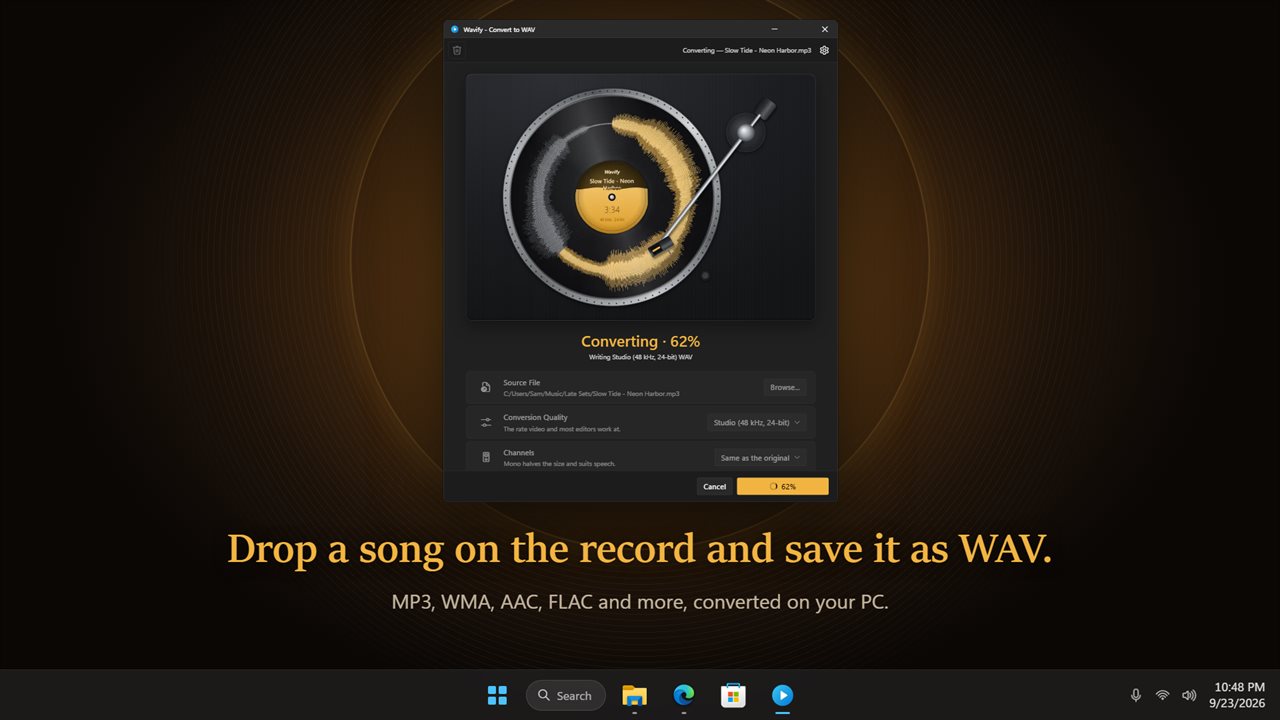
Hear it, trim it, and save it as WAV. Wavify puts your file on a record, so you can play the part you want before you convert it.
Drop it on the record
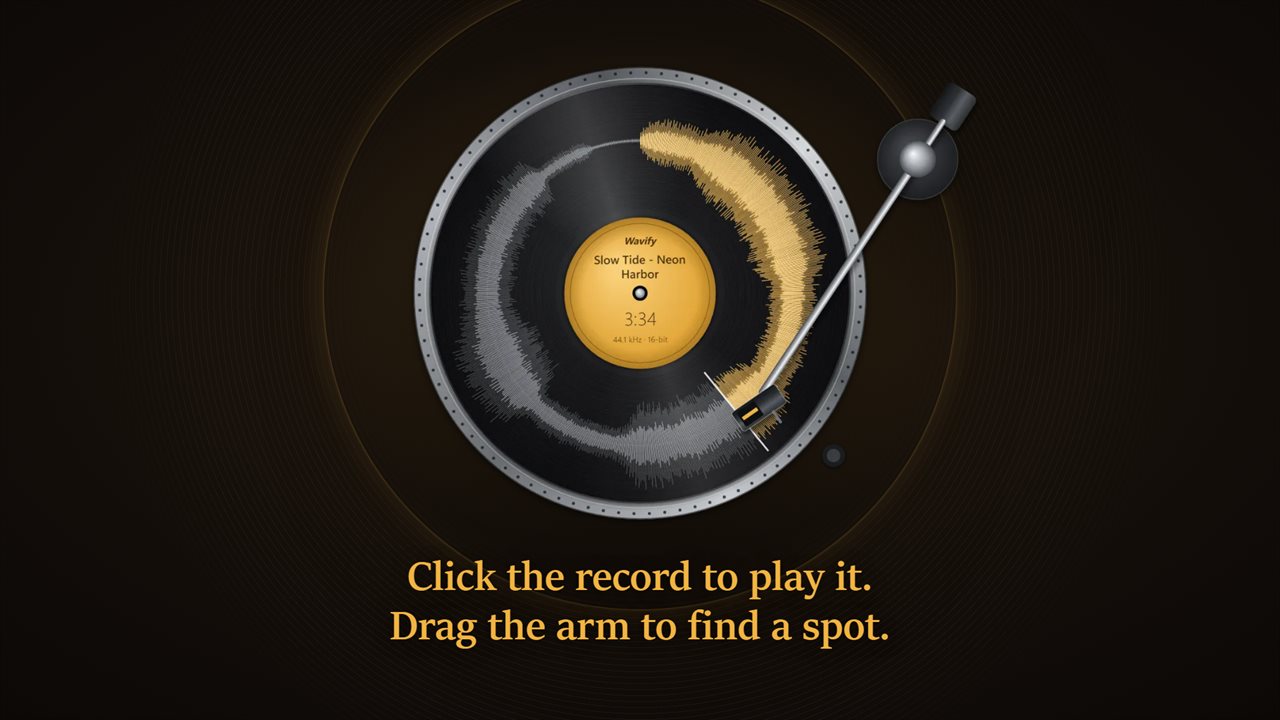
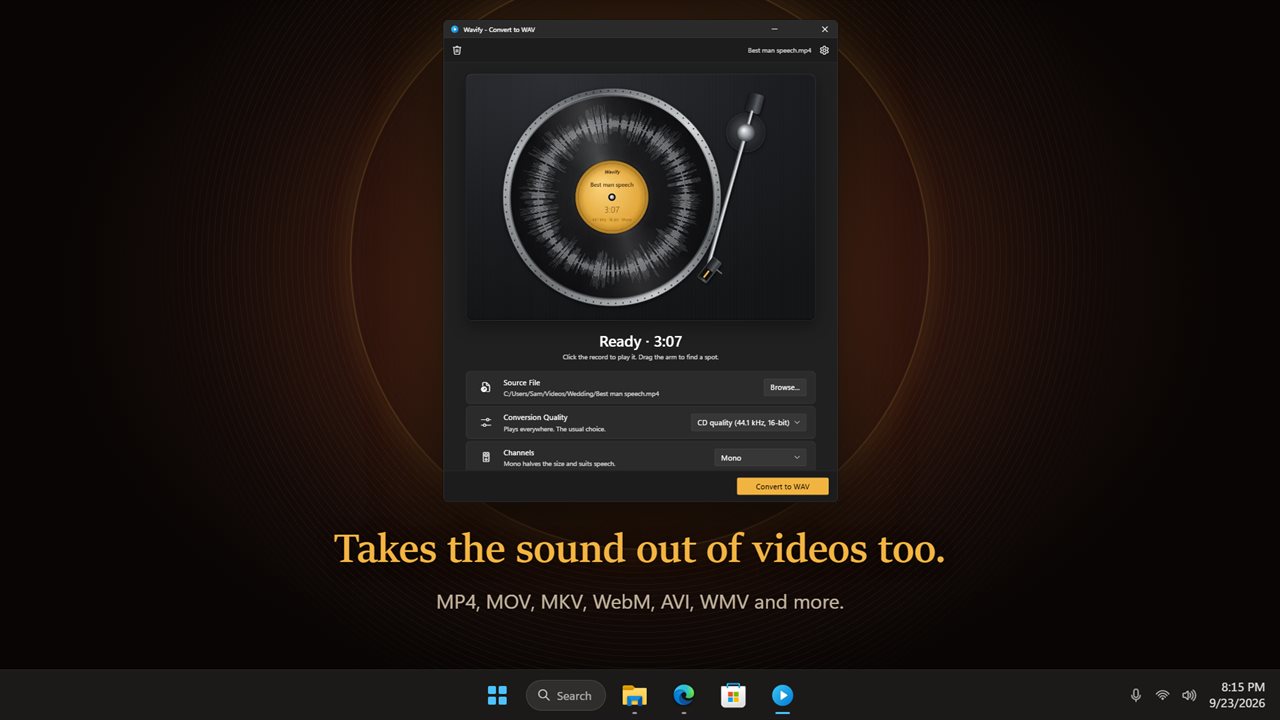
Drop a file onto the record, or click it to browse. The whole song is drawn round the record, loud parts and quiet parts, and the label shows its name and length.
Play it first
Click the record to play it. The tonearm follows the song round, and the grooves light up in gold as it goes. Drag the arm, or click anywhere on the grooves, to jump to a spot.
Keep only the part you want
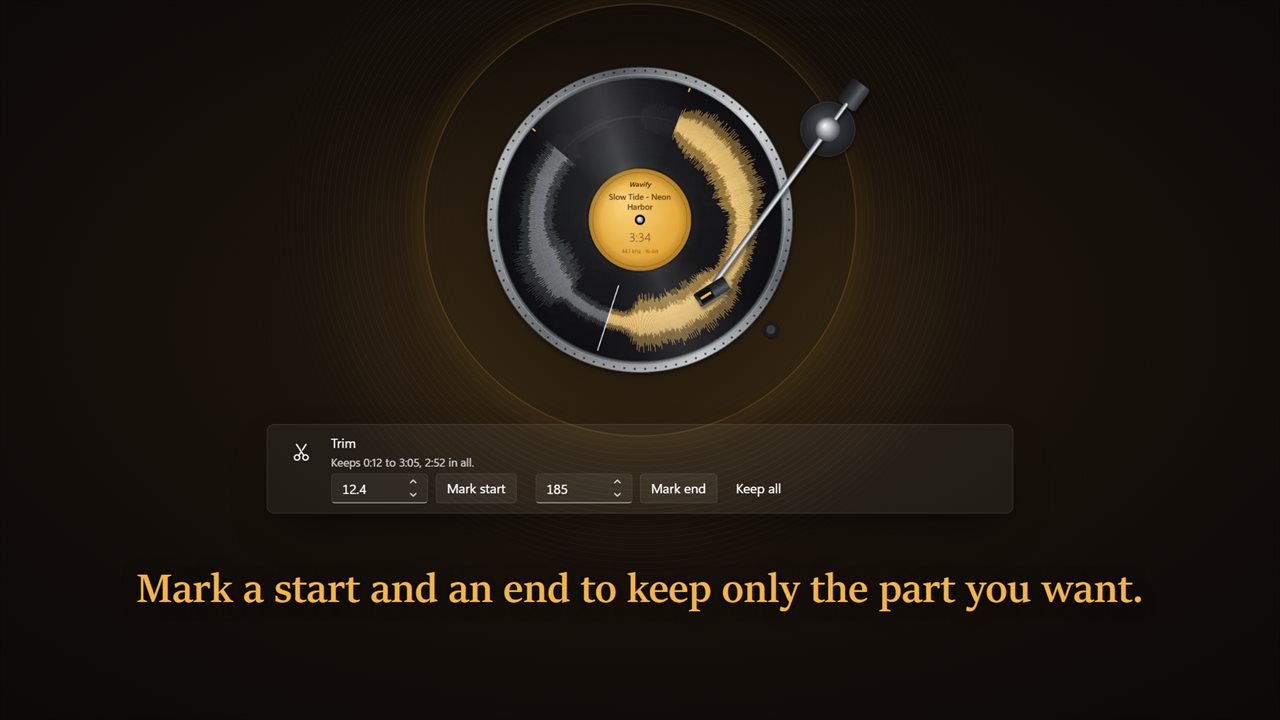
Mark a start and an end where the arm is, or type the seconds. Wavify shows how much you are keeping, and only that part goes into the WAV.
Pick the quality
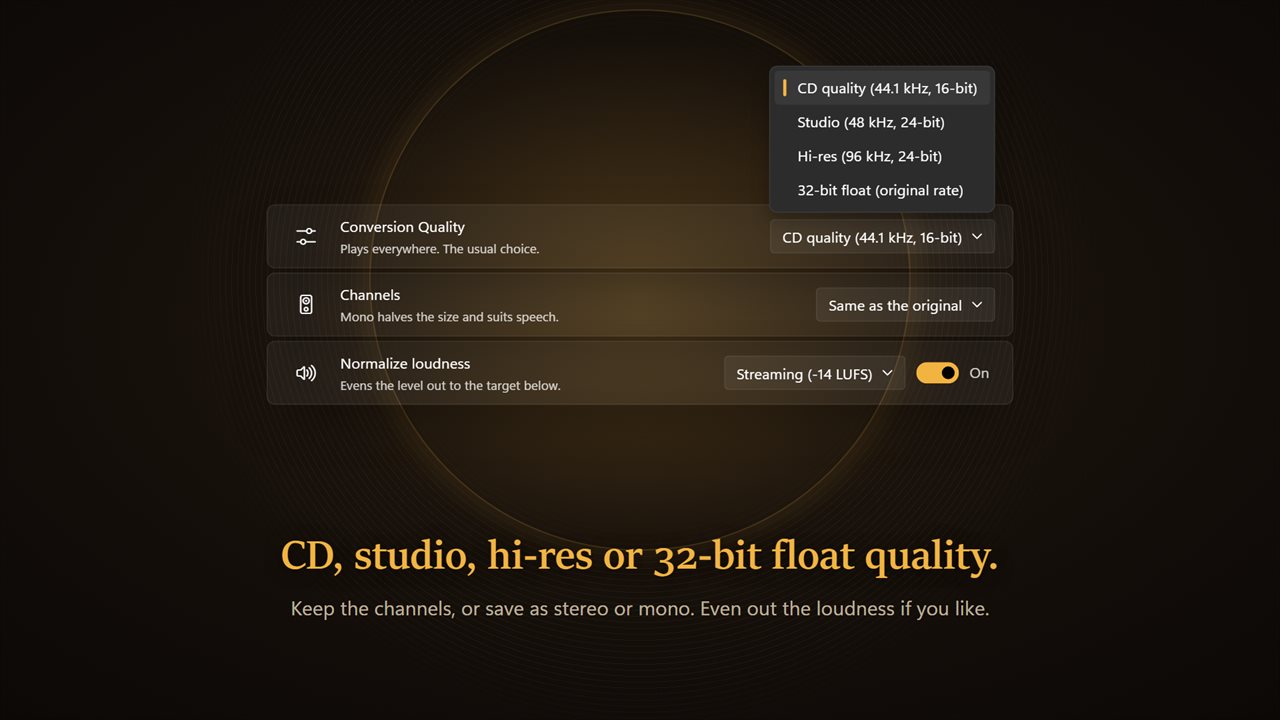
CD quality (44.1 kHz, 16-bit) plays everywhere. Studio (48 kHz, 24-bit) is the rate video and most editors work at. Hi-res (96 kHz, 24-bit) is for archiving. 32-bit float never clips, for editing in a studio app. Keep the channels as they are, or save as stereo or mono.
Even out the loudness
Turn on Normalize loudness and pick a target: streaming (-14 LUFS), podcast (-16 LUFS) or broadcast (-23 LUFS).
Music and video
Wavify reads MP3, WMA, AAC, M4A, FLAC, OGG, Opus, AIFF, AMR and AC3, and takes the sound out of MP4, MOV, MKV, WebM, AVI, WMV, FLV, MPG, 3GP, VOB and more.
Saved next to the original
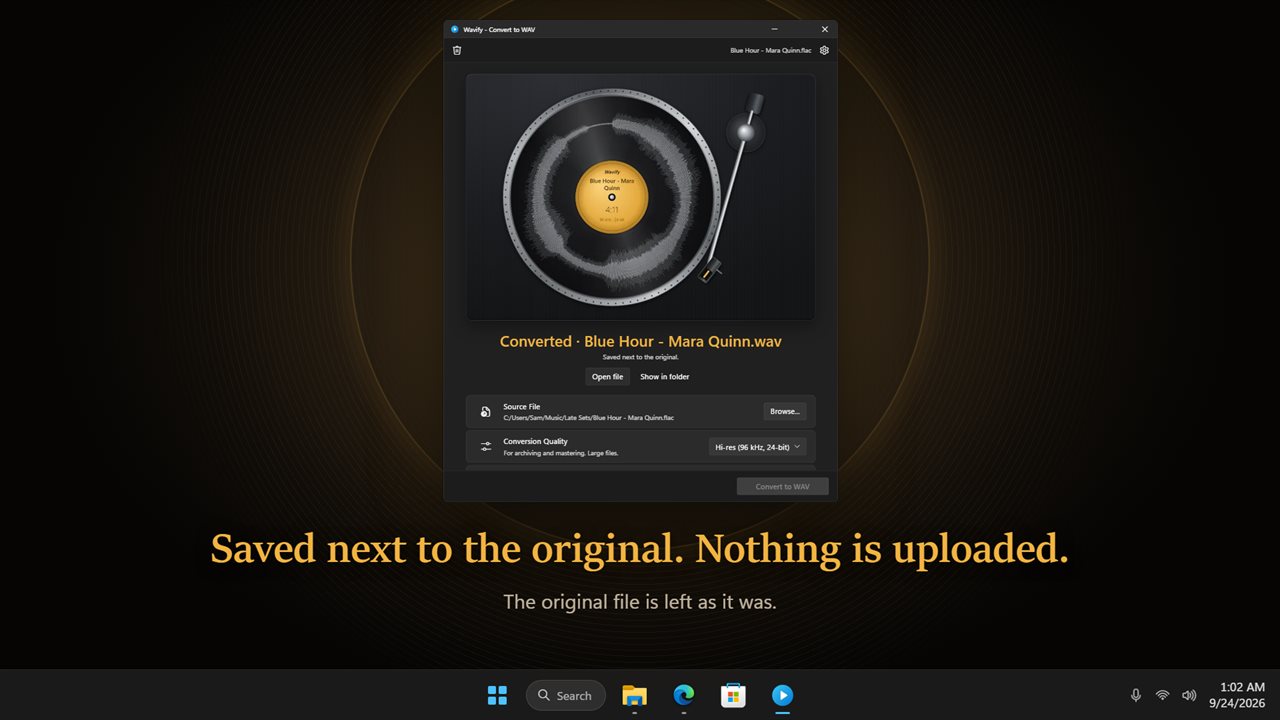
Press Convert to WAV and the label fills with gold as it works. The WAV lands in the same folder as the original, which is left as it was. Open it or show it in its folder with one click.
Private
Everything happens on your PC. There is no account, and your files are never uploaded.
Features
- Convert MP3, WMA, AAC, M4A, FLAC, OGG, Opus, AIFF, AMR and AC3 files to WAV
- Save the sound from videos as WAV too: MP4, MOV, MKV, WebM, AVI, WMV, FLV, MPG, 3GP, VOB and more
- Drop a file onto the record, or click the record to browse for one
- The whole song is drawn round the record, so you can see the loud and quiet parts at a glance
- Click the record to play it before you convert, and click again to pause
- Drag the tonearm, or click the grooves, to jump to any spot
- Trim the start and end: mark them where the arm is, or type the seconds
- Four quality choices: CD quality (44.1 kHz, 16-bit), Studio (48 kHz, 24-bit), Hi-res (96 kHz, 24-bit) and 32-bit float
- Keep the channels as they are, or save as stereo or mono
- Even out the loudness for streaming (-14 LUFS), podcasts (-16 LUFS) or broadcast (-23 LUFS)
- The label fills with gold as the file converts
- The WAV is saved next to the original, which is left as it was
- Open the new file or show it in its folder with one click, or have it open by itself
- Play a sound when the WAV is ready, if you like
- Everything happens on your PC. Your files are never uploaded
Details
- Works on
- Windows 10 (1809 or later) and Windows 11
- Download
- About 74.7 MB
- Version
- 2.0.3, updated October 2026
- First released
- January 2023
- Price
- $1.99 once. No subscription.
- Category
- Music
What's new in 2.0.3
- New: your file sits on a record. Click it to play before you convert
- New: drag the tonearm or click the grooves to jump to any spot
- New: trim the start and end
- New: studio, hi-res and 32-bit float quality, plus mono or stereo
- New: even out the loudness for streaming, podcasts or broadcast
- New: takes the sound out of videos too
Questions
Anything else? Ask us
Which versions of Windows does it run on?
Windows 10 (version 1809 or later) and Windows 11.
Is it a subscription?
No. Wavify is a one-time purchase of $1.99, and updates are included.
How do I get it?
EvlarSoft apps are moving to direct downloads from this site. Ask to be notified and we will email you as soon as Wavify is ready to download.