XLSX Locker
Paint the cells others may type in, and every formula and total is locked for you. Add a password to open for real encryption, or lock and unlock a whole folder of workbooks at once.
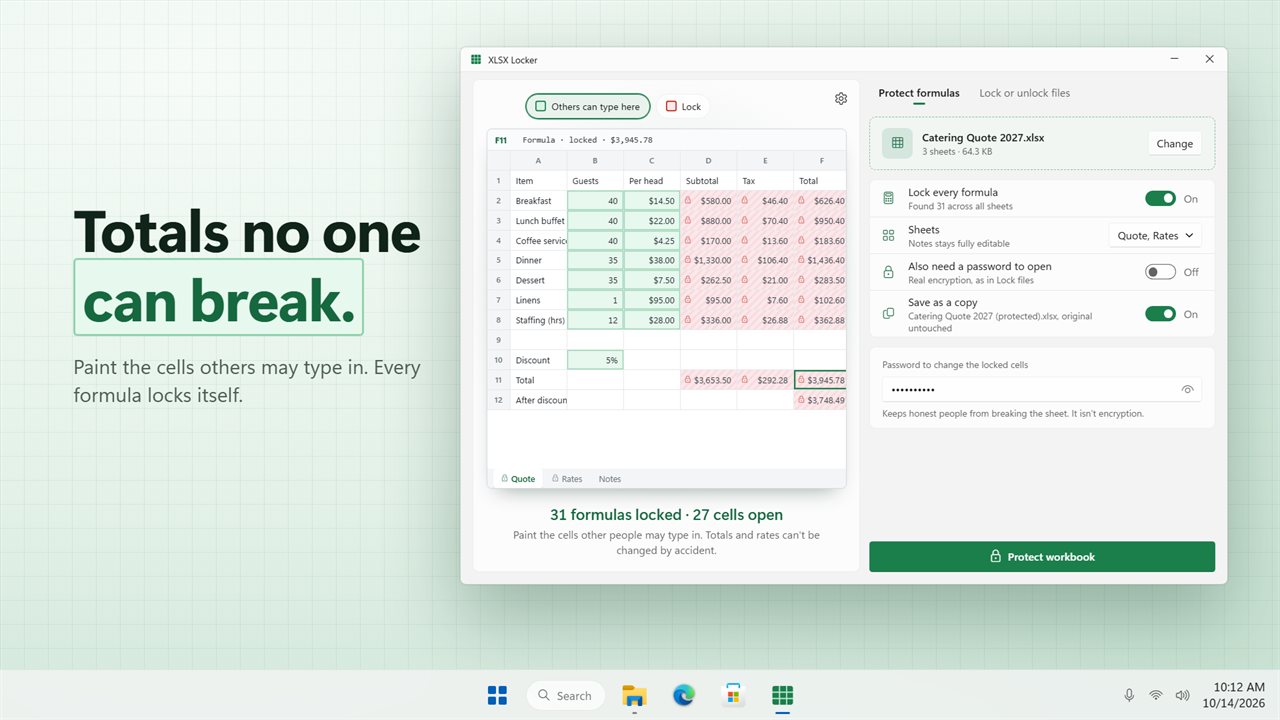
Paint the cells others may type in. Every formula locks itself.
See it in action
About XLSX Locker
XLSX Locker protects the formulas in your spreadsheets, and puts a password on the workbooks themselves.
Paint the open cells
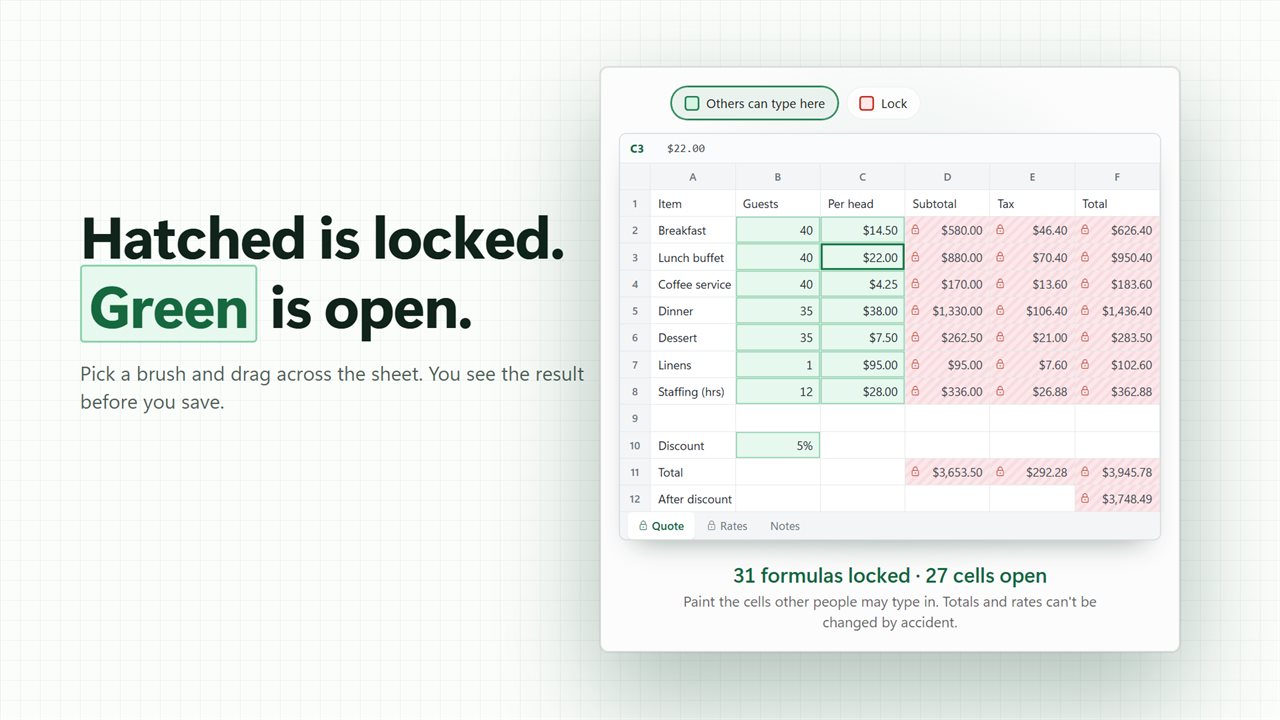
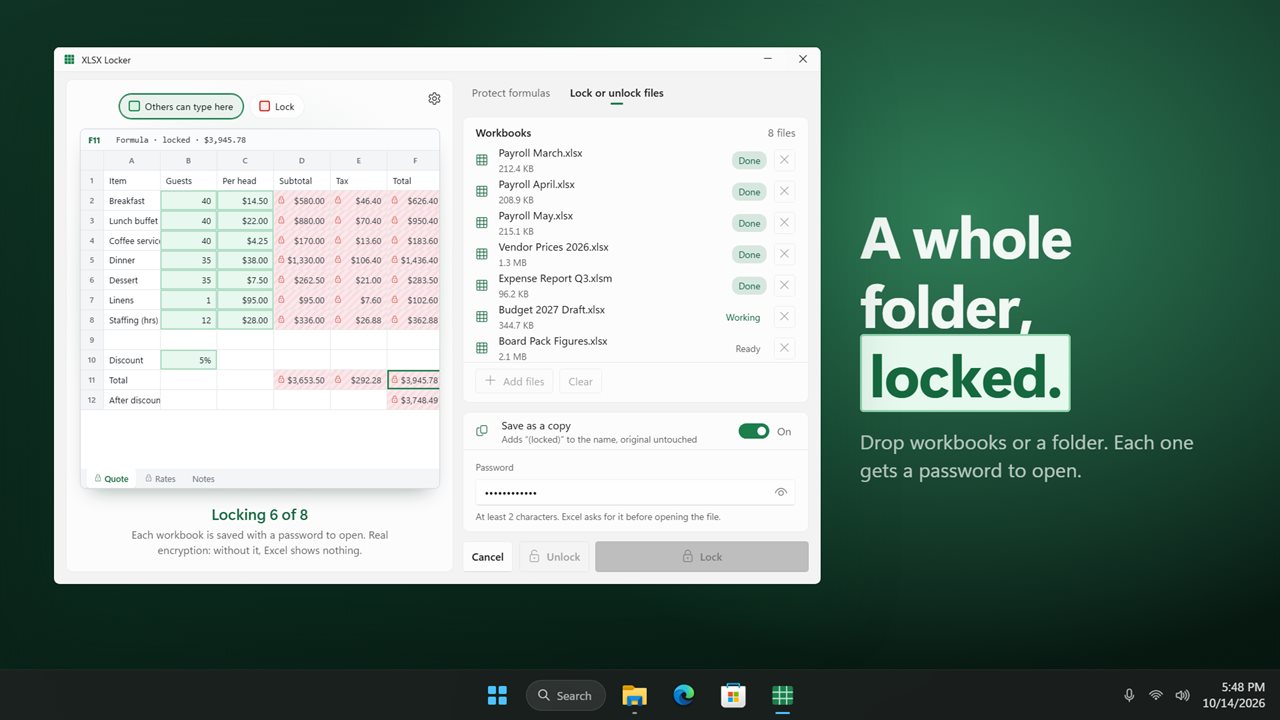
Open a workbook and its first sheet appears as a real grid. Formula cells are hatched with a small lock. Cells people are likely to fill in are already painted green. Pick a brush and drag across cells to open them or lock them again. A line under the sheet counts what will be locked and what stays open.
Formulas lock themselves
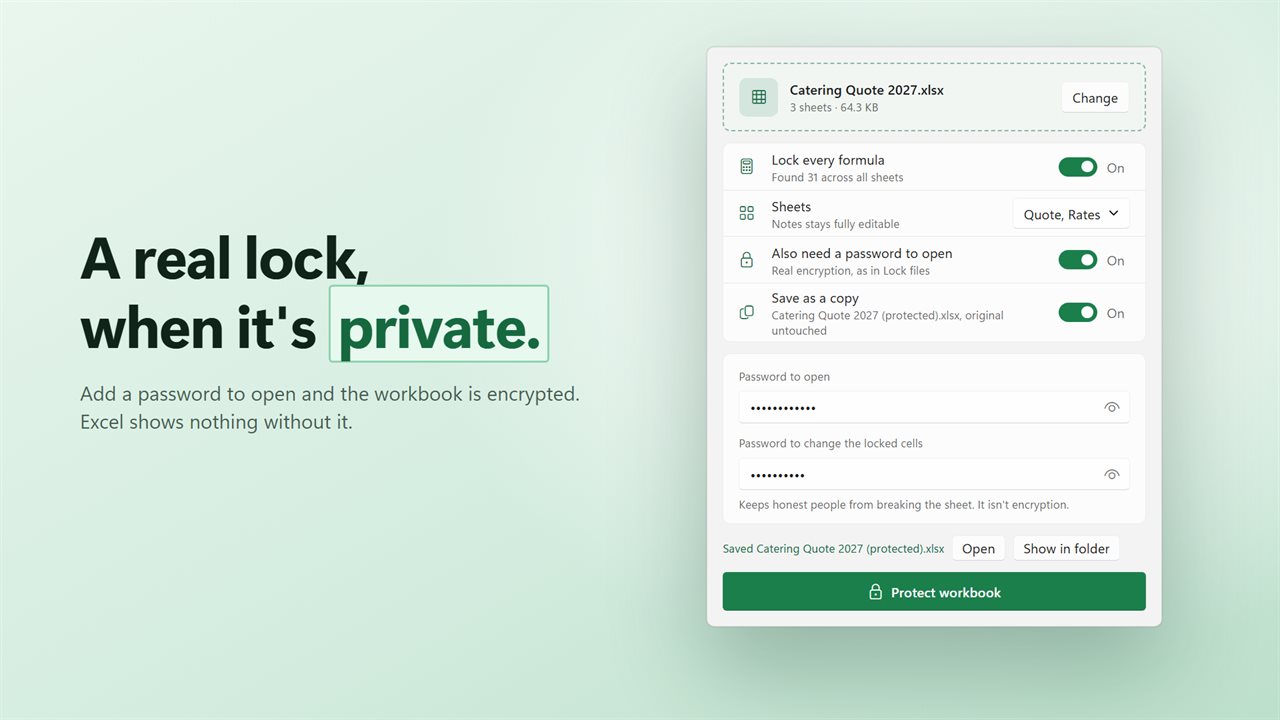
With "Lock every formula" on, every formula stays locked, even inside cells you painted open. Totals, rates and lookups can't be typed over by accident.
Choose the sheets
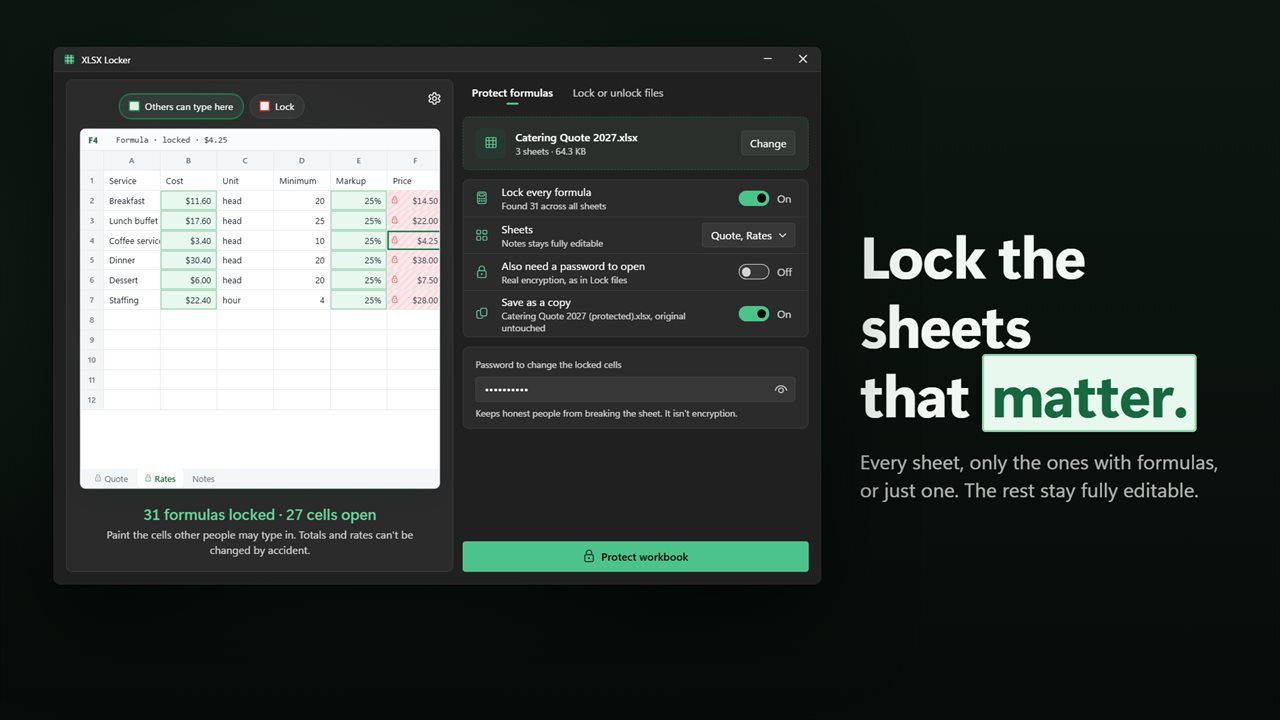
Protect every sheet, only the sheets that have formulas, or one sheet on its own. The rest stay fully editable.
A real lock when you need one
Sheet protection keeps honest people from breaking a sheet. It stops accidents, not a determined person. When the numbers are private, turn on "Also need a password to open". The workbook is then encrypted, and Excel shows nothing until the password is typed.
Lock or unlock a whole folder
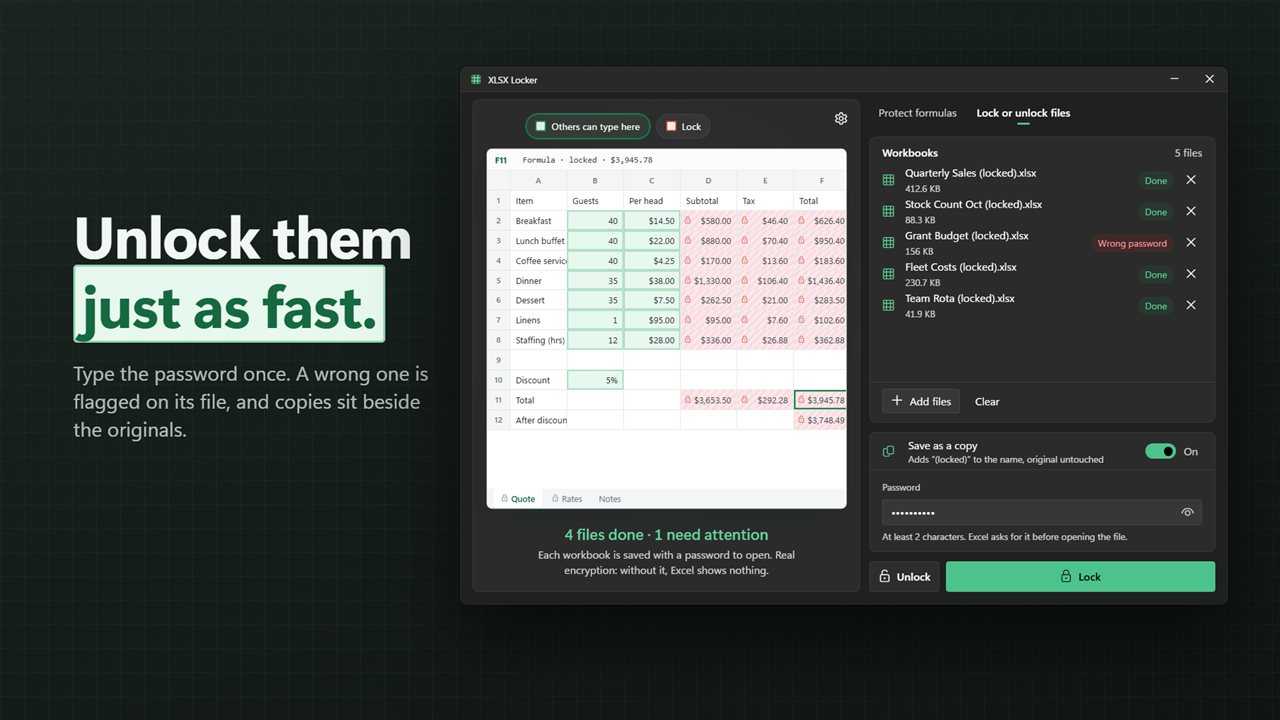
The original job still works. Drop workbooks or a folder, type a password, and click Lock or Unlock. Each file shows its own status as the batch runs.
Your originals stay put
By default the app saves a copy beside the original, named "(protected)", "(locked)" or "(unlocked)". Turn that off to replace the original instead.
Private
Everything happens on your PC. There is no account, and nothing is uploaded. Workbooks you locked with an earlier version still open and unlock as before.
Features
- Paint the cells other people may type in. Every other cell is locked
- Every formula is found and locked for you, on every sheet
- Hatched cells are locked, green cells are open, so you see the result before you save
- Protect every sheet, only the sheets with formulas, or just one
- Add a password to open, and the workbook is encrypted
- Lock or unlock many workbooks at once, or drop a whole folder
- Each file shows Ready, Working, Done or Wrong password as the batch runs
- Saves a copy beside the original, or replaces it if you turn that off
- Opens .xlsx, .xlsm and .xls workbooks
- Opens a workbook that already has a password to open, once you type it
- Everything happens on your PC. Nothing is uploaded
- Light and dark themes, or match Windows
Details
- Works on
- Windows 10 (1809 or later) and Windows 11
- Download
- About 54.4 MB
- Version
- 2.0.2, updated October 2026
- First released
- August 2023
- Price
- $1.99 once. No subscription.
- Category
- Utilities & tools
What's new in 2.0.2
- New: protect formulas. Paint the cells others may type in, and every formula is locked for you
- New: protect every sheet, only the sheets with formulas, or just one
- New: add a password to open while you protect
- New: drop a whole folder of workbooks
- The batch Lock and Unlock you know still works, and workbooks you locked before still unlock
- Fixed: Lock and Unlock no longer overwrite your original. A copy is saved beside it unless you choose to replace it
- Fixed: replacing an original is now written safely, so a failed save can't leave a half-written file
Questions
Anything else? Ask us
Which versions of Windows does it run on?
Windows 10 (version 1809 or later) and Windows 11.
Is it a subscription?
No. XLSX Locker is a one-time purchase of $1.99, and updates are included.
How do I get it?
EvlarSoft apps are moving to direct downloads from this site. Ask to be notified and we will email you as soon as XLSX Locker is ready to download.