Any Sound Converter
Convert music and audio between MP3, WAV, FLAC, M4A, AAC, OGG, Opus, WMA and AIFF, a whole batch at a time. Push a cartridge into the rack to pick the format, choose the quality, and level every file to the same loudness. Trim, fade and play files first, with twin VU meters that move to the music. Everything happens on your PC.
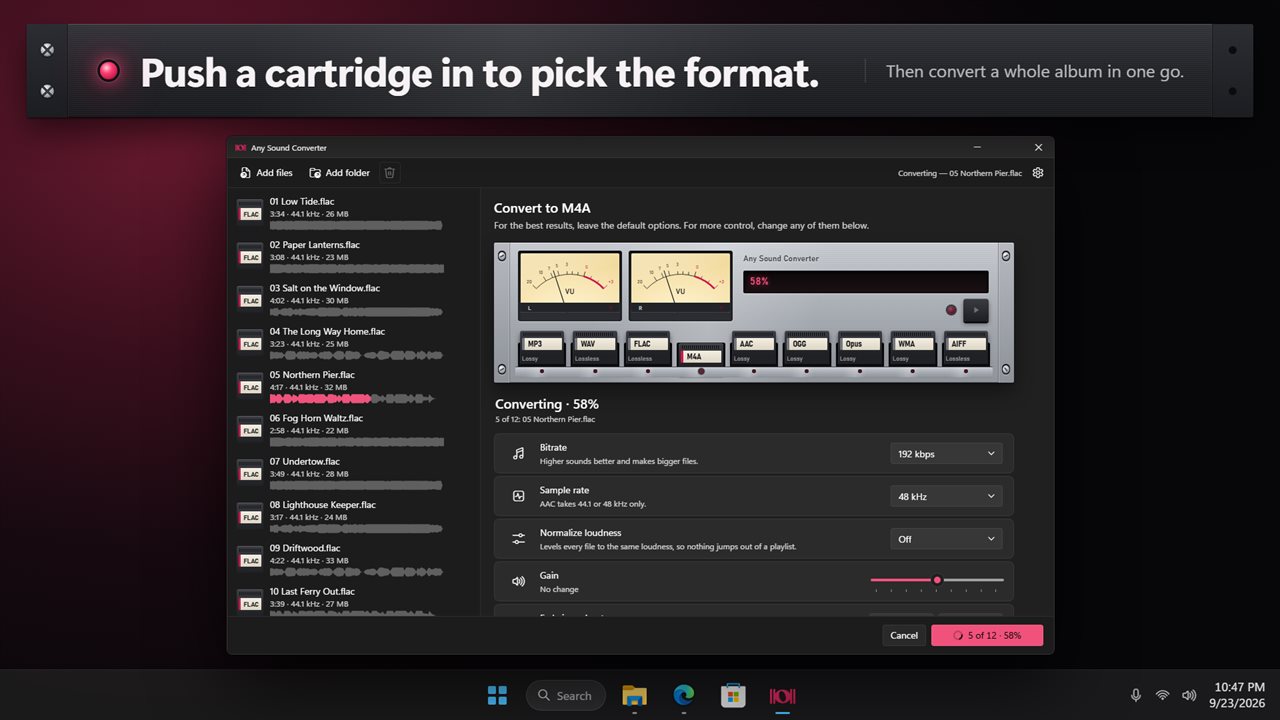
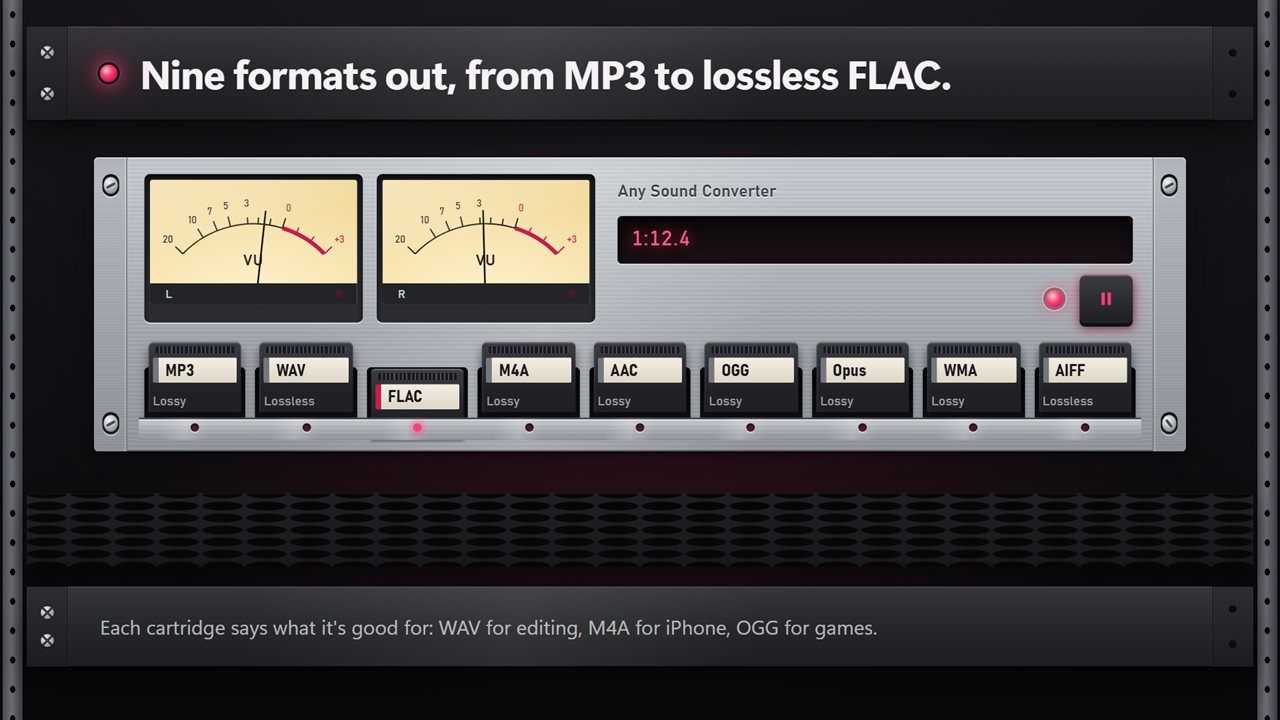
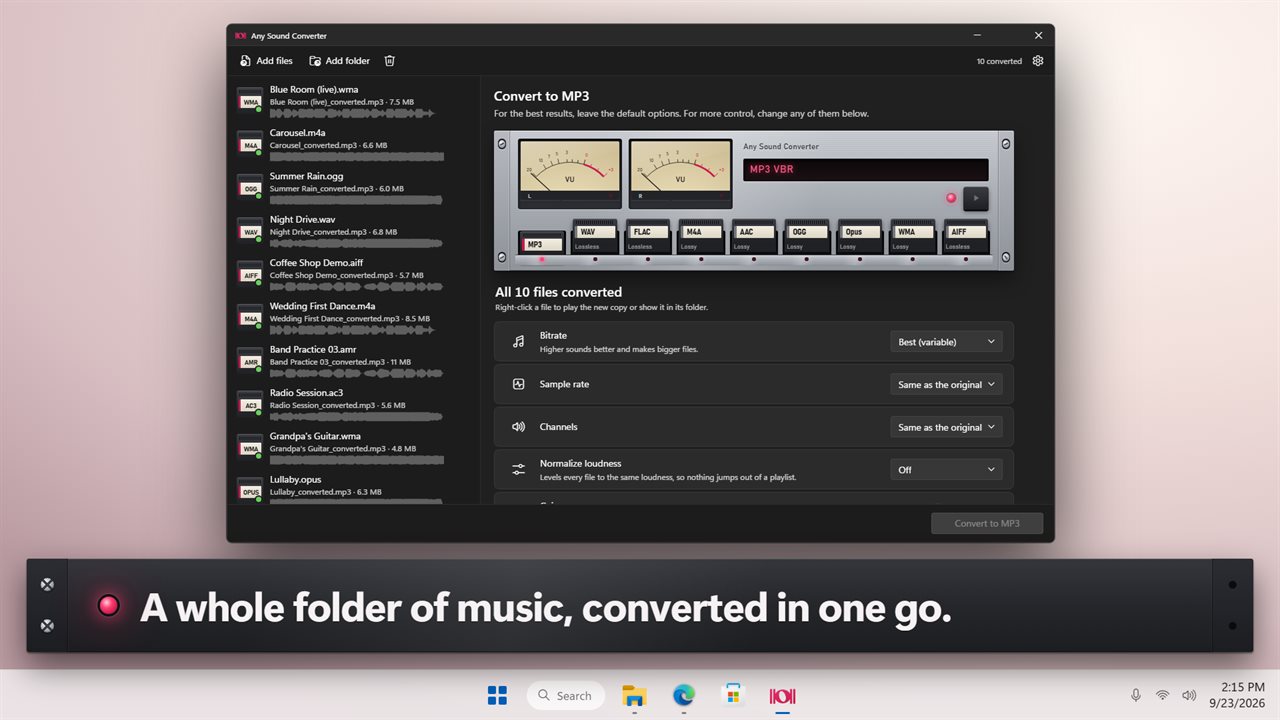
Push a cartridge in to pick the format.
See it in action
About Any Sound Converter
Any Sound Converter turns your music and recordings into the format you need, one file or a whole folder at a time.
Pick a format, press convert
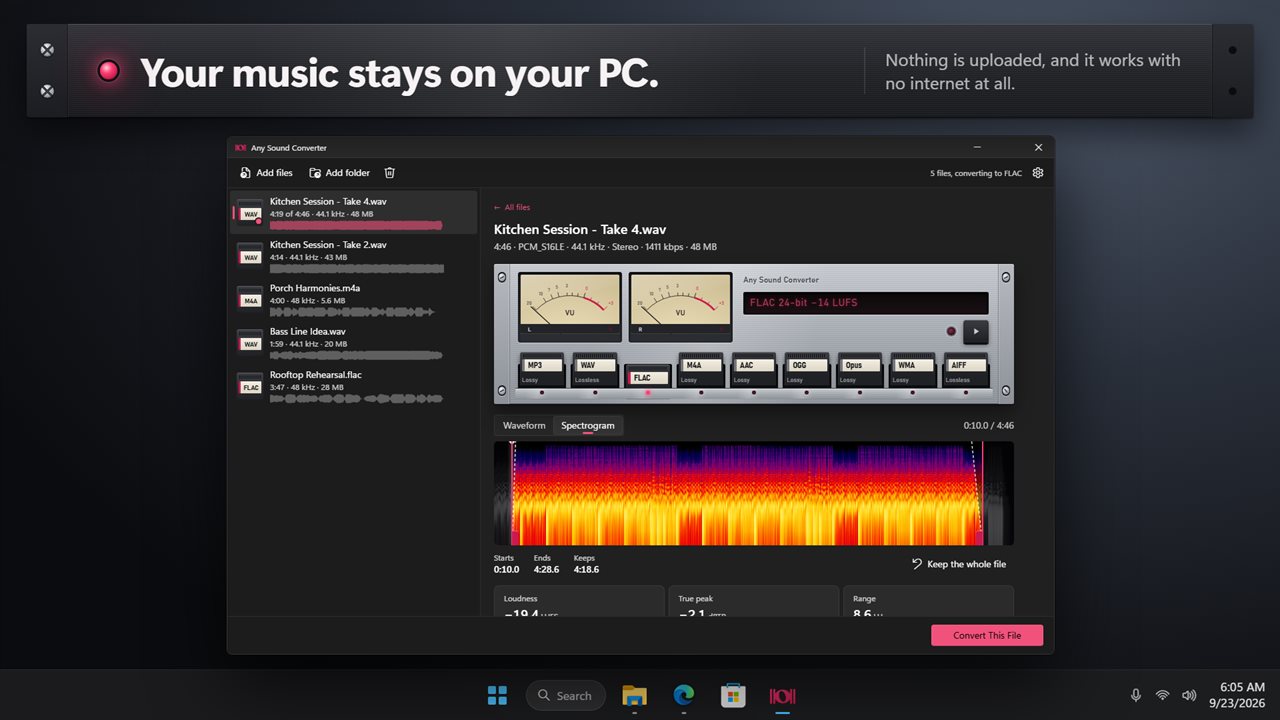
The app is built like a piece of studio gear: a metal rack unit with twin VU meters and a row of nine format cartridges. Push a cartridge in to pick MP3, WAV, FLAC, M4A, AAC, OGG, Opus, WMA or AIFF. Each one tells you what it is good for, so you do not need to know the difference to get it right.
Opens what you have
Drag in MP3, WAV, M4A, AAC, FLAC, OGG, Opus, WMA, AIFF, AMR, AC3 or MKA files, or add a whole folder. Every file in the list shows its length, sample rate and size, with a small waveform underneath.
The quality you want
The defaults are the right choice for most people. For more control, pick the bitrate, up to 320 kbps for MP3. Pick the bit depth for WAV, FLAC and AIFF, up to 32-bit float. Choose a sample rate from 22.05 kHz to 96 kHz, and make the file stereo or mono.
Every file at the same loudness
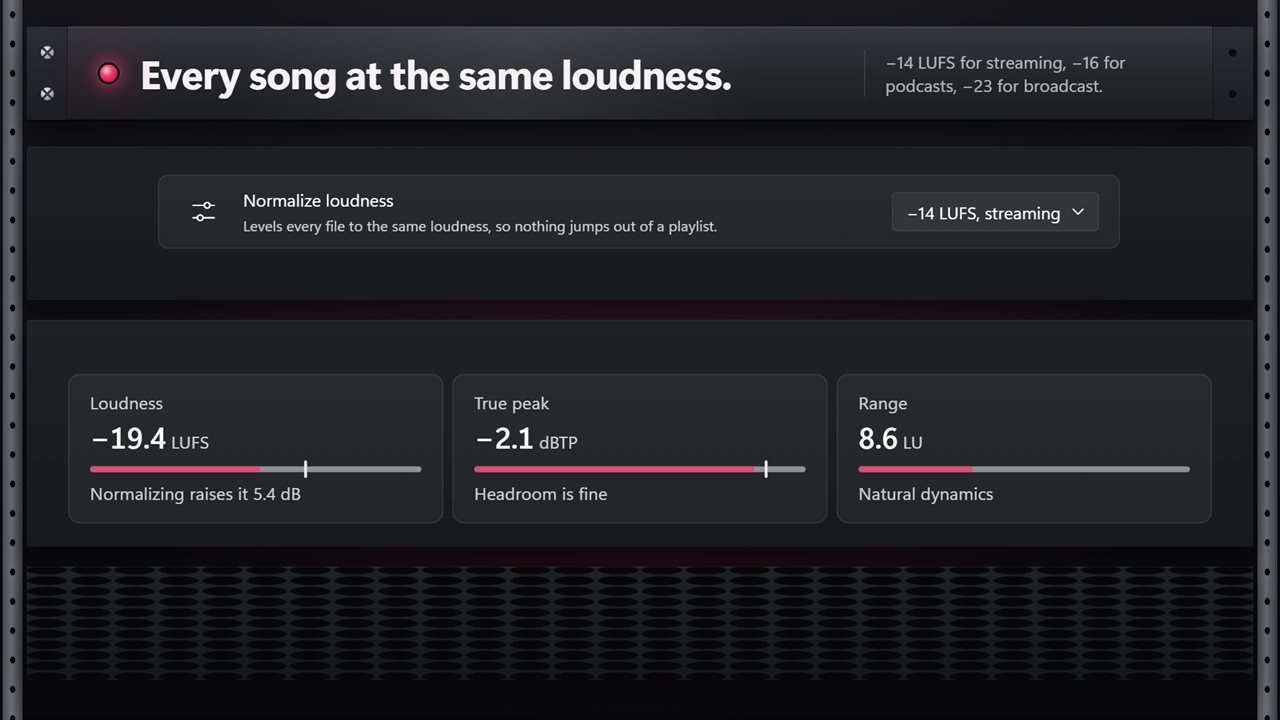
Songs from different albums never play at the same volume. Turn on Normalize and every file comes out at the same loudness: -14 LUFS for streaming, -16 for podcasts or -23 for broadcast. Or simply turn the volume up or down by up to 12 dB.
Listen, trim and fade
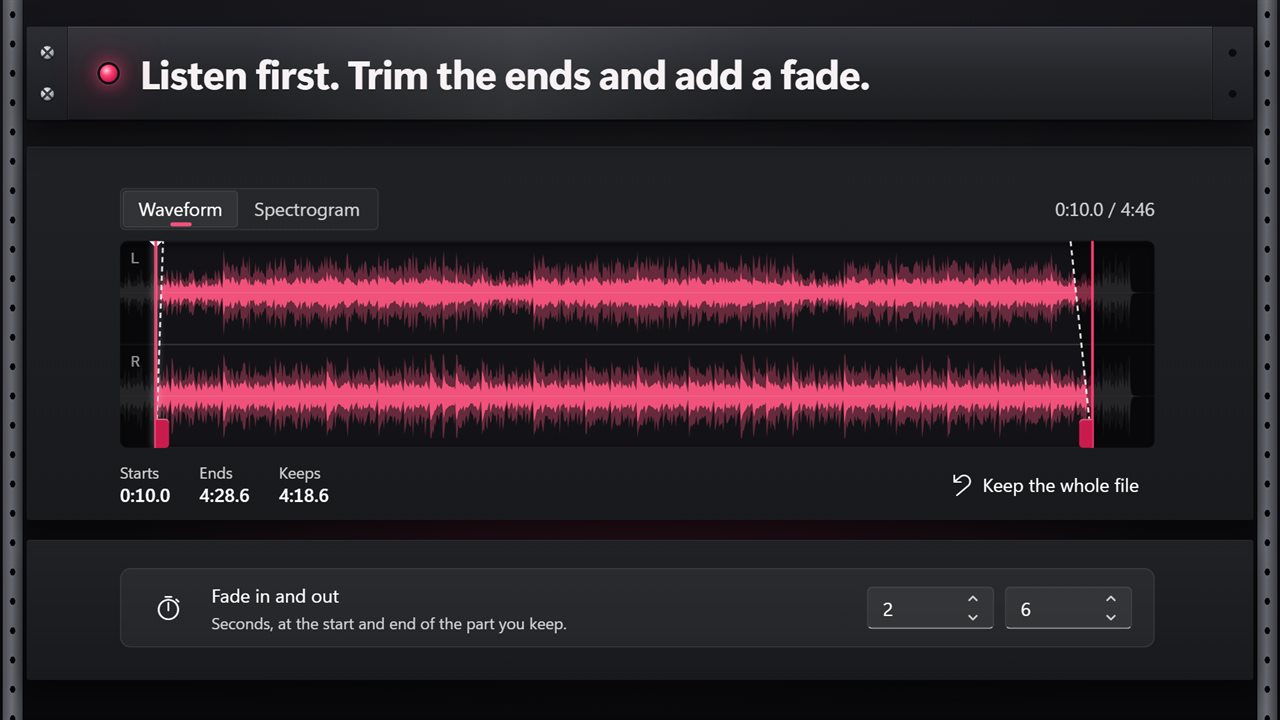
Click a file to play it, and the VU meters move with the music. See it as a waveform or a spectrogram, drag the handles to cut off the start or the end, and add a fade in or fade out of up to 30 seconds. The app also measures each file's loudness, true peak and dynamic range, and tells you how much Normalize will change it.
Your files, your way
Save the new files next to the originals, in a folder you choose, or replace the originals. You are always asked before anything is replaced. Each file keeps its title, artist and album details.
On your PC
Nothing is uploaded, there is no account, and there is no limit on file size. It works with no internet at all.
Features
- Convert audio to MP3, WAV, FLAC, M4A, AAC, OGG, Opus, WMA or AIFF
- Opens MP3, WAV, M4A, AAC, FLAC, OGG, Opus, WMA, AIFF, AMR, AC3 and MKA files
- Pick the format by pushing its cartridge into the rack
- Convert a whole batch in one go, or add a folder at once
- MP3 up to 320 kbps, or best quality with a variable bitrate
- WAV and AIFF at 16-bit, 24-bit or 32-bit float, FLAC at 16 or 24-bit
- Sample rates from 22.05 kHz up to 96 kHz, or keep the original
- Keep the channels, or make the file stereo or mono
- Level every file to the same loudness: -14 LUFS for streaming, -16 for podcasts or -23 for broadcast
- Or turn the volume up or down by up to 12 dB
- Fade in and fade out, up to 30 seconds each
- Trim the start and end of any file before you convert it
- Play a file and watch the twin VU meters move
- See each file as a waveform or a spectrogram
- Measure a file's loudness, true peak and dynamic range
- Keeps each file's title, artist and album details
- Save next to the original, in a folder you choose, or replace the original
- Everything happens on your PC. Nothing is uploaded
Details
- Works on
- Windows 10 (1809 or later) and Windows 11
- Download
- About 74.9 MB
- Version
- 2.0.5, updated October 2026
- First released
- August 2023
- Price
- $1.99 once. No subscription.
- Category
- Utilities & tools
What's new in 2.0.5
- New: pick the format by pushing a cartridge into the rack, with twin VU meters that move as you play
- New: level every file to the same loudness for streaming, podcasts or broadcast
- New: trim the start and end, and fade in and out
- New: see each file as a waveform or a spectrogram, and measure its loudness
- New: Opus, and 24-bit and 32-bit WAV and AIFF
- Save beside the originals, in a folder, or replace them
Questions
Anything else? Ask us
Which versions of Windows does it run on?
Windows 10 (version 1809 or later) and Windows 11.
Is it a subscription?
No. Any Sound Converter is a one-time purchase of $1.99, and updates are included.
How do I get it?
EvlarSoft apps are moving to direct downloads from this site. Ask to be notified and we will email you as soon as Any Sound Converter is ready to download.