Auto Mouse Mover
Moves your mouse in natural, human-looking curves, only while you are away and only on the hours you paint on a weekly schedule. Your PC stays awake and you stay active, without a jittery pointer.
Moves like you, only while you're away, on the hours you choose.
See it in action
About Auto Mouse Mover
Auto Mouse Mover keeps your PC awake and you active by moving the mouse for you, the way a person would, and only when you want it to.
Natural movement
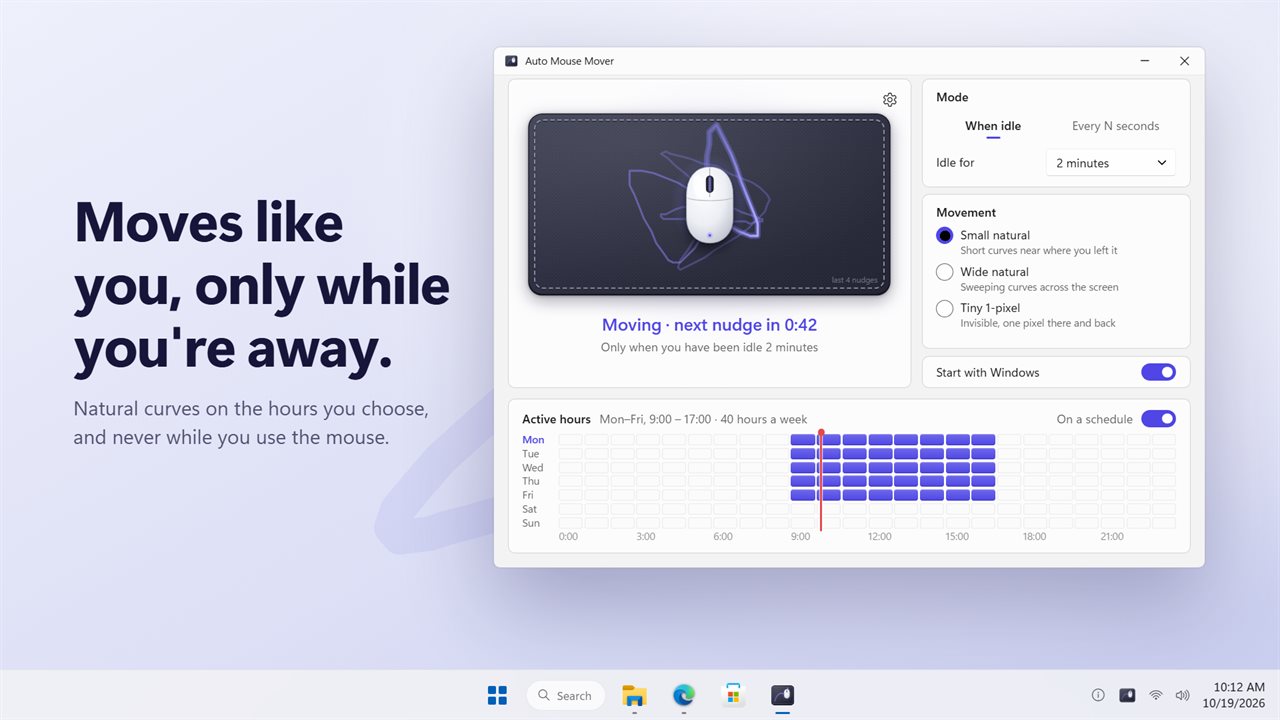
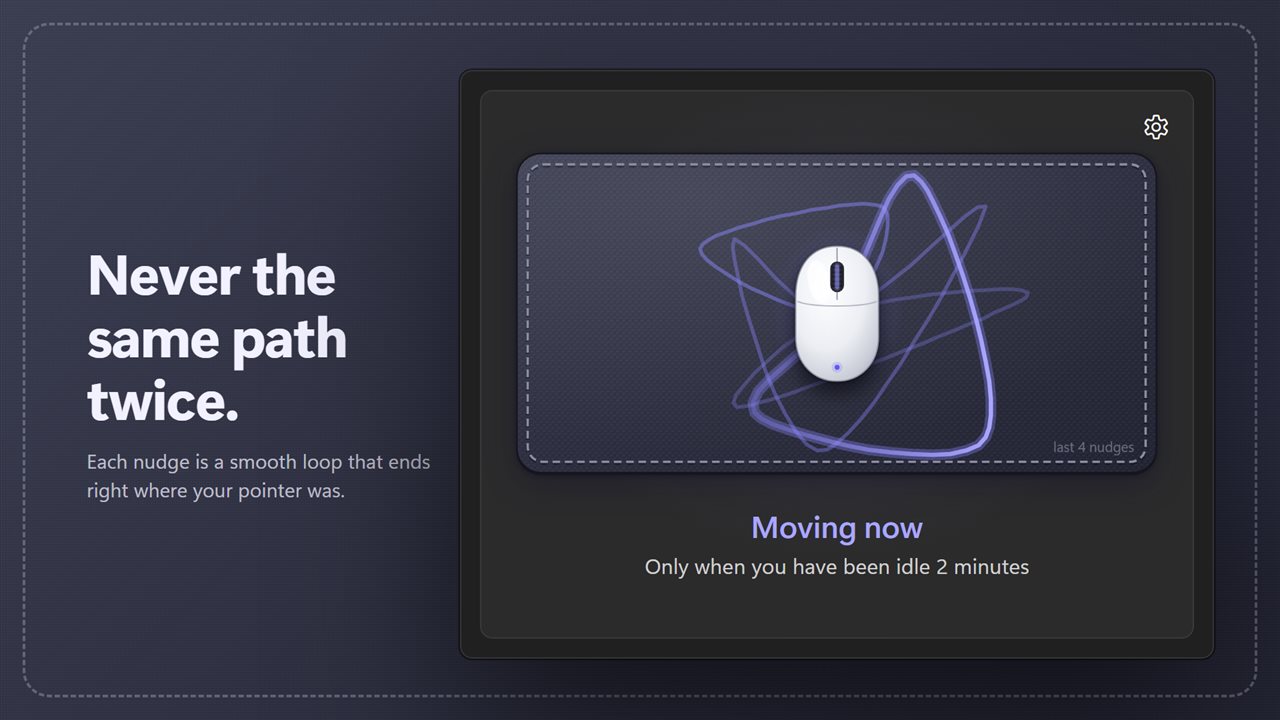
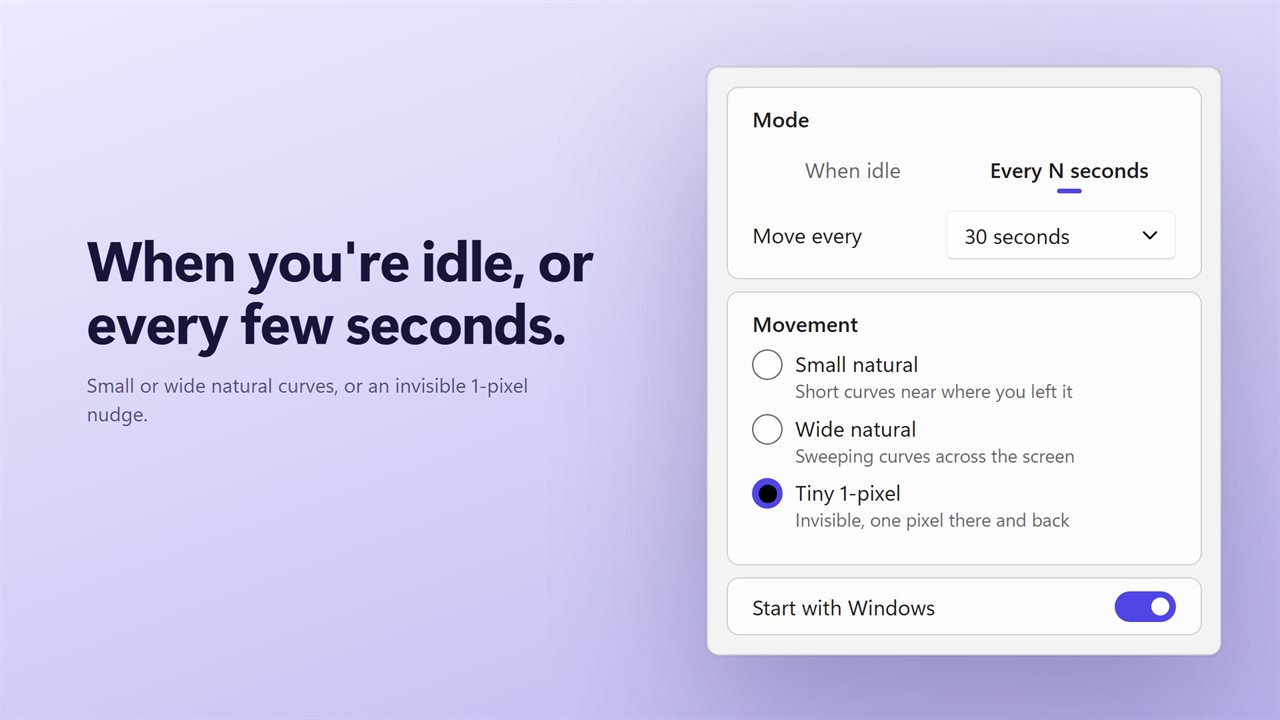
Each nudge is a smooth curve through a few random points, and it ends exactly where your pointer was. No two are the same. Pick Small natural for short curves near where you left the pointer, Wide natural for sweeping curves across the screen, or Tiny 1-pixel for a movement you will never see.
Only while you are away
In When idle mode it moves only after you have been still for 5 seconds, 30 seconds, or 1, 2, 5 or 10 minutes. In Every N seconds mode it moves on a steady beat, from every 5 seconds to every 5 minutes, and waits while you are using the mouse rather than fighting you for it.
A weekly schedule
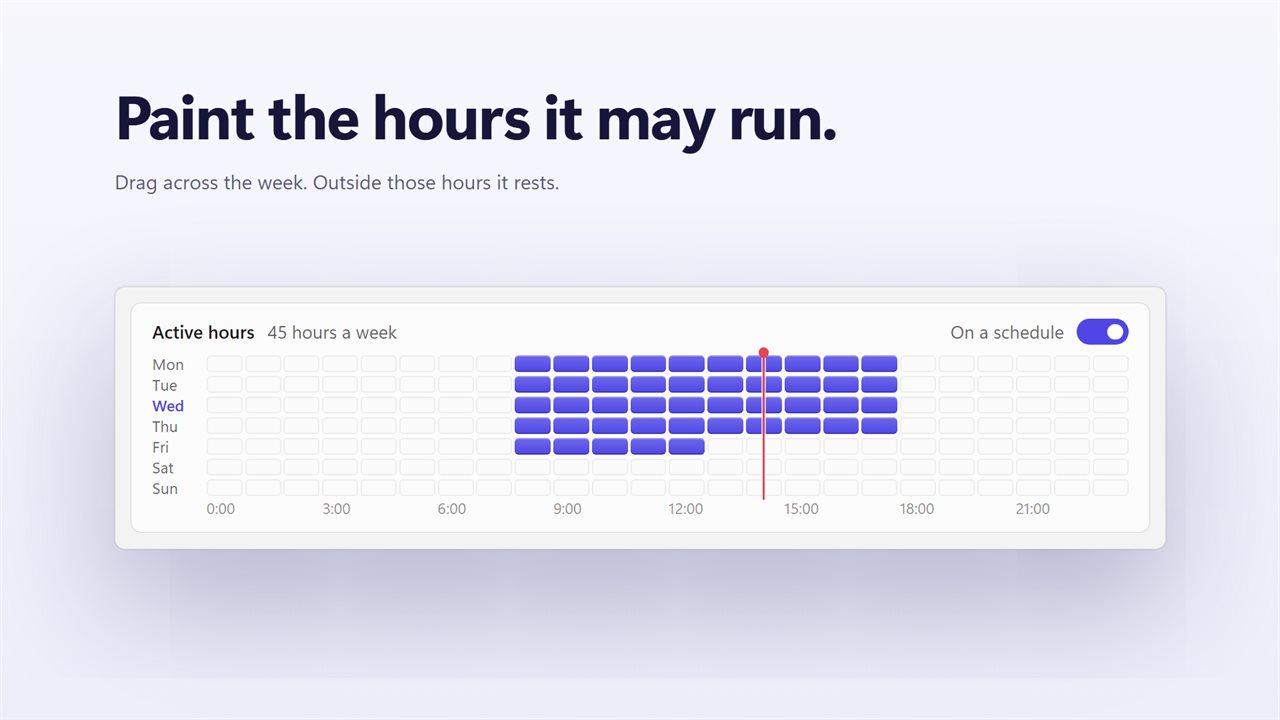
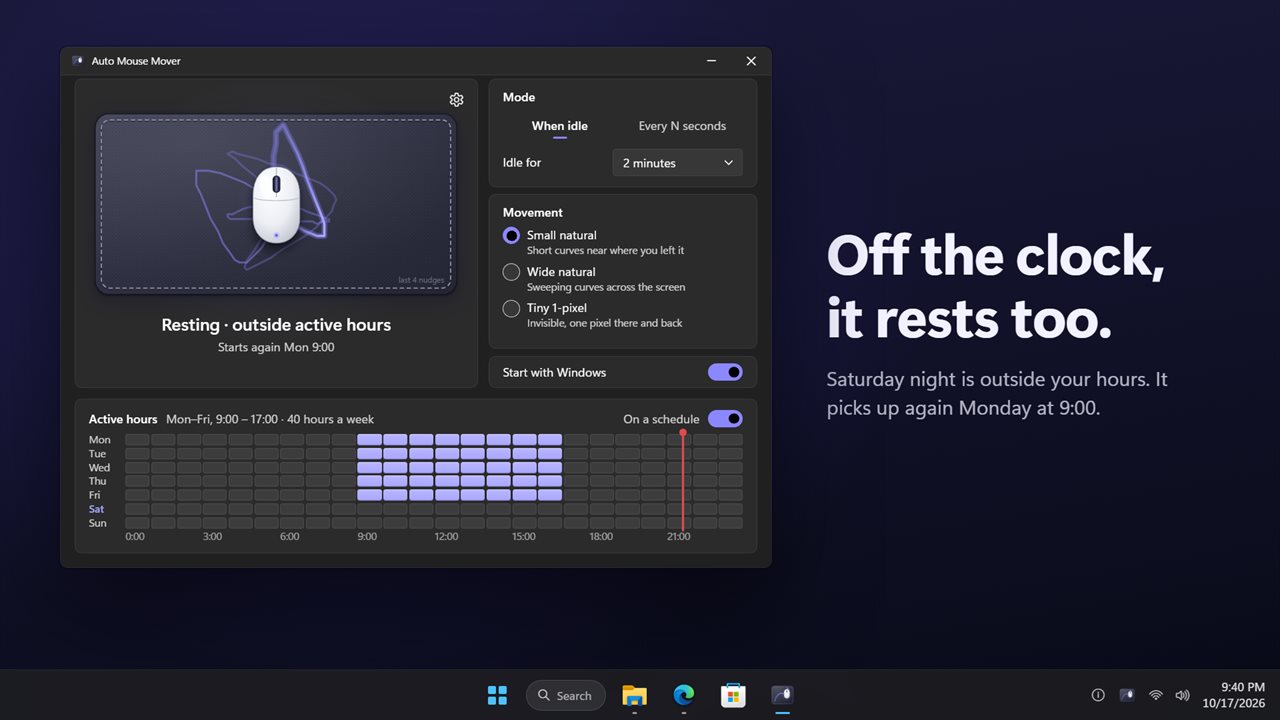
Turn on "On a schedule" and paint the hours it may run on a grid of seven days and 24 hours, for example weekdays from 9:00 to 17:00. Outside those hours it rests, and the window tells you when it starts again.
See what it did
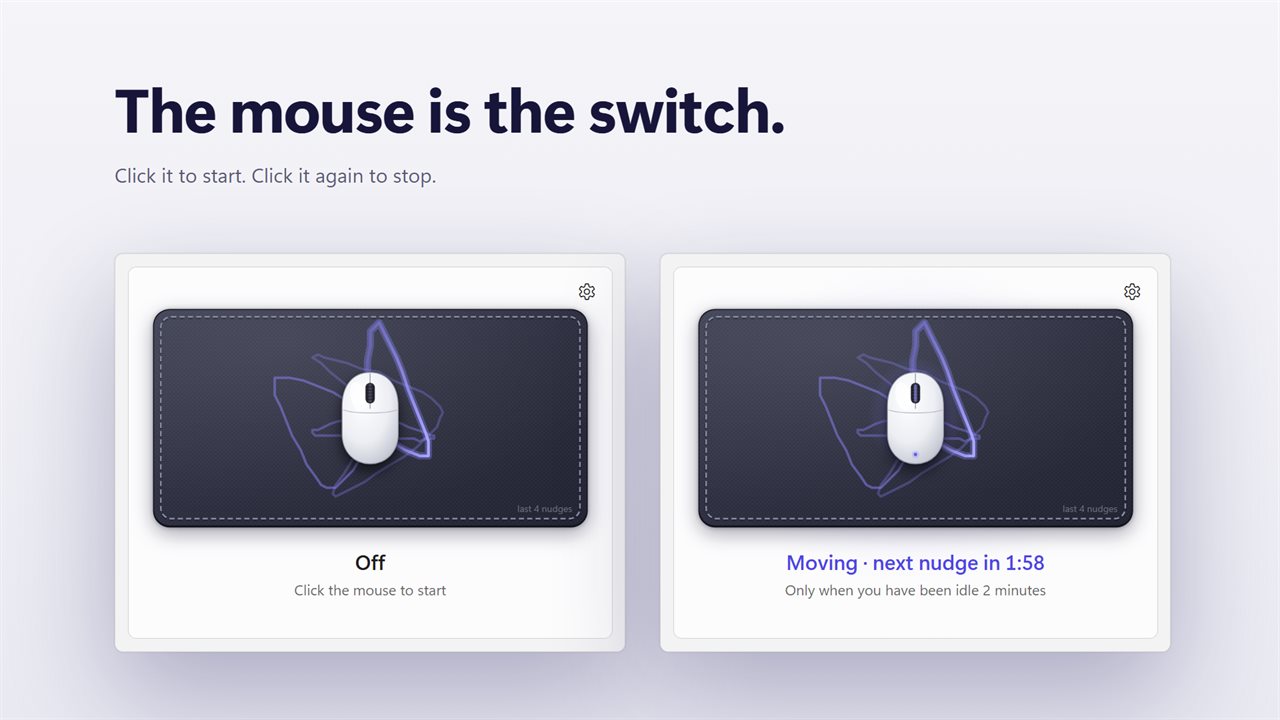
The window is a mouse on a mouse pad. The last four nudges are drawn on the pad as fading trails, and a line under it says what happens next: "Moving · next nudge in 0:42". Click the mouse itself to turn it on or off.
Out of the way
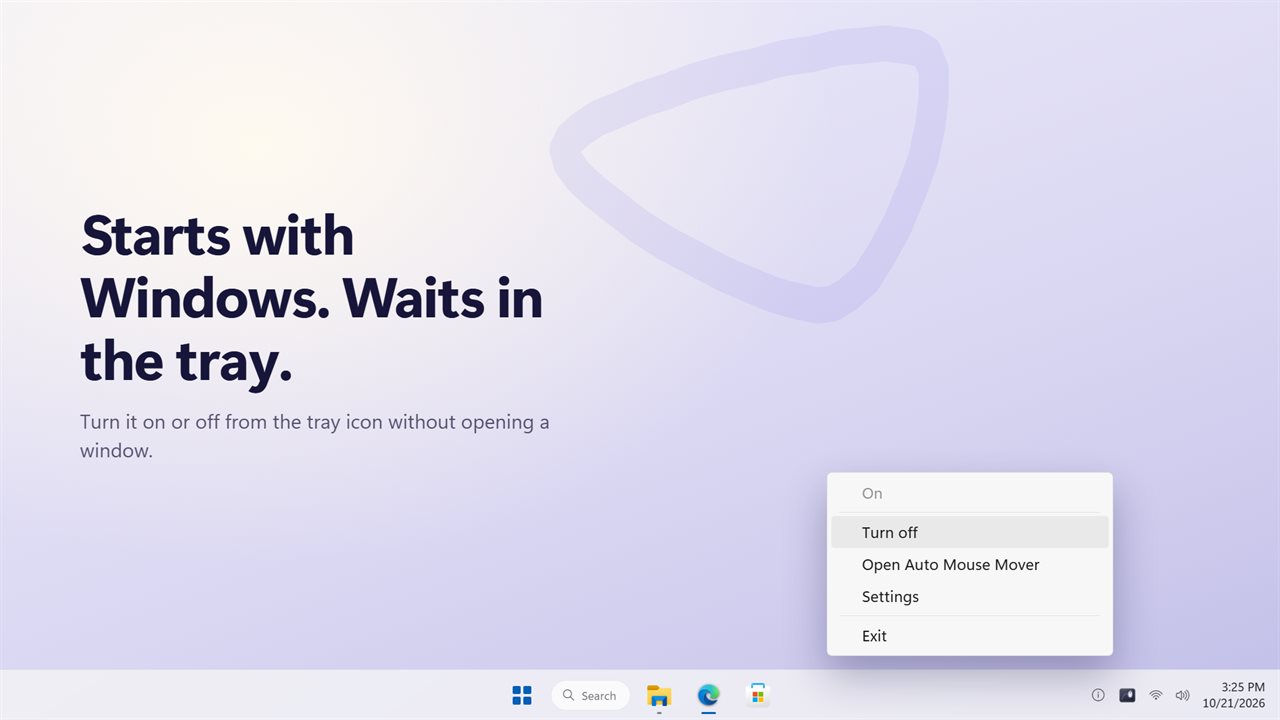
It can start with Windows and start in the tray. Right-click the tray icon to turn it on or off, open the window or open Settings. While it runs your PC stays awake, and you can let the screen sleep if you prefer.
Upgrading from mouseshaker
Your mode and movement setting carry over.
Features
- Moves the pointer in smooth, natural curves, never the same path twice
- Every nudge is a loop that ends right where your pointer was
- When idle: moves only after you have been away 5 seconds to 10 minutes
- Every N seconds: moves every 5 seconds to 5 minutes, waiting while you use the mouse
- Small natural, Wide natural or an invisible Tiny 1-pixel movement
- A weekly schedule: paint the hours it may run on a 7-day grid
- Outside your hours it rests and shows when it starts again
- The mouse pad shows your last four nudges as fading trails
- Click the mouse on the pad to turn it on or off
- Keeps your PC awake while it runs, with the option to let the screen sleep
- Start with Windows, start in the tray, and turn it on or off from the tray icon
- Light and dark themes, or match Windows
Details
- Works on
- Windows 10 (1809 or later) and Windows 11
- Download
- About 3.1 MB
- Version
- 2.0.0, updated October 2026
- First released
- May 2023
- Price
- $3.29 once. No subscription.
- Category
- Utilities & tools
What's new in 2.0.0
- New: natural movement. Smooth curves that end where your pointer was, never the same path twice
- New: a weekly schedule. Paint the hours it may run
- New: Small natural, Wide natural and Tiny 1-pixel movement
- New: the mouse pad shows your last four nudges, and clicking the mouse turns it on or off
- New: Every N seconds mode now waits while you are using the mouse
- New: keep the screen on, or let it sleep while your PC stays awake
- Your mode and movement setting carry over from MouseShaker
Questions
Anything else? Ask us
Which versions of Windows does it run on?
Windows 10 (version 1809 or later) and Windows 11.
Is it a subscription?
No. Auto Mouse Mover is a one-time purchase of $3.29, and updates are included.
How do I get it?
EvlarSoft apps are moving to direct downloads from this site. Ask to be notified and we will email you as soon as Auto Mouse Mover is ready to download.