Move Mouse to Screen
Two, three or more monitors and a pointer that is always on the wrong one. This sends it to the screen you want with one shortcut, and lands it exactly where you choose: a corner, an edge, the center, or right where you left it. Every shortcut is recordable, and it tells you when one clashes with something else.
Your screens as they sit on your desk, one shortcut each.
See it in action
About Move Mouse to Screen
A big desk makes a long trip for the mouse. Move Mouse to Screen makes it one keystroke.
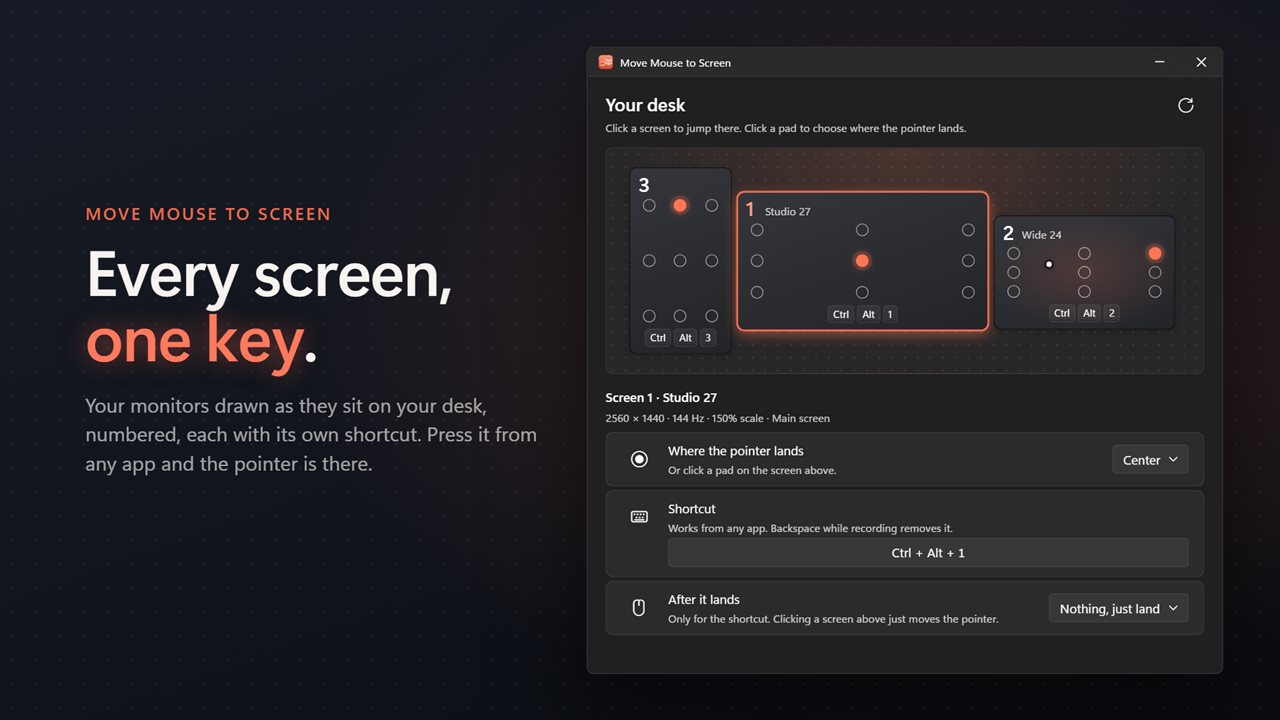
Press a screen's shortcut and the pointer is there, from whatever app you are in. Screen 1 starts on Ctrl+Alt+1, screen 2 on Ctrl+Alt+2, and so on up to nine.
Your shortcuts, not ours
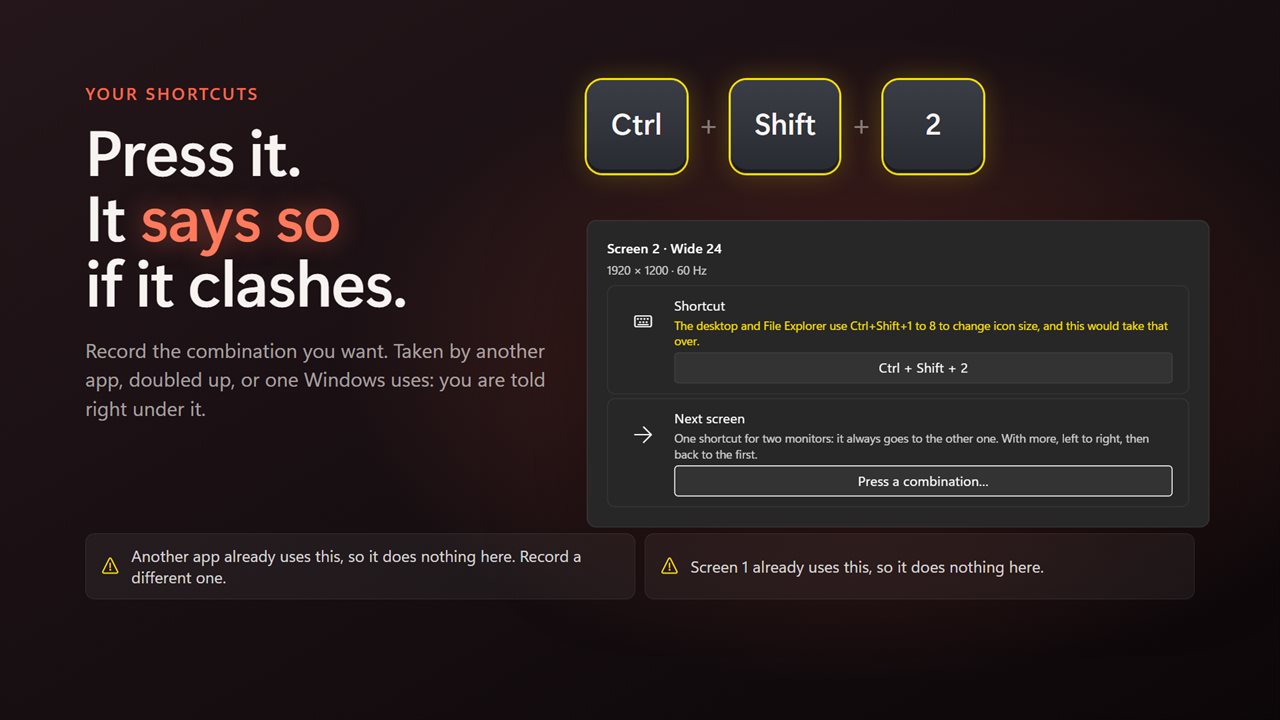
Every shortcut can be changed: click it and press the combination you want. If another app already holds it, if two of your shortcuts are the same, or if it is one Windows or your keyboard layout already uses, the app says so right under it instead of quietly doing nothing.
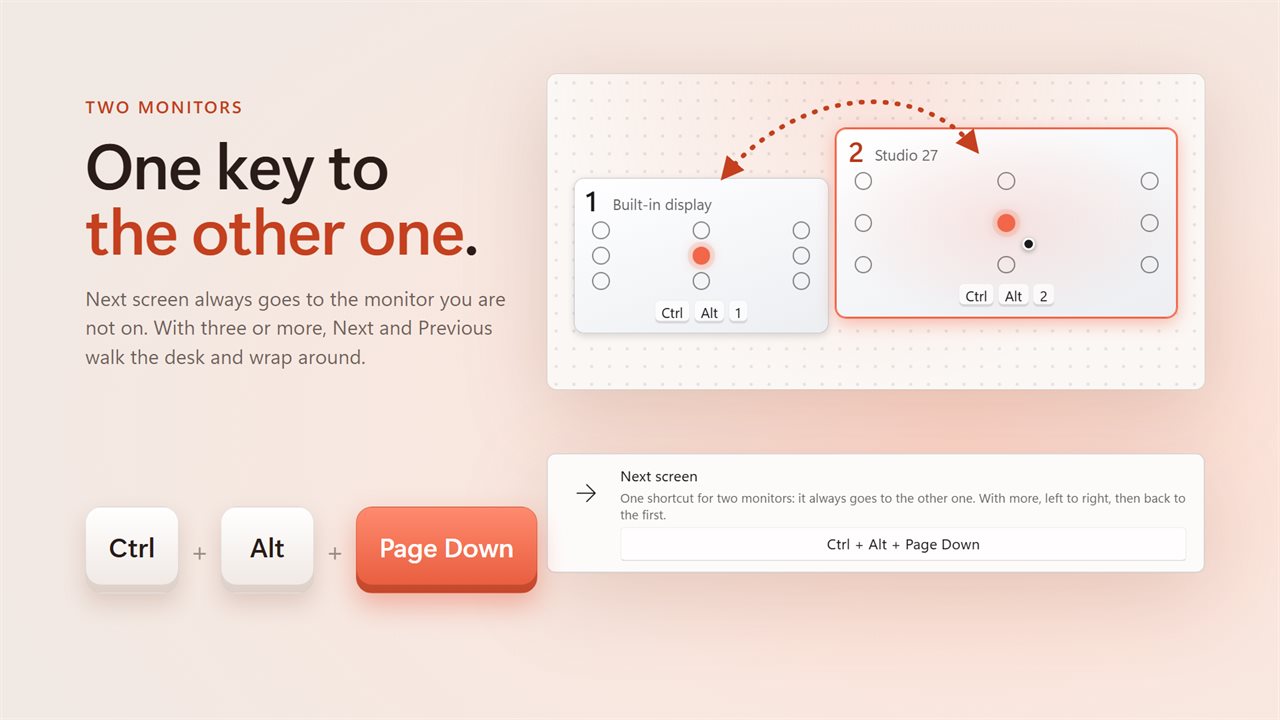
For two monitors there is a single Next screen shortcut that always takes you to the other one. With three or more, Next and Previous walk the desk left to right and wrap around.
Land where you meant to
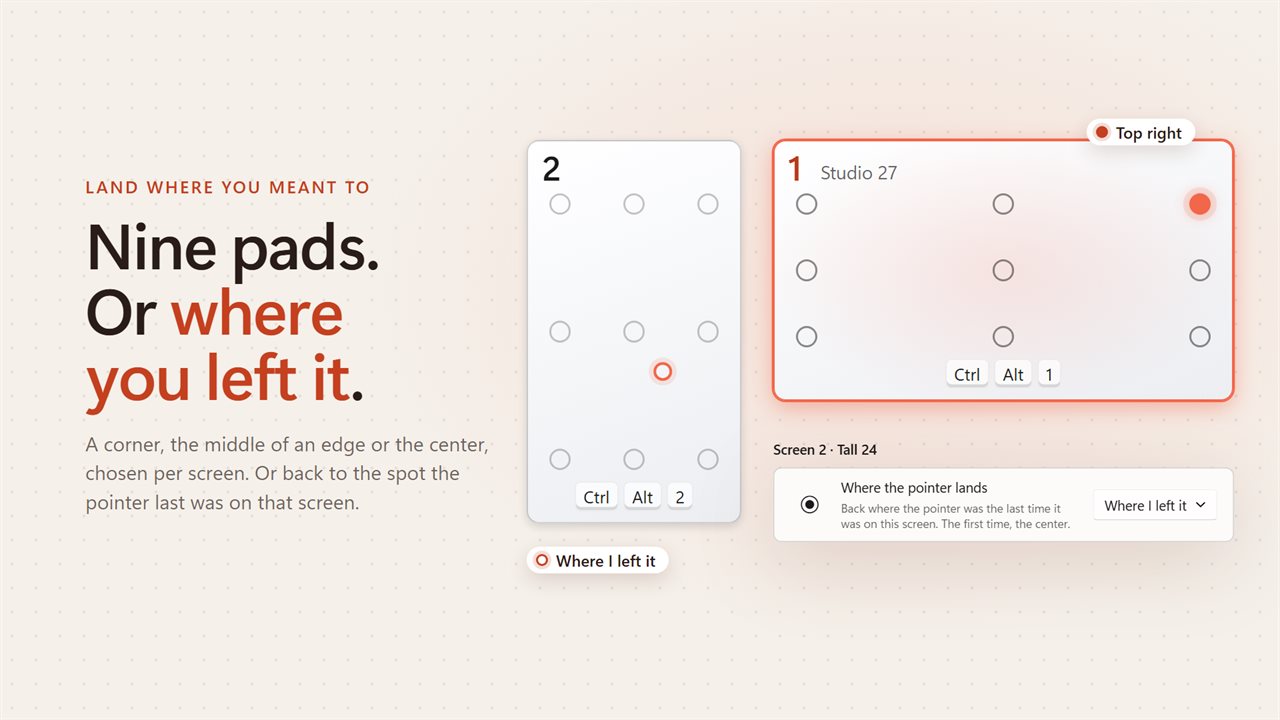
Every screen has nine landing pads: the four corners, the middle of each edge and the center. Pick one per screen, and the pointer lands just inside it, clear of the taskbar. Or choose Where I left it, and the pointer goes back to the spot it was the last time it was on that screen.
Once it lands it can click, double-click or right-click for you, so jumping to a screen can also focus the window on it.
See your desk
The window draws your monitors to scale, arranged the way Windows has them, with each screen's number, its shortcut and its landing pads, plus a live dot for the pointer. Click a pad to choose it. Click a screen to jump there.
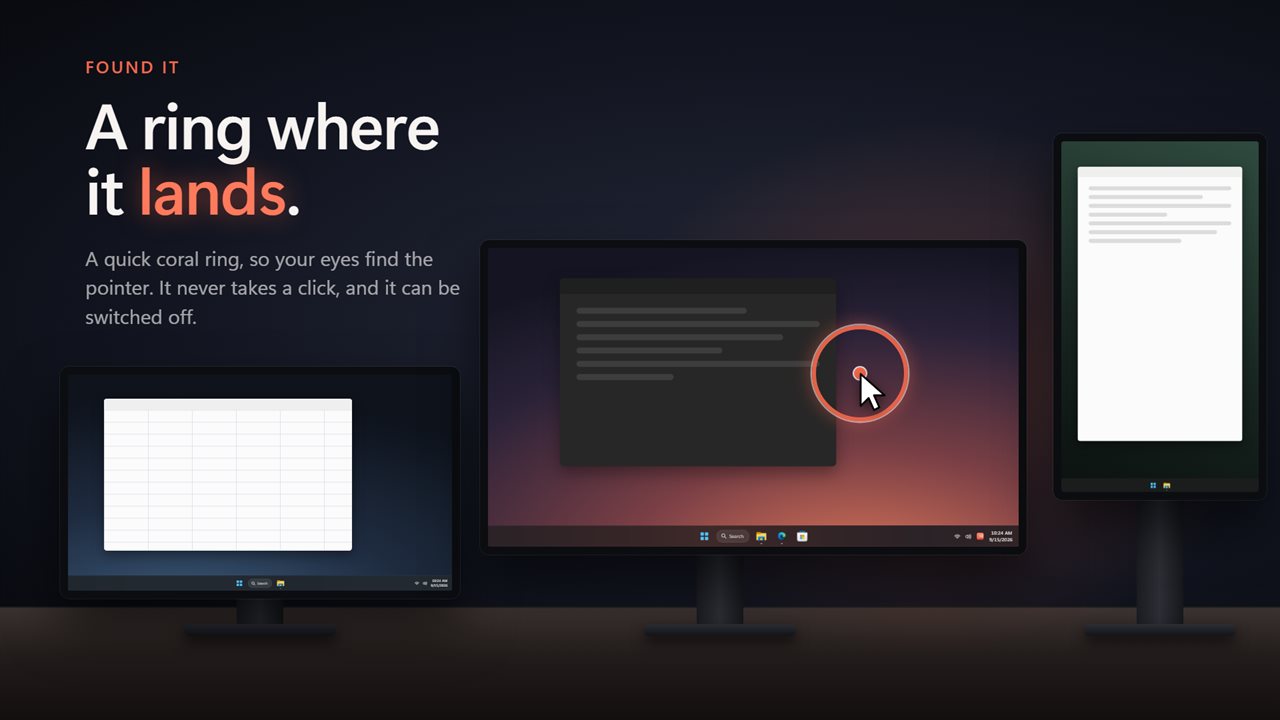
A quick coral ring opens where the pointer lands so your eyes find it, and it can be switched off.
Plug a monitor out and back in and it keeps its own shortcut and landing spot.
Where it lives
In the notification area, with every screen one click away and a switch to pause all the shortcuts. It can start with Windows, and it follows your light or dark theme.
Everything happens on this PC. There is no account, nothing is uploaded, and it works with no connection at all.
Features
- Jump the pointer to any screen with a shortcut, from any app
- Every shortcut is yours to record: press the combination you want
- Says when a shortcut is taken by another app, doubled up, or clashes with one Windows uses
- One Next screen shortcut for two monitors, plus Previous screen for three or more
- Nine landing pads per screen: the corners, the middle of each edge, and the center
- Or land where you left the pointer the last time it was on that screen
- Click, double-click or right-click once it lands, or just move
- A quick coral ring shows where the pointer landed, and never takes a click
- Your screens drawn as they sit on your desk, with a live dot for the pointer
- Click a screen in the window to jump there straight away
- Remembers each monitor's settings when it is unplugged and plugged back in
- Pause every shortcut from the notification area
- Starts with Windows, optionally
- Follows the Windows light and dark themes
- Works offline. No account, and nothing is uploaded
Details
- Works on
- Windows 10 (1809 or later) and Windows 11
- Download
- About 2.6 MB
- Version
- 2.0.5, updated October 2026
- First released
- May 2023
- Price
- $2.49 once. No subscription.
- Category
- Utilities & tools
What's new in 2.0.5
- Fixed: shortcuts could not be changed, and clashed with shortcuts Windows already uses. Every shortcut is now recordable, and clashes are shown
- New: Next screen and Previous screen shortcuts
- New: nine landing pads per screen, or where you left the pointer
- New: your screens drawn to scale, with a live pointer
- New: an arrival ring where the pointer lands
- New: pause shortcuts and start with Windows
Questions
Anything else? Ask us
Which versions of Windows does it run on?
Windows 10 (version 1809 or later) and Windows 11.
Is it a subscription?
No. Move Mouse to Screen is a one-time purchase of $2.49, and updates are included.
How do I get it?
EvlarSoft apps are moving to direct downloads from this site. Ask to be notified and we will email you as soon as Move Mouse to Screen is ready to download.