MechanicalKeys
Give any keyboard the sound of a mechanical one. MechanicalKeys clicks with every key you press, in every app, with ten switches to choose from, from a classic typewriter to a space laser. Fast typing overlaps the way a real keyboard does, and a shortcut turns it off the moment you need quiet.
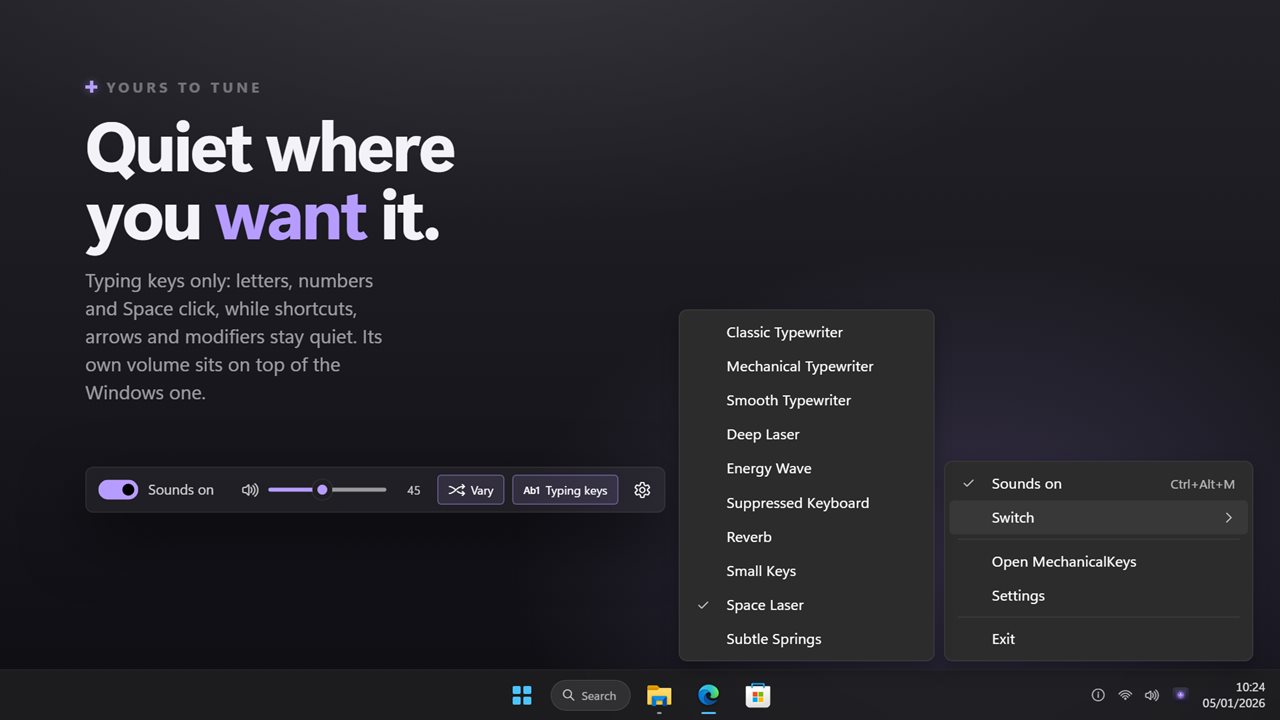
A click under every key you press, in every app.
See it in action
About MechanicalKeys
A laptop keyboard or a quiet membrane board does its job in silence. MechanicalKeys adds the part that is missing: a click under every key, in every app you type into.
Ten switches
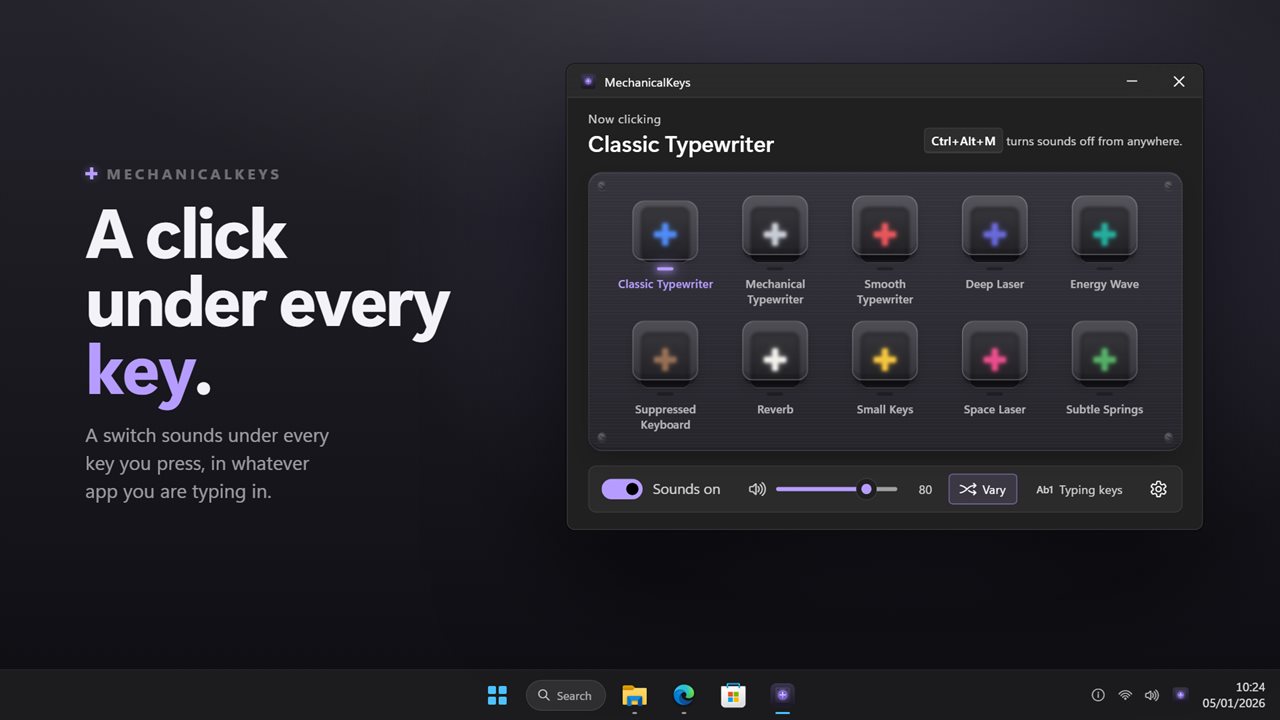
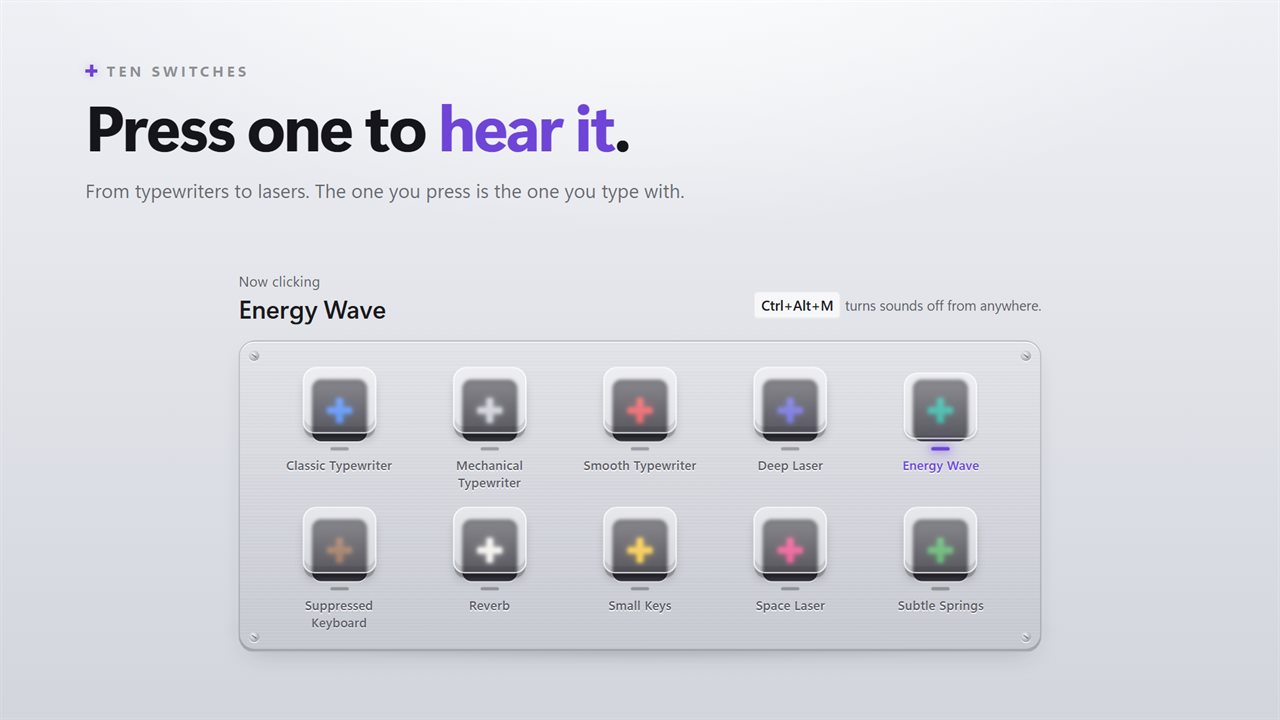
The window is a switch tester. Click a switch to hear it and it becomes the one you type with: Classic, Mechanical and Smooth Typewriter, Suppressed Keyboard, Small Keys, Reverb and Subtle Springs, or Deep Laser, Energy Wave and Space Laser when a click is not enough.
It keeps up with you
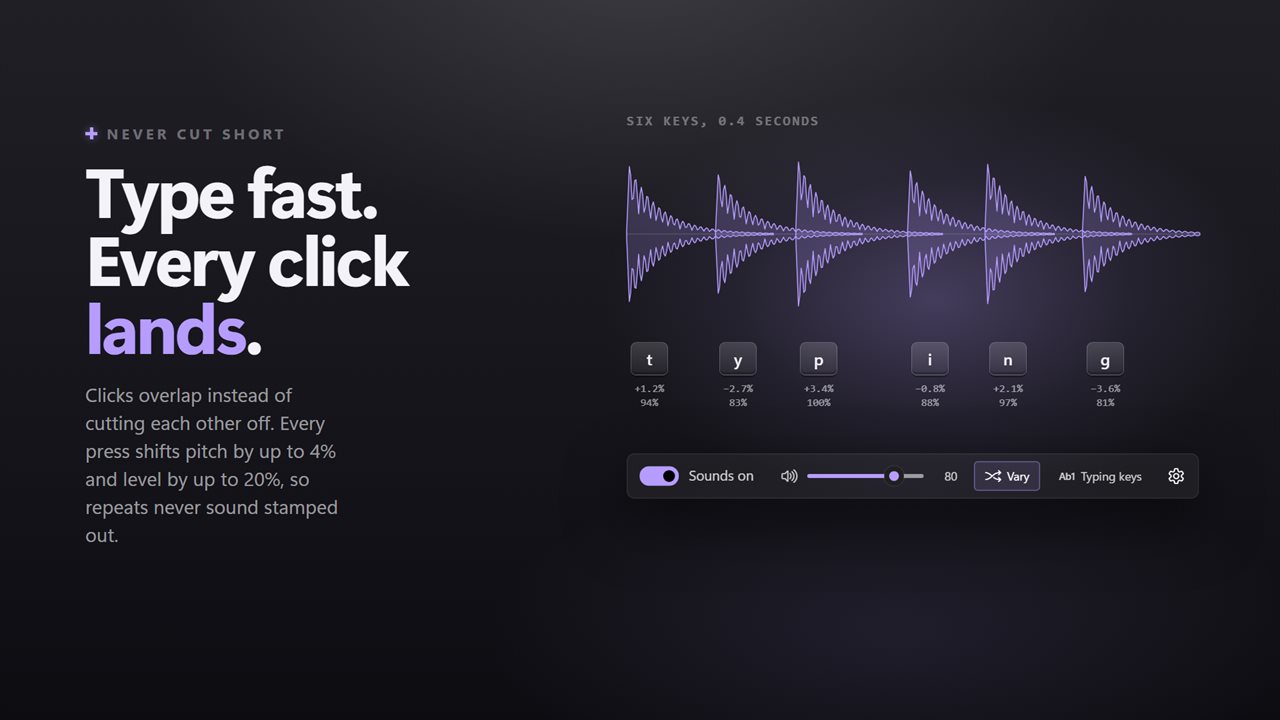
Each press gets its own sound, so fast typing overlaps the way a real keyboard does instead of one click cutting off the last. Every press is nudged a little in pitch and level, so a run of the same letter never sounds like a machine. Holding a key down clicks once, not once for every repeat.
Only the keys you want
Turn on typing keys only and letters, numbers and Space click while shortcuts, arrows, function keys and modifiers stay quiet. The volume is its own, on top of the Windows volume, so the clicks can sit under music or a call.
Quiet when you need it
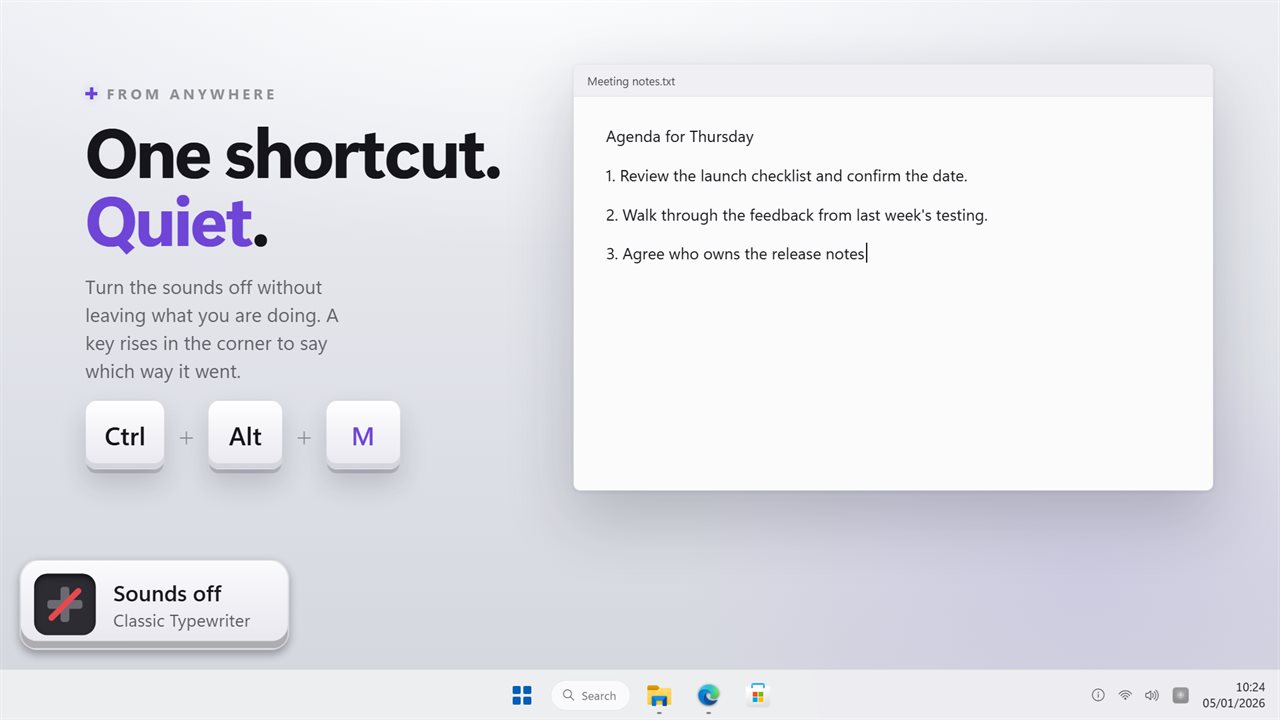
A shortcut turns sounds off and on from any app, Ctrl+Alt+M to begin with, and you can set your own by pressing it. A small key rises in the bottom-left corner of the screen to show which way it went.
Where it lives
In the notification area, where the icon shows whether sounds are on and every switch is a right-click away. It can start with Windows, and it follows your light or dark theme.
Everything happens on this PC. No account is needed, nothing is uploaded unless you turn on backup, and it works with no connection at all.
Features
- A click for every key you press, in every app
- Ten switches, from typewriters to lasers, each one a click to try
- Fast typing overlaps cleanly instead of cutting each click short
- Every press varies a little in pitch and level, so repeats never sound mechanical
- Holding a key clicks once, not once per repeat
- Typing keys only: letters, numbers and Space click, shortcuts stay quiet
- Its own volume, on top of the Windows volume
- A shortcut turns sounds off and on from anywhere, Ctrl+Alt+M to begin with
- A small key rises in the corner to show which way the shortcut went
- Lives in the notification area, with every switch a right-click away
- Starts with Windows, optionally, and follows the light and dark themes
- Works offline. No account needed, and nothing is uploaded unless you turn on backup
Details
- Works on
- Windows 10 (1809 or later) and Windows 11
- Download
- About 3.4 MB
- Version
- 2.0.5, updated October 2026
- First released
- August 2023
- Price
- $2.99 once. No subscription.
- Category
- Entertainment
What's new in 2.0.5
- New: the window is a switch tester. Click a switch to hear it and pick it
- Fixed: fast typing no longer cuts each click short; presses overlap
- Fixed: typing keys only now saves, includes the number row, and works without changing the sound first
- New: volume, and a small variation on every press
- New: set the on/off shortcut by pressing it, with a key that rises on screen to confirm
- New: lives in the notification area and can start with Windows
Questions
Anything else? Ask us
Which versions of Windows does it run on?
Windows 10 (version 1809 or later) and Windows 11.
Is it a subscription?
No. MechanicalKeys is a one-time purchase of $2.99, and updates are included.
How do I get it?
EvlarSoft apps are moving to direct downloads from this site. Ask to be notified and we will email you as soon as MechanicalKeys is ready to download.
More from EvlarSoft
 Key Press HolderHolds a key down for you, for as long as you need, or lets go and presses it again on a cycle until you stop it.
 Click CounterClick Counter keeps a running total of every click your mouse makes — left, right, middle, back, forward and wheel — across every application and every game.
 Keyboard DisablerLock the whole keyboard so nothing you press does anything — to wipe it clean, or to keep a toddler off it.