Key Disabler
Switch off the keys you keep hitting by mistake. Click a key on the keyboard and it stops working everywhere in Windows, until you switch it back on.
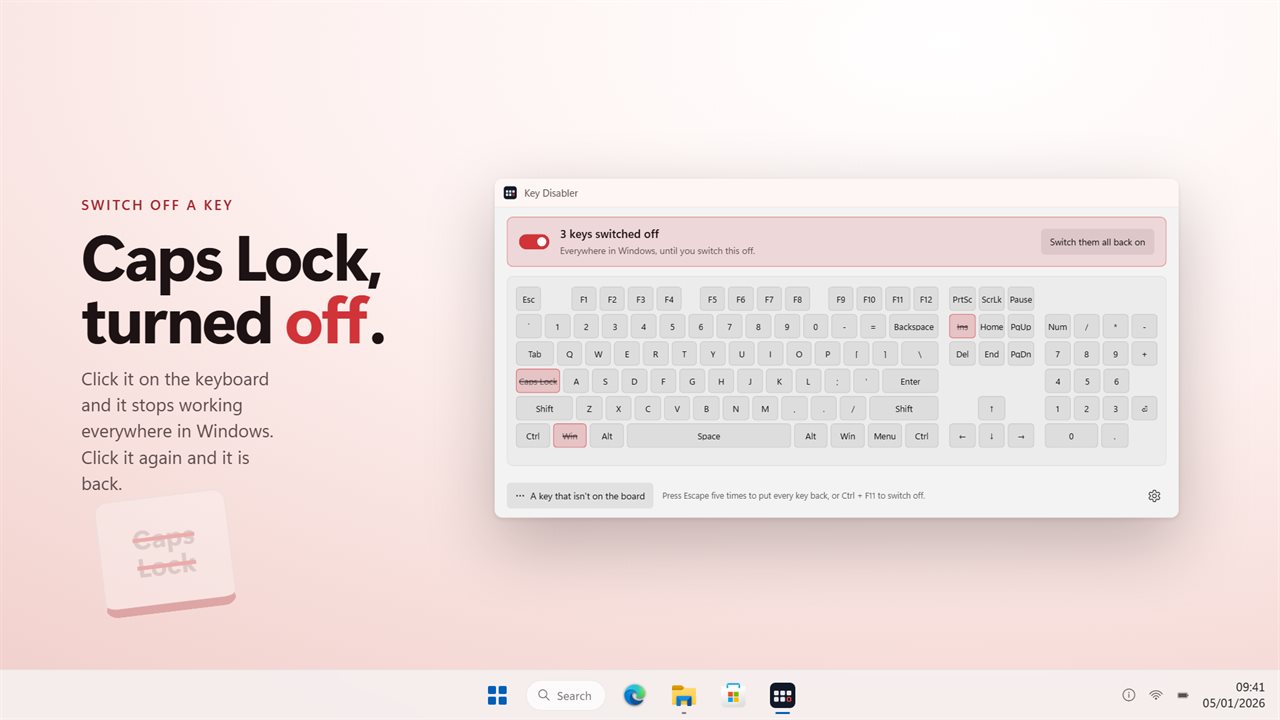
Click a key and it stops working. Click it again and it comes back.
See it in action
About Key Disabler
Some keys are only in the way. Caps Lock mid-sentence. The Windows key in the middle of a game. Insert, which turns typing into overtyping and gives no sign that it did. Num Lock on a laptop.
Key Disabler switches them off.
Click the key
The app is a keyboard. Click a key and it is struck through and stops working. Click it again and it comes back. There is no list of rules to keep in your head — what is switched off is what is crossed out, on a picture of the board in front of you.
Every key, not the common ones
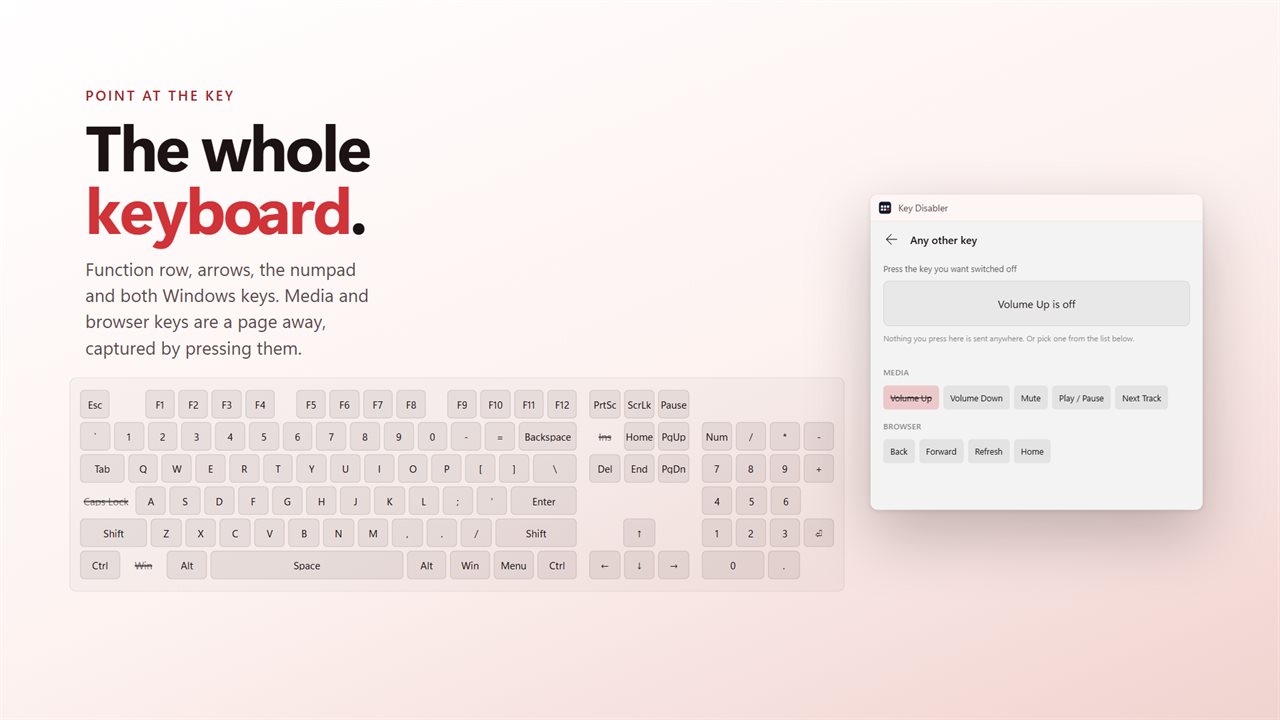
All 132 of them. The letters and digits, the function keys, the modifiers, the arrows and the editing block, the numeric keypad, the punctuation keys, and the media keys on keyboards that have them. Anything the board has no cap for is on a second page, where pressing the key is enough to switch it off.
Everywhere in Windows
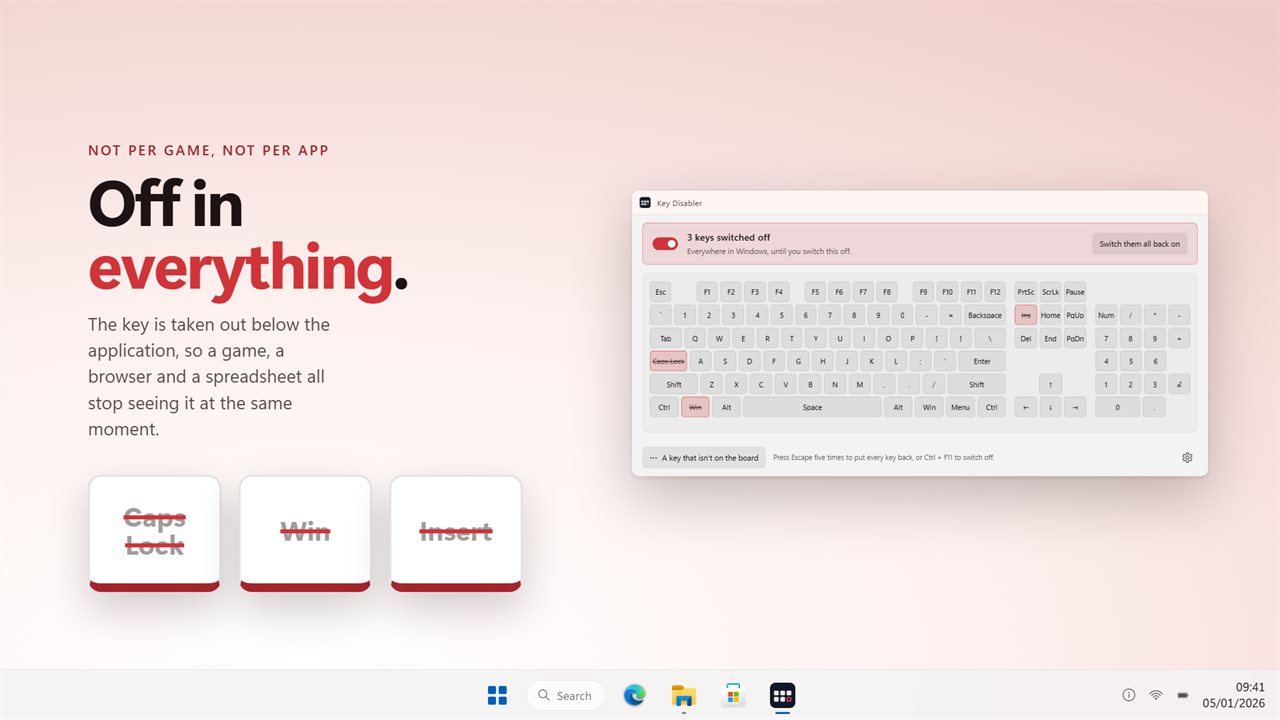
A key that is off is off in the browser, the editor, the game and the sign-in box. Nothing is disabled at the driver level, nothing is written to the registry, and nothing needs a reboot to undo — switch the app off and the keyboard is exactly as it was.
Always a way back
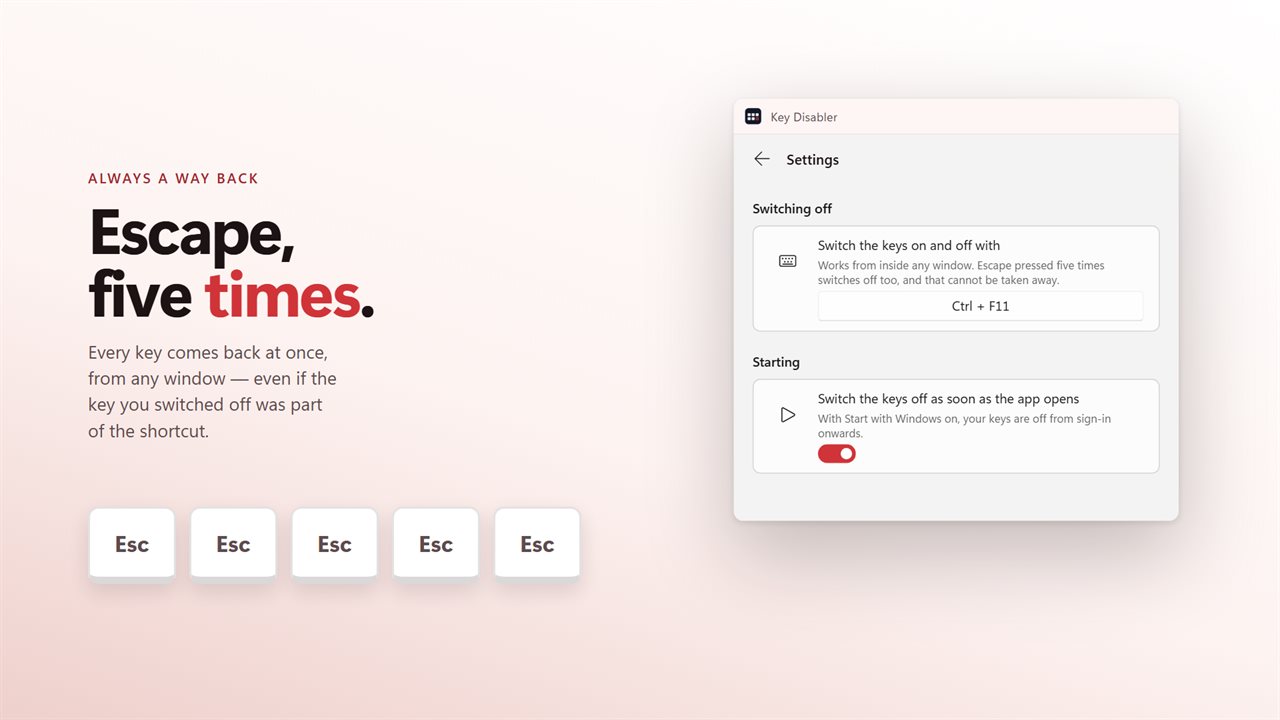
Press Escape five times and every key goes back to being itself, from any window. It works even when Escape is one of the keys you switched off. There is no state this app can leave your keyboard in that you cannot get out of from the keyboard.
A shortcut, and the tray
Record a combination of your own and it switches the keys on and off from inside any application. It sits in the tray while it works, and the tray icon does the same job without opening the window.
On from sign-in
Turn on Start with Windows and Switch the keys off as soon as the app opens, and the keys you never want are gone from the moment you sign in. Start with Windows goes through the Startup page in Windows Settings, so you can see it there and switch it off there.
Upgrading
The keys you had disabled in the previous version are carried across the first time it opens.
No account needed. No sign-in needed. No ads, and nothing held back behind an unlock.
Built for Windows 11, and at home on Windows 10.
Features
- Click a key on the keyboard to switch it off, and click it again to put it back
- Every key: 132 of them, including the punctuation keys, the media keys and the keypad
- A key that isn't drawn on the board is captured by pressing it
- Switched off everywhere in Windows, not just in one application
- Escape five times puts every key back, from any window
- A shortcut of your own switches the whole thing on and off
- Switch the keys off the moment the app opens
- Starts with Windows through the Startup page, so your keys are off from sign-in
- Opens again when it is already running, instead of doing nothing
- Sits in the tray, and the tray icon switches off without opening the window
- Nothing is disabled at the driver level and nothing needs a reboot to undo
- Your disabled keys from the old version carry over on first launch
- No account needed, no ads, and nothing leaves your PC unless you turn on backup
Details
- Works on
- Windows 10 (1809 or later) and Windows 11
- Download
- About 2.5 MB
- Version
- 2.0.5, updated October 2026
- First released
- April 2023
- Price
- $1.99 once. No subscription.
- Category
- Utilities & tools
What's new in 2.0.5
- It opens again. Running it a second time brings the window back rather than doing nothing, and there is a tray icon now
- Starts with Windows through Windows' own Startup page, and it can switch your keys off the moment it opens
- Every key is here — 132 of them, including the punctuation keys, the media keys and the keypad. Anything not drawn on the board is captured by pressing it
- Click a key on a keyboard to switch it off, instead of finding its name in a list
- Escape five times puts every key back, from any window
- Your disabled keys carry over on first launch
Questions
Anything else? Ask us
Which versions of Windows does it run on?
Windows 10 (version 1809 or later) and Windows 11.
Is it a subscription?
No. Key Disabler is a one-time purchase of $1.99, and updates are included.
How do I get it?
EvlarSoft apps are moving to direct downloads from this site. Ask to be notified and we will email you as soon as Key Disabler is ready to download.
More from EvlarSoft
 Cursor Highlighter and FinderLost the pointer on a big screen?
 Mouse Click HolderHolds the mouse button down for you, for as long as you need.
 Click CounterClick Counter keeps a running total of every click your mouse makes — left, right, middle, back, forward and wheel — across every application and every game.