Battery Report
See how much your laptop battery still holds, how fast it has worn over the last year, and when it will reach 80%. Export a one-page health certificate to show a buyer or support a warranty claim.
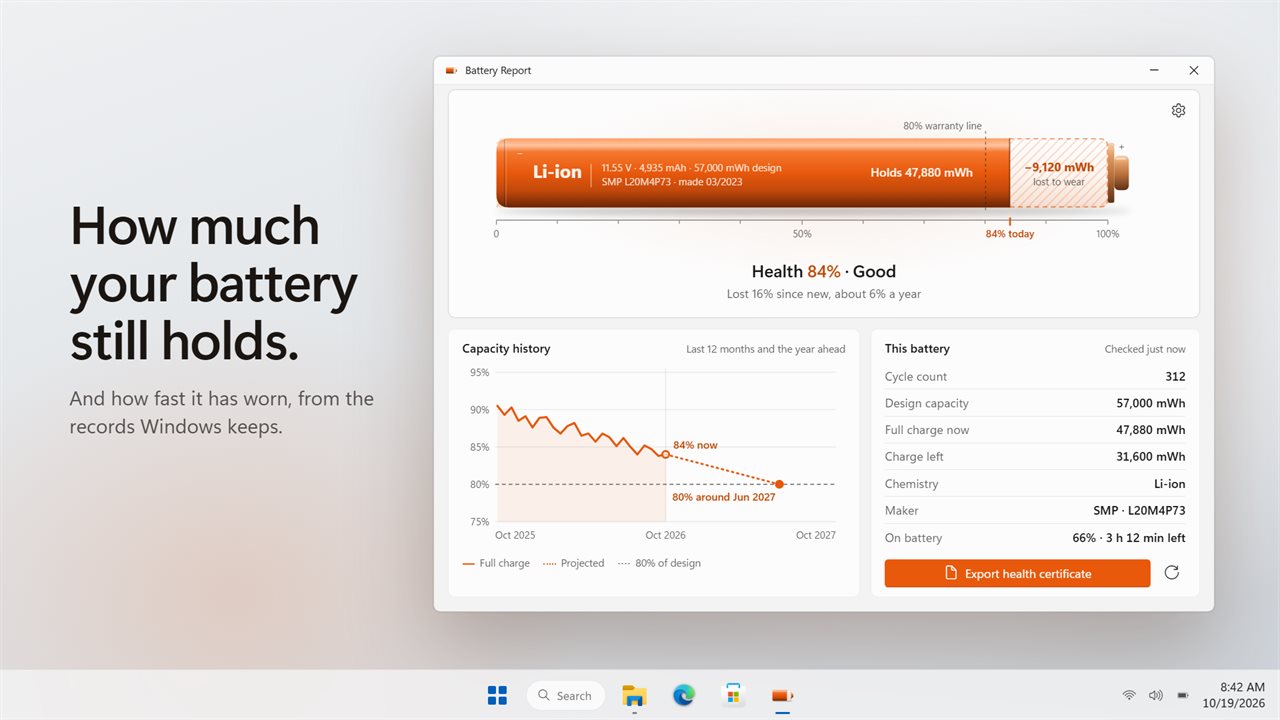
How much your battery still holds, and how fast it has worn.
See it in action
About Battery Report
Battery Report shows how much your laptop battery has worn, how fast, and what that means for the year ahead.
The wear, drawn to scale
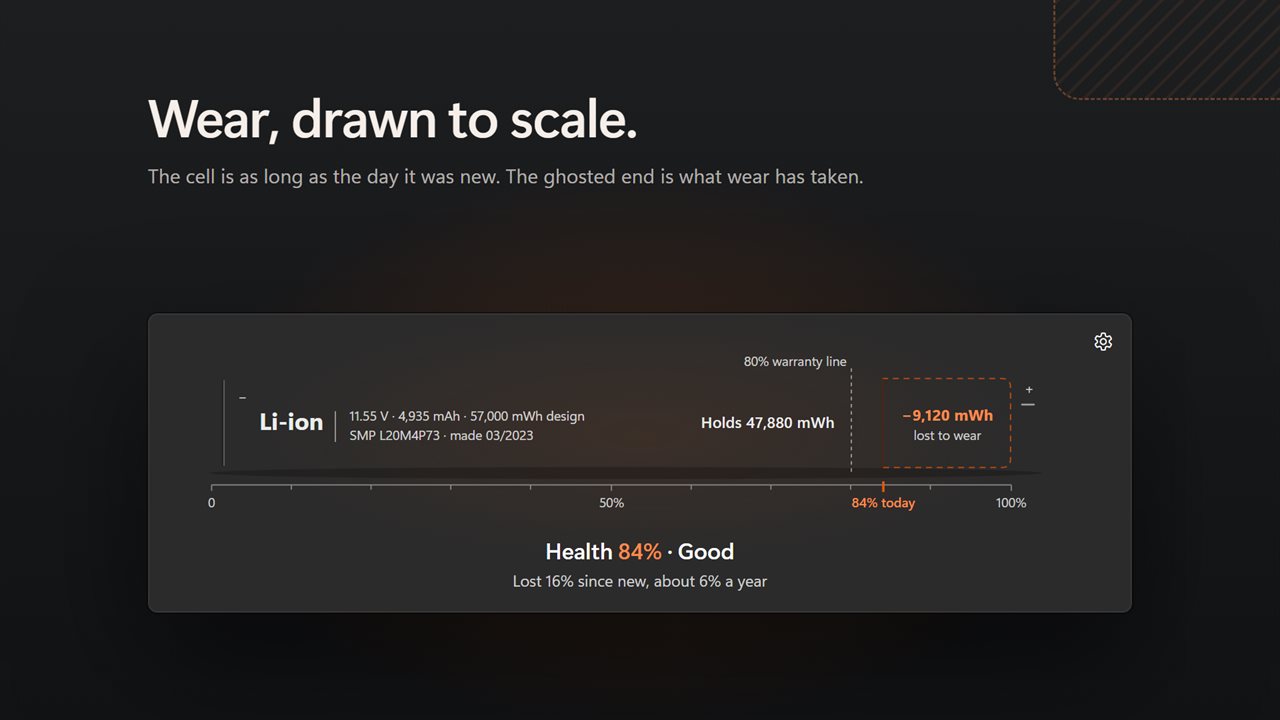
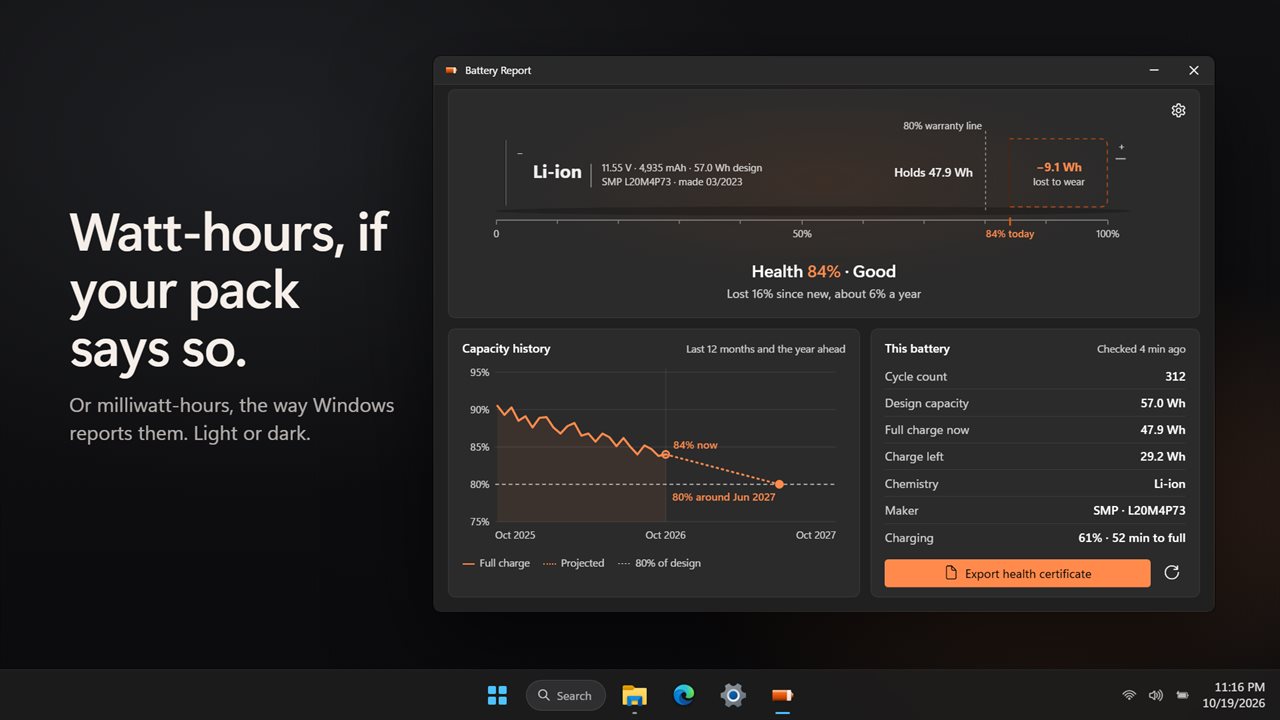
Your battery appears as one long cell, as long as the day it was new. The solid part is what it holds today. The ghosted end is the capacity lost to wear, labeled in milliwatt-hours, with a line at 80%. Under it, one line sums it up: "Health 84% · Good" and "Lost 16% since new, about 6% a year".
A year of history
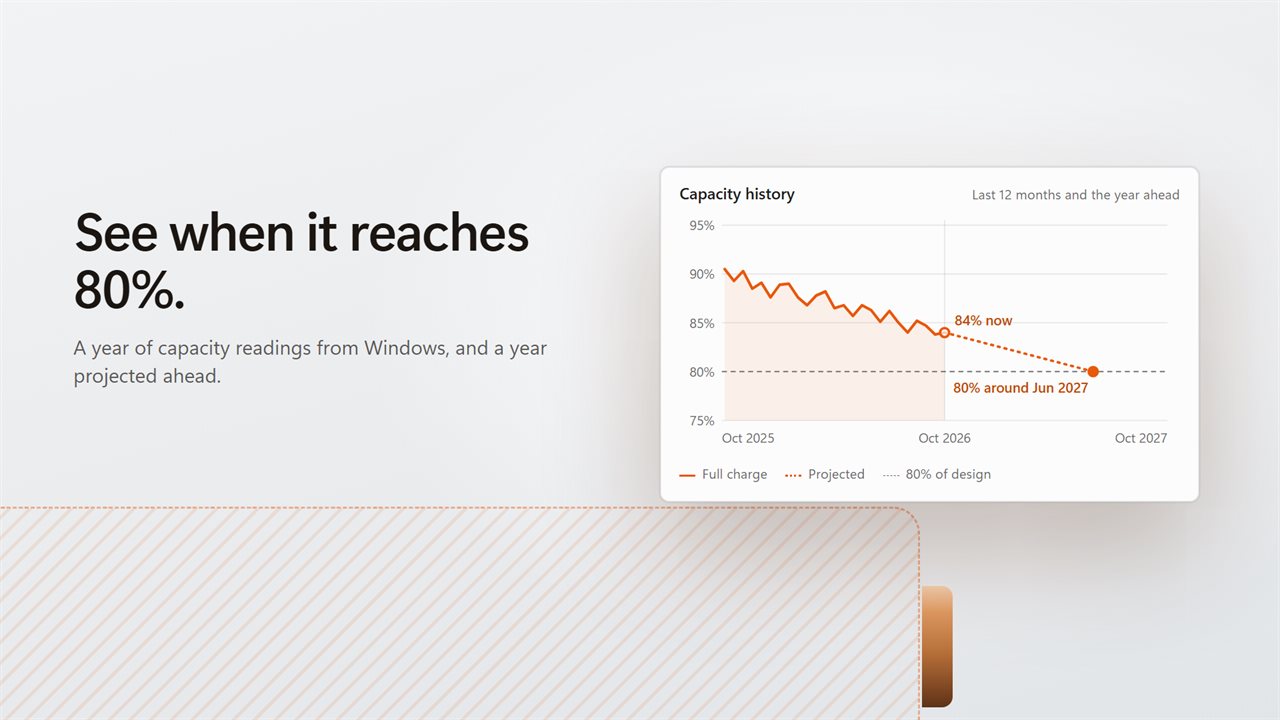
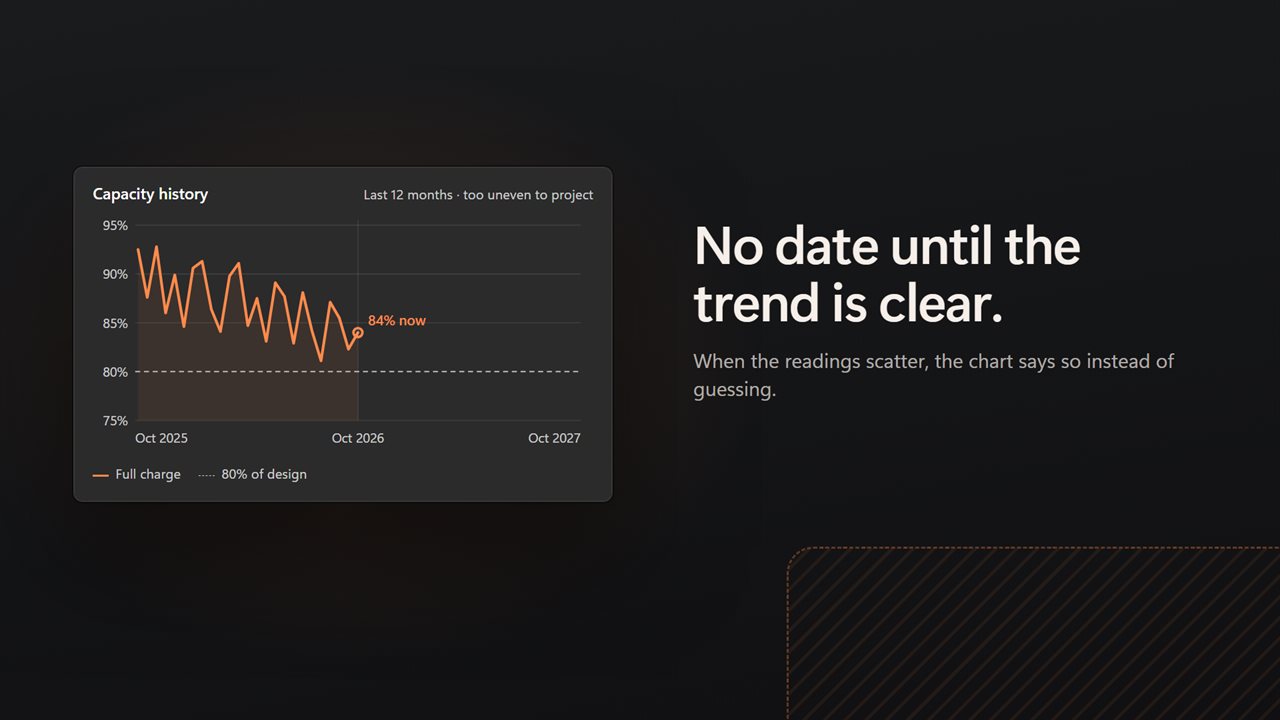
Windows quietly logs your battery's full charge capacity about once a week, and keeps it out of sight. Battery Report reads that log and charts the last 12 months, so you see a trend instead of a single reading that can swing from week to week.
When it reaches 80%
When the readings fall in a clear line, the chart projects the year ahead and marks the month the battery should reach 80% of its design capacity. When the readings are too scattered, it says so and shows no date. A guess would be worse than nothing.
A health certificate
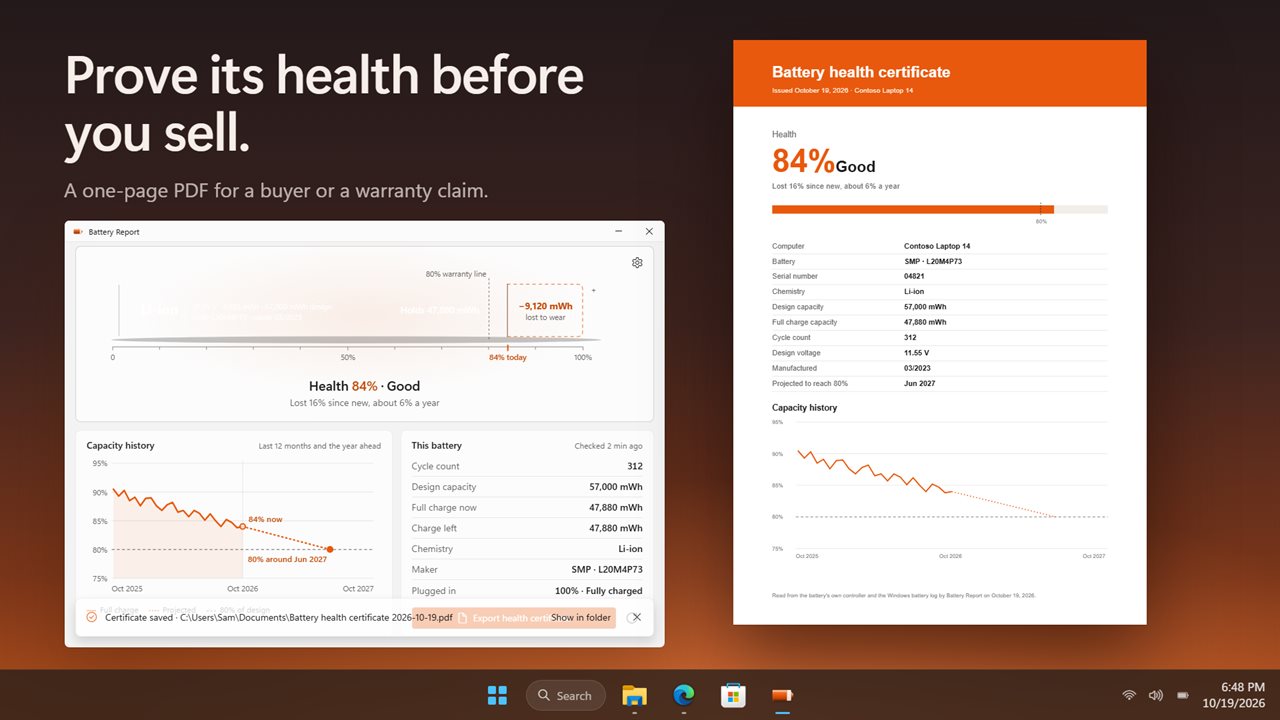
Click the cell or Export health certificate to save a one-page PDF: health and grade, computer, battery, serial number, chemistry, design and full charge capacity, cycle count, design voltage, manufacture date, the projected month for 80%, and the capacity history chart. Show it to a buyer when you sell your laptop, or attach it to a warranty claim.
Every figure
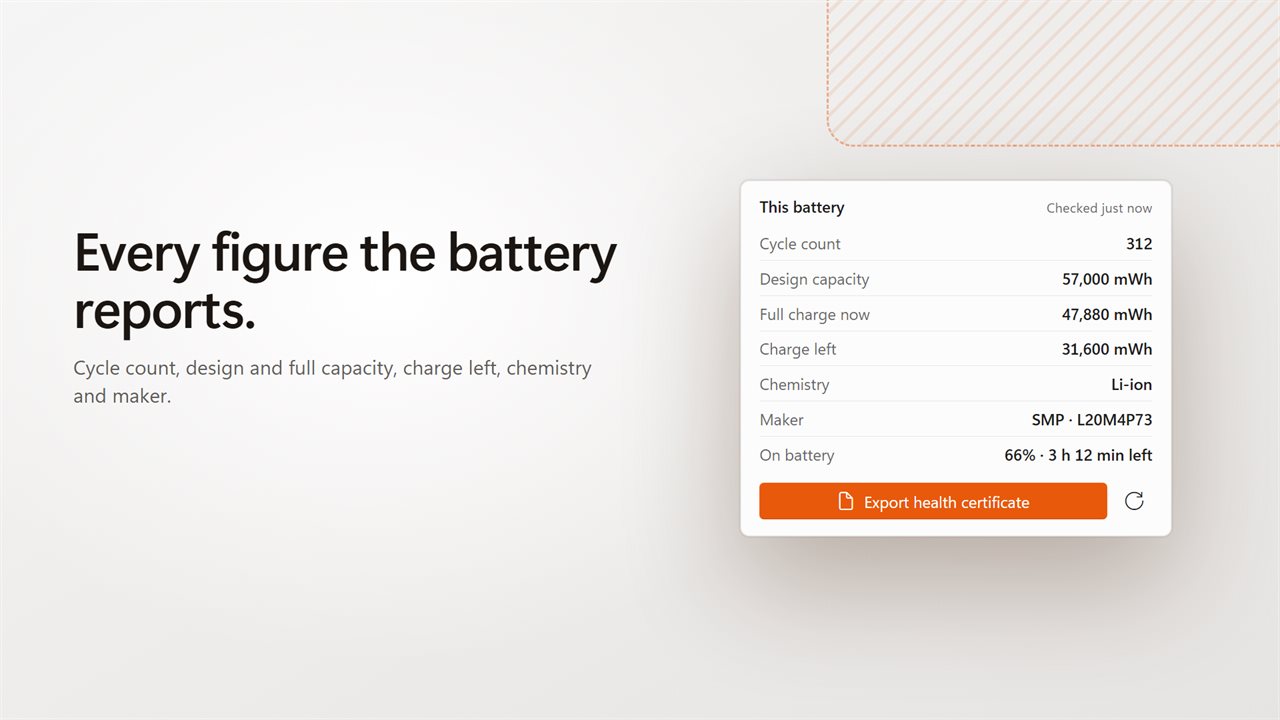
Cycle count, design capacity, full charge now, charge left, chemistry and maker, plus whether it is charging, plugged in or on battery, with time left or time to full. Show capacity in milliwatt-hours or watt-hours.
Private
Everything is read on your PC from the battery and from Windows. There is no account, and nothing is uploaded.
Features
- Battery health as a percentage: what it holds today against what it was built to hold
- The battery drawn to scale, with the capacity lost to wear shown as a ghosted end
- Capacity history for the last 12 months, read from the battery log Windows already keeps
- When the trend is clear, a projection of the month it reaches 80%
- No guessed dates: scattered readings are labeled too uneven to project
- Export a one-page PDF health certificate for a buyer or a warranty claim
- Cycle count, design capacity, full charge capacity, charge left, chemistry and maker
- Charging, plugged in or on battery, with time left or time to full
- Show capacity in milliwatt-hours or watt-hours
- Everything is read on your PC. Nothing is uploaded
- Light and dark themes, or match Windows
Details
- Works on
- Windows 10 (1809 or later) and Windows 11
- Download
- About 2.6 MB
- Version
- 2.0.1, updated October 2026
- First released
- June 2023
- Price
- $1.99 once. No subscription.
- Category
- Utilities & tools
What's new in 2.0.1
- New: capacity history for the last 12 months, from the battery log Windows keeps
- New: a projection of when the battery reaches 80%, shown only when the trend is clear
- New: export a one-page PDF health certificate
- New: the battery drawn to scale, with the capacity lost to wear
- New: show capacity in watt-hours, and light and dark themes
- Fixed: the window now fits on a laptop screen
- Fixed: no longer leaves a battery-report file in your user folder
Questions
Anything else? Ask us
Which versions of Windows does it run on?
Windows 10 (version 1809 or later) and Windows 11.
Is it a subscription?
No. Battery Report is a one-time purchase of $1.99, and updates are included.
How do I get it?
EvlarSoft apps are moving to direct downloads from this site. Ask to be notified and we will email you as soon as Battery Report is ready to download.