Desktop Screen Locker
Step away without closing anything. Desktop Screen Locker covers your screens with a lock screen that catches every click and touch, and can block the keyboard as well. Unlock with a double-click, or set a PIN and type it on the keypad. Handy for a child watching a video on a touch screen, or for keeping a desk private for a few minutes. For a lock that needs your Windows password, press Win+L.
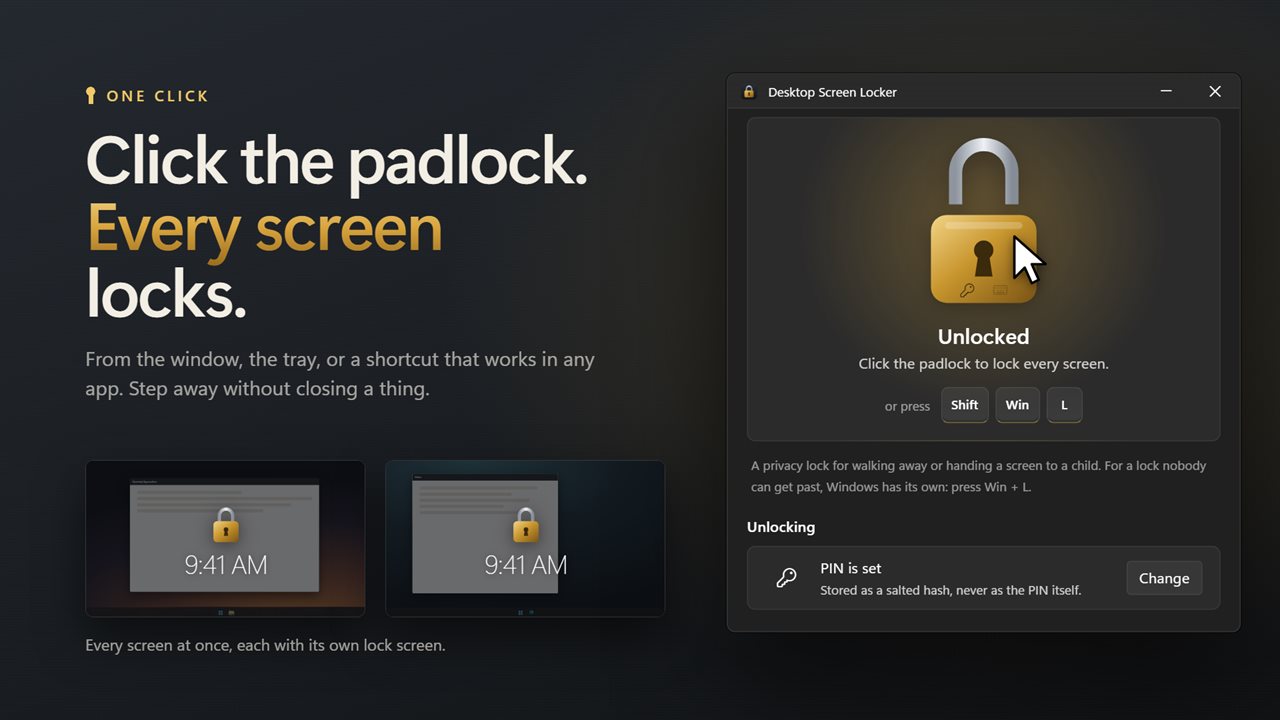
One click on the padlock locks every screen.
See it in action
About Desktop Screen Locker
Sometimes you want the screen left exactly as it is, just not usable.
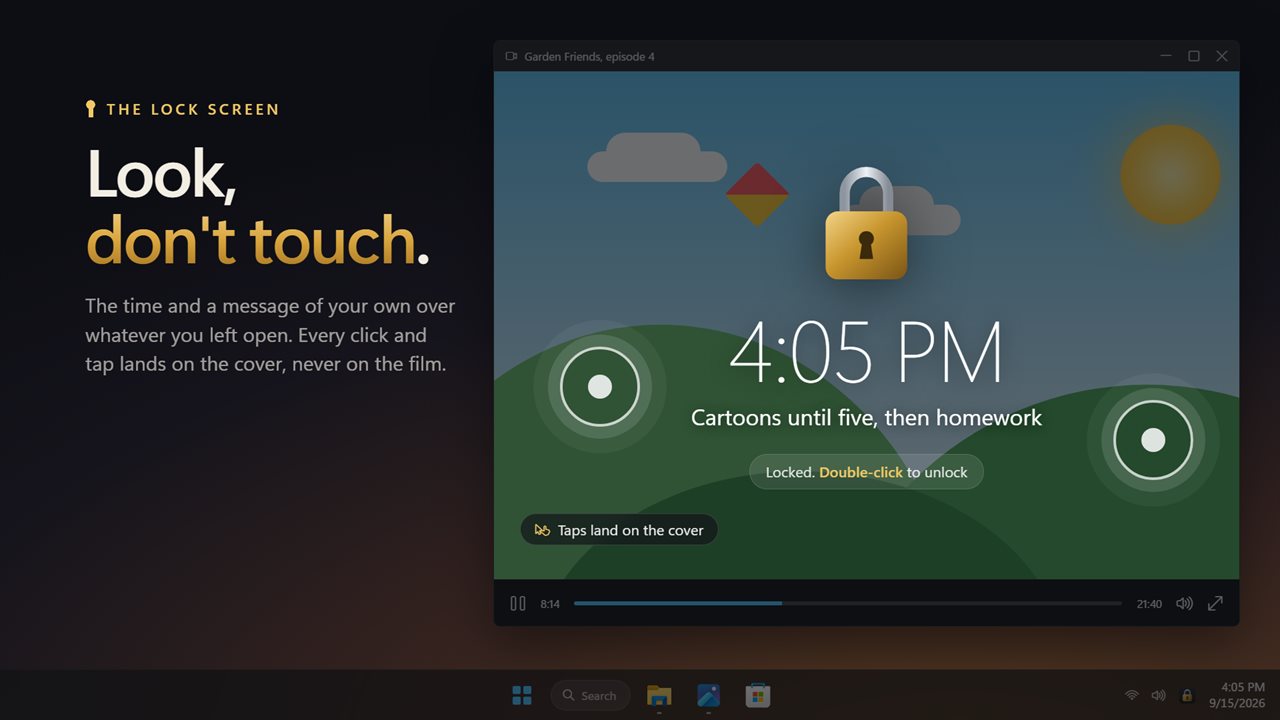
A video playing for a child on a touch screen. A presentation paused on a shared desk. Your work open while you fetch a coffee. Desktop Screen Locker puts a lock screen over it all and nothing underneath can be clicked, tapped or typed into until you unlock it.
One click to lock
Click the padlock in the window, click the tray icon, or press the lock shortcut from any app. Win+Shift+L to start with, and you can record any other. The shackle snaps shut and every screen says it is locked, so there is no wondering whether it worked.
The lock screen
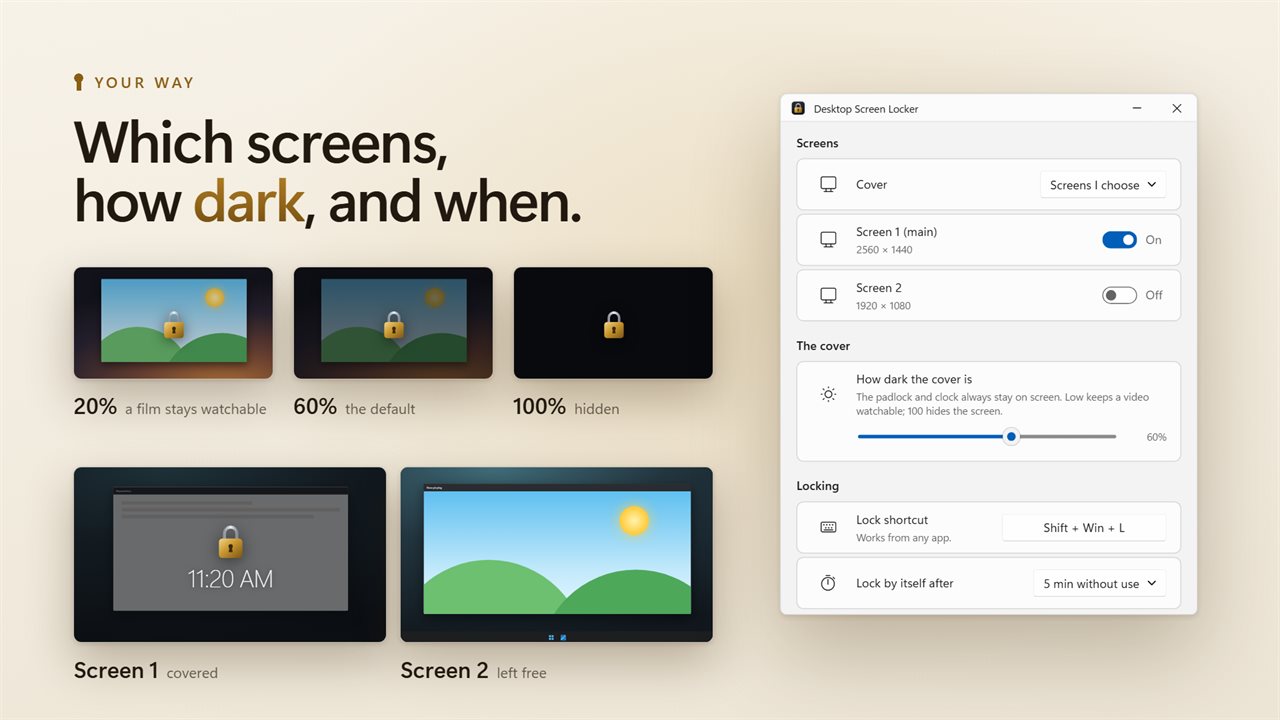
A brass padlock, the time, and a message of your own if you want one. A few seconds after locking they fade, so a film stays in view, and a click brings them back. Keep the cover a faint tint, or turn it up until the screen is hidden completely. Frosted glass blurs whatever is behind it.
Mouse, touch and keyboard
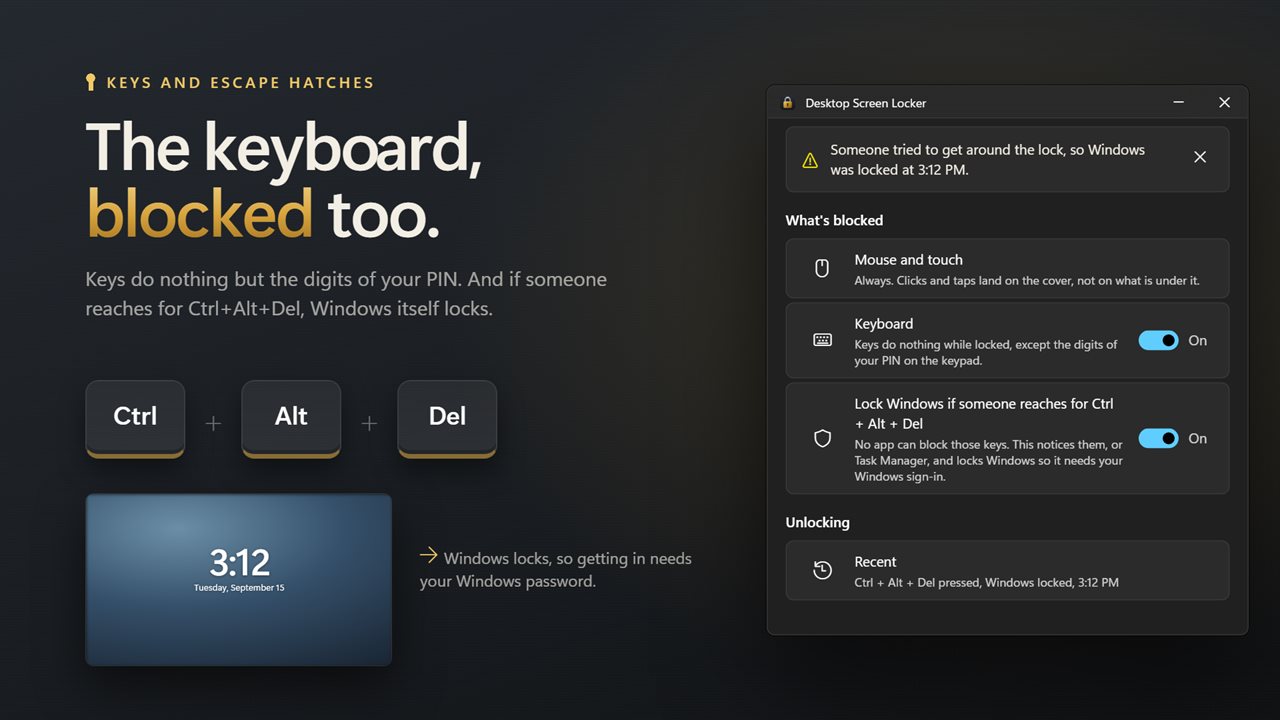
Clicks and touches always land on the cover, and Alt+Tab, the Windows key and Ctrl+Shift+Esc cannot switch away from it. Switch on keyboard blocking and keys do nothing either, apart from the digits of your PIN.
A pin, if you want one
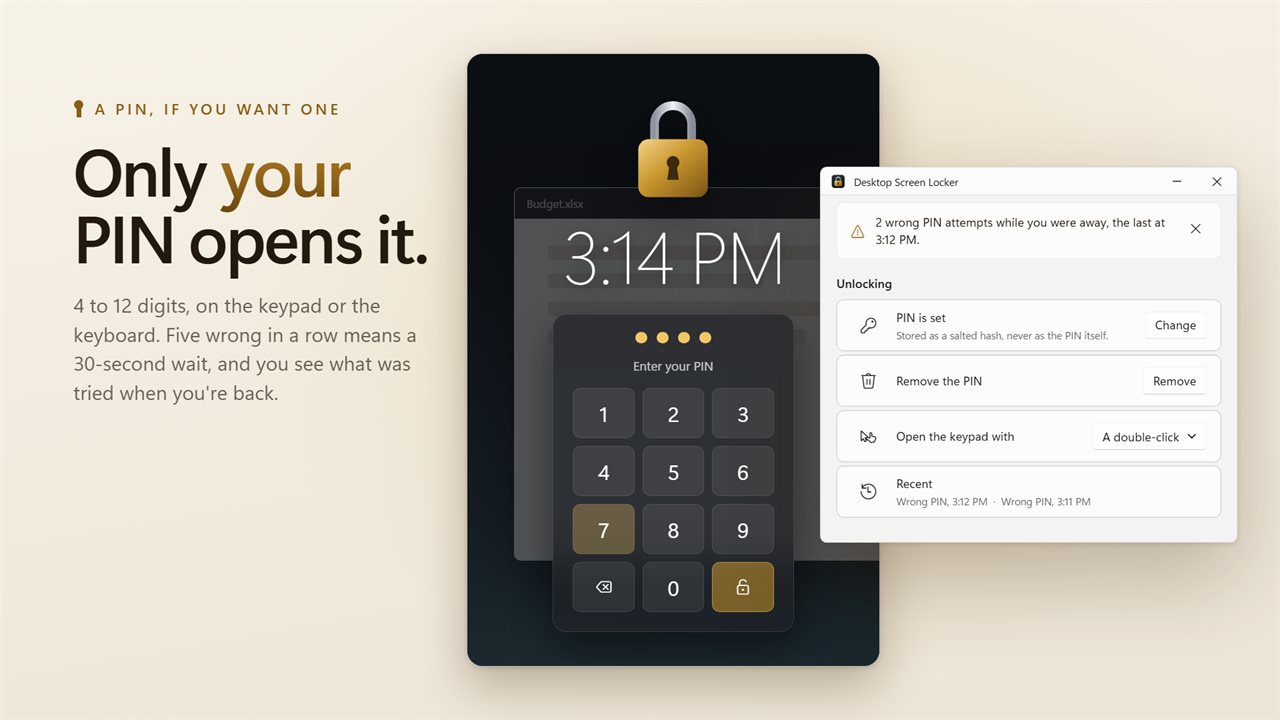
Without a PIN a double-click unlocks. Set a PIN of 4 to 12 digits and a double-click opens a keypad instead; type it there or on the keyboard. Five wrong tries in a row and the keypad makes you wait. The PIN is stored as a salted hash, never as the number itself.
When you unlock, the window tells you how many wrong PINs were tried while you were away.
Honest about what it is
This is a privacy lock, not a replacement for signing out. No app can stop Ctrl+Alt+Del. What Desktop Screen Locker does instead is lock Windows the moment the Ctrl+Alt+Del screen opens, or if Task Manager comes to the front, so getting in needs your Windows password. For a lock nobody can get past, press Win+L.
Never locked out: signing in to Windows always opens the cover too, so a forgotten PIN costs you nothing.
The rest of it
Cover every screen, only the main one, or the ones you choose. Lock by itself after a few minutes without use. Start with Windows, and lock as soon as it starts if you like. Light and dark themes to match Windows.
Everything happens on this PC. There is no account, nothing is uploaded, and it works with no connection at all.
Features
- Lock every screen in one click, from the tray, or with a shortcut that works from any app
- Mouse clicks and touches land on the cover, so nothing underneath can be used
- Block the keyboard too while the screens are locked
- Unlock with a double-click, or protect it with a 4 to 12 digit PIN on an on-screen keypad
- Five wrong PINs in a row and the keypad makes you wait 30 seconds
- See the wrong PIN attempts made while you were away
- If someone presses Ctrl+Alt+Del or opens Task Manager, Windows itself is locked
- A lock screen with a padlock, the time and your own message
- Alt+Tab, the Windows key and Ctrl+Shift+Esc do nothing while locked
- Set the darkness from a faint tint that keeps a video watchable to a screen hidden completely
- Optional frosted glass that blurs whatever is behind it
- Cover every screen, only the main screen, or the screens you choose
- Lock by itself after 1 to 60 minutes without use
- Starts with Windows and can lock as soon as it starts
- Signing in to Windows always opens the cover, so a forgotten PIN never locks you out
- Follows the Windows light and dark themes
- Works offline. No account, and nothing is uploaded
Details
- Works on
- Windows 10 (1809 or later) and Windows 11
- Download
- About 2.7 MB
- Version
- 2.0.5, updated October 2026
- First released
- September 2023
- Price
- $2.99 once. No subscription.
- Category
- Utilities & tools
What's new in 2.0.5
- New: block the keyboard while locked
- New: a PIN keypad on the lock screen. Passwords from the previous version are not carried over; please set a PIN
- New: Alt+Tab and the Windows key no longer get past the lock
- New: if someone presses Ctrl+Alt+Del or opens Task Manager while locked, Windows is locked too
- New: a lock shortcut, auto-lock after a set time, and a record of wrong PIN attempts
- New: a lock screen with the time, your own message, adjustable darkness and frosted glass
- New: choose which screens are covered
- Fixed: "main screen only" could miss the main screen on some setups
- Fixed: locking now shows clearly on screen instead of the window just disappearing
- Faster to open, and a new window that follows the Windows light and dark themes
Questions
Anything else? Ask us
Which versions of Windows does it run on?
Windows 10 (version 1809 or later) and Windows 11.
Is it a subscription?
No. Desktop Screen Locker is a one-time purchase of $2.99, and updates are included.
How do I get it?
EvlarSoft apps are moving to direct downloads from this site. Ask to be notified and we will email you as soon as Desktop Screen Locker is ready to download.
More from EvlarSoft
 Display Calibration HelperTest patterns that tell you what to look for and which monitor setting to change.
 Monitor InfoSee every display you have drawn to its true size, with its real name, resolution, refresh rate, screen size, color range, brightness and connection.
 Green Light TherapyA calming green light timer for your PC.
 HDD LightThe drive activity lamp your laptop never had.