Document Converter
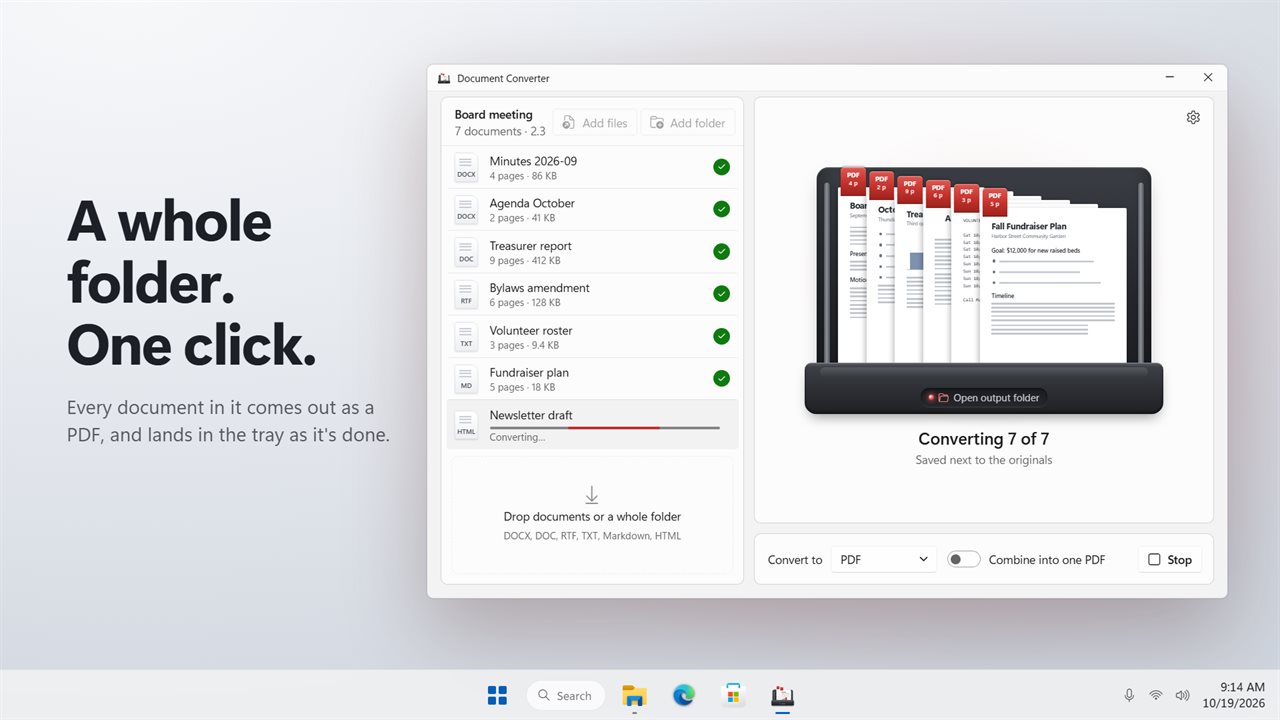
Drop a whole folder of documents and convert every one in a single click. DOCX, DOC, RTF, TXT, Markdown and HTML go in; PDF, page images and twelve other formats come out, or combine everything into one PDF.
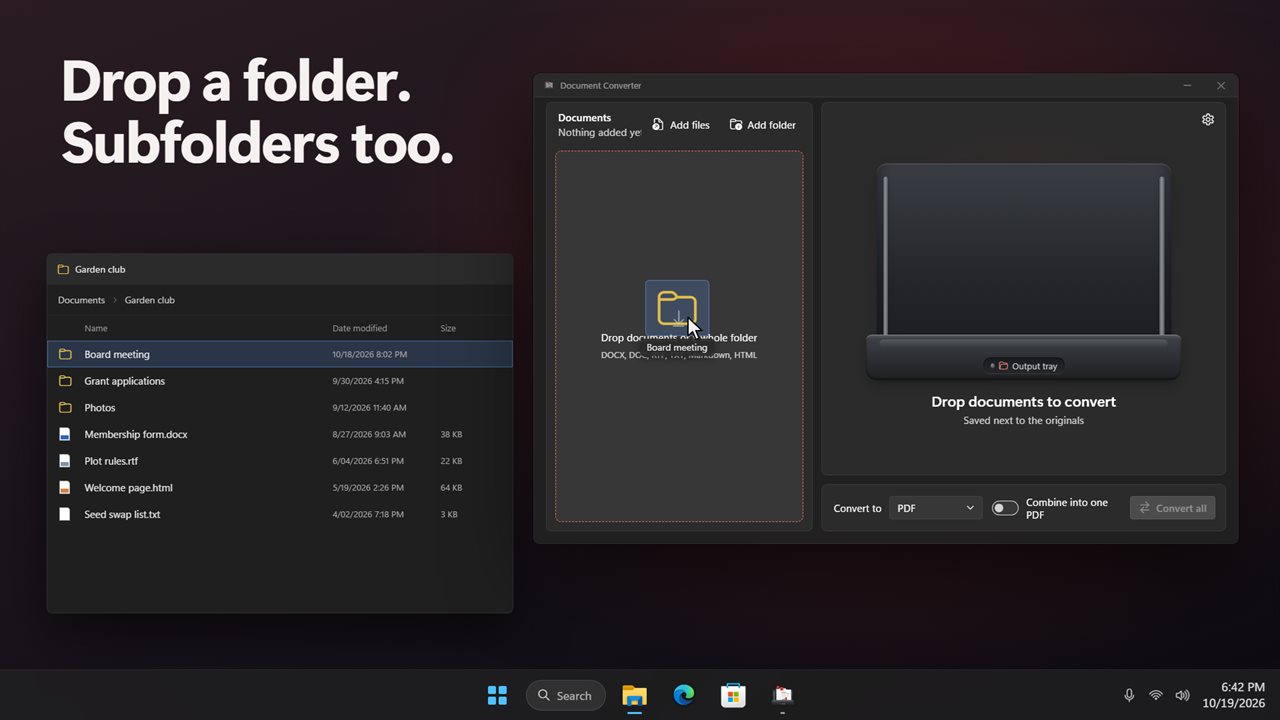
Convert a whole folder of documents in one click.
See it in action
About Document Converter
Easy Doc Converter turns a folder of documents into PDFs, or into almost any other document format, in one click.
A whole folder at once
Drop documents or a whole folder onto the window, or use Add files and Add folder. Documents in the folders inside it come along too. Every one is listed with its size, and Convert all works through them in turn.
Many formats in
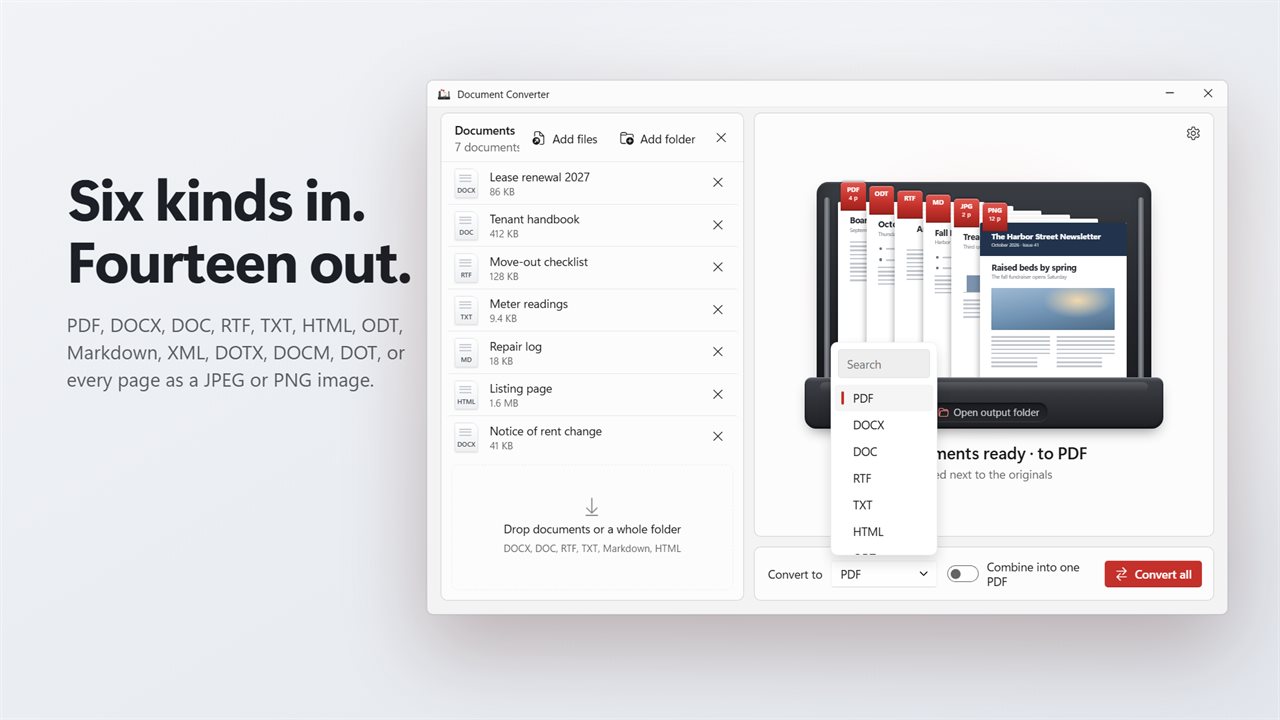
DOCX, DOC, RTF, TXT, Markdown and HTML can all sit in the same batch.
Fourteen ways out
Save as PDF, DOCX, DOC, RTF, TXT, HTML, ODT, Markdown, XML, DOTX, DOCM or DOT. Or save every page as a JPEG or PNG image.
Combine into one PDF
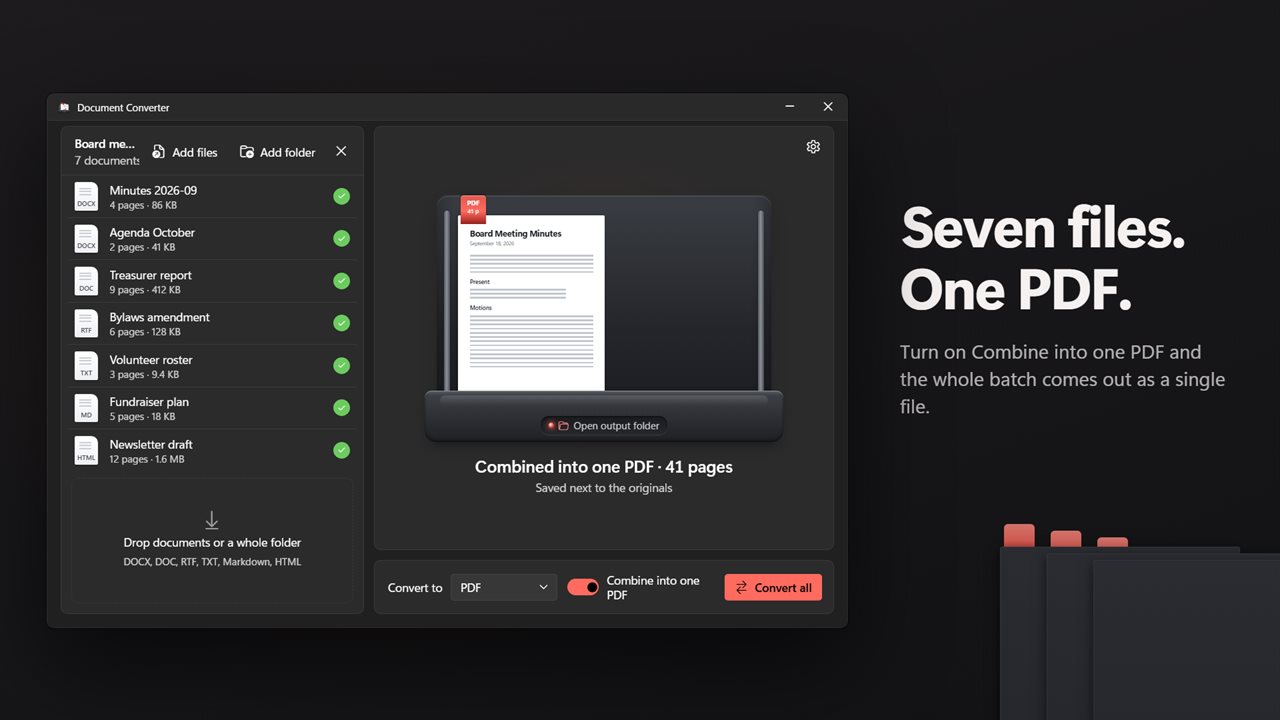
Turn on "Combine into one PDF" and the whole batch becomes a single PDF, named after the folder it came from.
See the result as it lands
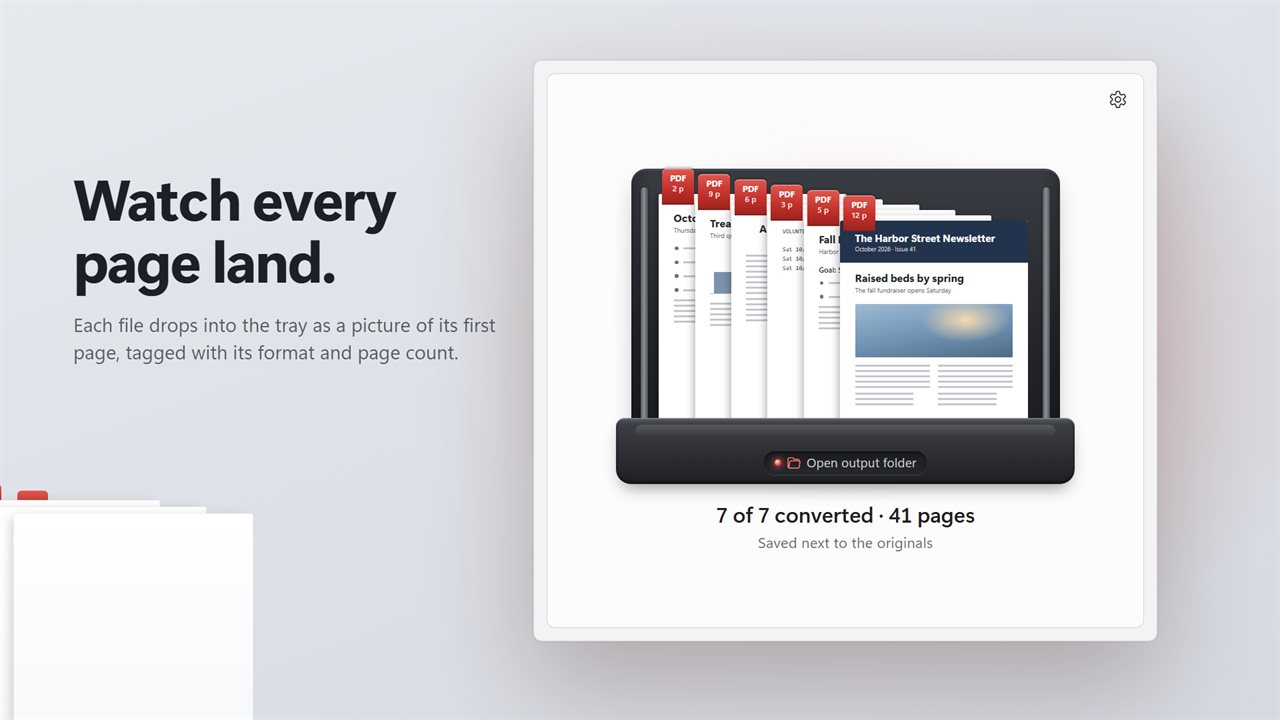
Each converted file drops into the output tray as a picture of its first page, tagged with its format and page count. Click the tray to show them in File Explorer.
Nothing stops the batch
A document with a password, or one that's open in another program, is marked with the reason. The rest carry on.
Your files stay put
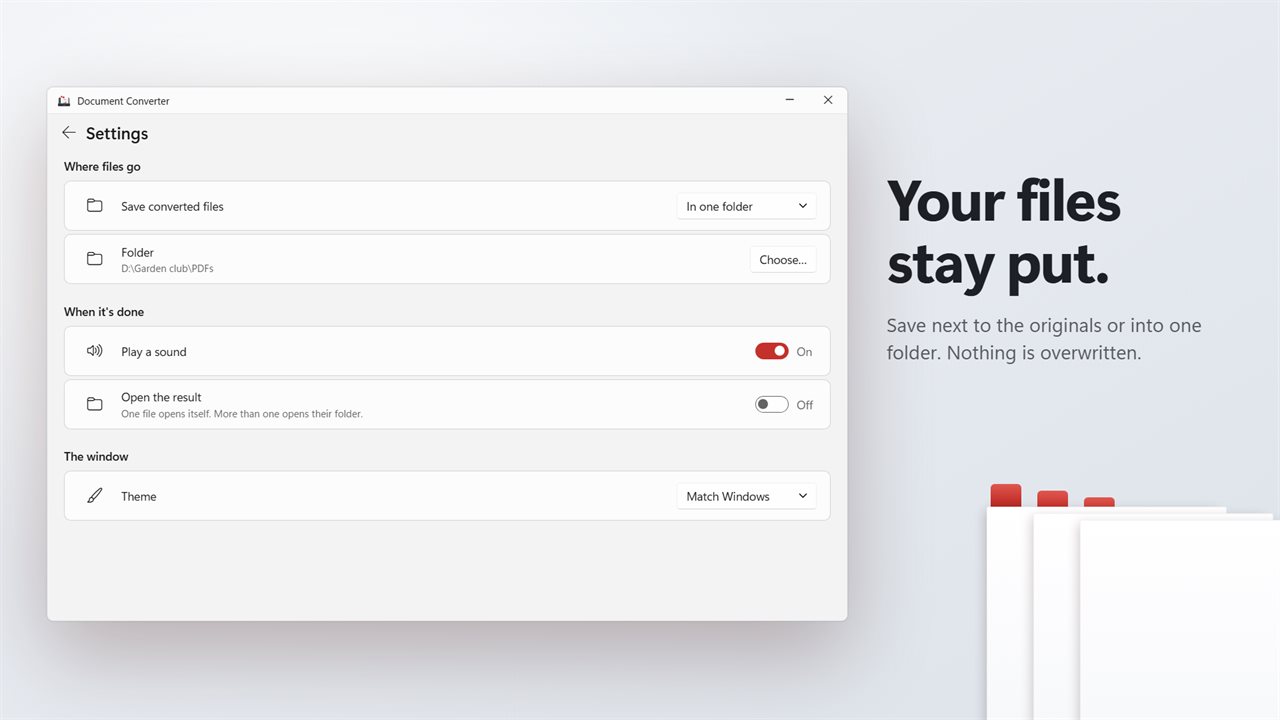
Converted files are saved next to the originals, or into one folder you choose. Nothing is ever overwritten: if the name is taken, the new file is saved as "Report (2).pdf".
When it's done
Play a sound, or show the result in File Explorer.
Private
Everything happens on your PC. No office suite is needed, and nothing is uploaded.
Free, with premium
Converting to PDF, RTF and TXT is free, whole folders and combining included. Premium adds every other format, as a monthly, yearly or lifetime plan. Premium you already own carries over.
Features
- Convert a whole folder of documents in one click, including the folders inside it
- Reads DOCX, DOC, RTF, TXT, Markdown and HTML
- Saves as PDF, DOCX, DOC, RTF, TXT, HTML, ODT, Markdown, XML, DOTX, DOCM or DOT
- Or saves every page as a JPEG or PNG image
- Combine everything into one PDF
- The output tray shows the first page of each result as it lands
- Each document shows its page count and a check when it's done
- A file that can't be converted says why, and the rest carry on
- Saves next to the originals, or into one folder you choose
- Never overwrites a file. A second copy is saved as "Report (2).pdf"
- Play a sound when it's done, or show the result in File Explorer
- No office suite needed. Your documents never leave your PC
- Light and dark themes, or match Windows
Details
- Works on
- Windows 10 (1809 or later) and Windows 11
- Download
- About 54.7 MB
- Version
- 2.0.1, updated October 2026
- First released
- January 2023
- Price
- Free
- Category
- Productivity
What's new in 2.0.1
- New: convert a whole folder at once. Drop documents or a folder, then Convert all
- New: RTF, TXT, Markdown and HTML documents can now be converted too
- New: combine a whole batch into one PDF
- New: save every page as a JPEG or PNG image
- New: the output tray shows the first page of each converted file
- New: save next to the originals, or into one folder you choose
- Your sound and open-when-done choices carry over
Questions
Anything else? Ask us
Which versions of Windows does it run on?
Windows 10 (version 1809 or later) and Windows 11.
Is it free?
Yes. Document Converter is free to download.
How do I get it?
EvlarSoft apps are moving to direct downloads from this site. Ask to be notified and we will email you as soon as Document Converter is ready to download.
More from EvlarSoft
 XLSX ConverterConvert a batch of spreadsheets to PDF, CSV, Excel, OpenDocument, JSON and more.
 PDF to PPTX ConverterTurn PDFs into PowerPoint slides you can edit: the text stays text, with its fonts and colors, and photos stay pictures you can move.
 PDF/A Compliance ConverterPDF/A conformance is a checklist, and a tool that hides it behind one Convert button is a tool that will tell you it succeeded when it did not.