XLSX Converter
Convert a batch of spreadsheets to PDF, CSV, Excel, OpenDocument, JSON and more. Merge many workbooks into one, or split one into a file per region, per sheet or per hundred rows.
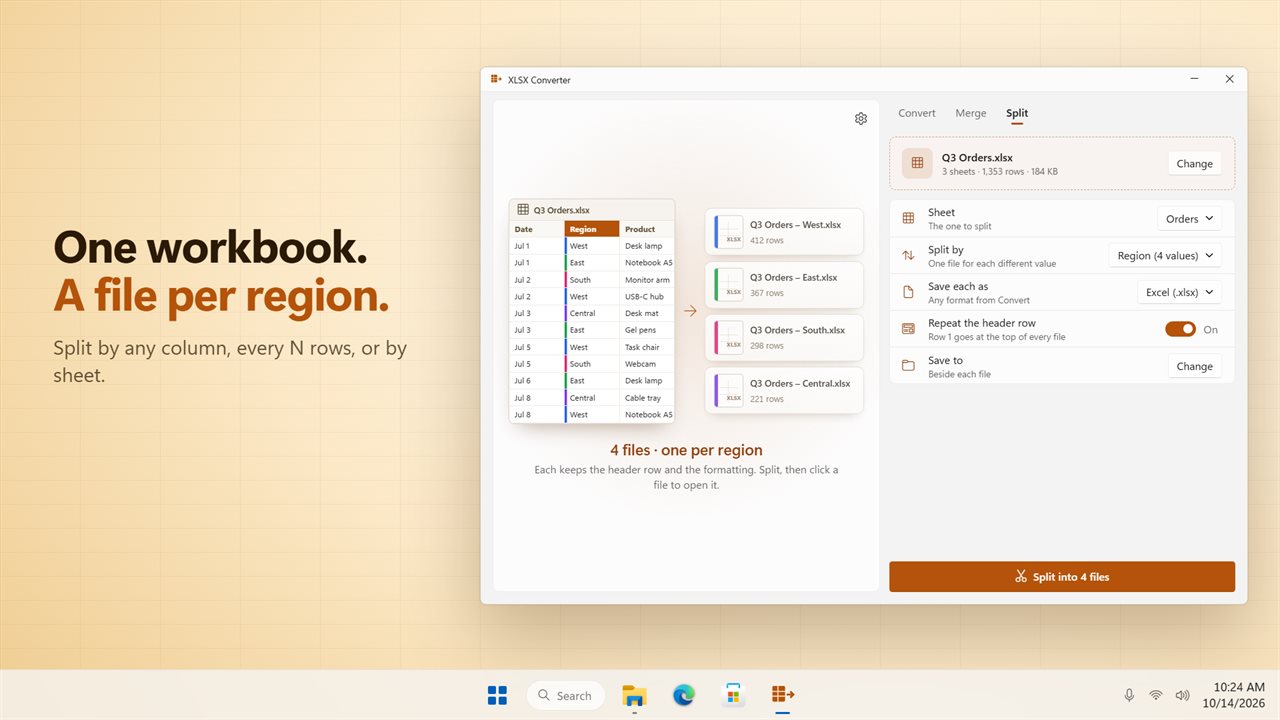
Split one workbook into a file for each region.
See it in action
About XLSX Converter
XLSX Converter converts, merges and splits spreadsheets, a whole batch at a time.
Split one workbook into many
Pick a column, and XLSX Converter makes one file for each value in it: one file per region, per store or per sales rep. You can also split every 250 rows, or make one file for each sheet. Before you start, the first rows of your sheet are shown with each value in its own color, next to the list of files you will get and how many rows each one holds. The header row can go at the top of every file.
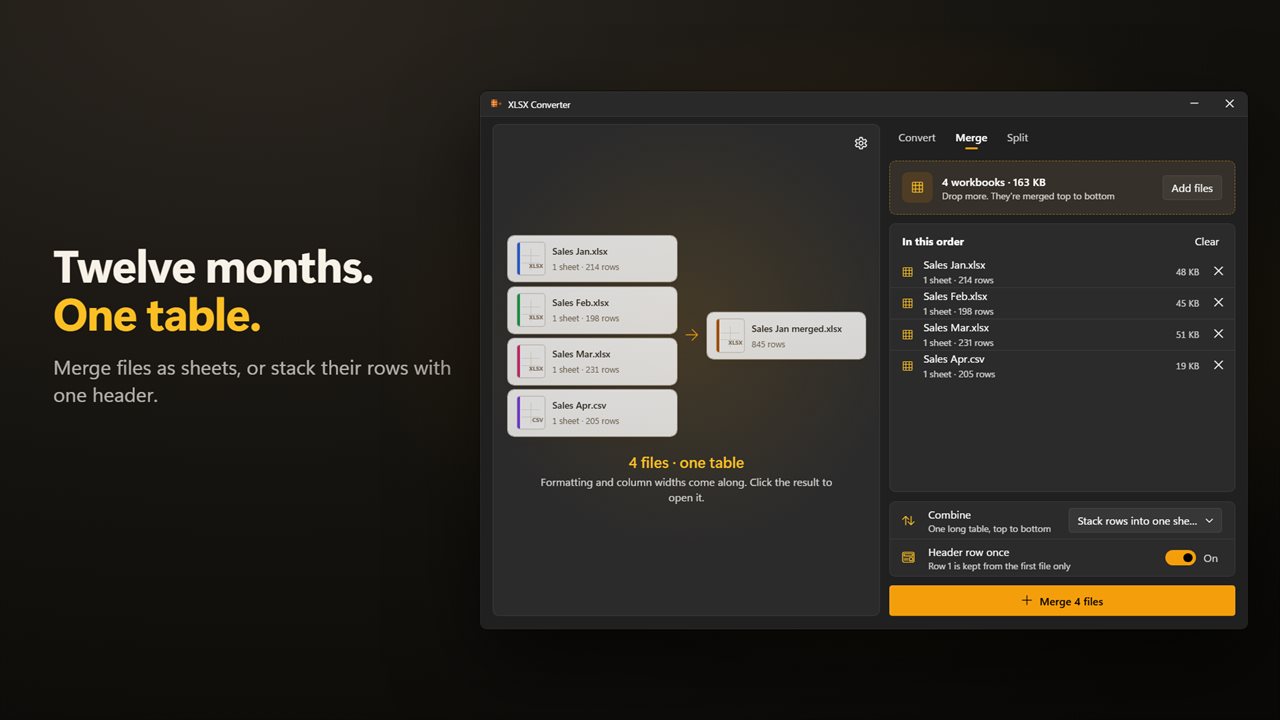
Merge many into one
Drop a year of monthly workbooks, or a folder of CSV files. Each file can become its own sheet in one workbook. Or stack all the rows into one long table, with the header row kept once.
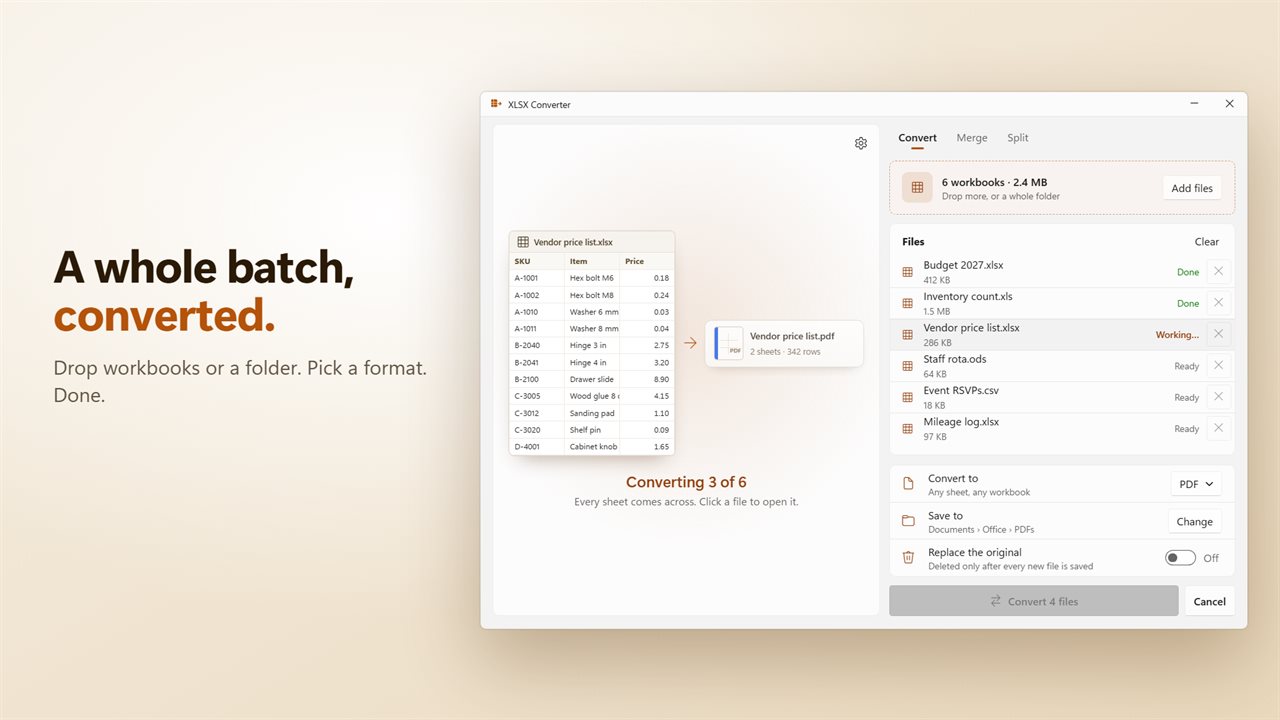
Convert a whole batch
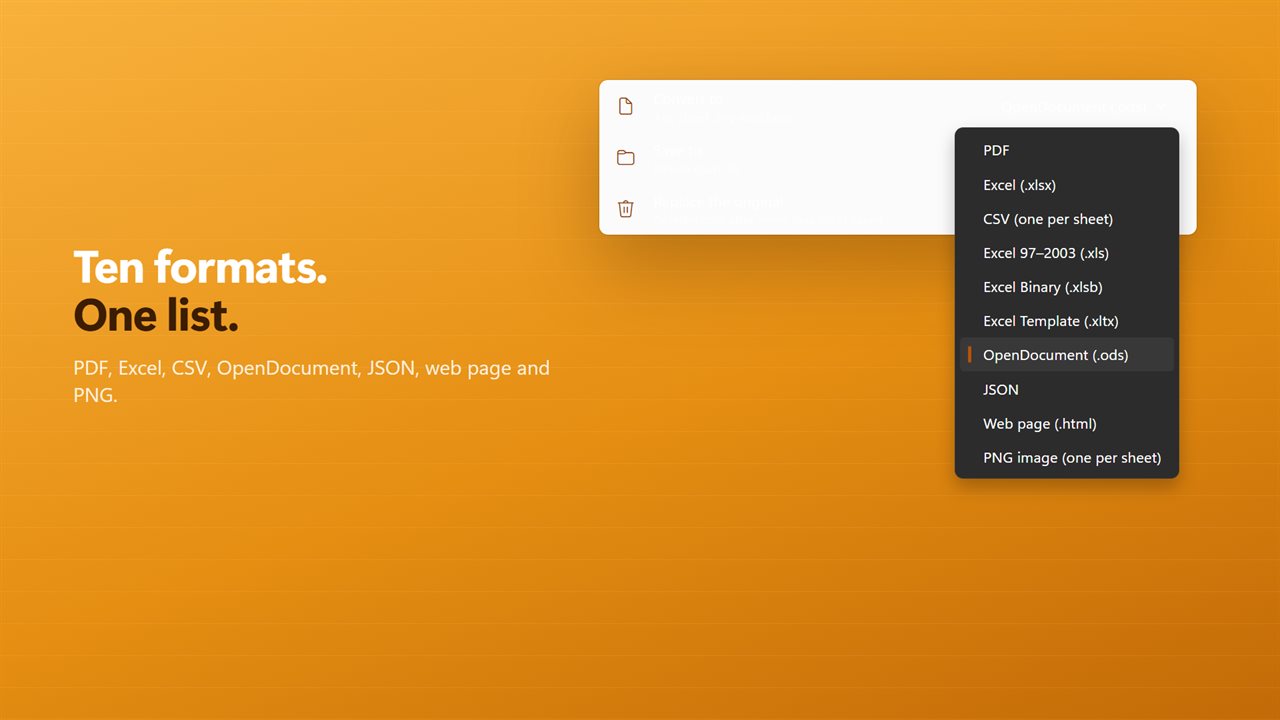
The job you bought XLSX Converter for still works, and your old files still open. Drop workbooks or a whole folder, pick a format and click Convert. There are ten formats: PDF, Excel (.xlsx), Excel 97-2003 (.xls), Excel Binary (.xlsb), Excel Template (.xltx), OpenDocument (.ods), CSV, JSON, web page and PNG. CSV and PNG make one file for each sheet. XLSX Converter opens .xlsx, .xls, .xlsm, .xlsb, .xltx, .ods and .csv files.
Password-protected workbooks
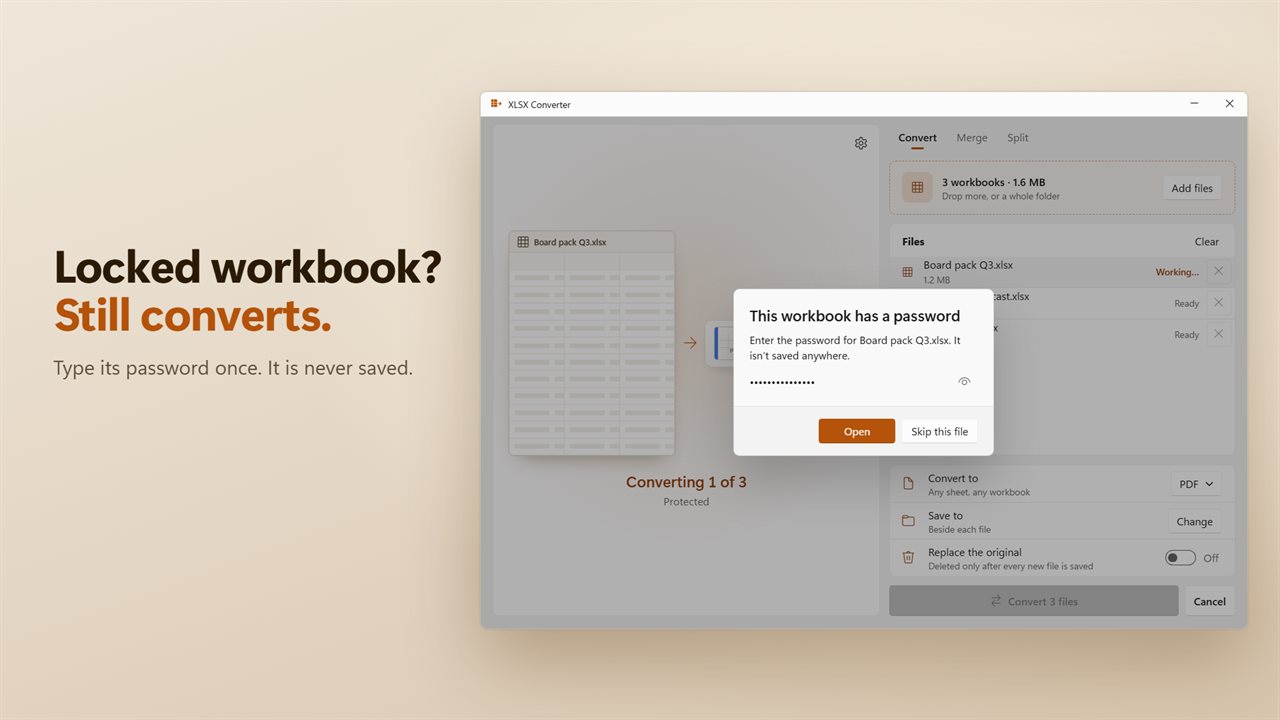
A workbook with a password asks for it, and then converts like any other. The password is never saved.
Your originals are safe
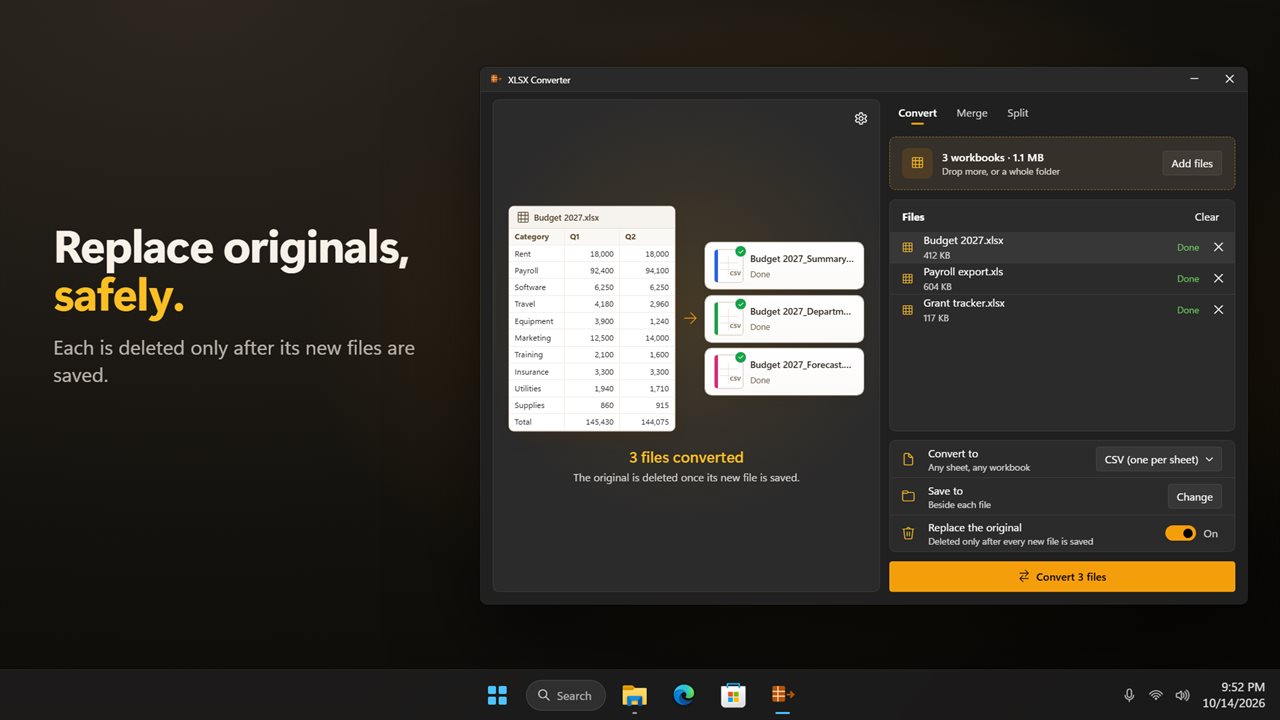
New files are saved beside the originals, or in a folder you choose, and nothing is overwritten. If you would rather replace the originals, turn that on. Each original is deleted only after every one of its new files is saved. Cancel stops the batch after the current file.
Private
Everything happens on your PC. There is no account, and nothing is uploaded.
Features
- Split a workbook into one file for each value in a column, such as one file per region
- Or split every N rows, or into one file per sheet
- See the split before you run it: the first rows colored by value, and every new file with its row count
- Repeat the header row at the top of every split file
- Merge workbooks and CSV files into one workbook, each file as its own sheet
- Or stack their rows into one long table, keeping the header row once
- Convert many workbooks at once. Drop files, or a whole folder
- Ten formats: PDF, Excel (.xlsx), Excel 97-2003 (.xls), Excel Binary (.xlsb), Excel Template (.xltx), OpenDocument (.ods), CSV, JSON, web page and PNG
- CSV and PNG make one file for each sheet
- Opens .xlsx, .xls, .xlsm, .xlsb, .xltx, .ods and .csv files
- Password-protected workbooks ask for their password, which is never saved
- Save beside each file, or in a folder you choose
- Replace the original if you like. It is deleted only after every new file is saved
- Cancel a batch at any time. It stops after the current file
- Click any new file to open it, or have the folder open when the job is done
- Everything happens on your PC. Nothing is uploaded
- Light and dark themes, or match Windows
Details
- Works on
- Windows 10 (1809 or later) and Windows 11
- Download
- About 54.5 MB
- Version
- 2.0.2, updated October 2026
- First released
- August 2023
- Price
- $1.99 once. No subscription.
- Category
- Utilities & tools
What's new in 2.0.2
- New: split a workbook by a column, every N rows, or by sheet, with a preview of every file before you start
- New: merge workbooks and CSV files into one, as sheets or as one long table
- New: convert to Excel (.xlsx) and Excel 97-2003 (.xls), and open OpenDocument and CSV files
- New: drop a whole folder to convert everything in it
- New: password-protected workbooks ask for their password instead of failing
- Fixed: Replace the original now works for every format, including CSV and PNG, and only after the new files are saved
- Fixed: Cancel now stops the batch
Questions
Anything else? Ask us
Which versions of Windows does it run on?
Windows 10 (version 1809 or later) and Windows 11.
Is it a subscription?
No. XLSX Converter is a one-time purchase of $1.99, and updates are included.
How do I get it?
EvlarSoft apps are moving to direct downloads from this site. Ask to be notified and we will email you as soon as XLSX Converter is ready to download.
More from EvlarSoft
 Evlar XLSX EditorOpen, edit and save Excel workbooks and CSV files for free.
 JSON to NDJSONTurn a JSON array into NDJSON, one record a line, and turn NDJSON back into JSON.
 PDF/A Compliance ConverterPDF/A conformance is a checklist, and a tool that hides it behind one Convert button is a tool that will tell you it succeeded when it did not.