Driver Query
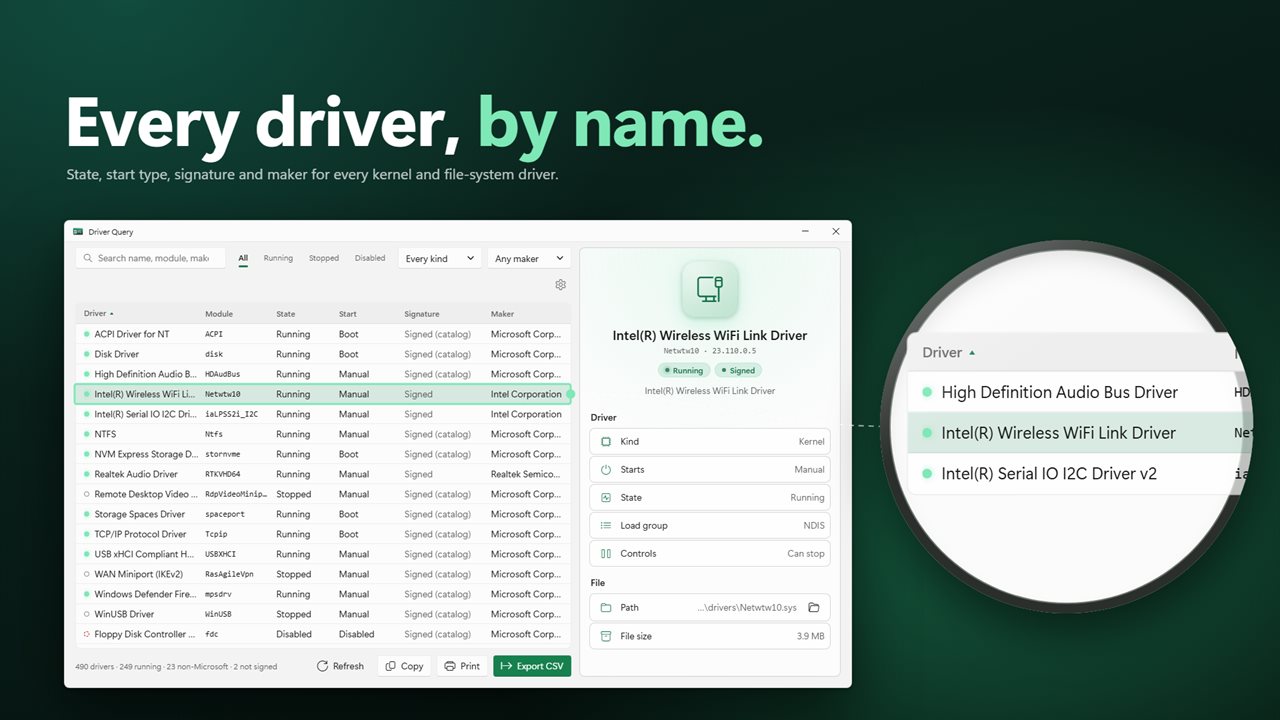
See every driver on your PC and everything about it. Driver Query lists every kernel and file-system driver with its state, start type, maker, version and signature, lets you search and filter the list, and copies, exports or prints it in one click.
Every driver on your PC, and everything about each one.
See it in action
About Driver Query
Driver Query shows you every driver Windows has registered, and everything about each one.
The whole list
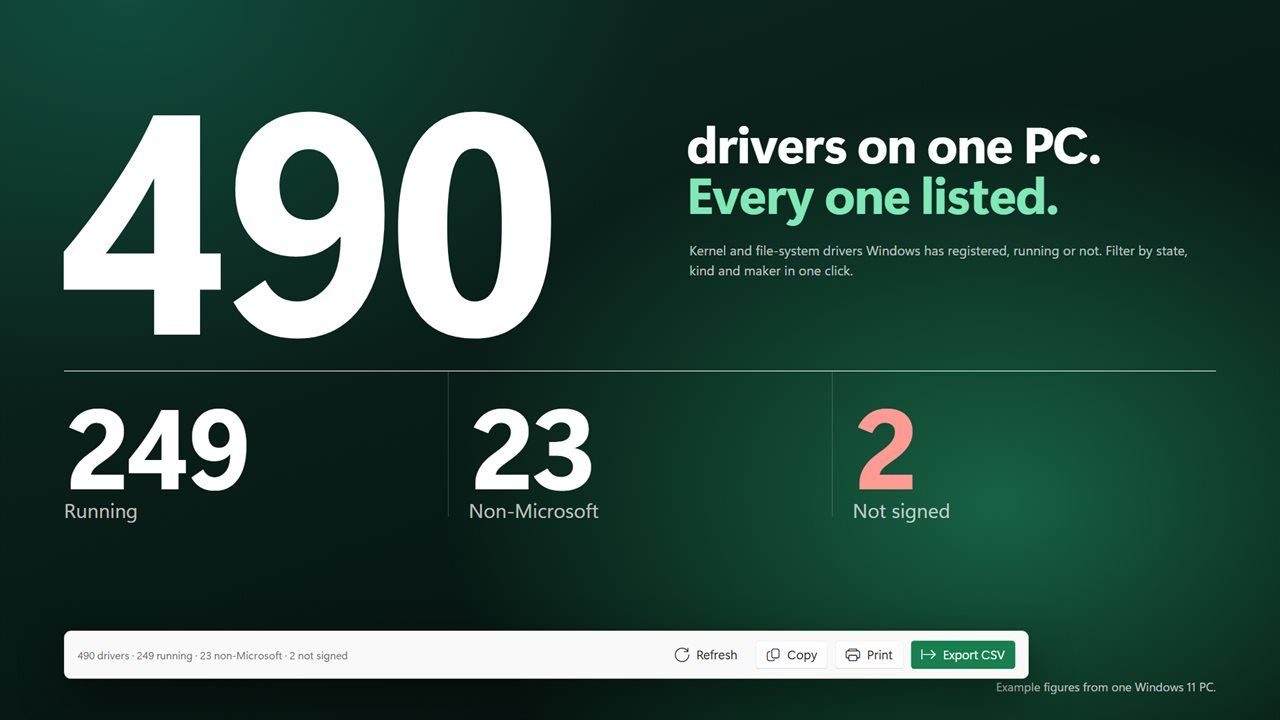
Every kernel and file-system driver on your PC sits in one dense, sortable list: its name, module, whether it is running, how it starts, whether its file is signed, who made it, its version and when it was built. Widen the window and more columns appear. Search by name, module, maker, description or path, and filter to running, stopped or disabled drivers, kernel or file-system drivers, and Microsoft, non-Microsoft or unsigned ones.
Everything about one driver
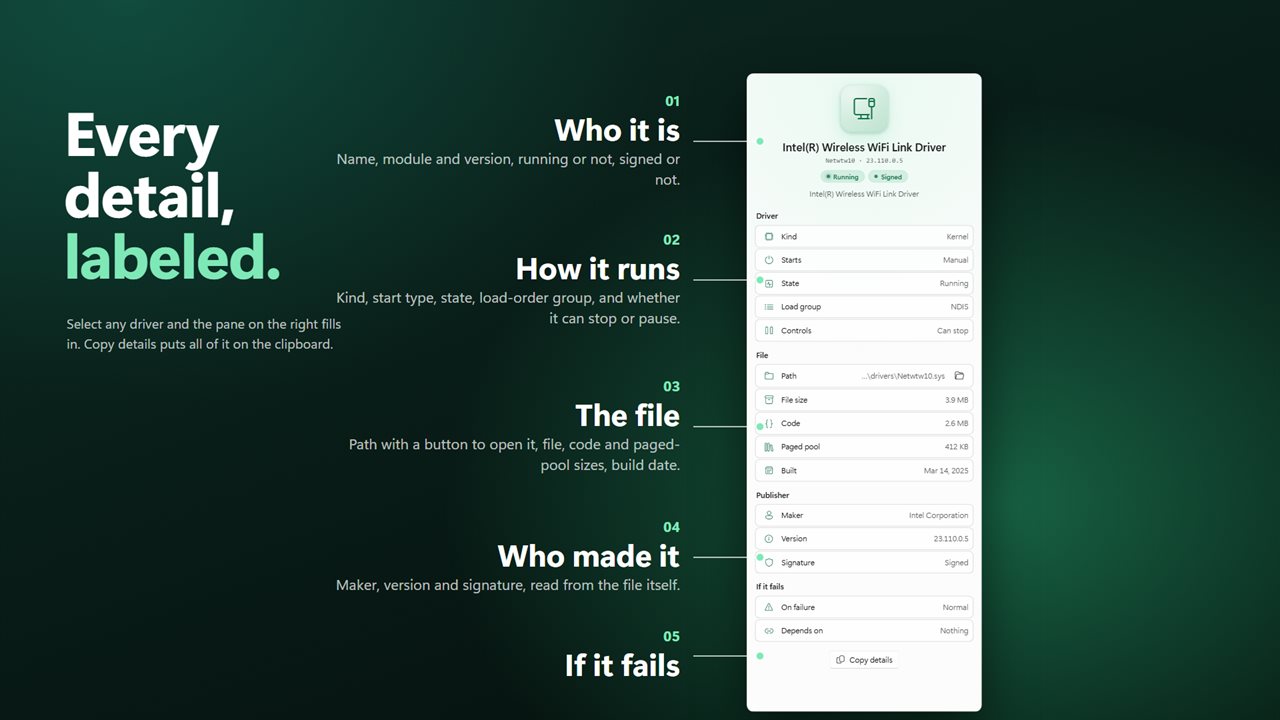
Select a driver and the details pane shows its name, module and version, whether it is running and whether its file is signed. Below that: its kind, how it starts, its load-order group and whether it can be stopped or paused; its file path, with a button to open it in File Explorer, and its file, code and paged-pool sizes and build date; its maker, version and signature; and what Windows does if it fails to start, and what it depends on.
Signed or not
After the list loads, every driver file is checked against Windows’ signed catalogs and its own embedded signature. Drivers that are not signed are marked, and one filter shows only those.
Take the list with you
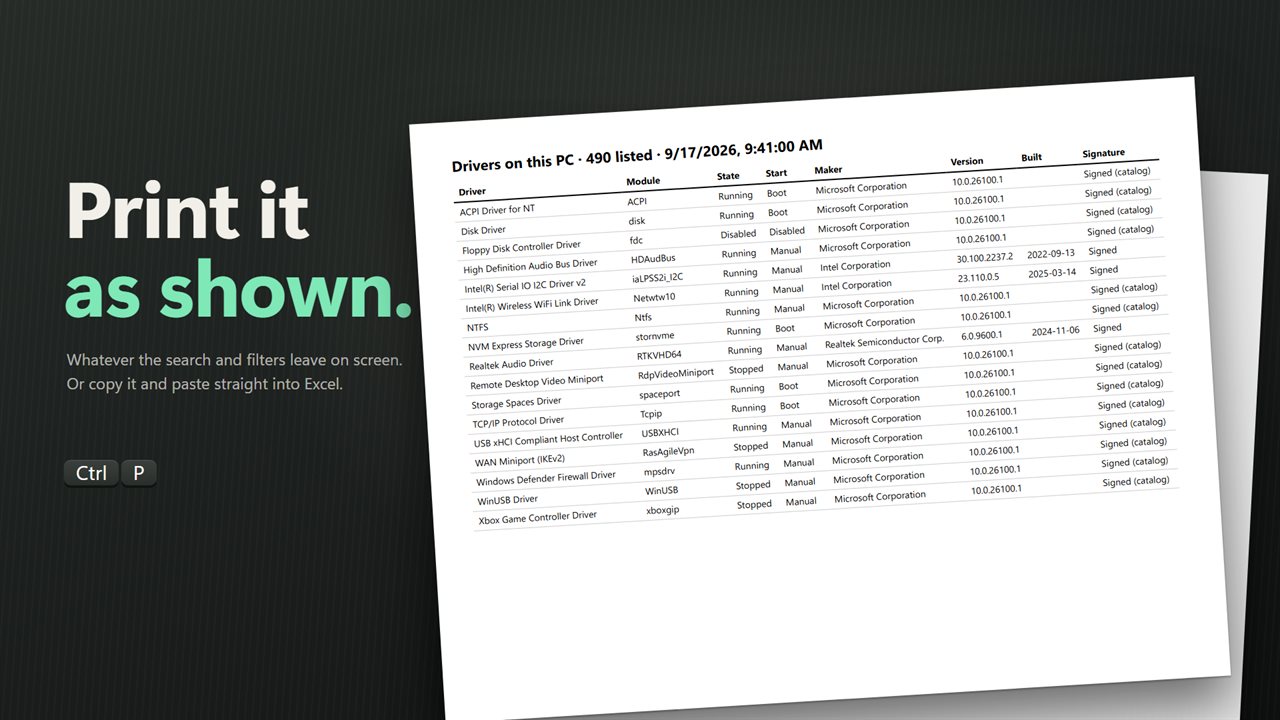
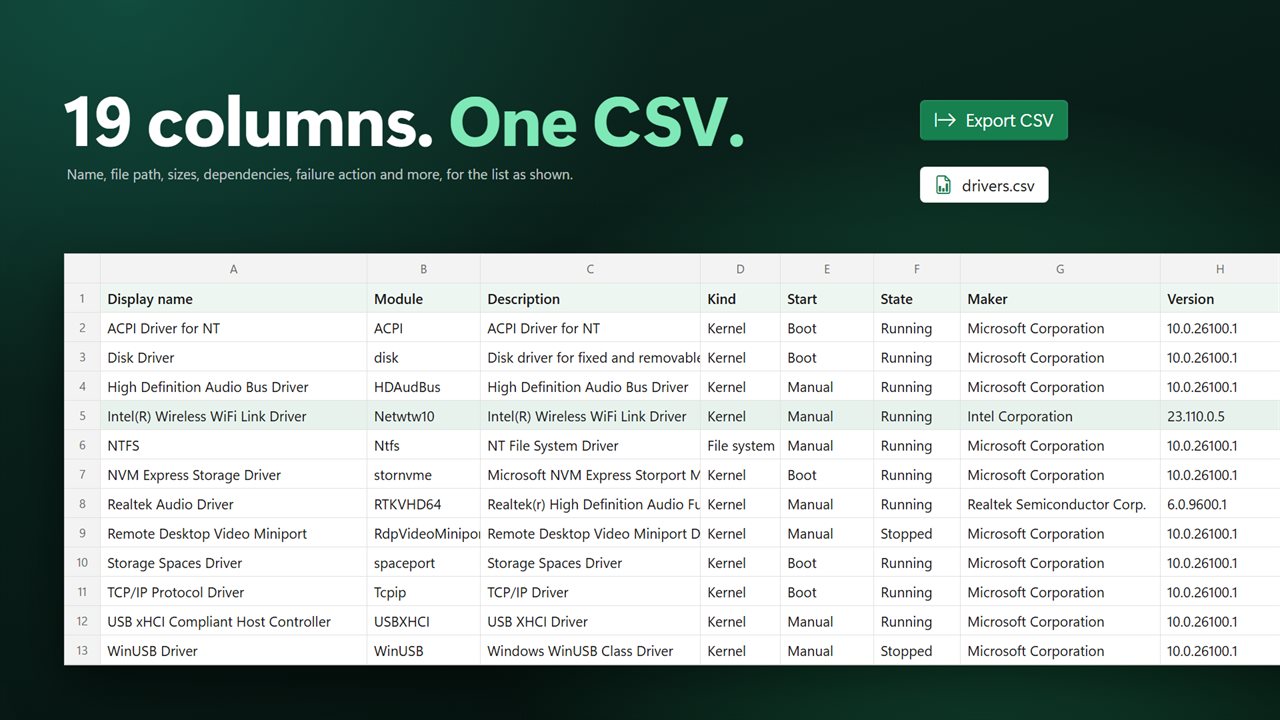
Copy the drivers you selected, or the whole list, and paste it straight into Excel. Export the list as shown as a CSV spreadsheet with 19 columns. Or print it. Select several drivers with Ctrl or Shift, or everything with Ctrl+A.
Works in any language
Driver Query reads drivers straight from Windows rather than parsing the text of the driverquery command, so it works whatever language Windows is set to.
Everything happens on this PC. There is no account, nothing is uploaded, and it works with no connection.
Features
- Lists every kernel and file-system driver Windows has registered, running or not
- Reads drivers straight from Windows, so it works in any display language
- Dense, sortable list: name, module, state, start type, signature, maker, version, build date and kind
- Search by name, module, maker, description or file path
- Filter to running, stopped or disabled drivers, kernel or file-system drivers, and Microsoft, non-Microsoft or unsigned
- Checks every driver file against Windows’ signed catalogs and its own signature, and flags the unsigned ones
- Select a driver to see its details: kind, start type, state, load-order group, and whether it can be stopped or paused
- File path, size, code and paged-pool sizes and build date, plus what the driver depends on and what Windows does if it fails
- Version, maker and file, code and paged sizes read from the driver file itself
- Open the driver’s file location in File Explorer
- Copy selected drivers, or the whole list, ready to paste into Excel
- Select several with Ctrl or Shift, or all with Ctrl+A
- Export the list as a CSV spreadsheet with 19 columns
- Print the list as shown
- Keyboard shortcuts: Ctrl+F to search, F5 to refresh, Ctrl+S to export, Ctrl+P to print
- Resizable window that remembers its size; more columns appear as it grows
- Dark theme by default, with light and match-Windows options
- Works offline, with no account and nothing uploaded
Details
- Works on
- Windows 10 (1809 or later) and Windows 11
- Download
- About 2.8 MB
- Version
- 2.0.3, updated October 2026
- First released
- May 2023
- Price
- $2.99 once. No subscription.
- Category
- Utilities & tools
What's new in 2.0.3
- New: a dense, sortable list with search and filters
- New: select a driver to see all of its details
- New: signature check for every driver file
- New: copy, export to CSV and print the list
- New: open a driver’s file location
- New: reads drivers directly from Windows, so it works in any language
- New: resizable window, dark theme by default
Questions
Anything else? Ask us
Which versions of Windows does it run on?
Windows 10 (version 1809 or later) and Windows 11.
Is it a subscription?
No. Driver Query is a one-time purchase of $2.99, and updates are included.
How do I get it?
EvlarSoft apps are moving to direct downloads from this site. Ask to be notified and we will email you as soon as Driver Query is ready to download.