Prevent PC Sleep
Stop your PC sleeping while you are away from it, and see exactly what it would have done otherwise.
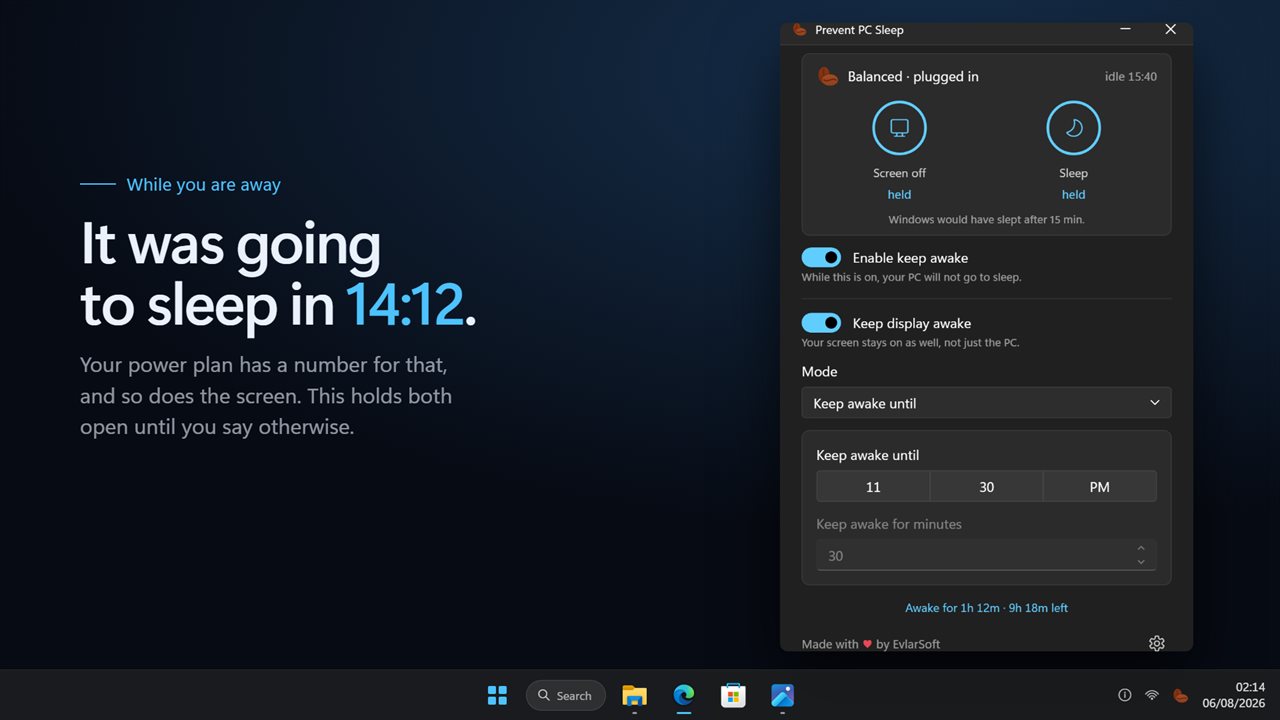
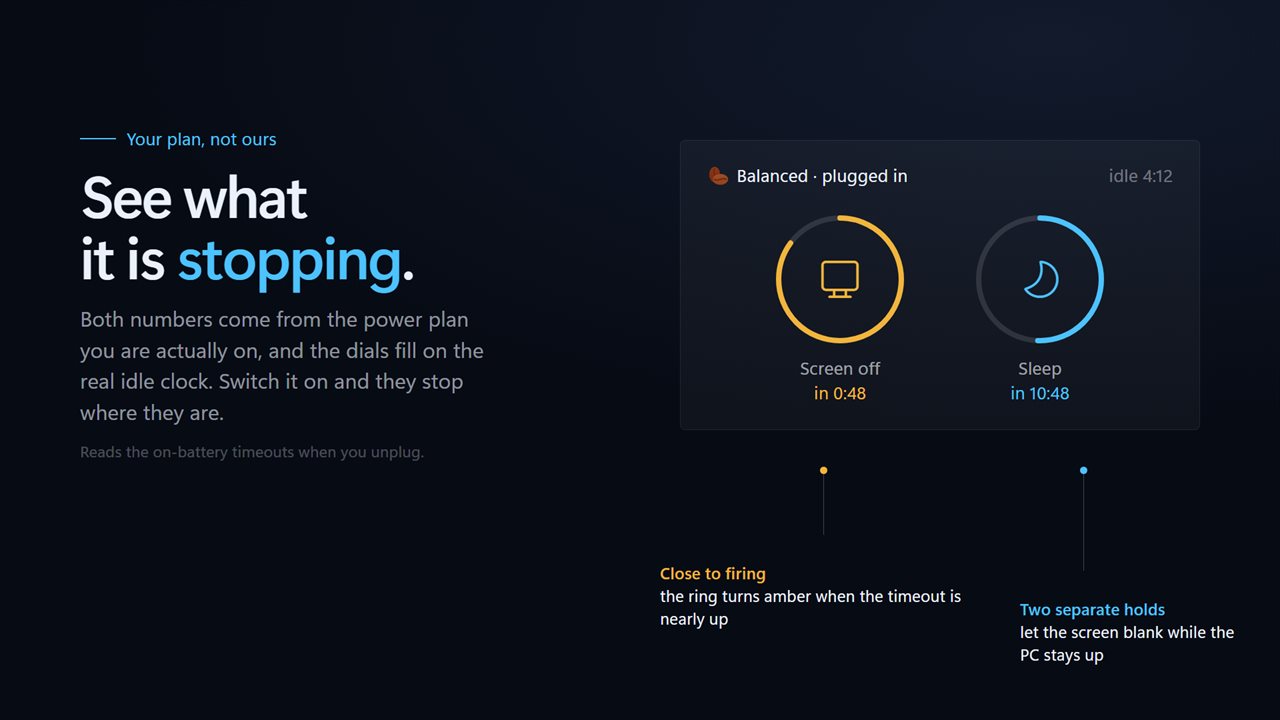
The two timeouts your power plan actually holds, counting down on the real idle clock.
See it in action
About Prevent PC Sleep
Windows decides when your screen goes dark and when the machine sleeps, and it does not ask whether you are in the middle of something.
Prevent PC Sleep holds both open. What makes it different is that it shows you the two numbers it is holding: the screen timeout and the sleep timeout, read from the power plan you are actually on, counting down on the real idle clock. Switch it on and both dials stop where they are.
The two holds are separate
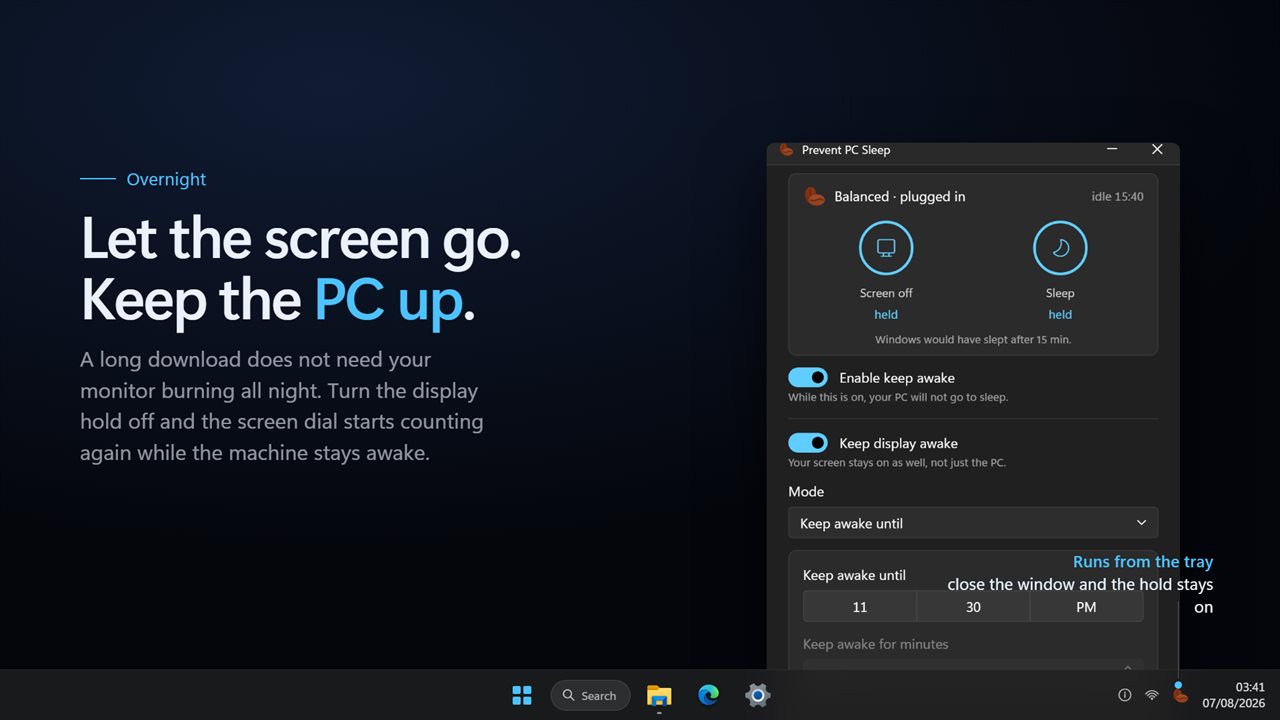
Keep the whole machine up, or let the screen blank while the PC keeps working. A long download overnight does not need your monitor burning with it.
On a laptop
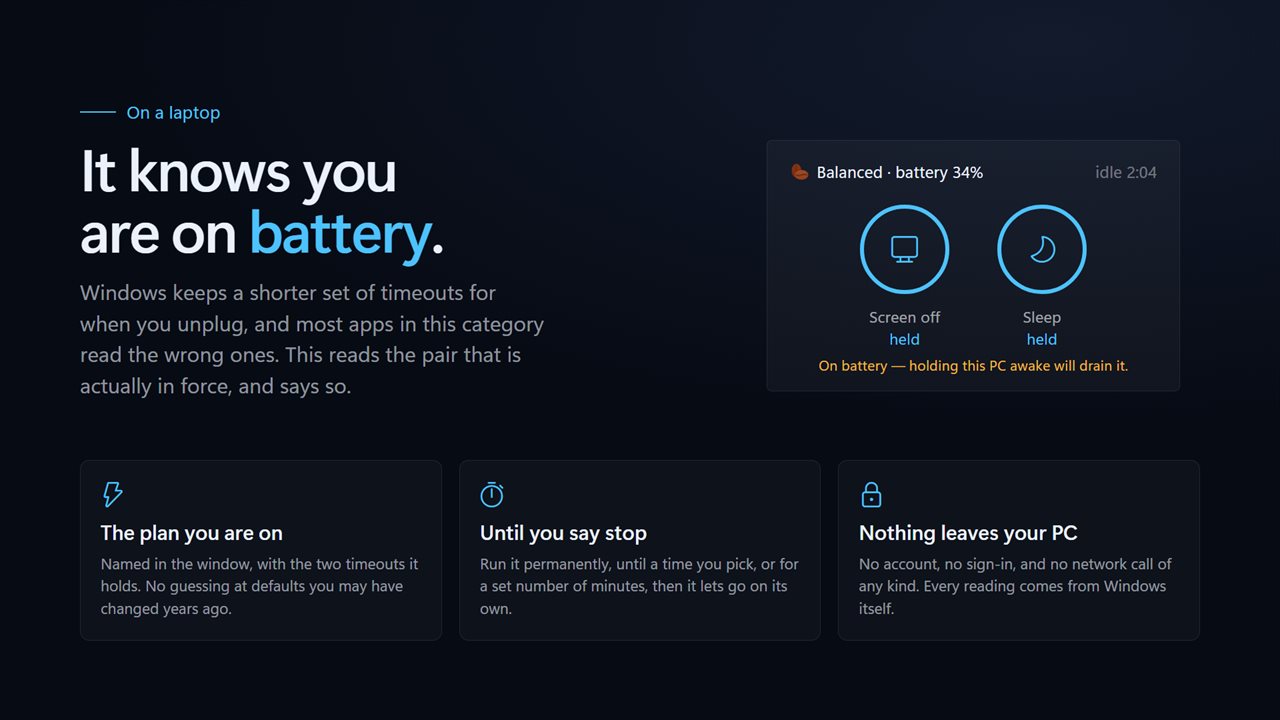
Windows keeps a shorter set of timeouts for when you unplug. This reads the pair that is in force, and tells you when holding the machine awake is going to cost you battery.
How long
Run it until you stop it, until a time you pick, or for a set number of minutes, after which it lets go on its own and your normal power plan returns. Nothing is edited and nothing is left changed behind you.
No account. No sign-in. Nothing leaves your PC unless you choose to send feedback. No ads, and nothing held back behind an unlock.
Built for Windows 11, and at home on Windows 10.
Features
- Reads the two timeouts your own power plan holds, and shows them counting down
- Holds the system awake, the display, or the system alone
- Says what Windows would have done, so the hold is visible rather than claimed
- Knows when you are on battery and reads the timeouts that are in force
- Names the active power plan, so there is no guessing at defaults
- Run until you stop it, until a set time, or for a set number of minutes
- Lives in the tray and keeps holding with the window closed
- Starts with Windows through the Startup page rather than a shortcut
- Light and dark, following Windows or pinned to one
- No account, no ads, and nothing that leaves your PC
Details
- Works on
- Windows 10 (1809 or later) and Windows 11
- Download
- About 2.9 MB
- Version
- 2.0.2, updated October 2026
- First released
- August 2023
- Price
- $1.99 once. No subscription.
- Category
- Utilities & tools
Questions
Anything else? Ask us
Which versions of Windows does it run on?
Windows 10 (version 1809 or later) and Windows 11.
Is it a subscription?
No. Prevent PC Sleep is a one-time purchase of $1.99, and updates are included.
How do I get it?
EvlarSoft apps are moving to direct downloads from this site. Ask to be notified and we will email you as soon as Prevent PC Sleep is ready to download.