Easy Game Scoreboard
A big, clear scoreboard for game night. Click a score to add a point, play to a target and watch the winner's numbers turn gold. Put the board on your TV, let everyone score from their own phone, and add a photo of each player from your webcam.
Big, clear scores for any game. Click to add a point.
See it in action
About Easy Game Scoreboard
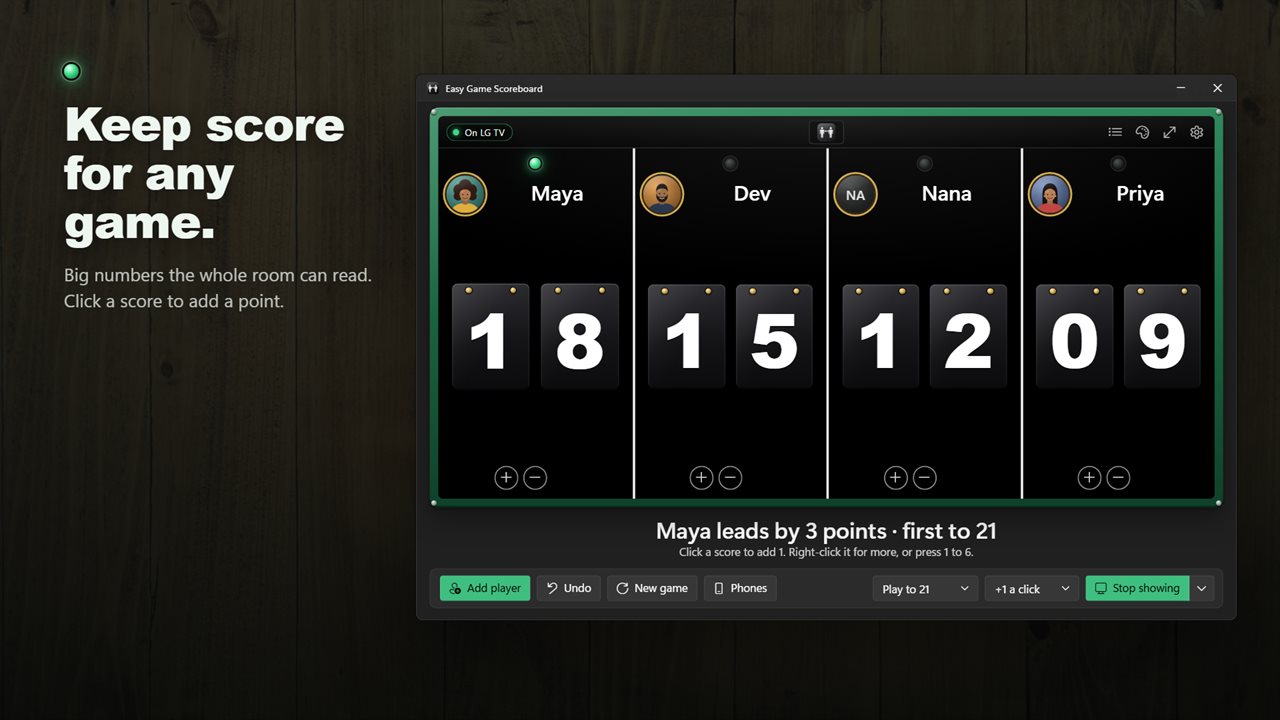
Keep score for any game, from cards and board games to darts, table tennis and the family quiz. Easy Game Scoreboard shows every score in big hanging numbers that the whole room can read.
Click to score
Click a player's score to add a point. Right-click it to add 5 or 10, take a point away or clear it. Or press 1 to 6 on the keyboard, with Shift to take away. Count by 1, 2, 3, 5 or 10 a click, and undo up to 100 steps with Ctrl+Z. The board holds up to six players or teams.
Play to win
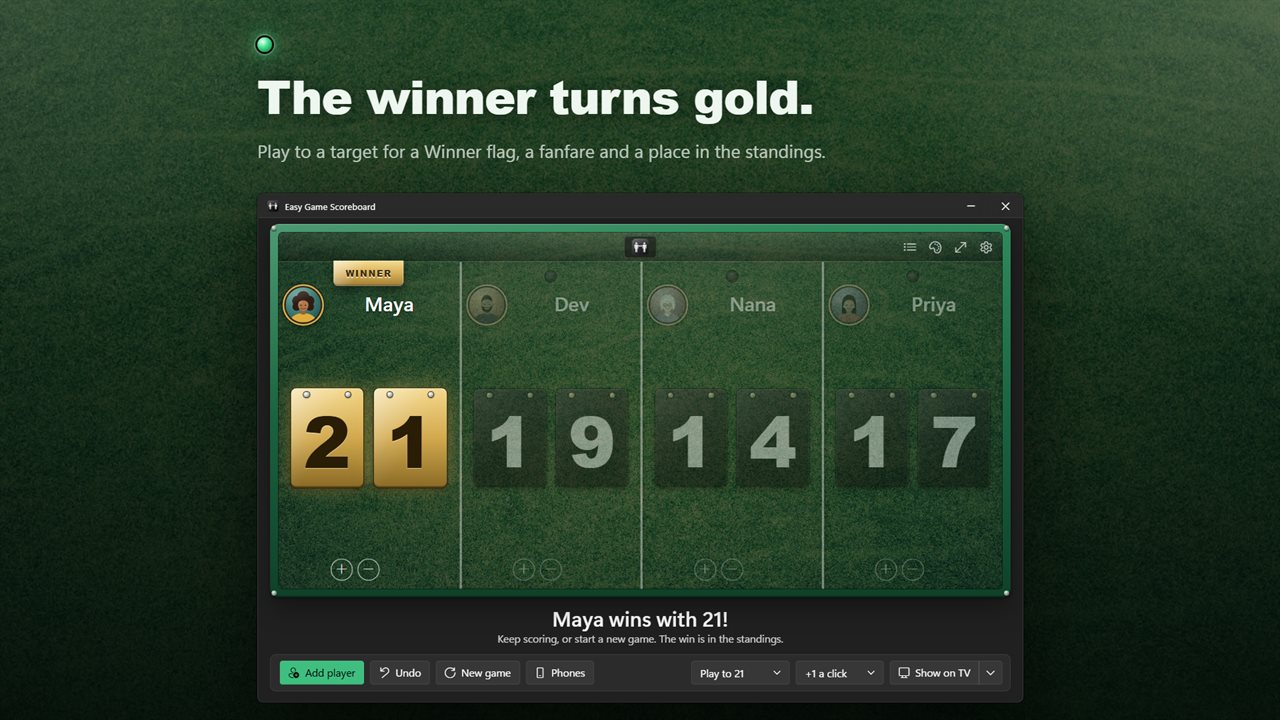
Pick a target: 10, 11, 15, 21, 25, 50, 100, 121 or 500, or just keep counting. A lamp lights over whoever is in the lead. The first to reach the target wins: their numbers turn gold, a Winner flag drops in and a fanfare plays.
Put it on the TV
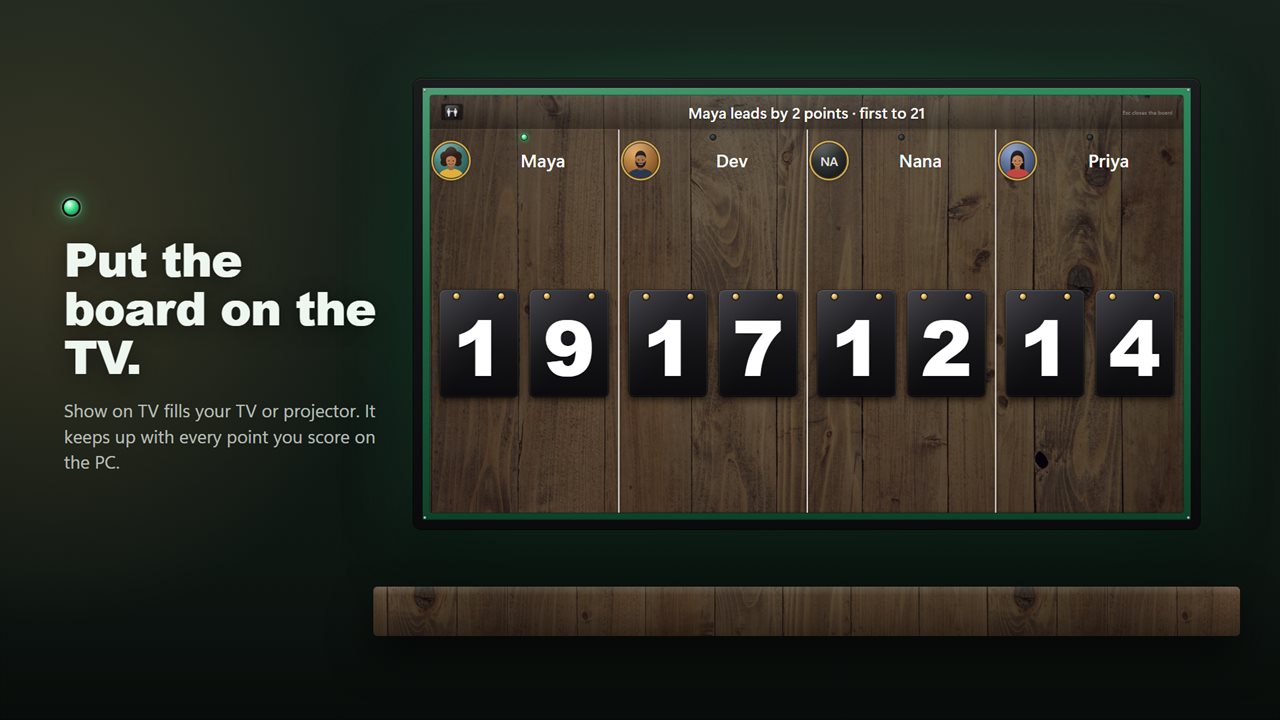
Show on TV puts a full-screen board on your TV or projector, while you keep scoring from the PC. It picks the other screen by itself, or choose one from the list. With only one screen, the board opens in its own window that you can drag wherever you like.
Score from your phones
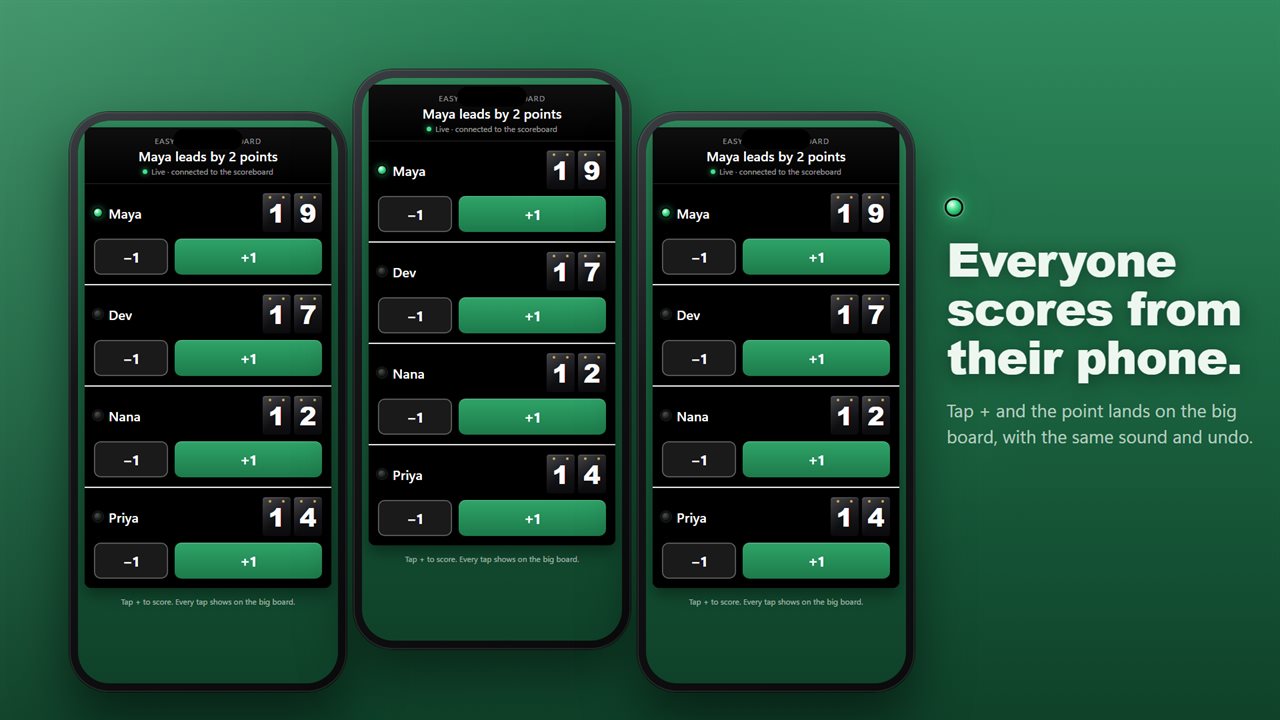
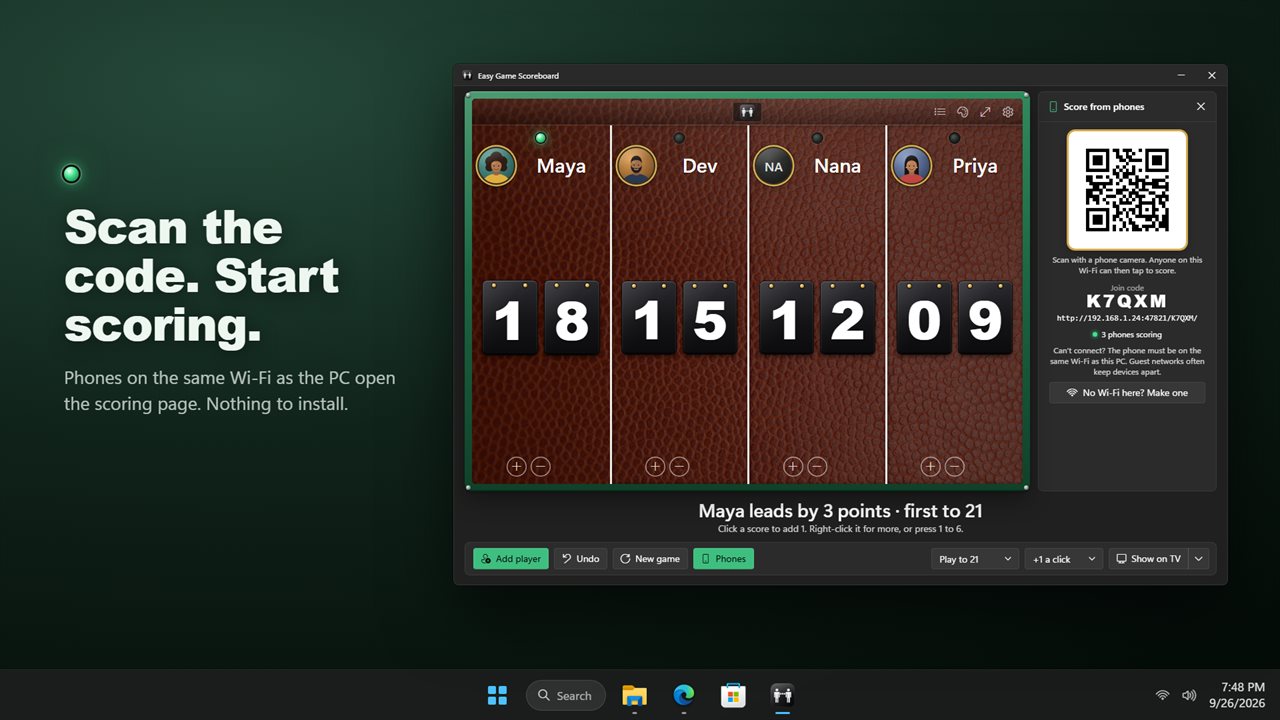
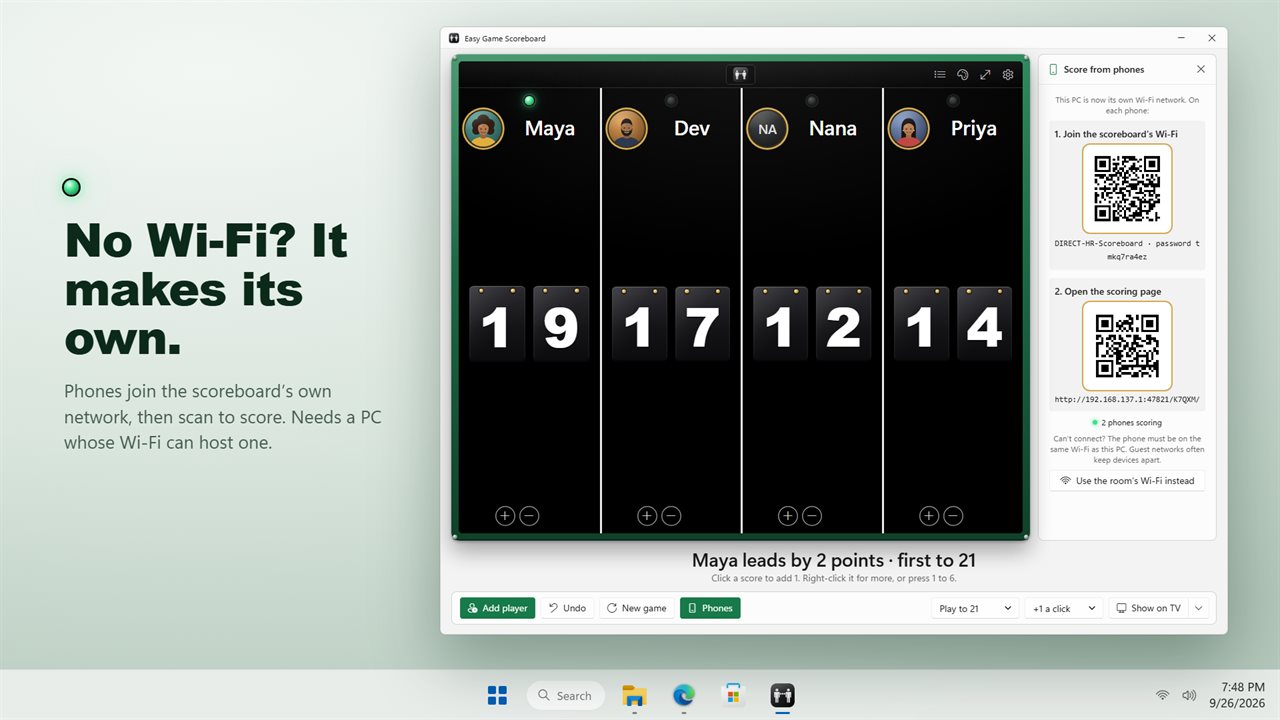
Open Phones and a code appears. Anyone can scan it with their phone camera and score by tapping + or −. Every tap shows on the big board straight away, with the same sound and the same undo. No app to install and no account.
Phones need to be on the same Wi-Fi as the PC. No Wi-Fi at all? If your PC's Wi-Fi can host a network, the scoreboard makes its own: phones scan one code to join it, then a second to start scoring.
Put a face on every score
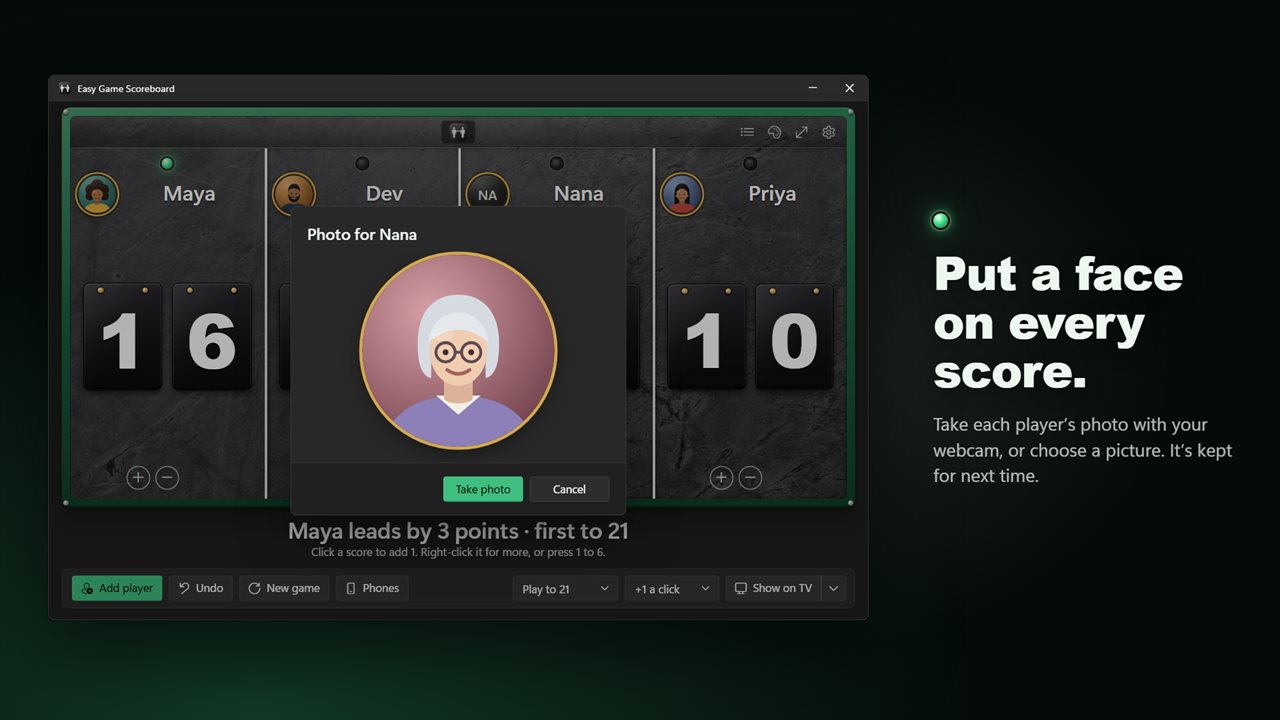
Take each player's photo with your webcam, or choose a picture. Photos sit at the top of each column and on the TV, and they are remembered by name for next time.
Standings
Every finished game counts. The standings show games played, wins, win rate, current streak, best streak and best score for every player.
Make it yours
Six backgrounds: classic black, grass, leather, wood, concrete and sand. A chime for each point, or turn sounds off. Let scores go below zero for games with penalties. Go full screen with F11. Light and dark themes, or match Windows.
Your game, names and photos are all still there next time you open the app.
Features
- Keep score for up to six players or teams on a big, clear scoreboard
- Click a score to add a point, right-click for +5, +10 or to clear it, or press 1 to 6 on the keyboard
- Count by 1, 2, 3, 5 or 10 a click
- Play to 10, 11, 15, 21, 25, 50, 100, 121 or 500, or just keep counting
- The first to reach the target wins: gold numbers, a Winner flag and a fanfare
- Show the board full screen on a TV or projector while you score from the PC
- Players can scan a code and score from their own phones, and every tap shows on the board
- No Wi-Fi? On PCs whose Wi-Fi can host a network, the scoreboard makes its own for phones to join
- Take each player's photo with your webcam, or choose a picture
- Standings remember games played, wins, win rate, streaks and best scores for every player
- Six backgrounds: classic black, grass, leather, wood, concrete and sand
- A chime for each point and a fanfare for the winner, or turn sounds off
- Undo up to 100 steps with Ctrl+Z
- Scores can go below zero for games with penalties, or stop at zero
- Full screen with F11
- Your game, names and photos are still there next time you open it
- Light and dark themes, or match Windows
Details
- Works on
- Windows 10 (1809 or later) and Windows 11
- Download
- About 4.5 MB
- Version
- 2.0.3, updated October 2026
- First released
- November 2022
- Price
- $2.99 once. No subscription.
- Category
- Sports
What's new in 2.0.3
- New: show the board on a TV or projector
- New: players can score from their own phones by scanning a code
- New: no Wi-Fi? The scoreboard can make its own network for phones to join, on PCs that support it
- New: player photos from your webcam
- New: play to a target, with a winner, a fanfare and standings
- New: six backgrounds, sounds, undo and keyboard scoring
- Your game is saved, so it is still there next time
- The background you chose in the old version carries over
Questions
Anything else? Ask us
Which versions of Windows does it run on?
Windows 10 (version 1809 or later) and Windows 11.
Is it a subscription?
No. Easy Game Scoreboard is a one-time purchase of $2.99, and updates are included.
How do I get it?
EvlarSoft apps are moving to direct downloads from this site. Ask to be notified and we will email you as soon as Easy Game Scoreboard is ready to download.
More from EvlarSoft
 Simple Beautiful StopwatchSmall, beautiful stopwatch cards for your desktop.
 Simple Elegant TimerAn elegant countdown timer that gets the job done with simplicity as a priority.
 Quick PC Gaming OptimizerFrees memory before you play, tells you what is competing for it, and reports exactly what it reclaimed.