Email Backup
Keep a copy of your email on your PC. Email Offline Backup Tool saves every folder of your Gmail, Yahoo, iCloud, AOL, Fastmail, Zoho or other IMAP account as ordinary .eml or MBOX files, downloads only what is new, and lets you search and read the whole archive with no internet. It also opens old .eml, Outlook .msg and .mbox files and Windows Live Mail folders already on your PC.
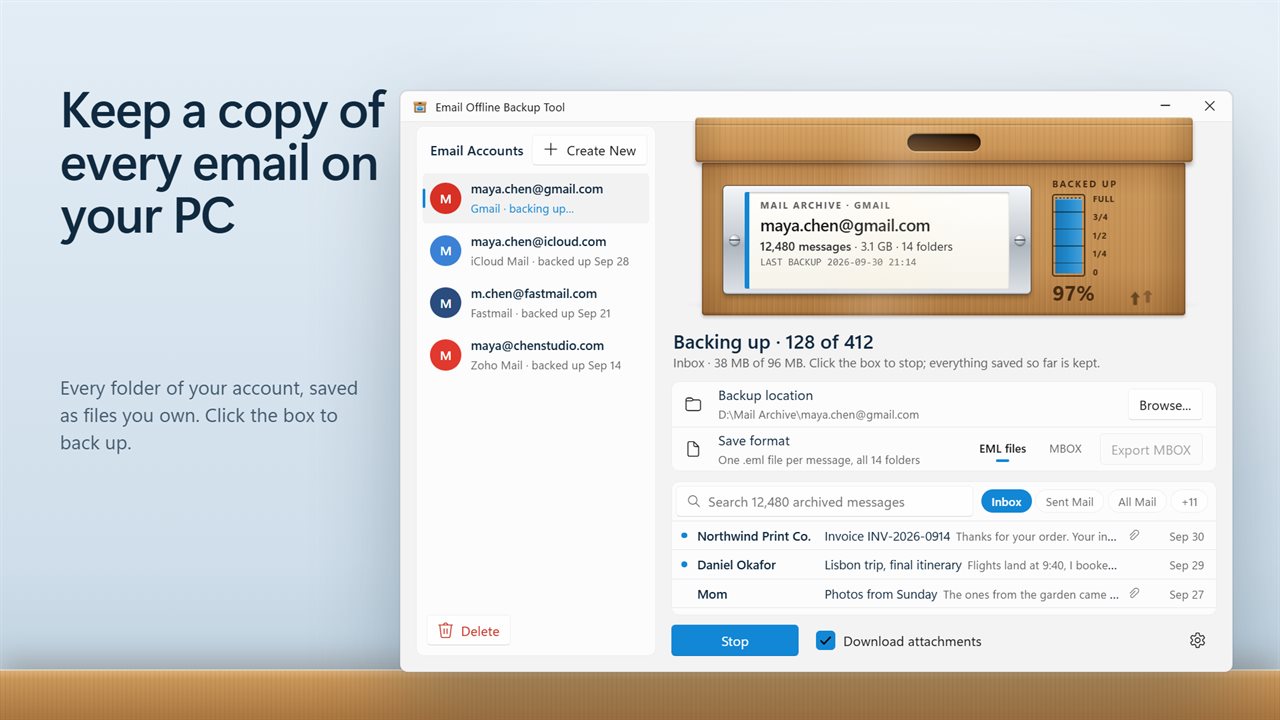
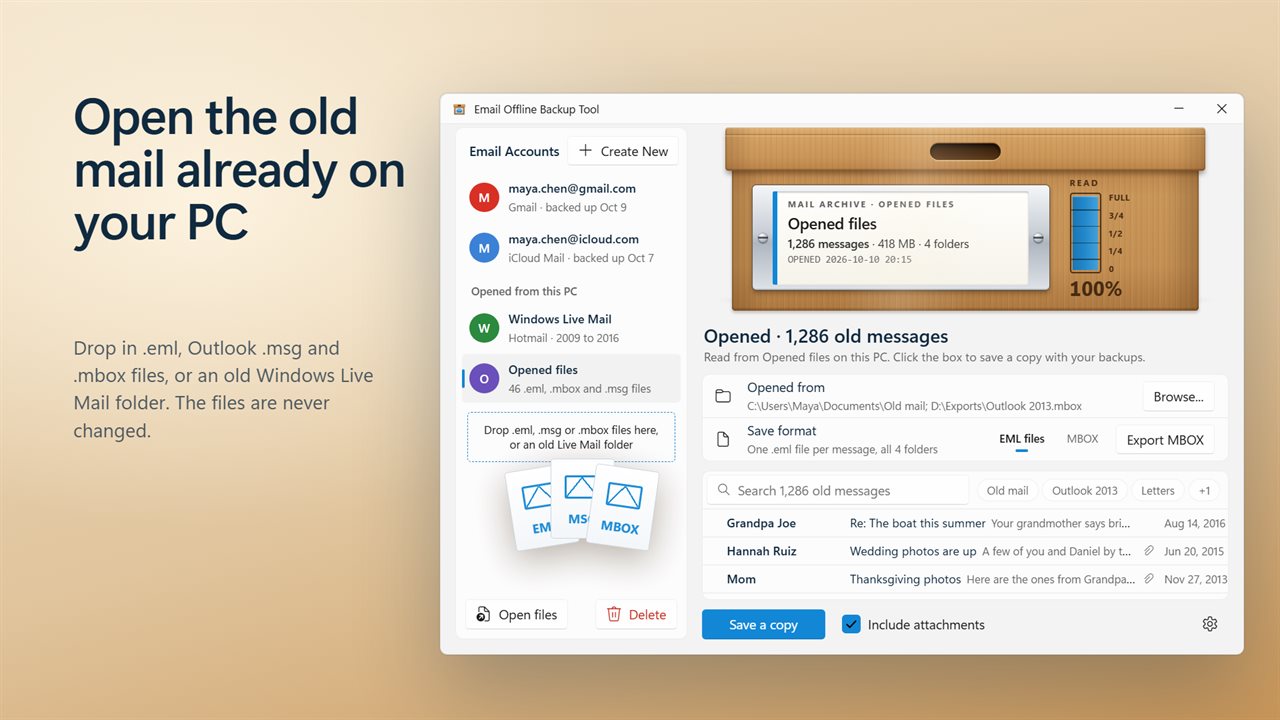
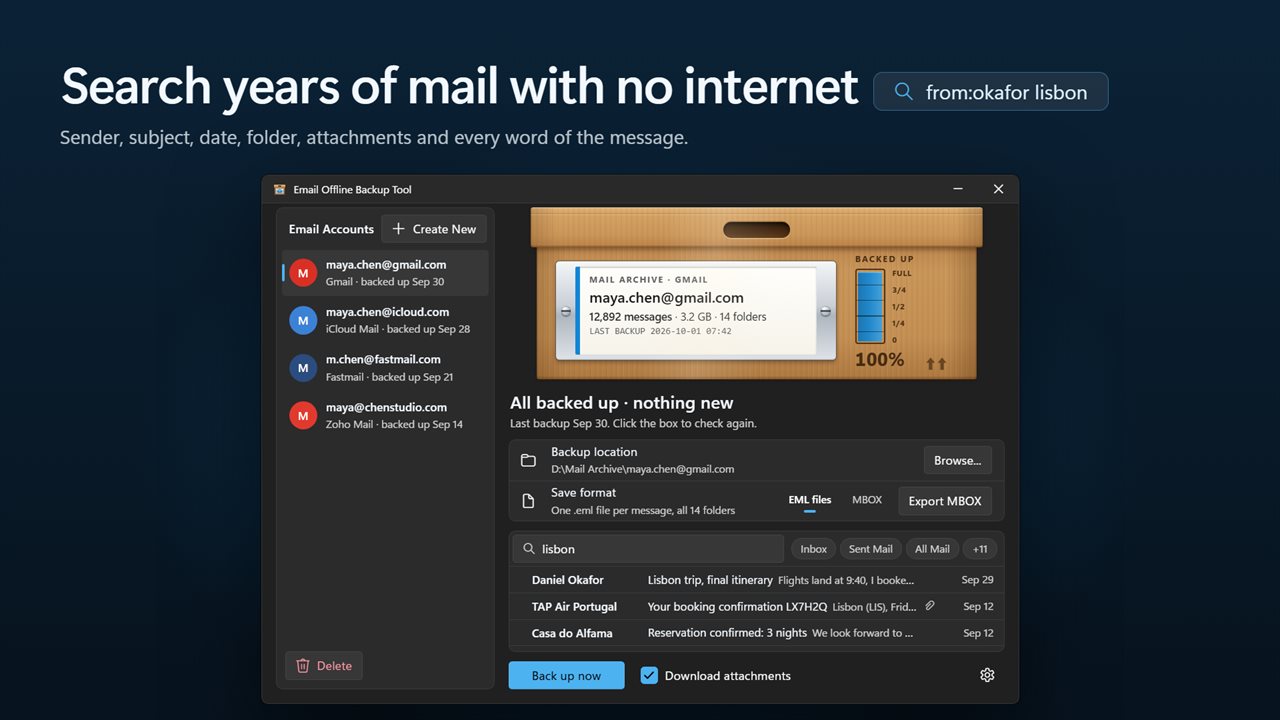
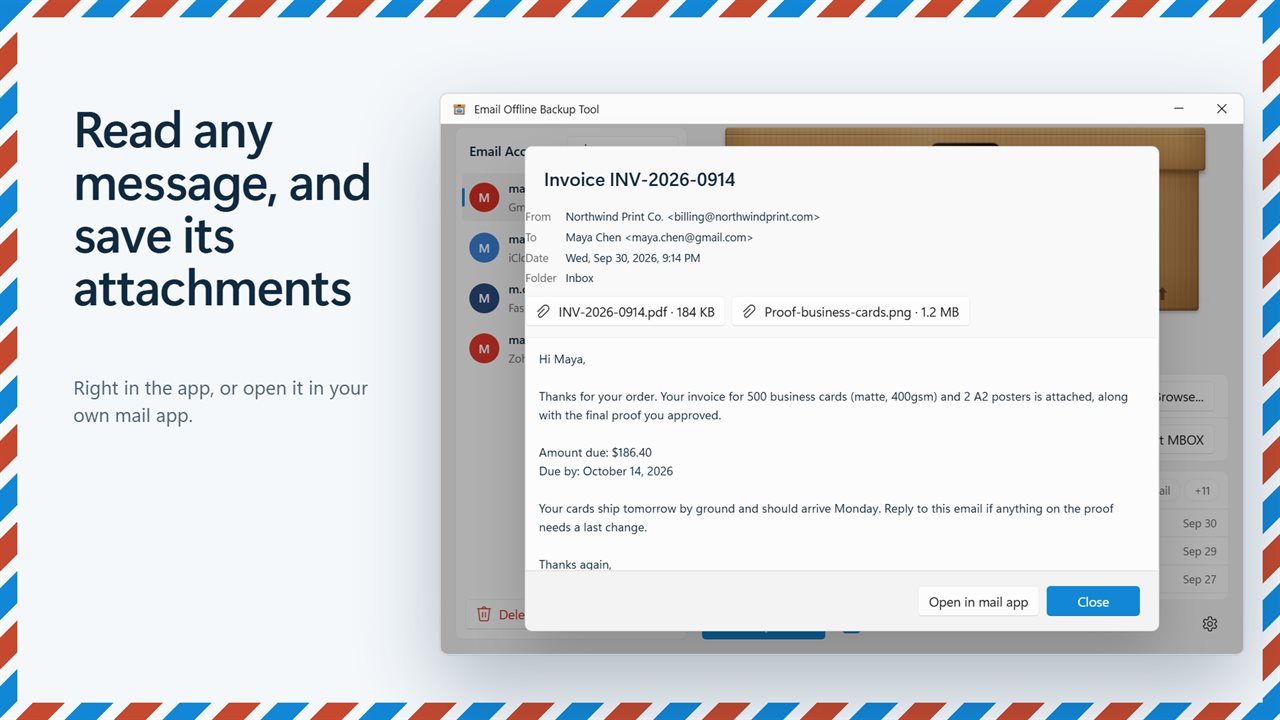
Keep a copy of every email on your PC.
See it in action
About Email Backup
Your email lives on someone else's server. Email Offline Backup Tool keeps a copy on your PC that you can search, read and keep, whatever happens to the account.
Every folder, not just the inbox
Add your account and click the archive box. Inbox, Sent, Drafts, Archive and your own folders are all saved. Spam and Trash can be left out or included. Gmail files the same message under several labels; it is saved once and found under each of them.
Only what is new
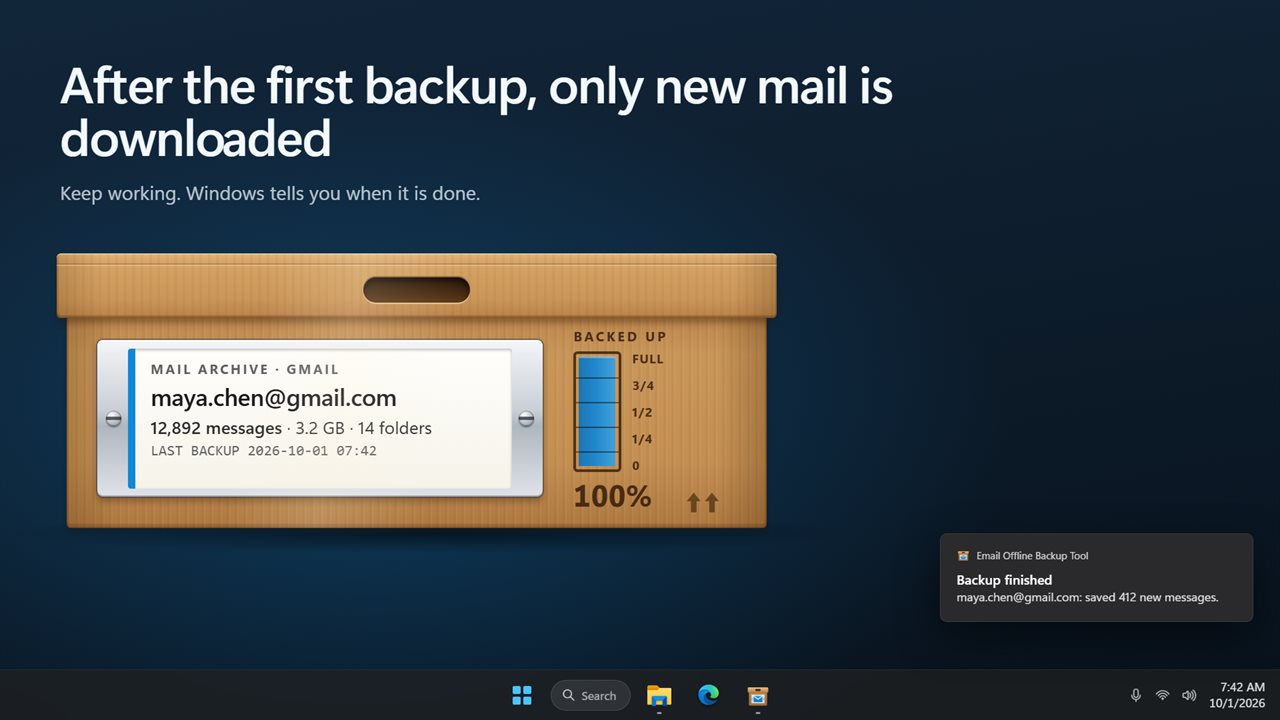
The first backup takes a while. After that, only messages that arrived since the last one are downloaded, so a backup takes seconds. Stop at any time: what was saved stays saved, and the next backup carries on from there.
Search and read it offline
The backup is an archive you can use. Search every message by subject, sender, recipients, date, folder, attachment names or what it says. Type from:, to:, subject:, folder: or has:attachment to narrow it down, or click a folder to see only that one. Open a message to read it in the app and save its attachments, with or without an internet connection.
Files you own
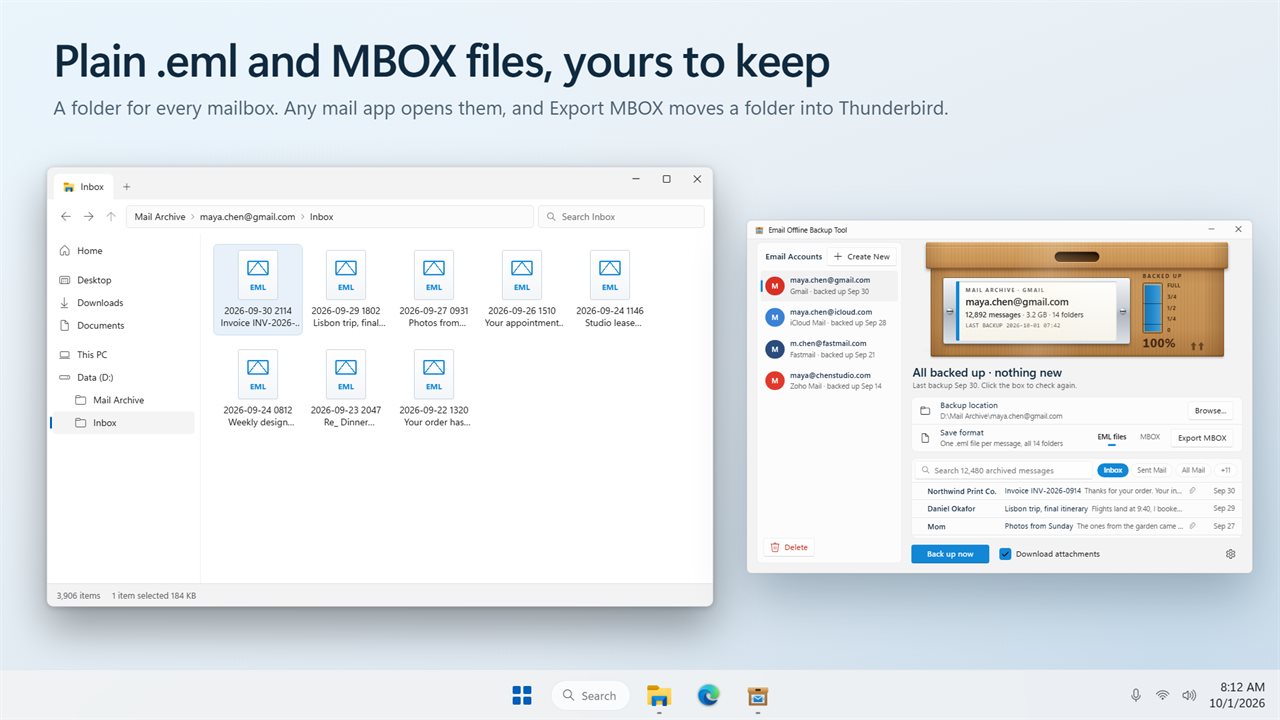
Messages are saved as standard .eml files, one per message in a folder per mailbox, or as one MBOX file per folder. Any mail app can open them. Export a folder or a search as a single MBOX file to move it into Thunderbird or another mail app.
Open the old mail on your PC
Mail you saved years ago opens here too: loose .eml files, Outlook .msg files, .mbox mailboxes and the folder Windows Live Mail left behind. Drag them onto the window or click Open files; a folder is searched all the way down. If Windows Live Mail mail is still on this PC, the app offers to open it. The files are only read, never changed or moved. Opened mail is listed under Opened from this PC, where you can search it, read it, save its attachments, export it as MBOX, or save a copy with your backups as .eml files or MBOX.
Works with your provider
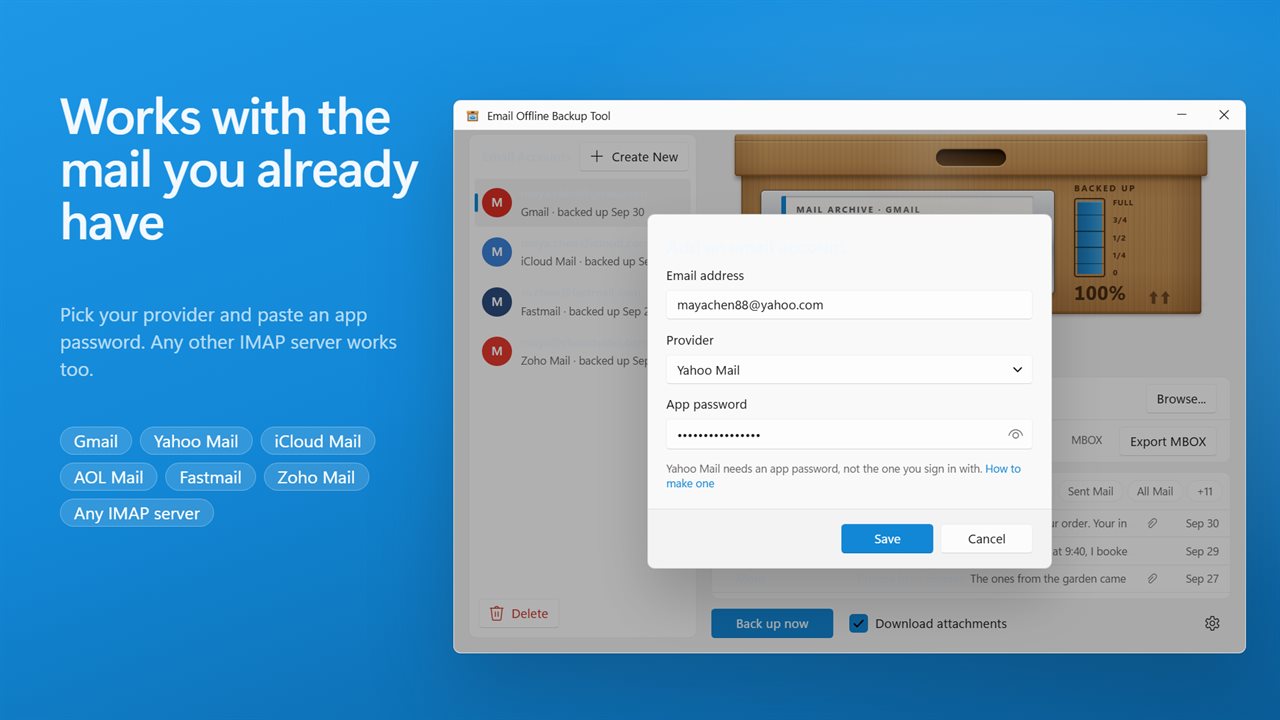
Gmail, Yahoo Mail, iCloud Mail, AOL Mail, Fastmail and Zoho Mail are set up for you; for any other provider, enter its IMAP server. These providers ask for an app password rather than your usual one, and the app links to where to make it. Outlook.com and Hotmail addresses are not supported yet.
Private
Your mail travels only between your mail server and your PC, over an encrypted connection. Passwords are protected by Windows for your account on this PC. No account with us, no cloud.
Upgrading
The accounts you set up in an earlier version are still there, with their passwords protected again for your Windows account.
Features
- Back up Gmail, Yahoo Mail, iCloud Mail, AOL Mail, Fastmail and Zoho Mail, or any other mail server that offers IMAP
- Every folder is saved, not just the inbox: Sent, Drafts, Archive and your own folders
- Only new mail is downloaded after the first backup, so later backups take seconds
- A message filed in two places, like Gmail's Inbox and All Mail, is saved once
- Save one .eml file per message, or one MBOX file per folder
- Search the whole backup with no internet: subject, sender, recipients, date, folder, attachment names and the message text
- Narrow a search with from:, to:, subject:, folder: or has:attachment, and filter by folder with one click
- Read any backed-up message in the app and save its attachments
- Open a message in your own mail app
- Open old mail already on your PC: .eml files, Outlook .msg files, .mbox mailboxes and an old Windows Live Mail folder. Drag them onto the window or click Open files
- Old mail you open is only read, never changed. Search it, read it, save its attachments, export it as MBOX, or save a copy with your backups
- Export what you see, a folder or a search, as one MBOX file for Thunderbird and other mail apps
- Choose to keep attachments or leave them out to save space
- Back up several accounts, each to its own folder
- Stop a backup at any time. Everything saved so far is kept, and the next one carries on
- Your app passwords are protected by Windows for your account only. Your mail travels only between your mail server and your PC
- Accounts from earlier versions of the app carry over
- Light and dark themes, or match Windows
Details
- Works on
- Windows 10 (1809 or later) and Windows 11
- Download
- About 3.0 MB
- Version
- 2.0.3, updated October 2026
- First released
- May 2023
- Price
- $2.99 once. No subscription.
- Category
- Productivity
What's new in 2.0.3
- New: every folder is backed up, not only the inbox
- New: only new mail is downloaded after the first backup
- New: search and read your whole backup offline, and save attachments
- New: save as .eml files or MBOX, and export any folder or search as MBOX
- New: Yahoo Mail, iCloud Mail, AOL Mail, Fastmail and Zoho Mail are set up for you
- Fixed: messages with the same subject no longer overwrite each other
- Your accounts carry over
Questions
Anything else? Ask us
Which versions of Windows does it run on?
Windows 10 (version 1809 or later) and Windows 11.
Is it a subscription?
No. Email Backup is a one-time purchase of $2.99, and updates are included.
How do I get it?
EvlarSoft apps are moving to direct downloads from this site. Ask to be notified and we will email you as soon as Email Backup is ready to download.
More from EvlarSoft
 NoRecyclePull the lever and deleted files skip the Recycle Bin on the drives you choose.
 File Hash ExtractorTurn a folder of files into a folder of files each with its checksum written beside it.
 Duplicate File FinderFind duplicate photos and files by what is inside them, not by their names, and free the space they waste.