File and Folder Encryptor
Keep an encrypted backup of any folder in OneDrive or Dropbox, so the cloud only ever holds scrambled copies, even of the names. Encrypt and open single files and folders with a password, too.
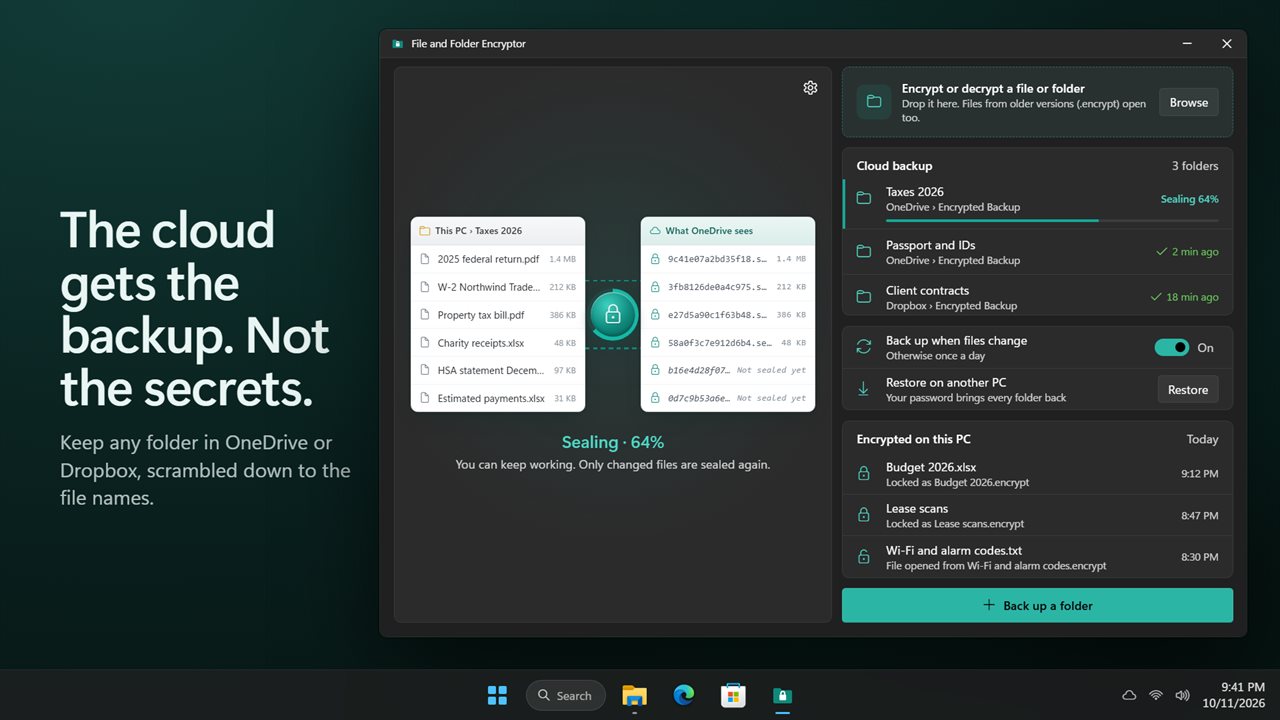
Your files on one side, what the cloud sees on the other.
See it in action
About File and Folder Encryptor
File and Folder Encryptor keeps your private folders private, even when they live in the cloud.
An encrypted backup in the cloud
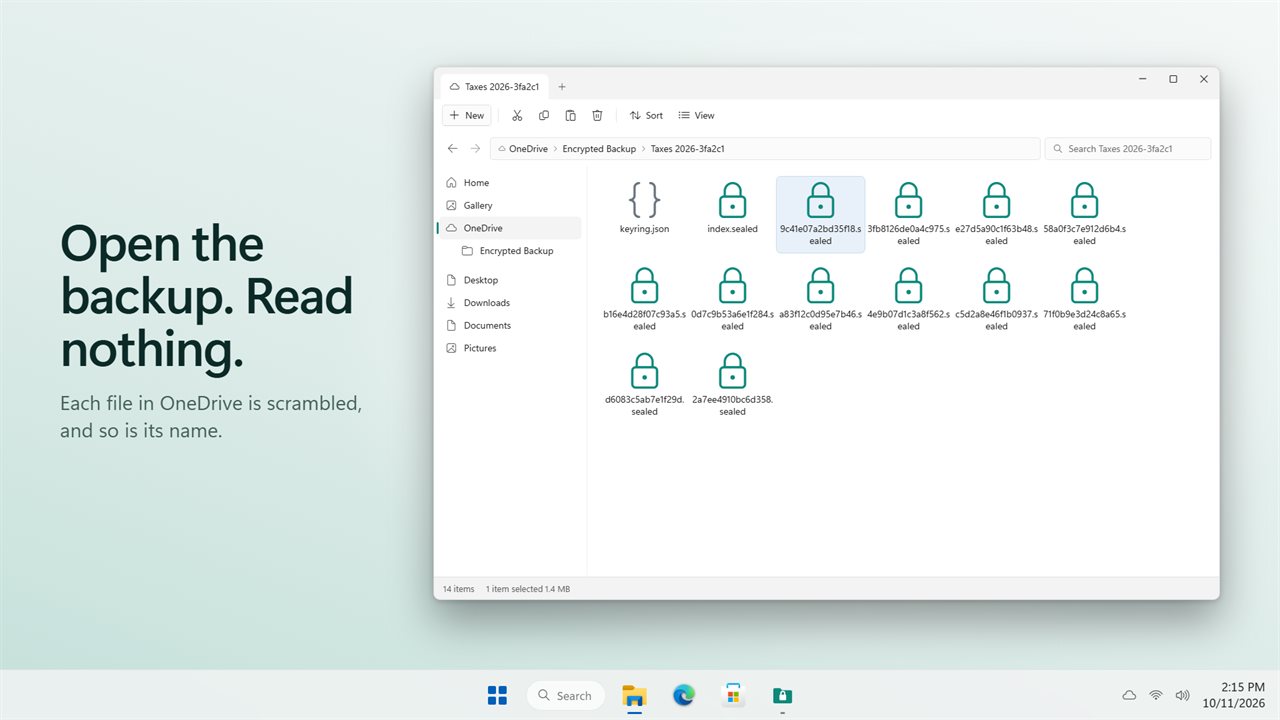
Pick a folder, like your tax papers or scans of your passport, and choose OneDrive, Dropbox or any other folder. The app keeps an encrypted copy there. Each file is scrambled with your backup password, and so is its name. Anyone who opens the backup sees a list of random names and nothing else.
See what the cloud sees
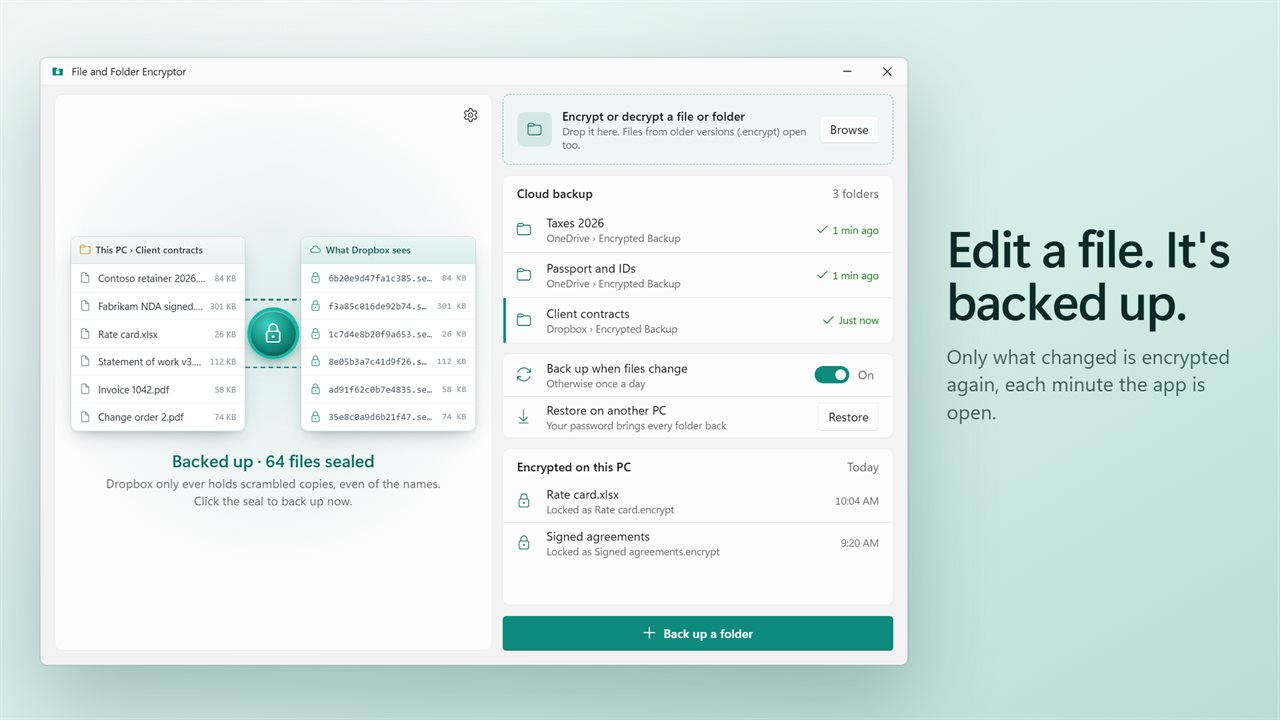
The main window shows your files on one side and the scrambled copies on the other. Click the seal between them to back up now.
Kept up to date
While the app is open, it checks your folders every minute and encrypts only what changed. A file you delete leaves the backup too. Prefer less? Turn it off and it backs up once a day.
Restore on another PC
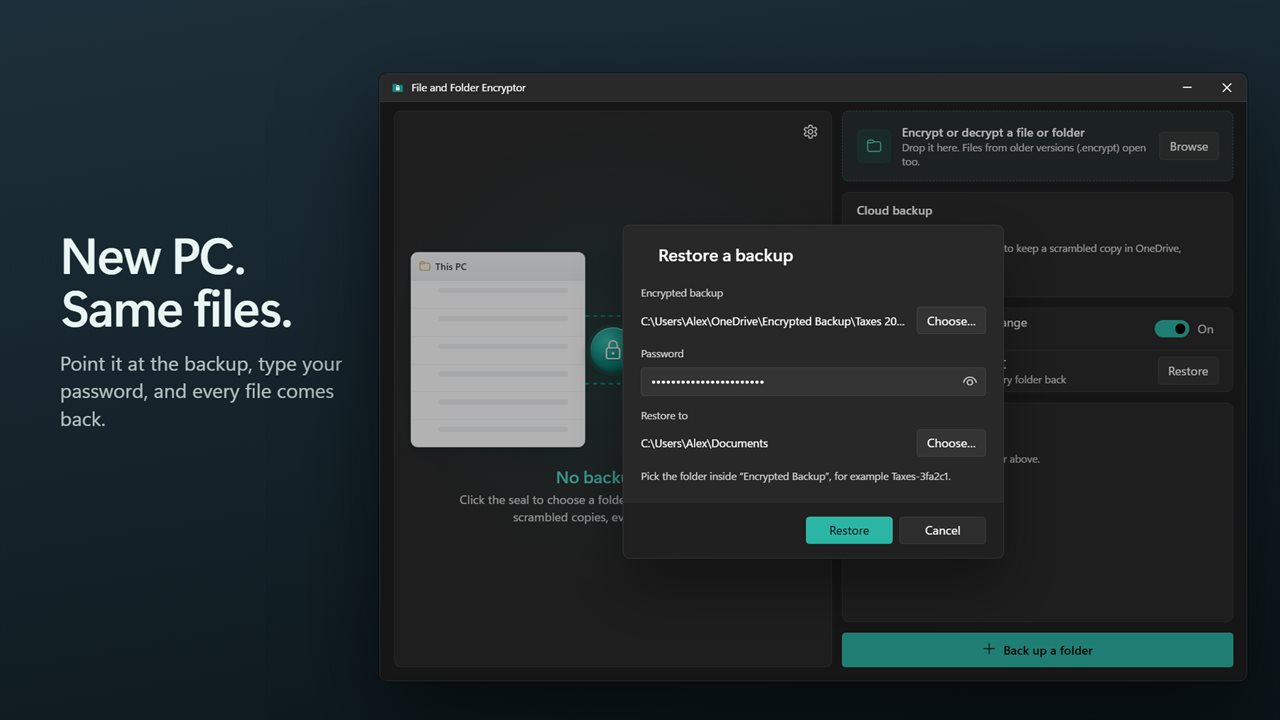
New PC, or a lost one? Install the app, point it at the backup and enter your password. Every file comes back. The password is never stored in the cloud, and it cannot be reset, so keep it safe.
Encrypt a file or folder
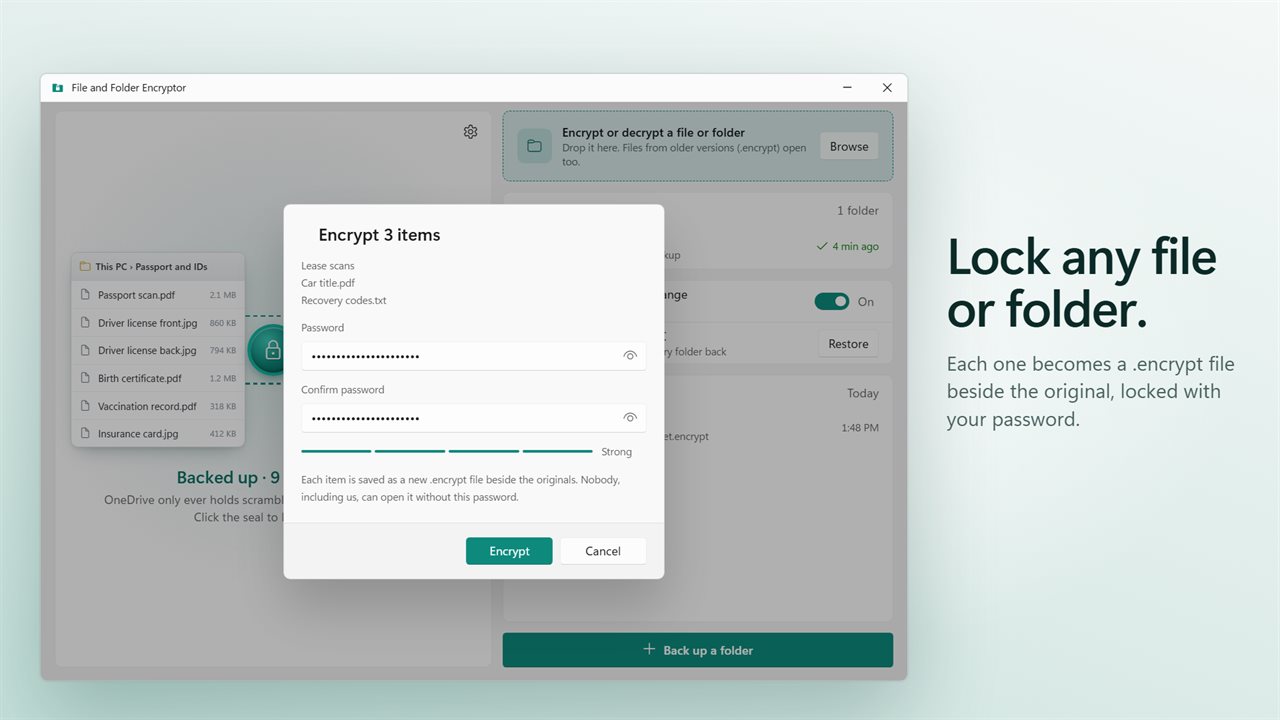
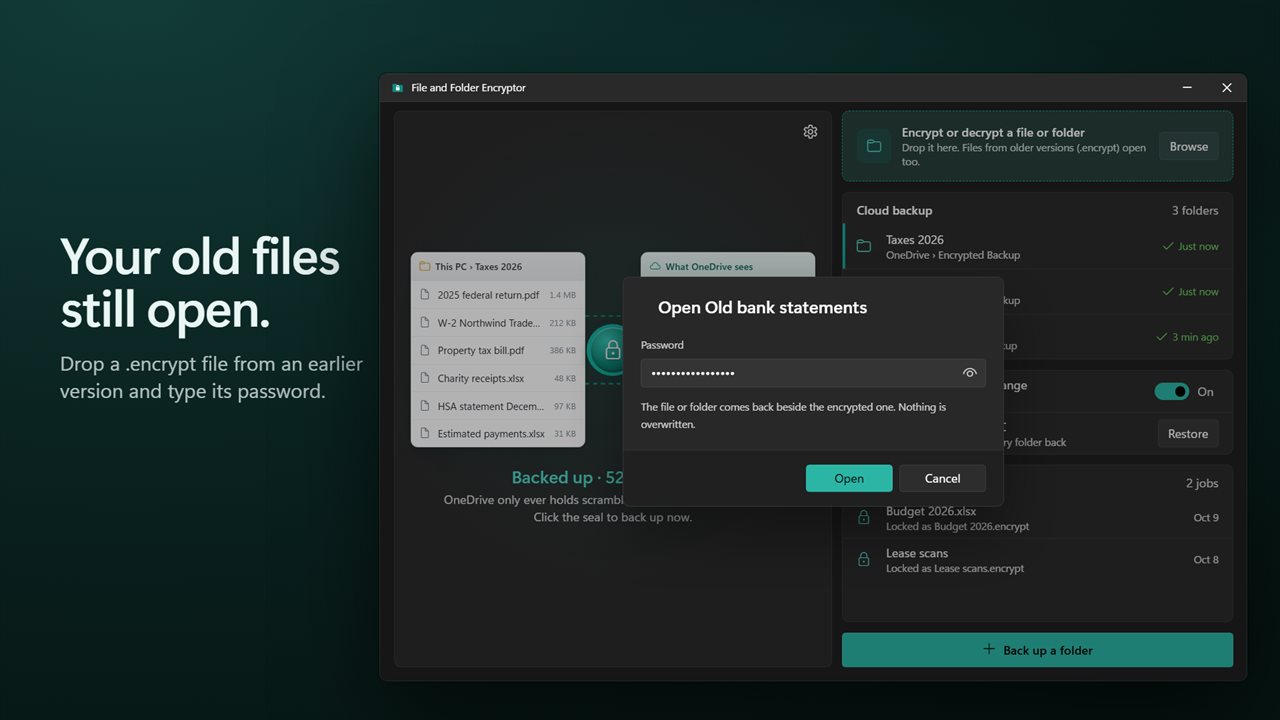
The original job still works. Drop any number of files or folders, type a password twice, and each one is saved as a .encrypt file beside it. Drop a .encrypt file to open it again. It comes back beside the encrypted one, and nothing is overwritten. Files made by older versions of the app open too.
If you like, the app removes the original once the encrypted copy has been opened and checked against it.
Real encryption
Files are encrypted with XChaCha20-Poly1305, and your password is turned into a key with Argon2id. Nobody, including us, can open them without the password.
Private
There is no account and no server. Everything happens on your PC, and the cloud only ever gets the scrambled copies.
Features
- Back up a folder to OneDrive, Dropbox or any folder as scrambled copies only
- File names inside the backup are hidden too: the cloud sees random names, never yours
- See your files and what the cloud sees side by side
- Only changed files are encrypted again, and deleted files leave the backup
- Backs up within a minute of a change while the app is open, or once a day
- Restore every file on another PC with just your backup password
- Encrypt any number of files and folders into .encrypt files with a password
- Drop a .encrypt file to open it; nothing is overwritten
- .encrypt files from older versions of the app still open
- A strength hint and a confirm field guard against a mistyped password
- Optionally remove the original, only after the encrypted copy has been checked
- A list of what you encrypted and opened, one click from Explorer
- Modern encryption: XChaCha20-Poly1305 with an Argon2id password key
- No account and no server. Your password never leaves your PC
- Light and dark themes, or match Windows
Details
- Works on
- Windows 10 (1809 or later) and Windows 11
- Download
- About 2.7 MB
- Version
- 2.0.1, updated October 2026
- First released
- July 2022
- Price
- $1.99 once. No subscription.
- Category
- Utilities & tools
What's new in 2.0.1
- New: encrypted cloud backup. Keep a scrambled copy of any folder in OneDrive, Dropbox or any folder, names included
- New: backs up changed files every minute while the app is open, or once a day
- New: restore a backup on another PC with only its password
- New: encrypt or open many files and folders at once
- New: a confirm field and a strength hint for the password
- New: optionally remove the original after the encrypted copy is checked
- Your .encrypt files from older versions still open
- Fixed: two files with the same name no longer overwrite each other's .encrypt file
- Fixed: a folder holding only other folders can now be encrypted
Questions
Anything else? Ask us
Which versions of Windows does it run on?
Windows 10 (version 1809 or later) and Windows 11.
Is it a subscription?
No. File and Folder Encryptor is a one-time purchase of $1.99, and updates are included.
How do I get it?
EvlarSoft apps are moving to direct downloads from this site. Ask to be notified and we will email you as soon as File and Folder Encryptor is ready to download.