Find Any File
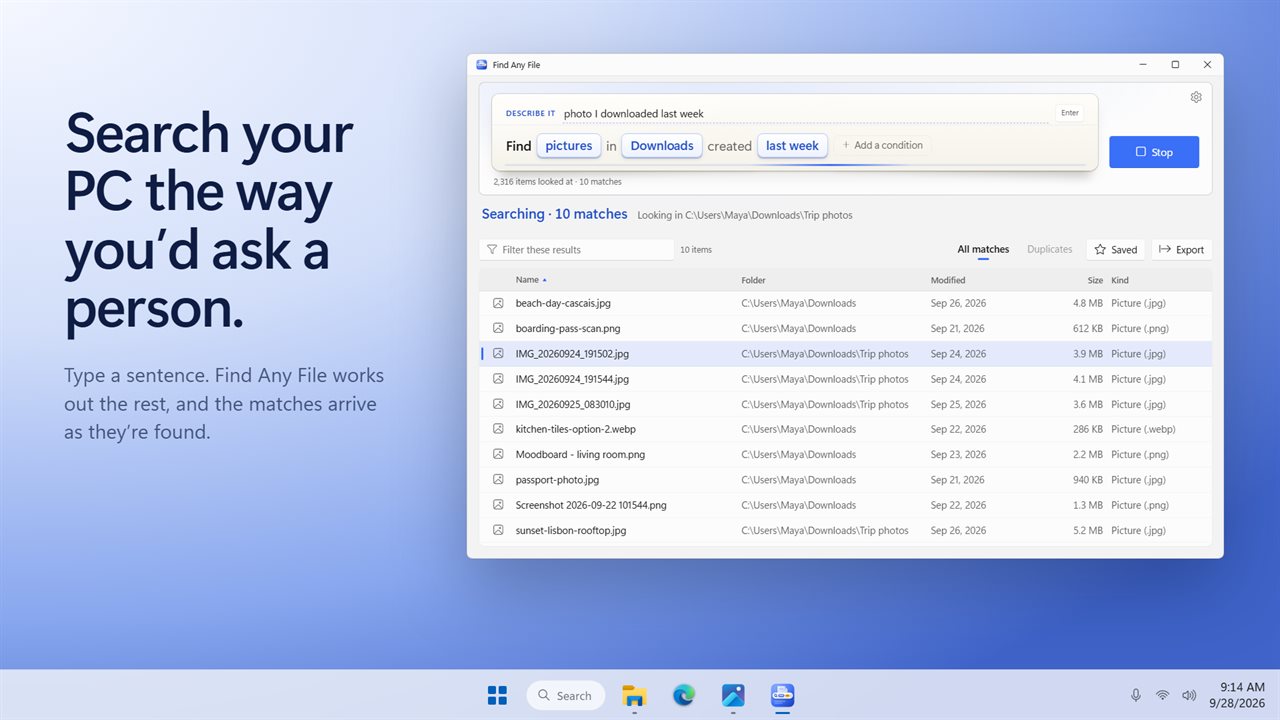
Search your PC the way you'd ask a person. Type "spreadsheets I worked on this week" or "videos bigger than 1 GB" and Find Any File works out the kind, the dates, the size and the folder, shows what it understood as words you can click, and lists the matches as they are found. It can look inside documents and find duplicate files too.
Type what you want in a plain sentence. Matches appear as they are found.
See it in action
About Find Any File
Stop clicking through folders. Say what you want, the way you would ask a person, and Find Any File finds it.
Just type it
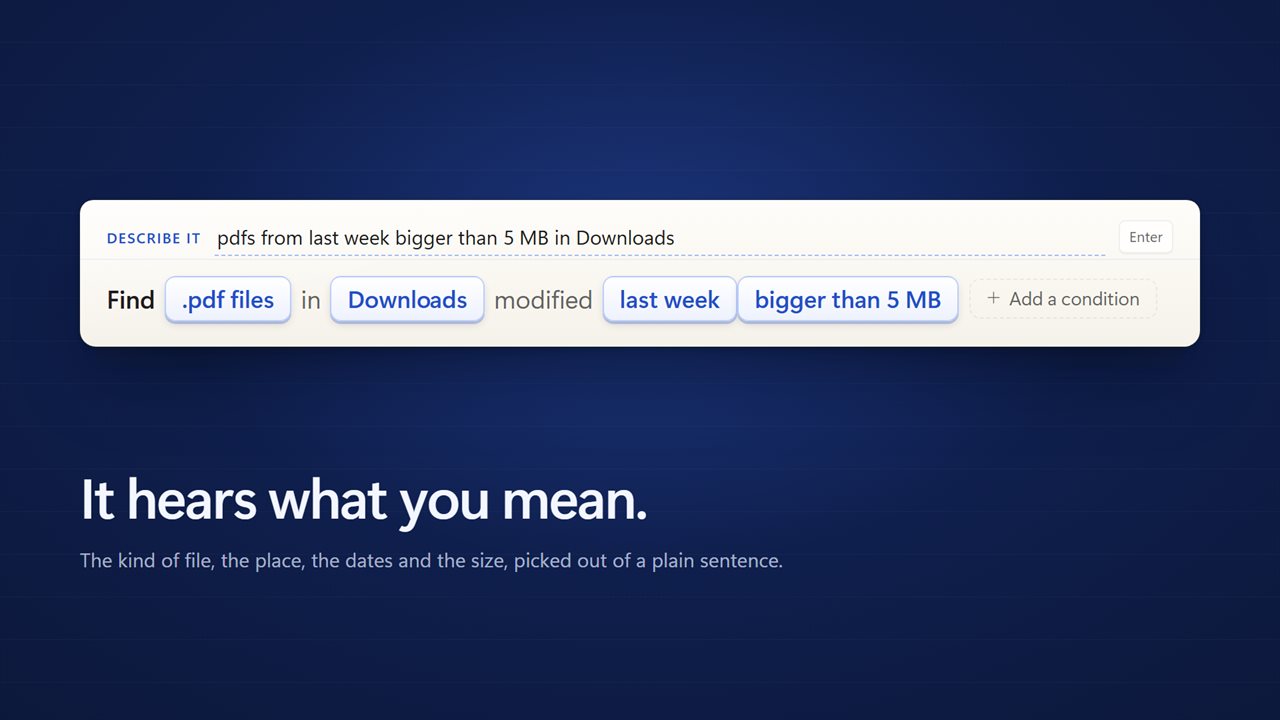
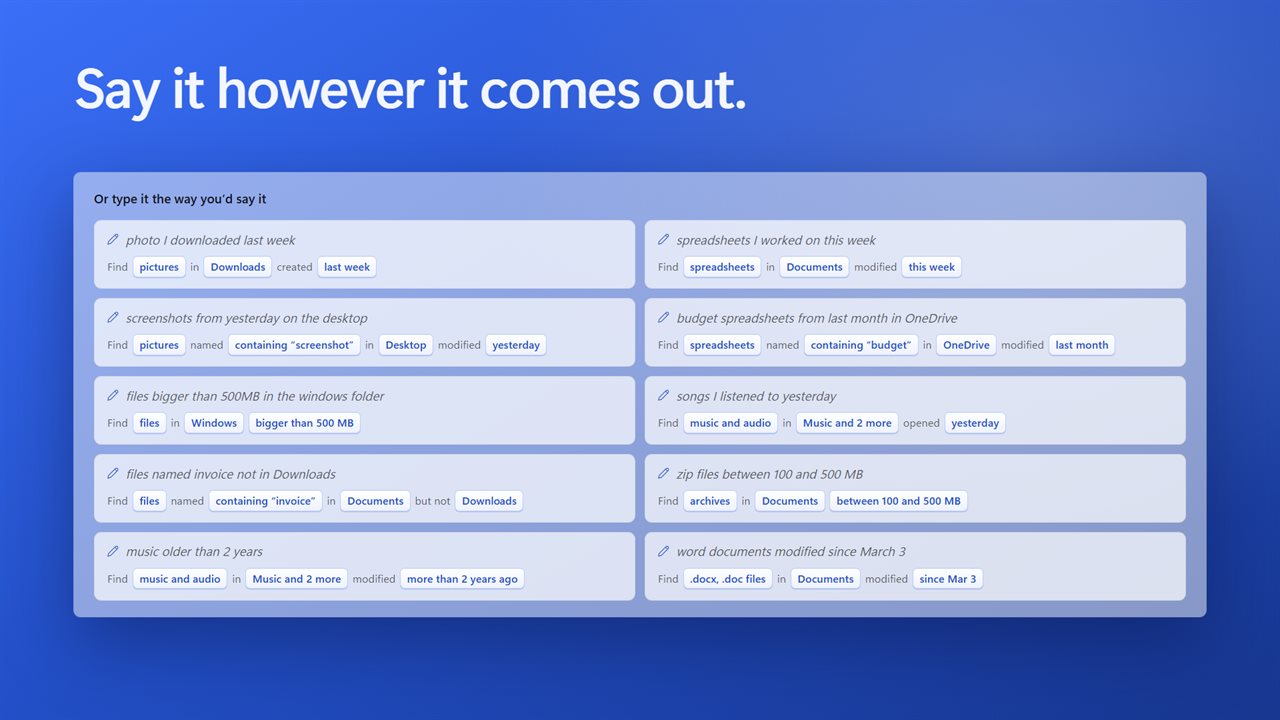
"Photo I downloaded last week." "Budget spreadsheets from last month in OneDrive." "Files bigger than 500 MB in the Windows folder." Find Any File reads the sentence and picks out what matters: the kind of file, a name, the dates, a size and where to look. You don't need to learn a search syntax, and there are no forms to fill in.
See what it understood
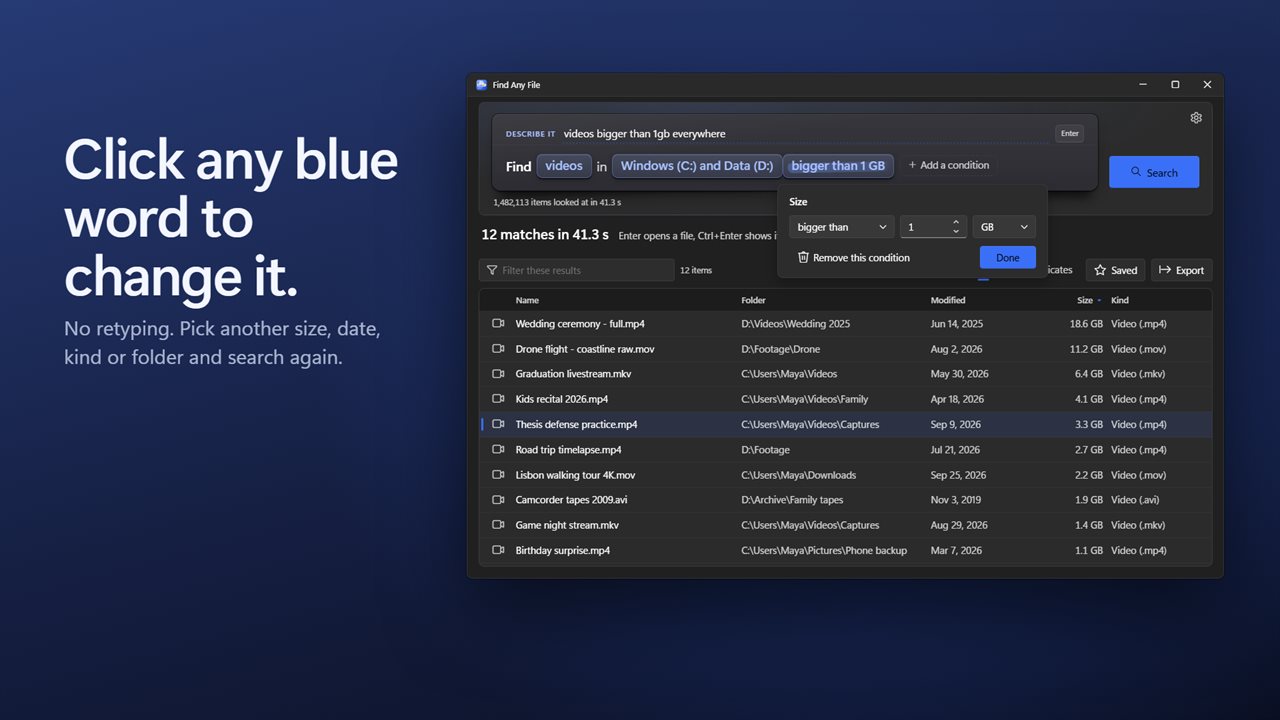
Your sentence turns into a line of blue words: pictures, in Downloads, created last week. Every one of them is a control. Click "last week" to make it this month, click "Downloads" to add a drive, or add a condition it didn't hear. Nothing is hidden behind a guess.
Results as they are found
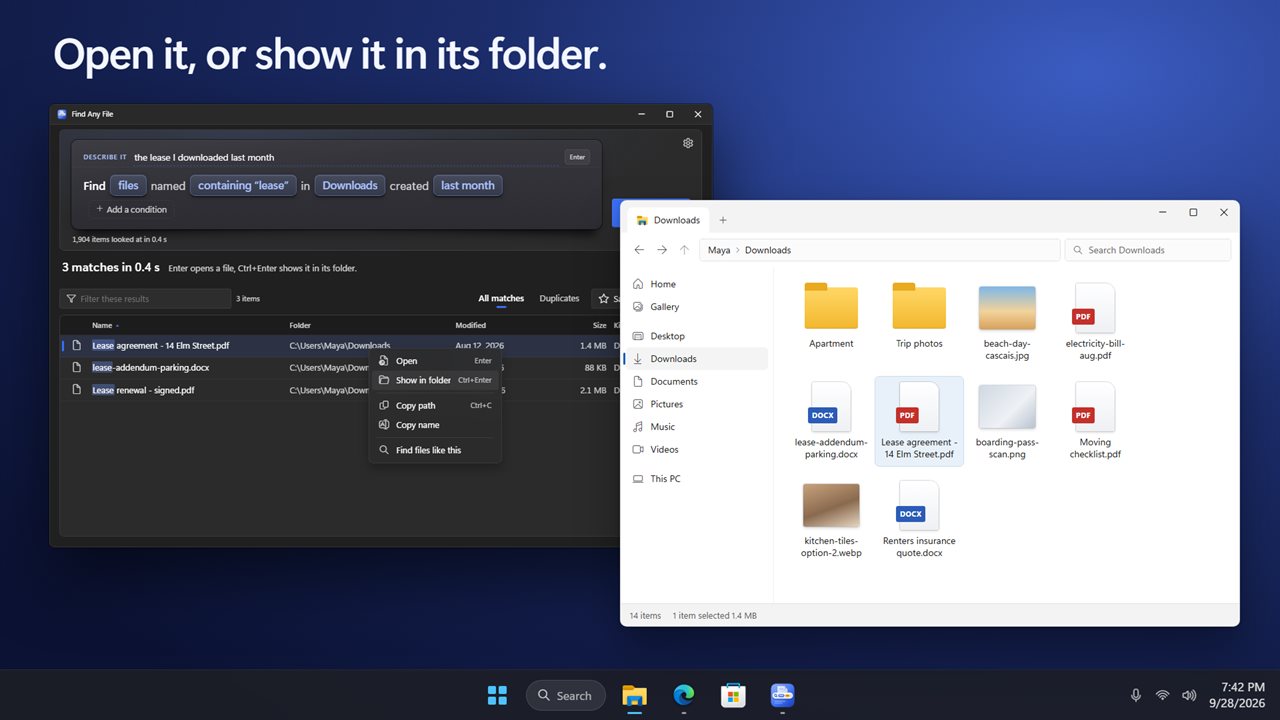
Matches appear in the list the moment they turn up, while the search keeps going. Sort by name, folder, date, size or kind, filter the list as you type, and press Enter to open a file or Ctrl+Enter to show it in its folder.
Every place on your PC
Documents, Downloads, Desktop, Pictures, Music, Videos, OneDrive and every drive, or any folder you add. It knows the Windows folders by name as well: Windows, System32, Program Files, ProgramData, AppData and Temp. Leave out a folder you don't want, and include hidden or system files when you need them.
It reads inside documents
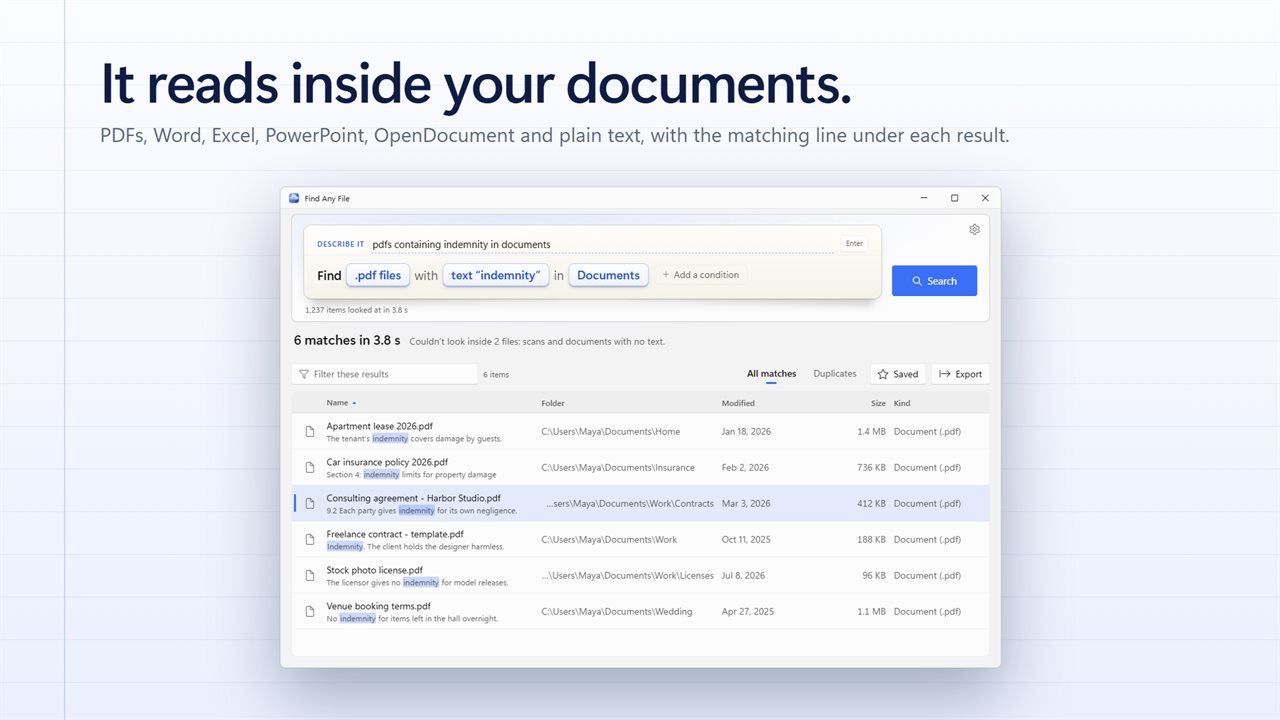
Ask for files containing a word or a phrase and it looks inside PDFs, Word, Excel, PowerPoint and OpenDocument files, and plain text. The matching line shows under each result with the word highlighted, so you can tell which contract says "indemnity" before you open any of them.
Find the copies
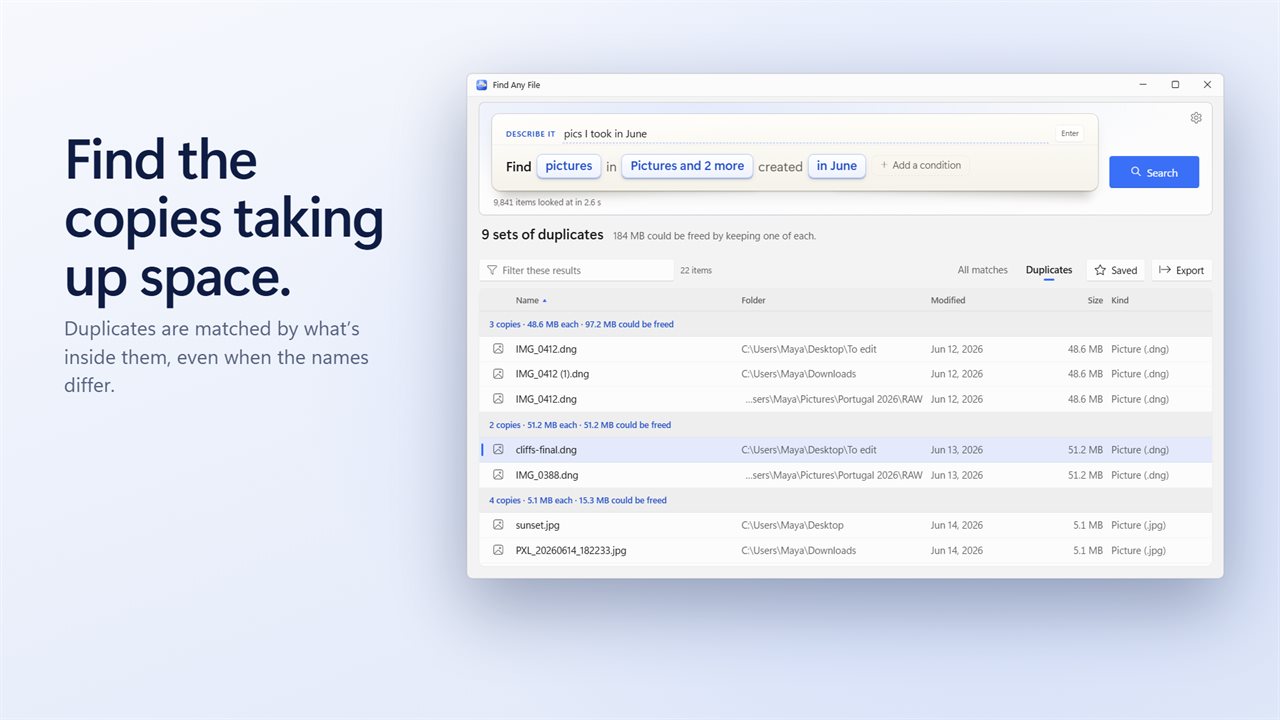
One click turns the results into sets of duplicates, found by what is inside the files rather than by their names. Each set says how many copies there are and how much space you would free by keeping one.
Keep and share a search
Save a search you run often and run it again with one click. Export the results to a CSV file that opens in Excel, with the name, folder, full path, dates, size and kind of every file.
On your PC
Your sentence is understood right on your PC. Light and dark themes, or match Windows.
Features
- Type what you are looking for in a plain sentence, like "photo I downloaded last week"
- It picks out the kind of file, the name, the dates, the size and the folder, and shows each one as a word you can click
- Click any blue word to change it: pick another kind, date, size or folder without retyping
- Results appear the moment they are found, while the search keeps going
- Nine kinds to ask for: documents, pictures, music, videos, spreadsheets, presentations, archives, code and folders, or any extension
- Dates modified, created or last opened: yesterday, last week, in June, in the last 3 days, before 2024 or between two dates
- Sizes bigger than, smaller than, about or between, from KB to TB
- Search Documents, Downloads, Desktop, Pictures, Music, Videos, OneDrive, whole drives, or any folder you add
- Reaches the Windows folders too: Windows, System32, Program Files, ProgramData, AppData and Temp
- Looks inside files for a word or phrase: PDFs, Word, Excel, PowerPoint, OpenDocument and plain text
- Shows the matching line under each result, with the word highlighted
- Finds duplicate files by what is inside them, not by name, and says how much space they waste
- Leave folders out, include hidden or system files, or stop after a number of matches
- Sort by name, folder, date, size or kind, and filter the results as you type
- Open a file, show it in its folder, copy its path, or find files like it
- Save a search and run it again with one click
- Export the results to a CSV file that opens in Excel
- Keyboard friendly: Enter opens, Ctrl+Enter shows the file in its folder, Esc stops
- Your sentence is understood right on your PC
- Light and dark themes, or match Windows
Details
- Works on
- Windows 10 (1809 or later) and Windows 11
- Download
- About 3.8 MB
- Version
- 2.0.3, updated October 2026
- First released
- February 2023
- Price
- $2.99 once. No subscription.
- Category
- Productivity
What's new in 2.0.3
- New: type what you want in a plain sentence, like "photo I downloaded last week"
- New: what it understood shows as blue words you can click to change
- New: results appear as they are found
- New: find duplicate files, and see how much space they waste
- New: looks inside PDFs, Word, Excel, PowerPoint and OpenDocument files, and shows the matching line
- New: search OneDrive, whole drives and the Windows folders by name
- New: saved searches, and export to CSV
- New: dates last opened, sizes between two values, and folders to leave out
- Light and dark themes, or match Windows
Questions
Anything else? Ask us
Which versions of Windows does it run on?
Windows 10 (version 1809 or later) and Windows 11.
Is it a subscription?
No. Find Any File is a one-time purchase of $2.99, and updates are included.
How do I get it?
EvlarSoft apps are moving to direct downloads from this site. Ask to be notified and we will email you as soon as Find Any File is ready to download.