ISOMaker
Turn a folder into a disc image, and know what it will fit on before you write it. ISOMaker measures first: the size of the image itself — sector padding and path tables included — marked on a rail against a CD, a DVD, a dual-layer DVD and a Blu-ray, with the spare room spelled out. If the folder carries a boot file it offers to make the image bootable, and names the file it found. It writes real ISO 9660 with Joliet names, then reads the image back to check every file arrived.
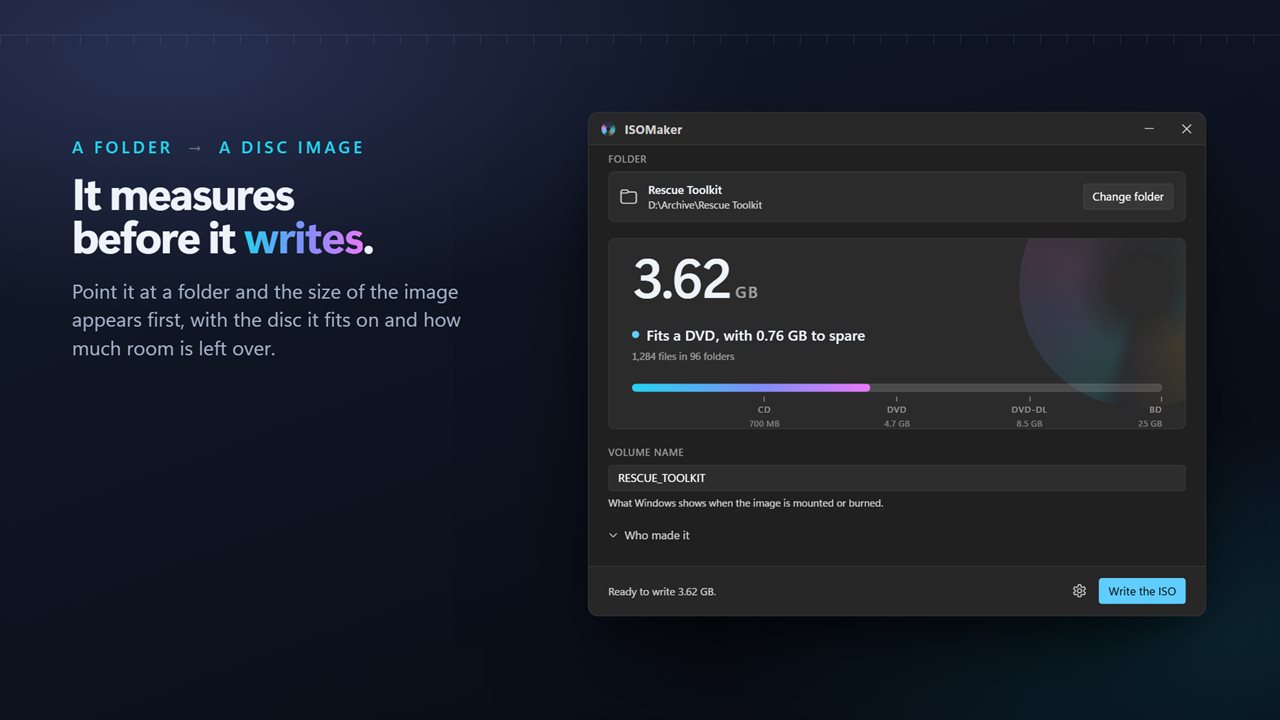
It measures before it writes: the size of the image, the disc it fits, and the room left over.
See it in action
About ISOMaker
Making an ISO is easy. Finding out it was 200 MB too big for the disc, after twenty minutes of writing, is the part that wastes an afternoon.
ISOMaker measures first.
Measured before it is written
Point it at a folder and the size of the finished image appears immediately, along with the disc it fits on and how much room is left over. Nothing has been written at that point, so changing your mind costs nothing.
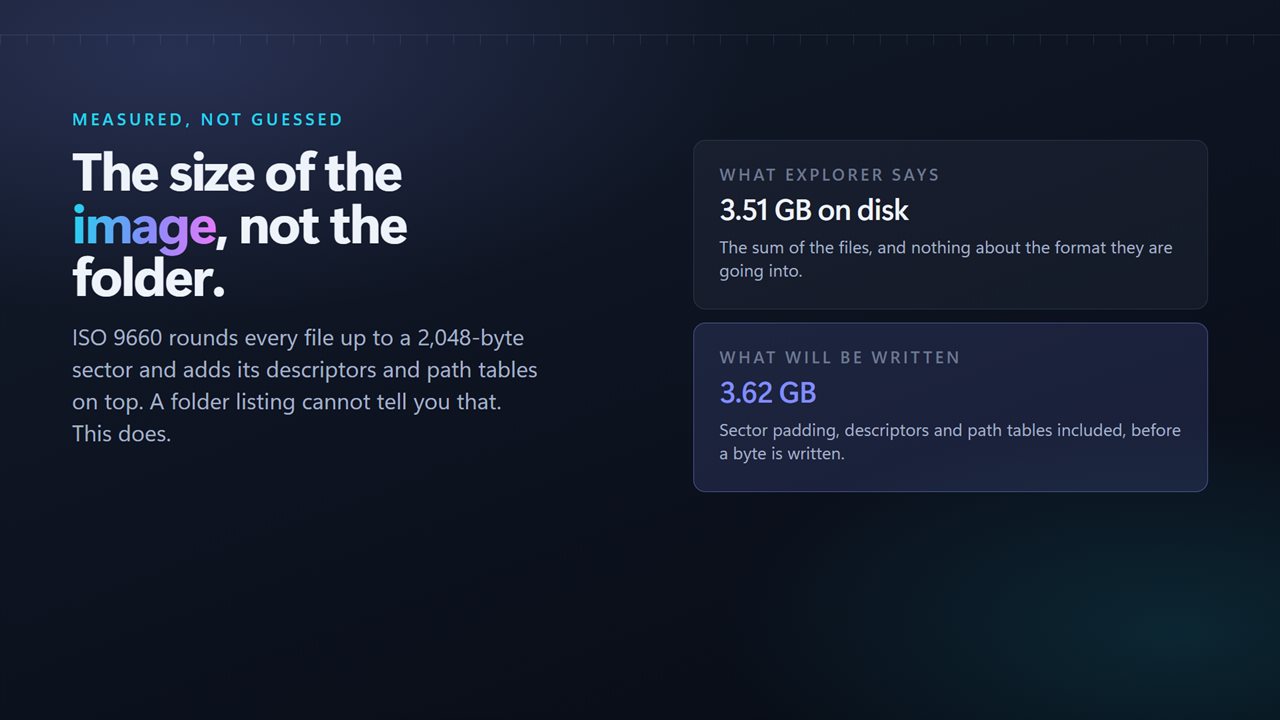
The figure is the image's, not the folder's. ISO 9660 rounds every file up to a 2,048-byte sector and adds its own volume descriptors and path tables, so a folder that Explorer calls 3.51 GB becomes a 3.62 GB image. A folder listing cannot tell you that. This does.
The rail
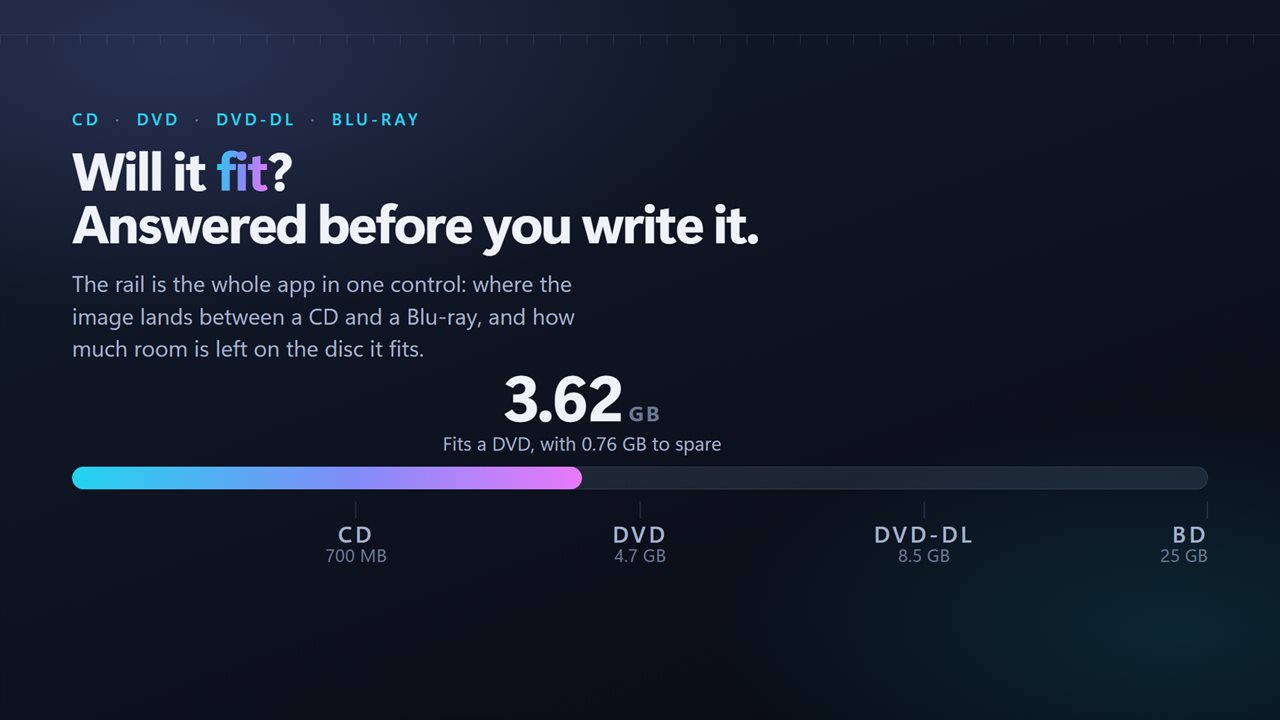
One control carries the whole answer: where the image lands between a CD at 700 MB, a DVD at 4.7 GB, a dual-layer DVD at 8.5 GB and a Blu-ray at 25 GB. Under it, in words: fits a DVD, with 0.76 GB to spare. Over 25 GB it says so plainly and suggests mounting the image or using a USB drive instead.
Bootable, when the folder is
If the folder holds a boot file, ISOMaker finds it and offers to make the image bootable. It shows you which file it found and where, so you are agreeing to something specific rather than ticking a box and hoping. It knows the names the tools that build these trees actually write — etfsboot.com and efisys.bin from Microsoft's oscdimg, isolinux and GRUB from the Linux distributions — and where BIOS and UEFI images each have to be registered. A folder carrying one of each gets both, so the image starts on an older PC and a modern one.
A folder with no boot file is not offered the choice, because an ISO cannot be made bootable by wanting it.
Checked after it is written
When the image is finished it is opened again and read back: every file counted, every byte of file data added up, and compared with the folder it came from. It either says the image holds what the folder held, or it says what does not match. Nothing is deleted either way — a failed check is something to know about, not something to act on behind your back.
A real ISO
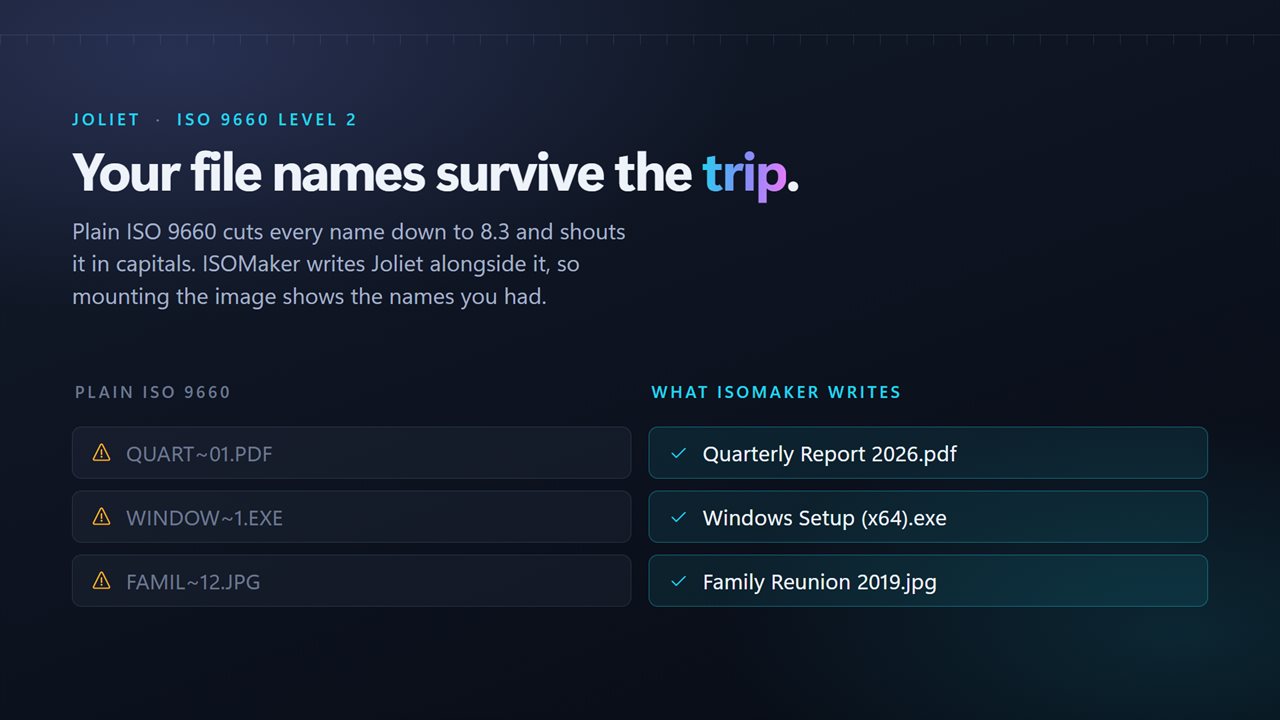
ISO 9660 Level 2 with Joliet written alongside it. That matters more than it sounds: plain ISO 9660 cuts every name down to eight characters and three, in capitals, so "Quarterly Report 2026.pdf" arrives as QUART~01.PDF. With Joliet, the names you had are the names you get.
The result is an ordinary disc image. Windows mounts it on a double-click, any burning software will write it to a disc, and VirtualBox, VMware and Hyper-V will boot from it.
While it writes, the figure on screen is real: bytes laid into the image out of the total it already measured. A large folder tells you how far along it is rather than spinning.
The volume name
The name Windows shows when the image is mounted. ISOMaker suggests one from the folder and keeps it inside what the format actually allows — uppercase letters, digits and underscores, up to 32 characters — rather than silently rewriting your choice later.
No limits
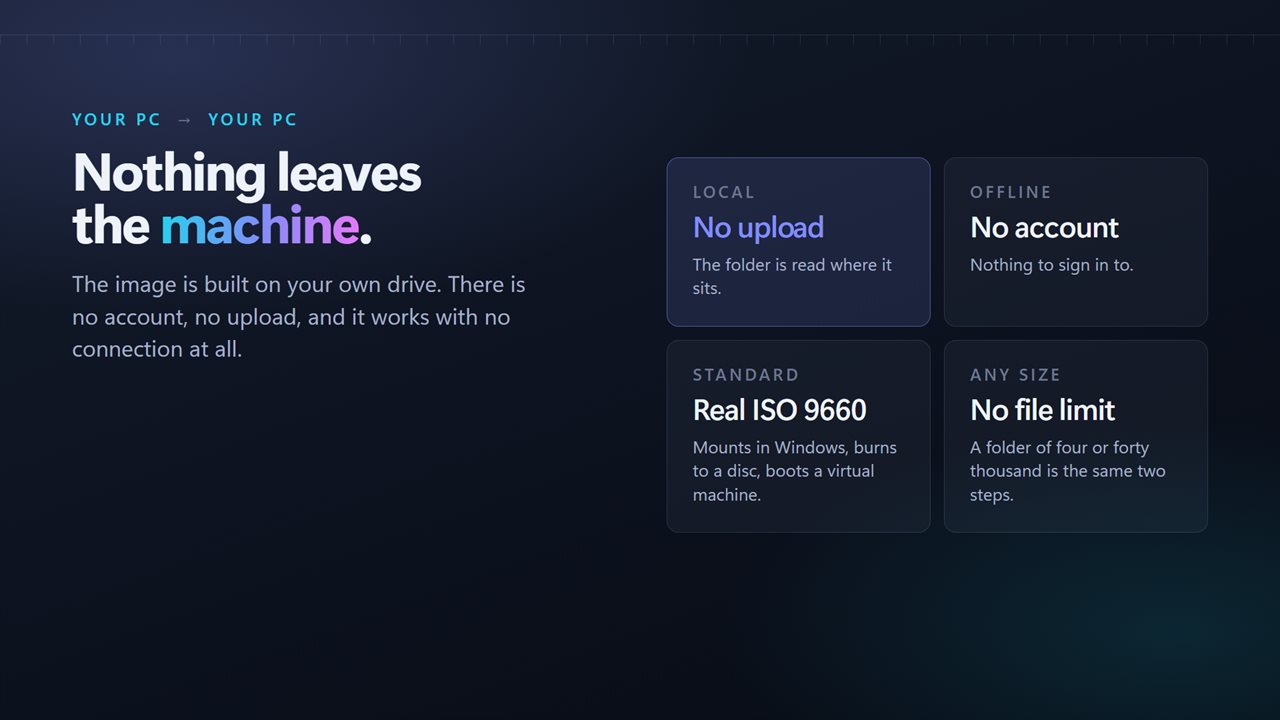
No cap on the number of files, no cap on the size, and no nag at four hundred. A folder of four and a folder of forty thousand are the same two steps.
On your PC
The folder is read where it sits and the image is built on your own drive. There is no account, nothing is uploaded, and the app works with no connection at all.
Features
- Measures the folder before it writes anything
- Says which disc the image fits on, and how much room is left
- CD, DVD, dual-layer DVD and Blu-ray all marked on one rail
- Makes a bootable ISO — it finds the boot file and shows you which one
- BIOS and UEFI both, when the folder carries an image for each
- Reads the finished image back and checks every file arrived
- A real progress figure while it writes, not a spinner
- Writes real ISO 9660, so the image mounts, burns and boots
- Joliet names, so long file names survive instead of becoming 8.3
- Suggests a valid volume name and shows what Windows will display
- No file count limit and no size limit
- Built on your PC — nothing is uploaded and no account is needed
Details
- Works on
- Windows 10 (1809 or later) and Windows 11
- Download
- About 3.6 MB
- Version
- 2.0.1, updated October 2026
- First released
- February 2023
- Price
- $2.49 once. No subscription.
- Category
- Utilities & tools
What's new in 2.0.1
- New: bootable images. Point it at a folder that holds a boot file and it finds it, names it, and registers it for BIOS, UEFI or both
- New: the finished image is read back and checked against the folder before you are told it worked
- New: the folder is measured before anything is written, and the size shown is the image's rather than the folder's
- New capacity rail: CD, DVD, dual-layer DVD and Blu-ray, with the spare room spelled out
- Writing now shows how far along it is instead of a spinner
- Drop a folder straight onto the window
- Long file names now survive, via Joliet. They were previously cut to 8.3
- Volume names are suggested and validated instead of silently rewritten
- The publisher and application recorded inside the image can now be set
- Redesigned interface that follows the Windows light and dark themes
Questions
Anything else? Ask us
Which versions of Windows does it run on?
Windows 10 (version 1809 or later) and Windows 11.
Is it a subscription?
No. ISOMaker is a one-time purchase of $2.49, and updates are included.
How do I get it?
EvlarSoft apps are moving to direct downloads from this site. Ask to be notified and we will email you as soon as ISOMaker is ready to download.
More from EvlarSoft
 NoRecyclePull the lever and deleted files skip the Recycle Bin on the drives you choose.
 File Hash ValidatorPaste the checksum a download page gave you and find out whether the file you got is the file they published.
 Duplicate File FinderFind duplicate photos and files by what is inside them, not by their names, and free the space they waste.