Keep Awake Until Done
Free to keep your PC awake until you stop it. PRO keeps it awake only until a download finishes, an app closes or the CPU goes quiet, then lets it sleep as usual.
Stays awake until your download is done, then lets your PC sleep.
See it in action
About Keep Awake Until Done
Keep Awake Until Done keeps your PC from sleeping while a job runs, and lets it sleep again the moment the job is finished. No timer to guess, and no PC left on all night for a download that ended at midnight.
Free and pro
Free: keep your PC awake until you click the cup again, keep the screen on too or not, the tray icon, and light and dark themes.
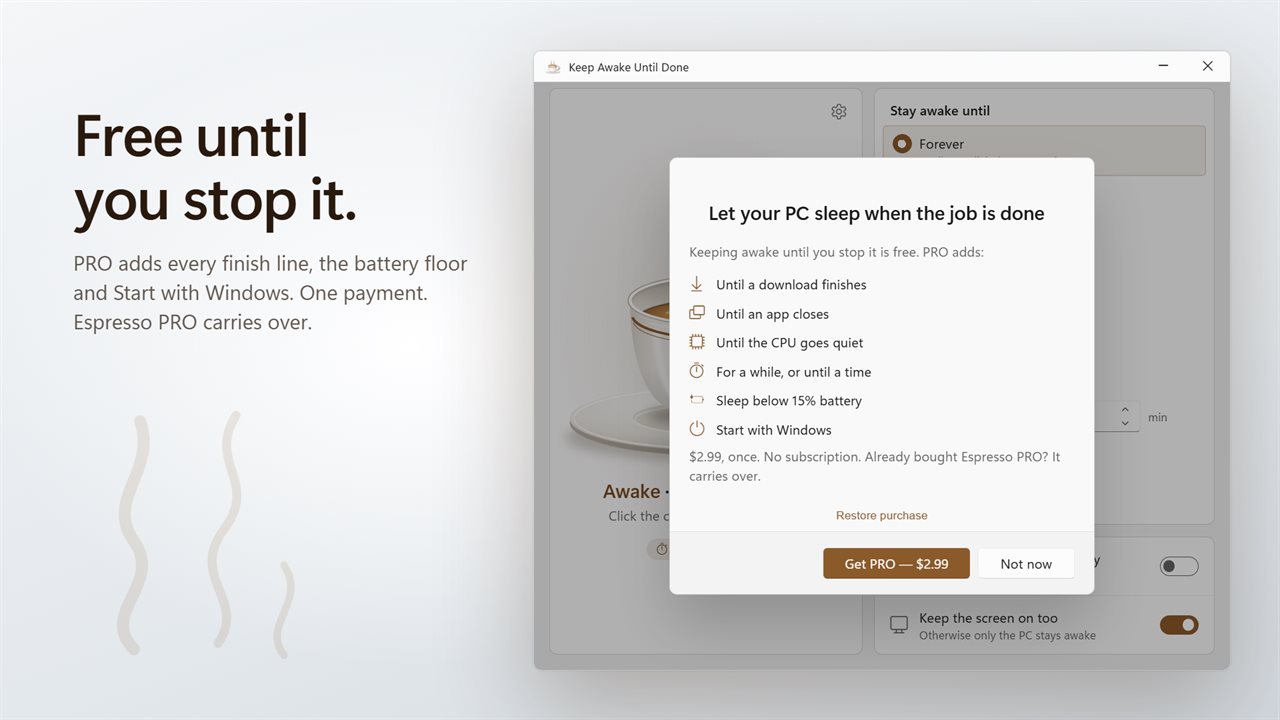
PRO, one payment from inside the app: until a download finishes, until an app closes, until the CPU goes quiet, for a while or until a time, allow sleep below 15% battery, Start with Windows, and the tray presets from 5 minutes to 5 hours.
Until the download finishes (pro)
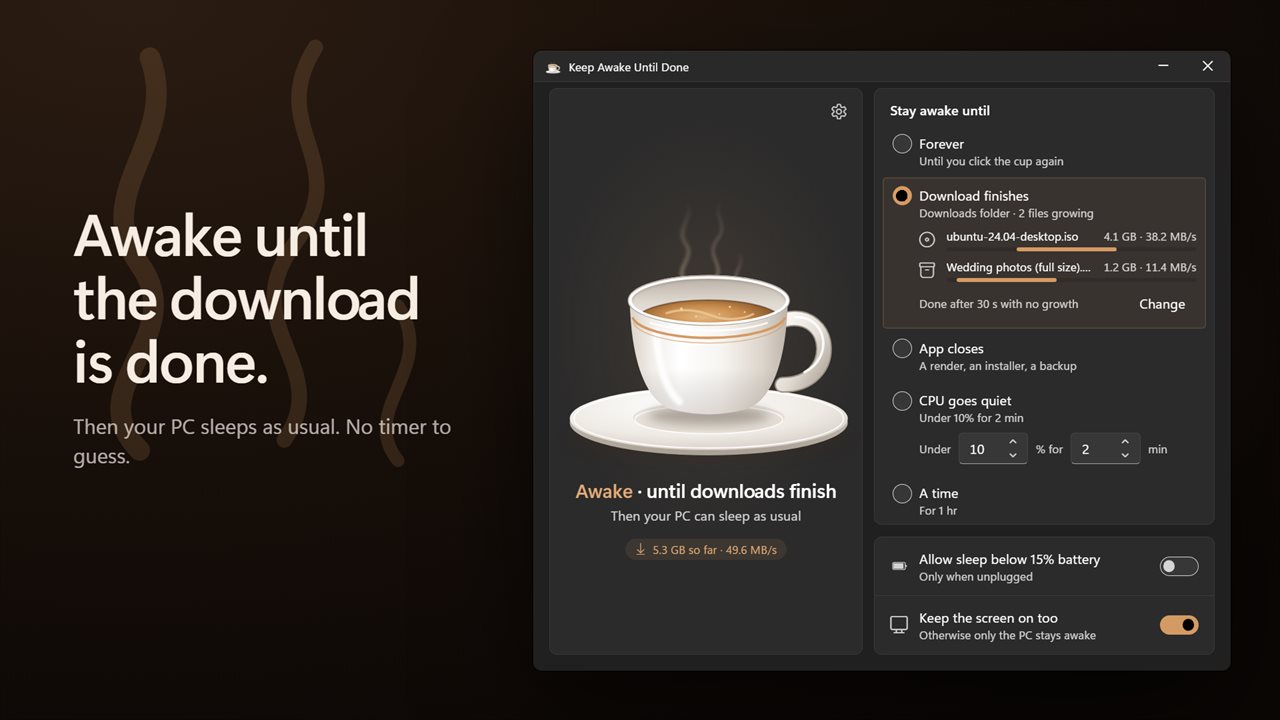
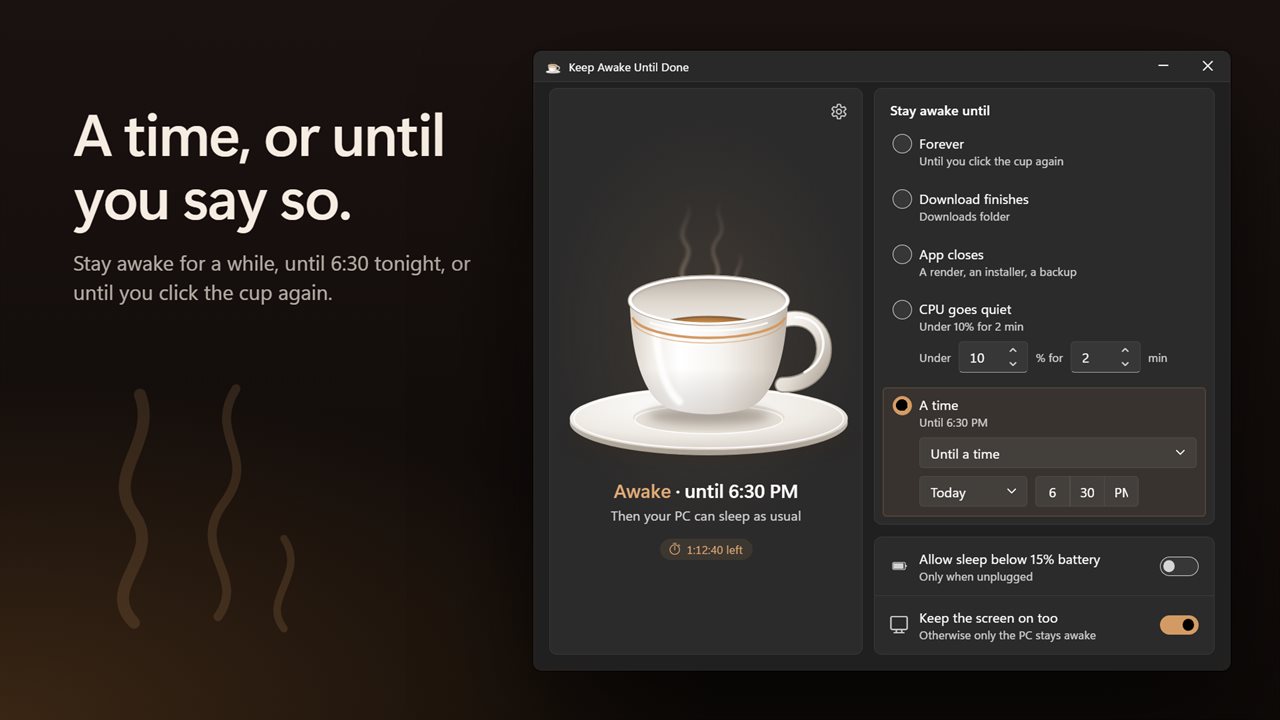
The app watches your Downloads folder, or any folder you choose, and shows each file that is growing with its size and speed. When nothing has grown for 30 seconds, the download is done. A browser download that stalls for a moment does not end the wait.
Until an app closes (pro)
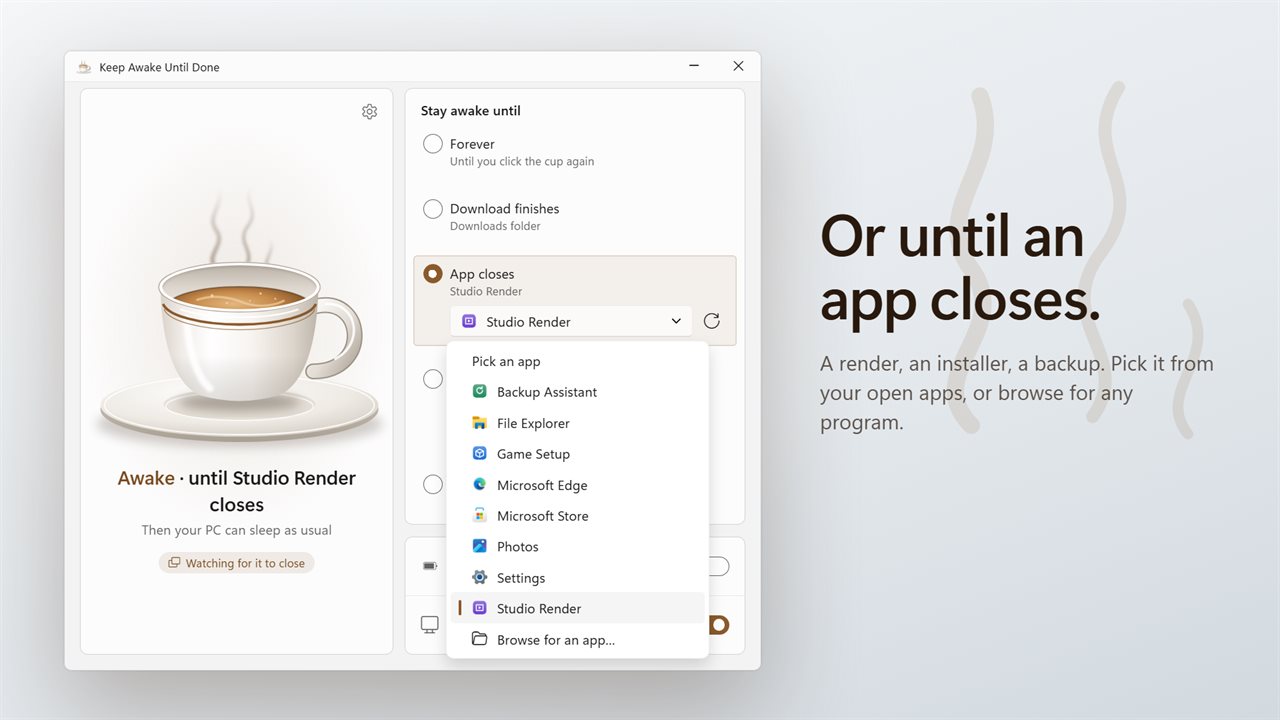
Waiting on a render, an installer or a backup? Pick the app from the ones you have open, shown with their icons, or browse for any program. When it closes, your PC can sleep.
Until the CPU goes quiet (pro)
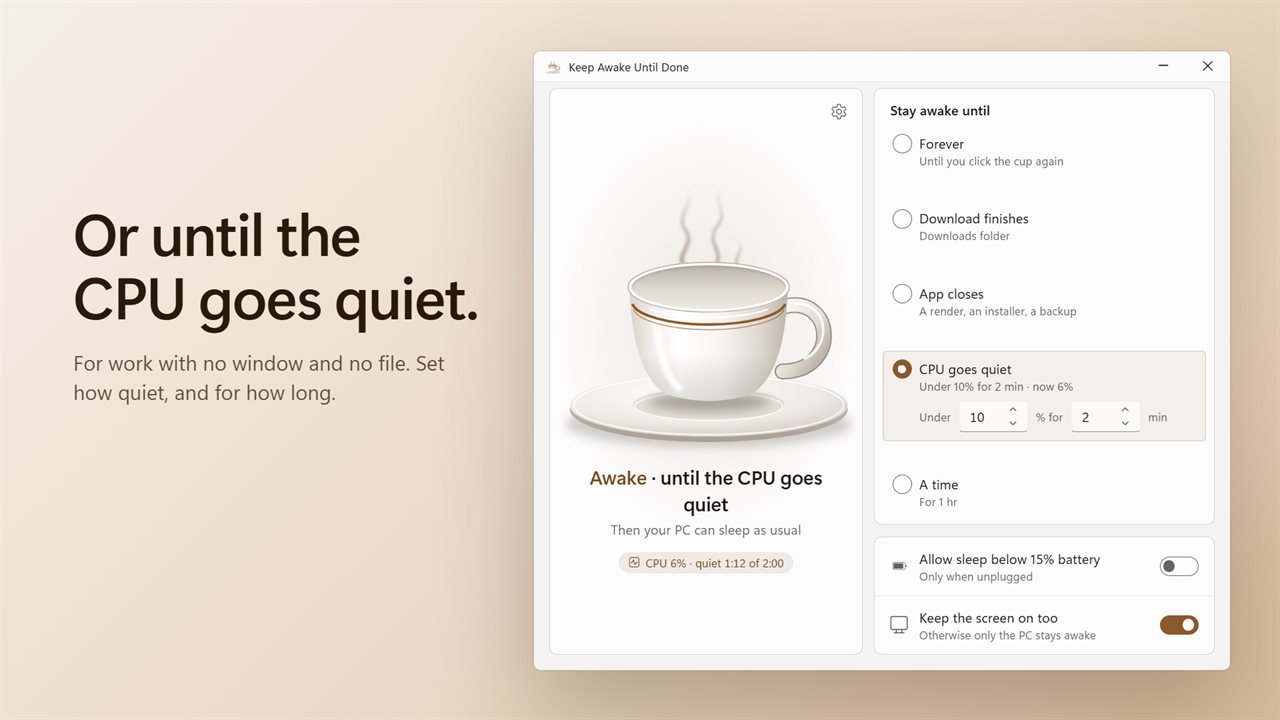
For work that has no window and no file, wait for the processor to settle. Under 10% for 2 minutes to start, or set your own level and time.
Or a time, or forever
Keep awake until you click the cup again, free. With PRO, keep awake for a while, or until a time today or later in the week.
Click the cup
The espresso cup is the switch. Steam rises while your PC is kept awake, and the coffee level shows the time or work left. A line under the cup says what it is waiting for.
A notification when it is done
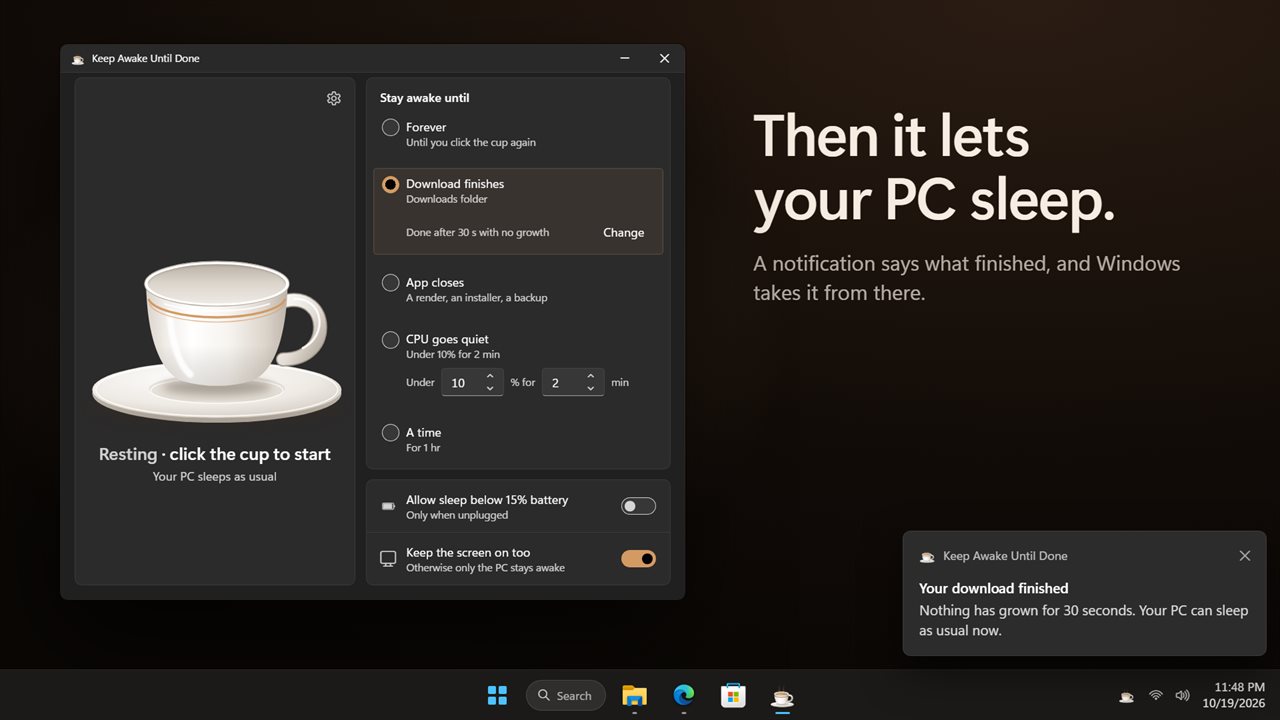
"Your download finished", "Your PC has gone quiet", "Time's up". Then your PC sleeps as usual.
Kind to your battery
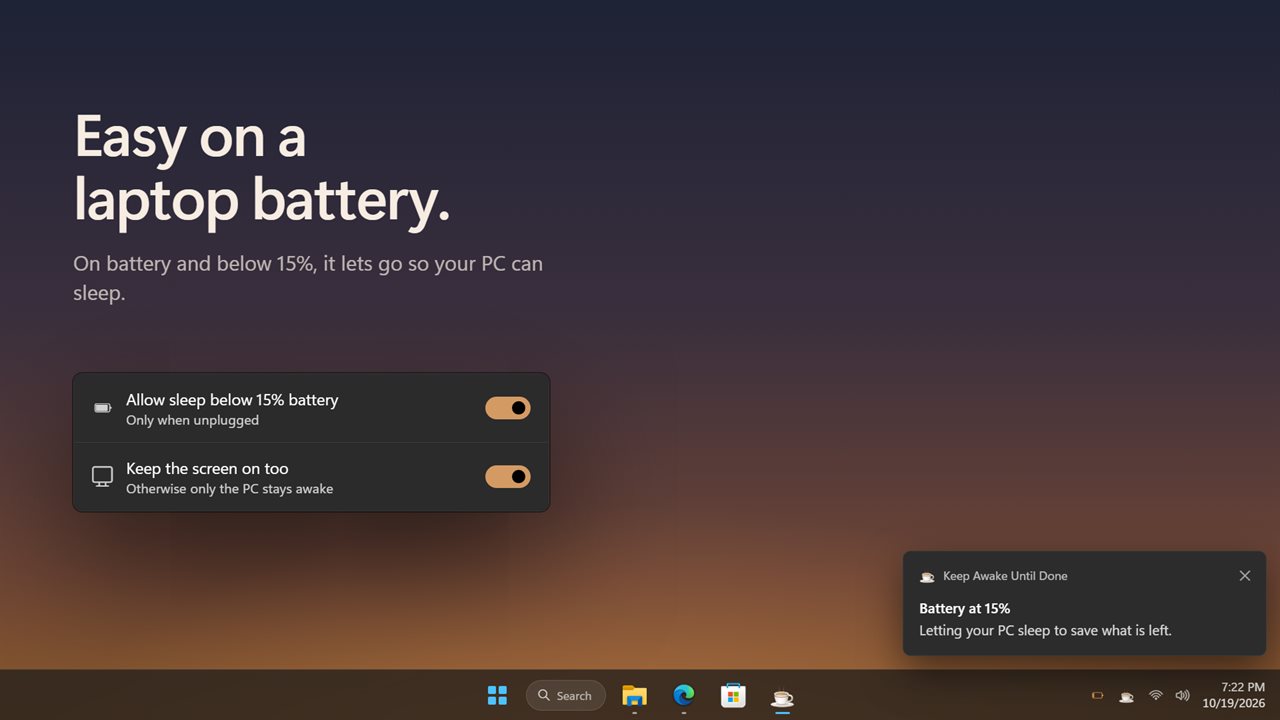
With PRO, turn on "Allow sleep below 15% battery" and the app lets go when a laptop on battery runs low. Keep the screen on too, or only the PC.
From the tray
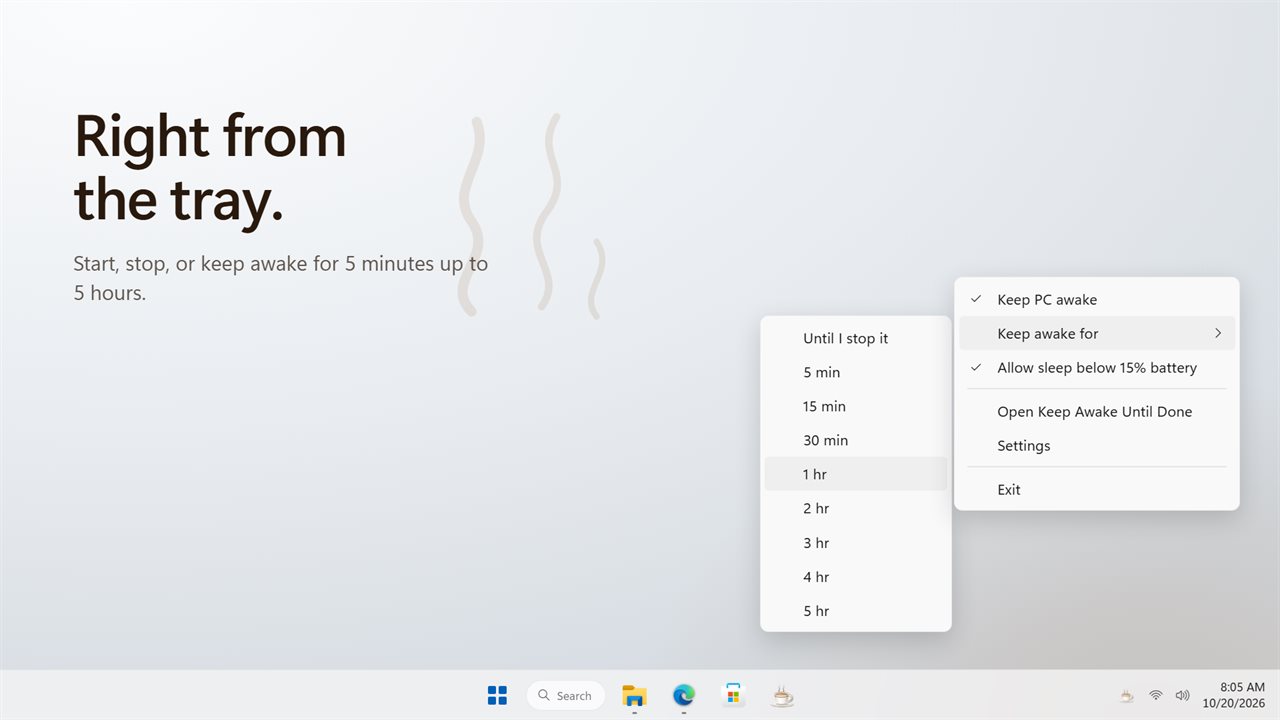
Start or stop from the notification area. With PRO, keep awake for 5 minutes up to 5 hours from the same menu, and start with Windows.
Bought Espresso PRO? It carries over. Your settings from the earlier version carry over too.
Features
- Free: keeps your PC awake until you click the cup again, with a tray icon, light and dark themes, and a choice to keep the screen on too
- PRO: stays awake until a download finishes, then lets your PC sleep as usual
- Watches your Downloads folder, or any folder you choose. Done after 30 seconds with no growth
- A browser download that stalls for a moment does not end the wait
- PRO: stays awake until an app closes: a render, an installer, a backup
- Pick the app from the ones open, with their icons, or browse for any program
- PRO: stays awake until the CPU goes quiet, under 10% for 2 minutes or the level you set
- PRO: stays awake for a while, or until a time today or later in the week
- Click the cup to start or stop. The coffee level shows the time or work left
- A notification tells you what finished
- PRO: allow sleep below 15% battery, only when unplugged
- PRO is one payment, and Espresso PRO carries over
- PRO: tray menu to keep awake for 5 minutes up to 5 hours
- Start in the tray or minimize to the tray. Start with Windows is PRO
Details
- Works on
- Windows 10 (1809 or later) and Windows 11
- Download
- About 3.0 MB
- Version
- 2.0.1, updated October 2026
- First released
- May 2022
- Price
- Free
- Category
- Utilities & tools
What's new in 2.0.1
- New: stay awake until a download finishes, then let your PC sleep
- New: stay awake until an app closes. Pick it from your open apps or browse for any program
- New: stay awake until the CPU goes quiet
- New: a notification tells you what finished
- New: click the cup to start or stop
- New: choose whether the screen stays on too, or only the PC
- Keep awake for a while, until a time, or forever, as before. Your settings carry over
- Espresso PRO carries over. The new finish lines are part of PRO; keeping awake until you stop it stays free
Questions
Anything else? Ask us
Which versions of Windows does it run on?
Windows 10 (version 1809 or later) and Windows 11.
Is it free?
Yes. Keep Awake Until Done is free to download.
How do I get it?
EvlarSoft apps are moving to direct downloads from this site. Ask to be notified and we will email you as soon as Keep Awake Until Done is ready to download.
More from EvlarSoft
 Prevent PC SleepStop your PC sleeping while you are away from it, and see exactly what it would have done otherwise.
 Anti PC SleepKeeps your PC awake from one icon beside the clock.
 Smart Shutdown TimerShut down your PC after a time, when you stop using it, when downloads finish or when the CPU goes quiet.