Smart Shutdown Timer
Shut down your PC after a time, when you stop using it, when downloads finish or when the CPU goes quiet. Pick from seven actions, press the power button on the screen, and get a warning a minute before with a button to cancel.
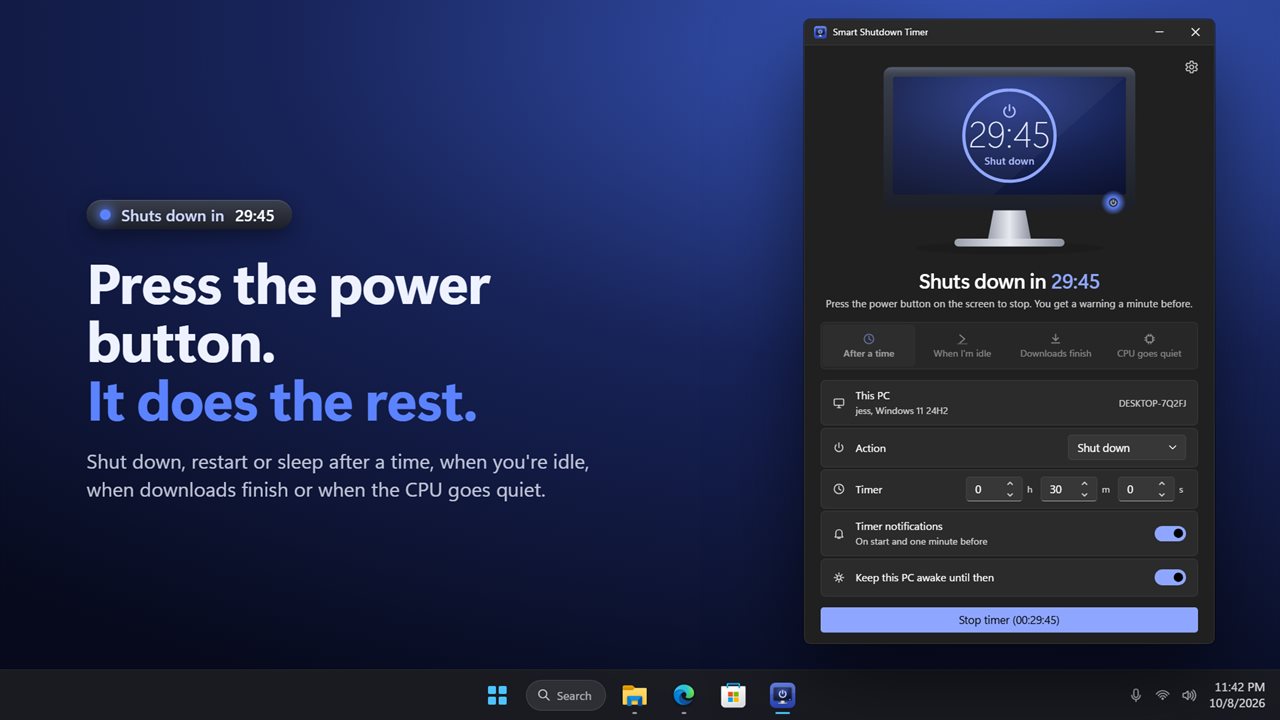
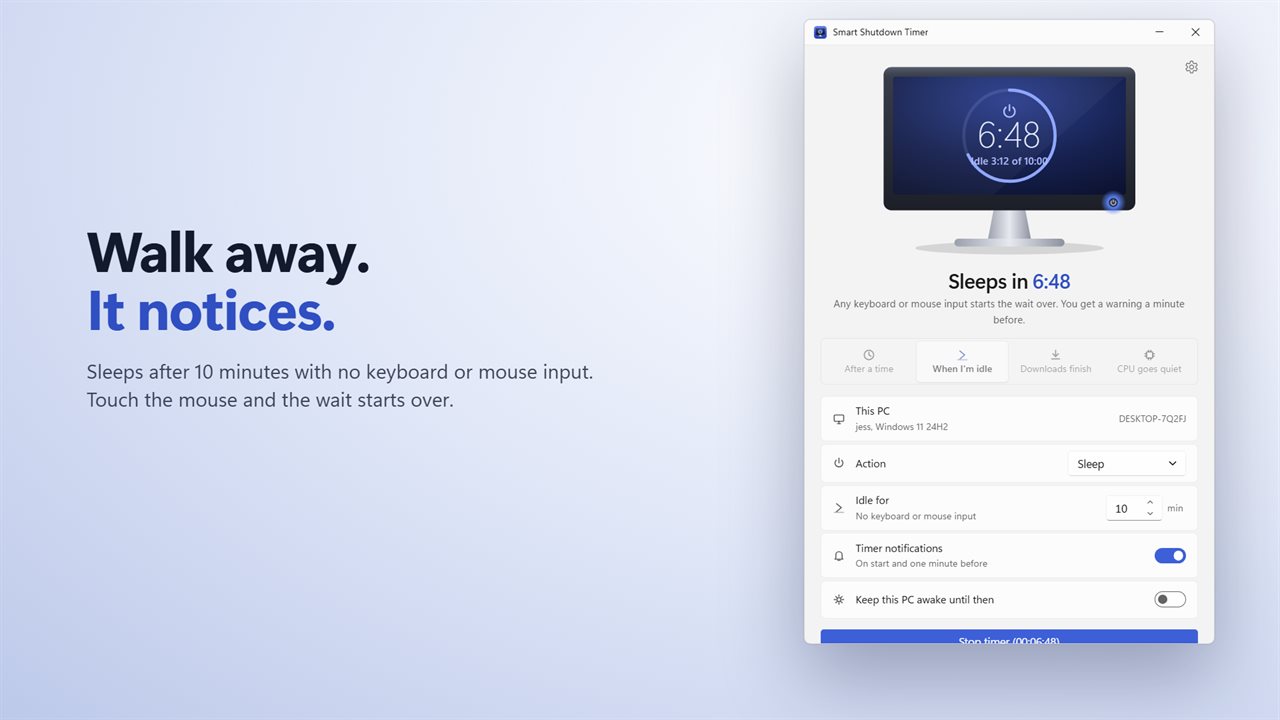
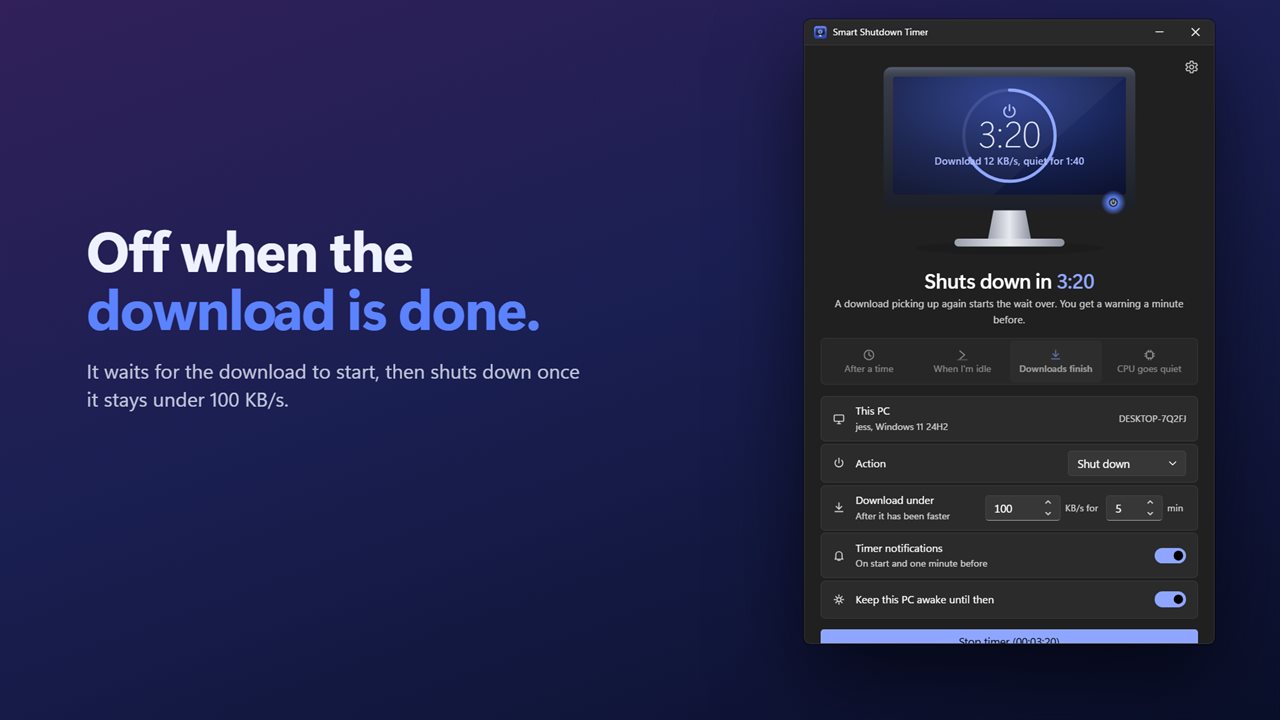
Press the power button on the screen. It counts down to the action.
See it in action
About Smart Shutdown Timer
Leave the PC to finish on its own. Smart Shutdown Timer shuts down, restarts, sleeps, hibernates, locks or logs off your PC when the moment is right, not only when a clock runs out.
Four ways to decide when
After a time: set hours, minutes and seconds and the countdown starts.
When you're idle: the PC acts after the number of minutes you choose with no keyboard or mouse input. Touch the mouse and the wait starts over.
When downloads finish: the timer waits for a download to get going, then acts once it stays under the speed you set, 100 KB/s unless you pick another, for the minutes you choose.
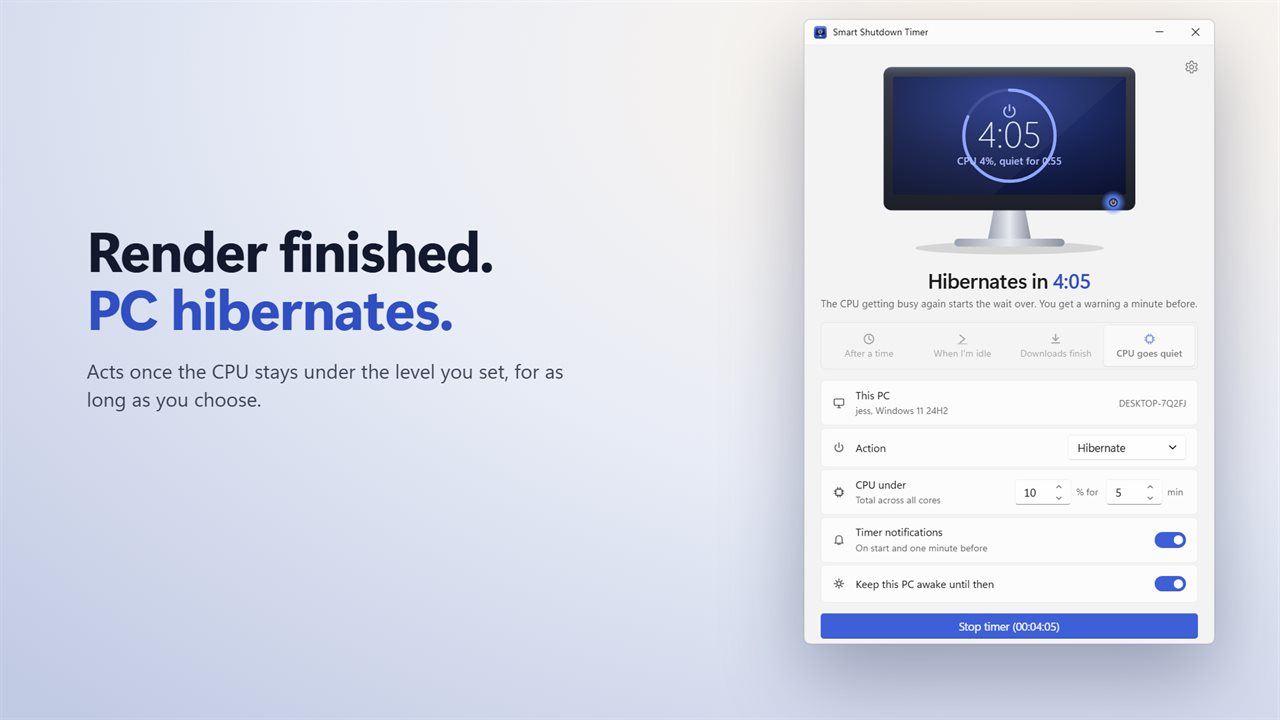
When the CPU goes quiet: perfect for a long render or export. The PC acts once the processor stays under the level you set, 10% unless you pick another, for as long as you choose.
The screen is the timer
The app draws a monitor whose screen shows the time left and the action. For the smart triggers it shows the live reading too: how long you have been idle, the download speed, or the CPU level, and how long it has been quiet. Press the blue power button on the monitor to start or stop.
Seven actions
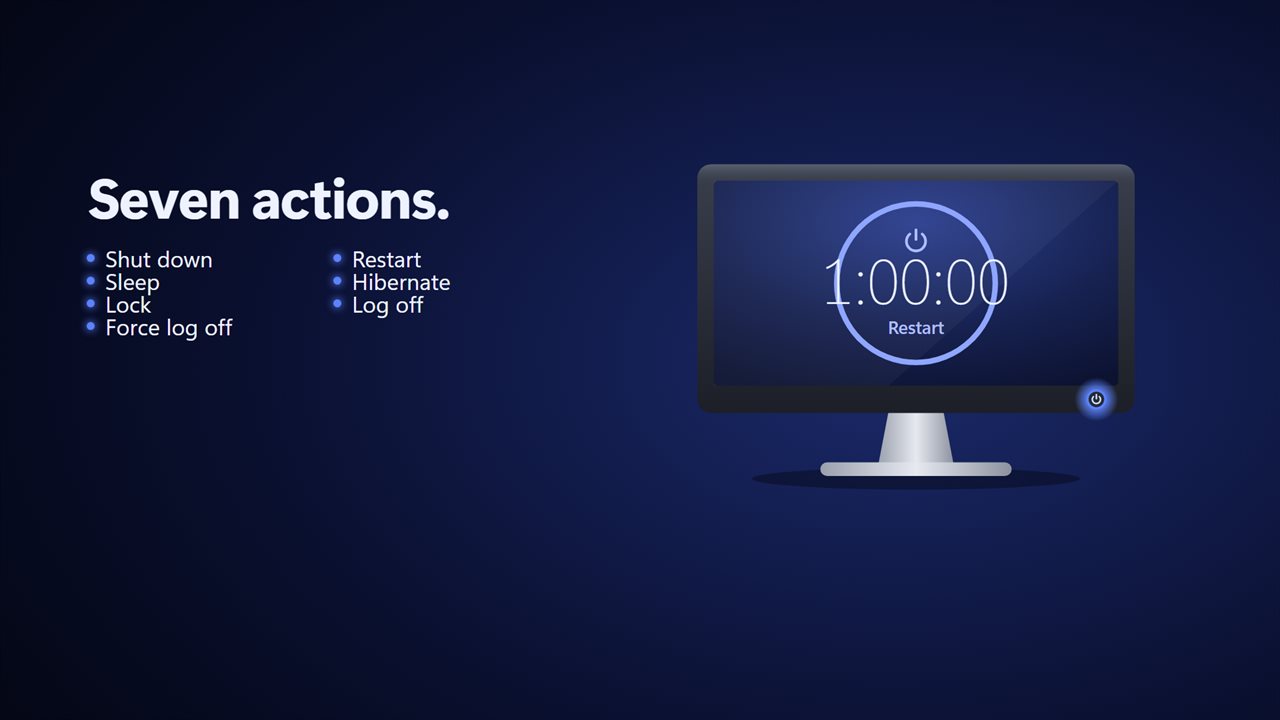
Shut down, restart, sleep, hibernate, lock, log off or force log off.
No surprises
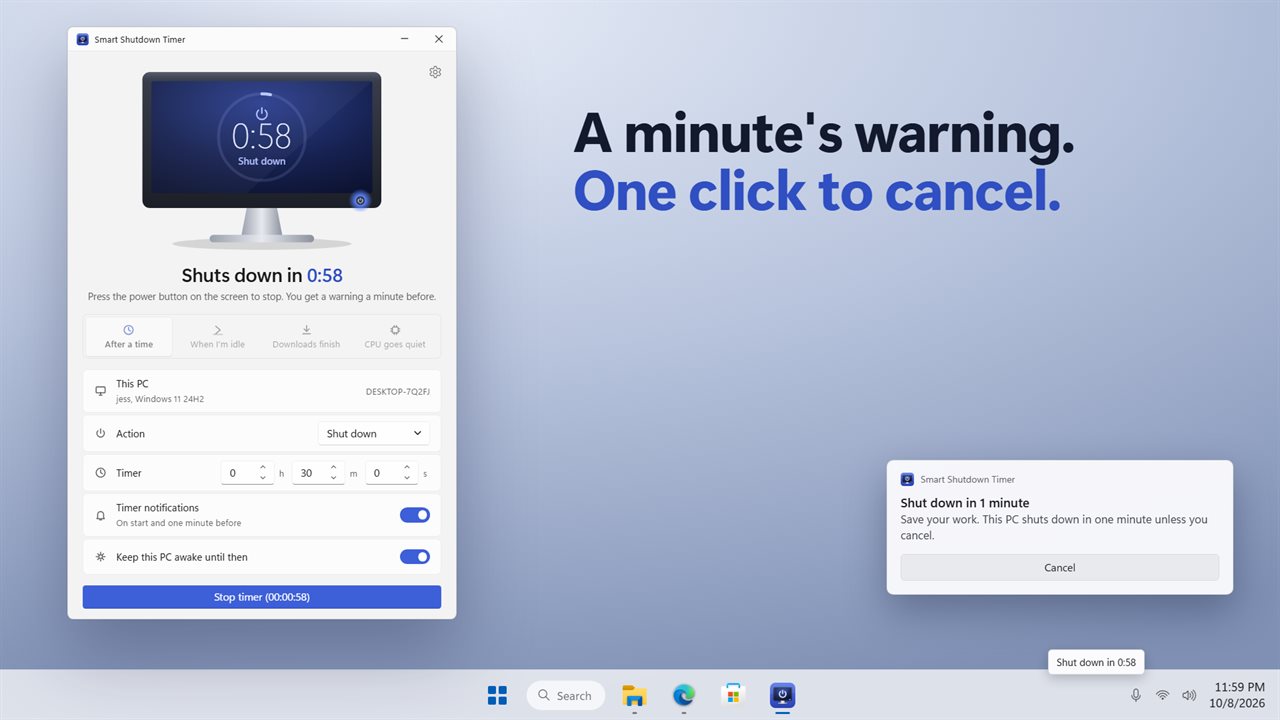
A notification tells you when the timer starts, and a warning arrives one minute before with a Cancel button. Turn on Keep this PC awake and the PC will not drift off to sleep before the timer acts.
Out of the way
Close the window and the app waits in the notification area. Hover the icon to see the time left, or stop the timer from its menu. It can start with Windows, minimized if you like.
Upgrading
Your action, your timer and your two switches from the earlier version carry over.
Features
- Shut down, restart, sleep, hibernate, lock, log off or force log off
- After a time: set hours, minutes and seconds and watch the countdown on the drawn screen
- When you're idle: acts after the minutes you choose with no keyboard or mouse input
- When downloads finish: waits for a download to start, then acts once it stays under the speed you set
- When the CPU goes quiet: acts once the processor stays under the level you set, for as long as you choose
- The screen shows the live reading: idle time, download speed or CPU, and how long it has been quiet
- Press the power button on the monitor to start or stop
- A notification when the timer starts and a warning one minute before, with a Cancel button
- Keep this PC awake until then, so it does not fall asleep before the timer acts
- Closes to the notification area, where the icon shows the time left and can stop the timer
- Shows this PC's name, your user name and the Windows version
- Start with Windows, start minimized, and light, dark or match Windows
- Your action, timer and switches from earlier versions carry over
Details
- Works on
- Windows 10 (1809 or later) and Windows 11
- Download
- About 3.0 MB
- Version
- 2.0.2, updated October 2026
- First released
- October 2022
- Price
- $1.99 once. No subscription.
- Category
- Utilities & tools
What's new in 2.0.2
- New: shut down when you're idle, when downloads finish, or when the CPU goes quiet
- New: the screen shows the live reading for each trigger
- New: the one-minute warning has a Cancel button
- New: the tray icon shows the time left
- New: start with Windows, start minimized, and light and dark themes
- Your action, timer and switches carry over
Questions
Anything else? Ask us
Which versions of Windows does it run on?
Windows 10 (version 1809 or later) and Windows 11.
Is it a subscription?
No. Smart Shutdown Timer is a one-time purchase of $1.99, and updates are included.
How do I get it?
EvlarSoft apps are moving to direct downloads from this site. Ask to be notified and we will email you as soon as Smart Shutdown Timer is ready to download.