Keep Screen On
Keep the screen on only while the apps you choose are in front: a video call, a recipe, a presentation, a film. Switch away and your PC sleeps as usual. Classic mode keeps it awake all day.
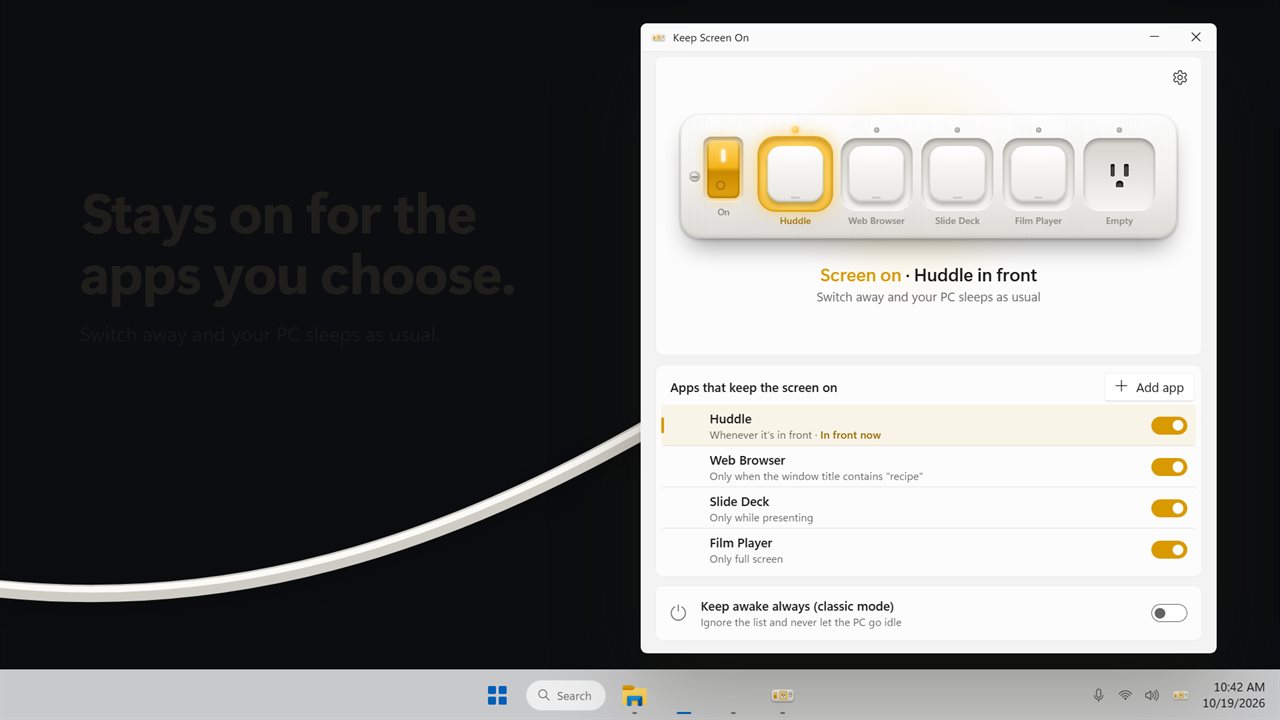
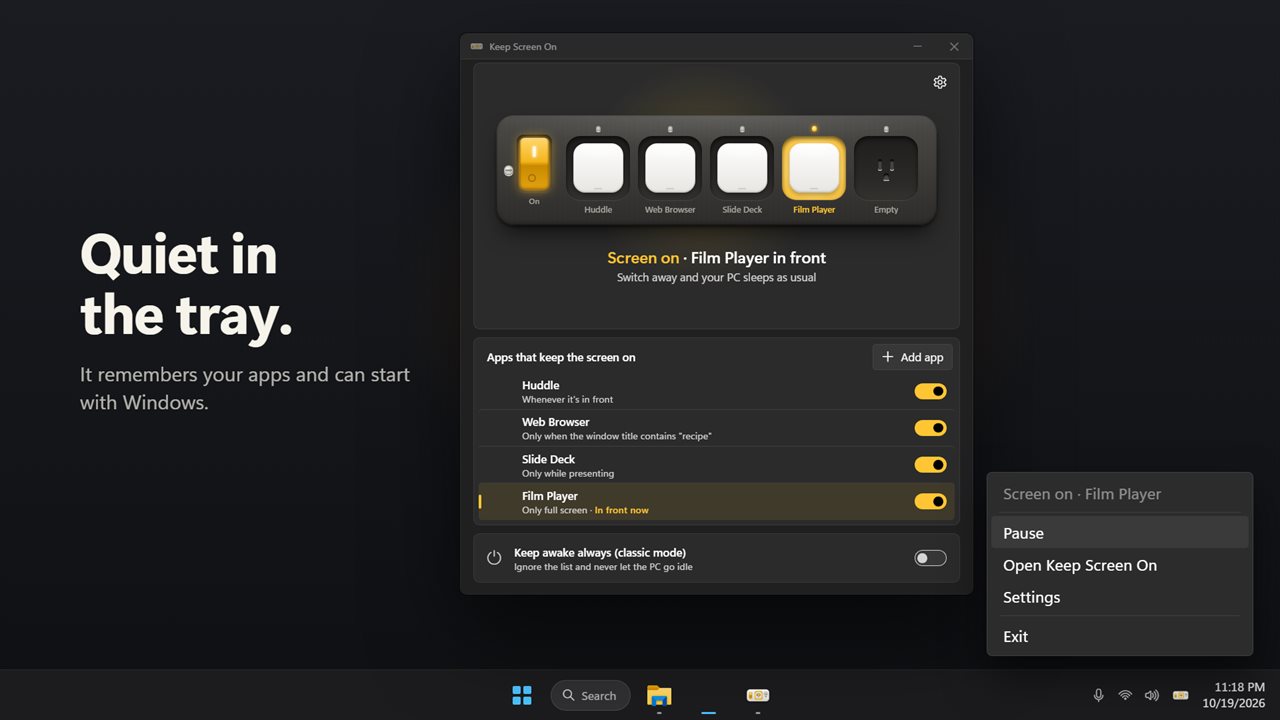
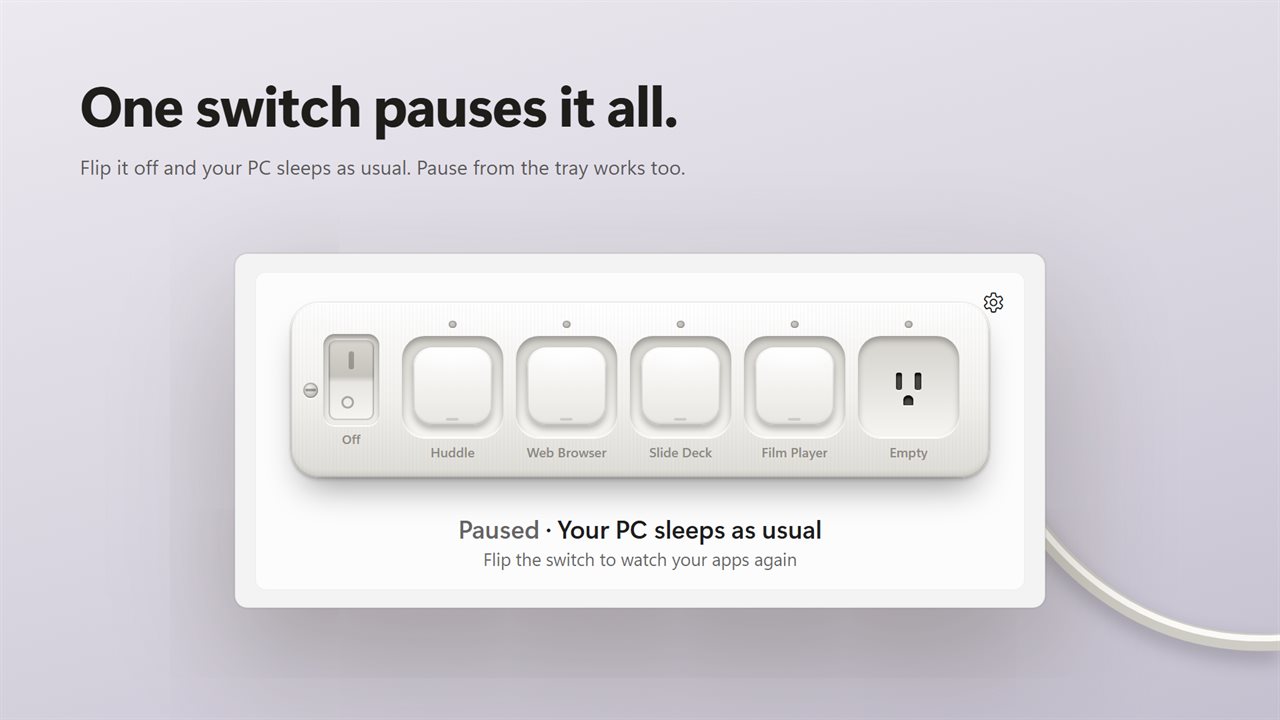
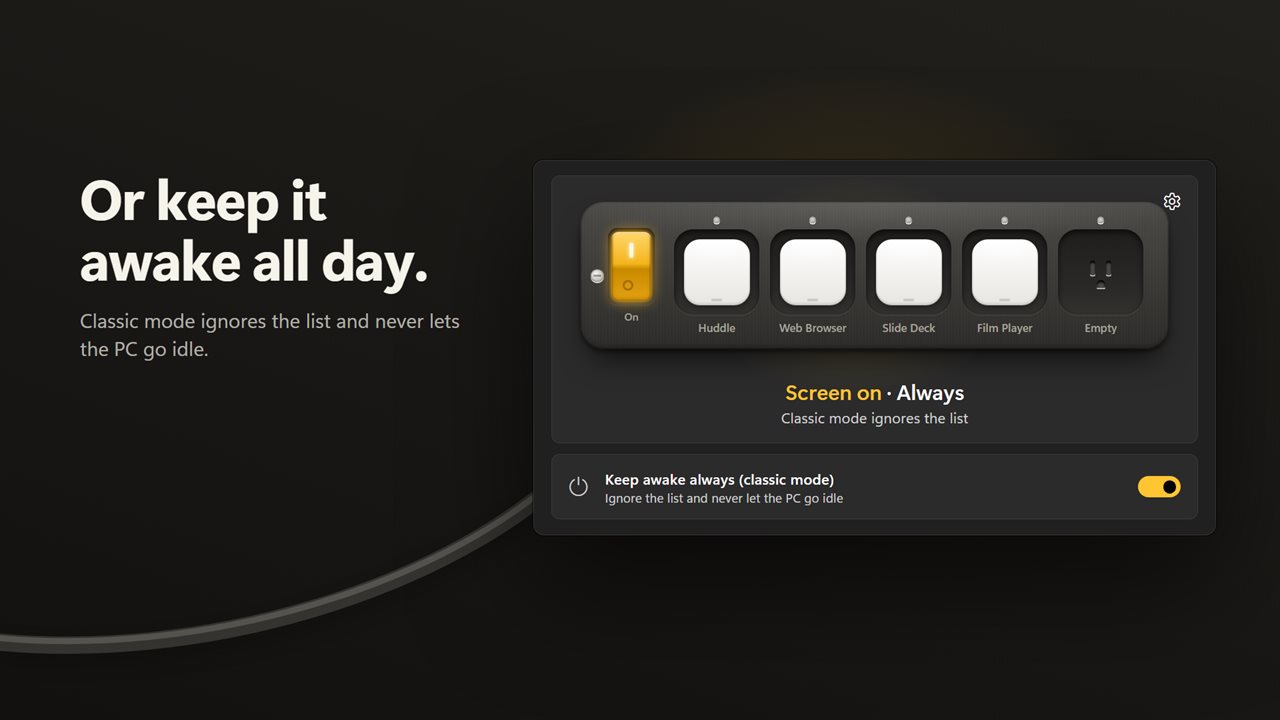
The screen stays on only while a chosen app is in front.
See it in action
About Keep Screen On
Keep Screen On keeps your display awake only while the apps you choose are in front. Leave a video call, a recipe, a presentation or a film on screen and it never goes dark. Switch to anything else and your PC sleeps as usual.
A power strip for your apps
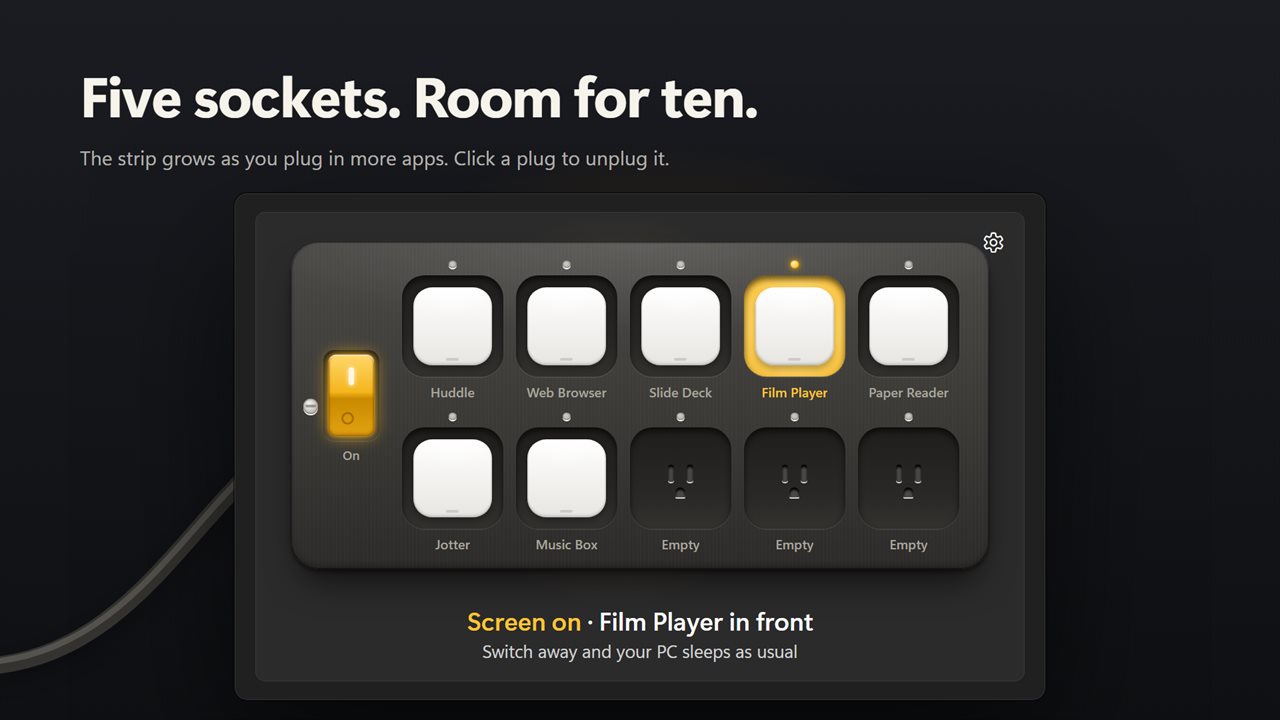
Each app you choose is plugged into a socket on the strip, with its own icon on the plug. The socket of the app in front lights up, and the line under the strip says what is keeping the screen on. The strip starts with five sockets and grows to ten as you plug in more.
Add any app
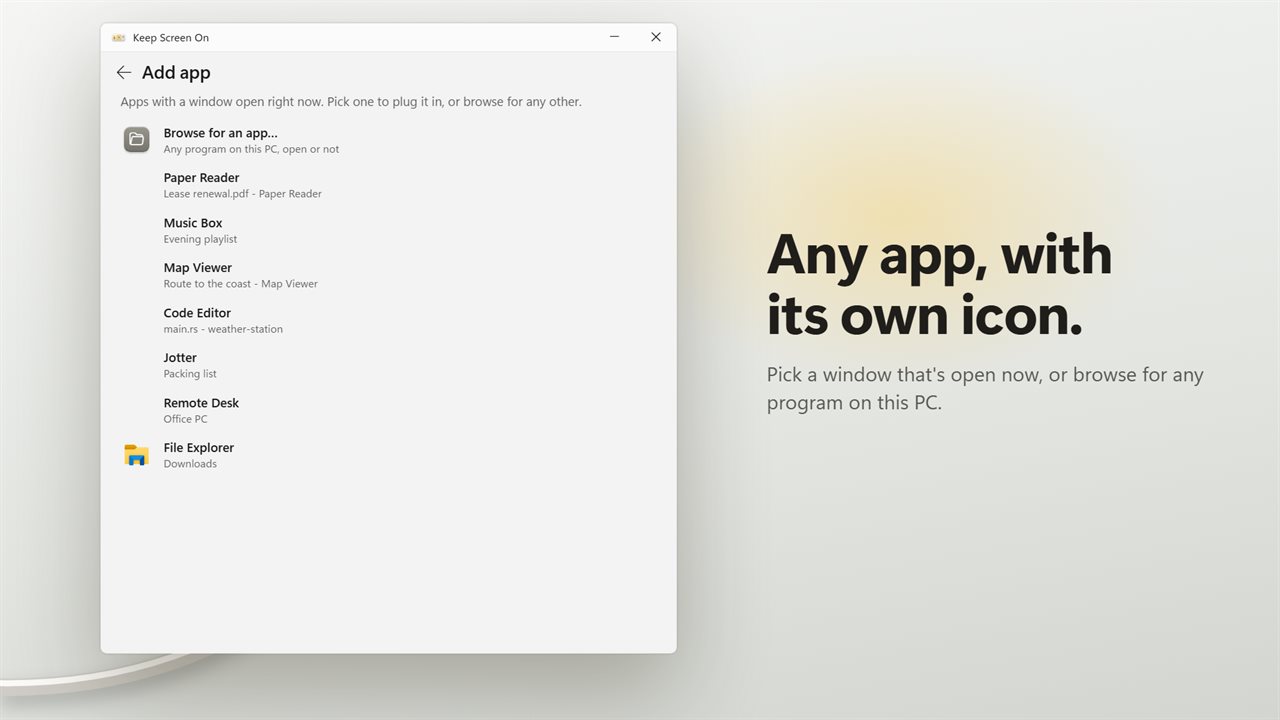
Pick from the windows open right now, or browse for any program on this PC, open or not. Your apps are remembered for next time.
Choose when it counts
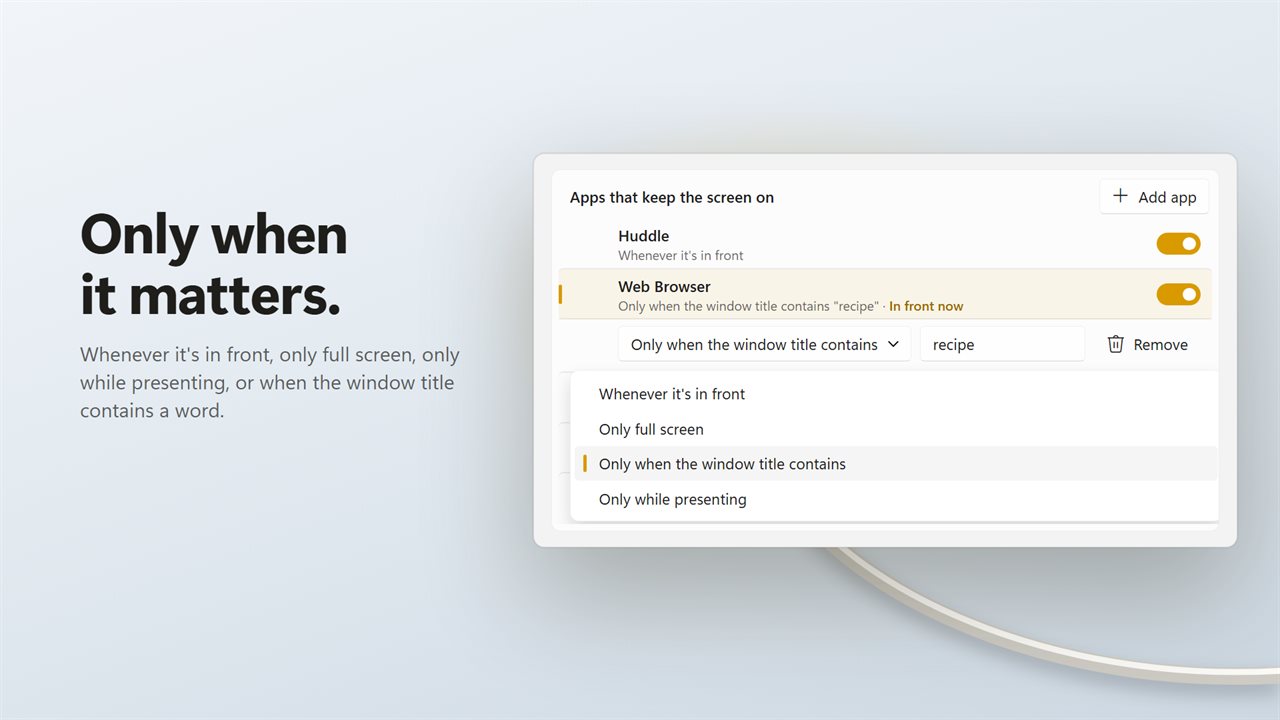
Each app can keep the screen on whenever it's in front, only full screen, only while presenting, or only when its window title contains a word you type. A browser can keep the screen on for a recipe and not for your inbox.
Turn things off
Switch an app off in the list to keep it without it counting, or click its plug to unplug it. The big switch on the strip pauses everything at once, and so does Pause in the tray.
Classic mode
"Keep awake always (classic mode)" ignores the list and keeps the PC awake and the screen on all the time. If the previous version started with Windows on your PC, the update turns classic mode on for you and keeps starting with Windows.
Quiet
It runs in the notification area, can start with Windows, and comes in light and dark. There is no account.
Features
- The screen stays on only while one of your chosen apps is in front
- Switch to anything else and your PC sleeps as usual
- A power strip with a socket for each app, and the app in front lights up
- Five sockets, growing to ten as you plug in more apps
- Add any app from the windows open now, or browse for any program on this PC
- Each app shows its own icon, and your apps are remembered
- Choose when each app counts: whenever it's in front, only full screen, only while presenting, or when the window title contains a word
- Switch an app off without removing it, or click its plug to unplug it
- One switch pauses everything, from the window or the tray
- Classic mode keeps the PC awake all the time
- Runs in the tray and can start with Windows
- Light and dark themes, or match Windows
Details
- Works on
- Windows 10 (1809 or later) and Windows 11
- Download
- About 2.8 MB
- Version
- 2.0.0, updated October 2026
- First released
- October 2022
- Price
- $1.99 once. No subscription.
- Category
- Utilities & tools
What's new in 2.0.0
- New: choose the apps that keep the screen on. It stays on only while one of them is in front
- New: for each app, choose whenever it's in front, only full screen, only while presenting, or only when the window title contains a word
- New: add any program from the windows open now or by browsing, shown with its own icon
- New: one switch pauses everything, from the window or the tray
- New: light and dark themes, and Start with Windows
- Classic mode keeps the PC awake all the time, as before. If the old version started with Windows, the update turns classic mode on and keeps starting with Windows
- Fixed: closing the app no longer leaves its icon behind in the tray
Questions
Anything else? Ask us
Which versions of Windows does it run on?
Windows 10 (version 1809 or later) and Windows 11.
Is it a subscription?
No. Keep Screen On is a one-time purchase of $1.99, and updates are included.
How do I get it?
EvlarSoft apps are moving to direct downloads from this site. Ask to be notified and we will email you as soon as Keep Screen On is ready to download.
More from EvlarSoft
 Prevent PC SleepStop your PC sleeping while you are away from it, and see exactly what it would have done otherwise.
 Automatic Mouse JigglerMoves your pointer a single pixel on a schedule you set, so nothing on your PC decides you have gone.
 Smart Window DimmerSmart Window Dimmer fades back everything on your screen except the window you are using, so your eyes stay on your work.