Smart Window Dimmer
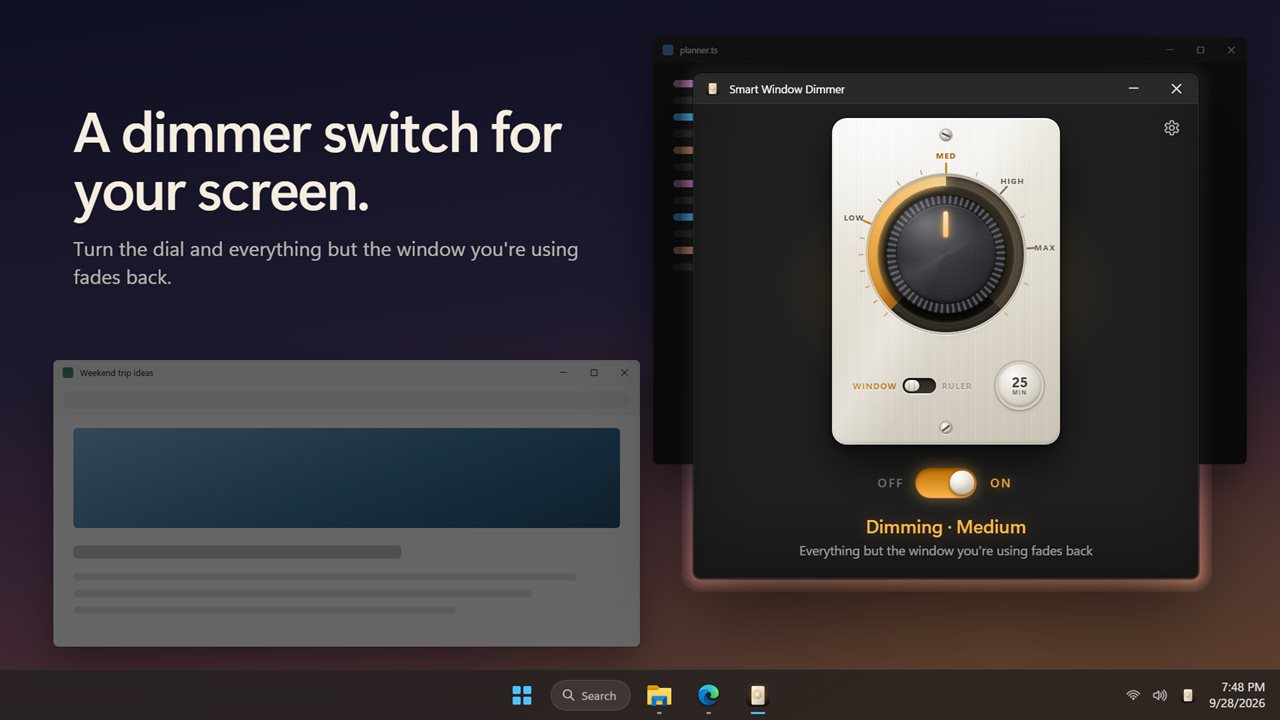
Smart Window Dimmer fades back everything on your screen except the window you are using, so your eyes stay on your work. Turn the dial to set how dark, read with a lit ruler that follows your pointer, and let some apps dim on their own.
Smart Window Dimmer in 34 seconds
See it in action
About Smart Window Dimmer
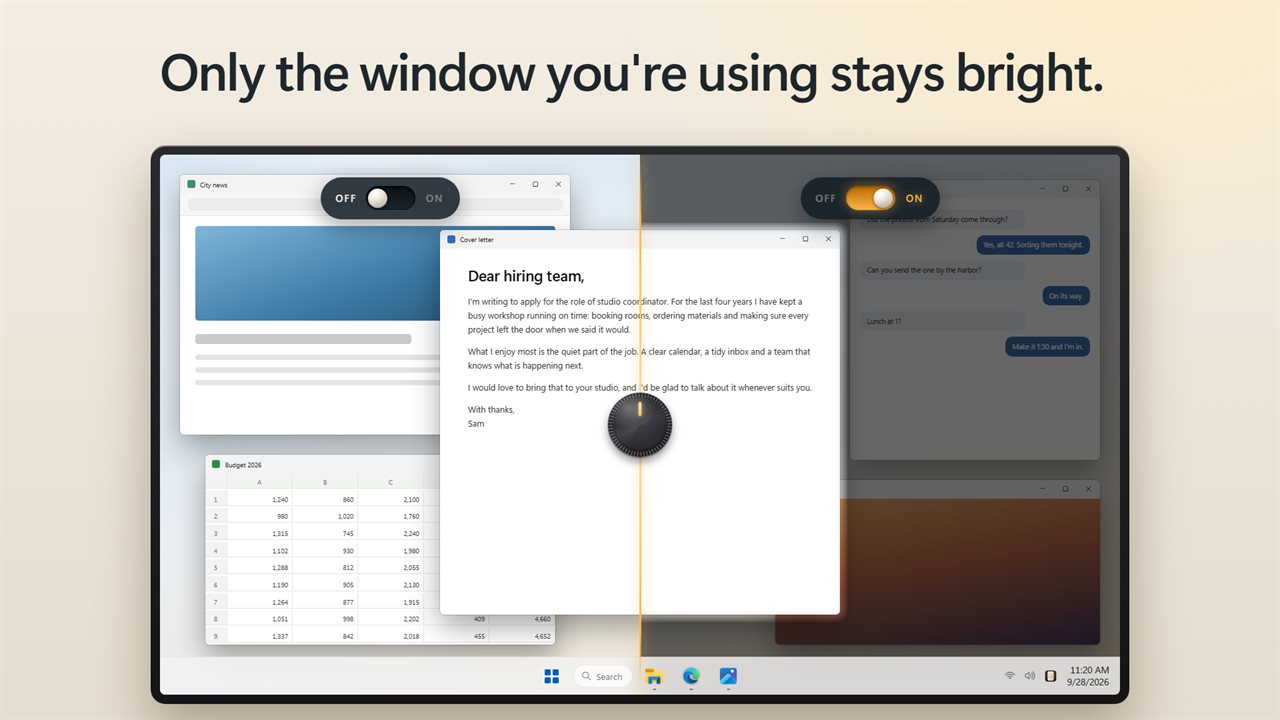
Too many windows, too much glare? Smart Window Dimmer keeps the window you are using bright and fades back everything else, on every monitor.
One window stays lit
Turn it on and the rest of the screen dims around the window in front. Click another window and the light moves with you. Nothing is closed, moved or hidden. It is just quieter to look at.
Turn the dial
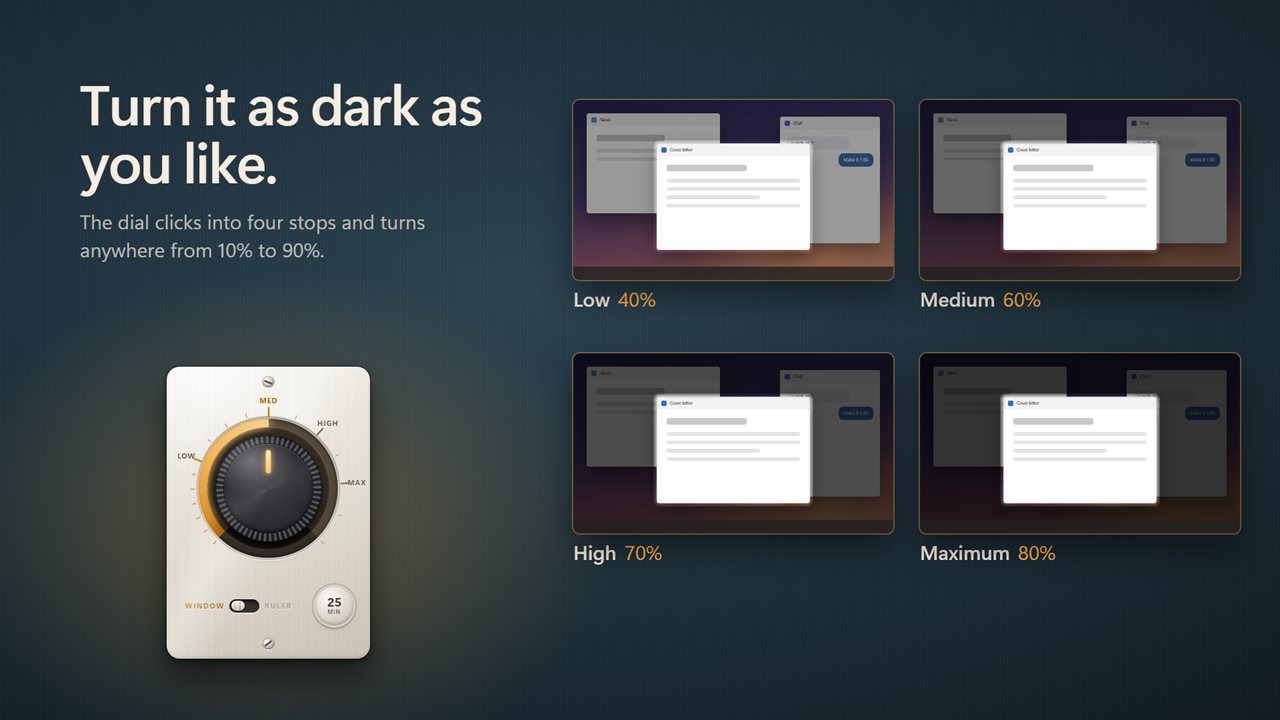
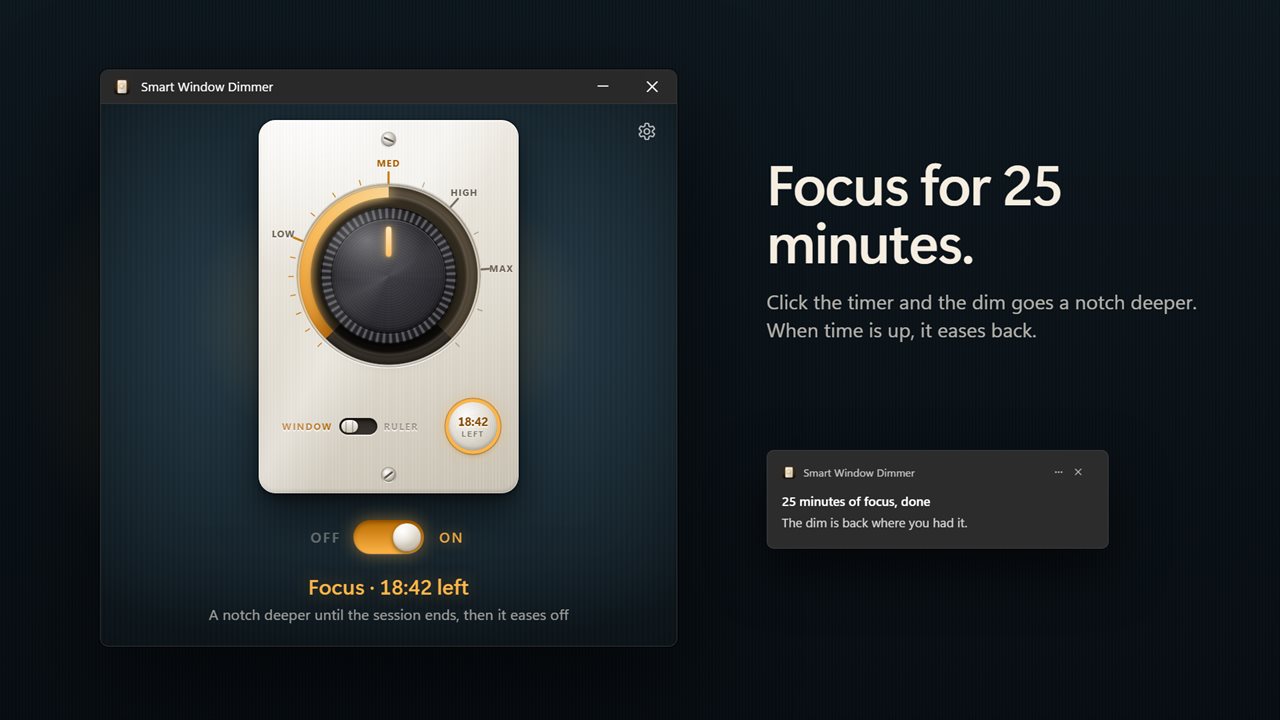
The dimmer works like the one on your wall. Click the dial to turn it on or off, and turn it to set how dark. It clicks into Low, Medium, High and Maximum, and stops anywhere from 10% to 90% in between.
A ruler for reading
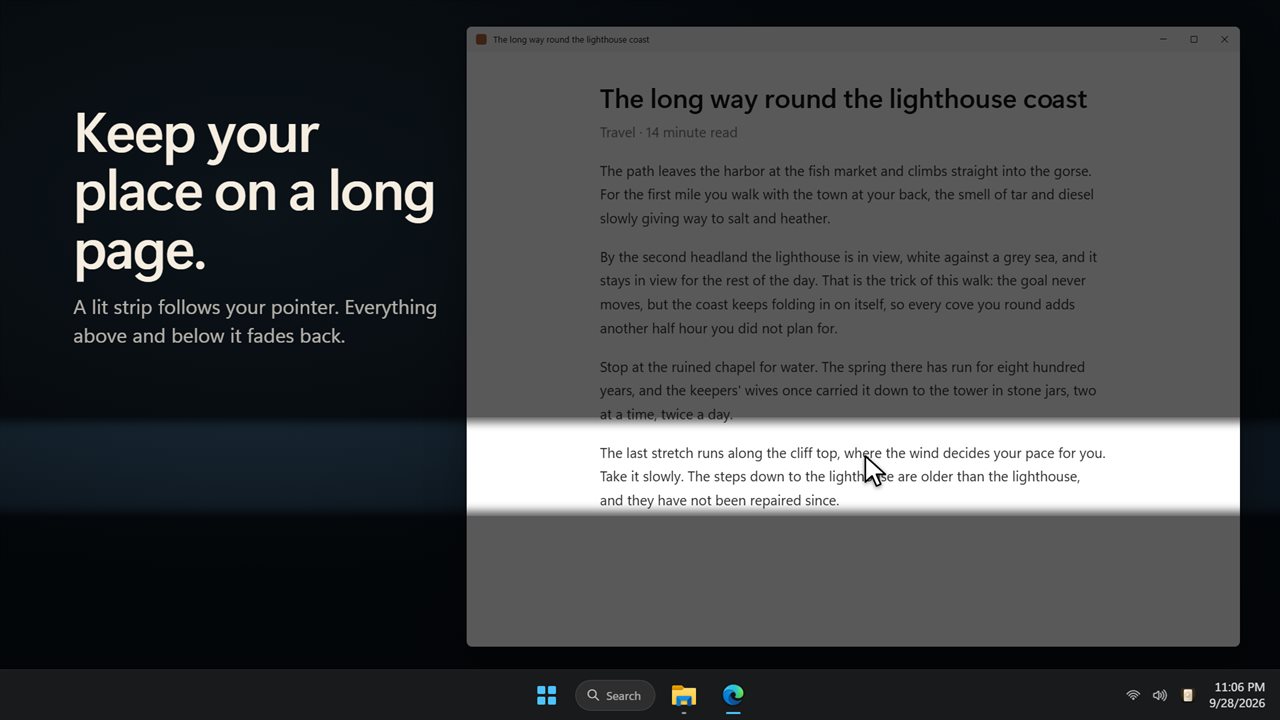
Switch the dial to Ruler and a lit strip follows your pointer down the page. Everything above and below it fades back, so you keep your place in a long article, a contract or a spreadsheet. Set the strip from 40 to 240 pixels tall.
Focus sessions
Start a focus session of 15, 25, 45, 60 or 90 minutes. The dim goes a notch deeper while it runs, and the timer on the dimmer counts down the time left. When it ends you get a notification, and the dim eases back to where you had it.
Rules for your apps
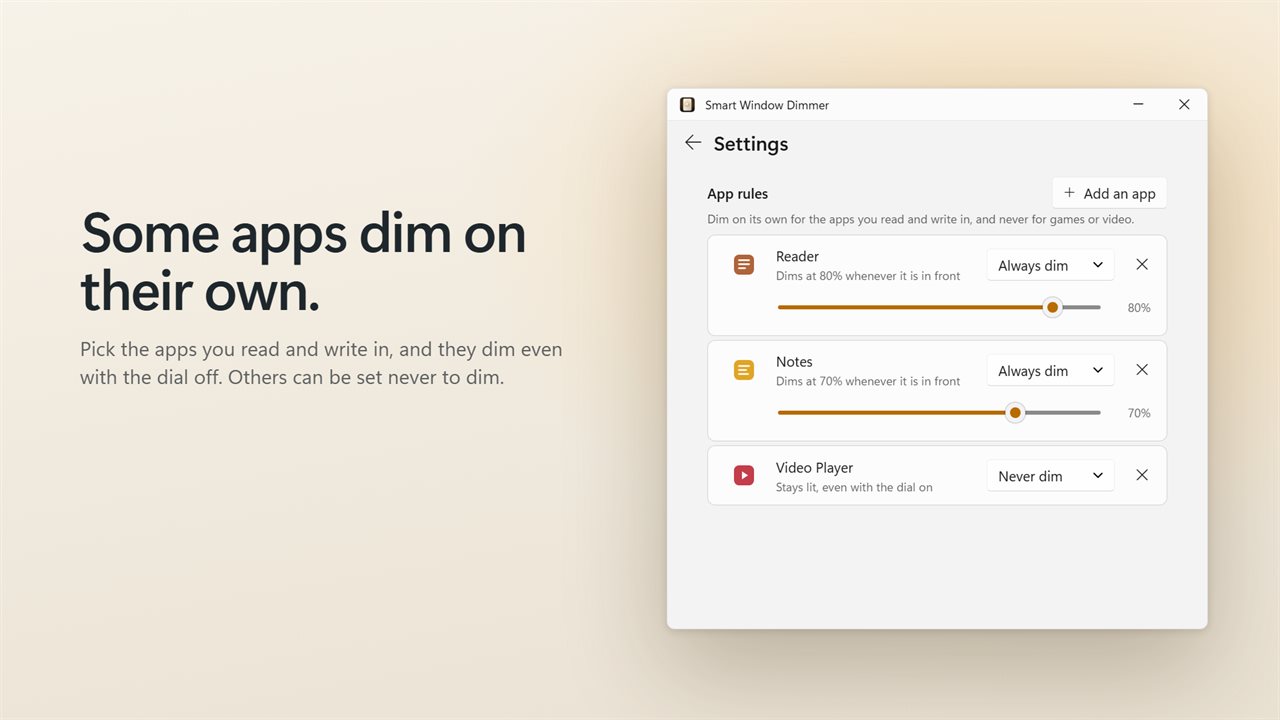
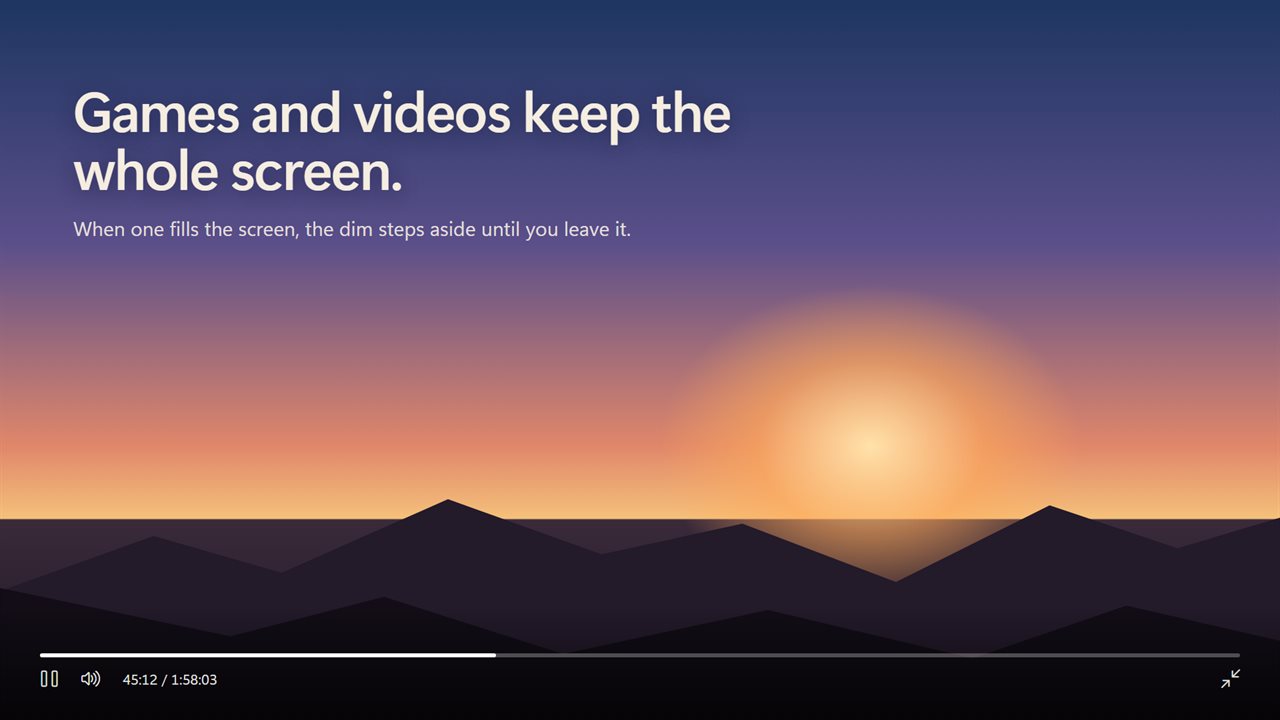
Pick the apps you read and write in and they dim on their own, each at its own level, even while the dial is off. Set others never to dim. Full-screen games, videos and slideshows are always left at full brightness, unless you turn that off.
Always within reach
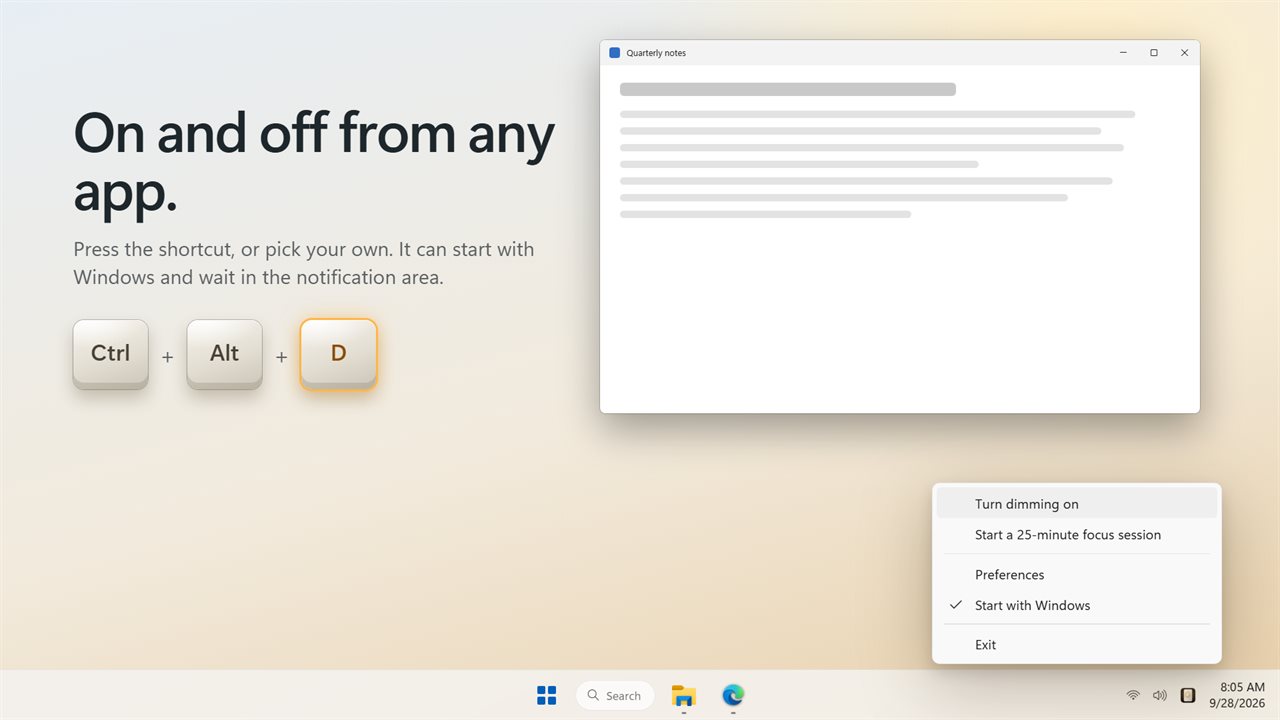
Press Ctrl+Alt+D in any app to turn dimming on or off, or pick your own shortcut. It can start with Windows, dim straight away and wait in the notification area. Click the icon there to turn it on or off.
Soft edges let the light spill a little past each window's rounded corners. The settings come in light and dark, or match Windows. Upgrading from the earlier version? Your dimming level carries over.
Features
- Dims everything on screen except the window you are using, on every monitor
- Switch to another window and the light follows it
- Turn the dial to set how dark: Low, Medium, High and Maximum, or anywhere from 10% to 90%
- Click the dial or flip the switch to turn dimming on and off
- Reading ruler: a lit strip follows your pointer down the page, and everything above and below it fades back
- Set the ruler's height from 40 to 240 pixels
- Focus sessions of 15, 25, 45, 60 or 90 minutes go a notch deeper, then ease off when the time is up
- App rules: dim an app on its own, even with the dial off, each at its own level
- Or set an app never to dim
- Full-screen games, videos and slideshows are left at full brightness
- Soft edges let the light spill a little past the window's rounded corners
- Turn dimming on and off from any app with Ctrl+Alt+D, or pick your own shortcut
- Starts with Windows and waits in the notification area. Click the icon to turn dimming on or off
- Your dimming level from the earlier version carries over
- Light and dark settings, or match Windows
Details
- Works on
- Windows 10 (1809 or later) and Windows 11
- Download
- About 3.2 MB
- Version
- 2.0.4, updated October 2026
- First released
- January 2023
- Price
- $2.99 once. No subscription.
- Category
- Productivity
What's new in 2.0.4
- New: a dimmer dial. Click it to turn dimming on or off, and turn it to set how dark
- New: Ruler mode lights a strip that follows your pointer, for reading long pages
- New: focus sessions go a notch deeper, then ease off when the time is up
- New: app rules. Dim an app on its own, or never dim it
- New: full-screen games and videos are left alone
- New: soft edges, and a shortcut that works from any app
- It can now start with Windows and dim straight away
- Your dimming level carries over
Questions
Anything else? Ask us
Which versions of Windows does it run on?
Windows 10 (version 1809 or later) and Windows 11.
Is it a subscription?
No. Smart Window Dimmer is a one-time purchase of $2.99, and updates are included.
How do I get it?
EvlarSoft apps are moving to direct downloads from this site. Ask to be notified and we will email you as soon as Smart Window Dimmer is ready to download.
More from EvlarSoft
 Quick Resolution SwitcherChanging screen resolution in Windows means opening Settings, finding Display, scrolling to the drop-down and confirming a dialog.
 Desktop Icon HiderA clean desktop in one press.
 Night Vision Color FilterYour eyes take twenty minutes to adapt to the dark and one bright screen to lose it.