Key Press Visualizer
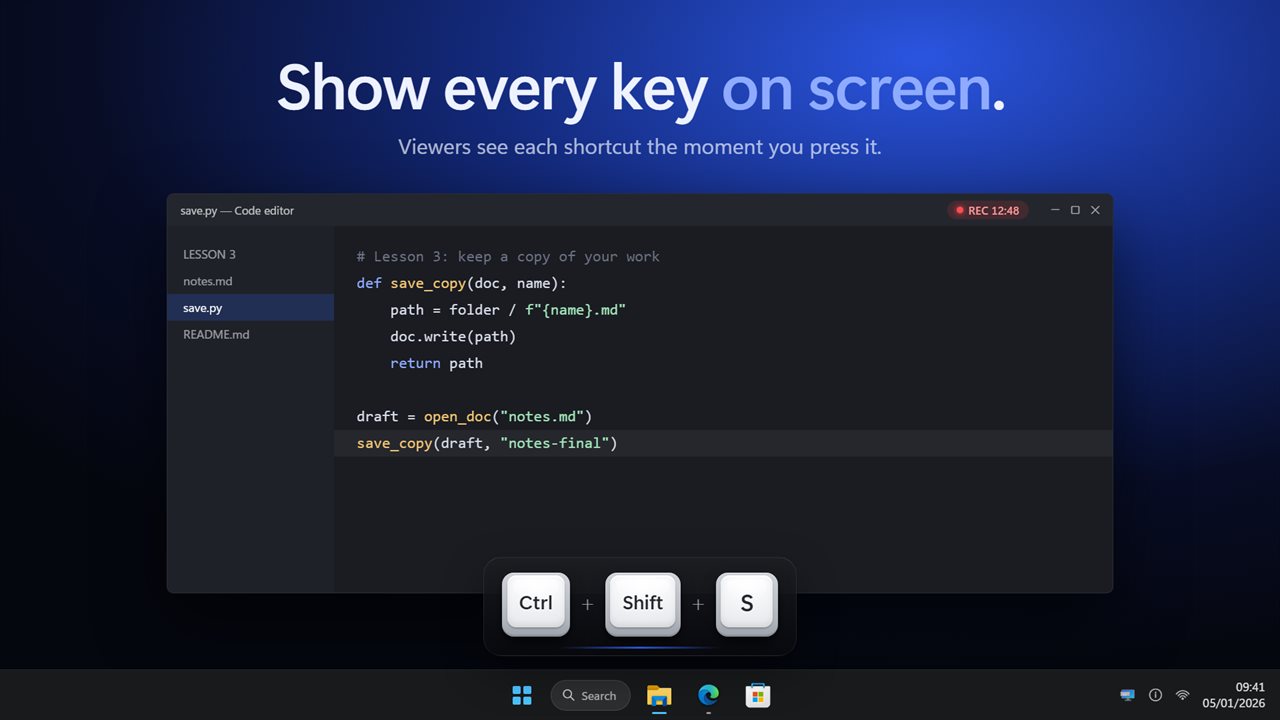
Show every key you press on screen, for screen recordings, tutorials, live streams and presentations. Your shortcuts appear as clean keycaps, like Ctrl + Shift + S, so viewers can follow along. Show only shortcuts and never your typing, add mouse clicks, and pick a preset for screencasts, streaming or presenting.
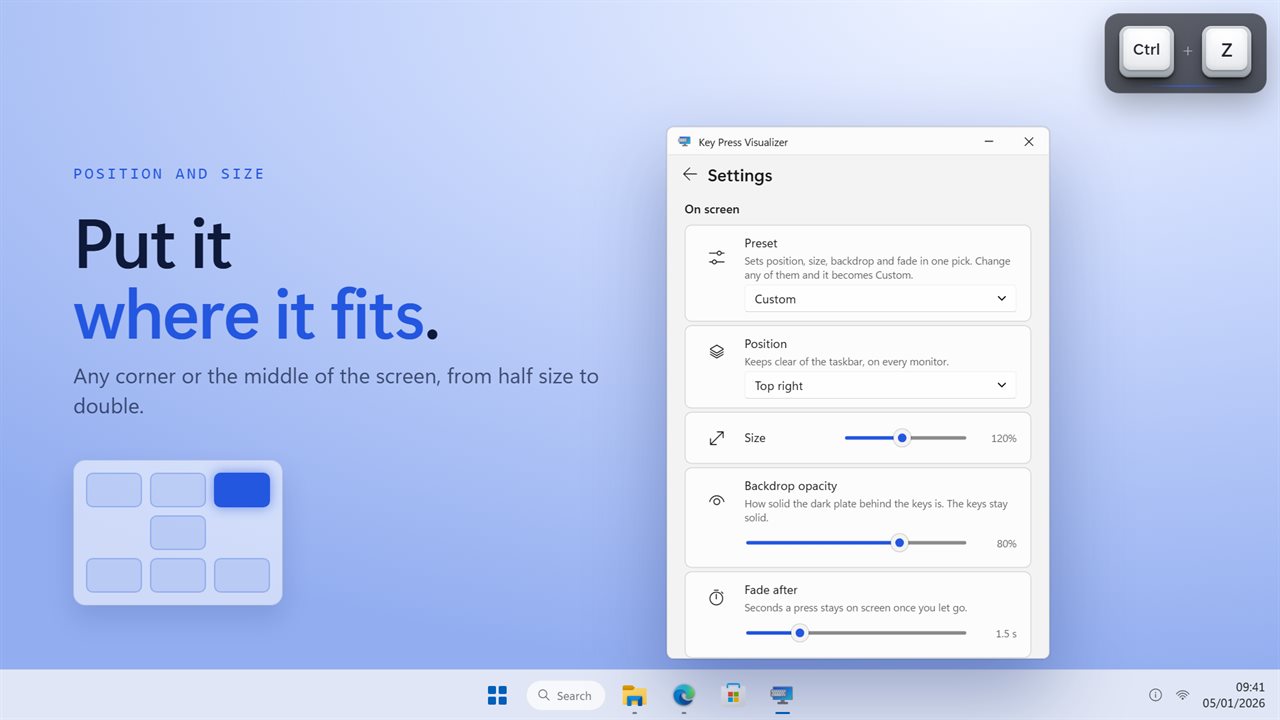
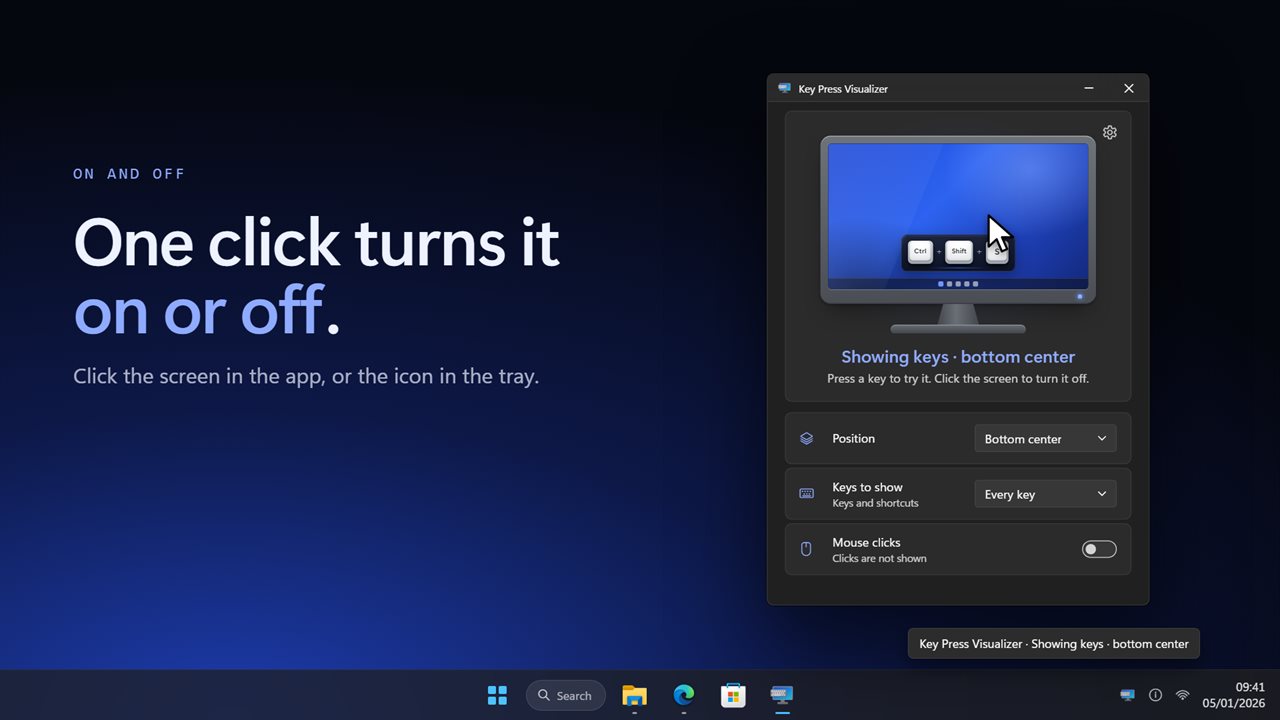
Every key you press, on screen, over whatever you are showing.
See it in action
About Key Press Visualizer
When you show someone how to do something on a PC, the shortcuts are the part they miss. Key Press Visualizer puts every key you press on screen, as a row of keycaps, so everyone watching sees exactly what you did.
Made for showing
Record a tutorial, stream a game, teach a class or give a presentation. Press Ctrl + Shift + S and it appears at the bottom of the screen, then fades away. Modifiers always read in the same order, Ctrl, Alt, Shift, Win, so a shortcut looks the way people write it. Press the same key again and a counter shows how many times.
Shortcuts, not your typing
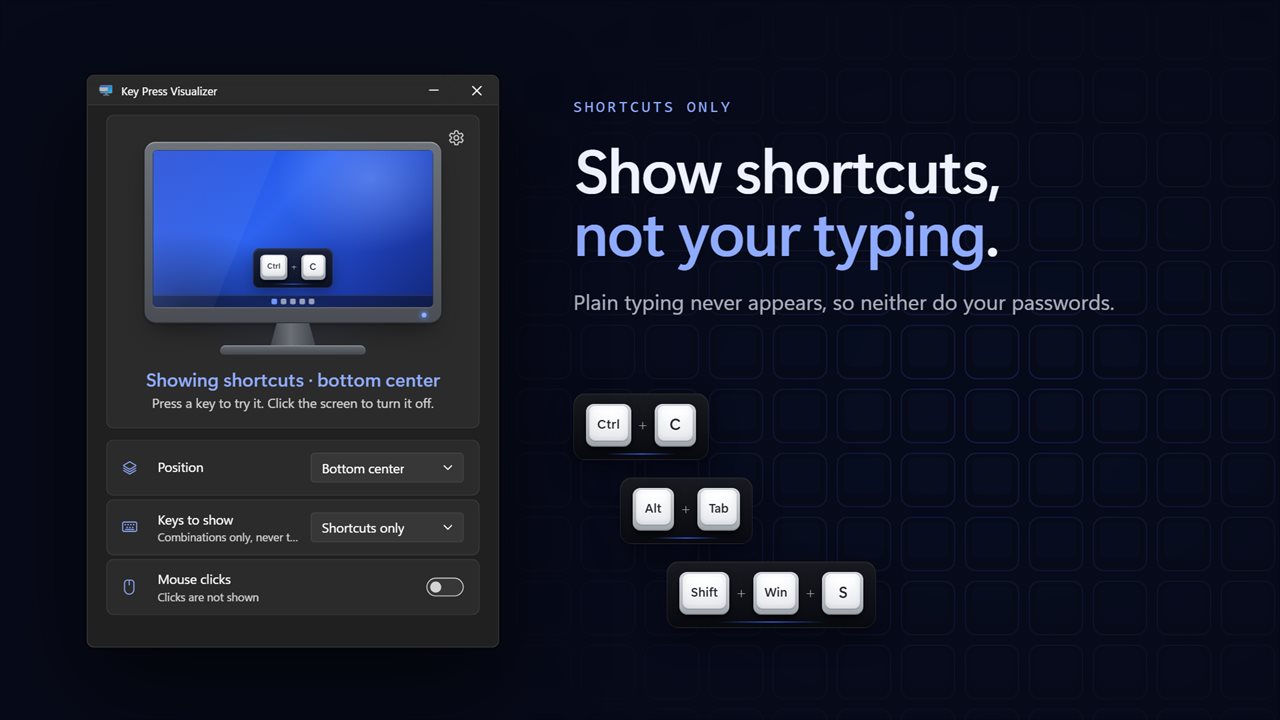
Choose Shortcuts only and the display shows combinations like Ctrl + C, Alt + Tab and Shift + Tab, and nothing else. Plain typing never appears, so neither do your passwords.
Clicks too
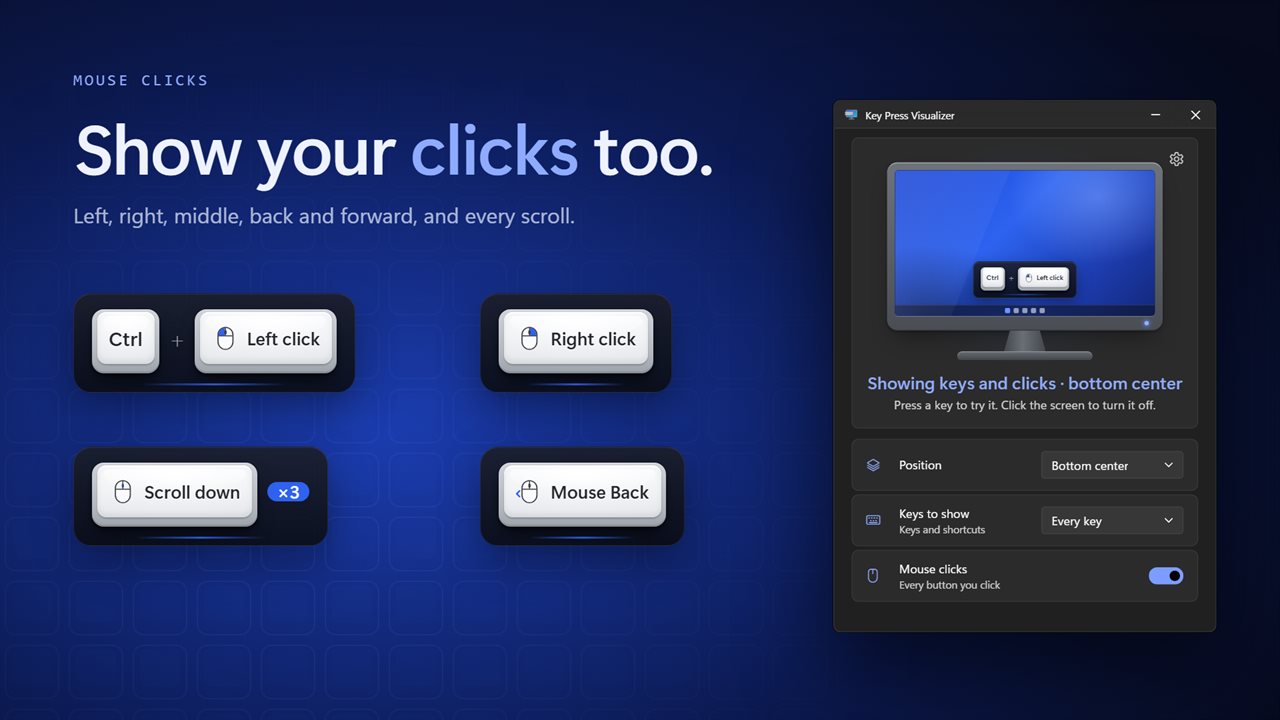
Turn on mouse clicks to show left, right, middle, back and forward clicks, joined to any key you hold, like Ctrl + Left click. Turn on the mouse wheel to show each scroll.
A look for every job
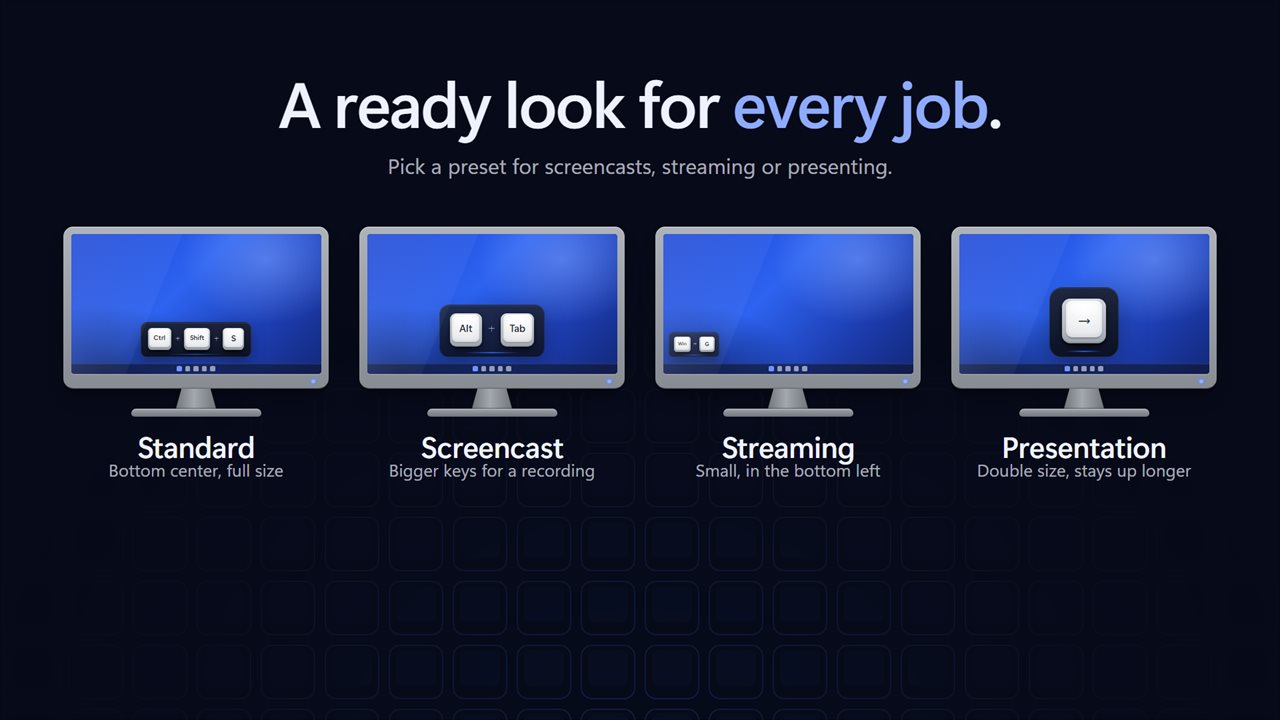
Pick a preset. Standard sits at the bottom center. Screencast makes the keys bigger for a recording. Streaming keeps them small in the bottom left, out of the way of your game. Presentation doubles the size and keeps each press up longer, for the back of the room.
Or set it yourself: any corner, the top or bottom center, or the middle of the screen; a size from half to double; a backdrop from see-through to solid; and how long a press stays on screen, from half a second to five. It shows on every monitor and keeps clear of the taskbar.
Out of the way
The app waits in the tray. Click the screen in the app, or the tray icon, to turn the display on or off, and it can start with Windows. Light and dark themes, or match Windows.
Everything happens on this PC. Nothing you type is saved or sent anywhere, and it works with no connection. Windows keeps the sign-in and admin prompt screens private from every app, so presses made there are not shown.
Features
- Shows every key and shortcut you press on screen as a row of keycaps, over any app
- Shortcuts read the usual way round, like Ctrl + Shift + S, whatever order you pressed them in
- Shortcuts only mode shows combinations like Ctrl + C and Alt + Tab, and never your typing, so passwords never appear
- Shows mouse clicks too: left, right, middle, back and forward, joined to any key you hold, like Ctrl + Left click
- Shows the mouse wheel as a scroll up, down, left or right
- Press the same thing again and a counter shows how many times, like Scroll down ×3
- Four presets: Standard, Screencast, Streaming and Presentation
- Seven positions: any corner, top or bottom center, or the middle of the screen
- Size from half to double, a backdrop from see-through to solid, and a fade from half a second to five
- Shows on every monitor and keeps clear of the taskbar
- Click the screen in the app, or the tray icon, to turn it on or off
- Waits in the tray and can start with Windows
- Light and dark themes, or match Windows
- Works offline. Nothing you type is saved or sent anywhere
Details
- Works on
- Windows 10 (1809 or later) and Windows 11
- Download
- About 2.7 MB
- Version
- 2.0.3, updated October 2026
- First released
- March 2023
- Price
- $2.99 once. No subscription.
- Category
- Utilities & tools
What's new in 2.0.3
- New: your keys appear as keycaps on screen, instead of notifications
- New: Shortcuts only mode, which never shows your typing
- New: show mouse clicks and the mouse wheel
- New: Standard, Screencast, Streaming and Presentation presets
- New: choose the position, size, backdrop and how long each press stays
- New: shows on every monitor and keeps clear of the taskbar
- New: dark theme
Questions
Anything else? Ask us
Which versions of Windows does it run on?
Windows 10 (version 1809 or later) and Windows 11.
Is it a subscription?
No. Key Press Visualizer is a one-time purchase of $2.99, and updates are included.
How do I get it?
EvlarSoft apps are moving to direct downloads from this site. Ask to be notified and we will email you as soon as Key Press Visualizer is ready to download.
More from EvlarSoft
 Mouse and Key Press CounterMouse and Key Press Counter records how much you type and click, and — unlike counters that only ever show a running total — remembers which day you did it on.
 Key DisablerSwitch off the keys you keep hitting by mistake.
 MechanicalKeysGive any keyboard the sound of a mechanical one.