Keyboard Soundboard
Put a soundboard on your keyboard. Keyboard Soundboard plays your own sound files when you press a key, from any program: an air horn on F9 in a game, applause on Ctrl+1 on a call, a rimshot on Alt+R for a stream. Drop sounds onto a 4 by 4 grid of pads, press a key to bind each one, and play them over each other or cut the rest.
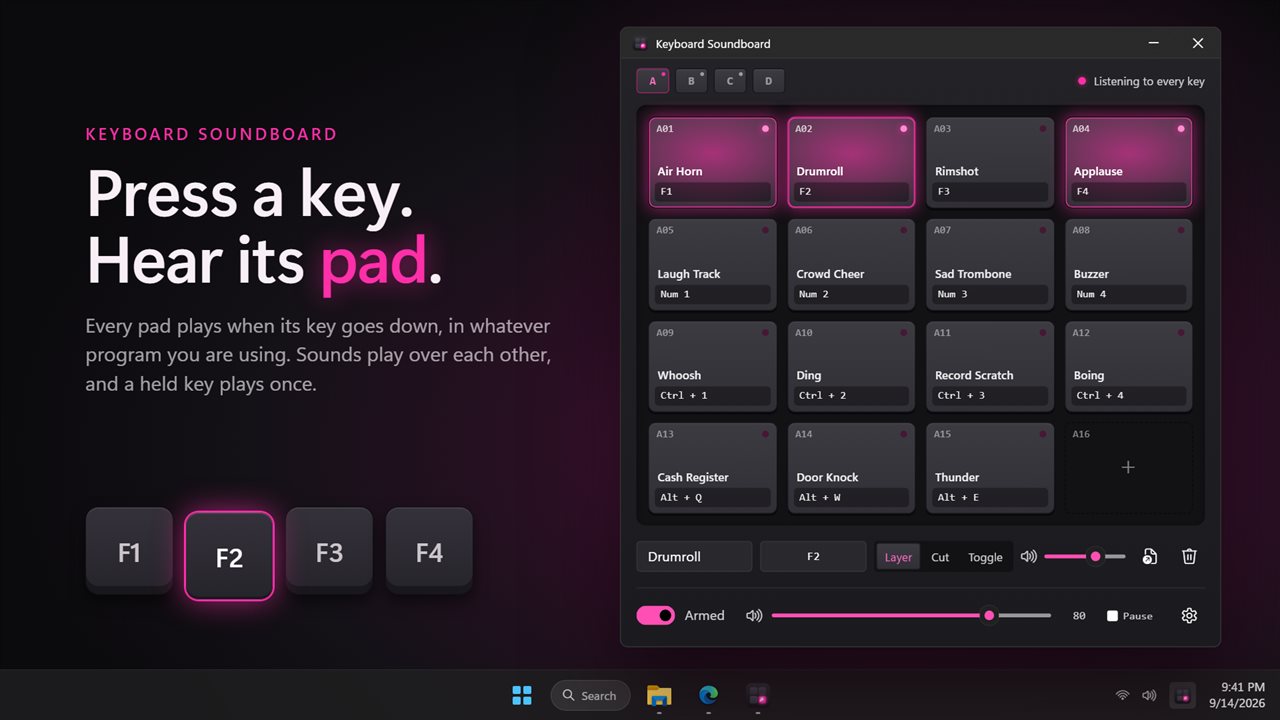
A soundboard on your keyboard: press a key, hear its pad.
See it in action
About Keyboard Soundboard
A soundboard is only fast if your hands never leave the keyboard.
Keyboard Soundboard turns keys into pads. Press one and its sound plays, whatever program you are in.
Pads, not a list
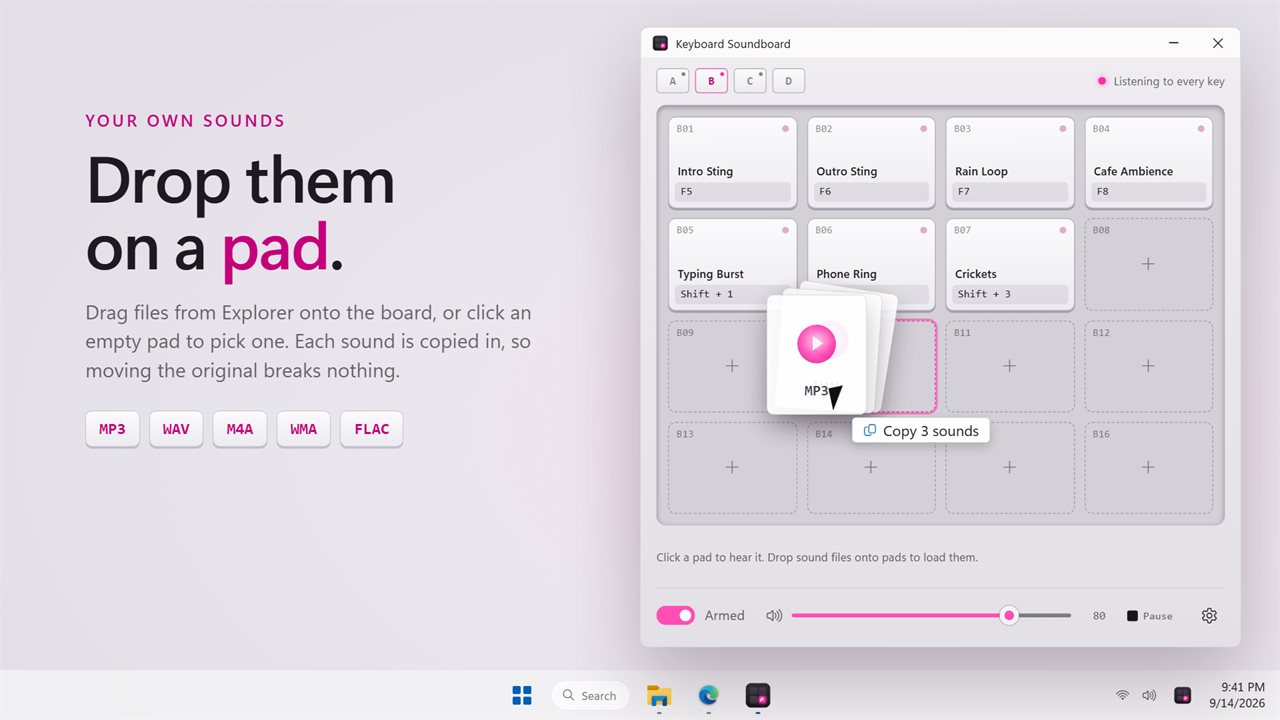
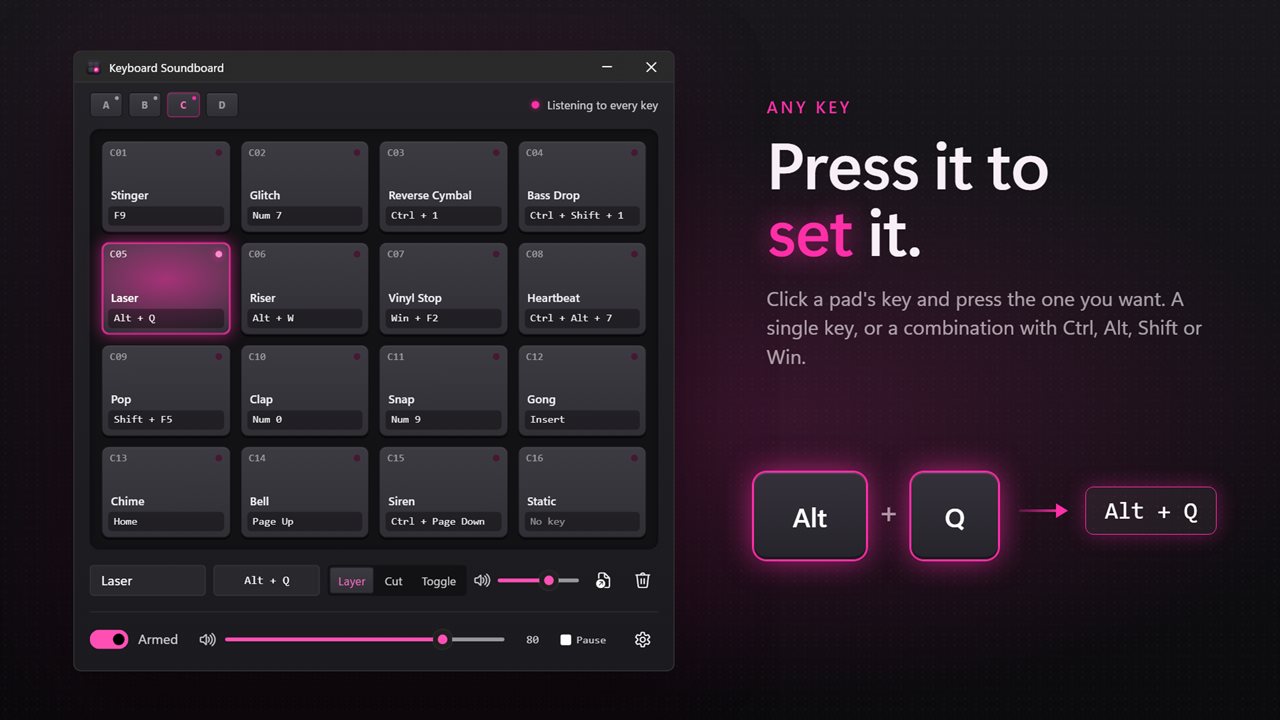
The window is a sampler: four banks of sixteen pads. Drop a sound file onto a pad to load it, click the pad to hear it, and click the key label under it to choose the key that plays it. Press a single key, or a combination with Ctrl, Alt, Shift or Win.
MP3, WAV, M4A, WMA and FLAC all load. Keyboard Soundboard keeps its own copy of every sound, so tidying your downloads folder does not leave a pad silent.
Play them the way you mean
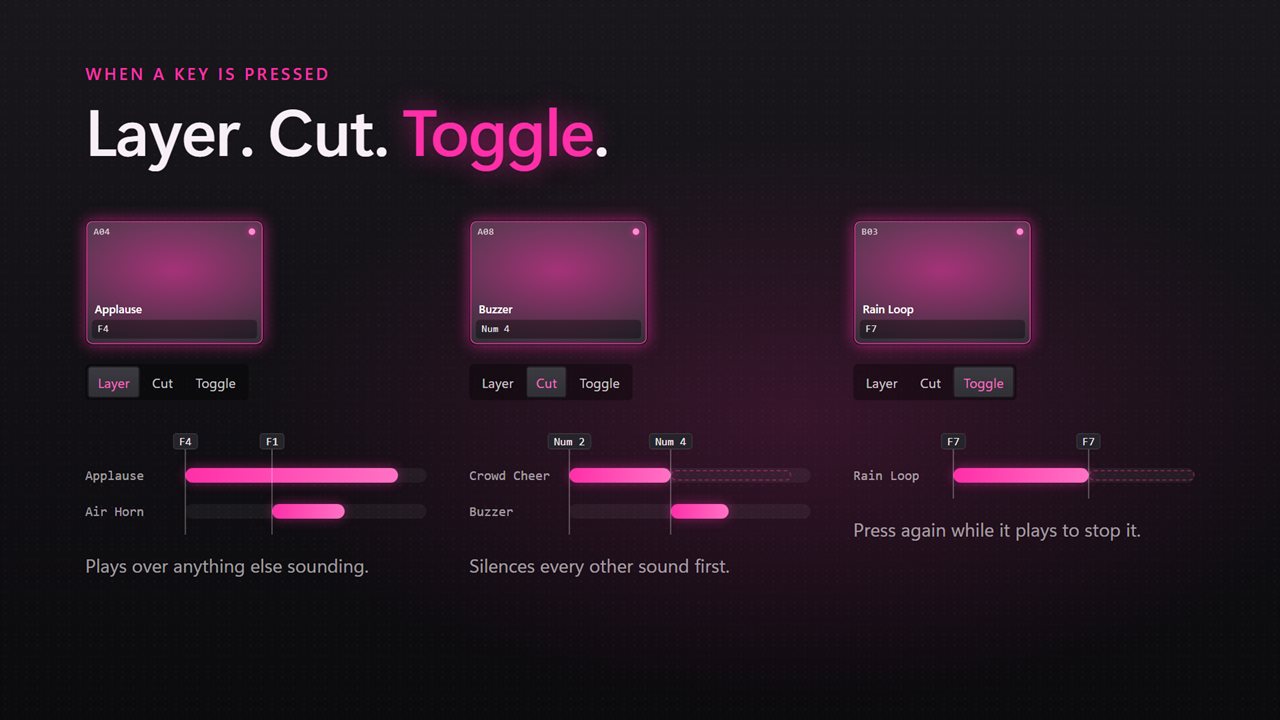
Every pad can layer over whatever else is sounding, cut every other sound first, or toggle, so a second press stops a long track. Give each pad its own level, and set the board's master level from the bottom of the window.
Holding a key plays its sound once. It does not stutter while the key repeats.
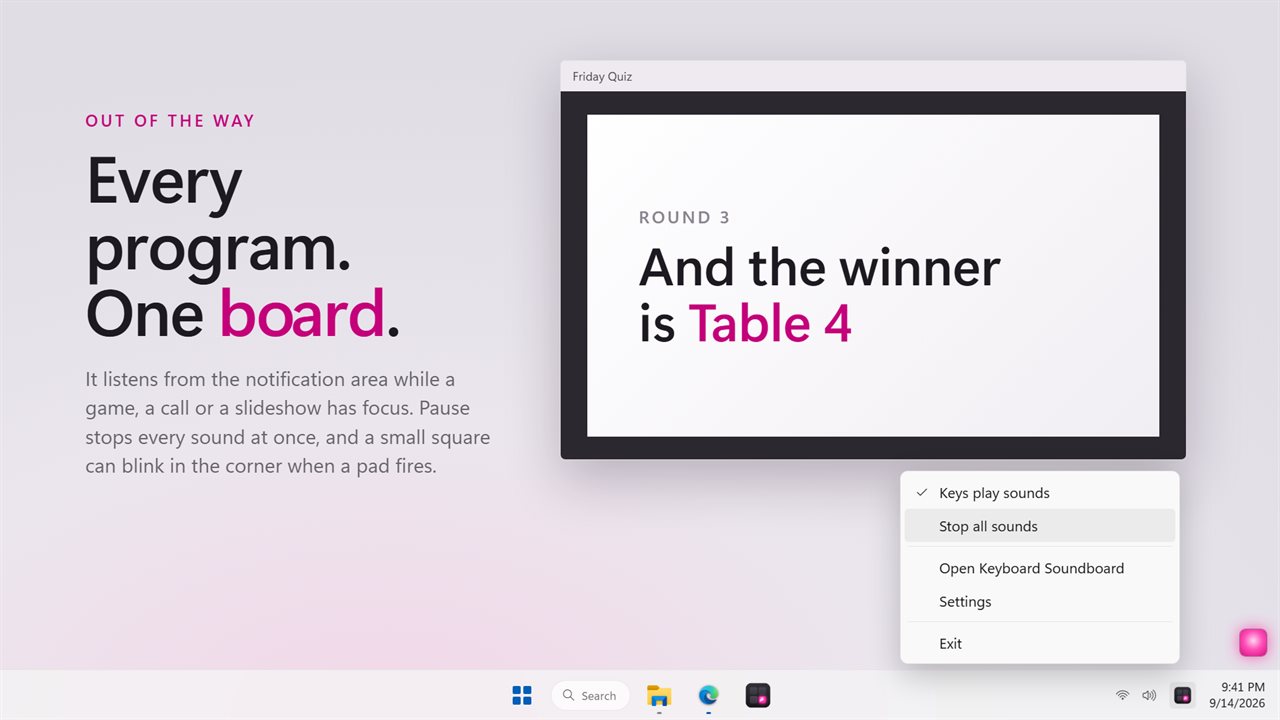
One key stops everything at once. Pause does it to begin with, and you can pick another.
In the background
Close the window and the keys keep working from the notification area. Pause the board from there when you need your keys back. It can start with Windows, and an optional pink flash in the corner of the screen shows each key that plays a pad.
Everything happens on this PC. No account is needed, nothing is uploaded unless you turn on backup, and it works with no connection at all.
Features
- 64 pads across four banks, each playing a sound when you press its key
- Any key or combination with Ctrl, Alt, Shift or Win, set by pressing it
- Works in every program, including while a game or call has focus
- Loads MP3, WAV, M4A, WMA and FLAC files
- Drop sound files straight onto the pads
- Sounds play over each other, cut the rest, or stop on a second press
- A level for every pad, and a master level for the board
- Holding a key down plays its sound once, not over and over
- One key to stop every sound at once
- Keeps its own copy of each sound, so moving the original breaks nothing
- Lives in the notification area and starts with Windows if you like
- Follows the Windows light and dark themes
- Works offline. No account needed, and nothing is uploaded unless you turn on backup
Details
- Works on
- Windows 10 (1809 or later) and Windows 11
- Download
- About 2.9 MB
- Version
- 2.0.4, updated October 2026
- First released
- September 2023
- Price
- $2.99 once. No subscription.
- Category
- Entertainment
What's new in 2.0.4
- Fixed: pressing a key stopped every other sound. Sounds now play over each other, or cut the rest if you choose
- Fixed: combinations with Alt never played
- Fixed: holding a key replayed its sound over and over
- Fixed: moving or deleting a sound file broke its key. Each pad now keeps its own copy
- New: a grid of 64 pads in four banks, with drag and drop
- New: combinations with Ctrl, Alt, Shift and Win
- New: a level for every pad, a master level, and a key that stops everything
- New: M4A, WMA and FLAC files
- New: the on and off switch is remembered, and the app can start with Windows
- Your existing keys and sounds are carried over
Questions
Anything else? Ask us
Which versions of Windows does it run on?
Windows 10 (version 1809 or later) and Windows 11.
Is it a subscription?
No. Keyboard Soundboard is a one-time purchase of $2.99, and updates are included.
How do I get it?
EvlarSoft apps are moving to direct downloads from this site. Ask to be notified and we will email you as soon as Keyboard Soundboard is ready to download.
More from EvlarSoft
 Key Press HolderHolds a key down for you, for as long as you need, or lets go and presses it again on a cycle until you stop it.
 Mouse and Key Press CounterMouse and Key Press Counter records how much you type and click, and — unlike counters that only ever show a running total — remembers which day you did it on.
 Keyboard DisablerLock the whole keyboard so nothing you press does anything — to wipe it clean, or to keep a toddler off it.