Keyboard Press Sound Effects
Hear a typewriter with every key you press. Keyboard Press Sound Effects plays a crisp strike in whatever app you are typing into, from a document to a chat, and keeps up however fast you type. Choose between three typewriters, set the volume, and turn it off with one shortcut when a call starts.
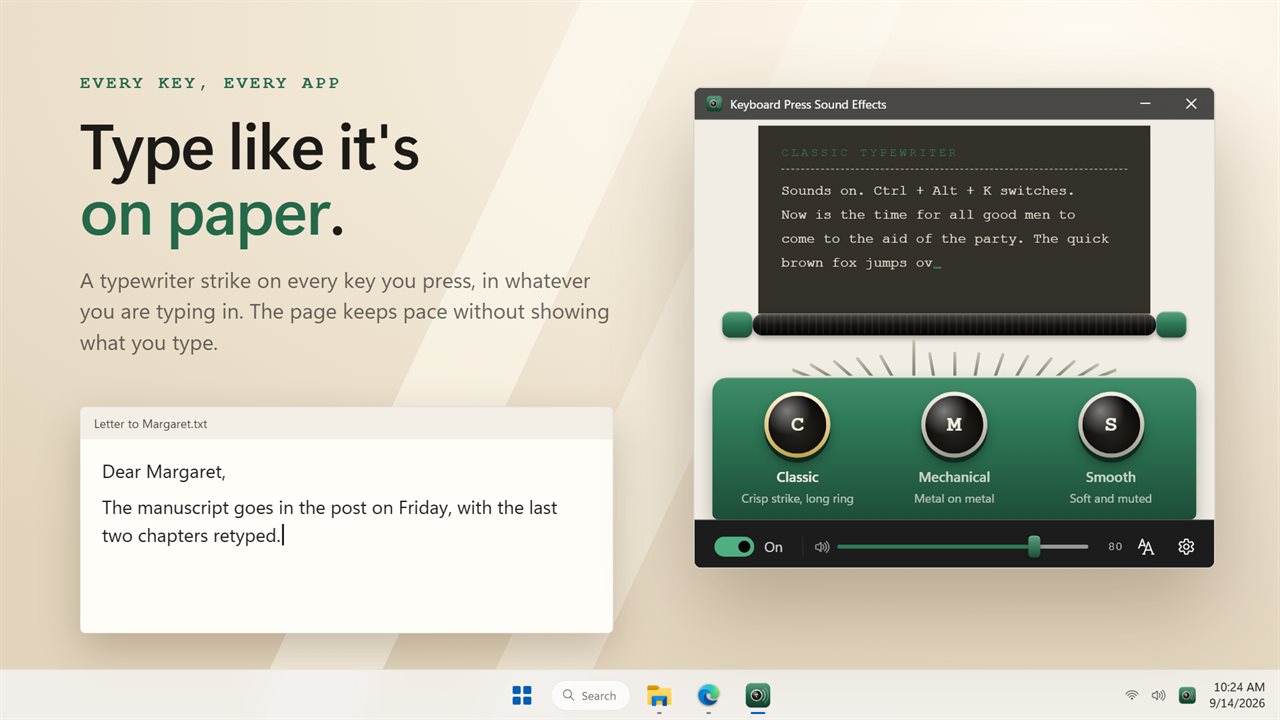
A typewriter strike on every key you press, in every app.
See it in action
About Keyboard Press Sound Effects
Some keyboards are silent, and typing on them can feel like typing into nothing. Keyboard Press Sound Effects gives every key a typewriter strike, in every app at once.
Three typewriters
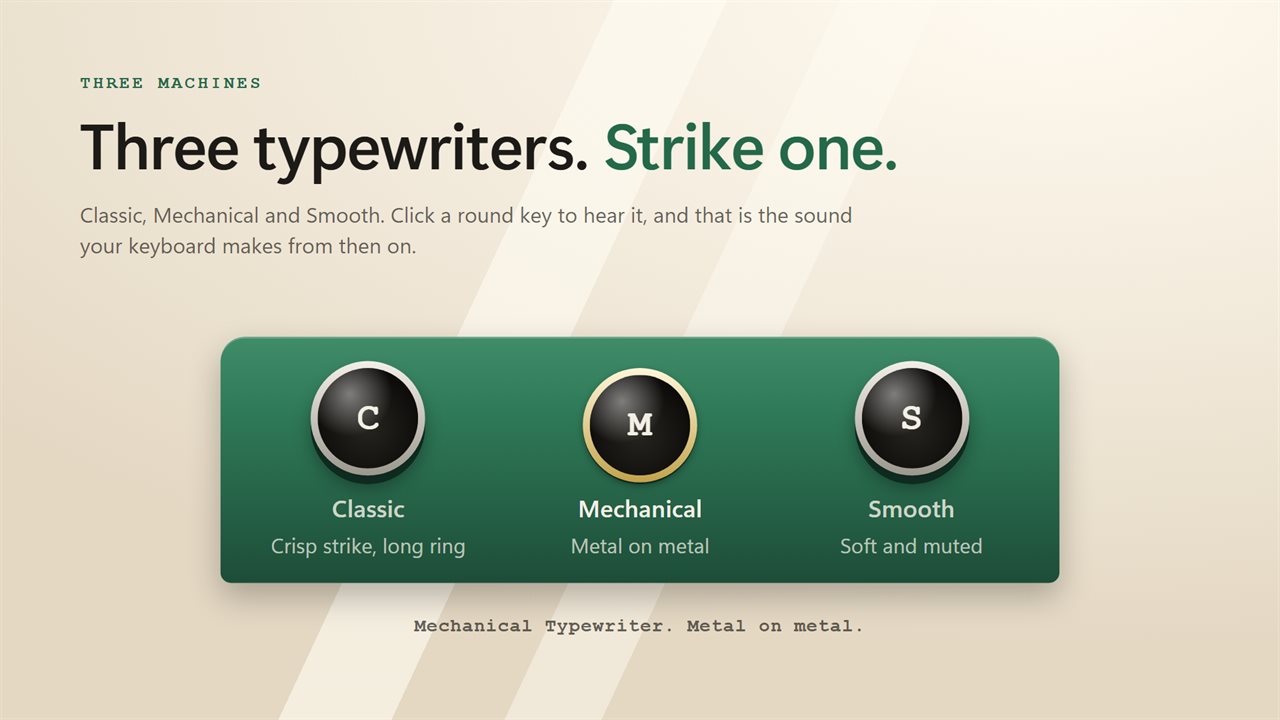
Classic is a crisp strike with a long ring. Mechanical is metal on metal. Smooth is soft and muted, for a quieter room. Strike a key in the window to hear each one before you choose.
Keeps up with you
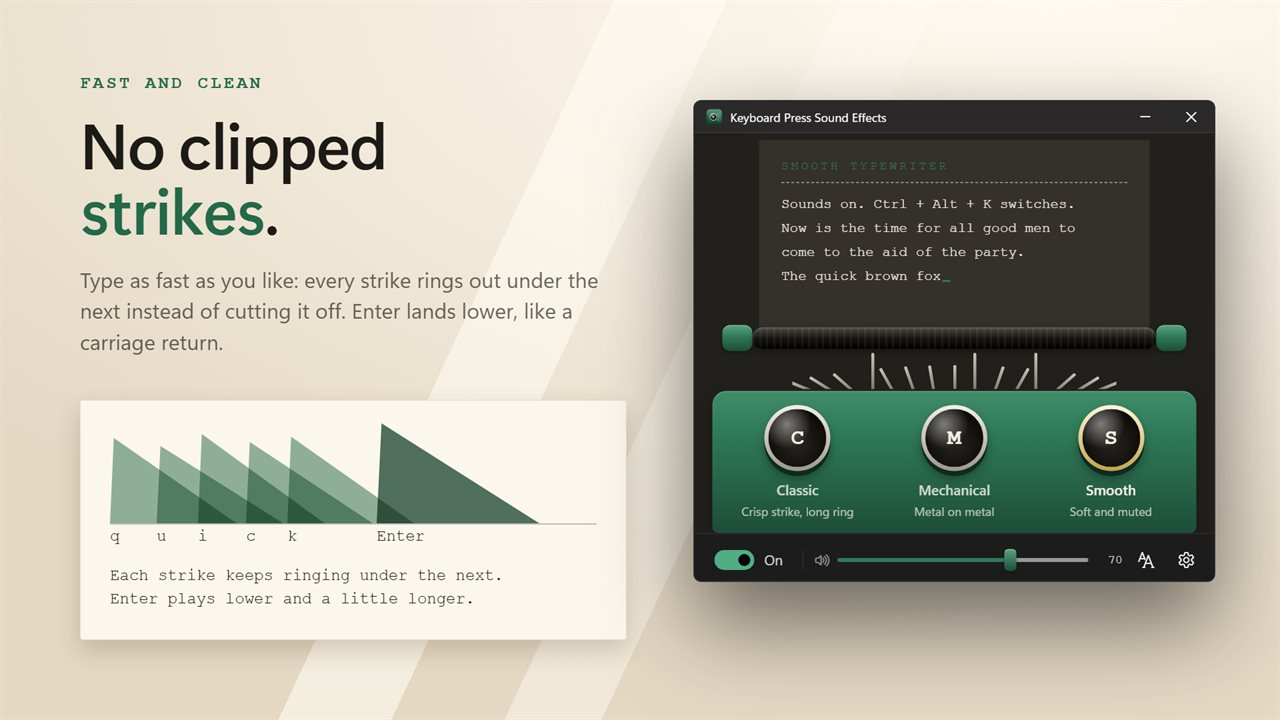
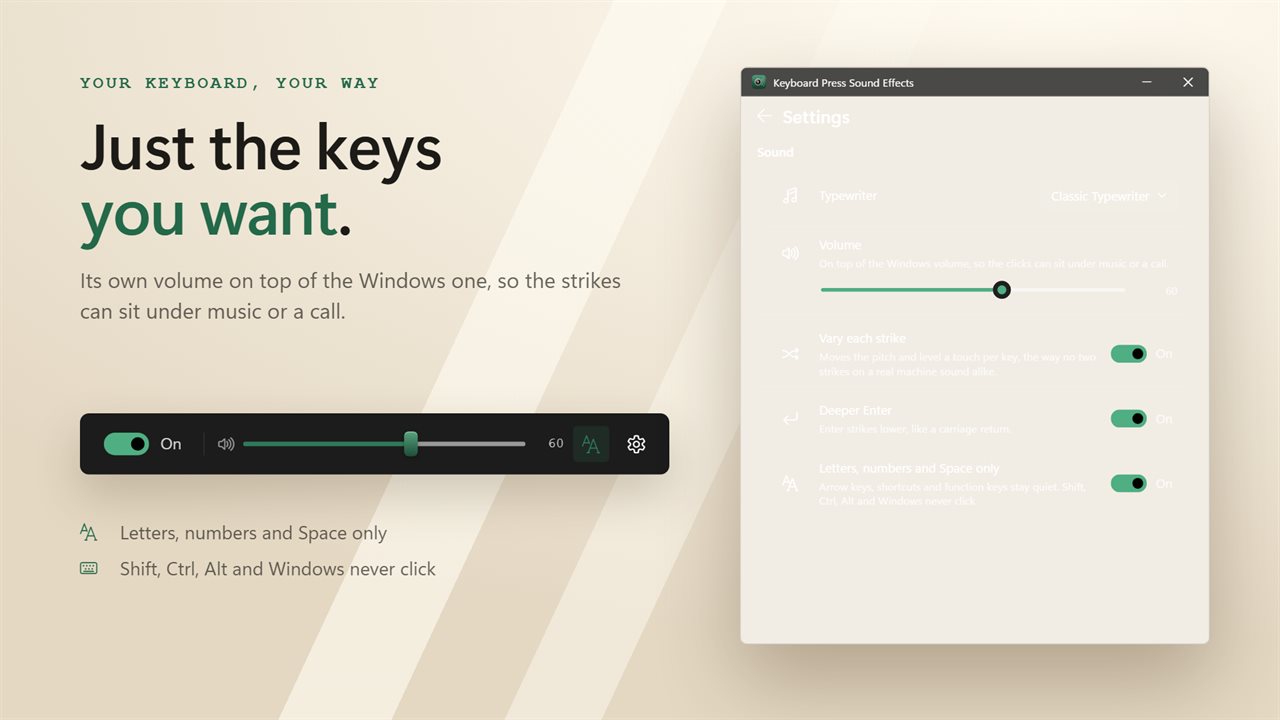
Every press gets its own click, and fast typing overlaps the way a real machine does rather than cutting the last sound short. Each strike varies a touch in pitch and level, so two hundred keys a minute sound like typing, not a recording on repeat. Enter strikes deeper, like a carriage return.
Only the keys you want
Shift, Ctrl, Alt and the Windows key never click, and a key held down clicks once rather than rattling. Switch to letters, numbers and Space only, and arrows, shortcuts and function keys stay quiet too.
On and off in a keystroke
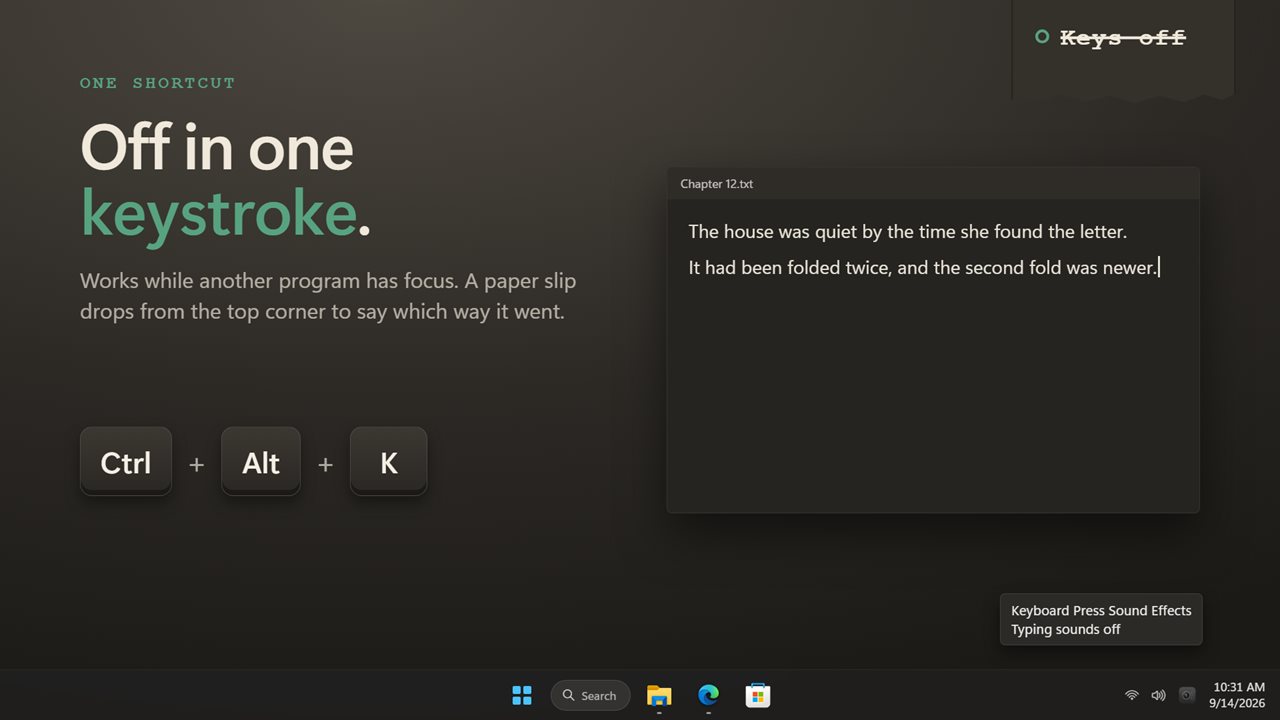
Press Ctrl+Alt+K, or any shortcut you choose, to turn the sounds off before a call and back on after it. A small paper slip drops from the corner of the screen to say which way it went. The notification area icon does the same, with the typewriters a right-click away.
Its own volume
Set the clicks to sit under your music without touching the Windows volume.
Everything happens on this PC. Nothing you type is recorded, no account is needed, and it works with no connection at all.
Note: this app responds to a physical keyboard.
Features
- A typewriter click on every key you press, in every app
- Three typewriters: Classic, Mechanical and Smooth
- Fast typing overlaps cleanly, with no clipped or skipped clicks
- Each strike varies a touch in pitch and level, like a real machine
- Enter strikes deeper, like a carriage return
- Letters, numbers and Space only, if you would rather the other keys stay quiet
- Shift, Ctrl, Alt and the Windows key never click, and a held key clicks once
- Its own volume, on top of the Windows volume
- Turn the sounds on or off with a keyboard shortcut or from the notification area
- Starts with Windows, optionally
- Follows the Windows light and dark themes
- Works offline. No account, and nothing you type is recorded or uploaded
Details
- Works on
- Windows 10 (1809 or later) and Windows 11
- Download
- About 3.2 MB
- Version
- 2.0.4, updated October 2026
- First released
- October 2022
- Price
- $2.99 once. No subscription.
- Category
- Entertainment
What's new in 2.0.4
- Fixed: fast typing no longer clips or skips clicks
- Fixed: the Classic sound started a tenth of a second late
- Starting with Windows now uses the Windows startup setting, and an earlier choice is carried over
- New: turn the sounds on or off, with a shortcut or from the notification area
- New: a volume of its own
- New: each strike varies slightly, and Enter strikes deeper
- New: the number row counts as numbers in letters and numbers only
- Redesigned window that follows the Windows light and dark themes
Questions
Anything else? Ask us
Which versions of Windows does it run on?
Windows 10 (version 1809 or later) and Windows 11.
Is it a subscription?
No. Keyboard Press Sound Effects is a one-time purchase of $2.99, and updates are included.
How do I get it?
EvlarSoft apps are moving to direct downloads from this site. Ask to be notified and we will email you as soon as Keyboard Press Sound Effects is ready to download.
More from EvlarSoft
 Key Press HolderHolds a key down for you, for as long as you need, or lets go and presses it again on a cycle until you stop it.
 Mouse and Key Press CounterMouse and Key Press Counter records how much you type and click, and — unlike counters that only ever show a running total — remembers which day you did it on.
 Keyboard DisablerLock the whole keyboard so nothing you press does anything — to wipe it clean, or to keep a toddler off it.