Keyboard Tester
Press every key and see which ones your keyboard actually sends. Each key lights on a full-size board while it is held and stays marked once it has answered, with a count of how many are left. Left and right Shift, Ctrl and Alt are told apart, and so are numpad Enter and Enter. Hold several keys at once to find where the keyboard stops reporting them, and catch a worn switch that types a letter twice.
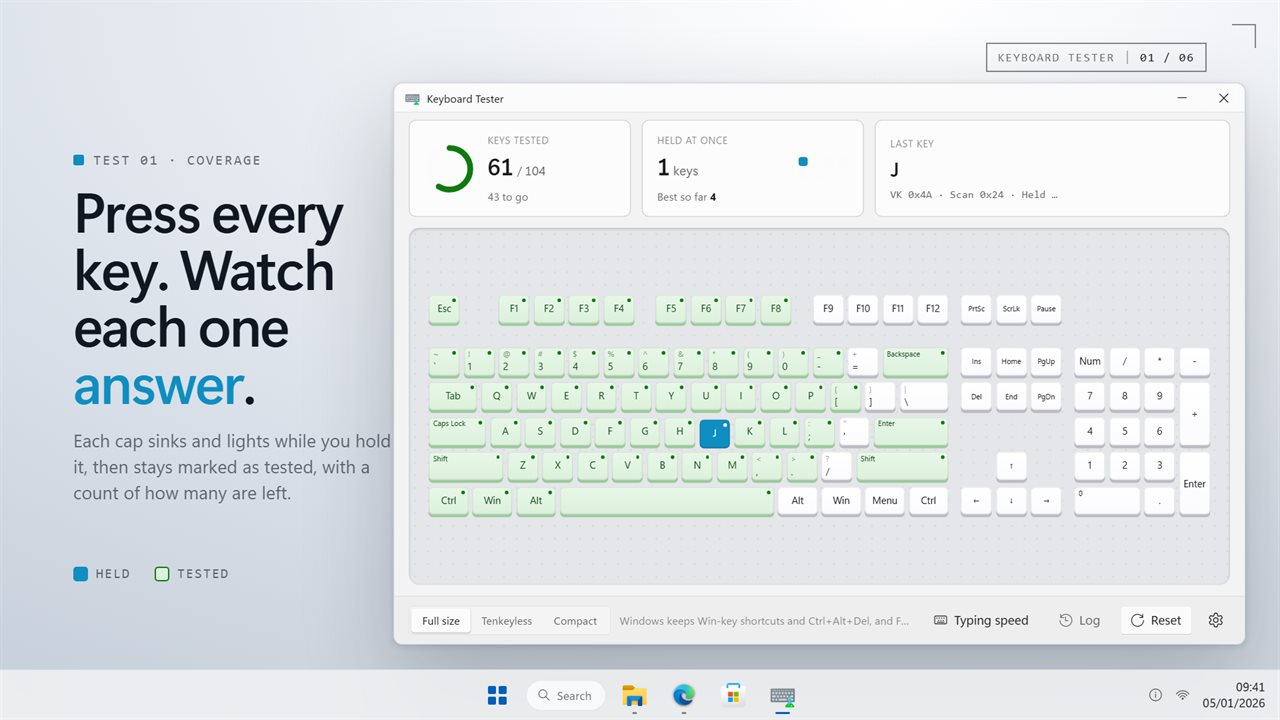
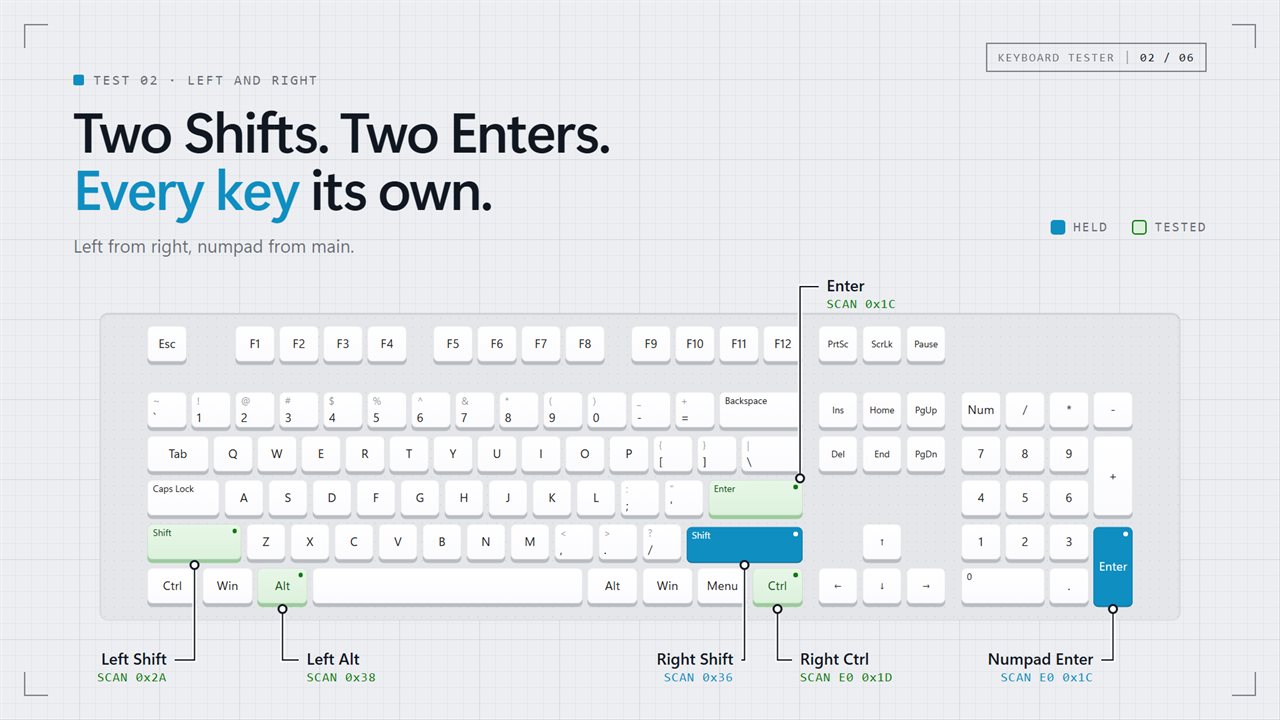
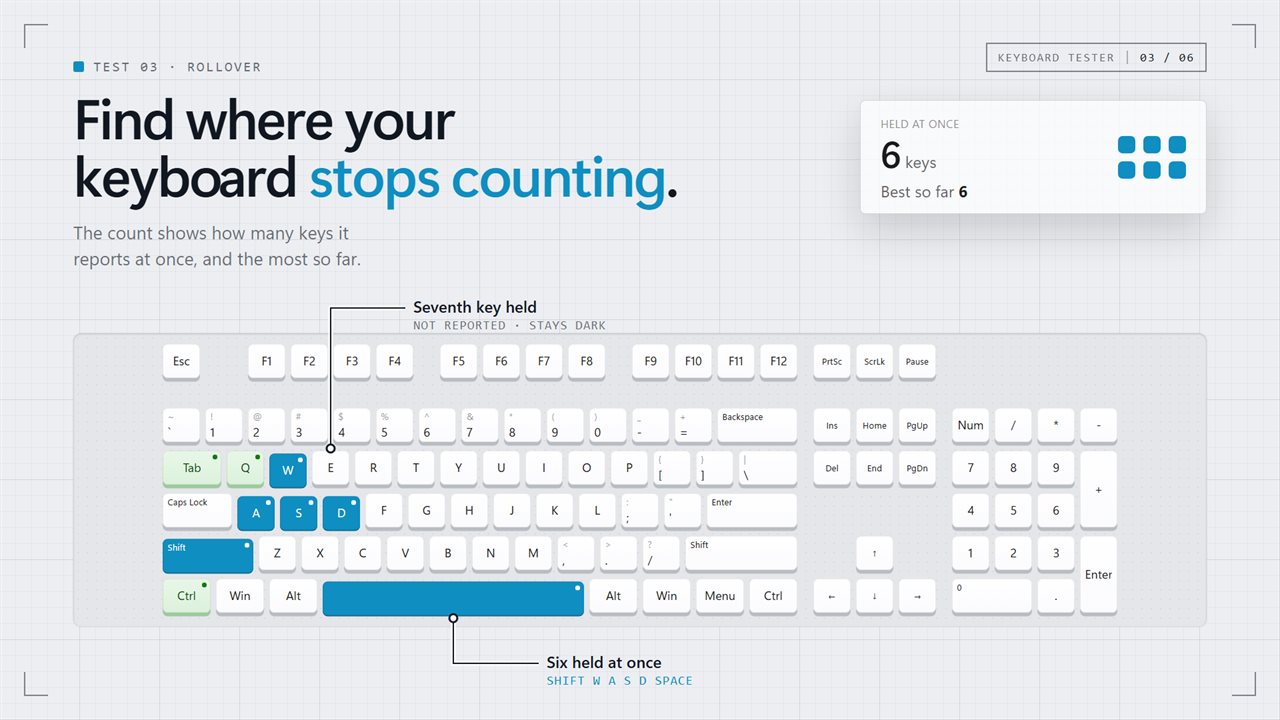
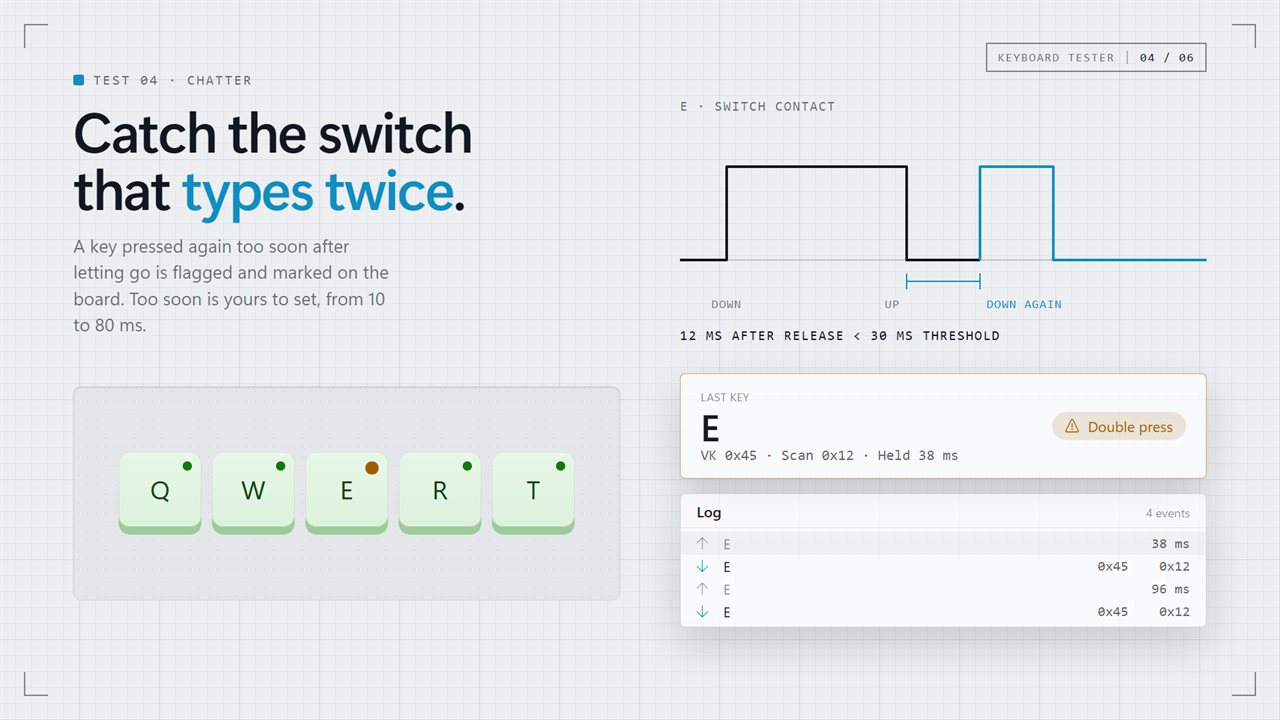
Press every key. Each one lights while held and stays marked once it has answered.
See it in action
About Keyboard Tester
A key that does nothing is easy to spot. A key that works only sometimes, or only on its own, is not — and those are the faults worth testing for.
Press every key
The whole keyboard is drawn on screen. Press a key and its cap sinks and lights while you hold it. Let go, and it stays marked as tested, so you can work round the board without keeping track in your head. A count shows how many are left.
Choose the size that matches yours — full size with the numpad (104 keys), tenkeyless (87) or compact (74) — so the count finishes where your keyboard does. A key that is not on the board is still caught, and counted as an extra.
The keys that share a name
Left and right Shift are different keys, and so are the two Ctrls and the two Alts. Numpad Enter is not the Enter key, and numpad 7 is not Home, even with Num Lock off. Each one lights on its own cap, because the test reads where the key physically is rather than what it types.
Many keys at once
Hold several keys down together. The count shows how many the keyboard is reporting right now, and the most it has managed. When a key stays dark while others are held, that is the keyboard's limit — the reason a combination works in one game and not in another.
A key that types twice
A worn or dirty switch can bounce, so one press arrives as two. Keyboard Tester notices a key pressed again too soon after it was released, and marks it on the board. How soon counts as too soon is yours to set.
The numbers
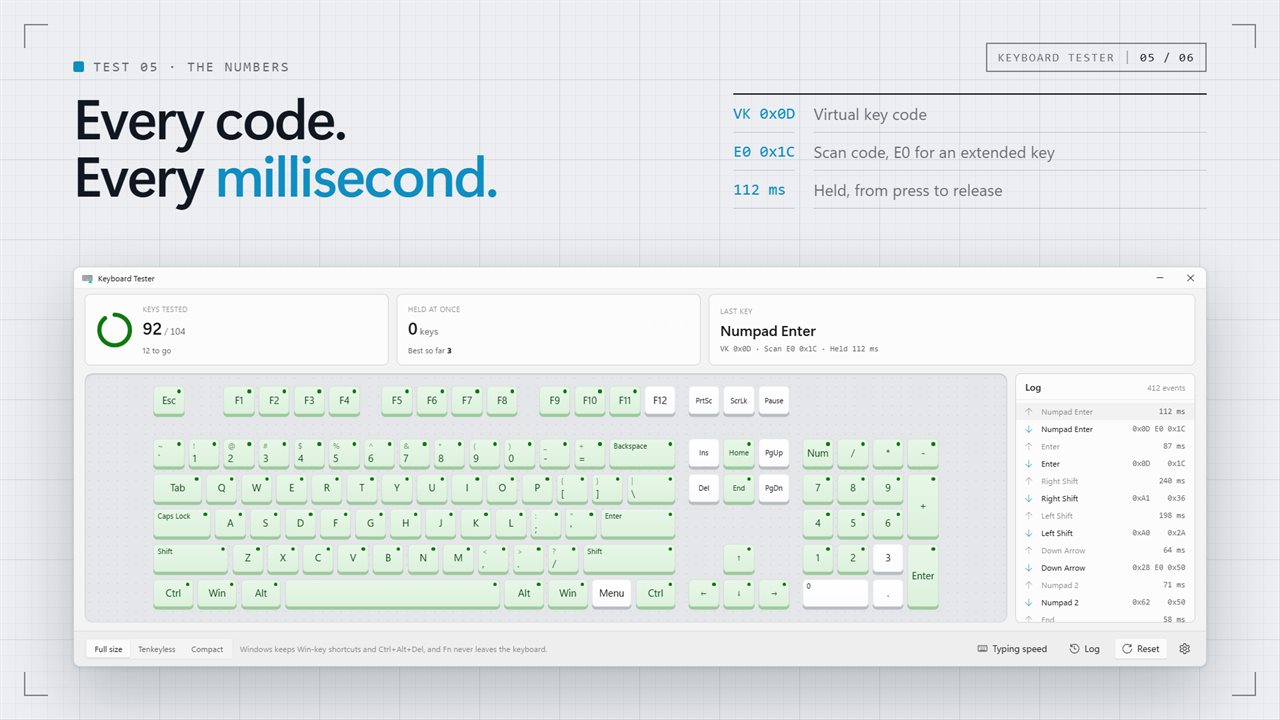
Every press shows its virtual key code, its scan code, and how long it was held to the millisecond. The log keeps every press and release, newest at the top, which is how a key that sticks or releases late shows up.
Nothing happens by accident
Testing Tab does not move focus, F5 does not reload anything, and Backspace does not go back. Only Alt+F4 still closes the window.
A few keys cannot be tested by any app: Windows keeps Win-key shortcuts and Ctrl+Alt+Del for itself, and the Fn key is handled inside the keyboard.
Everything happens on this PC. There is no account, nothing is uploaded, and it works with no connection at all.
Features
- Every key on a full-size keyboard lights while it is held
- Tested keys stay marked, with a running count of how many are left
- Tells left and right Shift, Ctrl and Alt apart
- Tells numpad Enter from Enter, and the numpad from the arrow cluster
- Full size, tenkeyless and compact boards
- A rollover count: how many keys the keyboard reports at once
- Flags a key that registers a second press too soon, the sign of a bouncing switch
- The virtual key code and scan code of every press
- How long each key was held, to the millisecond
- A log of every press and release, newest first
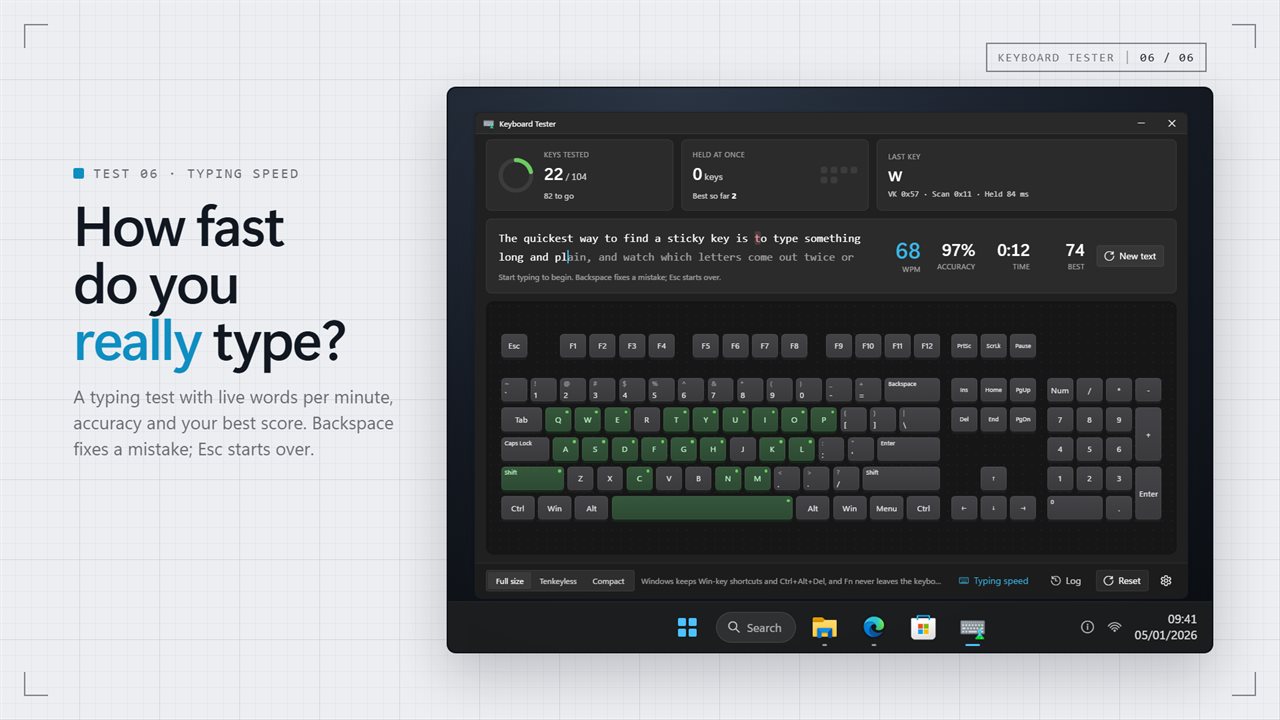
- A typing speed test with live WPM, accuracy and your best score
- Testing a key never moves focus or triggers anything in the app
- Follows the Windows light and dark themes
- Works offline. No account, and nothing is uploaded
Details
- Works on
- Windows 10 (1809 or later) and Windows 11
- Download
- About 2.5 MB
- Version
- 2.0.3, updated October 2026
- First released
- May 2023
- Price
- $2.99 once. No subscription.
- Category
- Utilities & tools
What's new in 2.0.3
- Tested keys now stay marked, with a count of how many are left
- Left and right Shift, Ctrl and Alt, and numpad Enter, now light on their own keys
- New: how many keys the keyboard reports at once
- New: a warning for a key that registers a second press too soon
- New: scan codes and hold times for every press, and full size, tenkeyless and compact boards
- Testing a key no longer triggers anything in the app
Questions
Anything else? Ask us
Which versions of Windows does it run on?
Windows 10 (version 1809 or later) and Windows 11.
Is it a subscription?
No. Keyboard Tester is a one-time purchase of $2.99, and updates are included.
How do I get it?
EvlarSoft apps are moving to direct downloads from this site. Ask to be notified and we will email you as soon as Keyboard Tester is ready to download.
More from EvlarSoft
 Key Press HolderHolds a key down for you, for as long as you need, or lets go and presses it again on a cycle until you stop it.
 Mouse and Key Press CounterMouse and Key Press Counter records how much you type and click, and — unlike counters that only ever show a running total — remembers which day you did it on.
 Keyboard DisablerLock the whole keyboard so nothing you press does anything — to wipe it clean, or to keep a toddler off it.