Latency Checker Widget
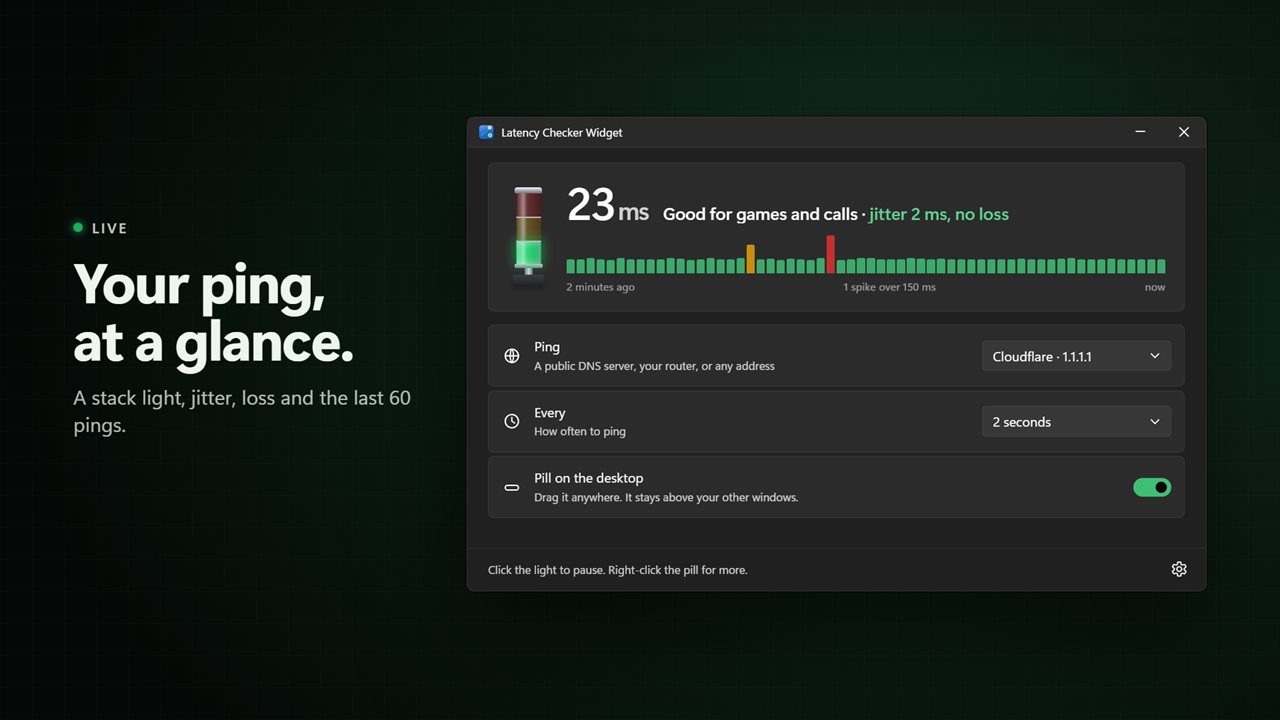
Your ping on the desktop, all the time. A small black pill floats above your other windows and shows your latency, with a dot that turns green, amber or red. Open the window for jitter, packet loss and the last 60 pings.
Your ping, jitter and packet loss, with a stack light that tells you at a glance.
See it in action
About Latency Checker Widget
Know when your connection is the problem. Latency Checker Widget keeps your ping on the desktop, above your other windows, so you see a lag spike the moment it happens.
The pill
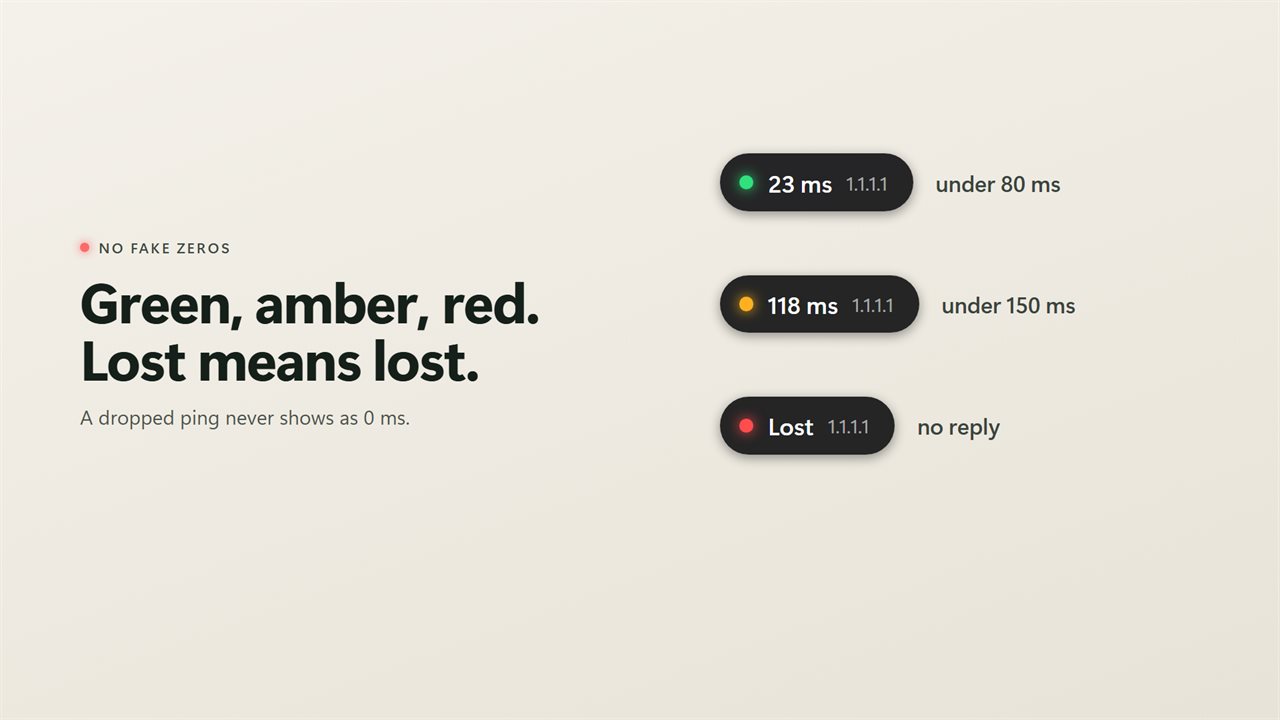
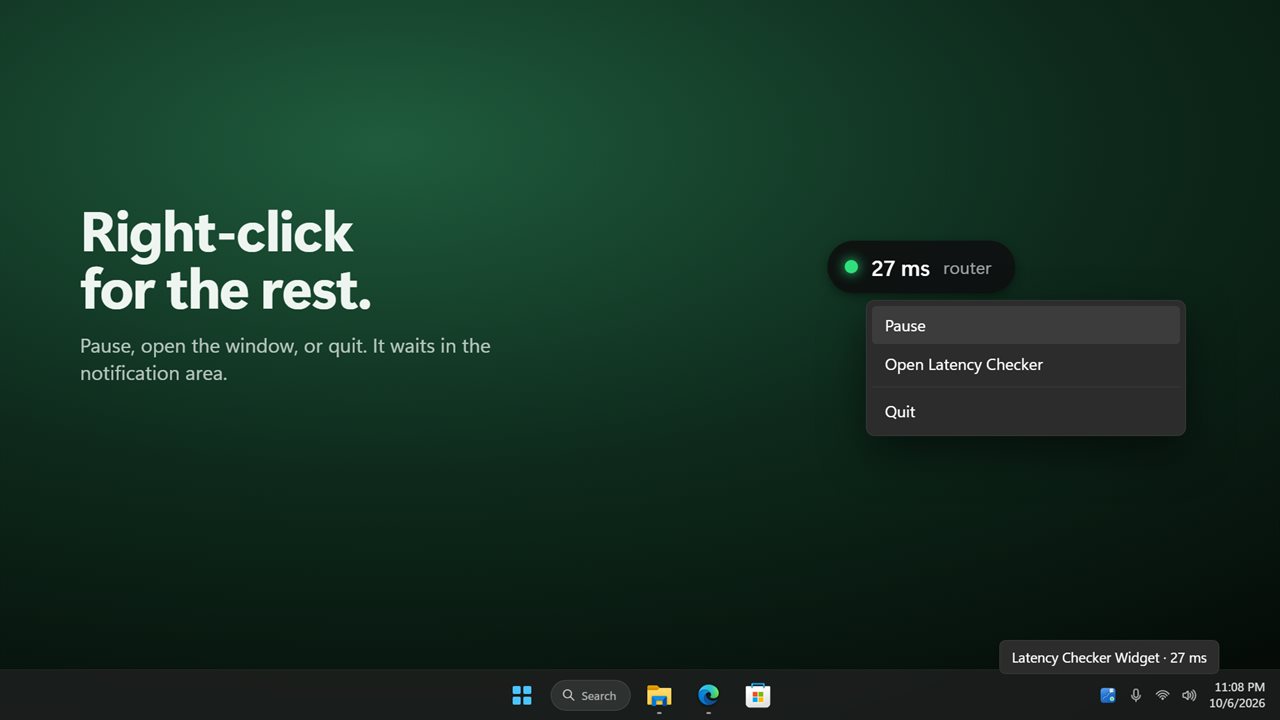
A small black pill floats above your windows and shows your ping, like 23 ms, with the address it is pinging. A dot beside the number turns green, amber or red. Drag it anywhere and it stays there. When a ping gets no reply, the pill says Lost, not 0 ms. Right-click it to pause, open the window or quit.
The stack light
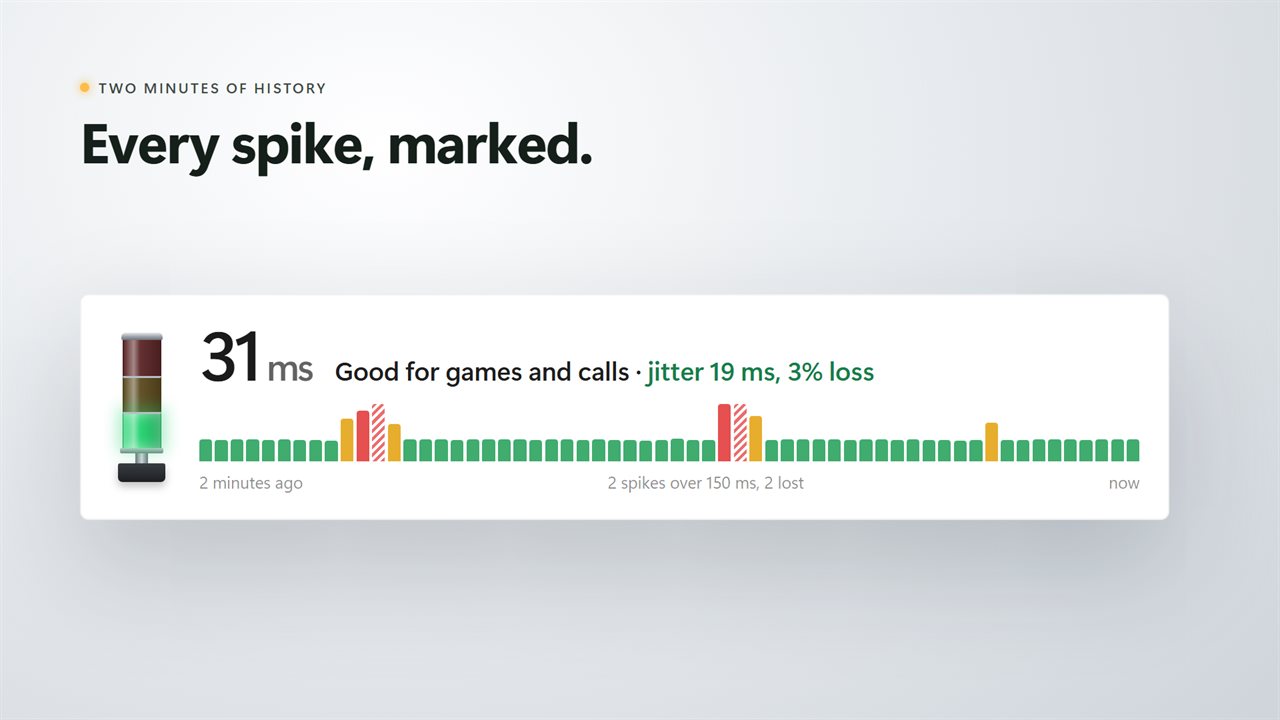
Open the window and a stack light shows how your connection is doing at a glance: green under 80 ms, amber under 150 ms, red above that or when a ping is lost. Click the light to pause, and click it again to resume. Beside it is your ping in large type, how steady it is (jitter), how many pings were lost, and a bar chart of the last 60 pings with every spike marked.
Ping what matters
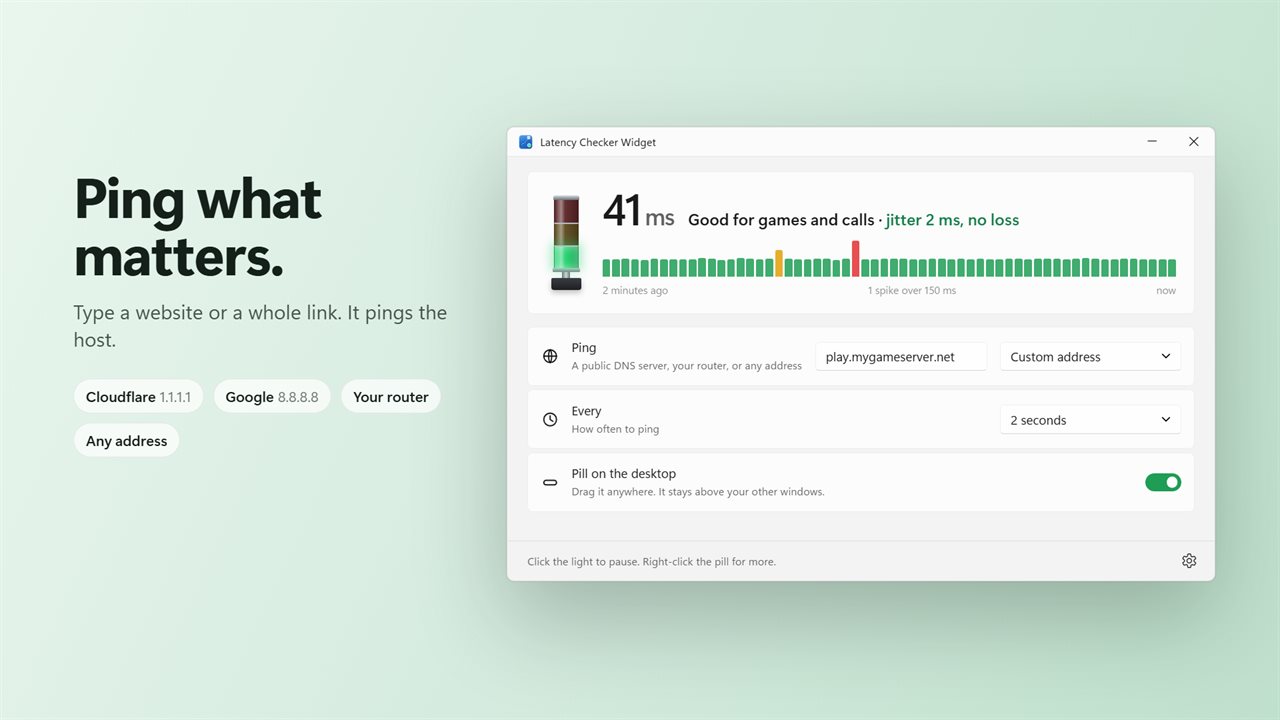
Ping Cloudflare 1.1.1.1, Google 8.8.8.8, your router, or any address you type. Paste a website or a full link and it pings the host. If the name cannot be found, it says so. Pinging your router tells you whether the slowdown is your Wi-Fi or your internet.
Your settings
Ping every 1, 2, 5, 15 or 30 seconds, or once a minute. Choose where amber and red start. The app waits in the notification area with your ping in its tooltip, and starts with Windows so the pill is there when you sign in. Light and dark themes, or match Windows.
Features
- Your ping in a small black pill that floats above your other windows
- Drag the pill anywhere on the desktop. It stays where you left it
- A status dot on the pill turns green, amber or red with your ping
- A lost ping says Lost, never 0 ms
- A stack light in the window glows green, amber or red. Click it to pause and resume
- The last 60 pings as a bar chart, with spikes and lost pings marked
- Jitter and packet loss next to every reading
- Ping Cloudflare 1.1.1.1, Google 8.8.8.8, your router, or any address you type
- Type a website or a full link and it pings the host
- Ping every 1, 2, 5, 15 or 30 seconds, or once a minute
- Choose where amber and red start, from 50 ms to 500 ms
- Right-click the pill to pause, open the window or quit
- Waits in the notification area, with your ping in its tooltip
- Starts with Windows, so the pill is there when you sign in. Turn it off in Settings
- Light and dark themes, or match Windows
Details
- Works on
- Windows 10 (1809 or later) and Windows 11
- Download
- About 2.8 MB
- Version
- 2.0.2, updated October 2026
- First released
- February 2023
- Price
- $1.99 once. No subscription.
- Category
- Utilities & tools
What's new in 2.0.2
- New: a window with a stack light, jitter, packet loss and the last 60 pings
- New: drag the pill anywhere. It remembers where you put it
- New: a status dot on the pill. A lost ping now says Lost instead of 0 ms
- New: ping your router, Cloudflare, Google or any address
- New: choose where amber and red start
- New: a notification-area icon with your ping in its tooltip
- The address you pinged carries over
Questions
Anything else? Ask us
Which versions of Windows does it run on?
Windows 10 (version 1809 or later) and Windows 11.
Is it a subscription?
No. Latency Checker Widget is a one-time purchase of $1.99, and updates are included.
How do I get it?
EvlarSoft apps are moving to direct downloads from this site. Ask to be notified and we will email you as soon as Latency Checker Widget is ready to download.
More from EvlarSoft
 Bluetooth Device ScannerEvery phone, watch, earbud, TV and tag broadcasting over Bluetooth near you — what it is, who made it, and how far away.
 Network Indicator WidgetSee what your network is actually doing.
 DNS SwitcherEvery address you type is looked up by a DNS server, and by default that is whoever your provider picked.