Evlar Mastering Studio
Evlar Mastering Studio is audio mastering software for a finished song. Turn one dial to a loudness from −16 to −8 LUFS and the app measures the song and lands it on that number, with a live LUFS meter and two VU meters to watch. Hear before and after at the same loudness, run a release check and export the master as an MP3, or master a whole album to one level. Free to use, with Studio Plus for multiband, reference matching and WAV and FLAC.
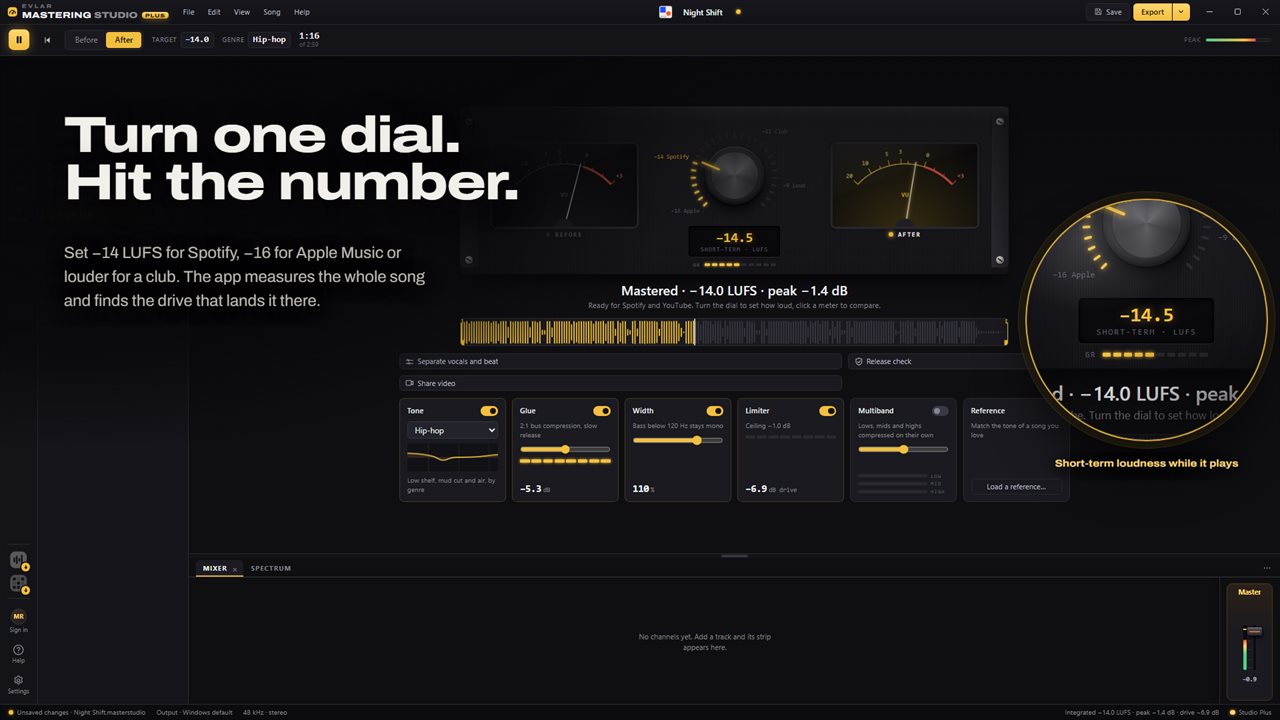
One dial sets the loudness; the whole song is measured to hit it.
See it in action
About Evlar Mastering Studio
Evlar Mastering Studio masters a finished song for release. Drop a song in, turn the dial, export the master.
One dial, a real number
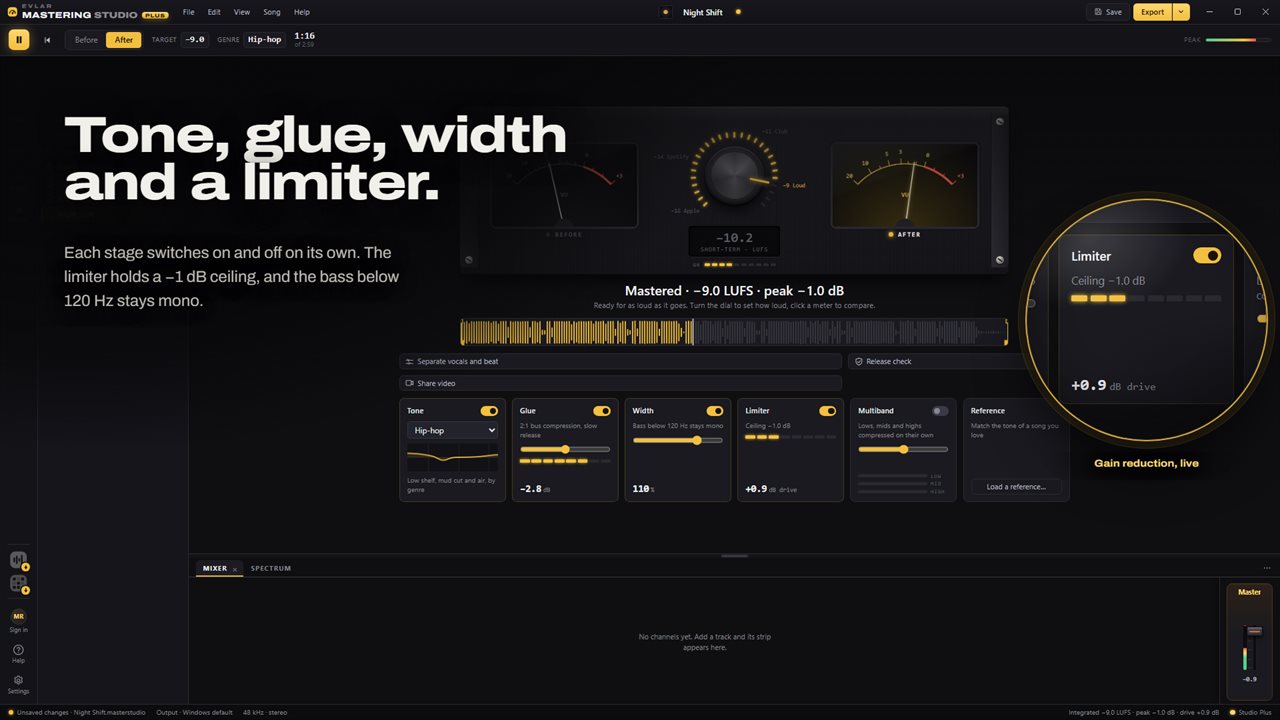
Streaming services play every song at the same loudness, measured in LUFS. The dial sets that number anywhere from −16 to −8 LUFS, with quick presets at −16, −14, −11 and −9 for the levels streaming services and clubs play at. The app measures the song to the broadcast loudness standard and finds the drive that lands it on the target, so the number on the meter is the number a service will read.
The LUFS meter reads live while the song plays and for the whole song when it stops, beside two VU meters and gain-reduction lights.
Hear it fairly
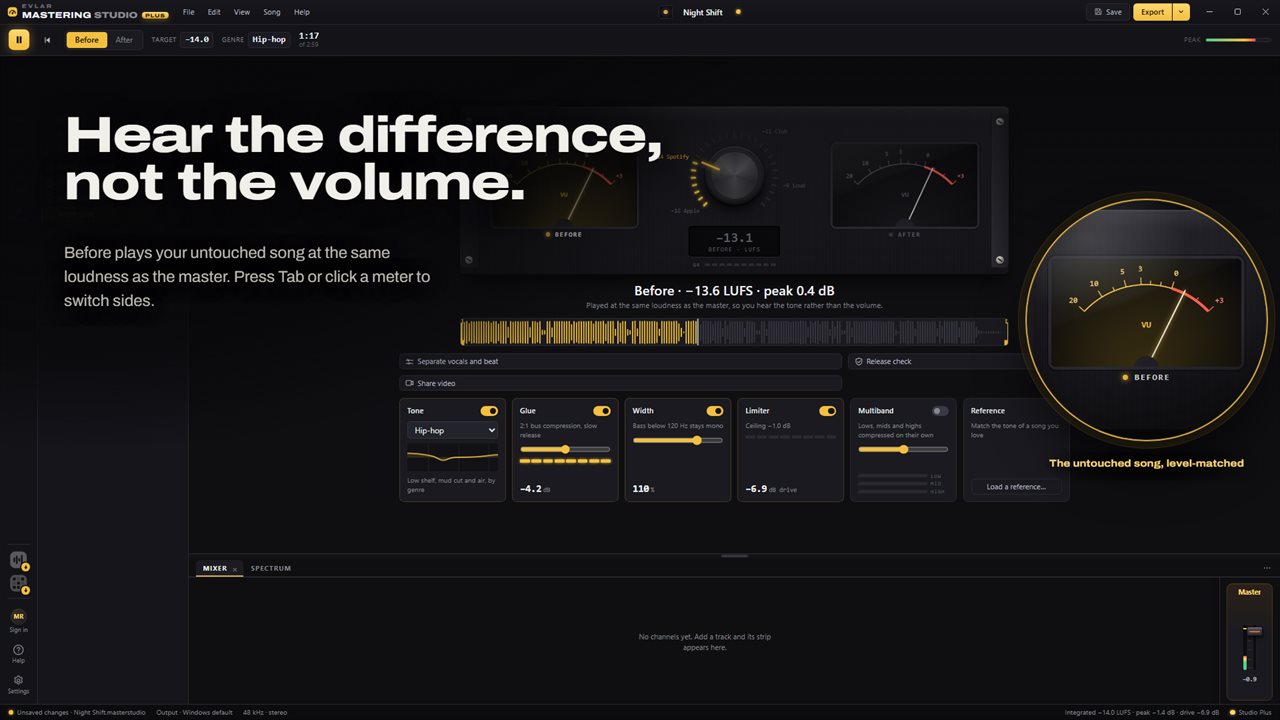
Louder always sounds better for a moment. Here the untouched song plays at the same loudness as the master, so switching between them tells you what the chain did to the tone and the punch, not the volume. Click either meter, or press Tab.
The dial on your phone
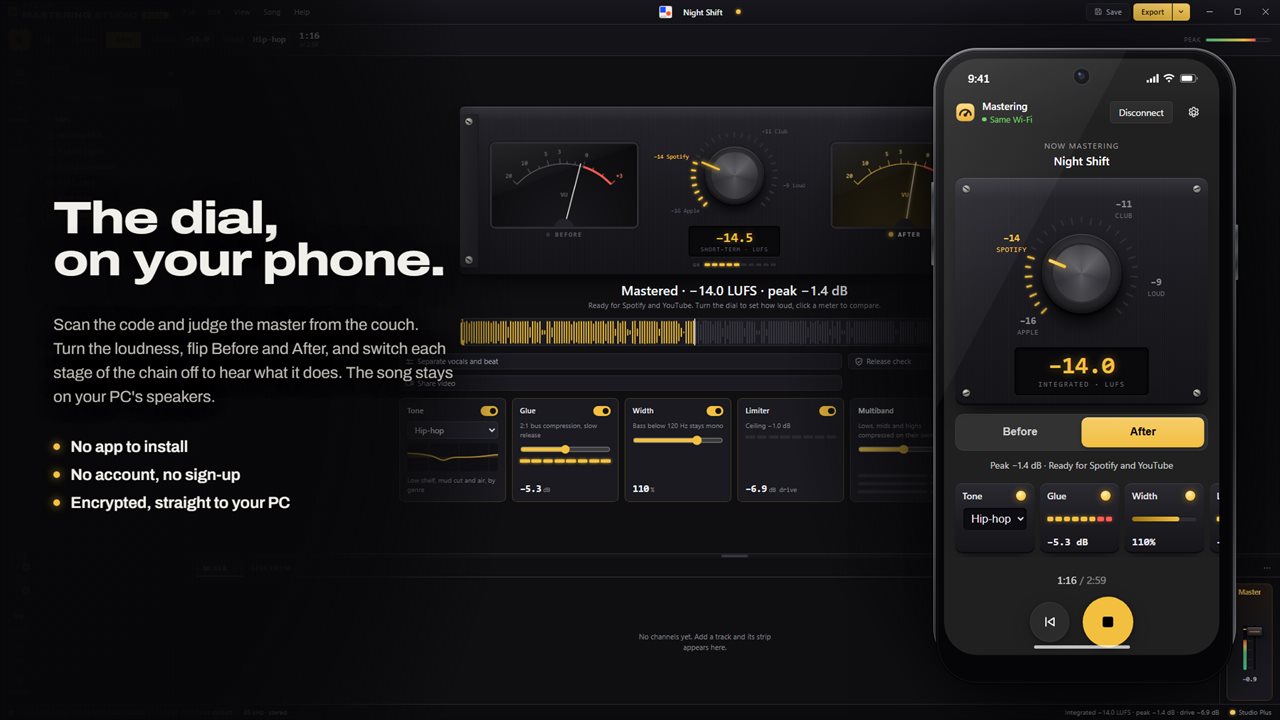
Click the phone button and scan the code with your phone's camera, and the loudness dial is on your phone, with the Apple, Spotify, Club and Loud presets around it and the measured LUFS under it. Flip between Before and After, and play, stop or go back to the start, from the couch or the next room. Under the dial, the chain is on your phone too: switch Tone, Glue, Width and the limiter on and off to hear what each one does, pick the genre curve, and watch the glue and the limiter work as the song plays. With Studio Plus, multiband switches from your phone as well. The song keeps playing on your PC's speakers. There is no app to install, no account and no sign-up. Your phone talks straight to your PC over an encrypted connection.
The chain
Tone shapes the lows, cuts the mud and opens the air, with a curve for each of eight genres, from hip-hop, trap and drill to R&B, pop and lo-fi, and a flat one. Glue is gentle 2:1 compression that holds the mix together. Width spreads the stereo image while everything below 120 Hz stays mono, so the bass still hits on a phone. The limiter holds a −1 dB ceiling. Each stage switches on and off on its own.
Vocals and beat
With Studio Plus, when a song opens, the app splits its vocals from its beat in the background. Then you can turn the vocals up or down against the beat, clean them up, master the beat alone, or export the two as stems. Separation is best effort: some of the beat can bleed into the vocals and back.
Check it before it ships
The release check renders the master the way it will be exported and tests its loudness, true peak, clipping, sample peak, mono playback and an MP3 round trip, each with a pass or fail and one fix. Trims and fades set where the song starts and ends.
A whole album at one level
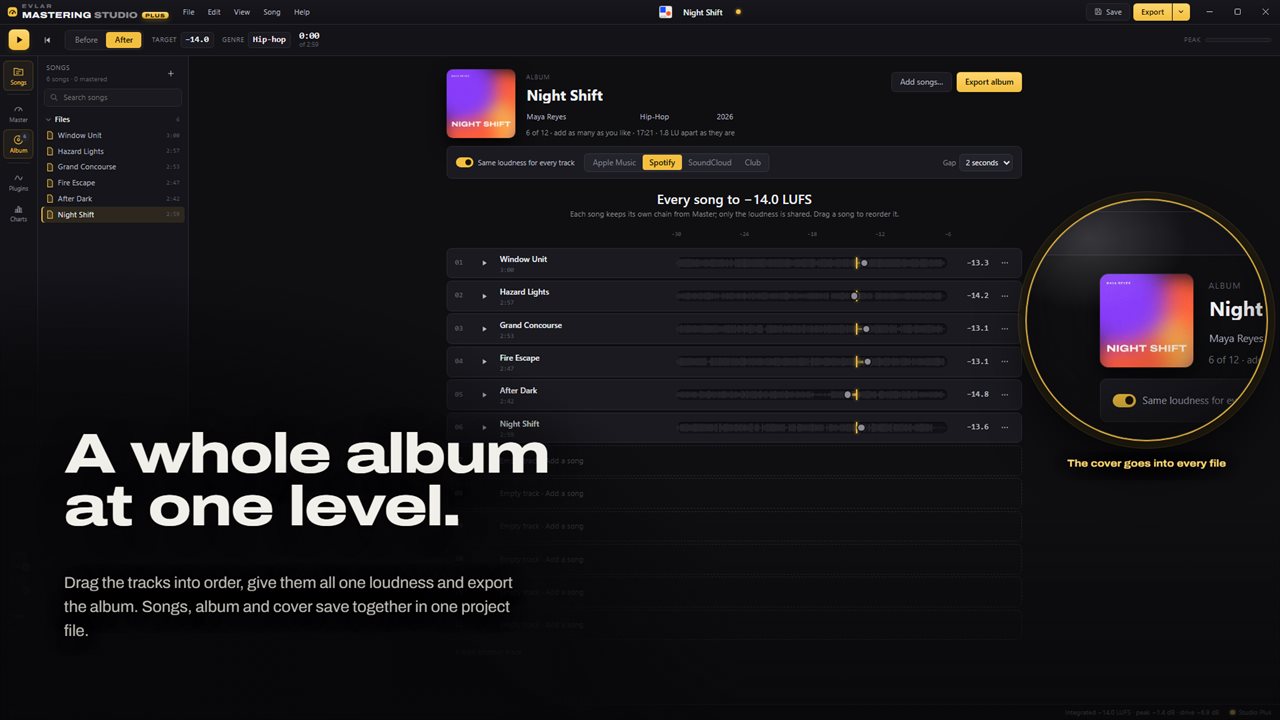
The album page starts with 12 tracks and takes as many more as you like, and it shows how far apart your songs sit. Drag them into order, retitle them for the album, play any one from its waveform, and add the artist, genre and year. Turn on the same loudness for every track and pick Apple Music, Spotify, SoundCloud or Club, or let each song keep the loudness you gave it. Every song keeps its own chain, and the album exports together, numbered and tagged, with up to 3 seconds between songs.
Cover art and a share video
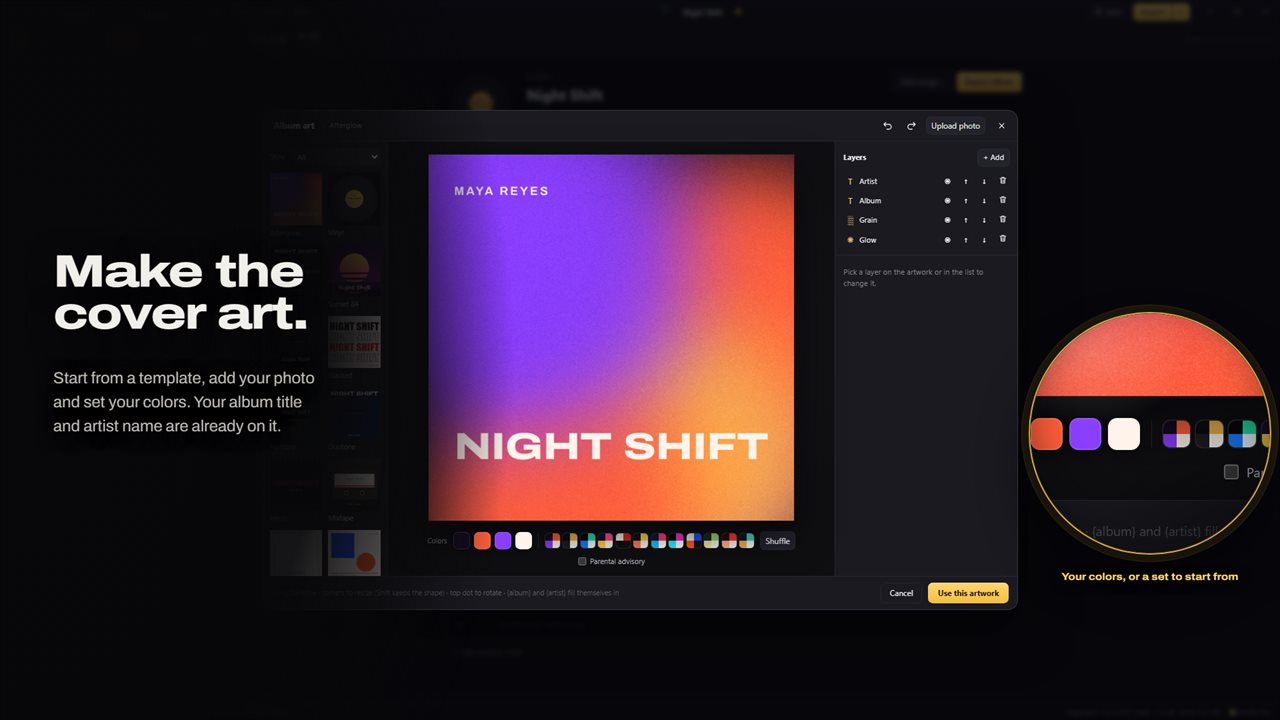
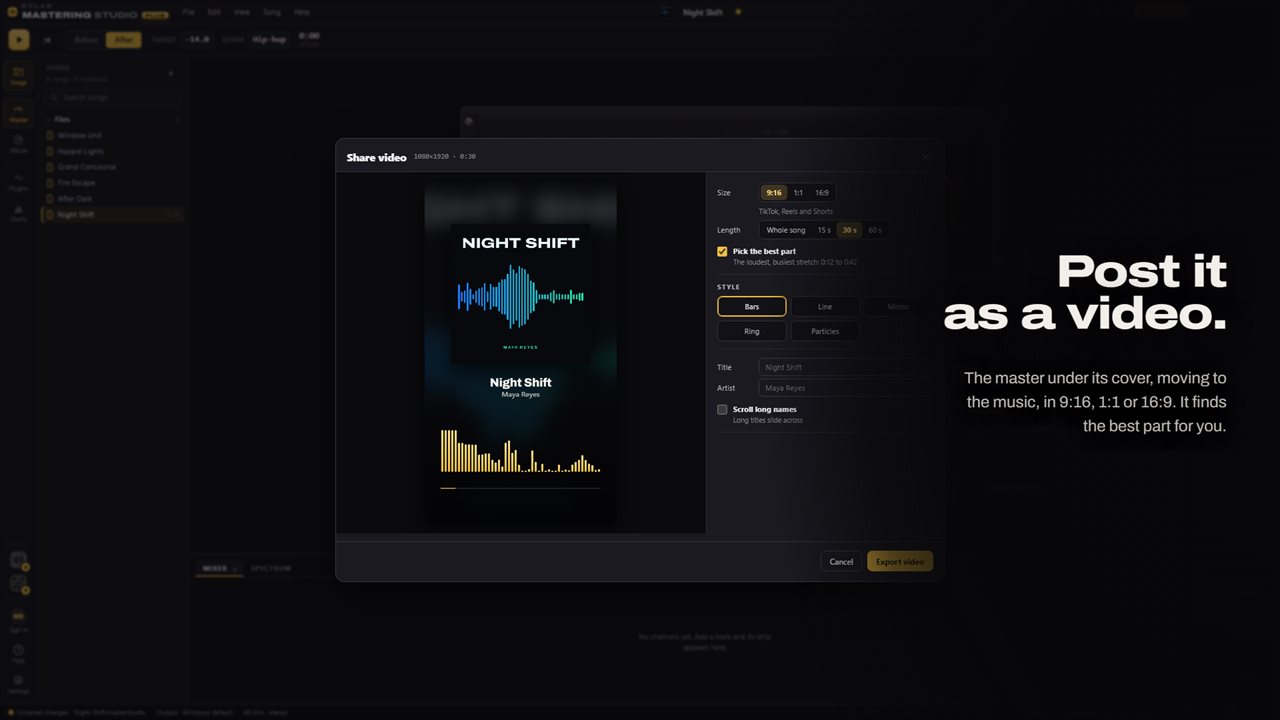
Every song and the album start with a cover of their own. Restyle it from 12 templates, your own photo and your colors, add a parental advisory label if you need one, and it is embedded in every exported song. Make a share video of the master under its cover with a visualizer, as an MP4 in 9:16 for vertical video, 1:1 for a feed or 16:9 for YouTube, from the best part of the song or the whole of it. One Export button covers it all: this song, the complete album, a video or the cover artwork.
Your file is safe
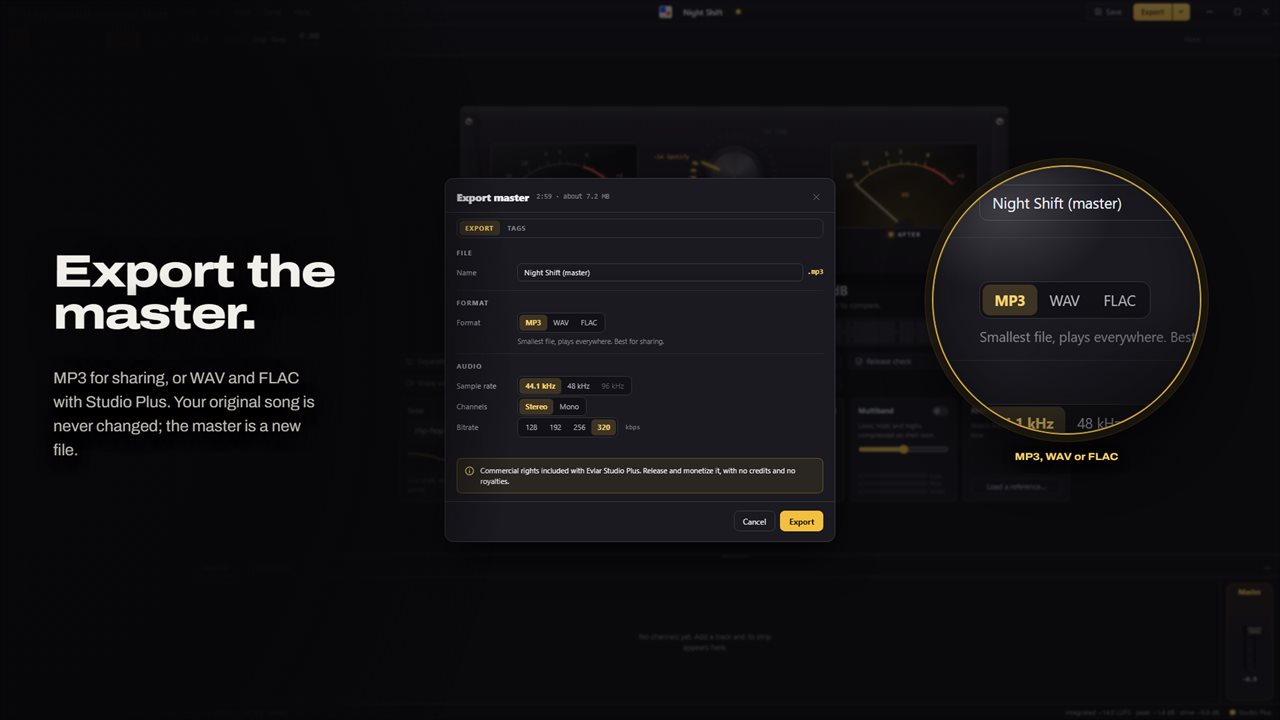
Mastering Studio opens WAV, MP3, FLAC, OGG, M4A and AAC files and never changes them. The master is written as a new file. A .masterstudio project keeps every song with its chain, the album and the artwork in one file, with a copy of each song inside, so it opens the same on another PC.
Part of the Evlar studios
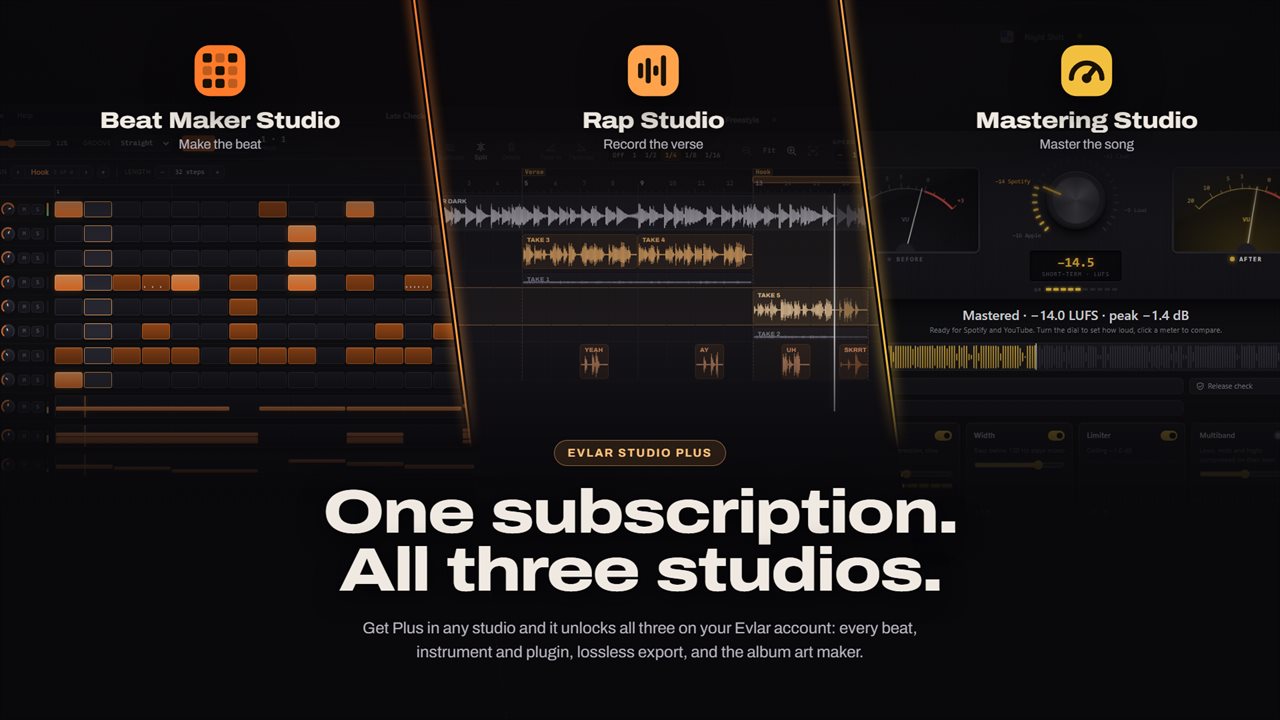
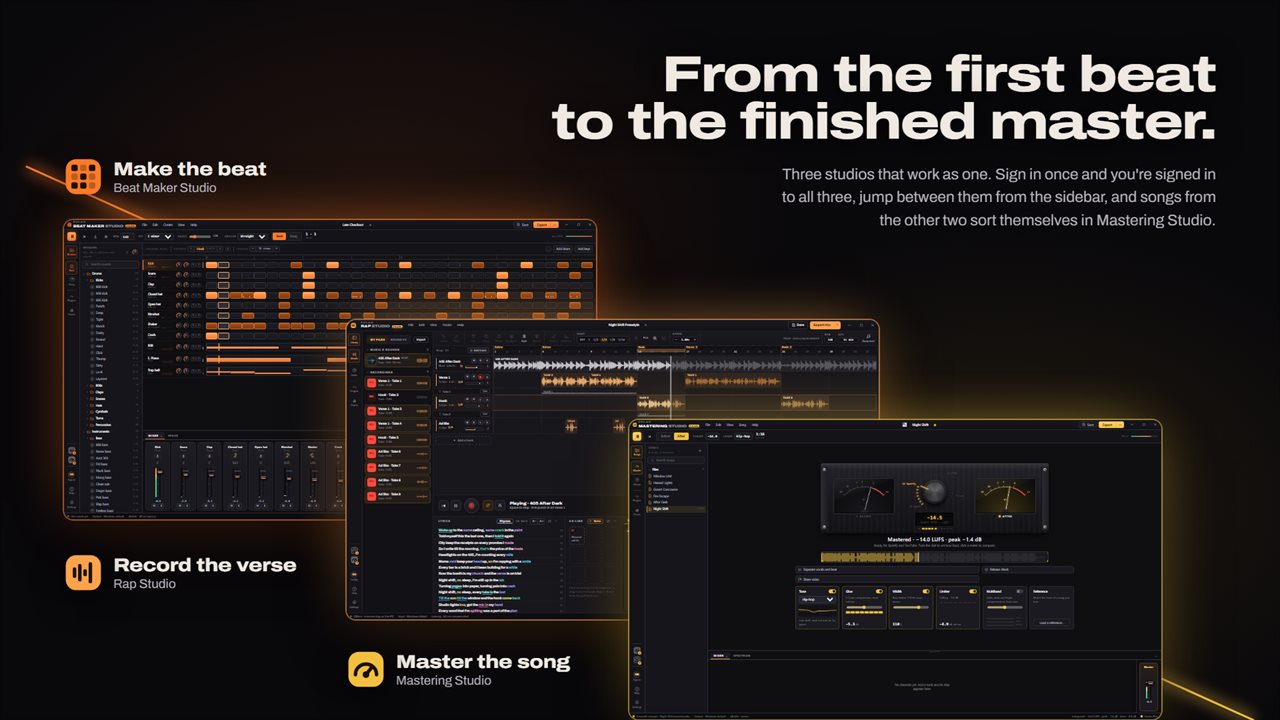
Evlar Mastering Studio is one of three Evlar studios, each a separate app in the Microsoft Store. Evlar Beat Maker Studio makes the beat, Evlar Rap Studio records the verse, and Mastering Studio makes the song ready to release.
A mix sent from Rap Studio or a beat sent from Beat Maker Studio arrives in its own folder under Songs and stays linked, so when it is saved again there, the new version comes here. If a studio isn't installed yet, what you sent waits for it.
Studio plus
Mastering and MP3 export are free for personal use, along with the album page, the release check, trims and fades, cover design from six of the templates, and share videos in three visualizer styles with a small corner mark. Evlar Studio Plus adds vocal separation and clean-up; multiband compression, which works the lows, mids and highs separately; reference matching, which shapes your song toward the tone of one you love; WAV and FLAC export; all 12 cover templates, full-size cover art and saving the cover as an image; two more video styles with no mark; and every plugin. It also licenses your masters for commercial release. It comes monthly, yearly or as a one-time lifetime purchase, and one plan unlocks Mastering Studio, Rap Studio and Beat Maker Studio together for the same Microsoft account. An account is optional; sign in once and the other studios on the same PC are signed in too.
Features
- One dial sets the loudness from −16 to −8 LUFS, and the whole song is measured to the broadcast standard to land on it
- A LUFS meter that reads live while the song plays and for the whole song when it stops, beside two VU meters
- Quick loudness presets at −16, −14, −11 and −9 LUFS, the levels streaming services and clubs play at
- Before and after play at the same loudness, so you judge the tone and not the volume
- Use your phone as a remote: the loudness dial, Before and After, and every stage of the chain in your hand while you listen from across the room
- Tone curves for eight genres, from hip-hop, trap and drill to R&B, pop and lo-fi, plus a flat one
- Glue compression, stereo width that keeps the bass below 120 Hz mono, and a limiter with a −1 dB ceiling
- A release check: loudness, true peak, clipping, sample peak, mono and an MP3 test, each with one fix
- With Studio Plus, vocals and beat split in the background when a song opens, to rebalance them or master the beat alone
- Vocal clean-up with Studio Plus; trims and fades are free
- An album page: drag tracks into order, give them one loudness or keep each song's own, and export them numbered and tagged
- Design album art from templates, your photo and your colors, embedded in every exported song
- Share video: the master under its cover with a visualizer, as an MP4 in 9:16, 1:1 or 16:9, from the best part of the song
- One project file keeps every song, its chain, the album and the artwork together
- Opens WAV, MP3, FLAC, OGG, M4A and AAC, and never changes your original file
- Export the master as MP3, or as WAV and FLAC with Studio Plus
- Multiband compression and reference matching with Studio Plus
- Plugins: Spectrum comes installed, and each one in the store says what it can reach
- Songs sent from Evlar Rap Studio and Evlar Beat Maker Studio arrive in their own folders and update when saved
- One Evlar Studio Plus plan unlocks Mastering Studio, Rap Studio and Beat Maker Studio
Details
- Works on
- Windows 10 (1809 or later) and Windows 11
- Download
- About 47.4 MB
- Version
- 1.0.7, updated October 2026
- First released
- September 2026
- Price
- Free
- Category
- Multimedia design
Questions
Anything else? Ask us
Which versions of Windows does it run on?
Windows 10 (version 1809 or later) and Windows 11.
Is it free?
Yes. Evlar Mastering Studio is free to download.
How do I get it?
EvlarSoft apps are moving to direct downloads from this site. Ask to be notified and we will email you as soon as Evlar Mastering Studio is ready to download.