MDF2ISO
An MDF is raw optical sectors, and the ISO is inside it. MDF2ISO reads the sector headers before it writes anything and tells you what the dump actually is: which of the three layouts Alcohol 120% wrote, how many sectors it holds, and how big the ISO will be. One sector is drawn to scale, so the bytes it keeps and the sync and error correction it discards are visible rather than described. Convert a whole queue in one run, on your PC.
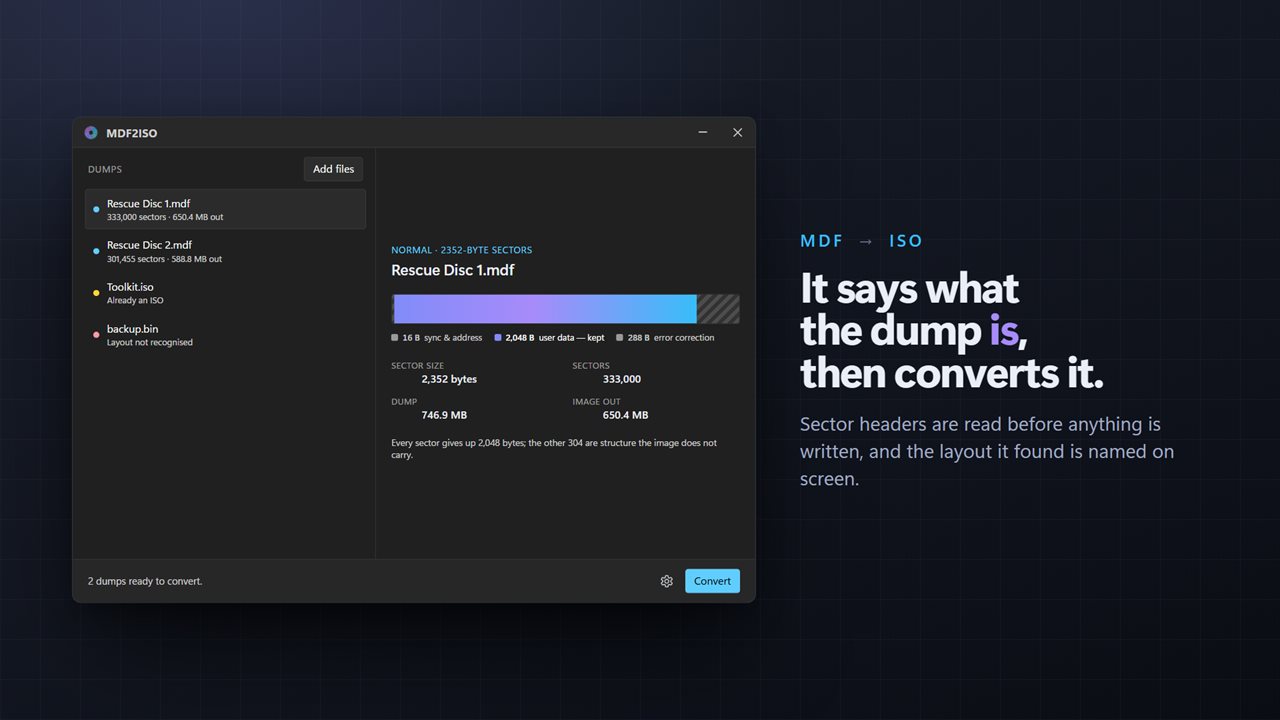
It says what the dump is — layout, sectors and the size of the ISO — then converts it.
See it in action
About MDF2ISO
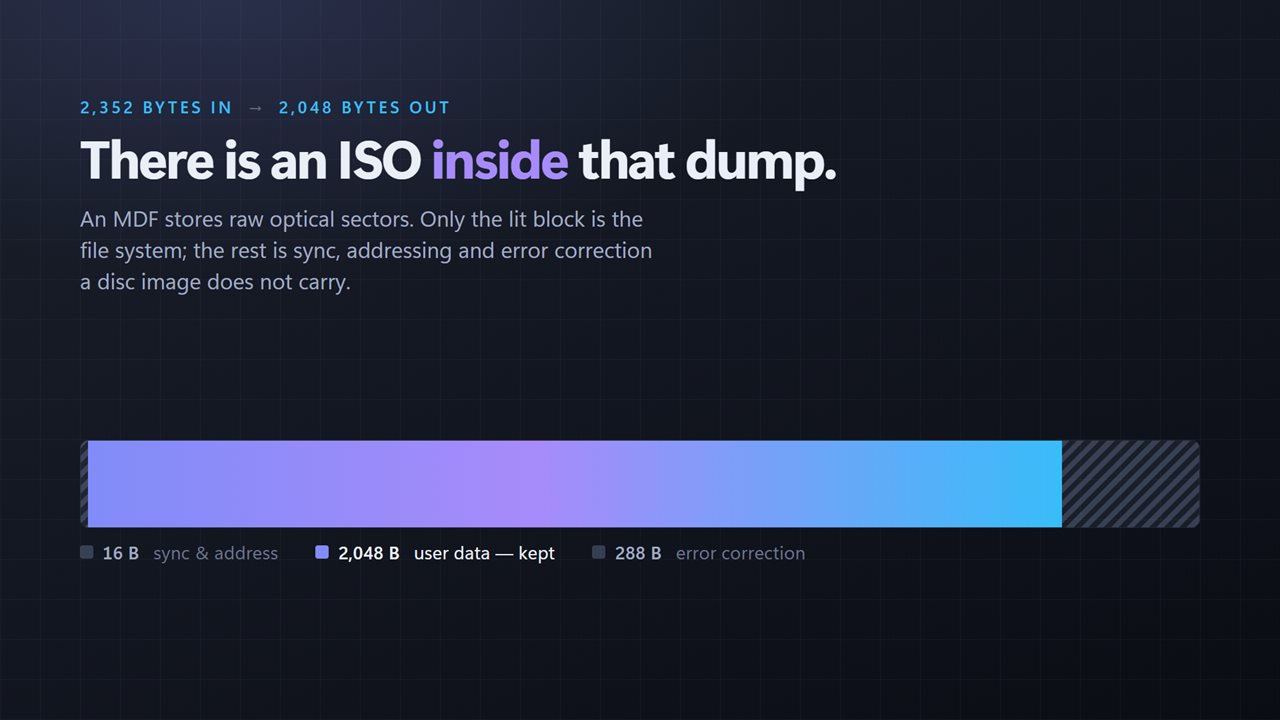
An MDF is not a strange kind of ISO. It is the raw sectors off an optical disc, and each one wraps 2,048 bytes of real data in a sync header, an address and error correction that a disc image does not carry.
Stripping that back out is the whole job. Knowing whether the file in front of you can be stripped at all is the part most converters skip.
It tells you what the dump is
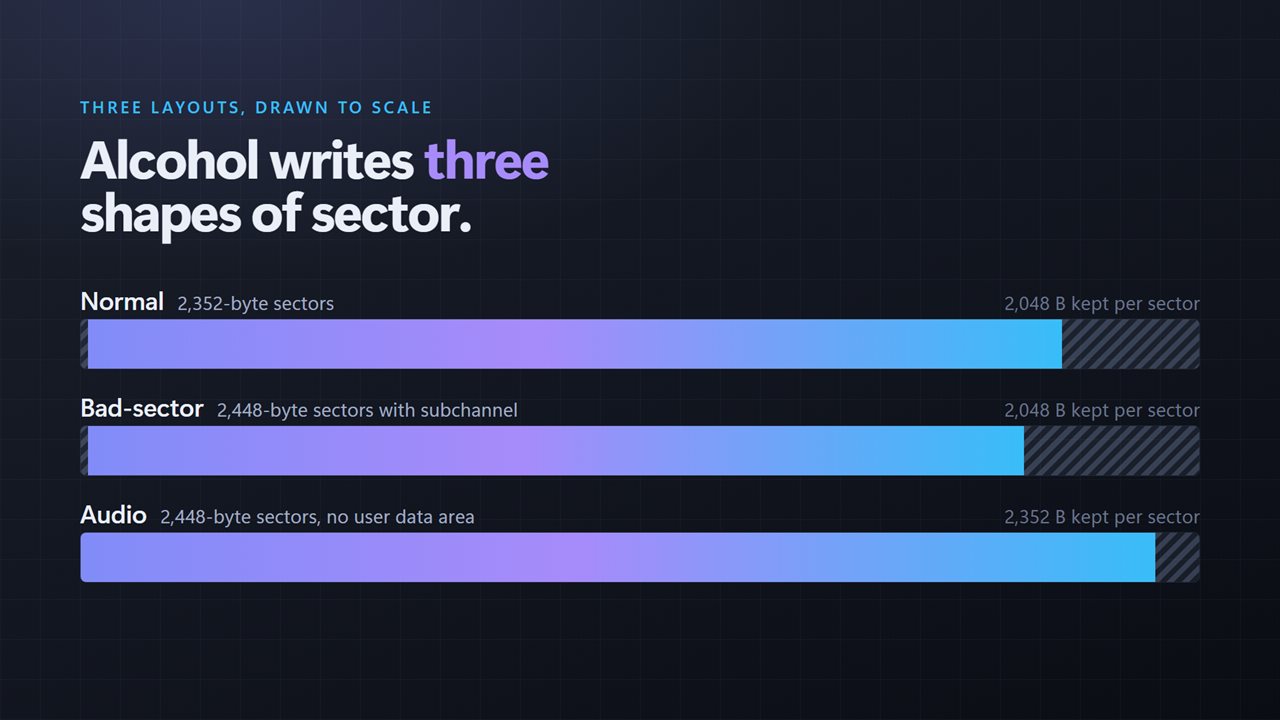
Every file added to the queue is inspected as it arrives. MDF2ISO reads its sector headers, works out the layout, and reports it: Normal with 2352-byte sectors, Bad-sector with 2448-byte sectors and a subchannel, or Audio with 2448-byte sectors and no user data area. Alongside it: the sector count, the size of the dump, and the size of the ISO that will come out.
One sector, drawn to scale
The conversion is one picture. A single sector across the window, with the bytes that survive lit and the bytes that are discarded hatched, in the exact proportions of the layout it found. 16 bytes of sync and address, 2,048 bytes of user data, 288 bytes of error correction. That is where a 747 MB dump becomes a 650 MB image.
A file that will not convert is told
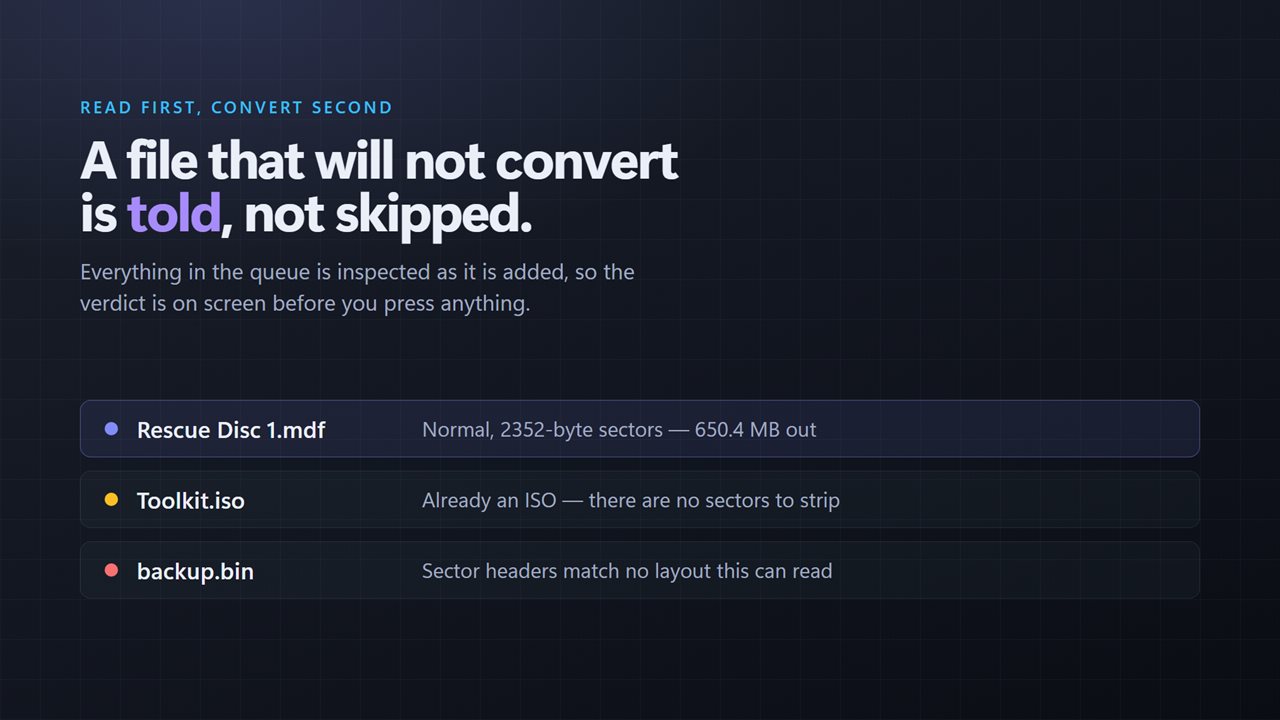
Drop an ISO in and it says "already an ISO — there are no sectors to strip" rather than producing a corrupt copy of it. Drop in something whose headers match nothing and it says so, by name, in the queue. Nothing is quietly skipped and reported as success.
A whole queue at once
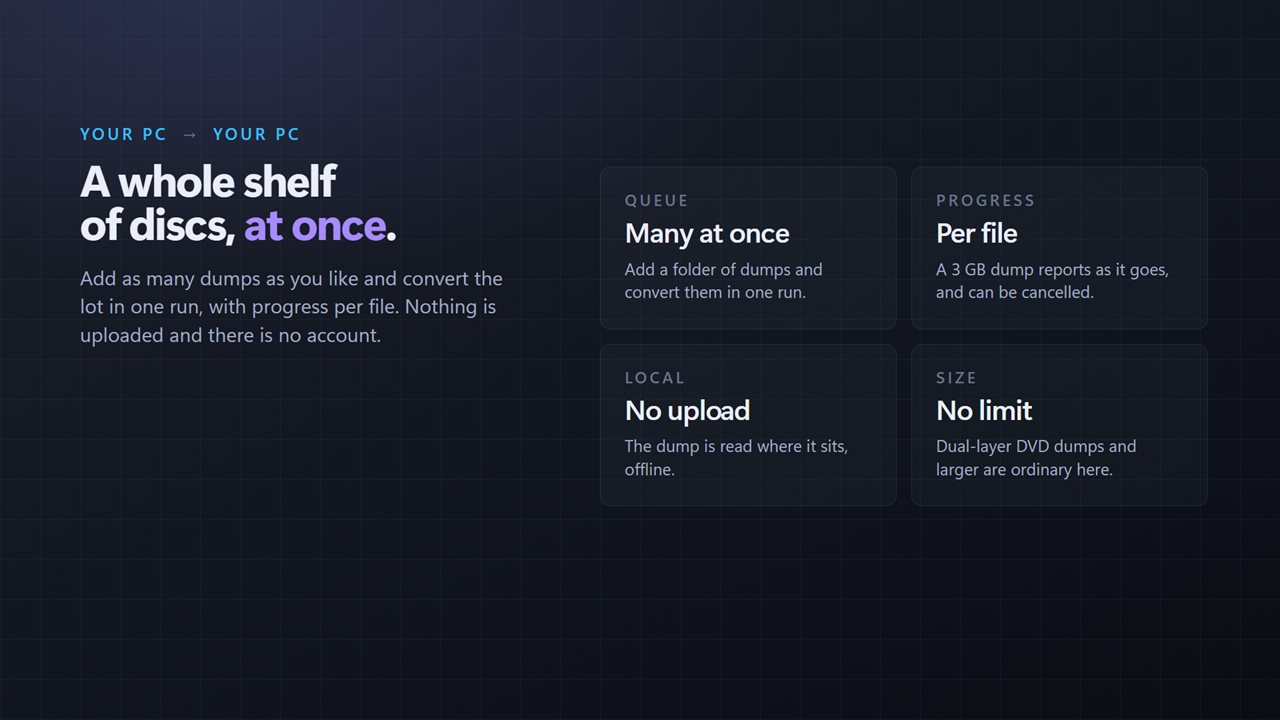
Add as many dumps as you like and convert them in one run. Each reports its own progress, so a 3 GB dump is not a frozen window, and the run can be cancelled. There is no size limit.
On your PC
The dump is read where it sits and the image is written to your own drive. There is no account, nothing is uploaded, and it works with no connection at all.
Features
- Reads the sector headers first, and names the layout it found
- Handles all three layouts Alcohol 120% writes: 2352, 2448 and audio
- Draws one sector to scale, so you can see which bytes are kept
- Says the size of the ISO before converting anything
- Names a file that is already an ISO instead of converting it twice
- Names a file whose layout it cannot read, rather than failing silently
- Converts a whole queue of dumps in one run
- Progress per file, and cancellable mid-run
- No size limit — dual-layer DVD dumps and larger are ordinary
- Runs on your PC — nothing is uploaded and no account is needed
Details
- Works on
- Windows 10 (1809 or later) and Windows 11
- Download
- About 3.7 MB
- Version
- 2.0.4, updated October 2026
- First released
- February 2023
- Price
- $1.99 once. No subscription.
- Category
- Utilities & tools
What's new in 2.0.4
- New: the sector layout is detected and named before anything is converted, with one sector drawn to scale
- Added support for the 2448-byte bad-sector and audio layouts. Only 2352-byte dumps converted before
- A file that is already an ISO, or whose layout is unreadable, is now named instead of failing quietly
- Added a queue: convert many dumps in one run, with progress per file and a working cancel
- Redesigned interface that follows the Windows light and dark themes
Questions
Anything else? Ask us
Which versions of Windows does it run on?
Windows 10 (version 1809 or later) and Windows 11.
Is it a subscription?
No. MDF2ISO is a one-time purchase of $1.99, and updates are included.
How do I get it?
EvlarSoft apps are moving to direct downloads from this site. Ask to be notified and we will email you as soon as MDF2ISO is ready to download.
More from EvlarSoft
 NoRecyclePull the lever and deleted files skip the Recycle Bin on the drives you choose.
 File Hash ValidatorPaste the checksum a download page gave you and find out whether the file you got is the file they published.
 Duplicate File FinderFind duplicate photos and files by what is inside them, not by their names, and free the space they waste.