Mute Mic While Typing
Keep your keyboard off the call. Mute Mic While Typing drops your microphone while you type and brings it back a moment after the last key, only during calls, and never touches a mic you muted yourself.
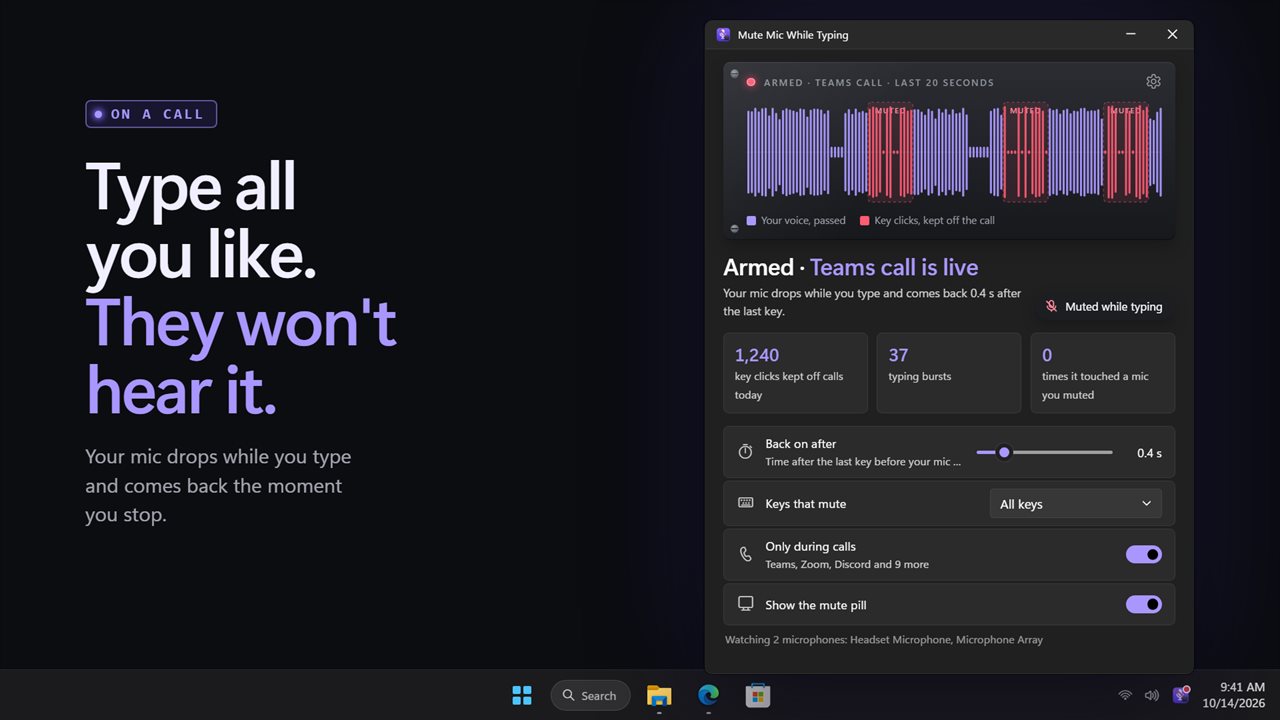

Your mic drops while you type and comes back the moment you stop.
See it in action
About Mute Mic While Typing
Typing during a call sounds like hail on a tin roof to everyone else. Mute Mic While Typing fixes it without you thinking about it: your mic drops the moment you start typing and comes back 0.4 seconds after the last key.
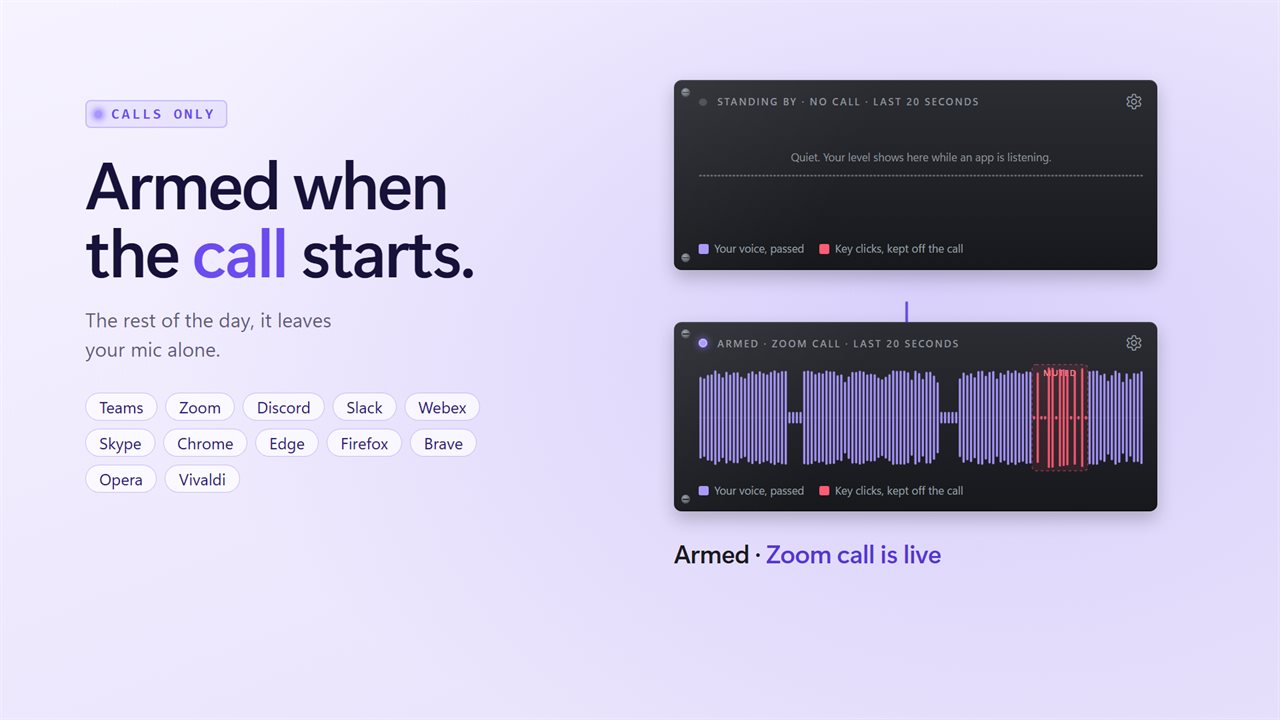
It arms itself only while a call app has your microphone open, so it stays out of your way the rest of the day. Teams, Zoom, Discord, Slack, Webex and Skype are on the list, and so are browsers, for Google Meet and other web calls. Add your own, or let it mute whenever you type.
It only ever turns off a mic that was on, and only turns that one back on. If you muted yourself, it leaves you muted. A counter on the main window shows it: zero times it touched a mic you muted.
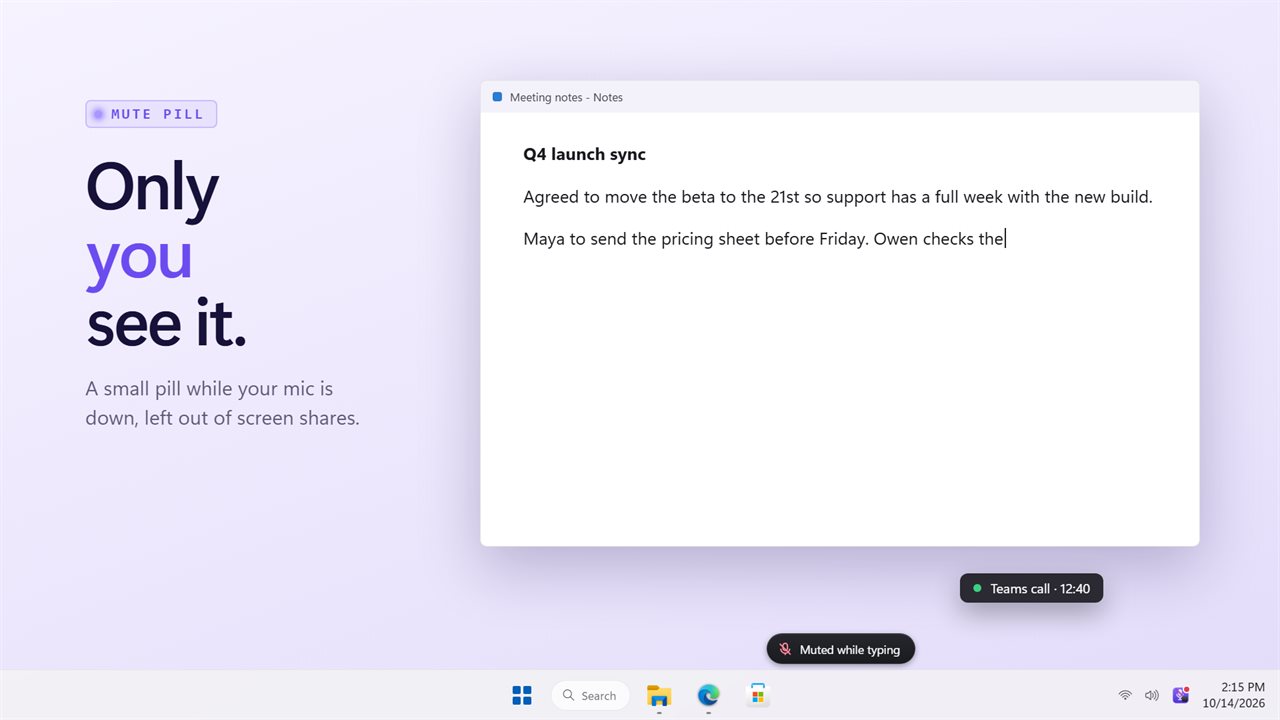
The gate strip shows your mic level over the last 20 seconds, with each typing burst marked in red, so you can see your voice passing and your key clicks being kept off the call. A small pill at the bottom of the screen tells you when your mic is down, and it is left out of screen shares, so only you see it.
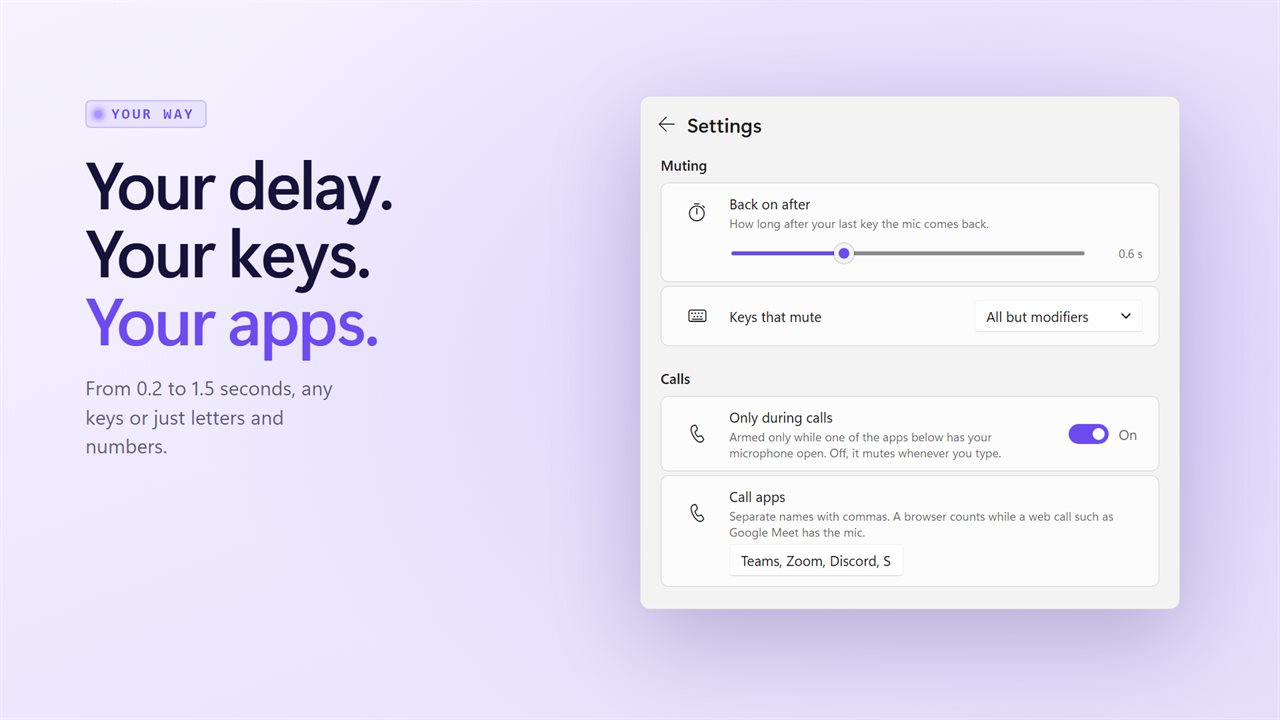
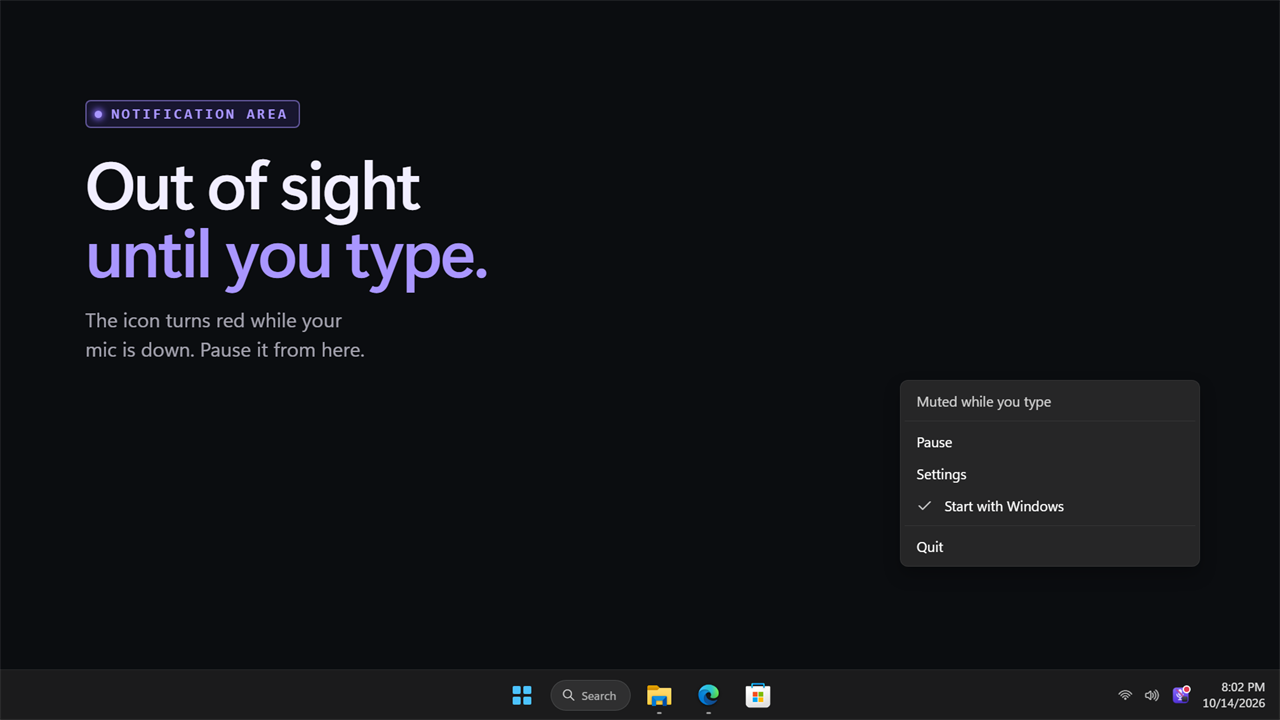
Pick the delay, from 0.2 to 1.5 seconds, and which keys count: all keys, letters and numbers, or everything except Shift, Ctrl, Alt and Windows. Pause it with one click on the strip. It waits in the notification area, where the icon turns red while your mic is muted, and it can start with Windows.
Features
- Your microphone drops the moment you start typing and comes back 0.4 seconds after the last key
- Set the delay anywhere from 0.2 to 1.5 seconds
- Only mics that were on get muted, and only those are turned back on. A mic you muted yourself is never touched
- Arms itself only during calls: Teams, Zoom, Discord, Slack, Webex and Skype, plus web calls in Chrome, Edge, Firefox, Brave, Opera and Vivaldi
- Edit the list of call apps, or turn the call check off and mute whenever you type
- Choose which keys mute: all keys, letters and numbers, or everything but Shift, Ctrl, Alt and Windows
- A live strip of your mic level over the last 20 seconds, with every typing burst marked
- Counts the key clicks kept off your calls today and the typing bursts
- A small pill at the bottom of the screen while your mic is down, left out of screen shares
- The notification area icon turns red while your mic is muted
- Click the strip, or use the notification area menu, to pause
- Works on every microphone plugged in at once
- Pausing or quitting always hands your mic back
- Waits in the notification area and can start with Windows. Light and dark themes, or match Windows
Details
- Works on
- Windows 10 (1809 or later) and Windows 11
- Download
- About 2.6 MB
- Version
- 2.0.2, updated October 2026
- First released
- August 2022
- Price
- $1.99 once. No subscription.
- Category
- Utilities & tools
What's new in 2.0.2
- New: arms itself only during calls, in Teams, Zoom, Discord, Slack, Webex, Skype and browser calls
- New: never turns on a mic you muted yourself, and always hands your mic back when paused or closed
- New: a live strip of your mic level with each typing burst marked
- New: counters for key clicks kept off calls today
- New: a mute pill on screen while you type, left out of screen shares
- New: choose the delay and which keys mute
- New: works on every microphone at once
Questions
Anything else? Ask us
Which versions of Windows does it run on?
Windows 10 (version 1809 or later) and Windows 11.
Is it a subscription?
No. Mute Mic While Typing is a one-time purchase of $1.99, and updates are included.
How do I get it?
EvlarSoft apps are moving to direct downloads from this site. Ask to be notified and we will email you as soon as Mute Mic While Typing is ready to download.