PC Shutdown Timer
A dial you turn to set the time and click in the middle to start. At zero the PC locks, logs off, restarts, sleeps, hibernates or shuts down, whichever of the seven you picked.
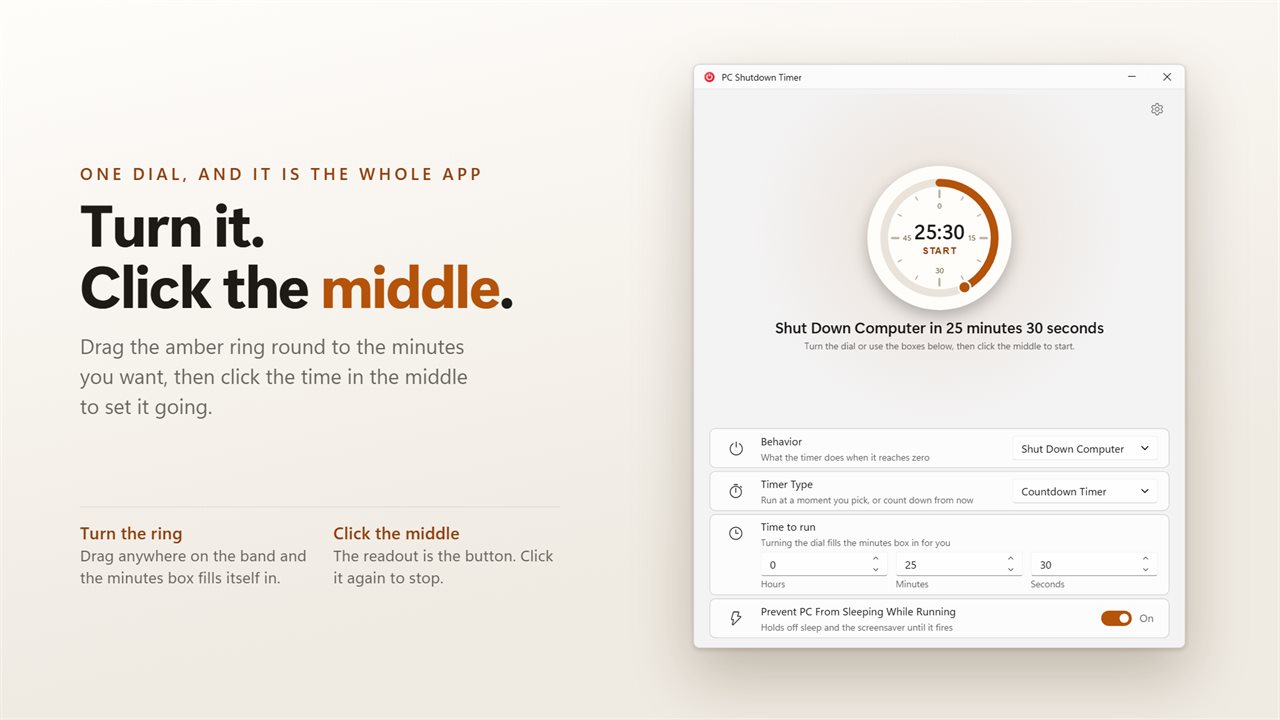
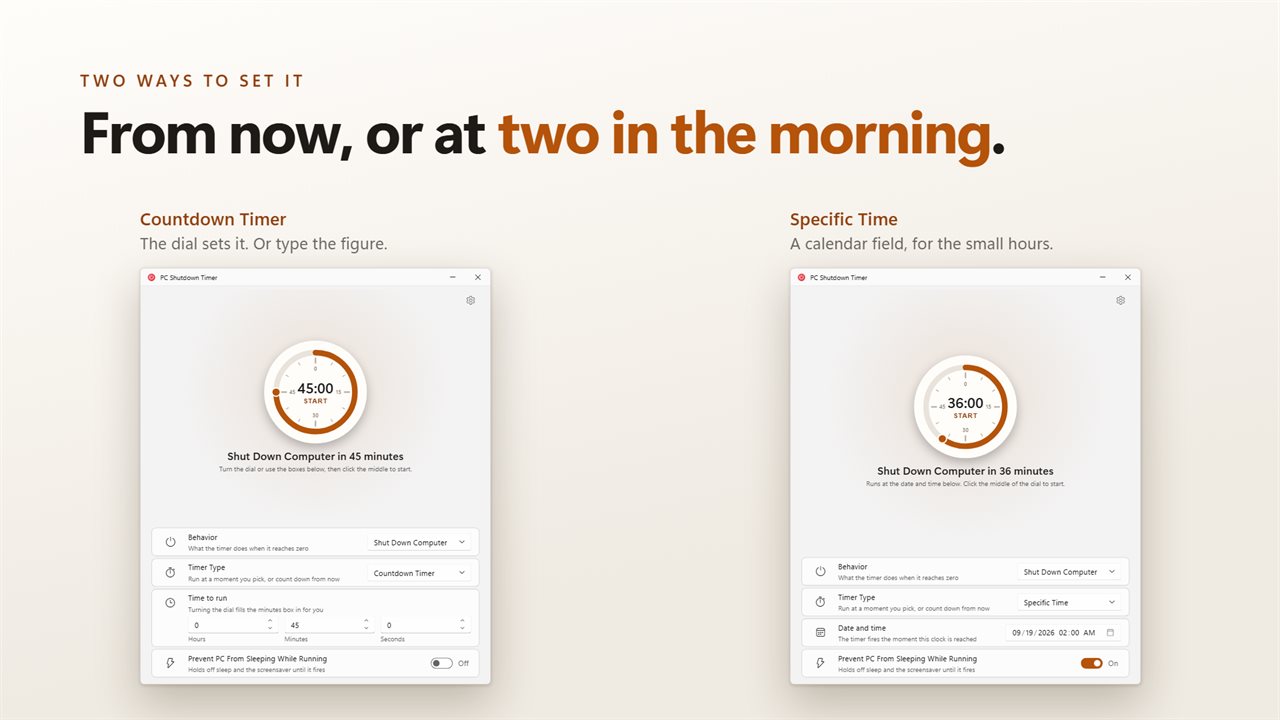
The dial is the app: turn the ring to set the time, click the middle to start.
See it in action
About PC Shutdown Timer
One dial, and it is the whole app.
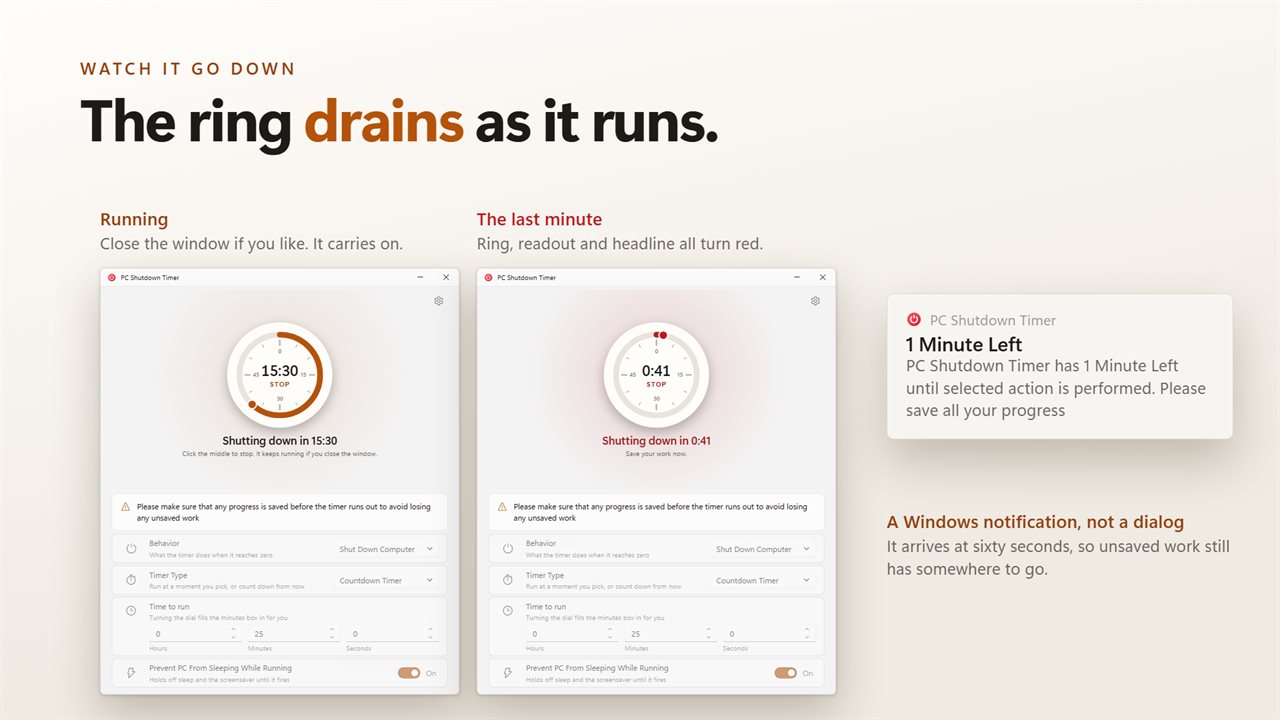
Turn the ring to set how long you want, then click the time in the middle to start. The ring drains as it goes, and the same readout is what you click to stop. The boxes underneath take hours, minutes and seconds if you would rather type a figure than turn to it.
Seven things at zero
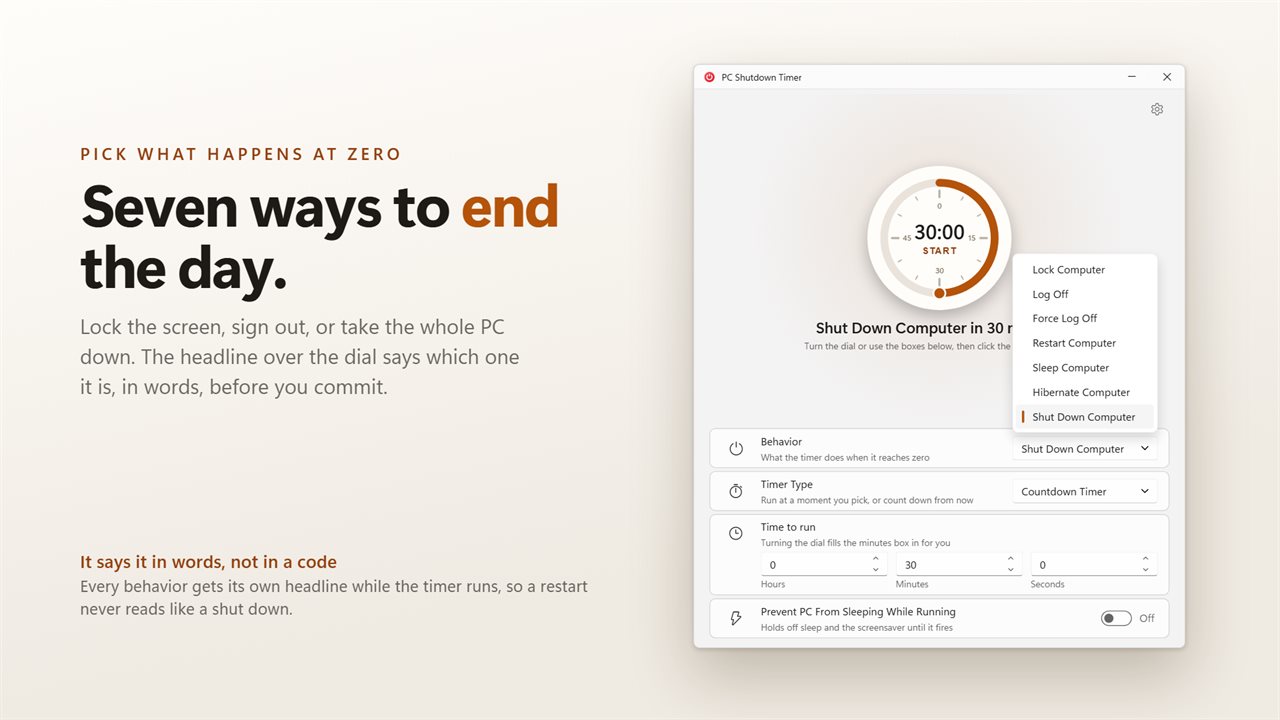
Lock Computer, Log Off, Force Log Off, Restart Computer, Sleep Computer, Hibernate Computer, Shut Down Computer. Pick one from the list and the headline tells you what is about to happen and when, in words, before you commit to it.
Two ways to set it
Count down from now, or give it a date and time to fire at. The countdown is what the dial sets; the date and time is a calendar field, for the download that finishes at two in the morning.
A minute's warning
With the warning on, a Windows notification arrives at sixty seconds so unsaved work still has somewhere to go. There is a standing note on the main page about saving first, because the action at zero does not ask again.
It survives the window closing
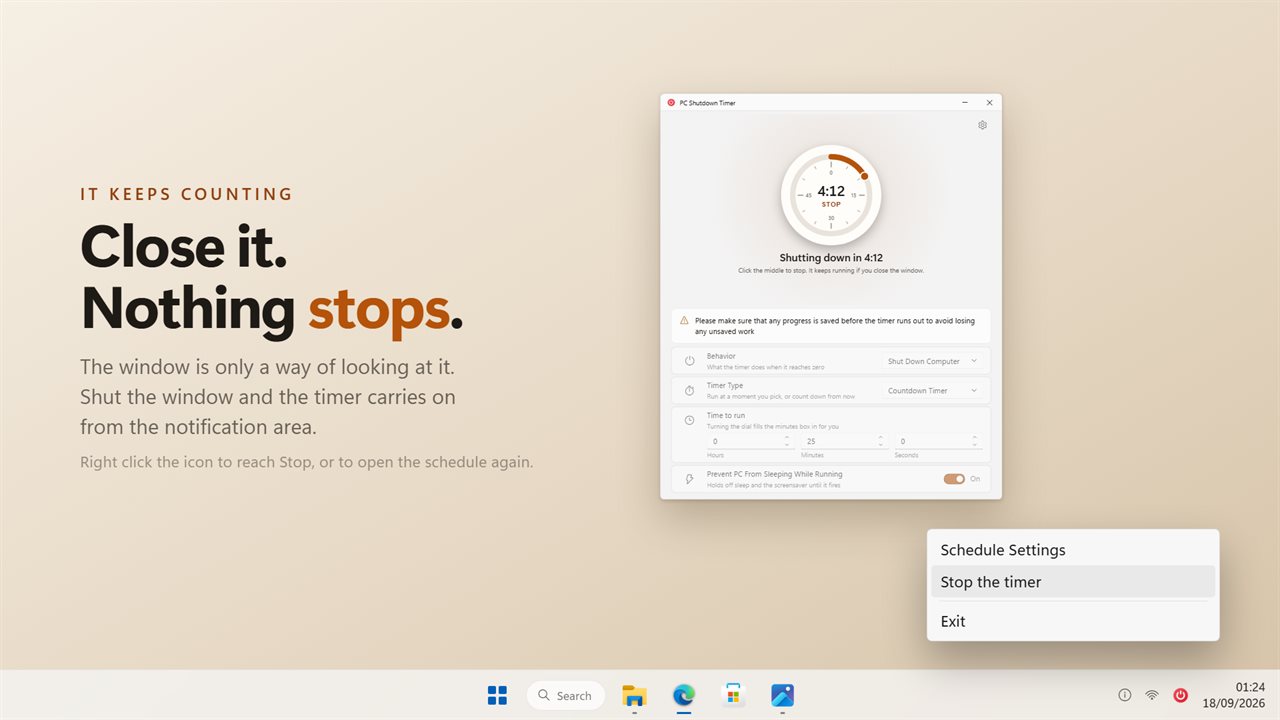
Close the window with a timer running and it carries on from the notification area. Right click the icon to reach Stop, or to open the schedule again. Nothing is left running once the timer has fired or been stopped.
The dial on your phone
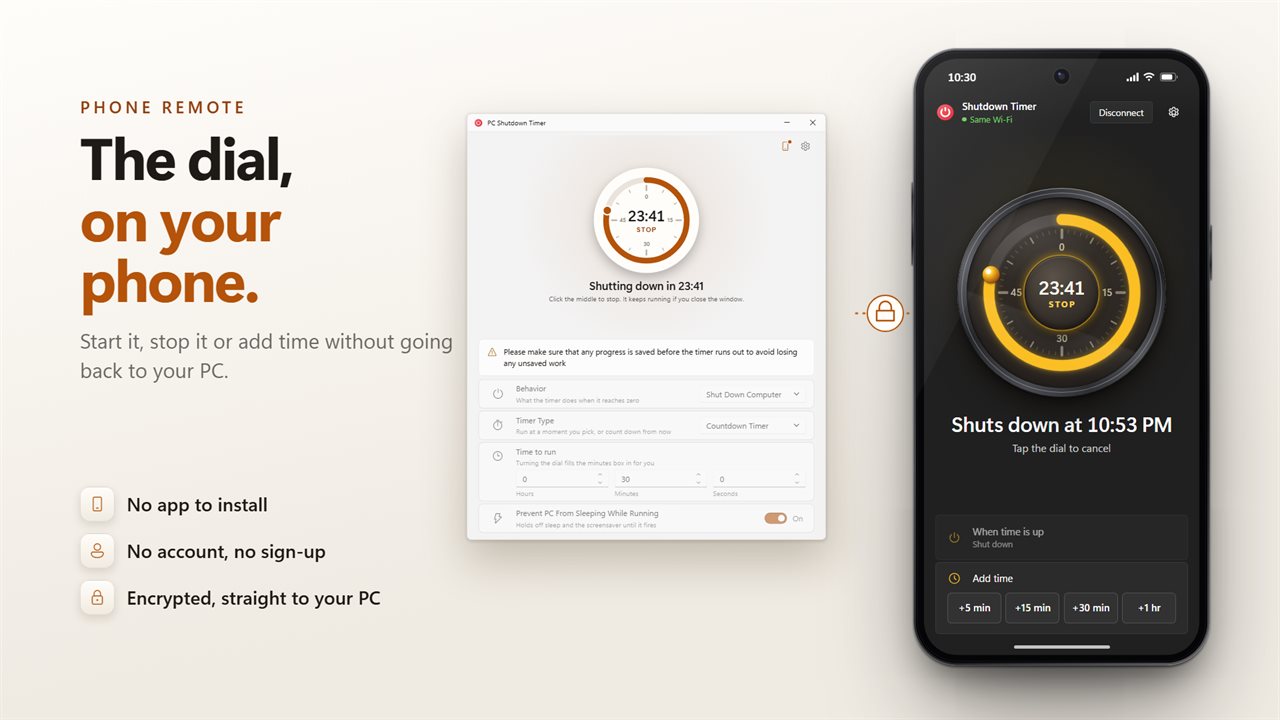
Scan the code in the app with your phone's camera, and the same dial is on your phone. Start a countdown, see how long is left, add time or stop it, without going back to your PC. There is no app to install, no account and no sign-up. Your phone talks straight to your PC over an encrypted connection.
A shutdown and a restart need a Windows privilege that some accounts do not hold. This asks for it when you press start, so you find out while there is still a window to read the message in.
It can also hold off sleep and the screensaver while it counts, which matters when the thing you are waiting on is the reason the PC has to stay up.
Light and dark, following Windows or pinned to one. No account. No sign-in. Nothing about you is sent unless you connect your phone or send feedback. No ads, and nothing held back behind an unlock.
Built for Windows 11, and at home on Windows 10.
Features
- Seven things it can do at zero: lock, log off, force log off, restart, sleep, hibernate or shut down
- Turn the ring to set the minutes, or type hours, minutes and seconds into the boxes below
- The time readout in the middle of the dial is the start and stop button
- Run at a date and time you pick, or count down from now
- A Windows notification one minute before, so unsaved work still has somewhere to go
- Close the window and the timer keeps running from the notification area
- Stop sits on the tray menu, so a running timer is never out of reach
- Can hold off sleep and the screensaver for as long as it is counting
- Says up front if the account is not allowed to shut this PC down, not at zero seconds
- Use your phone as the dial: start, stop, see the time left and add time. No app to install and no account
- No account, no ads, and nothing leaves your PC unless you connect your phone or send feedback
Details
- Works on
- Windows 10 (1809 or later) and Windows 11
- Download
- About 2.8 MB
- Version
- 2.1.3, updated October 2026
- First released
- February 2023
- Price
- $2.49 once. No subscription.
- Category
- Utilities & tools
Questions
Anything else? Ask us
Which versions of Windows does it run on?
Windows 10 (version 1809 or later) and Windows 11.
Is it a subscription?
No. PC Shutdown Timer is a one-time purchase of $2.49, and updates are included.
How do I get it?
EvlarSoft apps are moving to direct downloads from this site. Ask to be notified and we will email you as soon as PC Shutdown Timer is ready to download.