PDFLockPro
A password decides whether a document opens. PDFLockPro decides what happens next. Pick Read only, Read and print, Review or Password only — or set the seven permissions yourself — and apply it across a whole batch at once. Stop copying, editing, printing, commenting or page reordering, with a separate owner password so the restrictions hold. AES-256 throughout. Everything runs on your PC.
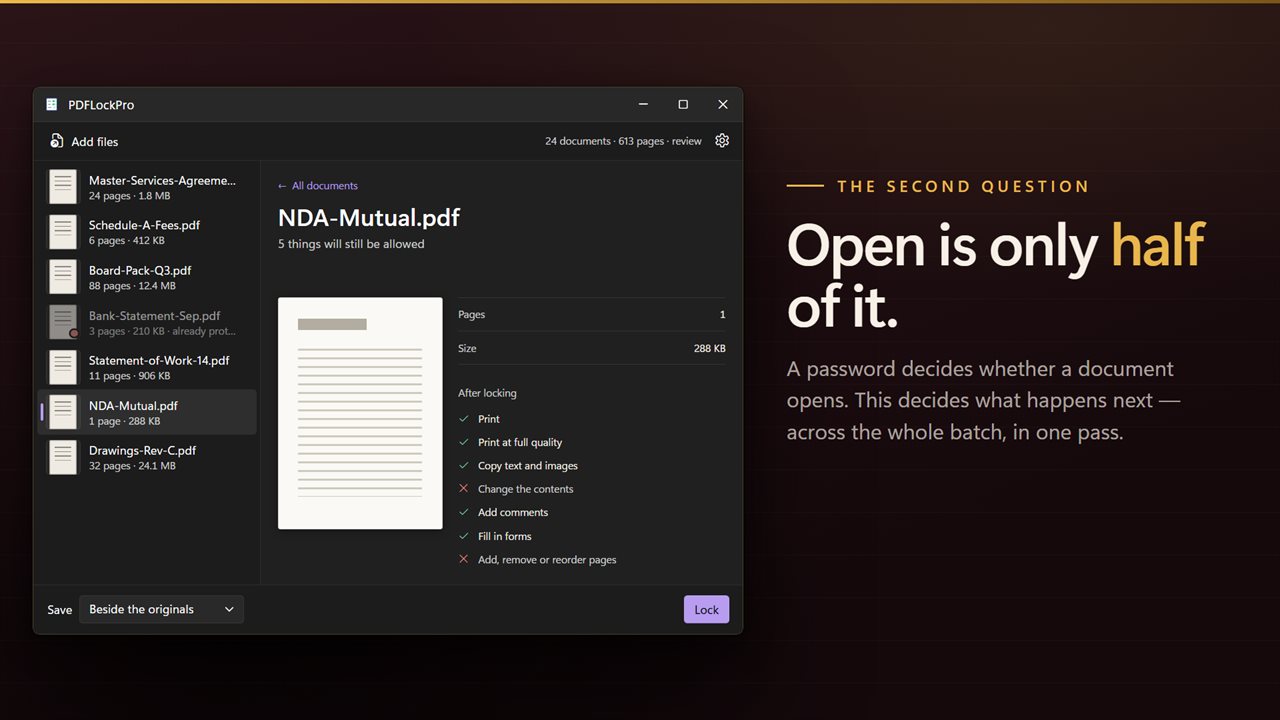
A password says whether it opens. This says what a reader may do once it is.
See it in action
About PDFLockPro
A password decides whether a document opens. It says nothing about what happens next.
PDFLockPro is the one in this family that answers the second question. Once your document is open in front of somebody, can they copy the text out of it? Print it? Change it? Pull three pages out and send those on instead? Those are separate permissions inside every PDF, and this is where you set them — across a whole batch, in one pass.
Start with a decision, not a specification
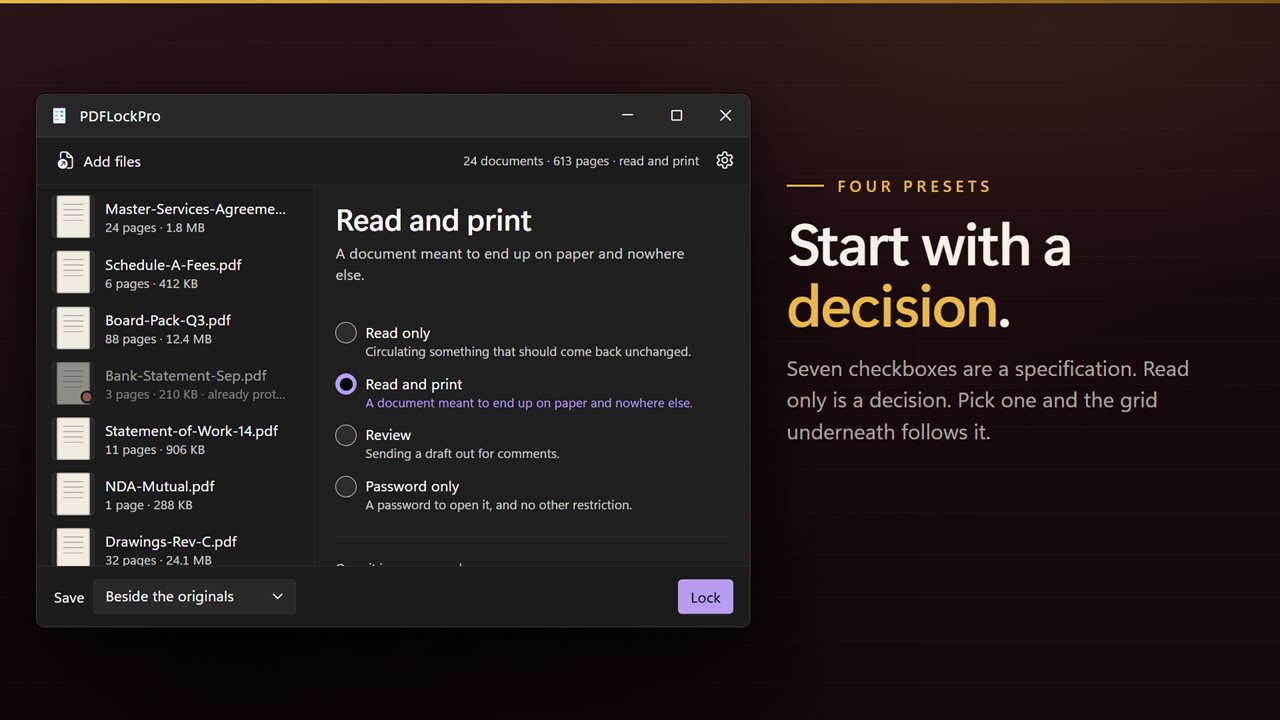
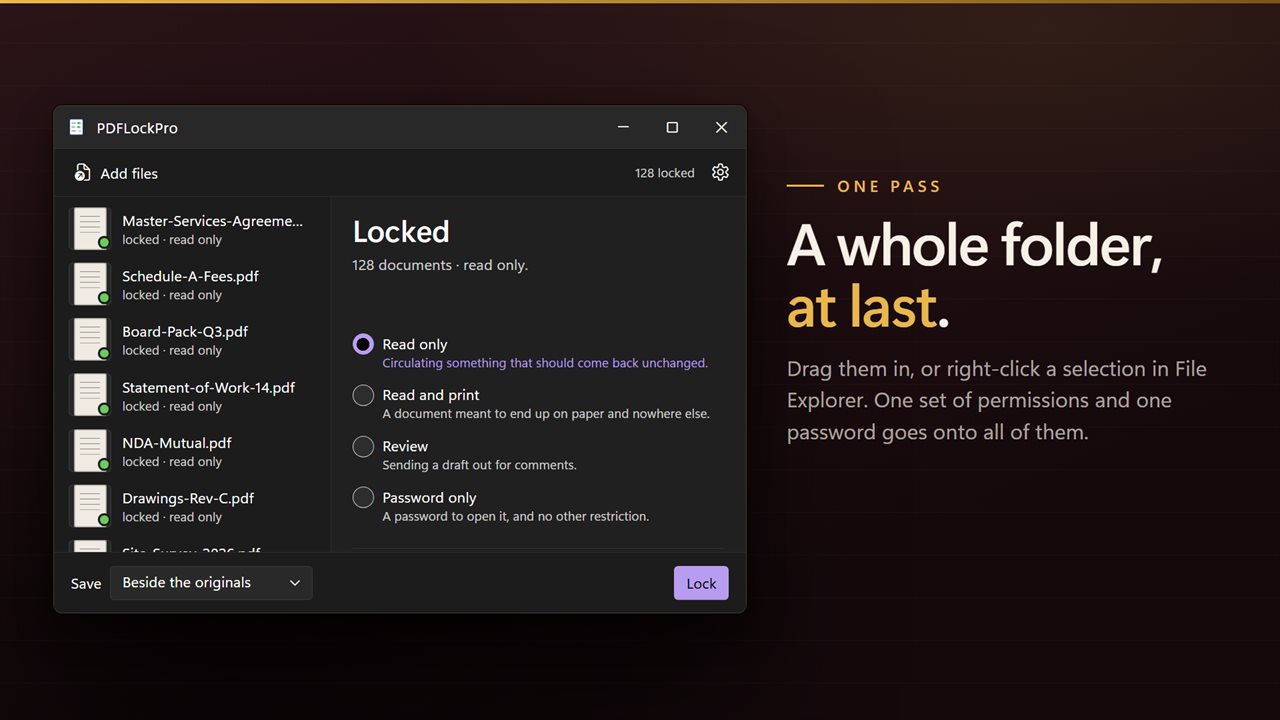
Seven checkboxes are a specification. "Read only" is a decision. So the presets come first:
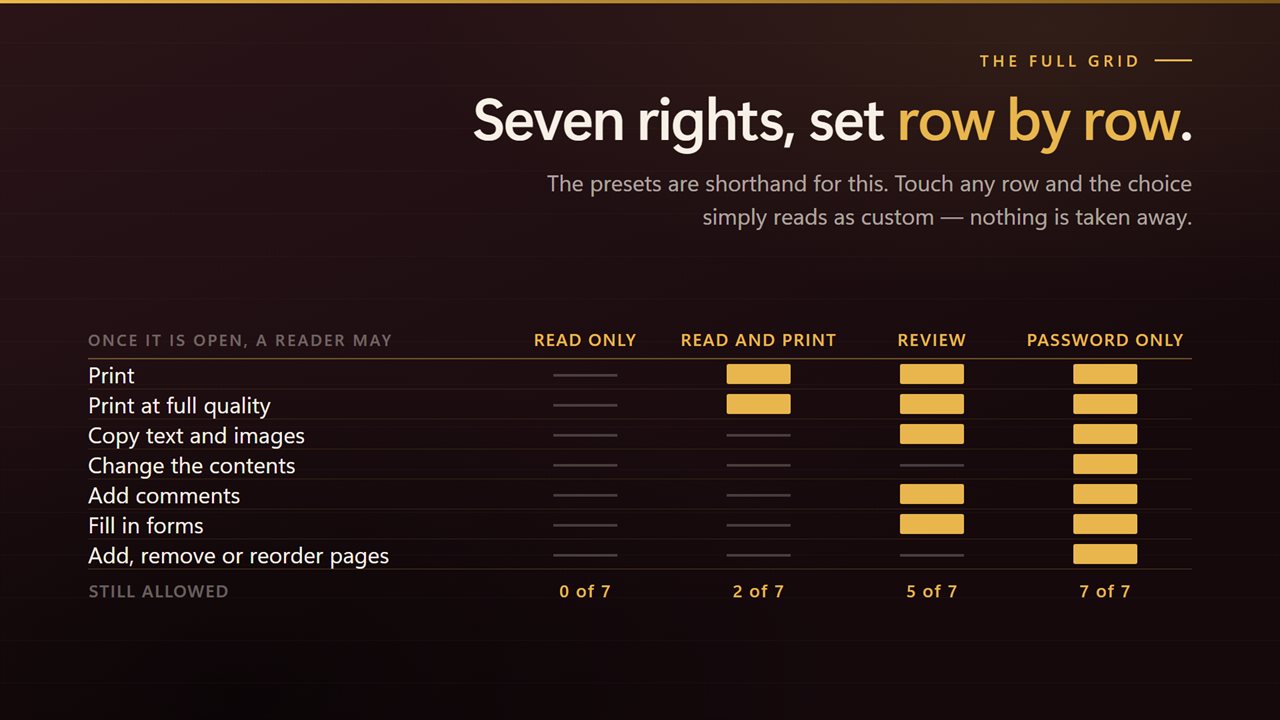
The full grid is underneath for anybody who wants it: print, print at full quality, copy text and images, change the contents, add comments, fill in forms, and add, remove or reorder pages. Set them individually and the preset simply reads as custom.
- Read only — for circulating something that should come back unchanged.
- Read and print — for a document meant to end up on paper and nowhere else.
- Review — for sending a draft out for comments. Printing, copying and annotating stay on; editing does not.
- Password only — a password to open it, and no other restriction.
The owner password is a separate thing
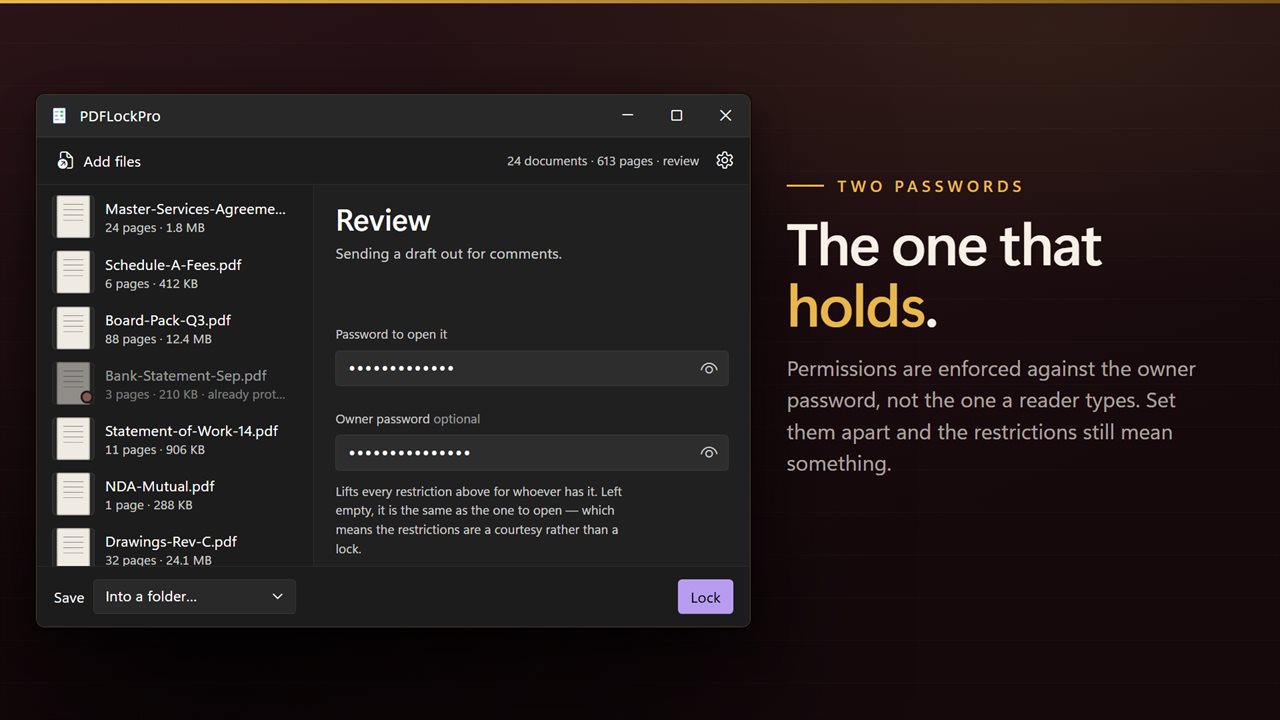
Permissions are enforced against the owner password, not the one a reader types to open the document. Set them separately and the restrictions still mean something even where the file opens freely. Leave the owner password empty and it matches the user one.
Accessibility is never switched off
There is no toggle here for blocking screen readers, and that is deliberate. A conforming reader has to honor accessible extraction whatever the flag says, so offering the switch would be offering one that does nothing.
Built for the batch
Drag a folder in, or select documents in File Explorer and send them across with Open with. One set of permissions and one password goes onto all of them. Each row shows its page count, its size and a preview of the first page, and documents that already carry protection are marked before you run rather than failing at the end.
AES-256
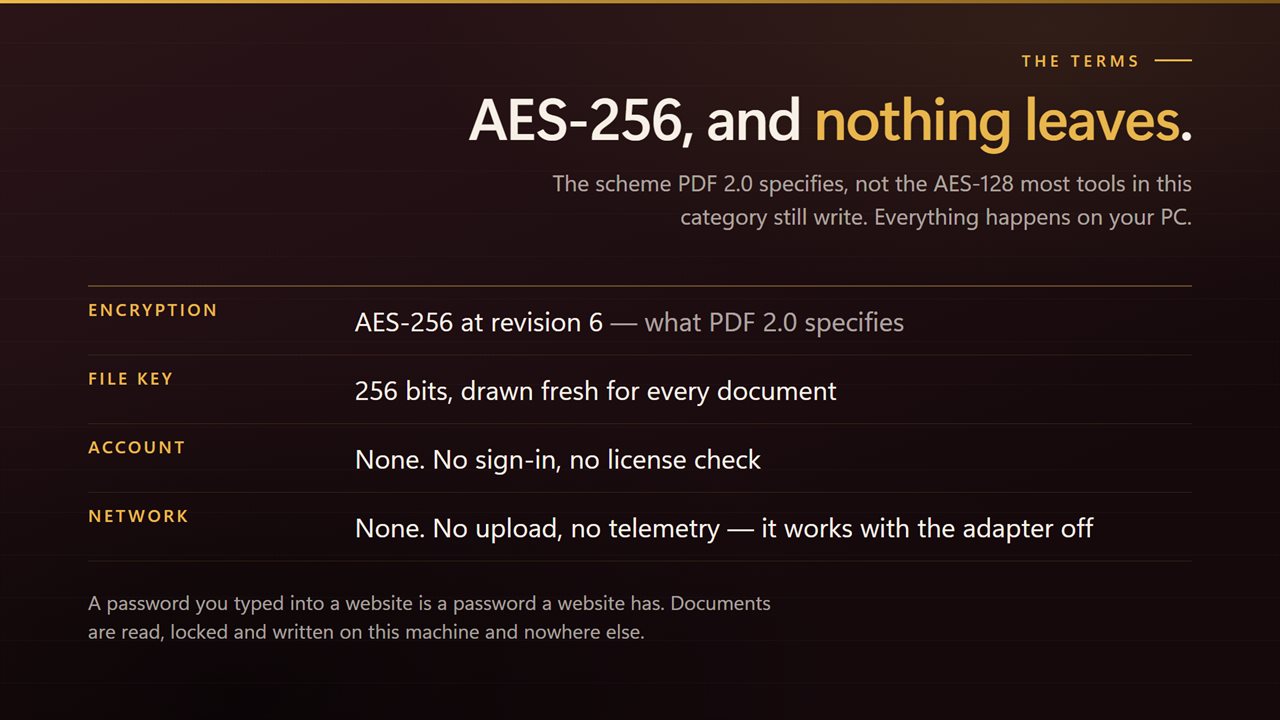
Documents are locked with AES-256 at encryption revision 6, the scheme PDF 2.0 specifies. The AES-128 that most tools in this category still write is not offered.
Where the results go
Beside the originals, into a folder of their own, or over the files themselves. Anything that could not be processed is named individually with the reason.
On your PC, only
No account, no sign-in, no upload, no telemetry. It works with the network off.
Features
- Decides what a reader may still do once the document is open — not just whether it opens
- Four presets: Read only, Read and print, Review, or Password only
- Seven individual permissions underneath, when a preset is not quite it
- Stop copying, editing, printing, commenting, form filling, or reordering pages
- Separate owner password, so the restrictions hold even where the document opens freely
- Locks with AES-256, the encryption every reader made in the last decade opens
- Screen readers are never blocked, whatever else is switched off
- Takes a whole folder at once — drag them in, or right-click a selection in File Explorer
- Write the results beside the originals, into a folder you choose, or over the files themselves
- Names every document it could not process, and why, instead of quietly skipping it
- Cancel mid-run; everything already finished stays finished
- Runs entirely on your PC — no account, no upload, no server processing
Details
- Works on
- Windows 10 (1809 or later) and Windows 11
- Download
- About 16.4 MB
- Version
- 3.0.5, updated October 2026
- First released
- August 2023
- Price
- $2.49 once. No subscription.
- Category
- Productivity
What's new in 3.0.5
- Now genuinely bulk. The app has always been listed as a bulk locker; it now has the queue to match, and takes a whole folder in one pass
- Added permission presets: Read only, Read and print, Review and Password only, with the seven individual permissions underneath
- The owner password is now separate from the user password, so restrictions hold on documents that open freely
- Locking moved from AES-128 to AES-256
- Removed the accessibility toggle, which never did anything — conforming readers must honor accessible extraction regardless
- Documents that already carry protection are marked before the run instead of failing during it
- A redesigned interface that follows your Windows light or dark theme
Questions
Anything else? Ask us
Which versions of Windows does it run on?
Windows 10 (version 1809 or later) and Windows 11.
Is it a subscription?
No. PDFLockPro is a one-time purchase of $2.49, and updates are included.
How do I get it?
EvlarSoft apps are moving to direct downloads from this site. Ask to be notified and we will email you as soon as PDFLockPro is ready to download.