PDF Validate Digital Signatures
Was this document changed after it was signed? That is the question, and this answers it: the bytes are re-hashed against what was signed, the signature is checked to cover the whole file, and the signer's own key is checked to have made it. Signer, reason, place, date and certificate are laid out beside the verdict. It does not check certificate trust and says so plainly rather than implying it. Writes nothing, uploads nothing.
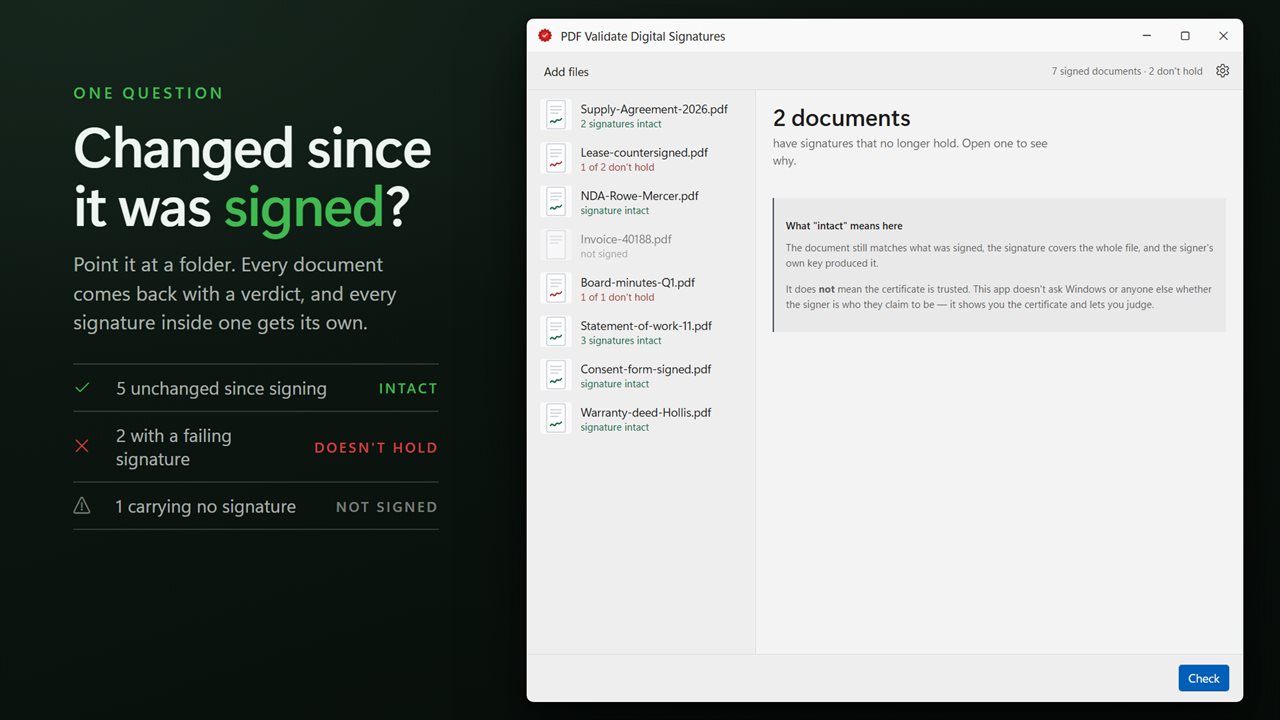
Has anybody changed this since it was signed? That is the question, and this answers it.
See it in action
About PDF Validate Digital Signatures
The question people actually have about a signed PDF is simple: has anybody changed it since it was signed?
This answers that question, for a whole folder of documents at a time.
What it establishes
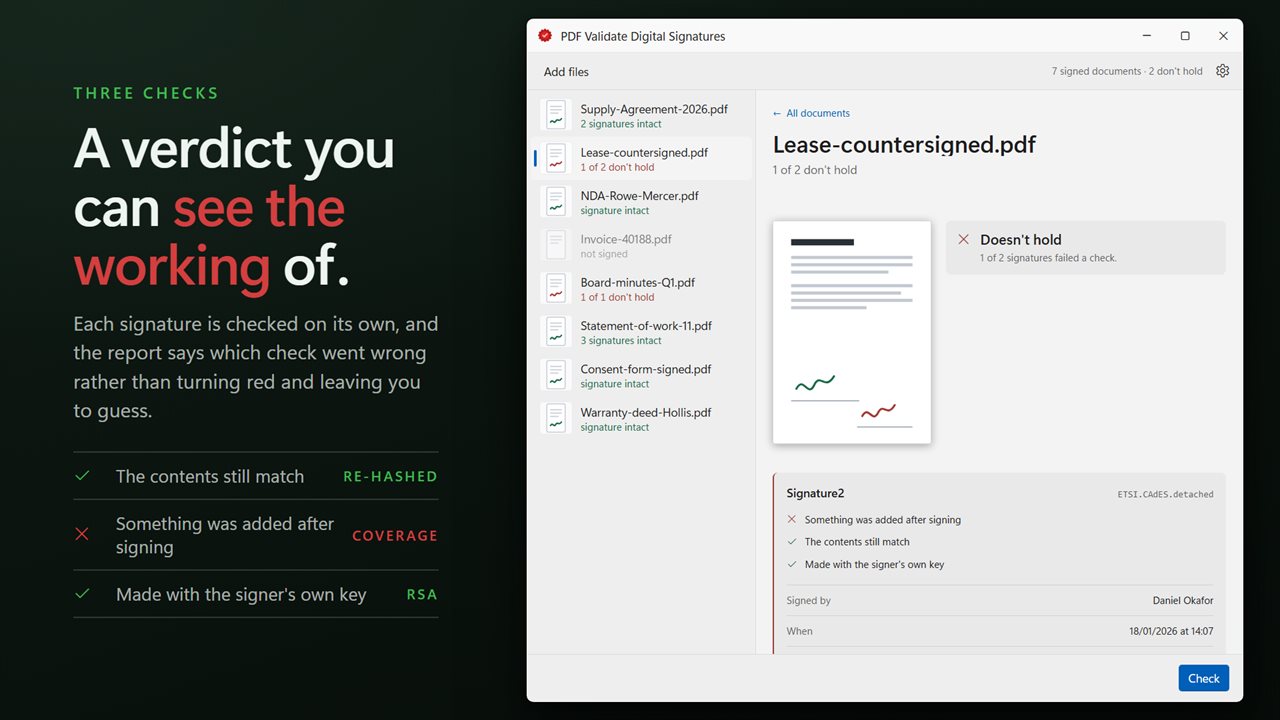
Together those catch a document altered after signing, which is what anybody asking this question is worried about.
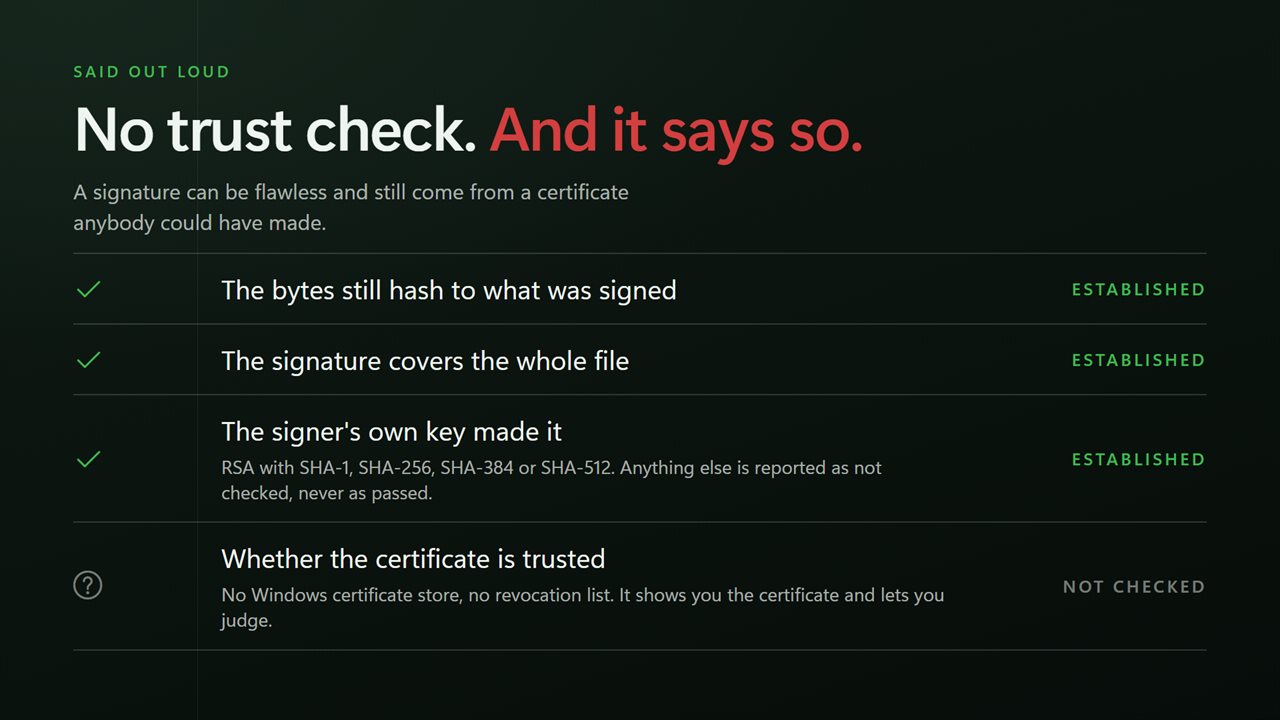
- The bytes still hash to what was signed. If a single byte of the covered range changed, this fails.
- The signature covers the whole file. A signature over part of a document, with content appended afterwards, is the classic way a signed PDF ends up saying something it did not say.
- The signer's own key made the signature. RSA with SHA-1, SHA-256, SHA-384 and SHA-512 are verified; anything else is reported as not checked rather than as a failure.
What it tells you about the signer
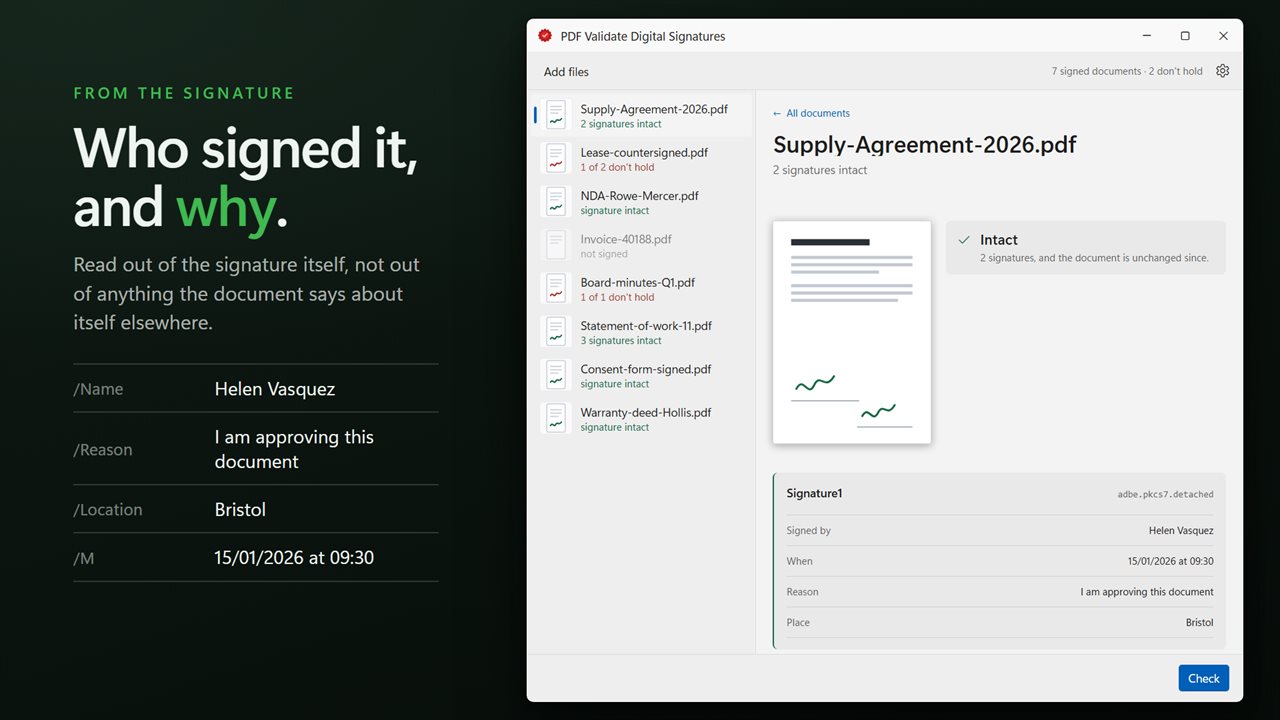
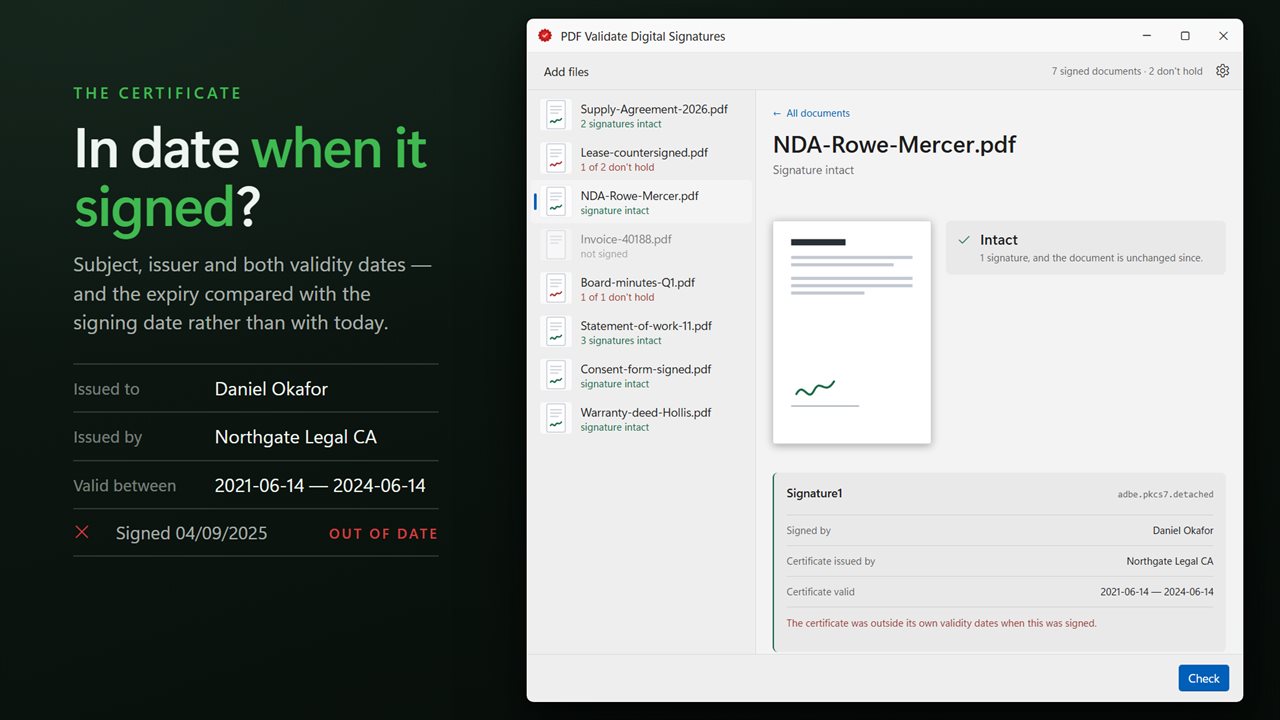
The signer's name, the reason they gave, the place, and when they signed — read straight out of the signature rather than from anything the document claims elsewhere. Then the certificate: who it was issued to, who issued it, the dates it is valid between, and whether it was still in date at the moment it was used.
Signature fields that exist but were never signed are called out too, because an unsigned field on a document that looks signed is worth knowing about.
What it does not do, said out loud
It does not check whether the signing certificate is trusted. It does not walk the Windows certificate store, and it does not consult revocation lists. A signature can be cryptographically perfect and still come from a certificate anybody could have made, so this app reports what it verified and says plainly what it did not, rather than letting a green tick imply the rest.
That is a deliberate change from earlier versions of this app, which leaned on a third-party component that could reach the trust store — and which therefore said "trusted" in places this cannot.
It writes nothing
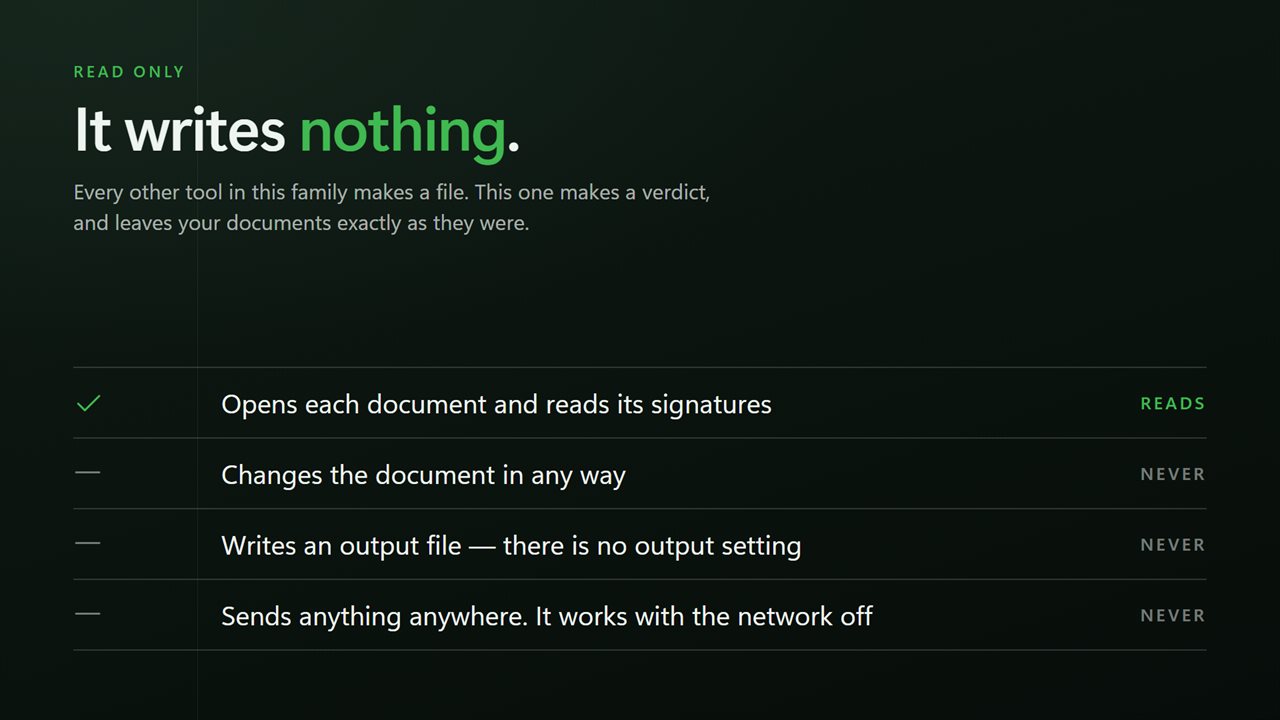
Alone in this family, this app produces no output files. Your documents are opened, read and left exactly as they were.
A whole folder at once
Drag a folder in, or select documents in File Explorer and send them across with Open with. Every document gets its own verdict, and documents carrying several signatures get one for each.
On your PC, only
No account, no sign-in, no upload, no telemetry. It works with the network off.
Features
- Catches a document altered after it was signed — the thing people are actually worried about
- Checks the bytes still hash to what was signed, and that the signature covers the whole file
- Checks the signer's own key made the signature
- Names the signer, the reason, the place and the date, straight from the signature
- Shows the certificate: subject, issuer, validity dates, and whether it was in date when it signed
- Flags signature fields that were left unsigned
- Says plainly that it does not check certificate trust, rather than implying it with a green tick
- Writes nothing — your documents are read and never modified
- Checks a whole folder at once, with a verdict per document
- Runs entirely on your PC — no account, no upload, no server processing
Details
- Works on
- Windows 10 (1809 or later) and Windows 11
- Download
- About 16.5 MB
- Version
- 2.0.4, updated October 2026
- First released
- September 2023
- Price
- $2.99 once. No subscription.
- Category
- Security
What's new in 2.0.4
- Now checks a whole folder at once, with a verdict per document and one for each signature inside it
- The report is explicit about what was established: that the bytes still hash to what was signed, that the signature covers the whole file, and that the signer's key made it
- Certificate details are now shown, including whether the certificate was still in date at the moment it signed
- Signature fields left unsigned are now flagged
- The app no longer reports certificate trust. The third-party component that could read the Windows trust store is gone, and rather than implying trust with a green tick the report now says plainly what was not checked
- A redesigned interface that follows your Windows light or dark theme
Questions
Anything else? Ask us
Which versions of Windows does it run on?
Windows 10 (version 1809 or later) and Windows 11.
Is it a subscription?
No. PDF Validate Digital Signatures is a one-time purchase of $2.99, and updates are included.
How do I get it?
EvlarSoft apps are moving to direct downloads from this site. Ask to be notified and we will email you as soon as PDF Validate Digital Signatures is ready to download.