Push To Talk Mic
Stay muted, and talk only while you hold a key. Push To Talk Mic works in every app at once, from Discord and Teams to a game with no push to talk of its own, because it mutes the microphone itself rather than one program's copy of it. Hold to talk, hold to mute, or tap to toggle; a small on-air pill at the top of the screen tells you when you are live.
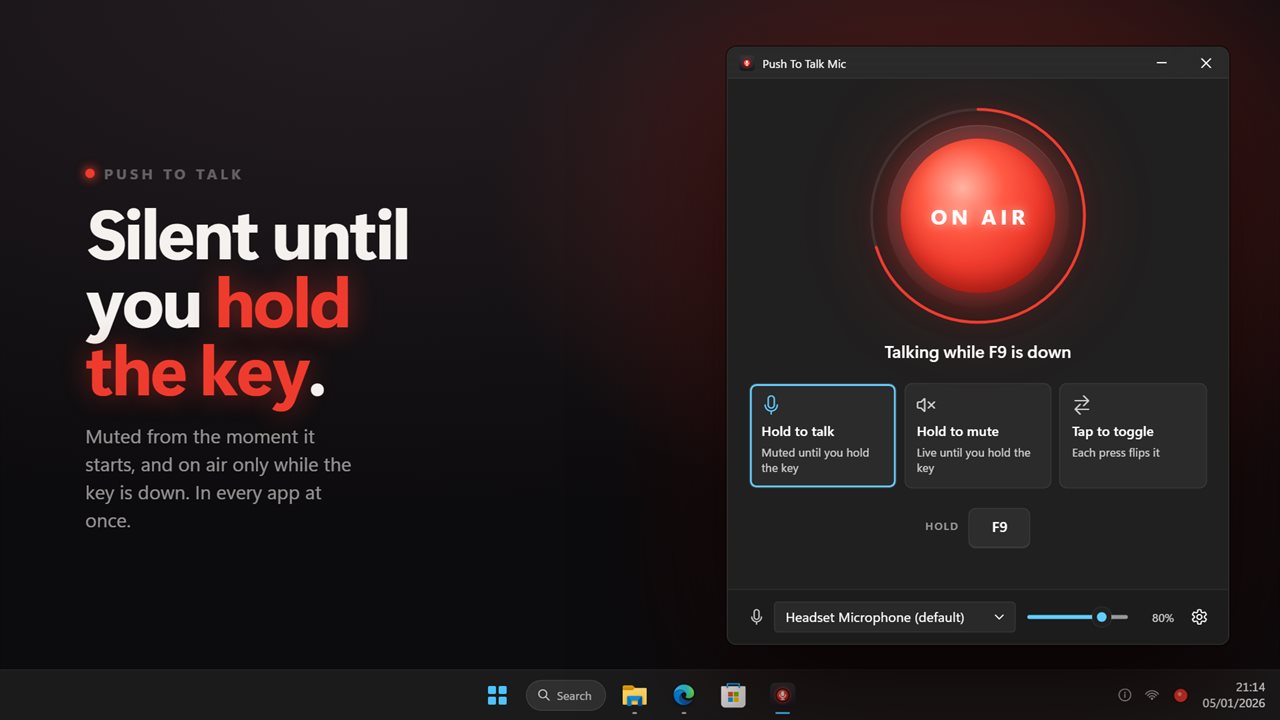
Stay muted, and go on air only while you hold the key.
See it in action
About Push To Talk Mic
Most voice apps have push to talk. Most of them only for themselves.
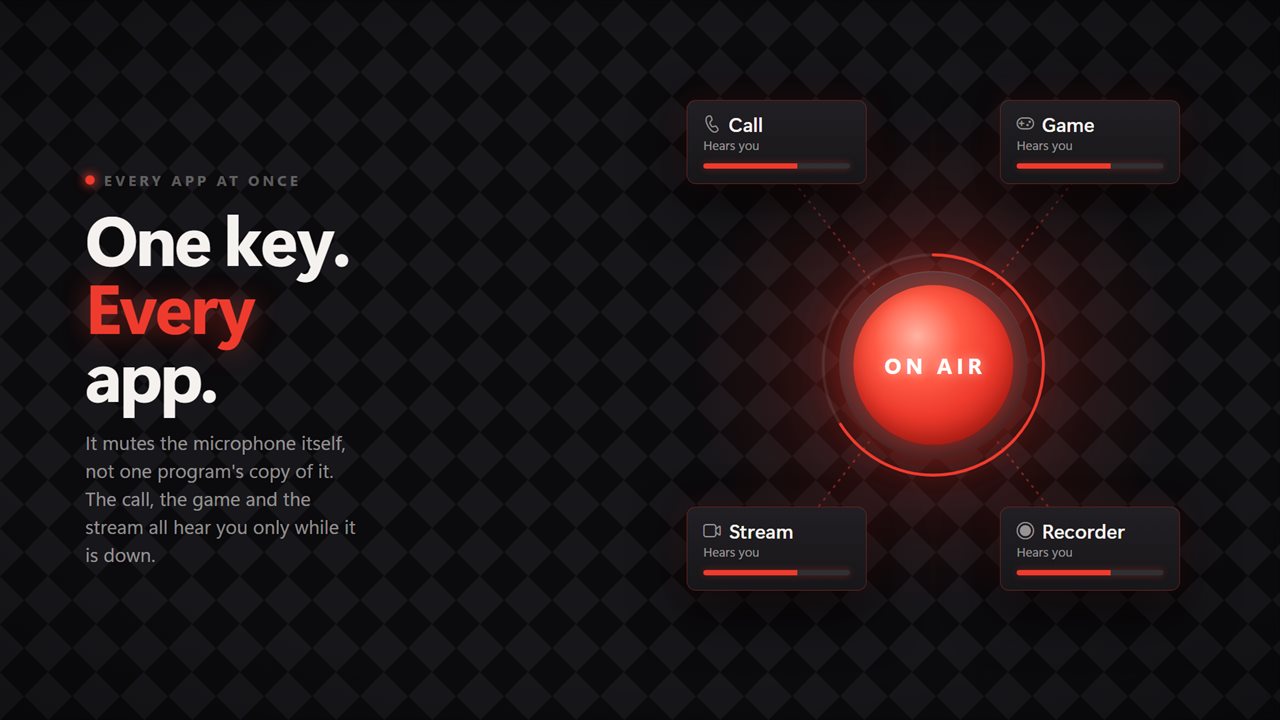
Push To Talk Mic mutes the microphone at the Windows level, so the key works in every app at the same time: the call, the game, the stream and the recorder all hear you only while it is down.
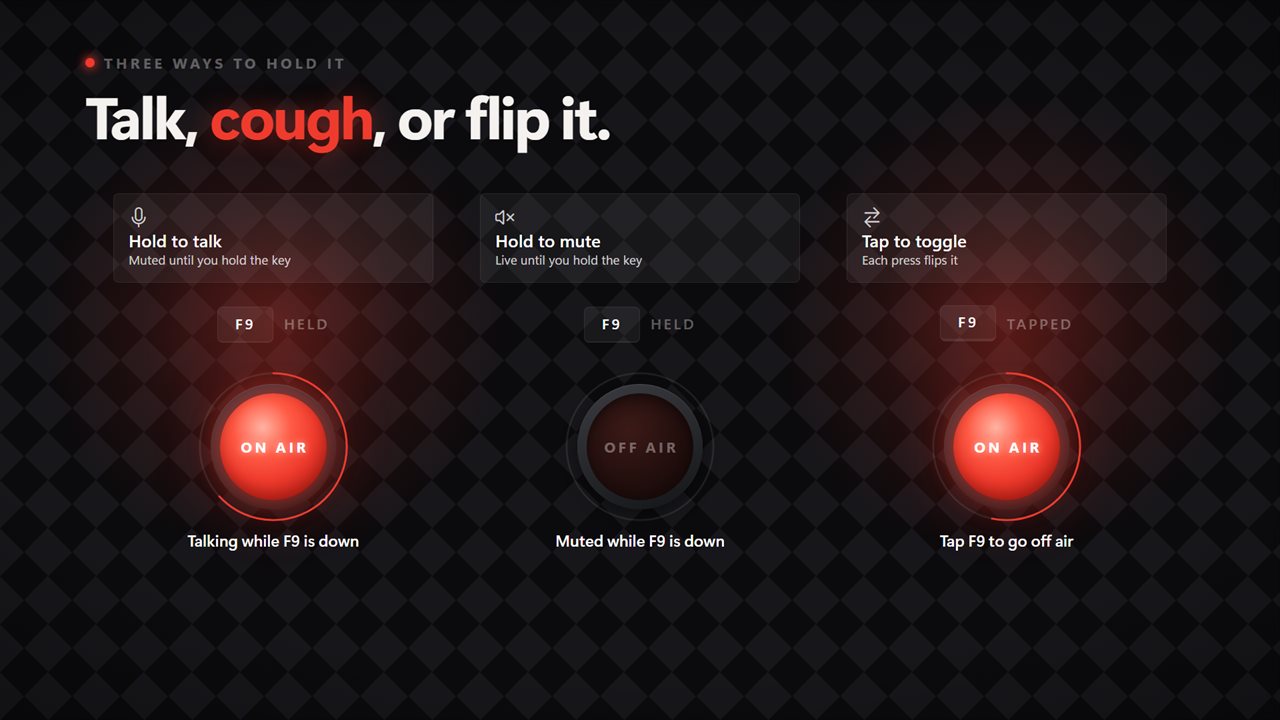
Three ways to hold it
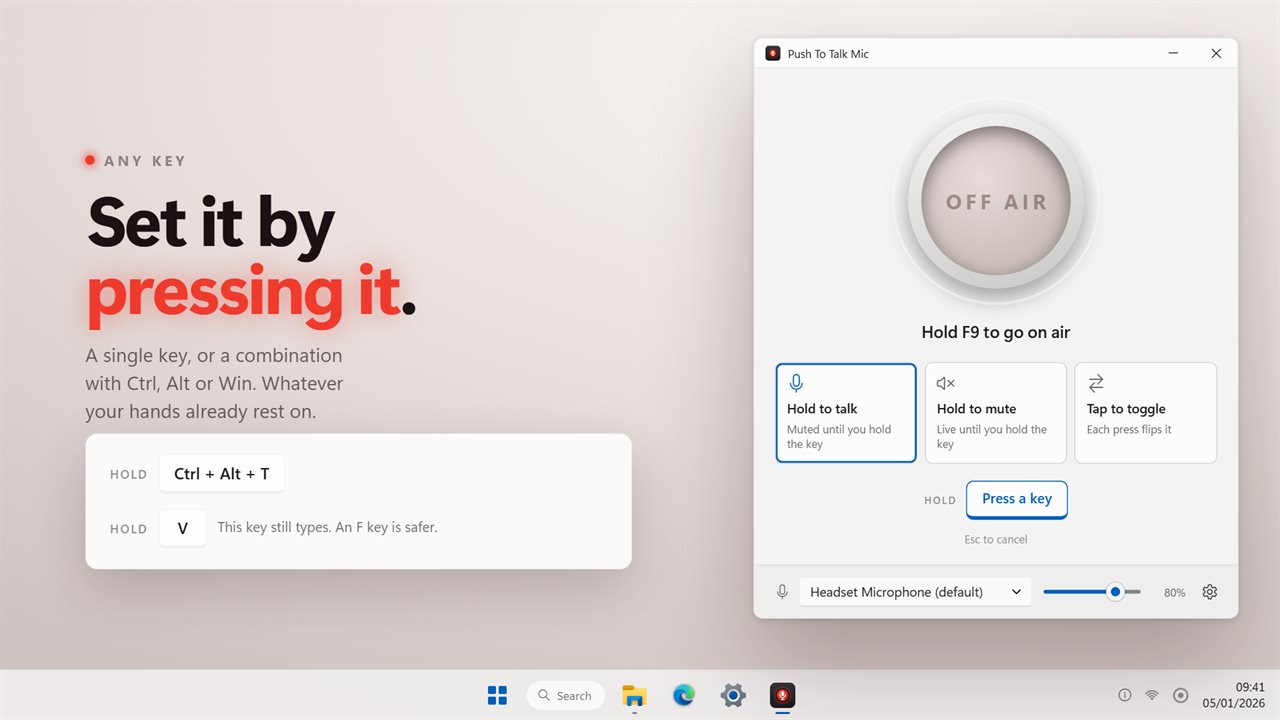
Hold to talk keeps you muted and opens the microphone while the key is down. It is muted from the moment the app starts, so there is no stretch at the beginning of a call where you are live without knowing.
Hold to mute is the other way round. You are live, and holding the key silences you for a cough, a sneeze or a word with someone in the room.
Tap to toggle turns each press into on air or off air, for longer stretches of talking.
Any key
Click the key on the main window and press the one you want. A single key or a combination with Ctrl, Alt or Win, whatever your hands already rest on. The key is still passed on to whatever you are using, and the app says so when you pick one that types.
Know when you are live
The window is one large tally light: lit red and ON AIR while the microphone is open, dark when it is not, with a ring around it showing the level it is actually hearing.
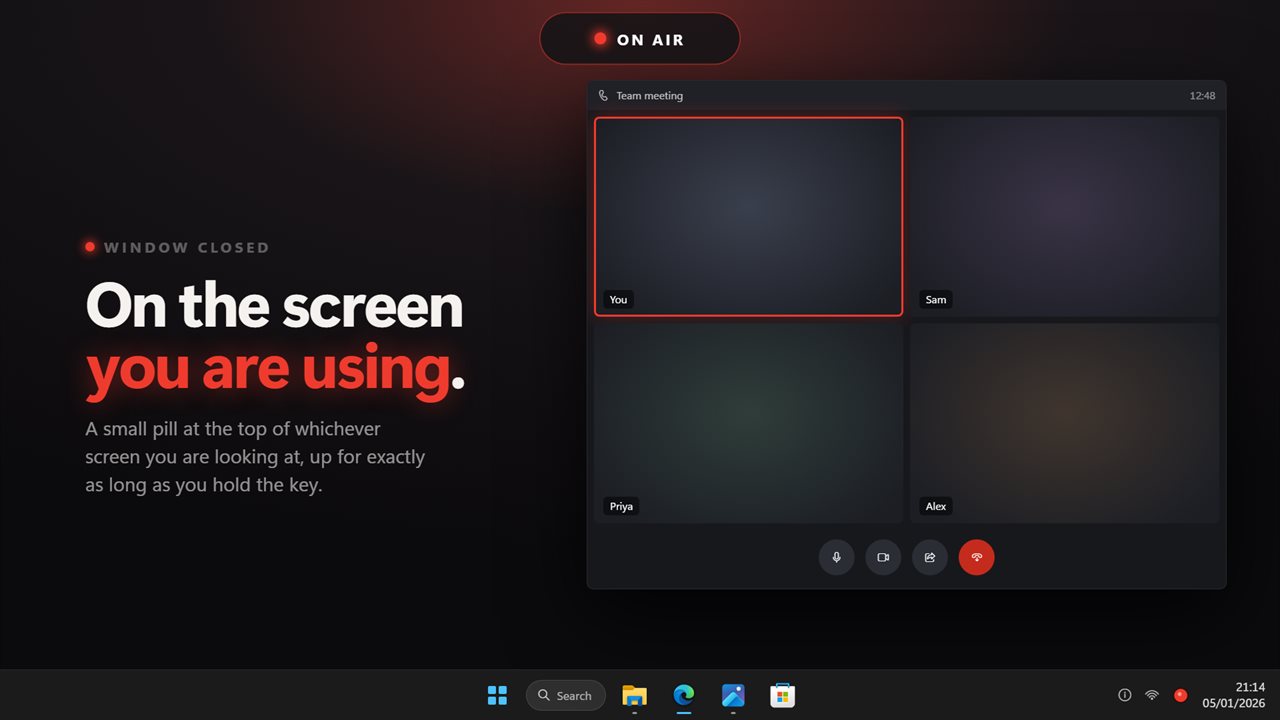
With the window closed, a small ON AIR pill sits at the top of whichever screen you are looking at, for exactly as long as you are holding the key. Turn on the radio chirp and you will hear it open and close as well.
It does not get stuck open
Windows does not tell other apps when a key is let go over a program running as administrator, or when a sign-in prompt takes over. Push To Talk Mic checks, and closes the microphone rather than leaving it live.
Where it lives
In the notification area, where the icon lights up with the microphone and the three modes are a right-click away. It can start with Windows, and it follows your light or dark theme.
Everything happens on this PC. No account is needed, nothing is uploaded unless you turn on backup, and it works with no connection at all.
Features
- Hold to talk: muted until the key is down, and muted from the moment it starts
- Hold to mute: live until the key is down, for a cough or an aside
- Tap to toggle: each press flips the microphone on or off air
- Any key or key combination, set by pressing it
- A small on-air pill at the top of the screen you are using
- An optional radio chirp as the microphone opens and closes
- Closes the microphone even if the key-up is lost to an administrator window
- Pick the microphone, set its input volume, and watch the live level
- Lives in the notification area, with the three modes one right-click away
- Starts with Windows, optionally
- Follows the Windows light and dark themes
- Works offline. No account needed, and nothing is uploaded unless you turn on backup
Details
- Works on
- Windows 10 (1809 or later) and Windows 11
- Download
- About 3.0 MB
- Version
- 2.0.5, updated October 2026
- First released
- August 2022
- Price
- $2.99 once. No subscription.
- Category
- Entertainment
What's new in 2.0.5
- Fixed: in hold to talk, the microphone was live until the first press
- New: tap to toggle, alongside hold to talk and hold to mute
- New: set the talk key by pressing it, including combinations
- New: an on-air pill that stays up while the key is held
- New: the microphone closes if the key-up is lost to an administrator window
Questions
Anything else? Ask us
Which versions of Windows does it run on?
Windows 10 (version 1809 or later) and Windows 11.
Is it a subscription?
No. Push To Talk Mic is a one-time purchase of $2.99, and updates are included.
How do I get it?
EvlarSoft apps are moving to direct downloads from this site. Ask to be notified and we will email you as soon as Push To Talk Mic is ready to download.