Rapid HTTP Server
Serve a folder as a website on your Wi-Fi and watch the real page at desktop and phone width as you work. Save a file and every open page reloads by itself. No administrator rights, any port, and a file list for folders without an index page.
Serve a folder as a website on your Wi-Fi.
See it in action
About Rapid HTTP Server
Rapid HTTP Server turns a folder on your PC into a website that every device on your network can open.
See the real page
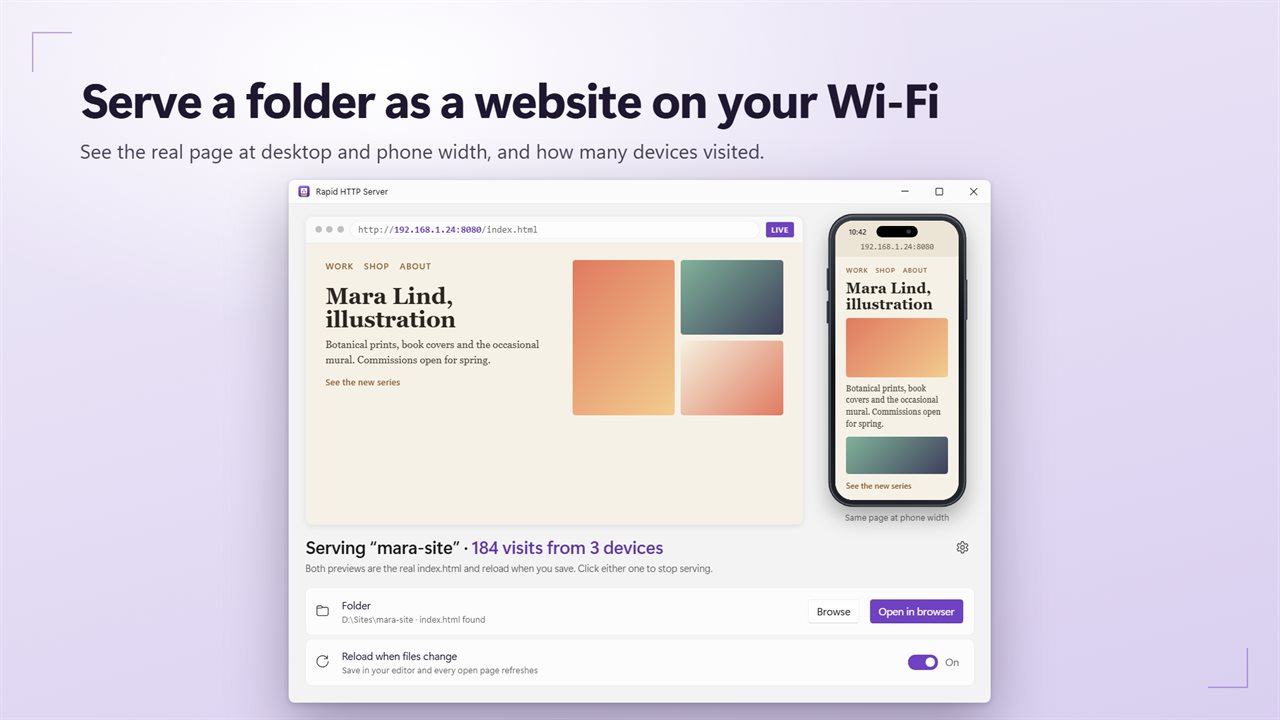
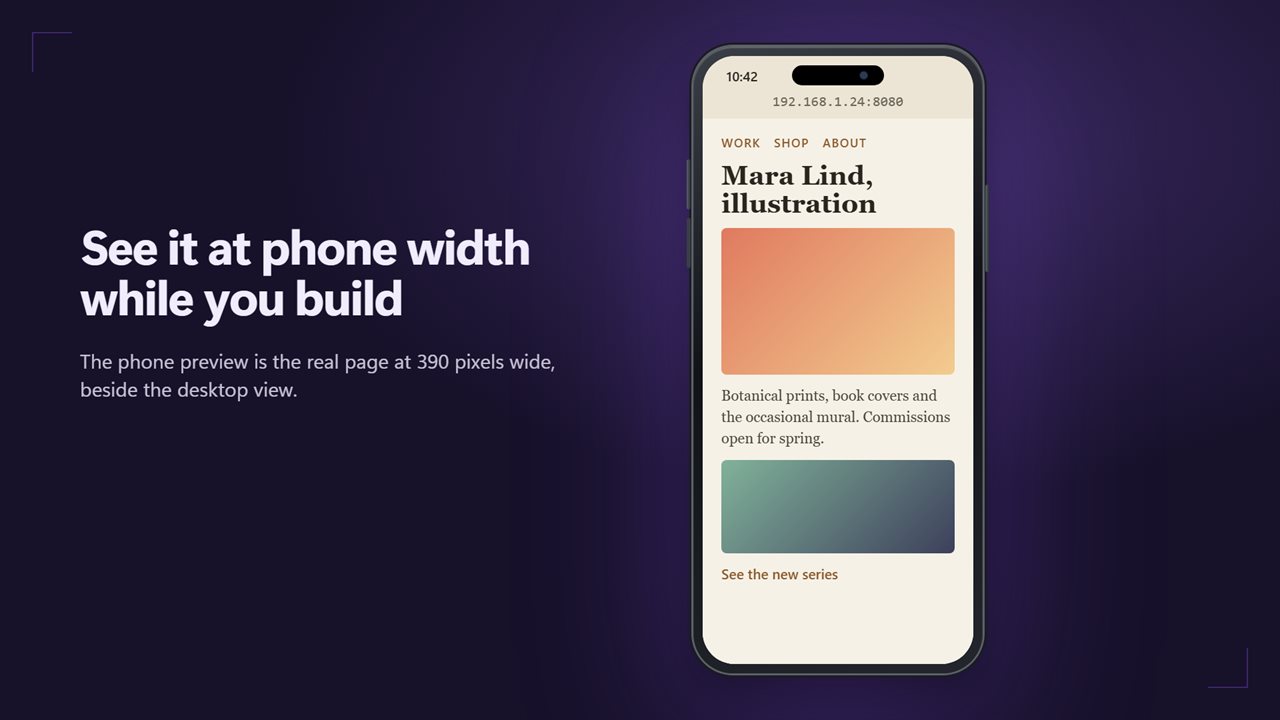
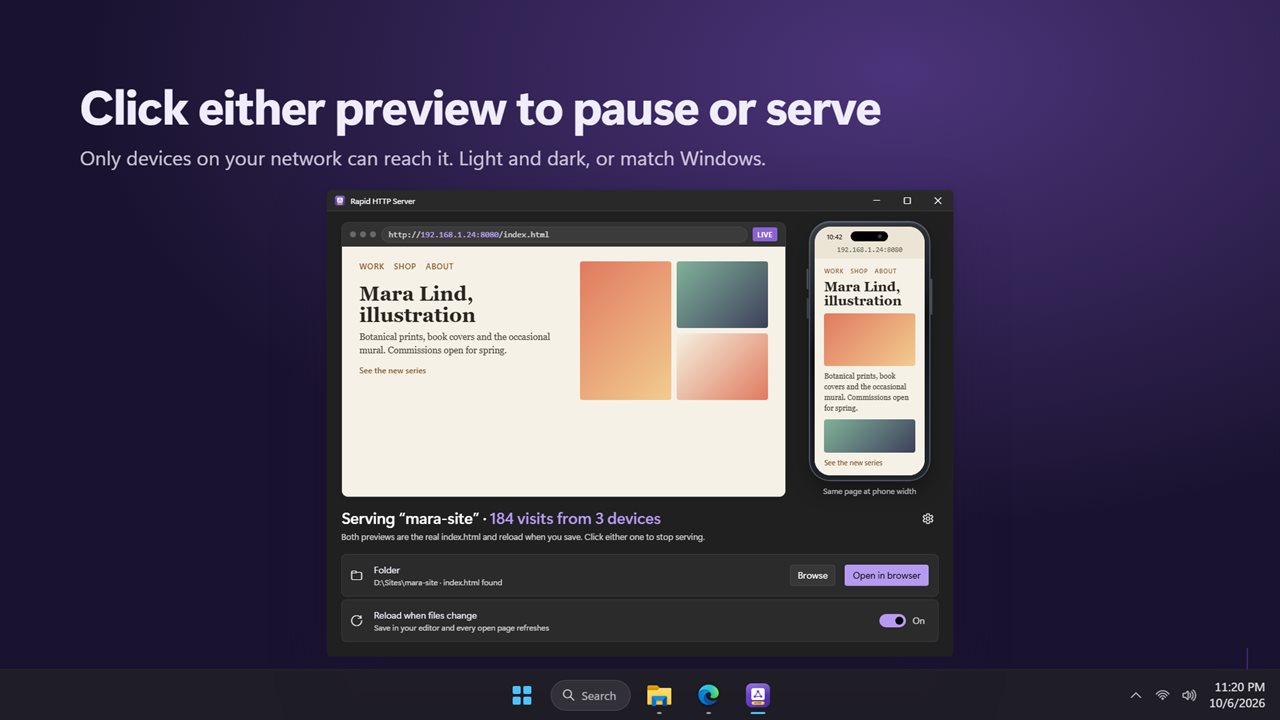
The app shows the page you're serving twice: at desktop width and at phone width, side by side. Both are the real page, not a picture of it. Click either one to pause serving, and click again to serve.
Save and it reloads
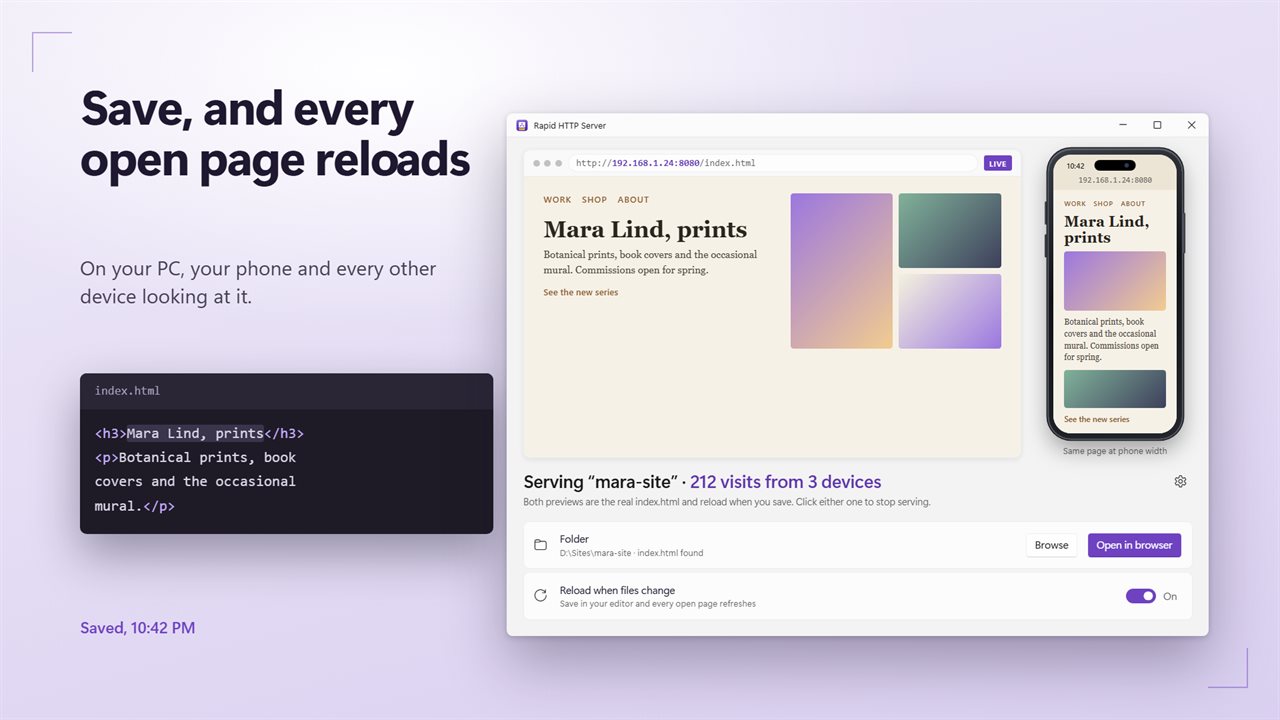
Turn on Reload when files change, and every open page refreshes the moment you save a file in your editor. That includes the previews, your browser and any phone looking at it.
Any folder
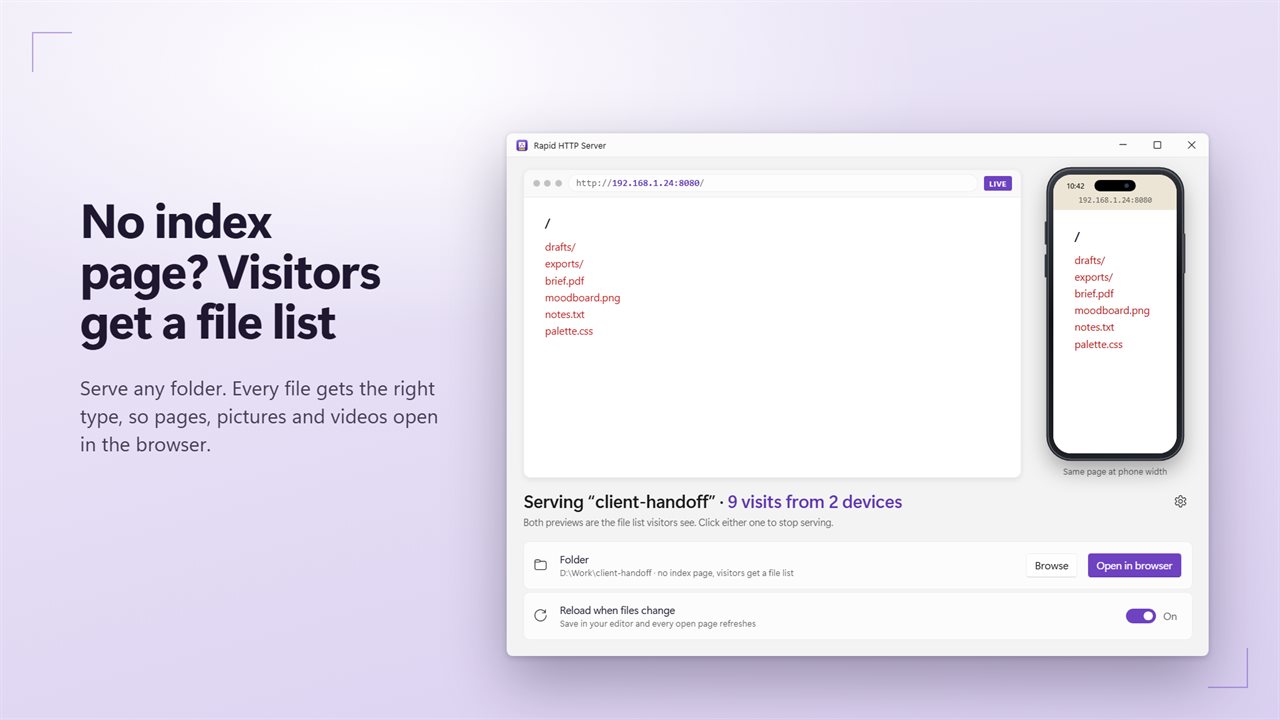
If the folder has an index page, that's what visitors see. If it doesn't, they get a list of the files to open. Every file is sent with the right type, so pages, pictures, video and fonts open properly in the browser.
No administrator rights
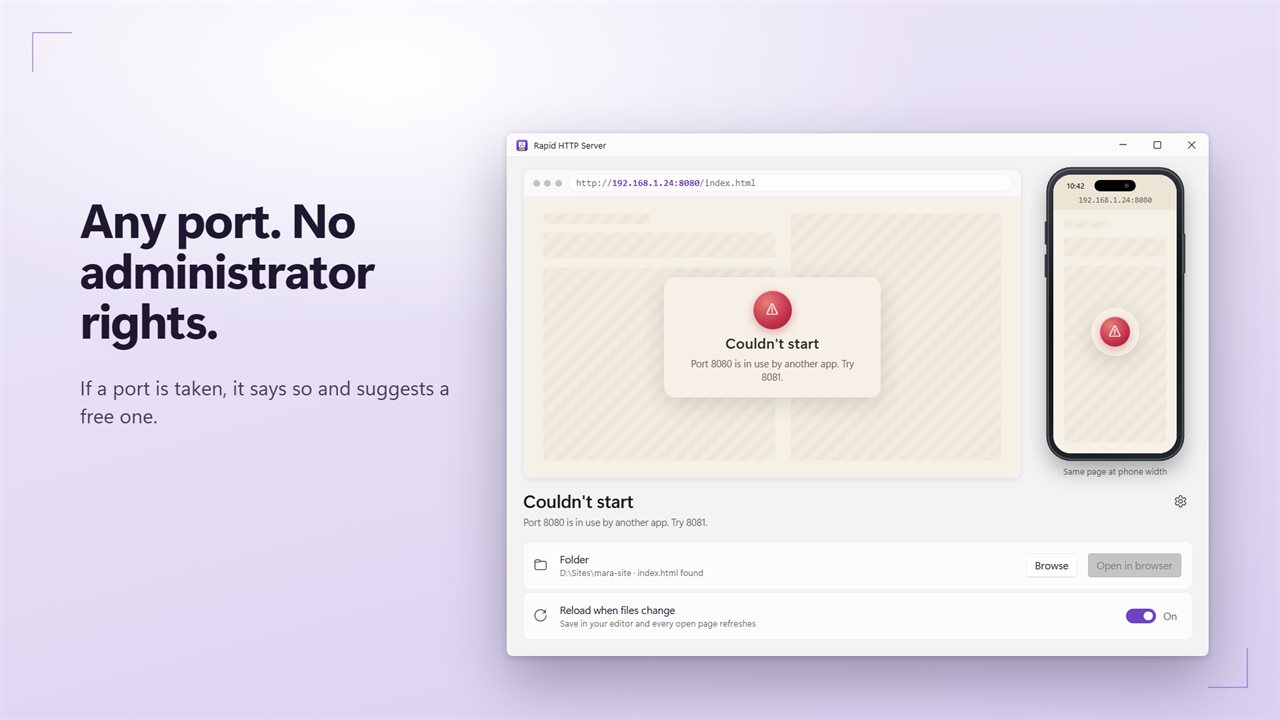
It starts on port 8080, and any free port works. If another app is using the port, it says so and suggests one that's free.
Who's looking
The app counts visits and how many different devices visited. Open in browser opens the same address other devices use. Only devices on your own network can reach it.
Features
- Serve any folder as a website to every device on your Wi-Fi
- See the real page in the app at desktop width and at phone width, side by side
- Live reload: save a file and every open page refreshes by itself, on every device
- A folder without an index page gets a file list instead of an error
- Every file is sent with the right type, so pages, pictures, video and fonts open properly
- Click either preview to pause or serve
- Counts visits and how many different devices visited
- Open in browser opens the address other devices use
- Port 8080 by default, and any free port from 1 to 65535 works
- No administrator rights needed
- If a port is taken, it says so and suggests a free one
- Many visitors at once, each request on its own
- Remembers your folder and settings, and serves again if you left it serving
- Light and dark themes, or match Windows
Details
- Works on
- Windows 10 (1809 or later) and Windows 11
- Download
- About 2.8 MB
- Version
- 2.0.2, updated October 2026
- First released
- May 2023
- Price
- $1.99 once. No subscription.
- Category
- Utilities & tools
What's new in 2.0.2
- New: previews of the real page at desktop and phone width
- New: live reload. Save a file and every open page refreshes
- New: a folder without an index page gets a file list
- New: visits and devices are counted
- Fixed: no administrator rights needed, and any port works, not only 3000 and up
- Fixed: every file is sent with the right type
- Fixed: many visitors at once, instead of one request at a time
Questions
Anything else? Ask us
Which versions of Windows does it run on?
Windows 10 (version 1809 or later) and Windows 11.
Is it a subscription?
No. Rapid HTTP Server is a one-time purchase of $1.99, and updates are included.
How do I get it?
EvlarSoft apps are moving to direct downloads from this site. Ask to be notified and we will email you as soon as Rapid HTTP Server is ready to download.