Simple Lorem Ipsum
Placeholder text in one click. Point at a line on a little index card in the tray, click, and that many words, sentences or paragraphs of lorem ipsum are on the clipboard. Open it from any app with Ctrl+Alt+L.
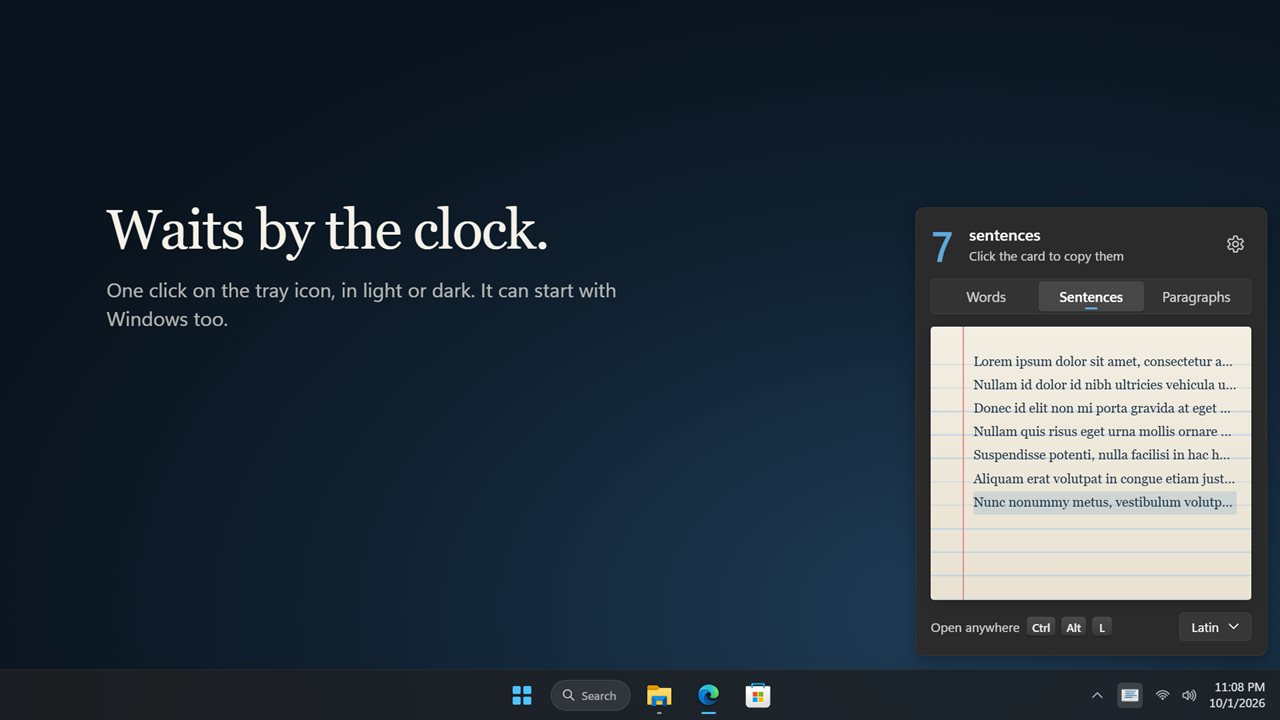
Point at a line and click. That much lorem ipsum is on the clipboard.
See it in action
About Simple Lorem Ipsum
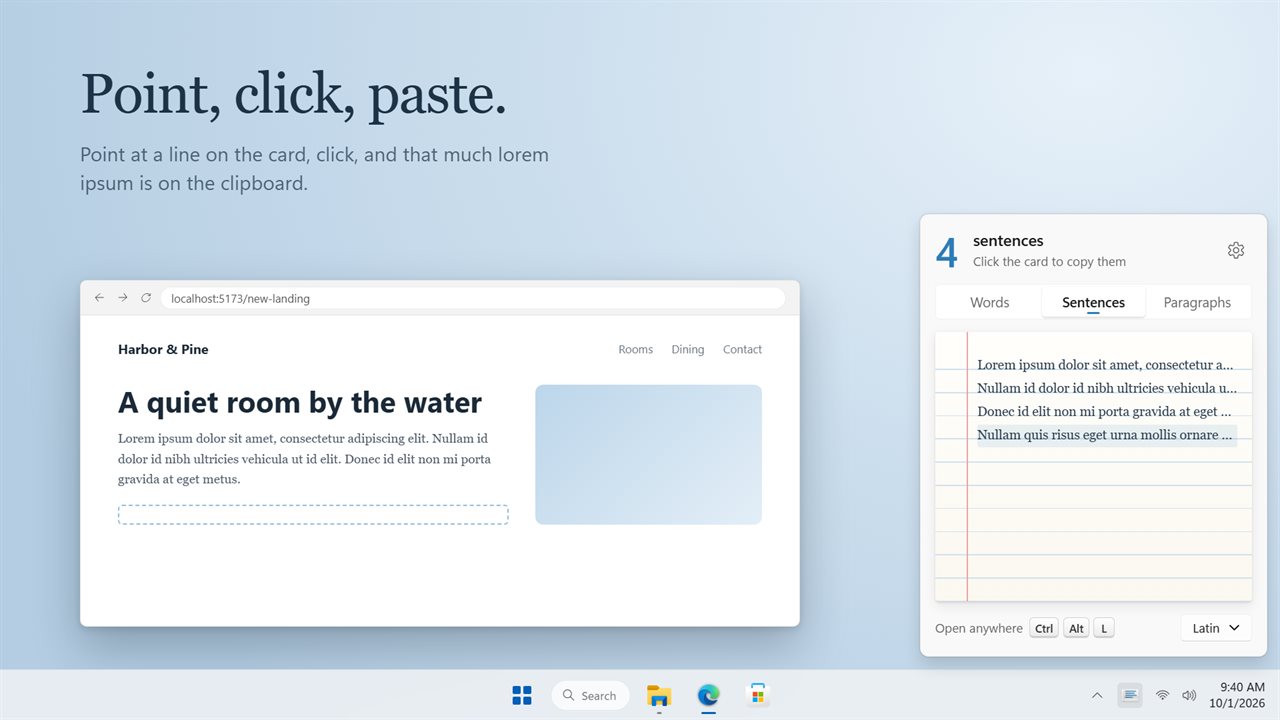
Need some lorem ipsum? Click the icon by the clock, point, click, paste.
Point and click
Simple Lorem Ipsum Generator is a ruled index card that waits in the notification area. Point at line 4 and the first four lines fill in with real text, and the big number at the top says "4 sentences". Click, and exactly that text is on the clipboard, ready to paste into your design, page or document.
Words, sentences or paragraphs
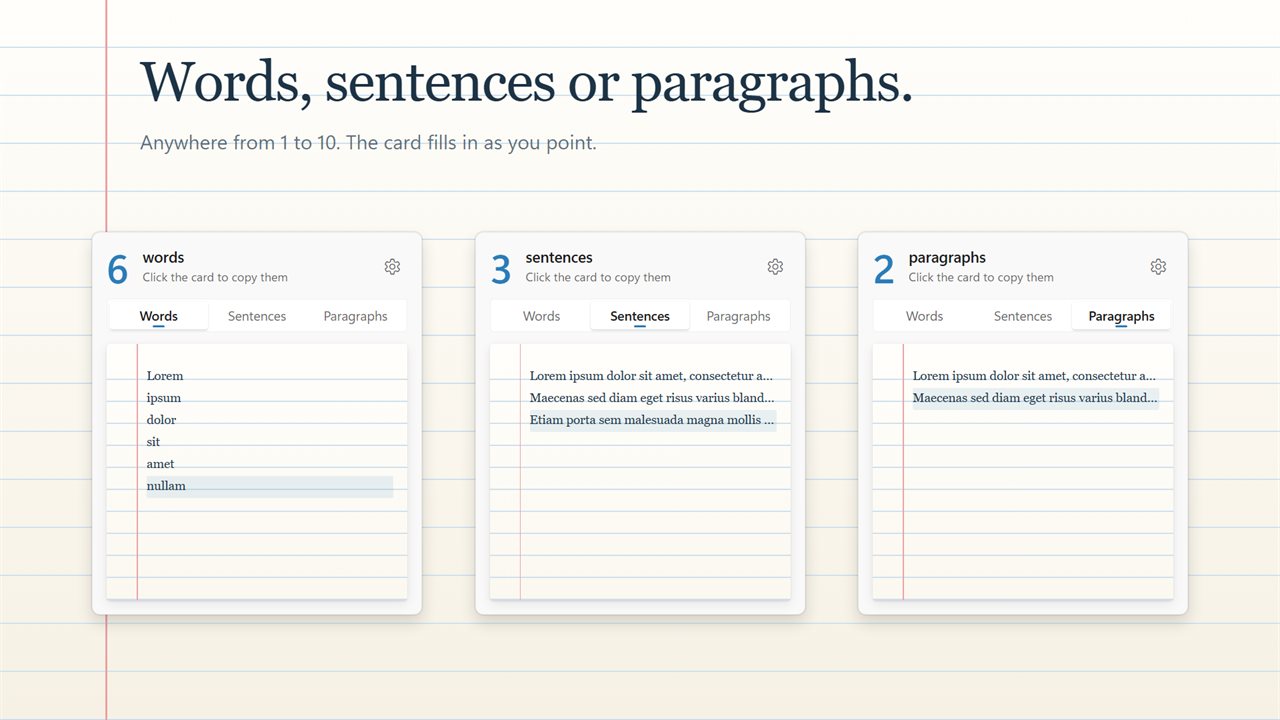
Switch between Words, Sentences and Paragraphs at the top of the card, and copy anywhere from 1 to 10 of them. The card shows what you are about to copy before you click.
Seven languages
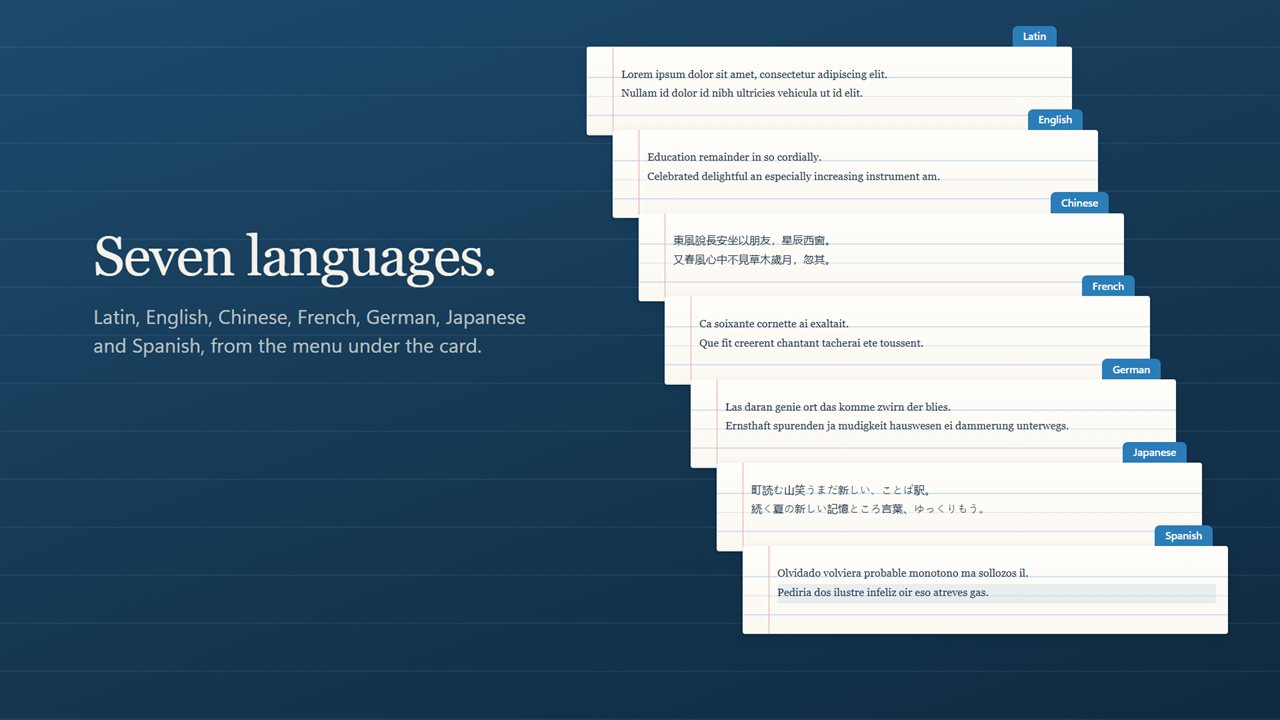
Pick Latin, English, Chinese, French, German, Japanese or Spanish from the menu under the card. Latin can start with the classic "Lorem ipsum dolor sit amet", or begin somewhere new every time.
From any app
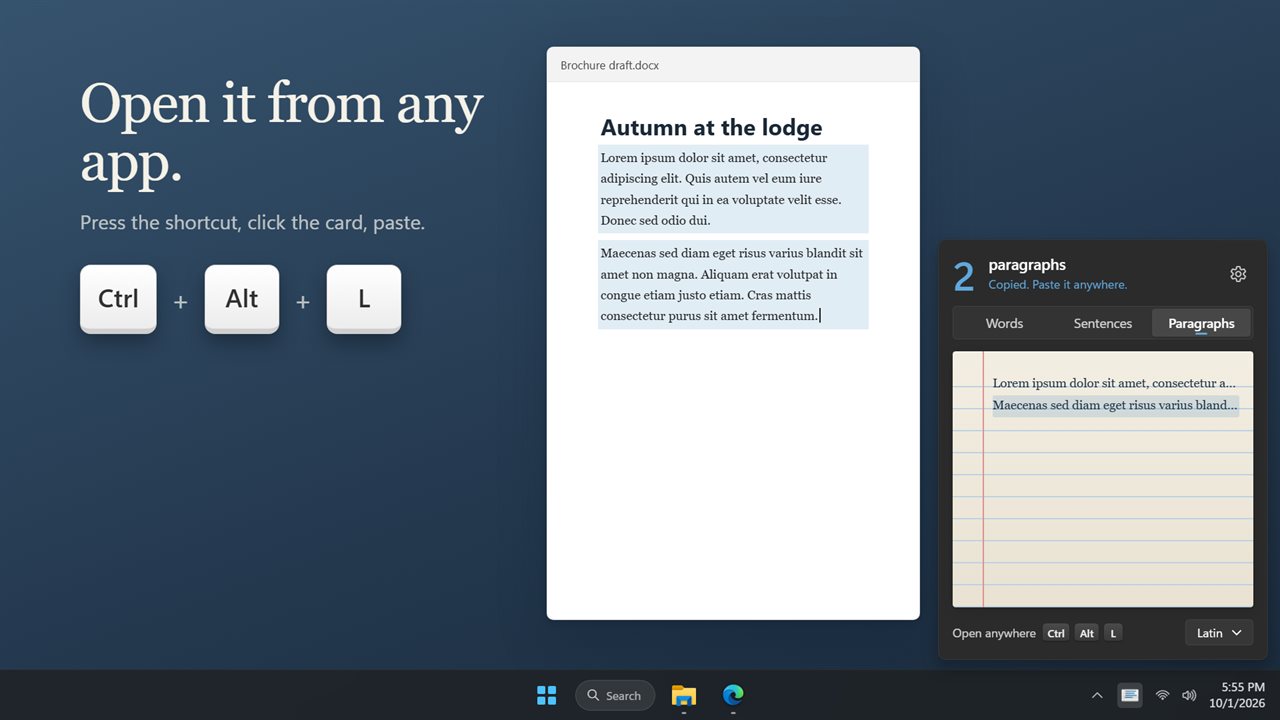
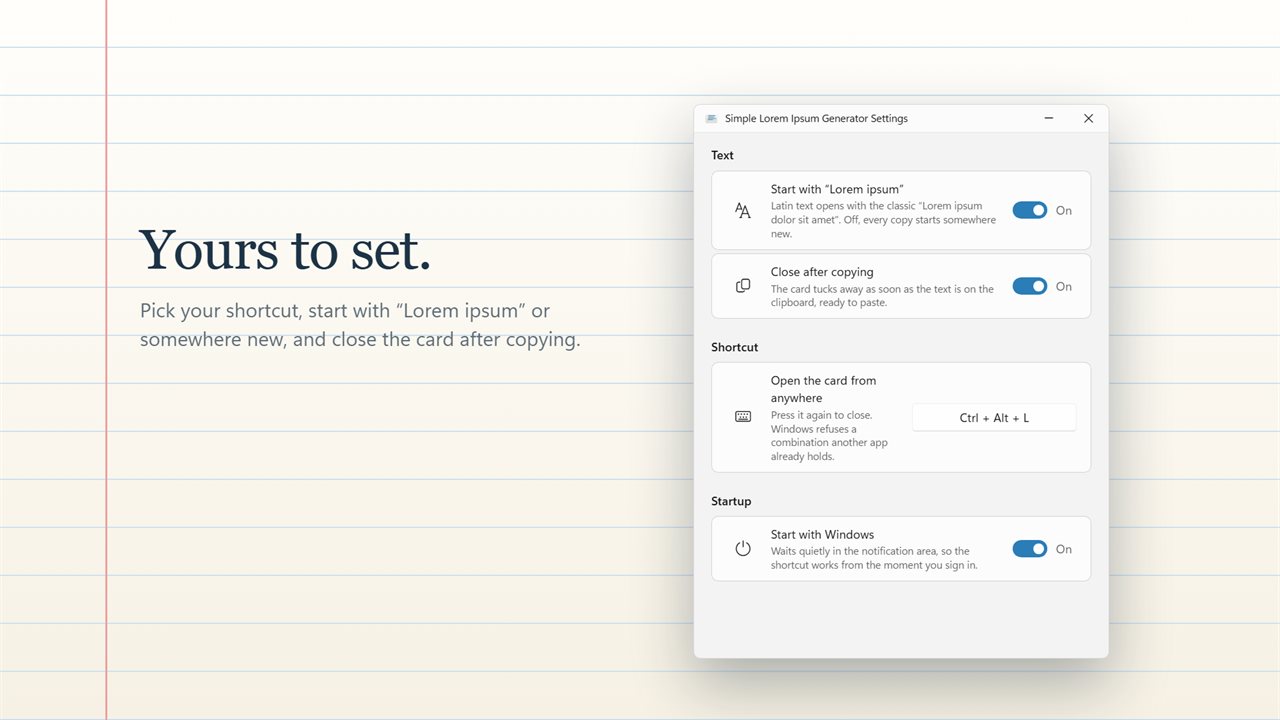
Press Ctrl+Alt+L wherever you are and the card opens. Pick your own shortcut in Settings if you prefer. Arrow keys or the number keys choose how many, and Enter copies. Turn on Close after copying and it tucks itself away the moment the text is on the clipboard.
Small and private
It starts with Windows if you like, works offline, and nothing you copy leaves your PC. Light and dark themes, or match Windows.
Upgrading? Your Words, Sentences or Paragraphs choice and your Start with Windows setting carry over.
Features
- Point at a line on the index card and click: that much lorem ipsum is on the clipboard
- Copy 1 to 10 words, sentences or paragraphs
- The card fills in as you point, so you see the text before you copy it
- The big number follows your pointer, so you always know how much you are copying
- Placeholder text in 7 languages: Latin, English, Chinese, French, German, Japanese and Spanish
- Start with the classic "Lorem ipsum dolor sit amet", or turn it off for a fresh start every time
- Open the card from any app with Ctrl+Alt+L, or pick your own shortcut
- Use the keyboard too: arrow keys or 1 to 9 choose how many, Enter copies
- Can close itself as soon as the text is copied
- Lives in the notification area and can start with Windows
- Works offline. Nothing you copy leaves your PC
- Light and dark themes, or match Windows
- Your Words, Sentences or Paragraphs choice and your Start with Windows setting carry over from the earlier version
Details
- Works on
- Windows 10 (1809 or later) and Windows 11
- Download
- About 2.6 MB
- Version
- 2.0.4, updated October 2026
- First released
- December 2022
- Price
- $1.99 once. No subscription.
- Category
- Productivity
What's new in 2.0.4
- New: an index card that fills in as you point, so you see the text before you copy it
- New: the count follows your pointer, and a copy is confirmed on the card
- New: 7 languages: Latin, English, Chinese, French, German, Japanese and Spanish
- New: open the card from any app with Ctrl+Alt+L, or your own shortcut
- New: choose with the keyboard, and close after copying if you like
- New: light and dark themes, and a Settings page
- Your Words, Sentences or Paragraphs choice and Start with Windows carry over
Questions
Anything else? Ask us
Which versions of Windows does it run on?
Windows 10 (version 1809 or later) and Windows 11.
Is it a subscription?
No. Simple Lorem Ipsum is a one-time purchase of $1.99, and updates are included.
How do I get it?
EvlarSoft apps are moving to direct downloads from this site. Ask to be notified and we will email you as soon as Simple Lorem Ipsum is ready to download.
More from EvlarSoft
 Quick ClipboardEverything you copy, kept in the corner of your screen.
 Text Case ConverterChange the case of any text in one click: Title Case, UPPER CASE, Sentence case, camelCase, snake_case and six more.
 Distraction-Free WriterA distraction-free writing app with a room around the page: rain on the window, a fireplace or a summer night.