Distraction-Free Writer
A distraction-free writing app with a room around the page: rain on the window, a fireplace or a summer night. Focus mode keeps only your sentence lit, sprints keep you going, dictation writes as you speak, and the time machine rewinds any draft. Save as text, Markdown or Rich Text.
Distraction-Free Writer in 33 seconds
See it in action
About Distraction-Free Writer
Distraction-Free Writer is a quiet page for writing. No toolbars, no formatting, nothing between you and the words.
A room of your own
Pick a room from the cloud button and it settles in behind the page: rain running down the window, a fireplace glowing below, a summer night full of fireflies, or the warm lights of a corner café. Each comes with its own sound, or none at all, and you set the volume.
Keep going
Start a writing sprint of 5, 10, 15, 25 or 45 minutes. A thin red clock runs across the top of the page and the words you have written count up beside it. Turn on Keep going mode and the line you are on starts to fade if you stop typing for a few seconds. Write again and it comes straight back. Nothing is ever deleted.
A ribbon for every day
Your ribbons keeps a shelf of the last 12 weeks, one silk ribbon for every day you wrote, red where you met your goal. Your streak sits on top.
Save today as a timelapse
Save today's writing as a 20-second video of the page writing itself, with your word count and ribbon growing as it goes.
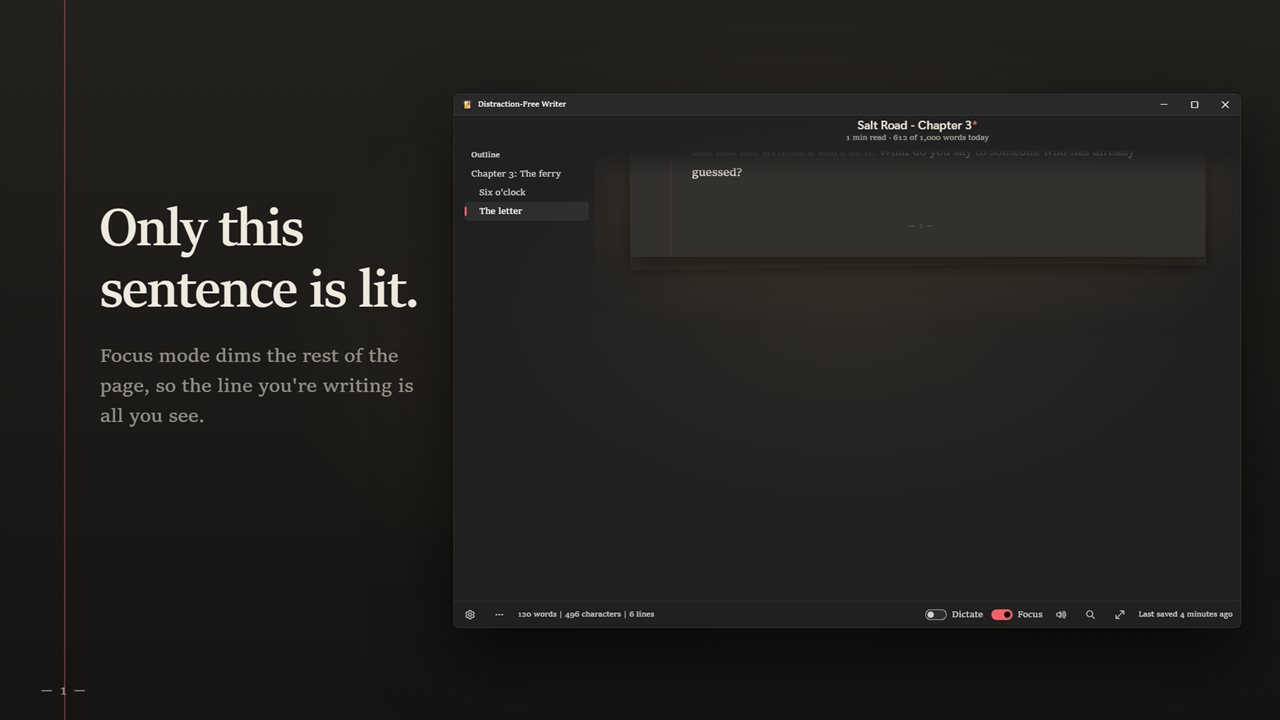
Only this sentence is lit
Turn on Focus and the rest of the page dims. The sentence you are writing stays lit, and with typewriter scrolling it stays in the middle of the window. The title, outline and counts fade while you type, and come back as soon as you move the mouse. Prefer to see the whole paragraph? Choose that in Settings.
Talk, and it writes
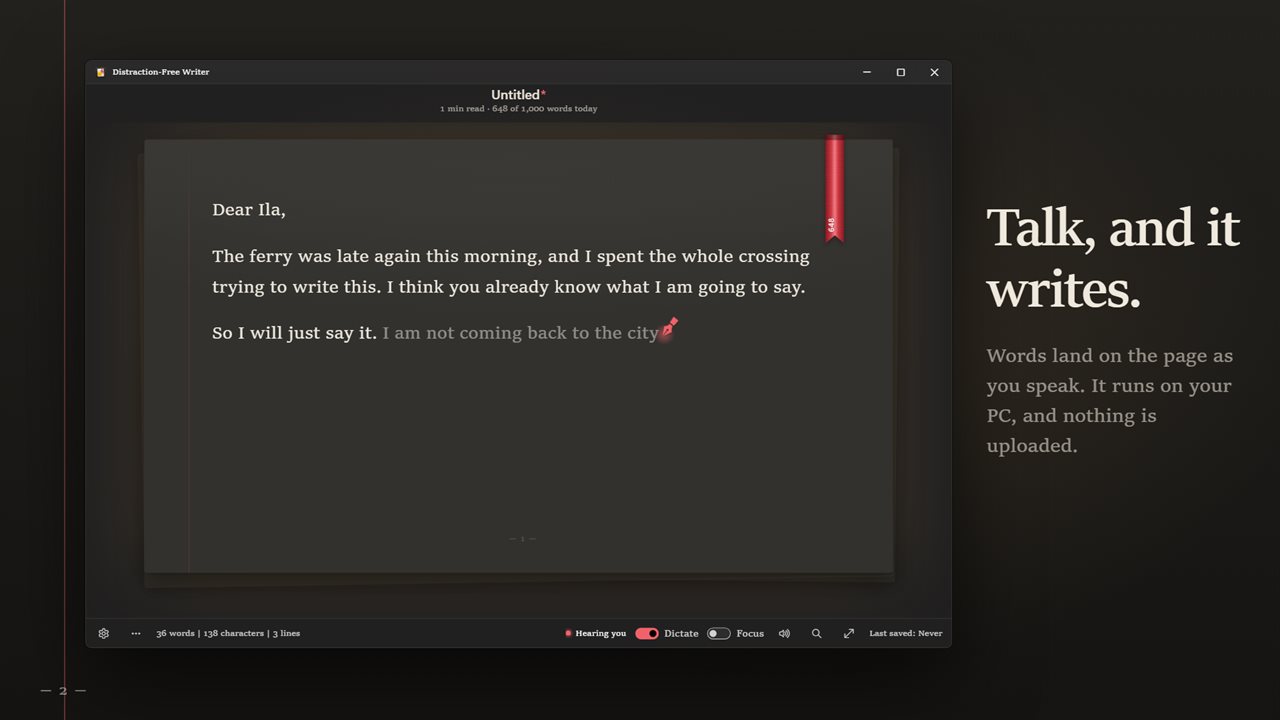
Turn on Dictate and speak. Your words appear on the page as you talk, in grey while you are still speaking, then set in ink. Say "comma", "period", "question mark" or "new paragraph", and "scratch that" takes back the last phrase. Dictation is in English and runs on your PC. No internet, no account, and nothing you say is uploaded.
Hear what you wrote
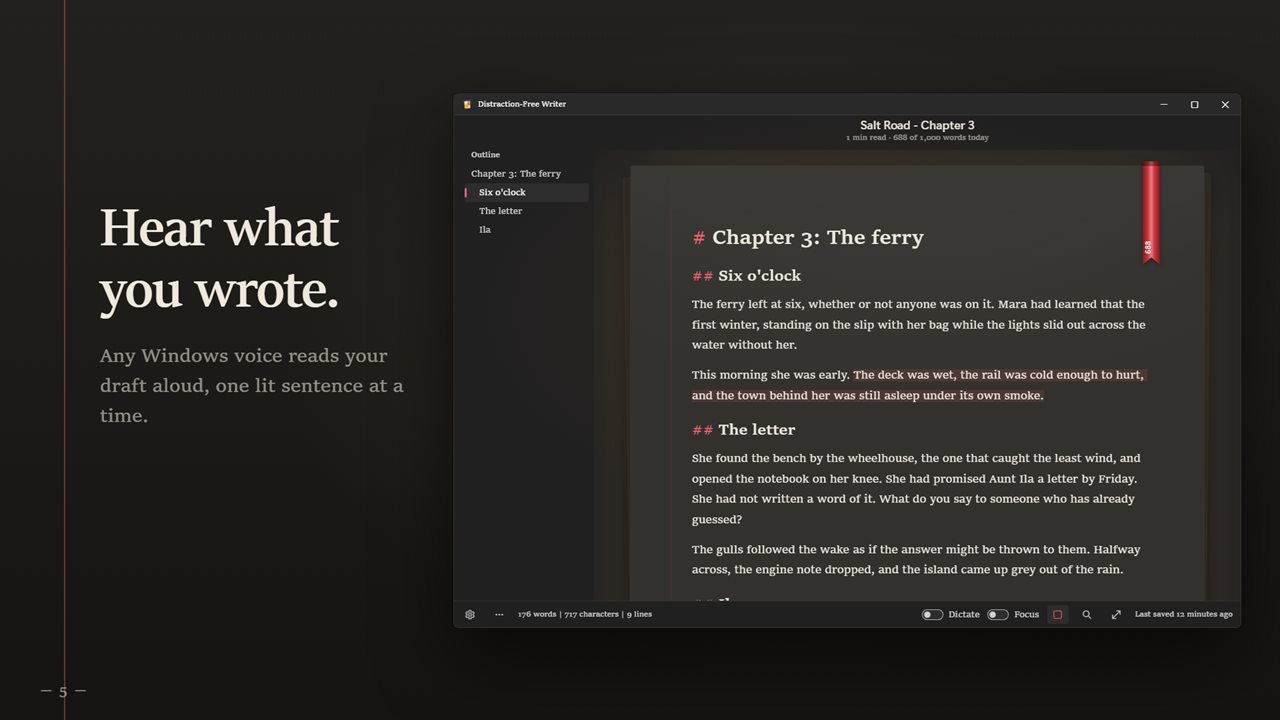
Read aloud reads your draft back to you in any Windows voice, from the sentence where you left off. The sentence being read is lit on the page, so you can follow along and catch what your eyes skipped. Pick a voice and a speed in Settings.
See what to cut
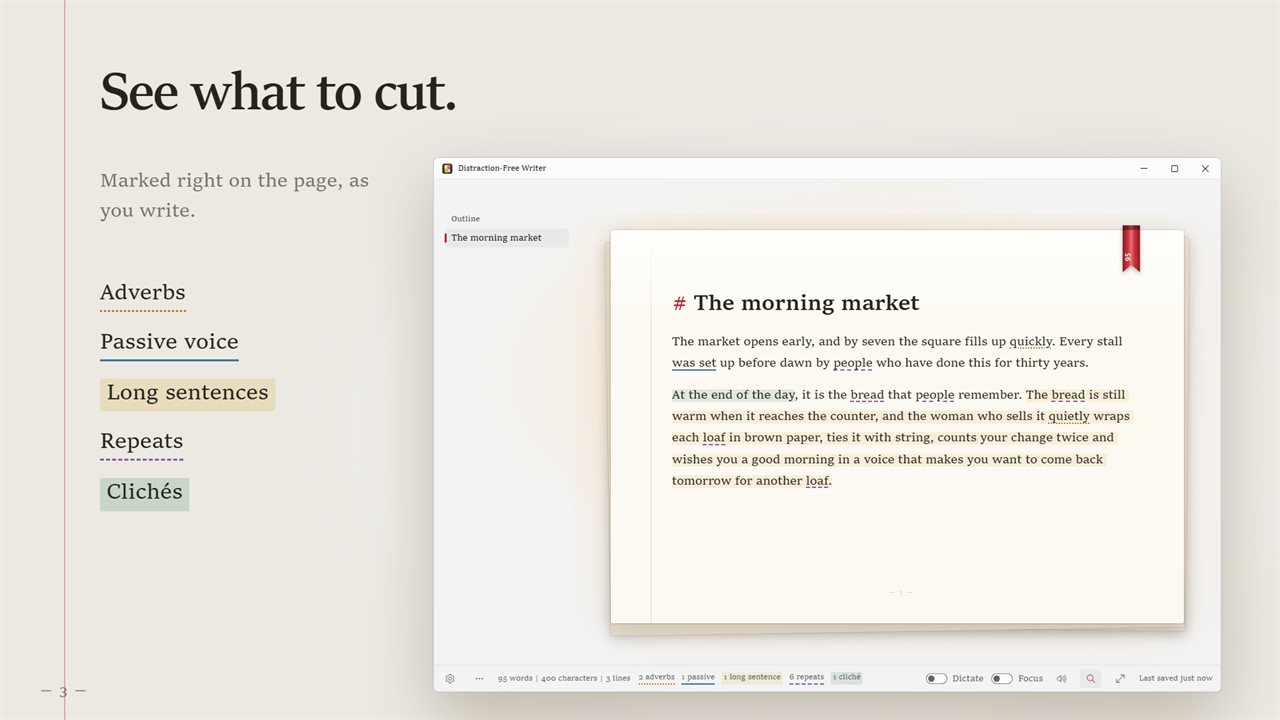
The style lens marks adverbs, passive voice, long sentences, repeated words and clichés right in your text, and counts each kind at the foot of the window. You decide how long is too long: 20, 25, 30 or 40 words.
Scrub back through your draft
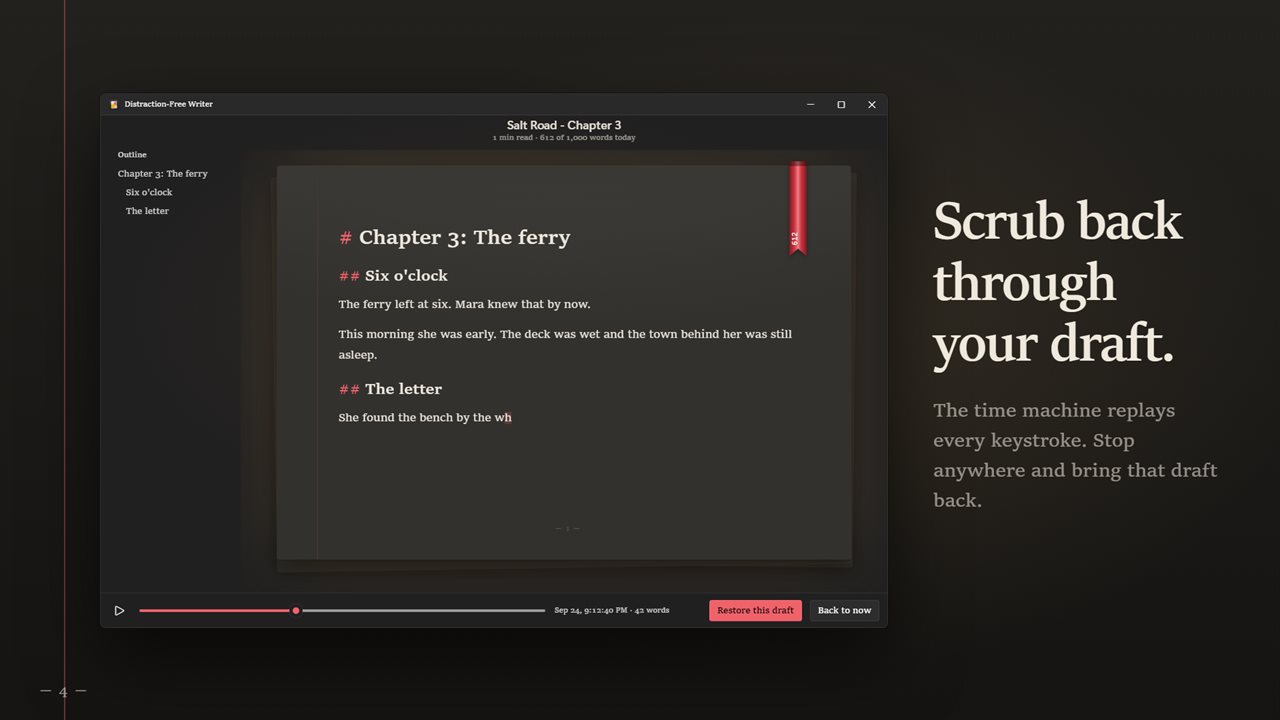
The time machine replays your document writing itself, keystroke by keystroke. Drag back to any moment, and bring that draft back with one click. What is on the page now is kept, so nothing is lost. It also keeps a copy of your writing every few minutes in Versions, and keeps your draft even if you close without saving.
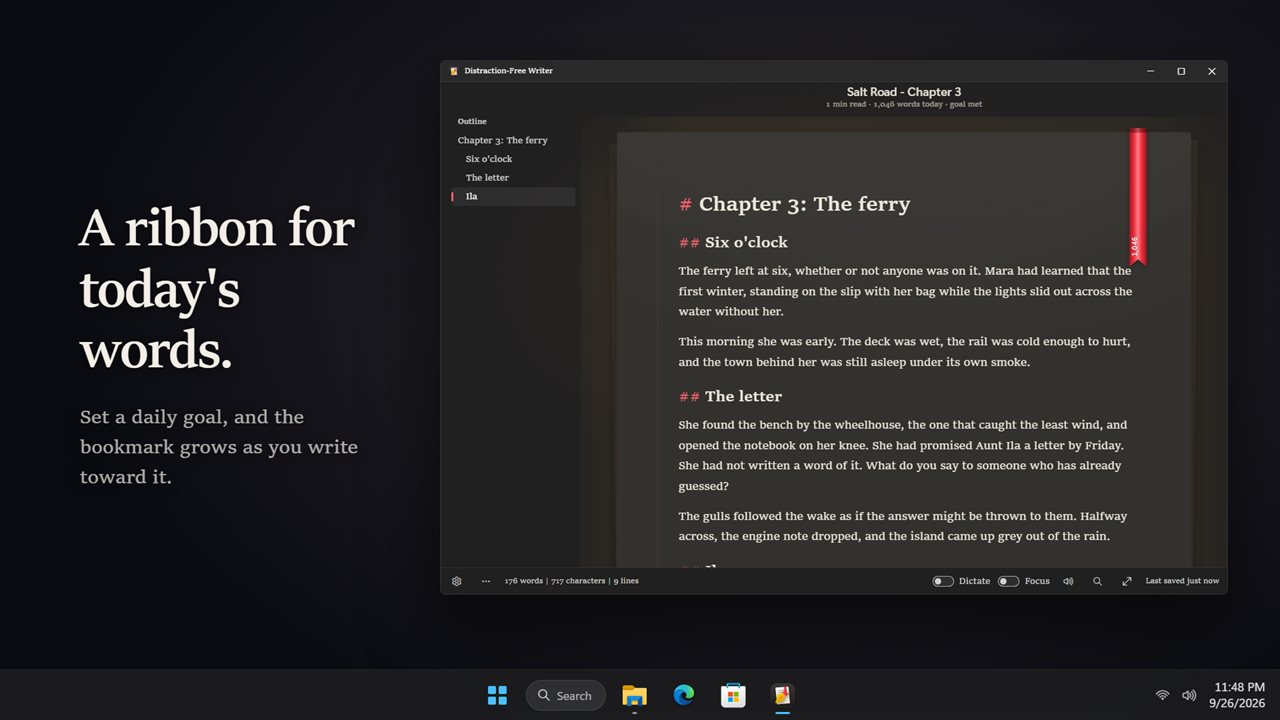
A ribbon for today's words
Set a daily goal, from 250 to 3,000 words. A red bookmark ribbon on the page grows as you write toward it, and the count sits right on the silk.
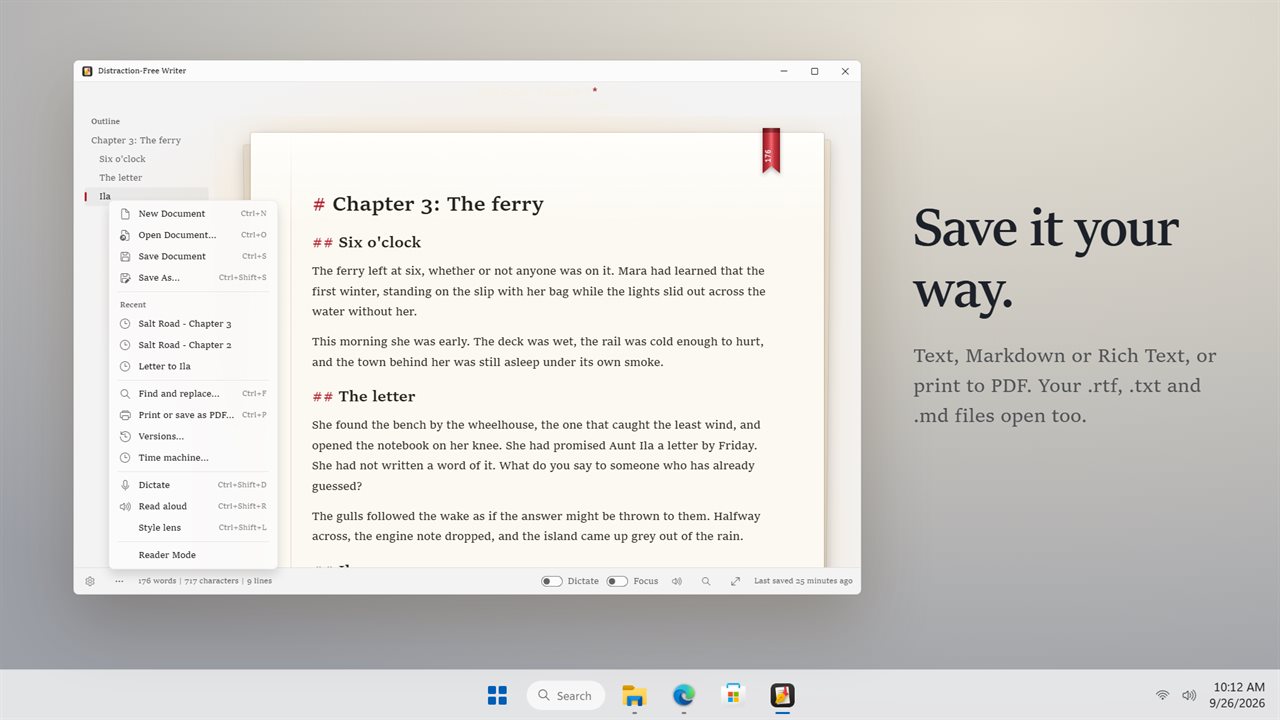
Save it your way
Save as a plain text file, Markdown or Rich Text, or print and save as PDF. It opens .txt, .md and .rtf files, including the documents you saved with earlier versions, which open as plain text. Start a line with #, ## or ### to make a heading, and your headings become an outline beside the page.
Make the page yours
Four typefaces: Book, Classic, Georgia and Typewriter. Font sizes from 12 to 36, snug, airy or double line spacing, and narrow, medium or wide pages. Word, character and line counts, reading time, find and replace, reader mode and full screen. Light and dark themes, or match Windows.
Your settings from earlier versions carry over.
Features
- A room around the page: rain on the window, by the fireplace, a summer night or a corner café, each with its own sound
- Writing sprints of 5, 10, 15, 25 or 45 minutes, with a clock across the top of the page
- Keep going mode: stop typing and the line you are on starts to fade, then comes back as soon as you write
- Your ribbons: a shelf of the last 12 weeks, one ribbon for every day you wrote, with your streak
- Save today's writing as a 20-second timelapse video of the page writing itself
- Focus mode dims the page and keeps only the sentence you are writing lit, or the whole paragraph if you prefer
- Typewriter scrolling keeps the line you are writing in the middle of the window
- The title, outline and counts fade while you type and come back when you move the mouse
- Dictate in English and your words land on the page as you speak
- Dictation runs on your PC. No internet, no account, and nothing is uploaded
- Read your draft aloud in any Windows voice, at four speeds, with the sentence being read lit on the page
- The style lens marks adverbs, passive voice, long sentences, repeated words and clichés right in your text
- The time machine replays your draft keystroke by keystroke. Stop anywhere and bring that draft back
- A copy of your writing is kept every few minutes, and your draft is kept even if you close without saving
- Save as a text file, Markdown or Rich Text, or print and save as PDF
- Opens .txt, .md and .rtf files, or drop one on the window
- Start a line with # to make a heading. Your headings become an outline beside the page
- A daily word goal, from 250 to 3,000 words, shown as a bookmark ribbon that grows as you write
- Four typefaces, font sizes from 12 to 36, three line spacings and three page widths, in light or dark or matching Windows
- Optional EvlarSoft ONE sign-in backs up your settings to carry them to another PC. Your documents are never uploaded
Details
- Works on
- Windows 10 (1809 or later) and Windows 11
- Download
- About 55.2 MB
- Version
- 2.1.0, updated October 2026
- First released
- May 2023
- Price
- $2.99 once. No subscription.
- Category
- Productivity
What's new in 2.1.0
- New: the room. Rain on the window, a fireplace, a summer night or a corner café behind the page, with its sound
- New: writing sprints from 5 to 45 minutes. In Keep going mode the line you stop on fades until you write again
- New: your ribbons, a shelf of every day you wrote, with your streak
- New: save today's writing as a 20-second timelapse video
Questions
Anything else? Ask us
Which versions of Windows does it run on?
Windows 10 (version 1809 or later) and Windows 11.
Is it a subscription?
No. Distraction-Free Writer is a one-time purchase of $2.99, and updates are included.
How do I get it?
EvlarSoft apps are moving to direct downloads from this site. Ask to be notified and we will email you as soon as Distraction-Free Writer is ready to download.