Tone Checker
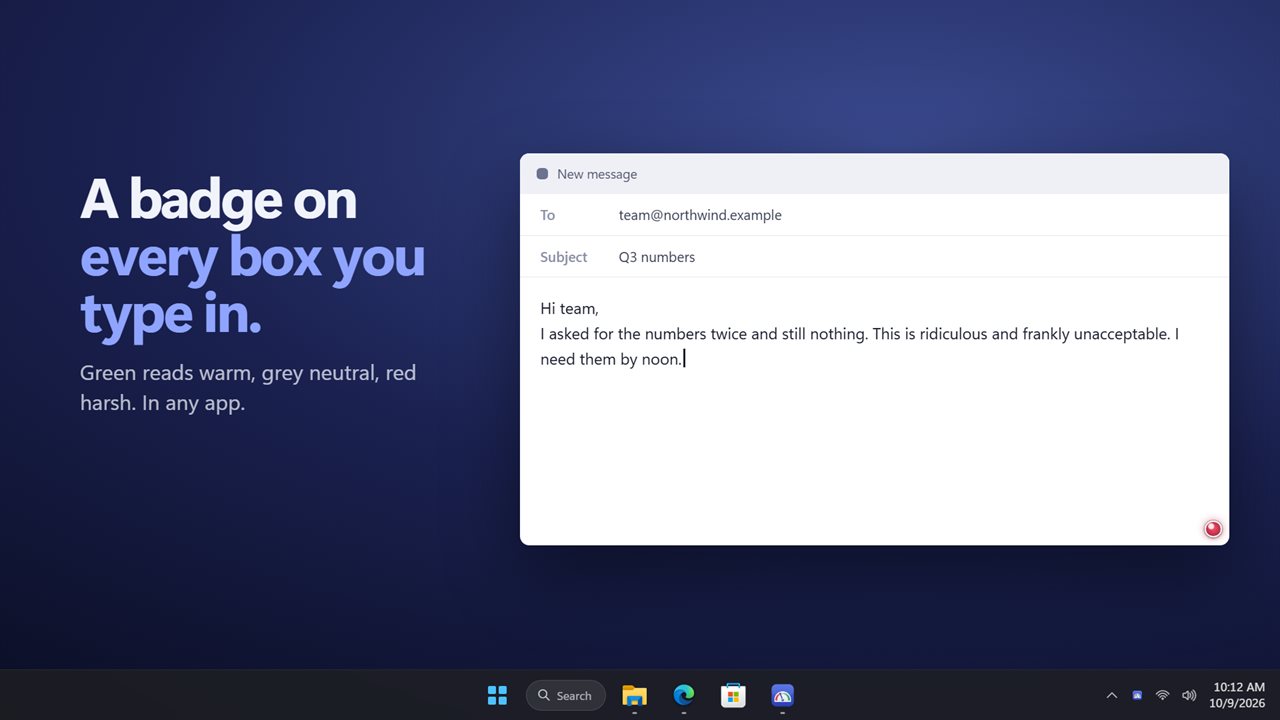
Hear how your message sounds before you send it. Tone Checker puts a small badge on the text box you are typing in, in any app: green reads warm, grey neutral, red harsh. Click it to see which sentence pulls it down and what to change. Everything is checked on your PC.
Hear how your message sounds before you send it.
See it in action
About Tone Checker
Hear how your message sounds before you send it.
A badge on every text box
Start typing in an email, a chat or a form, in any app, and a small dot appears in the corner of the box. Green reads warm, grey reads neutral, red reads harsh. It updates a moment after you stop typing, so it never gets in the way.
See what to change
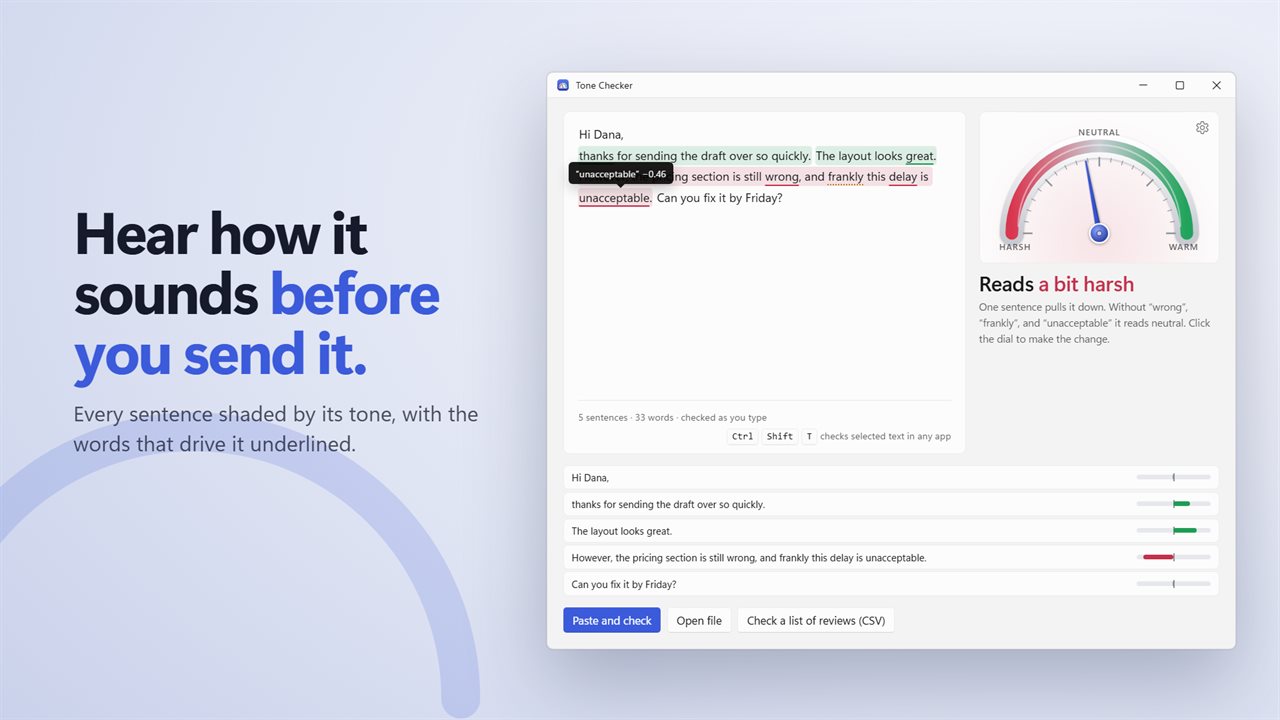
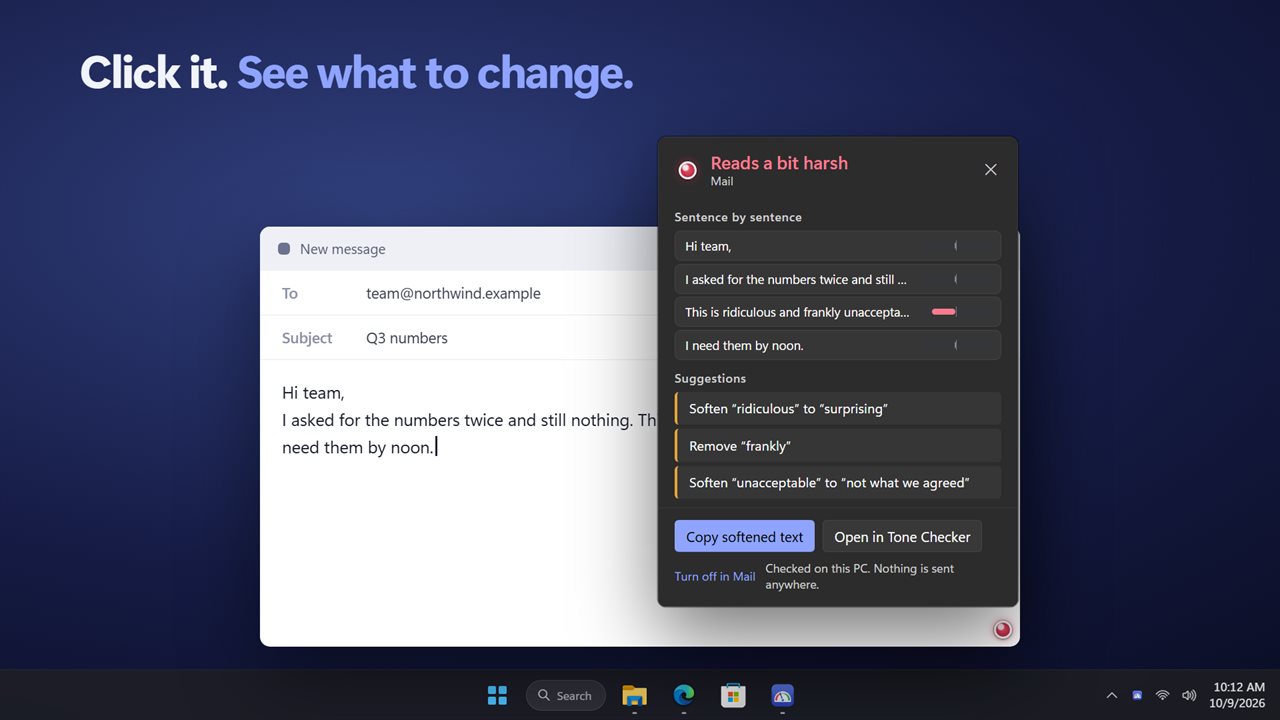
Click the badge for the breakdown: every sentence with its own tone, and suggestions you can act on, such as removing "frankly" or softening "unacceptable". Copy a softened version with one click and paste it back.
Every sentence, every Word
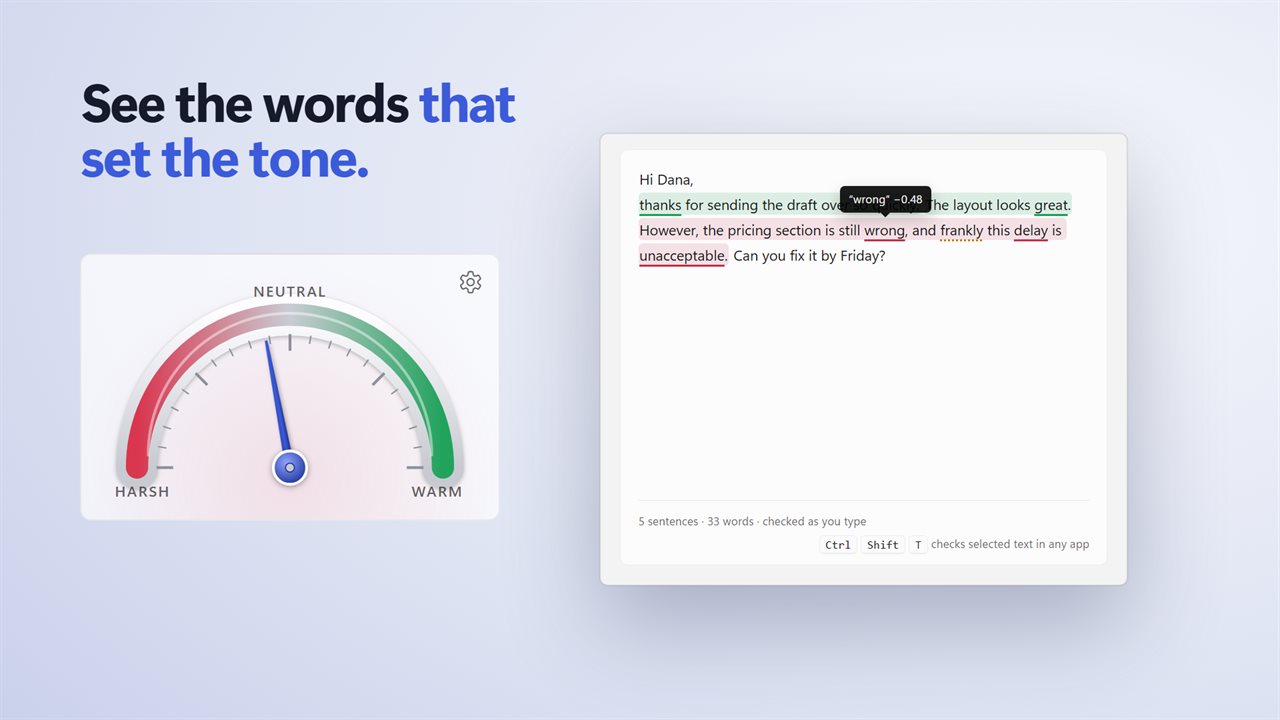
Paste or type into the window and each sentence is shaded by its tone. The words that drive it are underlined: point at one to see how much it pulls, and whether a word like "very" makes it stronger or a "not" flips it. A dial shows the overall tone. Click the dial to soften the text, and Ctrl+Z puts it back.
Check anything you select
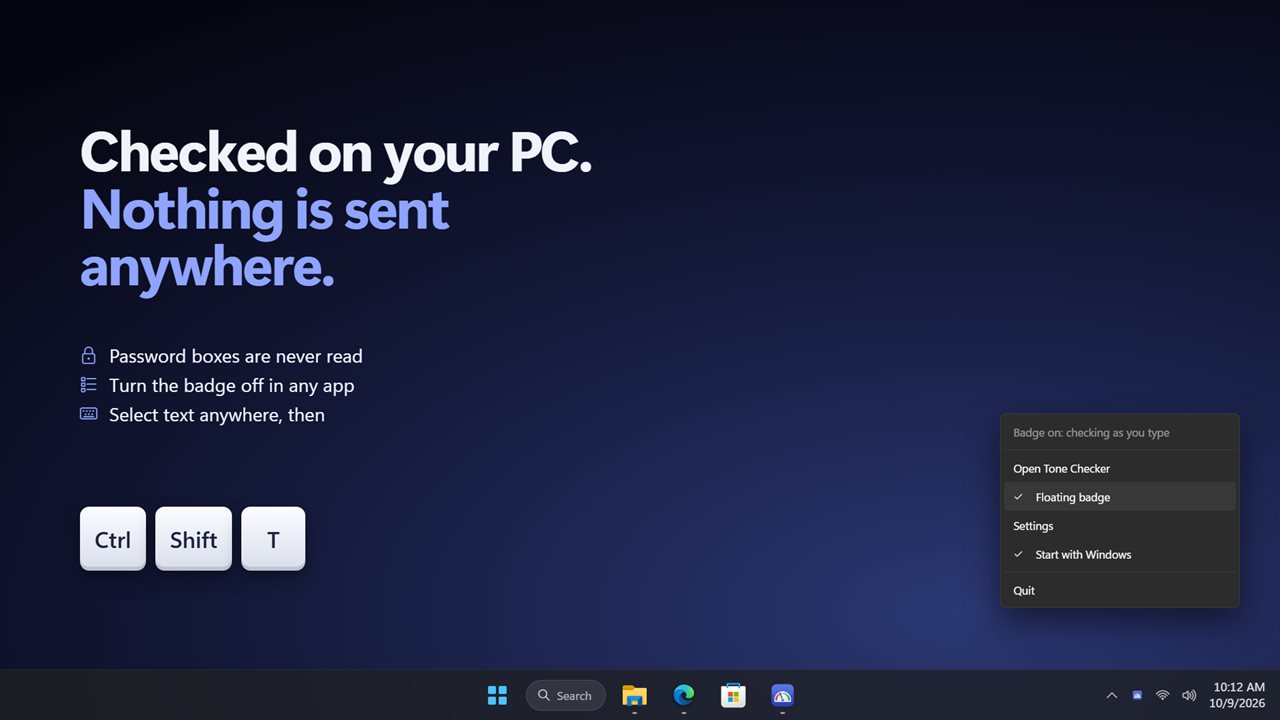
Select text in any app and press Ctrl+Shift+T. It opens in Tone Checker, already checked. Open .txt, .md and .eml files too.
A whole file of reviews
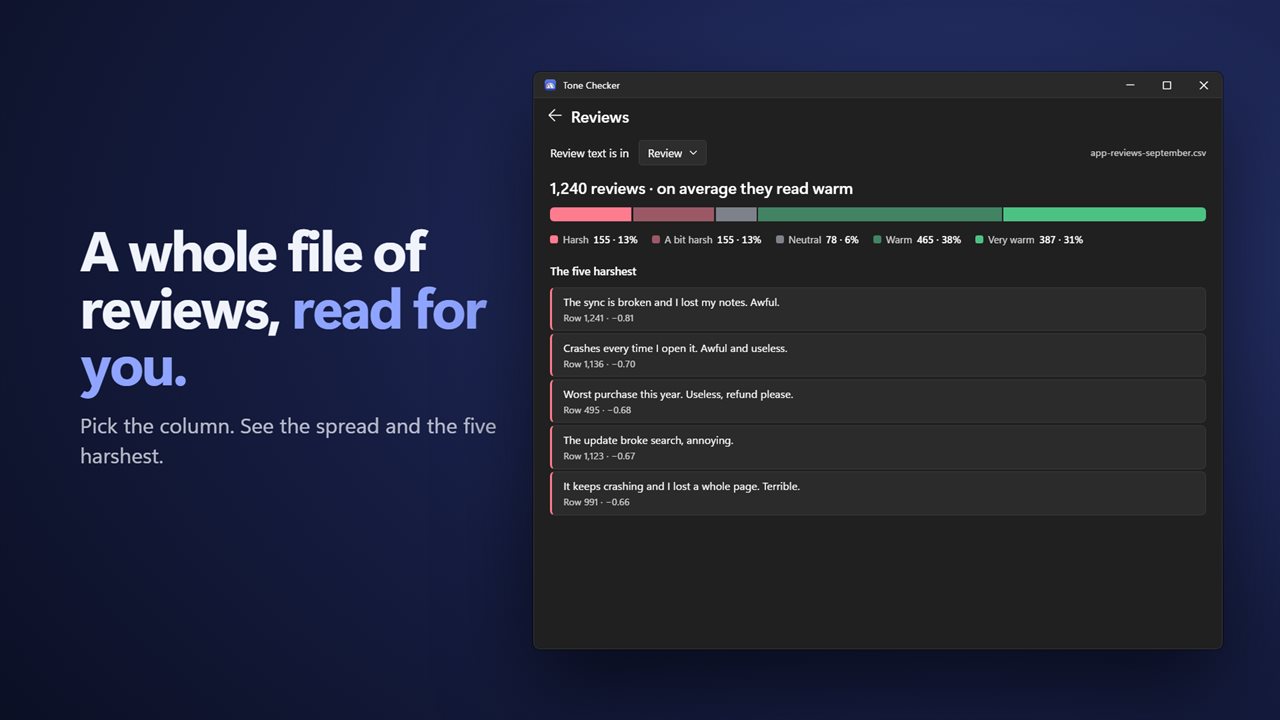
Open a CSV of reviews or survey answers, pick the column that holds the text, and see how they read on average, the spread across five tones and the five harshest, ready to open in the editor.
Private by design
Everything is checked on your PC. There is no account, nothing is sent anywhere, and password boxes are never read. Turn the badge off in any app you choose.
Always there: Tone Checker waits in the notification area and can start with Windows. Light and dark themes, or match Windows.
Features
- A badge on the text box you are typing in, in any app: green reads warm, grey neutral, red harsh
- The badge updates a moment after you stop typing
- Click the badge for a sentence-by-sentence breakdown and suggestions such as removing "frankly" or softening "unacceptable"
- Copy a softened version of your text with one click
- Select text in any app and press Ctrl+Shift+T to check it in the window
- Every sentence shaded by its tone, with the words that drive it underlined
- Point at an underlined word to see how much it pulls, and what makes it stronger or flips it
- A dial shows the overall tone. Click it to soften the text, and Ctrl+Z puts it back
- Open .txt, .md and .eml files
- Check a CSV of reviews: pick the column, see the spread across five tones and the five harshest
- Turn the badge off in the apps you choose
- Password boxes are never read
- Everything is checked on your PC, with no account and no internet
- Waits in the notification area and can start with Windows. Light and dark themes, or match Windows
Details
- Works on
- Windows 10 (1809 or later) and Windows 11
- Download
- About 2.7 MB
- Version
- 2.0.2, updated October 2026
- First released
- July 2023
- Price
- $1.99 once. No subscription.
- Category
- Utilities & tools
What's new in 2.0.2
- New: a badge on the text box you are typing in, in any app, green, grey or red
- New: click the badge for a sentence-by-sentence breakdown and suggestions, and copy a softened version
- New: select text anywhere and press Ctrl+Shift+T to check it
- New: five tones instead of two, with every sentence shaded and the words that drive it underlined
- New: check a CSV of reviews and see the five harshest
- Everything is still checked on your PC
Questions
Anything else? Ask us
Which versions of Windows does it run on?
Windows 10 (version 1809 or later) and Windows 11.
Is it a subscription?
No. Tone Checker is a one-time purchase of $1.99, and updates are included.
How do I get it?
EvlarSoft apps are moving to direct downloads from this site. Ask to be notified and we will email you as soon as Tone Checker is ready to download.