Text Case Converter
Change the case of any text in one click: Title Case, UPPER CASE, Sentence case, camelCase, snake_case and six more. Select text in any app and press Ctrl+Alt+U to change it right where it is, with your clipboard put back afterwards.
Click the type to set the next case. The result is copied.
See it in action
About Text Case Converter
Text in the wrong case? Fix it in one click, here or in any app.
Click the type
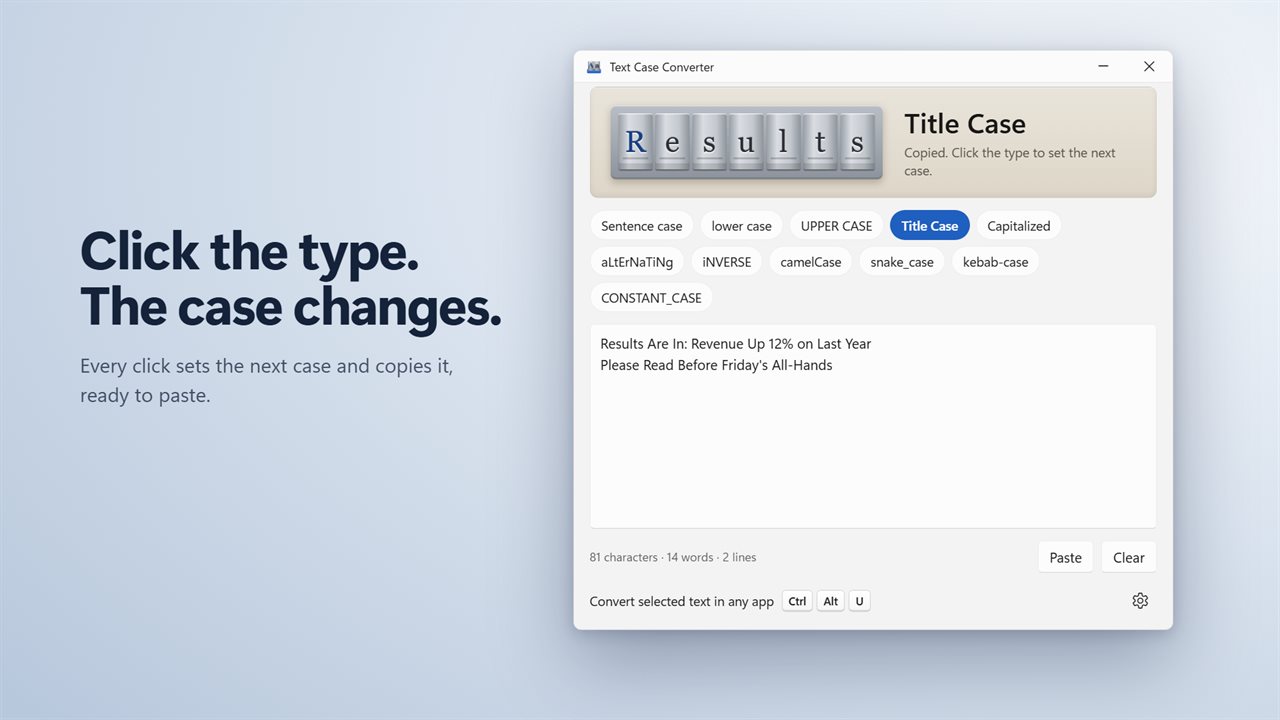
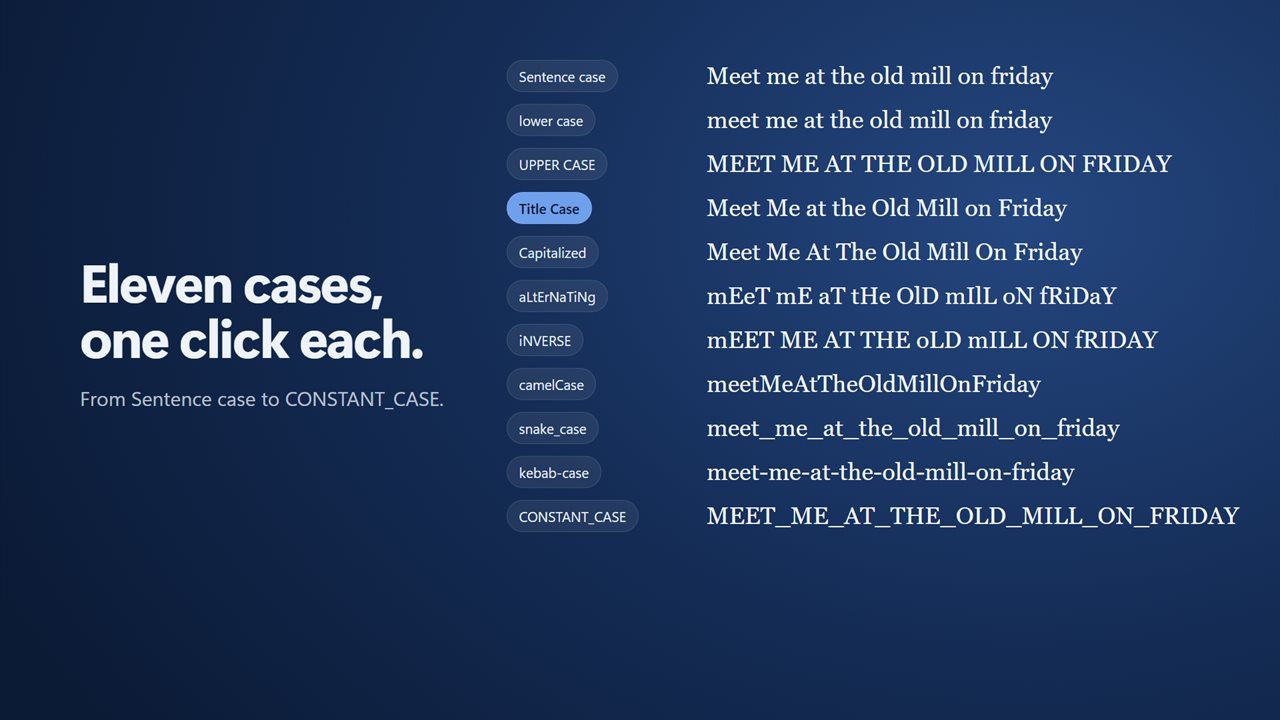
Paste or type your text, then click the row of metal type at the top. Each click sets the next case and copies the result, ready to paste. Or pick a case straight from the buttons: Sentence case, lower case, UPPER CASE, Title Case, Capitalized, aLtErNaTiNg, iNVERSE, camelCase, snake_case, kebab-case and CONSTANT_CASE.
Cases that get it right
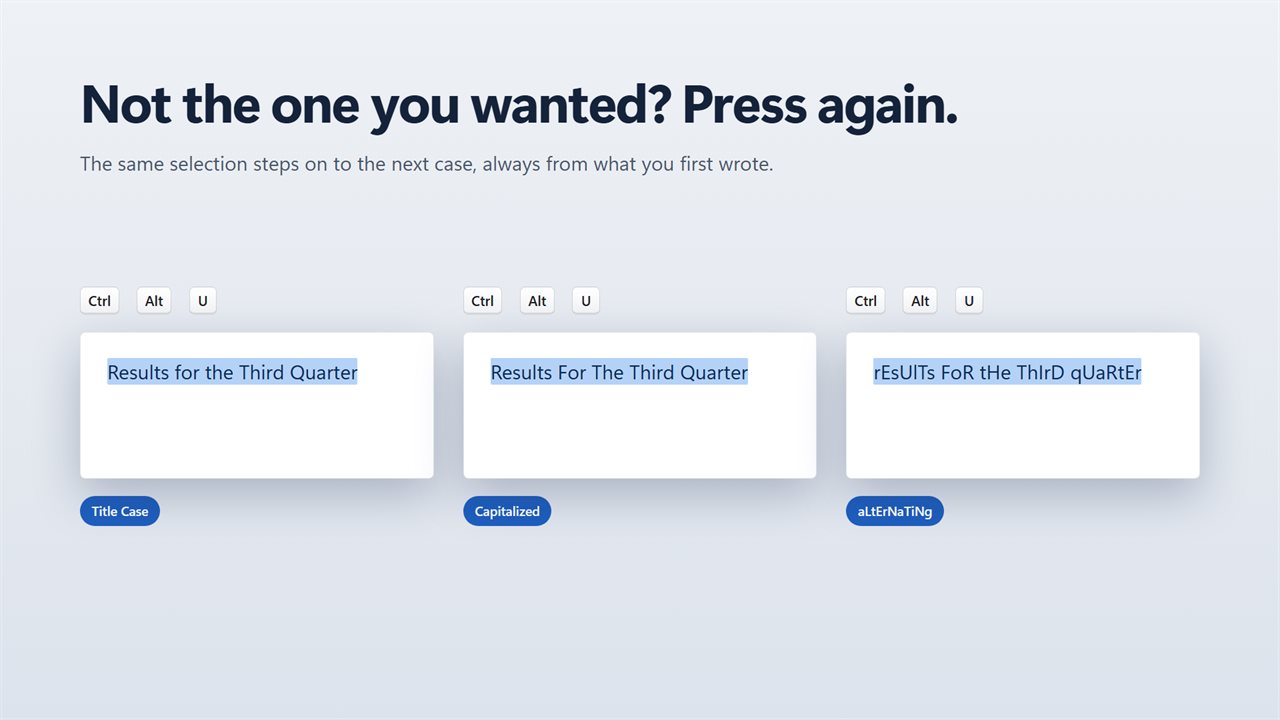
Title Case keeps the small words like of, the and on in lower case, the way headlines are written, and leaves acronyms like NASA alone. Sentence case starts every sentence and every line with a capital and fixes a lone i. Every case starts from the text you wrote, so stepping through them never spoils your text.
In any app
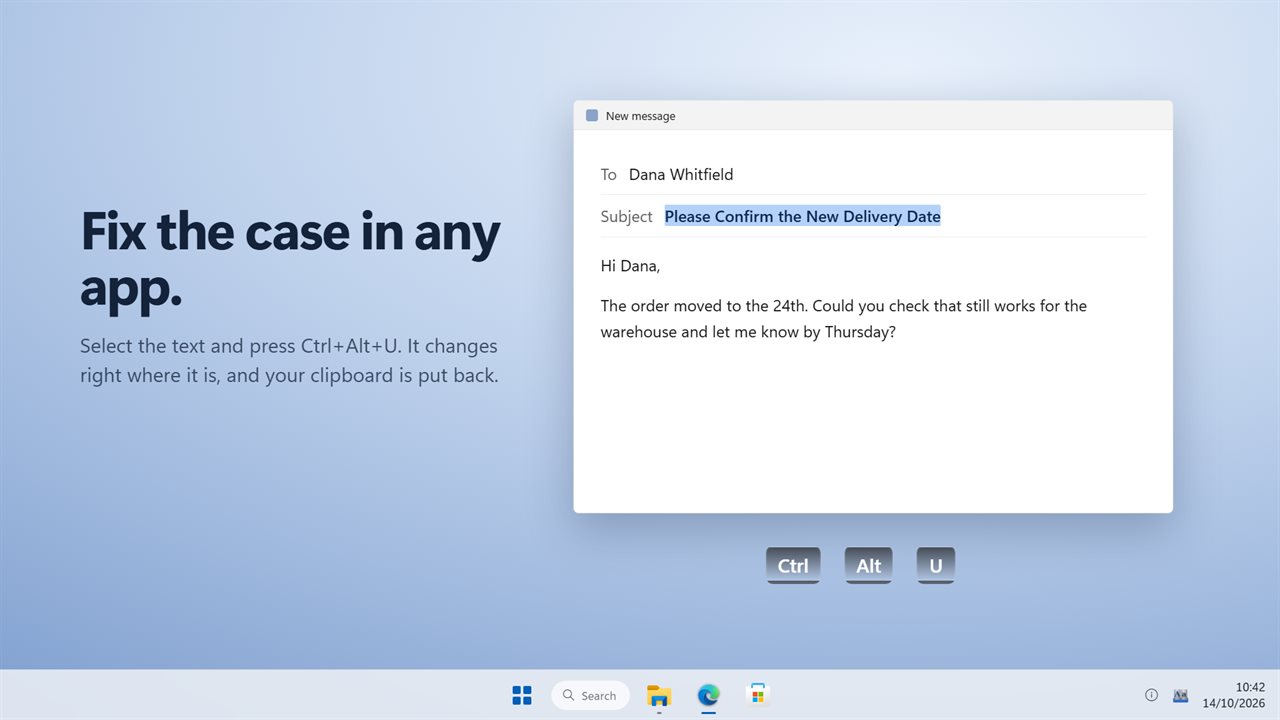
Select text in Word, Outlook, your browser or anywhere else, and press Ctrl+Alt+U. It is replaced with the last case you used. Press again to try the next one. Your clipboard is put back as it was afterwards. Choose your own shortcut in Settings.
For code too
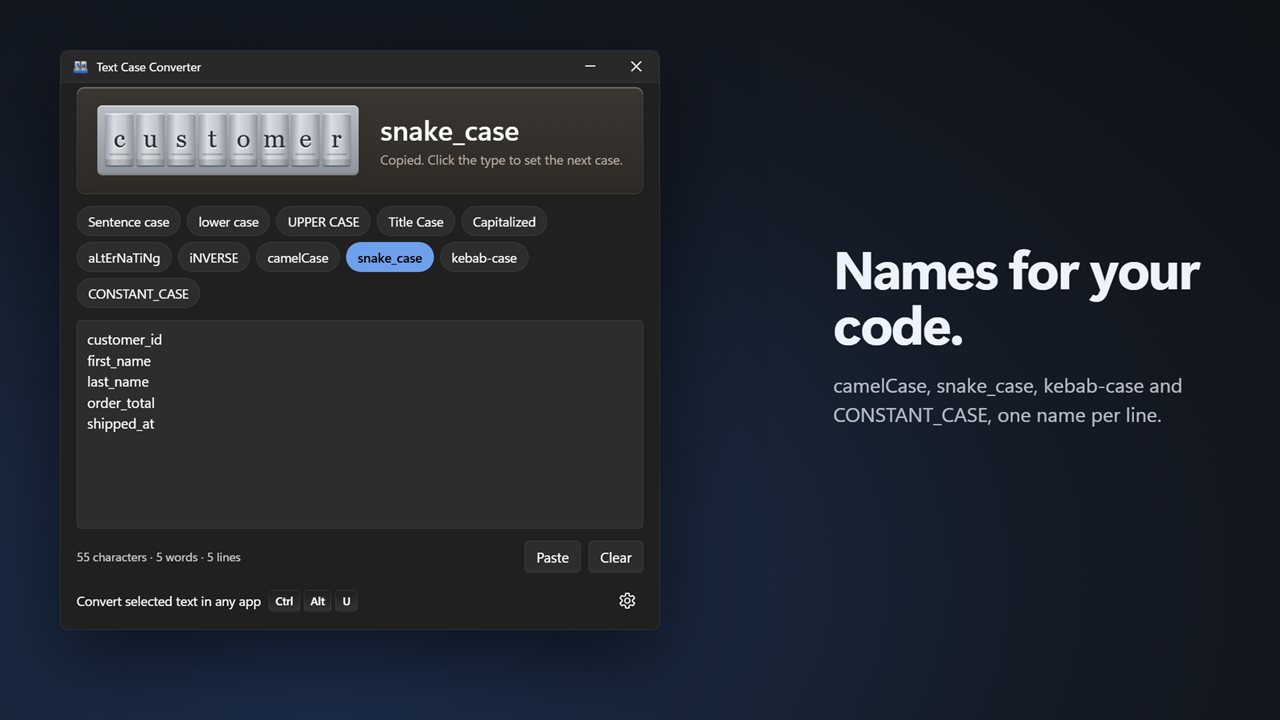
camelCase, snake_case, kebab-case and CONSTANT_CASE turn a list of names into identifiers, one per line.
Always ready
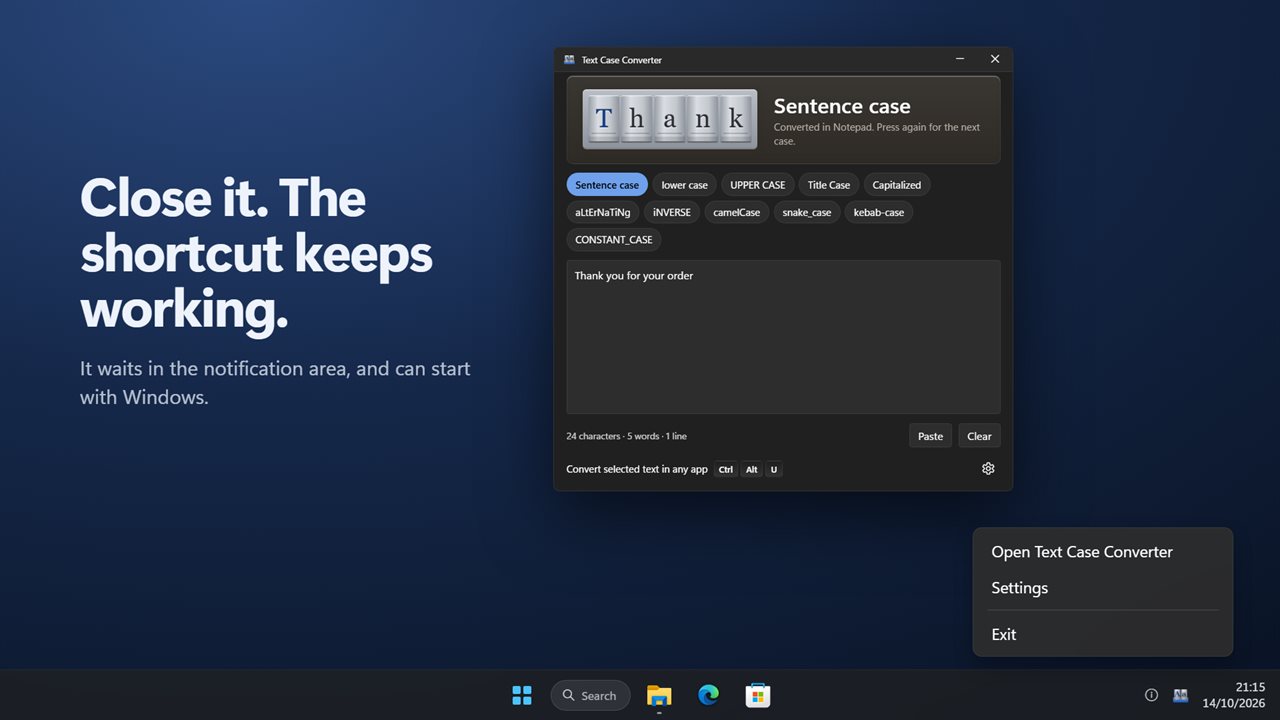
While the shortcut is on, closing the window keeps the app waiting in the notification area, and it can start with Windows. The count of characters, words and lines updates as you type.
Private
Everything happens on your PC. Nothing is uploaded, and there is no account.
Features
- 11 cases: Sentence case, lower case, UPPER CASE, Title Case, Capitalized, aLtErNaTiNg, iNVERSE, camelCase, snake_case, kebab-case and CONSTANT_CASE
- Click the type at the top to set the next case. The result is copied, ready to paste
- Or pick any case from the row of buttons in one click
- Title Case keeps small words like of, the and on in lower case, and leaves acronyms like NASA alone
- Sentence case starts every sentence and every line with a capital, and fixes a lone i
- camelCase, snake_case, kebab-case and CONSTANT_CASE turn each line into a name for your code
- Every case starts from the text you wrote, so trying one case never spoils the next
- Convert selected text in any app: select it, press Ctrl+Alt+U, and it is replaced in place
- Press the shortcut again to try the next case on the same selection
- Your clipboard is put back as it was after every conversion
- Choose your own shortcut in Settings
- Paste and Clear buttons, with a live count of characters, words and lines
- Waits in the notification area while the shortcut is on, and can start with Windows
- Works offline. Your text never leaves your PC
- Light and dark themes, or match Windows
Details
- Works on
- Windows 10 (1809 or later) and Windows 11
- Download
- About 2.8 MB
- Version
- 2.0.2, updated October 2026
- First released
- January 2023
- Price
- $1.99 once. No subscription.
- Category
- Utilities & tools
What's new in 2.0.2
- New: convert selected text in any app with Ctrl+Alt+U. Press again for the next case
- New: camelCase, snake_case, kebab-case and CONSTANT_CASE
- New: click the type to step through the cases. Every result is copied
- Title Case now keeps small words in lower case and leaves acronyms alone
- Word and line counts are now correct for text over several lines
- Dark theme, and it can start with Windows
Questions
Anything else? Ask us
Which versions of Windows does it run on?
Windows 10 (version 1809 or later) and Windows 11.
Is it a subscription?
No. Text Case Converter is a one-time purchase of $1.99, and updates are included.
How do I get it?
EvlarSoft apps are moving to direct downloads from this site. Ask to be notified and we will email you as soon as Text Case Converter is ready to download.