Typing Tutor - Learn to Type, Typing Test & Games
Learn to touch type with 24 guided lessons and a finger guide that shows which finger to use. Get ready for a typing exam with timed passages, net WPM and a printable result. Play Meteor Words, or practice on your own text.
Learn to type without looking, one row at a time.
See it in action
About Typing Tutor - Learn to Type, Typing Test & Games
Learn to type without looking at the keys, then prove it on a timed typing test.
Lessons that build on each other
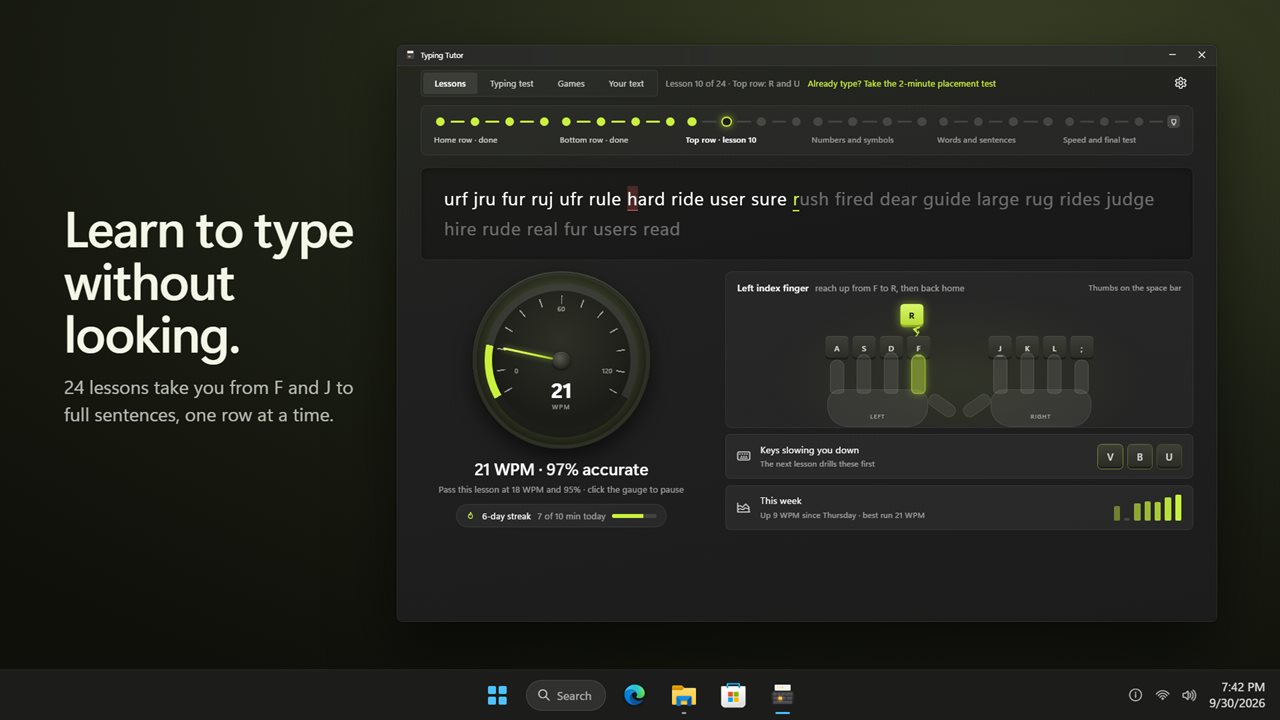
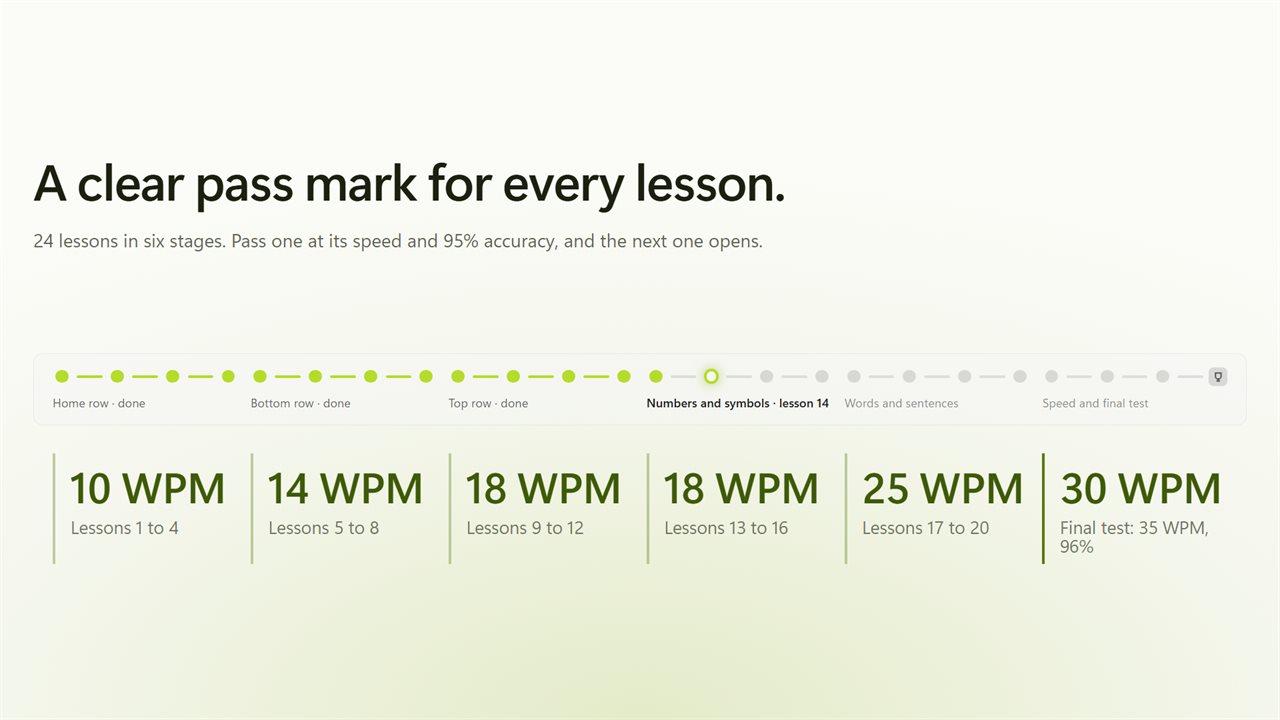
24 lessons take you through six stages: the home row, the bottom row, the top row, numbers and symbols, words and sentences, and speed. Each lesson has a clear pass mark, from 10 WPM on the home row to 30 WPM in the last stage, always at 95% accuracy. Pass it and the next lesson opens. The final test asks for 35 WPM at 96%.
See which finger to use
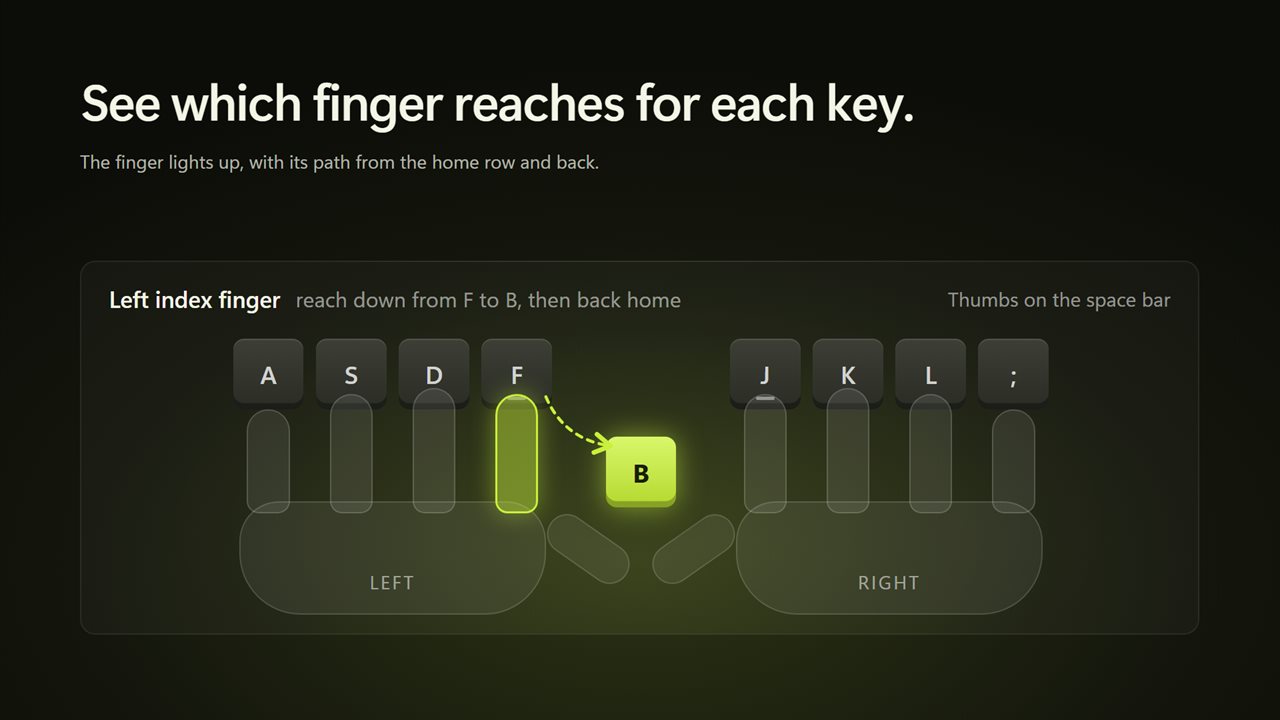
The finger guide draws both hands on the home row and lights the finger that owns the next key, with the path it takes there and back. A speed gauge shows your words per minute as you type, and a click on it pauses the lesson.
Start where you are
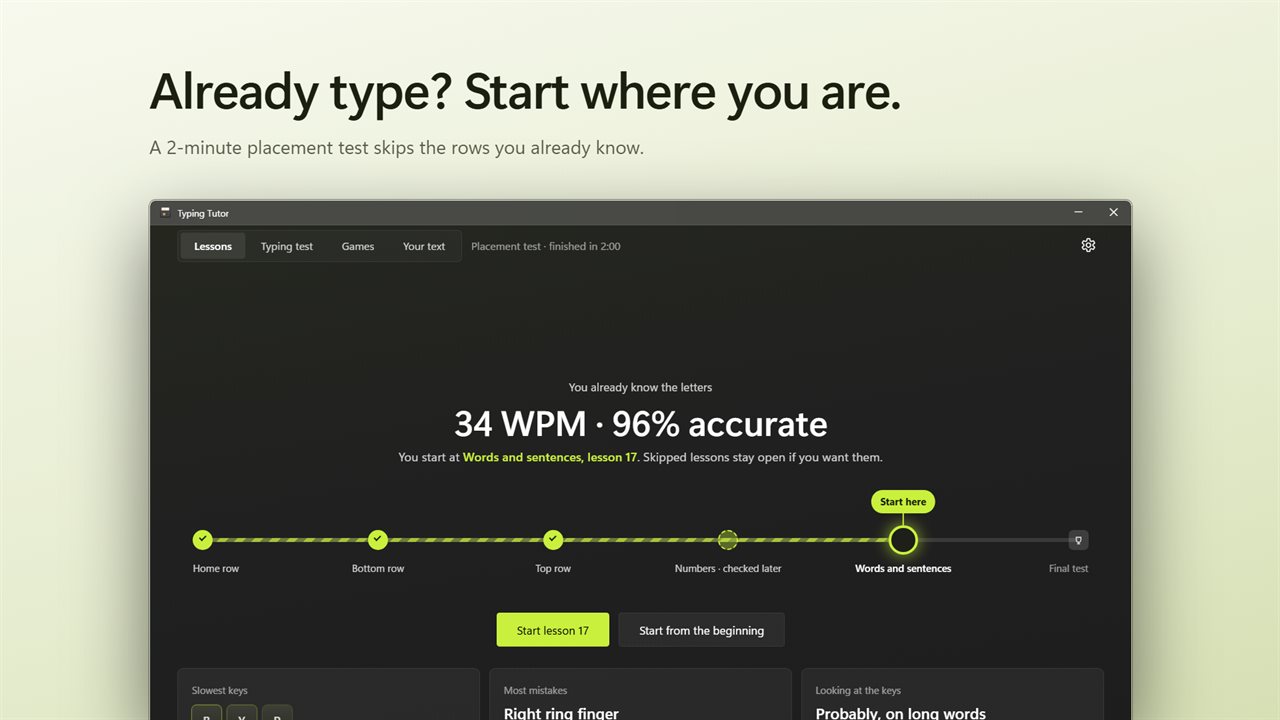
Already type a little? The 2-minute placement test checks each row of the keyboard and starts you at the right lesson. It also shows your slowest keys, the finger that makes the most mistakes, and whether you look down on long words.
Your weak keys, first
The app notices the keys that slow you down, and the next lesson drills them first. There is a lesson made from your weak keys and one for tricky finger pairs.
Typing test for exams and jobs
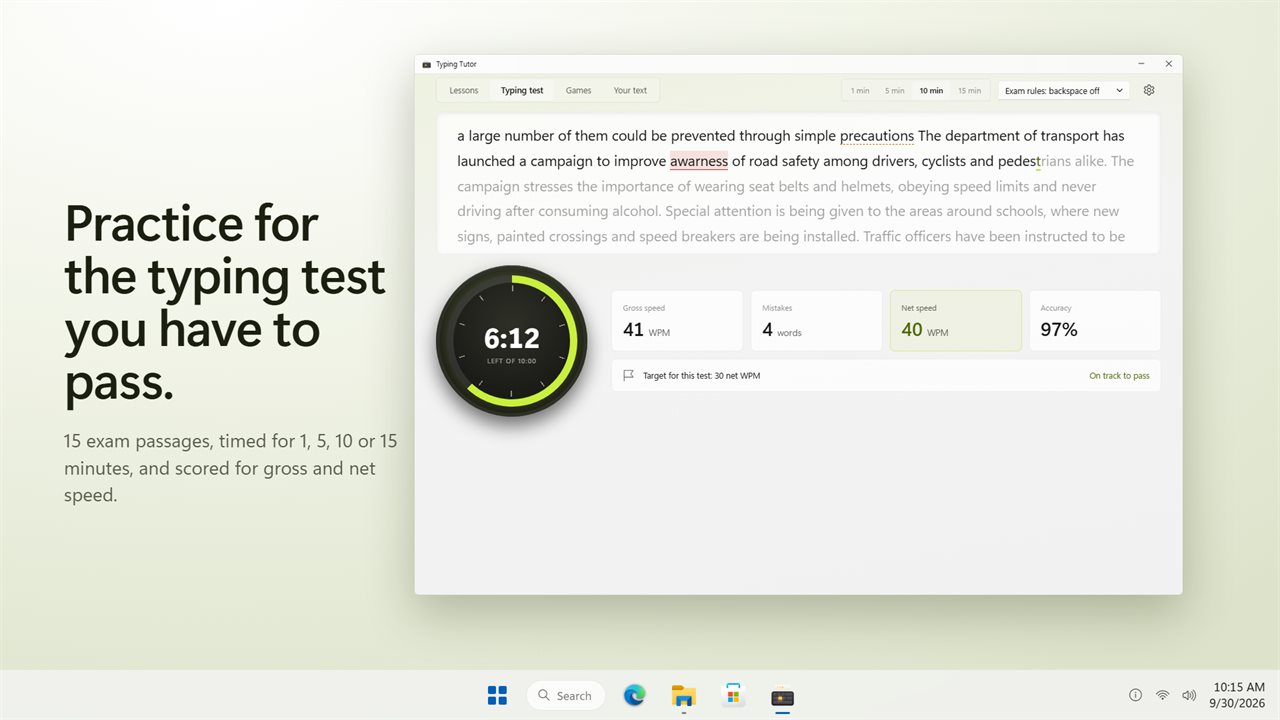
Choose 1, 5, 10 or 15 minutes and type one of 15 exam passages. Use exam rules with backspace off, or practice rules with backspace on. A countdown dial shows the time left, with gross speed, net speed, mistakes and accuracy as you go.
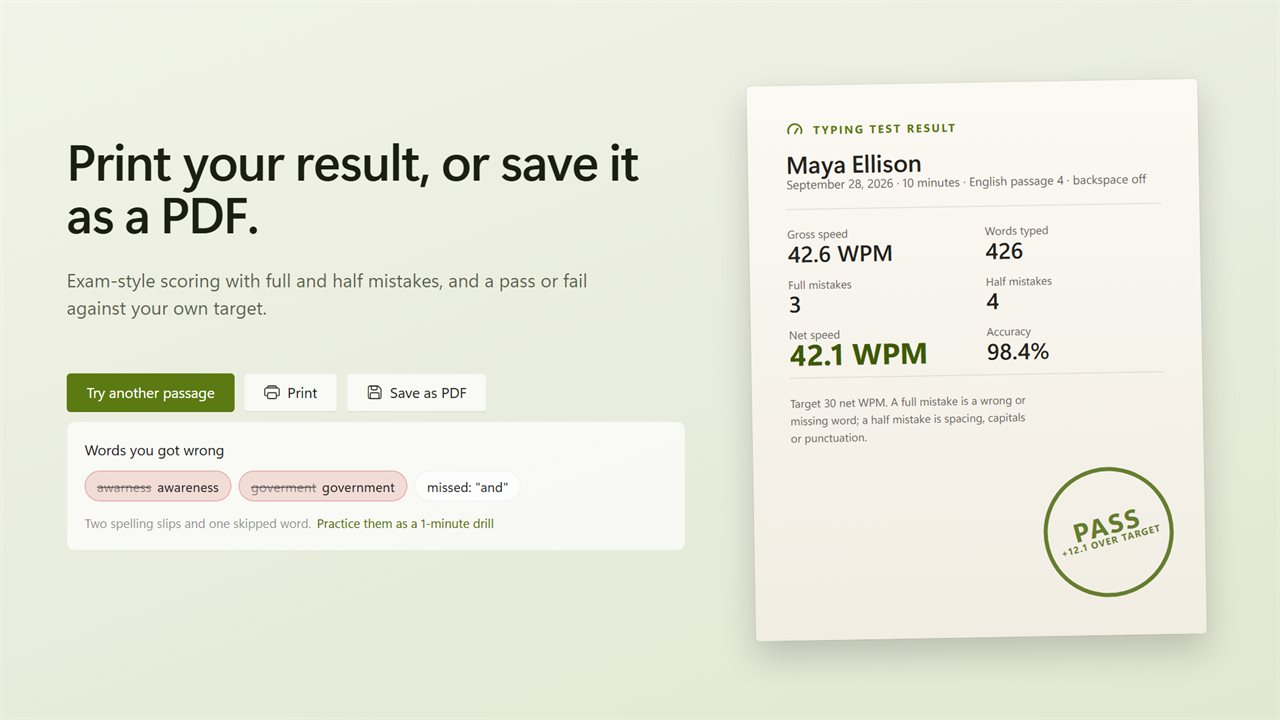
Scoring follows the exam style: a wrong, missing or extra word is a full mistake, and spacing, capitals or punctuation is a half mistake. Or count every slip the same. Set your own target from 10 to 80 net WPM and see whether you pass.
A result you can print
Every test ends on a result slip with your name, the date, your speeds, mistakes and accuracy, stamped pass or fail. Print it, or save it as a PDF. See the words you got wrong and practice them as a 1-minute drill, and compare your last 8 tests.
Meteor words
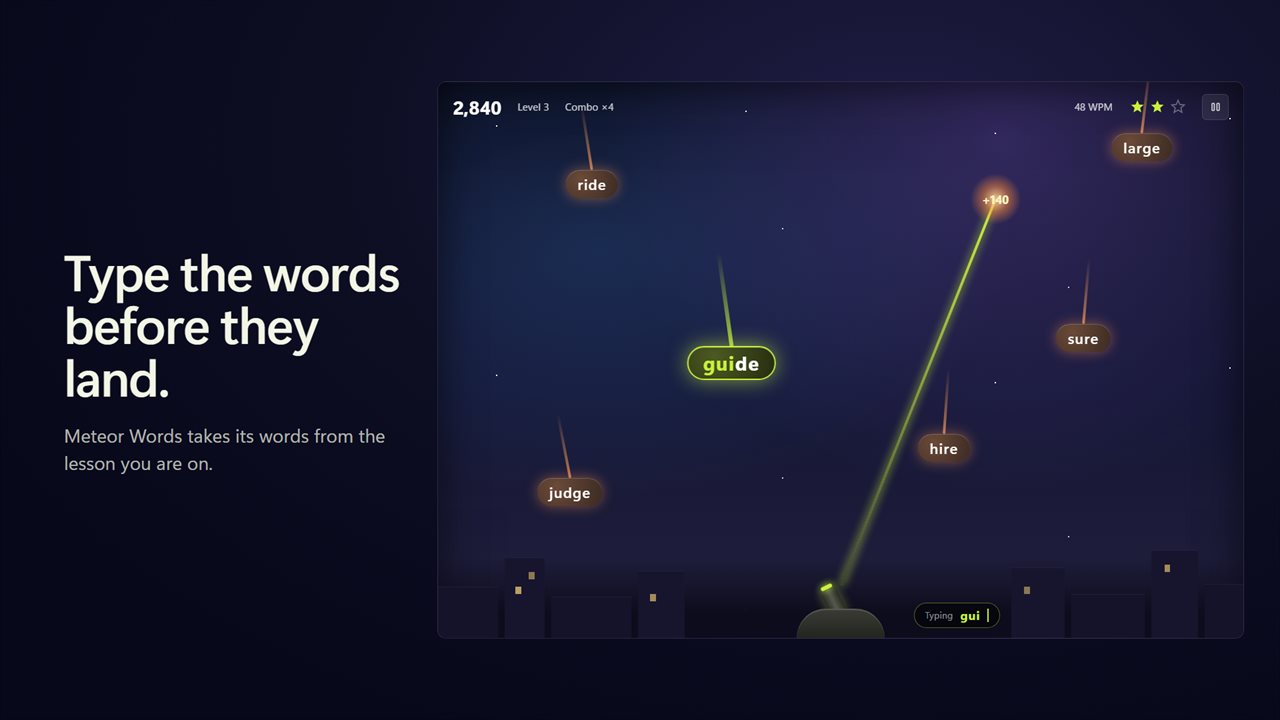
Words fall toward the city. Type one to blast it before it lands. Longer words score more, a combo adds to it, and from level 5 three-word meteors appear. The words come from the lesson you are on.
Your own text
Paste an article, an email or your notes, or open a .txt or .md file, and practice on your own words. Long text is split into parts.
Keep it up
Set a daily goal from 5 to 60 minutes and keep a practice streak. Choose a key sound: soft, mechanical or typewriter. Light and dark themes, or match Windows.
Features
- 24 lessons in six stages, from F and J on the home row to a final test
- Every lesson has a clear pass mark, from 10 WPM to 30 WPM at 95% accuracy, and passing one opens the next
- A finger guide shows which finger to use for the next key, and the path from the home row and back
- A speed gauge shows your words per minute as you type. Click it to pause
- A 2-minute placement test skips the rows you already know
- The keys that slow you down are found as you type, and the next lesson drills them first
- A lesson made from your weak keys, and one of tricky finger pairs
- Timed typing test with 15 exam passages, for 1, 5, 10 or 15 minutes
- Exam rules with backspace off, or practice rules with backspace on
- Gross speed, net speed, mistakes and accuracy, live on a countdown dial
- Exam-style scoring with full and half mistakes, or count every slip the same
- Set your own target speed, from 10 to 80 net WPM, and see pass or fail
- Print your result slip with your name on it, or save it as a PDF
- See the words you got wrong, and practice them as a 1-minute drill
- Your last 8 tests side by side, so you can see your speed climb
- Meteor Words: type falling words to blast them before they land
- Practice on your own text: paste it or open a .txt or .md file
- A daily goal from 5 to 60 minutes, a practice streak and your speed each day this week
- Key sounds: soft, mechanical or typewriter, or off
- Light and dark themes, or match Windows
Details
- Works on
- Windows 10 (1809 or later) and Windows 11
- Download
- About 2.5 MB
- Version
- 1.0.4, updated October 2026
- First released
- October 2026
- Price
- $2.99 once. No subscription.
- Category
- Education
Questions
Anything else? Ask us
Which versions of Windows does it run on?
Windows 10 (version 1809 or later) and Windows 11.
Is it a subscription?
No. Typing Tutor - Learn to Type, Typing Test & Games is a one-time purchase of $2.99, and updates are included.
How do I get it?
EvlarSoft apps are moving to direct downloads from this site. Ask to be notified and we will email you as soon as Typing Tutor - Learn to Type, Typing Test & Games is ready to download.