VHDMaker
Make, attach and resize virtual drives. Pick a size on the drawn drive, choose VHDX or VHD, NTFS, exFAT or FAT32, and VHDMaker makes the file and formats it, ready in File Explorer. Windows asks for permission each time.
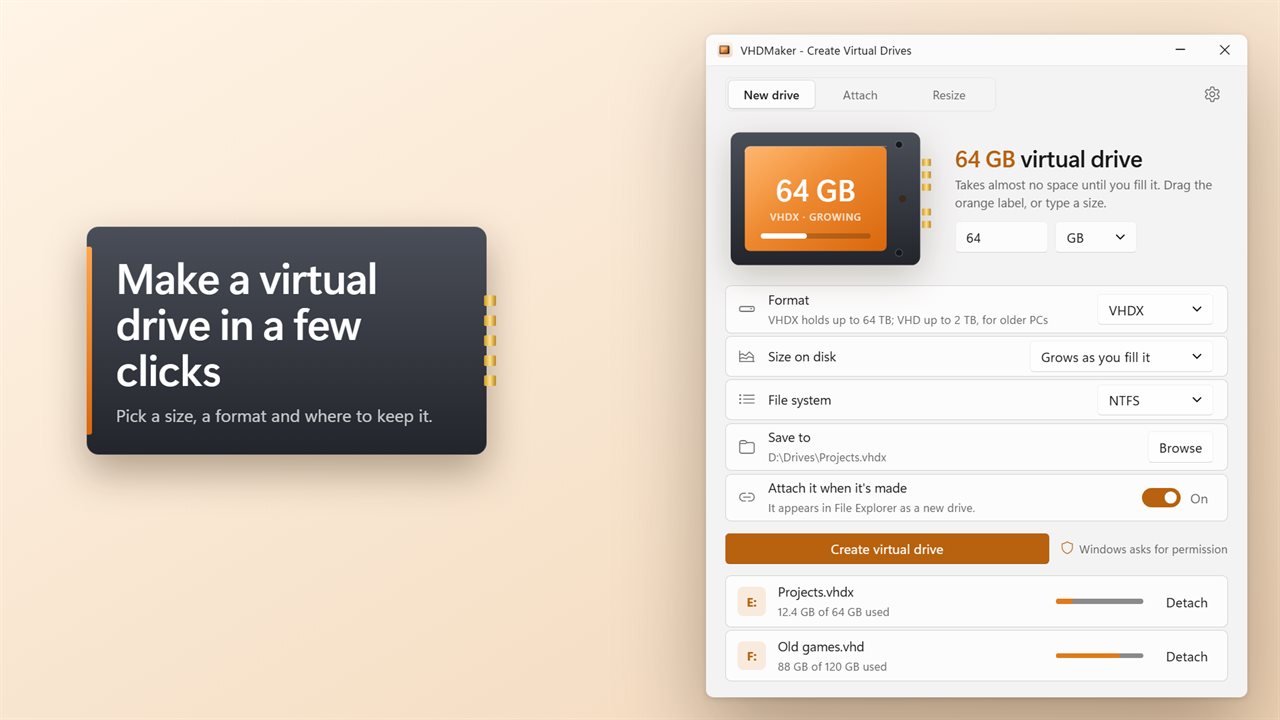
Make a virtual drive in a few clicks.
See it in action
About VHDMaker
VHDMaker makes virtual drives: a single file that Windows opens as a drive of its own.
Pick a size
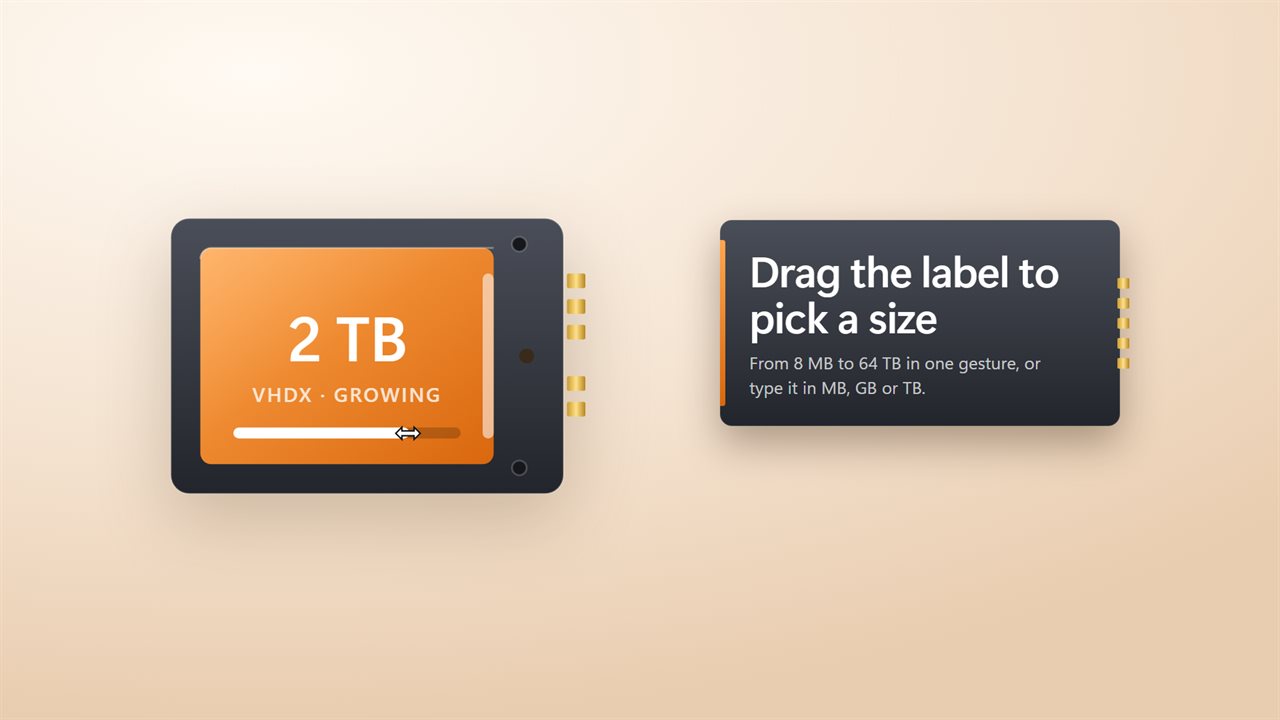
Drag across the orange label on the drawn drive, or type a size in MB, GB or TB. A VHDX drive holds up to 64 TB. A VHD holds up to 2040 GB and opens on older PCs too. Sizes a format can't hold are flagged before you start.
Your choice of file
Let the file grow as you fill the drive, so a 64 GB drive takes almost no space at first, or have it take its full size now. Formatted NTFS, exFAT or FAT32, so it's ready the moment it's made.
Ready in file Explorer
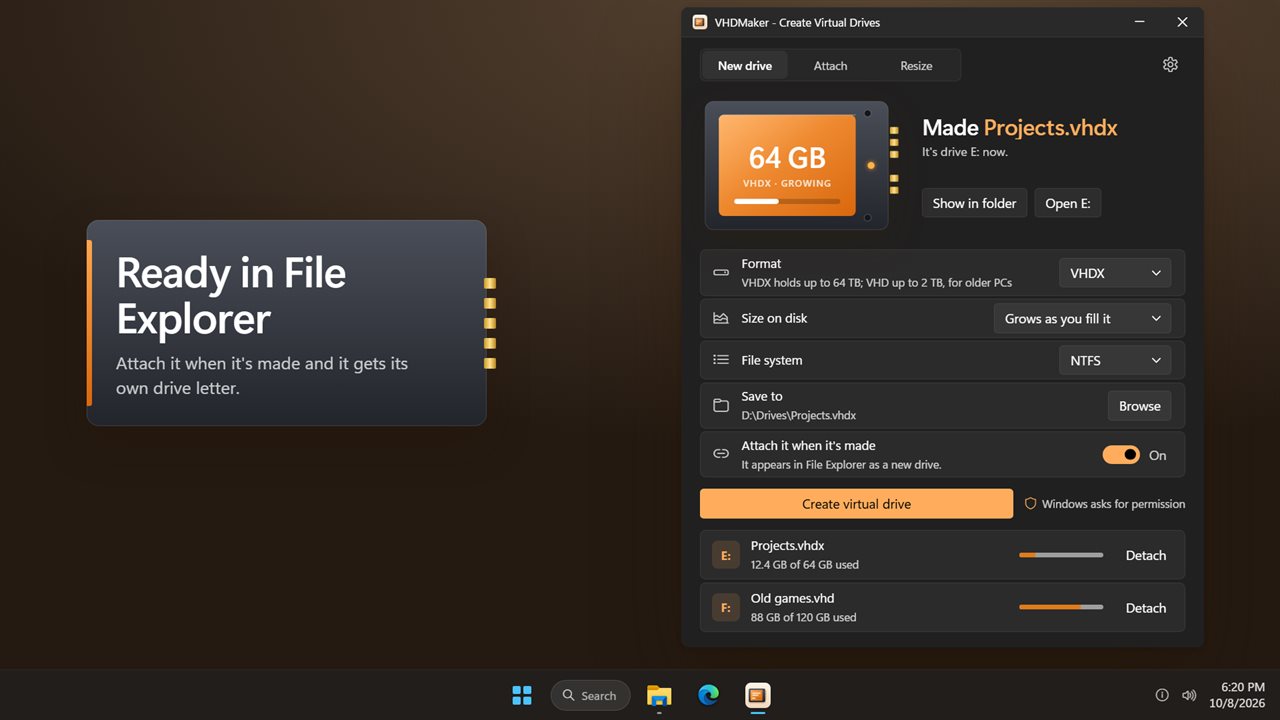
Turn on Attach it when it's made and the new drive appears in File Explorer with its own letter. When it's done, Show in folder takes you to the file and Open takes you into the drive.
Attach and resize
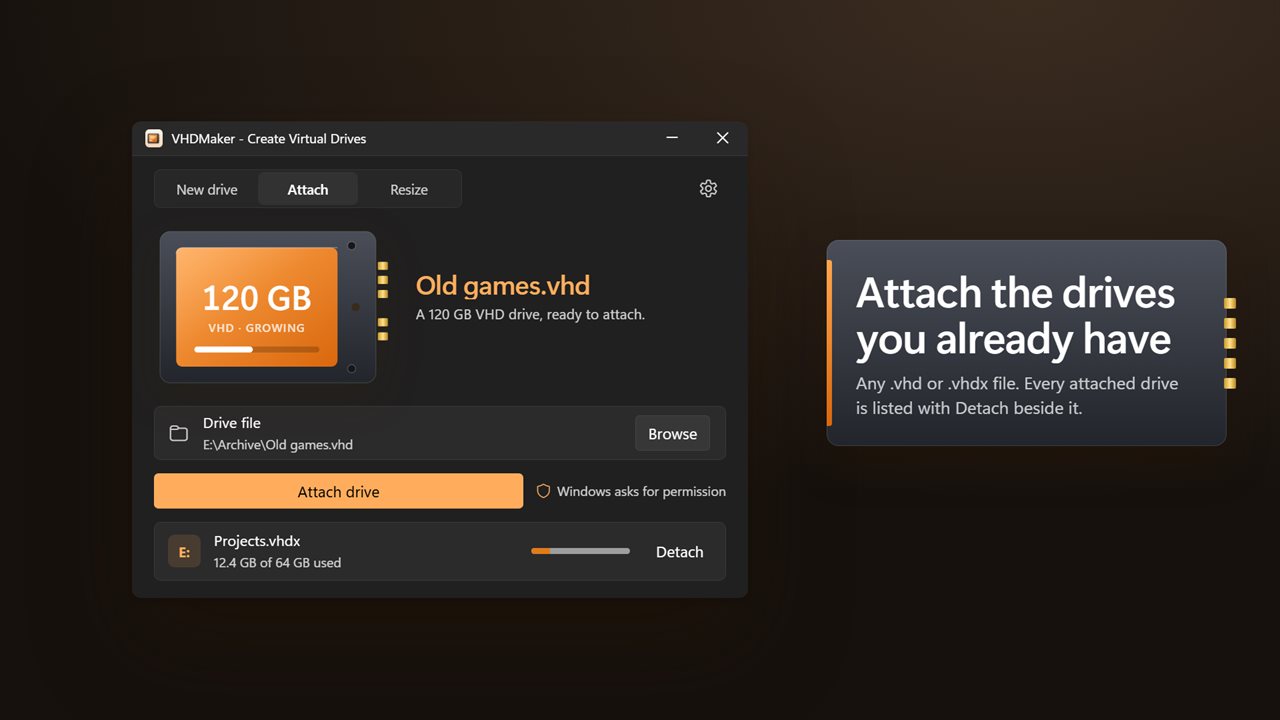
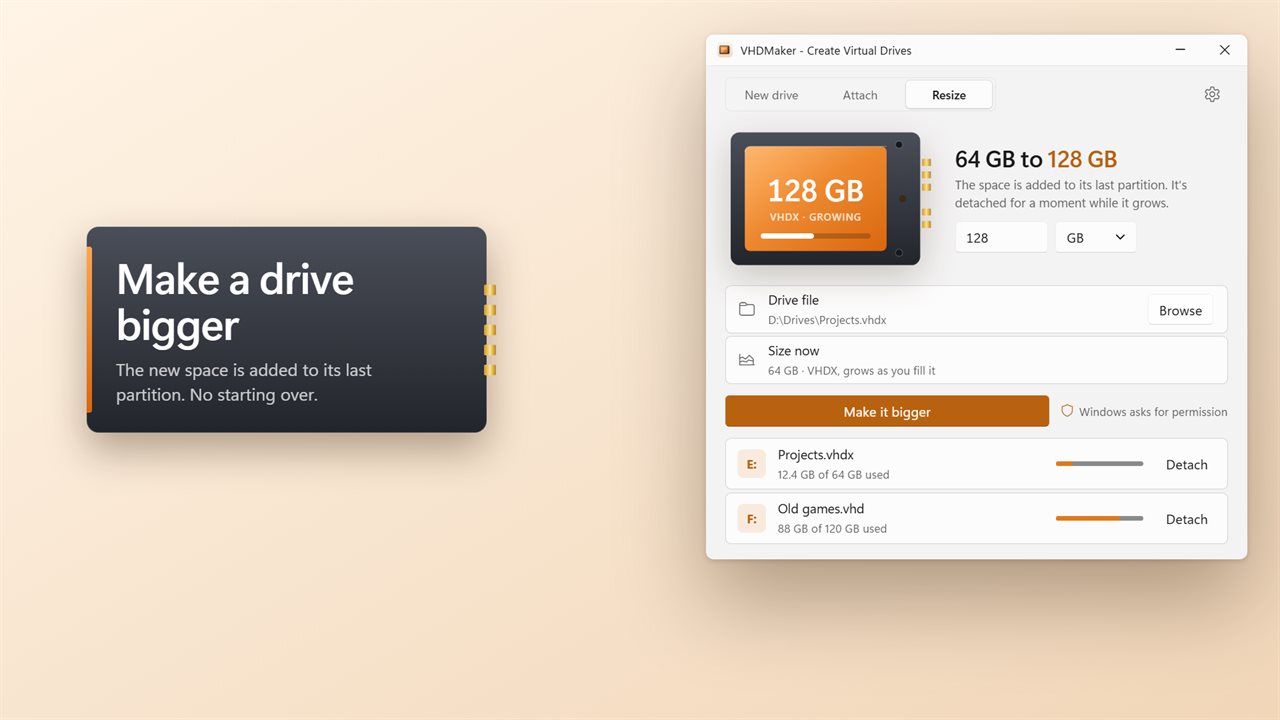
Attach any .vhd or .vhdx file you already have. Make a drive bigger, and the new space is added to its last partition. Every attached virtual drive is listed with its letter and how full it is, with Detach beside it.
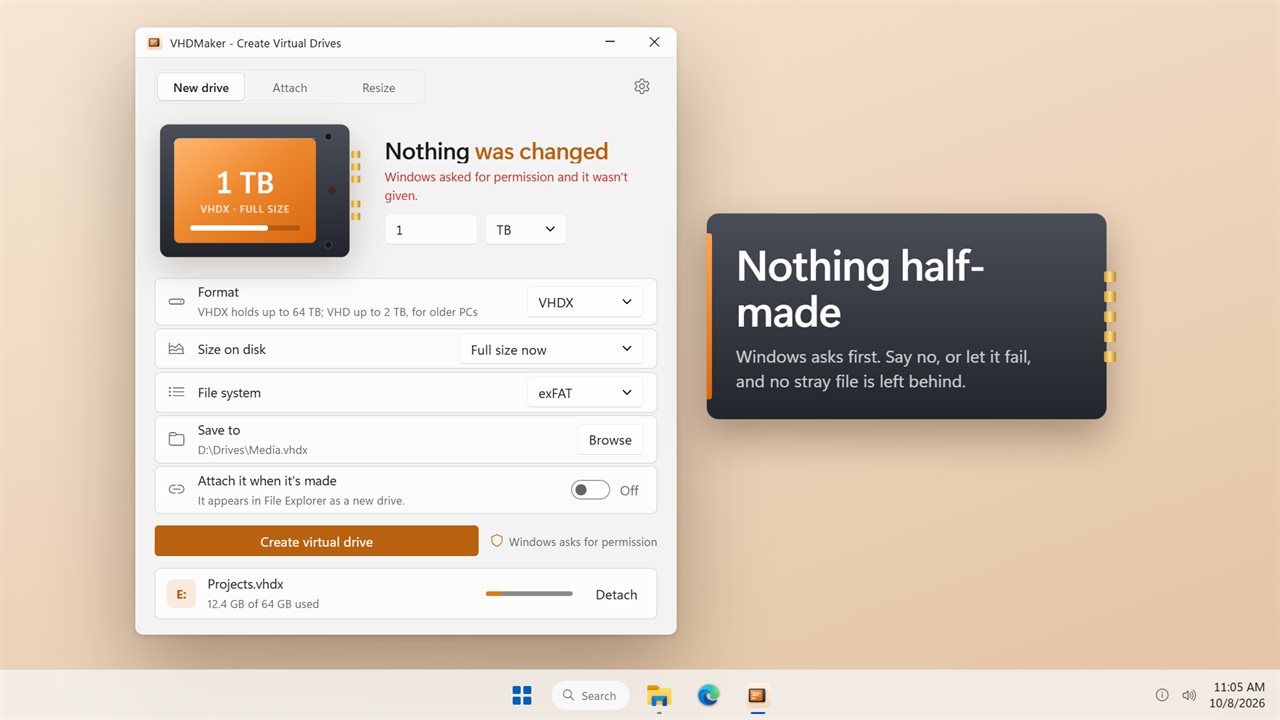
Nothing half-made
If something goes wrong part-way, the unfinished file is detached and deleted. Making, attaching, resizing and detaching drives need Windows' permission, and VHDMaker asks for it each time. Say no, and nothing changes.
Light and dark themes, or match Windows.
Features
- Make a virtual drive as a VHDX file, up to 64 TB, or a VHD, up to 2040 GB
- Drag across the drive's orange label to pick a size, or type one in MB, GB or TB
- Grows as you fill it, or takes its full size on disk now
- Formatted NTFS, exFAT or FAT32, ready to use
- Attach it when it's made, and it appears in File Explorer as a new drive
- Attach any .vhd or .vhdx file you already have
- Make an existing drive bigger; the space is added to its last partition
- See every attached virtual drive with its letter and how full it is, and detach it
- A drive that fails part-way is removed, so nothing is left half-made
- Light and dark themes, or match Windows
Details
- Works on
- Windows 10 (1809 or later) and Windows 11
- Download
- About 2.7 MB
- Version
- 2.0.2, updated October 2026
- First released
- September 2023
- Price
- $1.99 once. No subscription.
- Category
- Utilities & tools
What's new in 2.0.2
- New: VHDX drives up to 64 TB, and drives that take their full size now
- New: exFAT, and attach a drive as soon as it's made
- New: Attach and Resize tabs, and a list of attached drives with Detach
- Fixed: large VHD sizes failed. VHD now stops at 2040 GB and says so; pick VHDX for more
- Fixed: a drive that failed part-way could be left behind. It's now removed
Questions
Anything else? Ask us
Which versions of Windows does it run on?
Windows 10 (version 1809 or later) and Windows 11.
Is it a subscription?
No. VHDMaker is a one-time purchase of $1.99, and updates are included.
How do I get it?
EvlarSoft apps are moving to direct downloads from this site. Ask to be notified and we will email you as soon as VHDMaker is ready to download.
More from EvlarSoft
 File Hash ValidatorPaste the checksum a download page gave you and find out whether the file you got is the file they published.
 File EncoderFind out which encoding a text file is in, repair garbled text like Café back to Café, and convert files to UTF-8, UTF-16, Windows-1252 or ASCII, one at a time or a whole folder at once.
 Folder LockerLock a private folder into one encrypted file that only your password opens.