Productivity apps for Windows
15 everyday tools for getting things done on Windows: clipboard history, to-do lists in the taskbar, reminders, date and loan calculators, a bookmark manager and a mood diary. Small, quick to open and easy to put away.
Every app in this category15
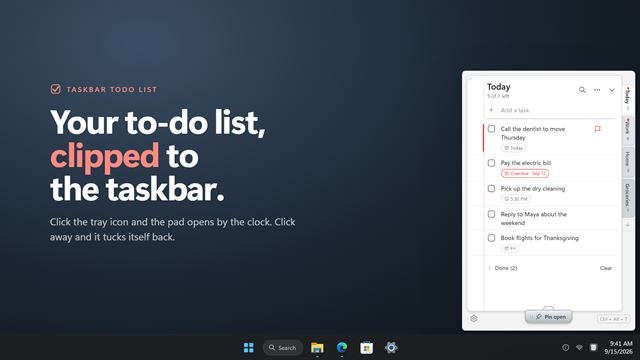

TaskBar ToDo List
ProductivityYour to-do lists on a slim notepad clipped to the taskbar. Click the tray icon and the pad opens beside the clock; tick a task and a pen strikes it through. Keep several lists as tab dividers, drag tasks into order, flag what matters, set due dates and reminders, and pin the pad open so it stays on screen while you work.
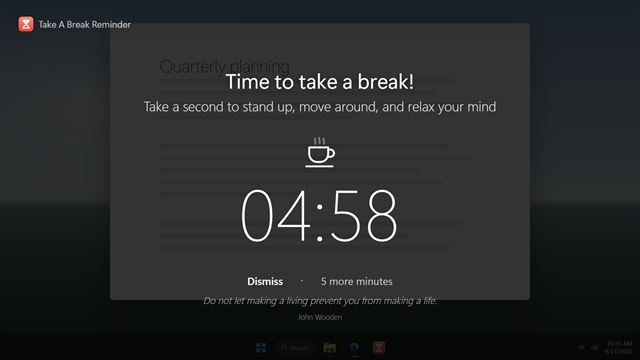

Take A Break
ProductivitySitting still for hours is what hurts, not the work. Take A Break Reminder counts down your Focus Interval, then dims every screen and tells you it is time to take a break. Stand up, move around and relax your mind until the countdown ends. Put a break off when you cannot take it, and never be interrupted while you are in a call or away from the PC.
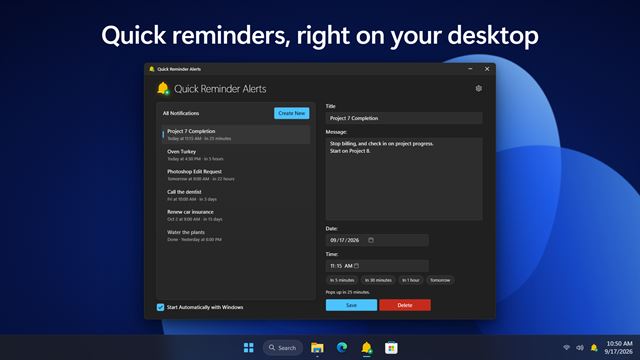

Quick Reminder Alerts
ProductivityQuick Reminder Alerts keeps every reminder in one simple list: a title, a message, a date and a time. When the moment comes it pops up and waits until you snooze or dismiss it, and it tells you plainly when a reminder is late rather than letting it slip by.
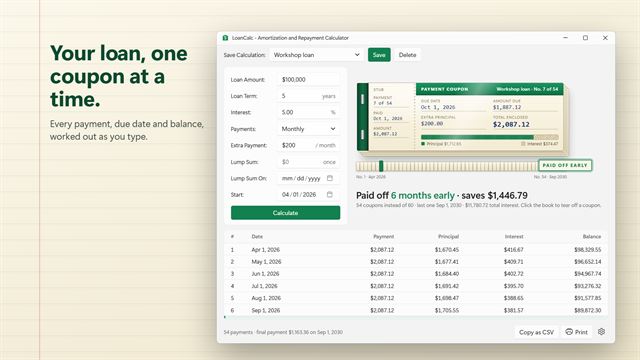

LoanCalc
ProductivitySee every payment of your loan as a coupon book, and what paying a little extra each month saves. LoanCalc works out the monthly payment, the payoff date and the total interest as you type, and shows the full amortization schedule to the cent.
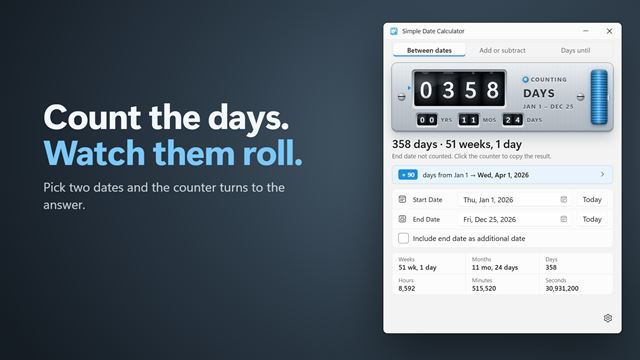

Simple Date Calculator
ProductivityCount the days between two dates, or add and subtract days, weeks, months and years from a date. Simple Date Calculator shows the answer on a rolling number counter, with weeks, months, hours, minutes and seconds underneath.
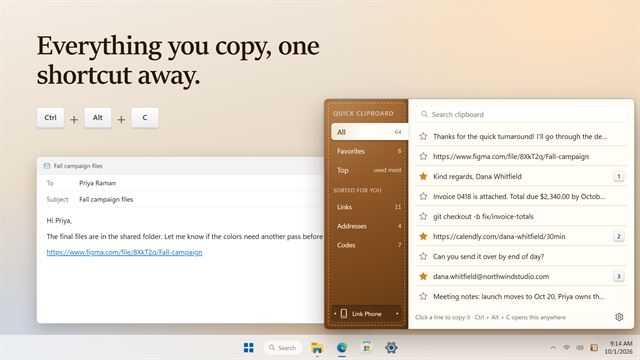

Quick Clipboard
ProductivityEverything you copy, kept in the corner of your screen. Press Ctrl+Alt+C from any app, click a line to use it again, star the ones you need every day and paste them with Ctrl+Alt+1 to 9. Link your phone to copy across both ways.
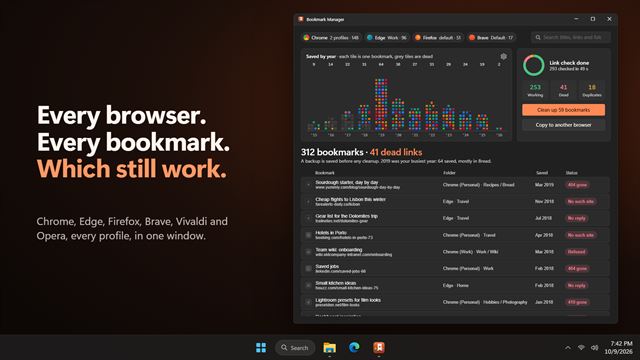

Bookmark Manager
ProductivityEvery bookmark from Chrome, Edge, Firefox, Brave, Vivaldi and Opera in one window, across all your profiles. Find the dead links, clean up the duplicates, and copy your bookmarks to another browser.
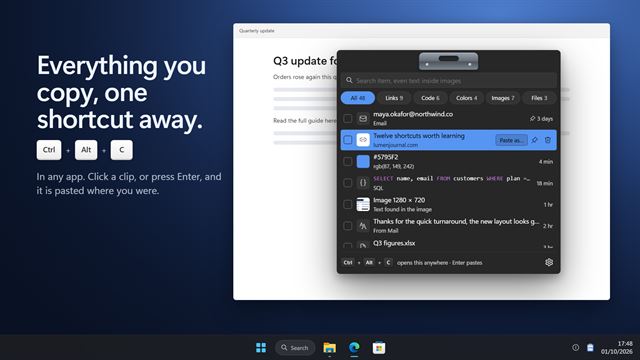

Clipboard History and Manager
ProductivityEverything you copy, one shortcut away. Press Ctrl+Alt+C in any app, find what you copied, even text inside a screenshot, and press Enter to paste it right where you were. Paste as plain text or clean links, queue several clips and paste them in order.
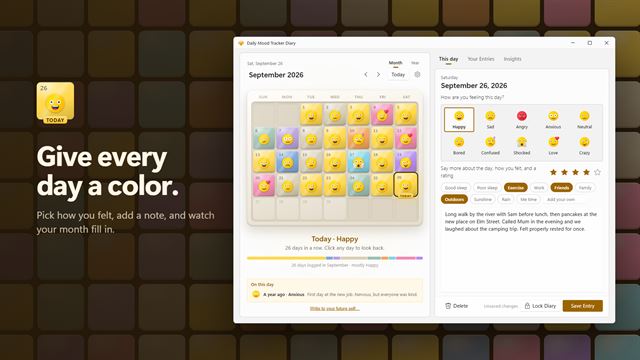

Daily Mood Tracker Diary
ProductivityA private mood diary for your PC. Give each day a mood, a rating and a note, and watch your calendar fill with color. Log today straight from a reminder, see what lifts your mood, seal a note for your future self, and save your year as a picture. Works offline, with no account needed.
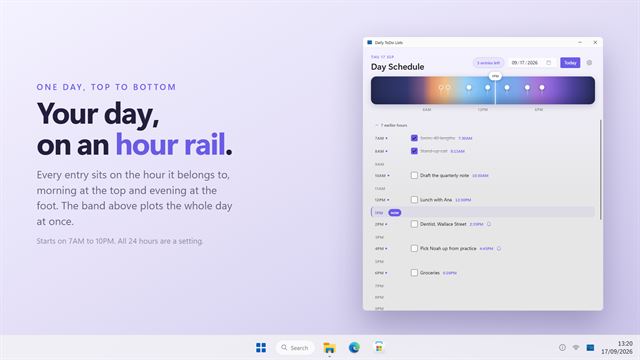

Daily ToDo Lists
ProductivityPlan your day hour by hour. Each entry sits on the time it belongs to, with a band across the top that shows the whole day at a glance and a marker on the hour you are in. Ask for a reminder and Windows tells you when one falls due, even with the window closed.
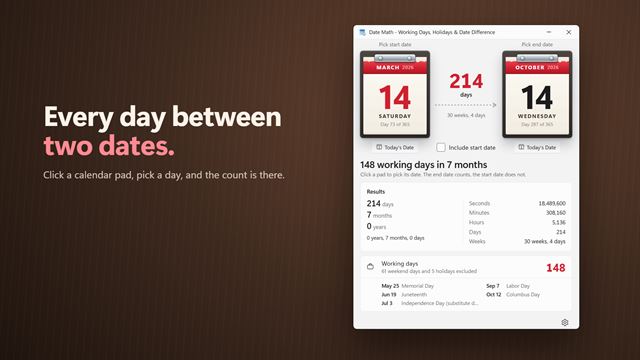

DateMath
ProductivityPick two dates and Date Math tells you the days, weeks, months and years between them, and how many of those are working days. Weekends, public holidays for your country and your own days off are left out, and each one is listed by name.
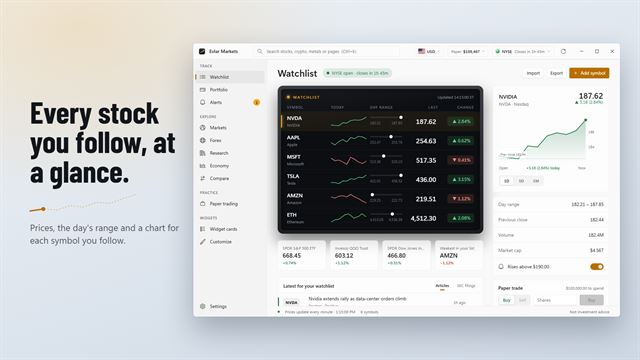

Evlar Markets
ProductivityStock prices on your Windows desktop. Evlar Markets keeps your watchlist in a clean app and pins it to your desktop as cards and a ticker tape, in 15 styles, with price alerts that arrive as Windows notifications. Free for US stocks. Pro adds an unlimited watchlist, ETFs, crypto, metals, currencies, company research and every widget style.
Renamify
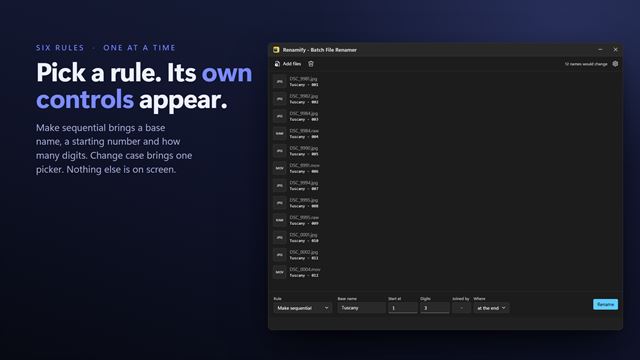
ProductivityTake a word out of two hundred file names, swap it for another, number them in order or stamp each one with its own date. Pick one of six rules and every file in the list shows its new name straight away — before anything has been renamed. Extensions are never touched, a name Windows cannot store is refused rather than mangled, and nothing is renamed over an existing file. Entirely on your PC.


VIN Decoder
ProductivityType or paste a VIN and see the whole car: recalls, crash-test stars, fuel economy, driver-assist features and its window sticker. Built for anyone buying a used car, with a Dealer mode for running a lot.

Cut List Optimizer
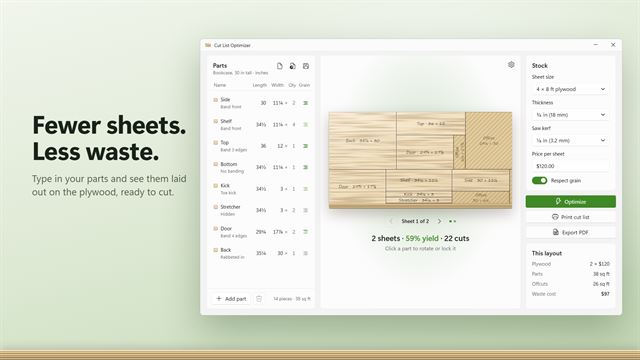
ProductivityLay out plywood parts on the fewest sheets. Allows for the saw kerf and the grain, shows what the waste costs, and prints a cut list with a diagram of every sheet.