PDF and documents apps for Windows
42 apps for documents on Windows: editors for DOCX, XLSX and PDF files, viewers for Visio, Project and XPS files, and tools that compress, lock or convert them. There are also writing pads, label and card makers, and a mind map.
Every app in this category42
Evlar XLSX Editor
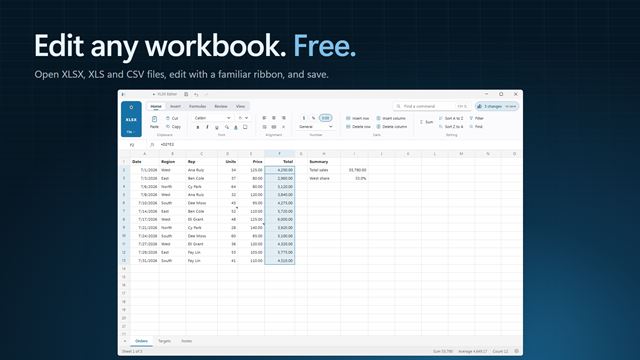
PDF and documentsOpen, edit and save Excel workbooks and CSV files for free. Go Pro for Formula X-ray, workbook compare, charts, conditional formatting and PDF export.
 Video

Text Overlay Teleprompter
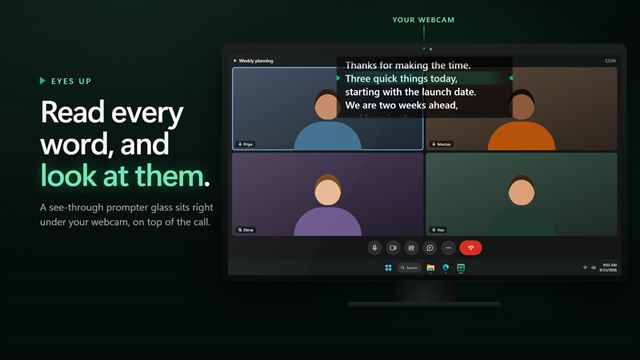
PDF and documentsRead your notes while you look into the camera. Text Overlay Teleprompter floats a see-through prompter glass over your video call, rolls your script past a green reading line at the words a minute you choose, waits for you wherever you wrote a pause, and stays hidden from most screen sharing and recording apps.
WebPage to PDF
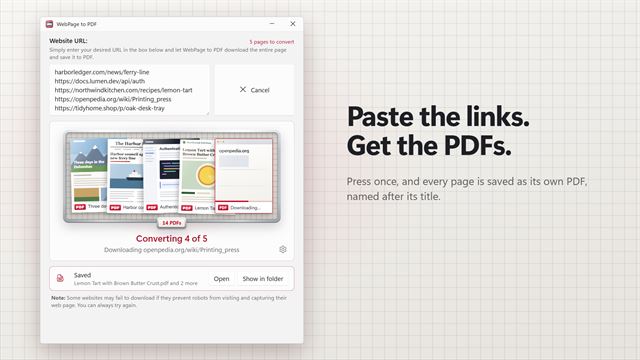
PDF and documentsThe fastest way to save web pages as PDFs. Paste one link or a whole list, press once, and every page is saved as its own PDF, named after its title. Finished PDFs stack up in a tray with their first page showing, one click from opening.
Scratch Paper Quick Notes
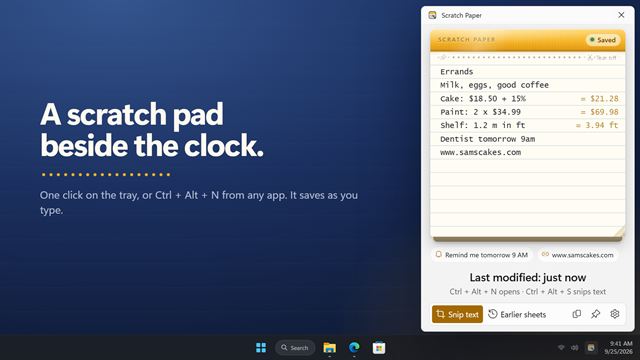
PDF and documentsA quick notepad beside the clock. Click the tray icon or press Ctrl+Alt+N and jot it down; it saves as you type. Snip the text from anything on screen, even a video or a locked PDF, straight onto your pad. Sums answer themselves as you write, times turn into reminders, and any sheet can be pinned to your desktop.

Word Counter Widget
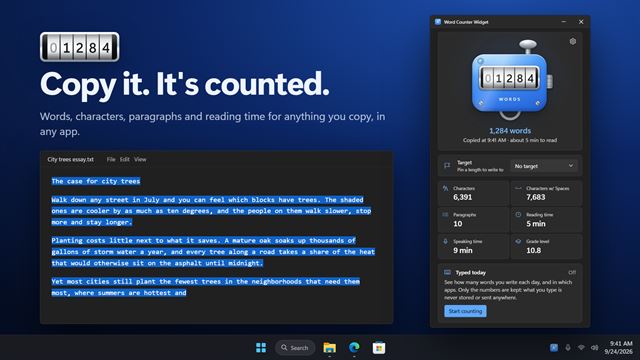
PDF and documentsCopy or select text in any app and see how many words it has, right away. Word Counter Widget shows words, characters, paragraphs, reading time and grade level, warns you before a post runs over its limit, and can count the words you type each day, by app, without keeping what you typed.

Quick PDF File Compressor
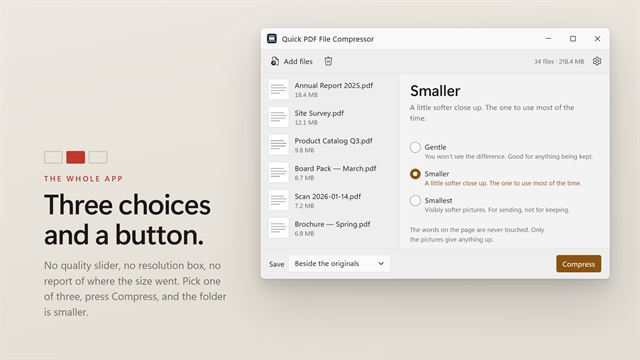
PDF and documentsThree choices and a button. Gentle, if you will not accept a visible difference. Smaller, which is the one to use most of the time. Smallest, for something you are sending rather than keeping. Each is described by what it costs you instead of by a number, so there is no quality slider to interpret and nothing to learn before you start. Point it at a folder and press the button. Nothing is uploaded.

Text File Splitter
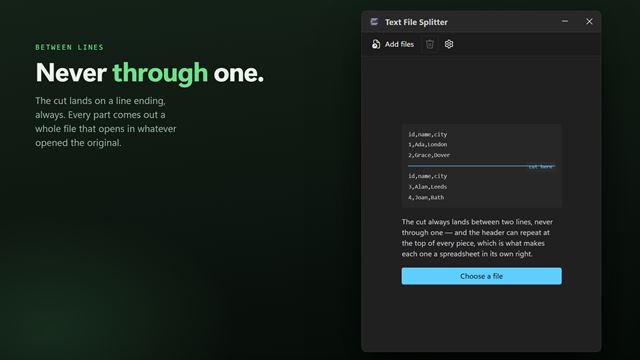
PDF and documentsCut a text file or a CSV into pieces that are still readable files. It splits between lines and never through one, so every part opens on its own — and it can repeat the header row at the top of each piece, which is what makes each one a spreadsheet Excel will accept. By lines per part or by number of parts. A whole batch at a time, entirely on your PC.
Text Snippet Saver
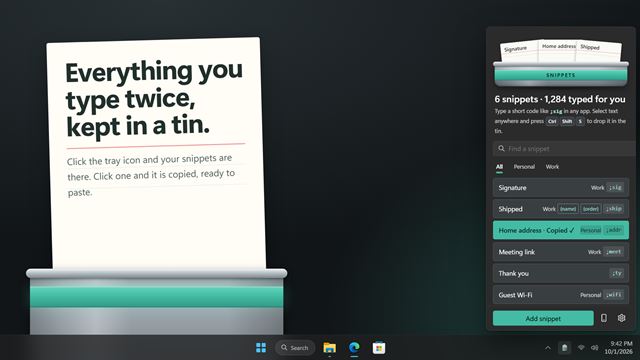
PDF and documentsKeep the text you type again and again in a tin by the tray. Click one to copy it, or give it a short code like ;sig and type that code in any app to have the whole thing typed for you.

PDF/A Compliance Converter
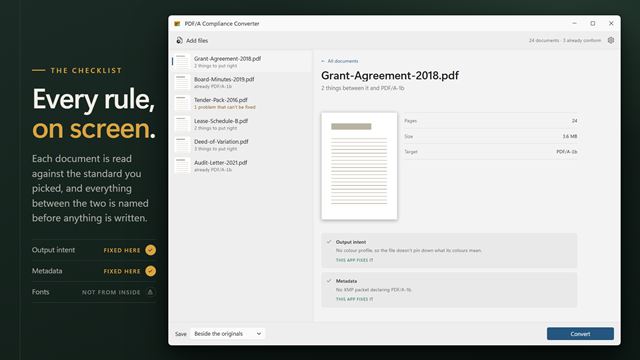
PDF and documentsPDF/A conformance is a checklist, and a tool that hides it behind one Convert button is a tool that will tell you it succeeded when it did not. This one puts the checklist on screen: every rule, marked as fixed here or not fixable at all. Convert to PDF/A-1b, A-2b, A-2u or A-3b across a whole batch, and get told plainly when a document cannot get all the way there. Nothing is uploaded.
HTML to PDF
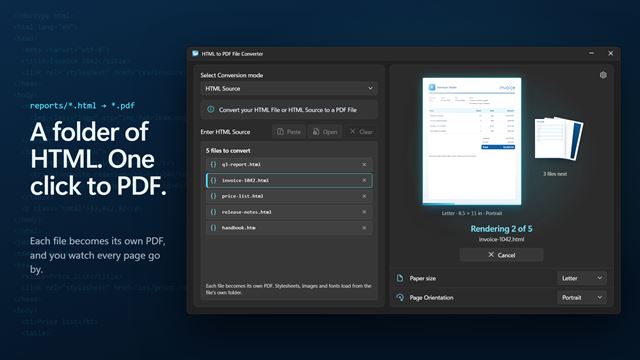
PDF and documentsTurn HTML files and HTML source into PDFs. Queue a stack of .html files and each one becomes its own PDF, with its stylesheets, images and fonts intact, saved right beside it. Or paste your code and see the page before you convert.

Quick PDF Compressor
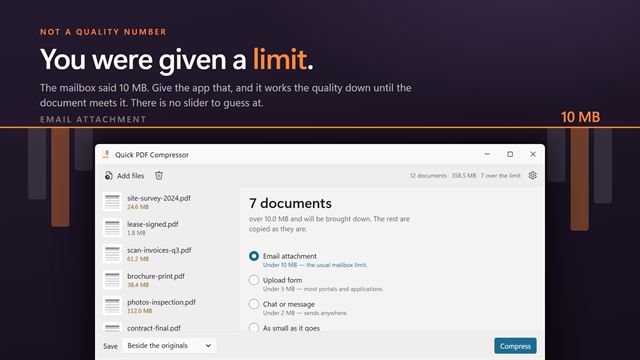
PDF and documentsNobody knows what quality 40 looks like. But everybody knows what "under 10 MB" means, because that is what the mailbox or the upload form told them. Quick PDF Compressor takes the limit you were actually given and works the quality down until the document meets it. Under 10 MB for email, 5 MB for upload forms, 2 MB for chat — or as small as it will go. Documents already under the limit are left alone. Nothing is uploaded.
XPS Viewer
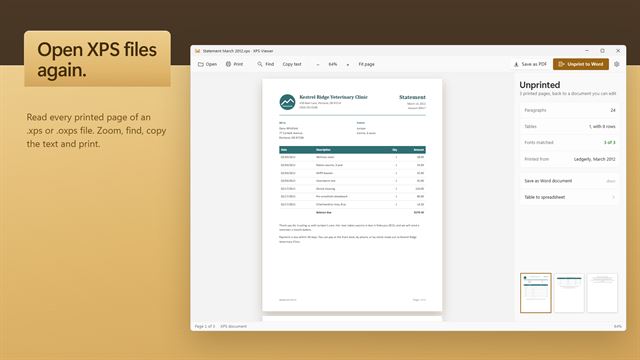
PDF and documentsOpen, read and print XPS and OXPS files, save them as PDF, and unprint them back into a Word document you can edit.

PDF Validate Digital Signatures
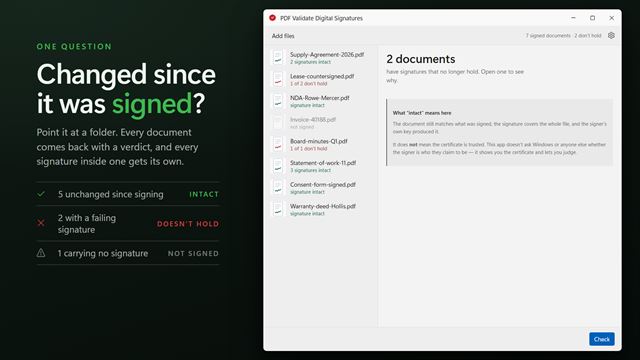
PDF and documentsWas this document changed after it was signed? That is the question, and this answers it: the bytes are re-hashed against what was signed, the signature is checked to cover the whole file, and the signer's own key is checked to have made it. Signer, reason, place, date and certificate are laid out beside the verdict. It does not check certificate trust and says so plainly rather than implying it. Writes nothing, uploads nothing.

DocX Image Extractor
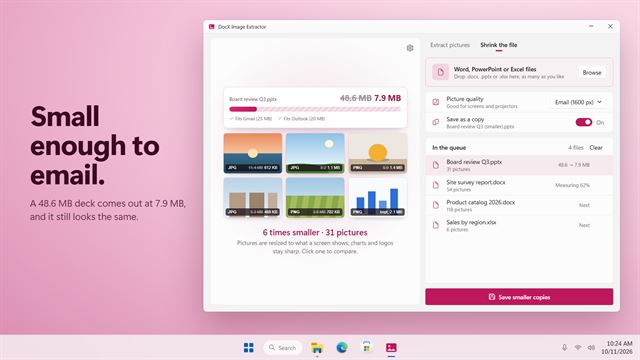
PDF and documentsShrink Word, PowerPoint and Excel files until they fit in an email, or pull every picture out of them in its real format. See the new size before you save.
PageToPDF
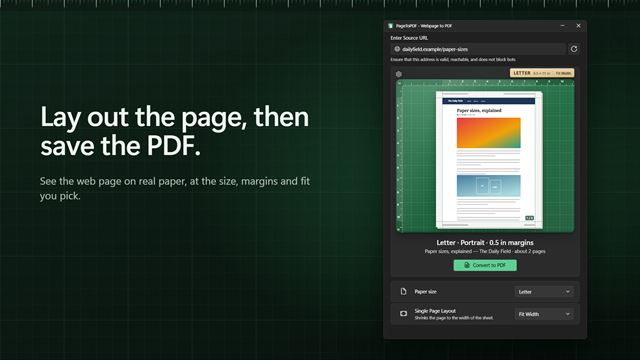
PDF and documentsTurn a web page into a PDF laid out exactly how you want it. See it on the sheet first: pick Letter, A4 or four other paper sizes, turn it landscape, drag the margins into place, fit it to the width, or put the whole page on one long sheet.

PDF Password Locker
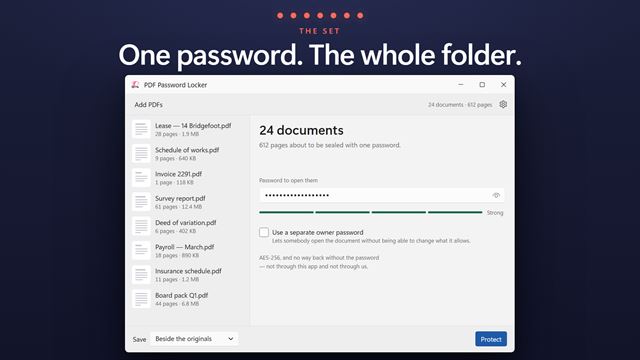
PDF and documentsOne password, many documents. PDF Password Locker is built around the set rather than the file: drop in a folder, type the password once, and it goes onto all of them. Before it does, the app rates it and names the single thing that would make it stronger — because a weak password on sixty documents is sixty weak documents. Owner and user passwords are separate. AES-256 throughout, and nothing is uploaded.

PDF File Locker
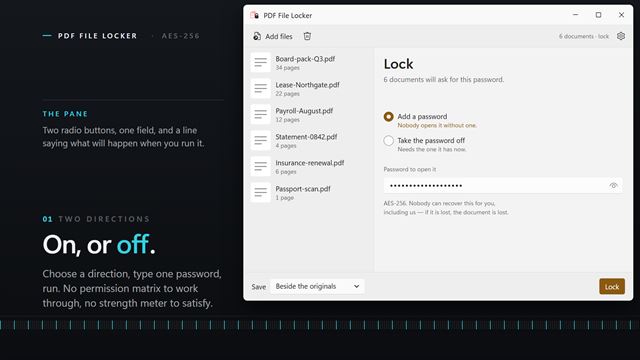
PDF and documentsA password on, or a password off. PDF File Locker does the two things people actually need and asks nothing else: drop in as many documents as you like, type one password, and lock or unlock the lot in a single pass. It reads the queue before it runs, so you know which files are already protected rather than finding out one at a time. Locking uses AES-256. Nothing is uploaded — the documents never leave your PC.
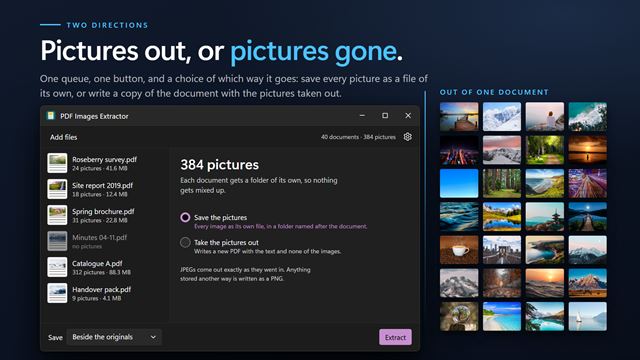

PDF Images Extractor
PDF and documentsTwo directions on one screen: take the pictures out of a document, or take them away. The second is the one nobody expects and often the one worth having — stripping the images off a 40 MB scanned report leaves a text document you can actually email. Every picture previews in a grid first, all ticked, so you extract the ones you want rather than all of them. Counts the whole queue up front. Nothing is uploaded.
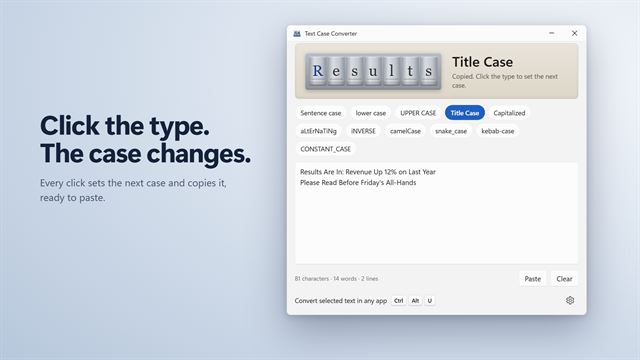
Text Case Converter
PDF and documentsChange the case of any text in one click: Title Case, UPPER CASE, Sentence case, camelCase, snake_case and six more. Select text in any app and press Ctrl+Alt+U to change it right where it is, with your clipboard put back afterwards.
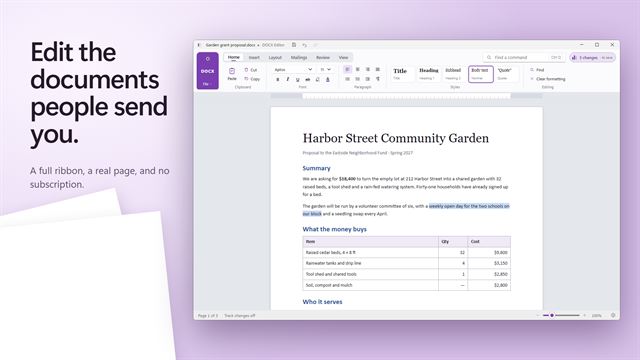
Evlar DOCX Editor
PDF and documentsOpen, edit and save Word documents without a subscription. Compare two versions, clean a document before you send it, and run a mail merge from a spreadsheet.

PDFSlim
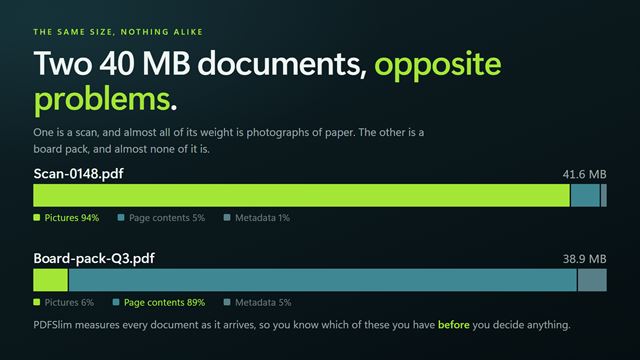
PDF and documentsCompress PDF files on your PC. Know why a file is big before deciding what to do about it. A 40 MB scan that is 39 MB of pictures and a 40 MB report that is 38 MB of embedded fonts want opposite treatment, and a single Compress button will never tell you which you have. PDFSlim surveys every document first, then gives you the real switches: pictures, page contents and metadata separately, five strengths, and a resolution cap. Nothing is uploaded.
Evlar PPTX Presenter
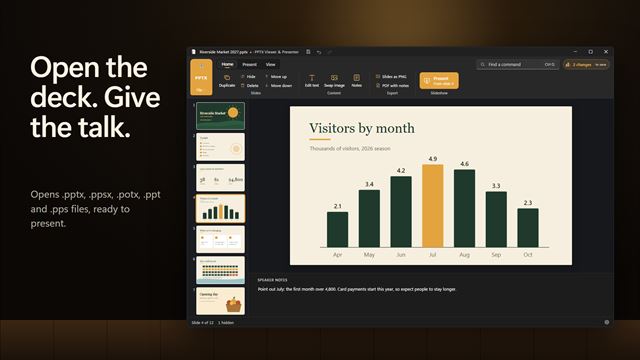
PDF and documentsOpen any PowerPoint file and present it, with your phone as the clicker. Fix a typo on a slide, rehearse your timings, and export the deck as a video, a PDF or images.
Write Pad
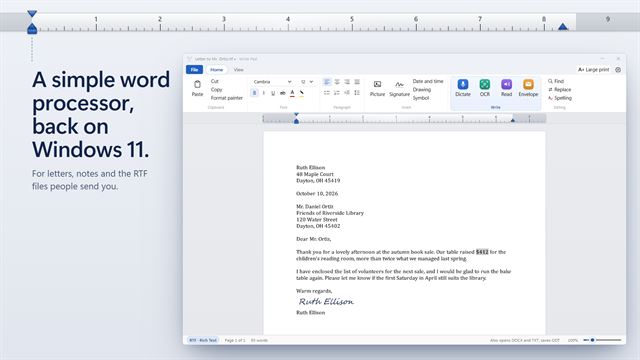
PDF and documentsA simple word processor for letters and notes. Open the RTF and DOCX files people send you, dictate instead of typing, copy text out of a picture, and have your document read aloud.
ePub Reader
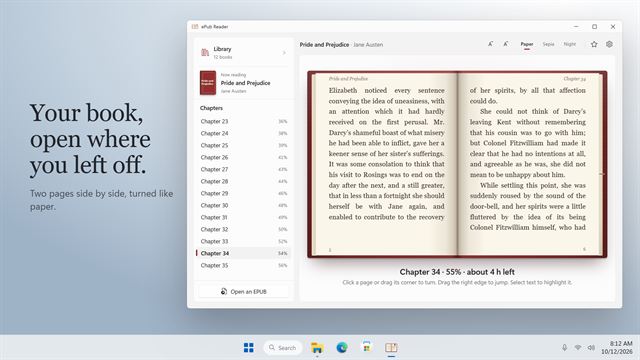
PDF and documentsA calm EPUB reader for Windows. It opens your book where you left off, shows it as two pages side by side, and keeps a library of your books with their covers.
Desktop Notes Backup
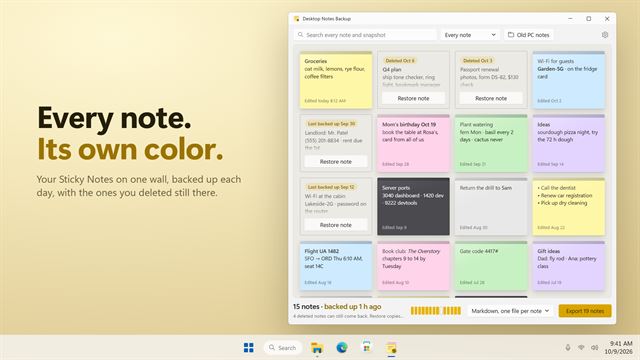
PDF and documentsEvery Sticky Note on one wall in its real color, backed up each day so a note you deleted can still come back. Search them all, then export to Markdown, text, a web page or Word.
XLSX Converter
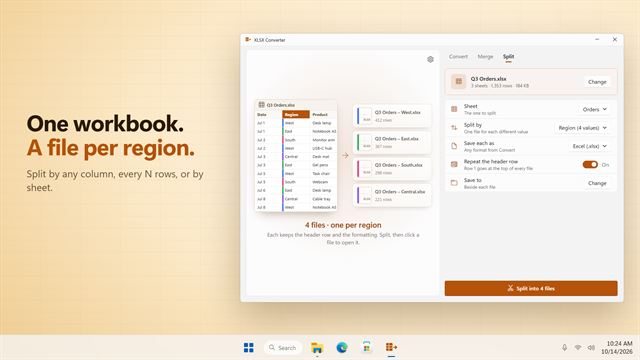
PDF and documentsConvert a batch of spreadsheets to PDF, CSV, Excel, OpenDocument, JSON and more. Merge many workbooks into one, or split one into a file per region, per sheet or per hundred rows.
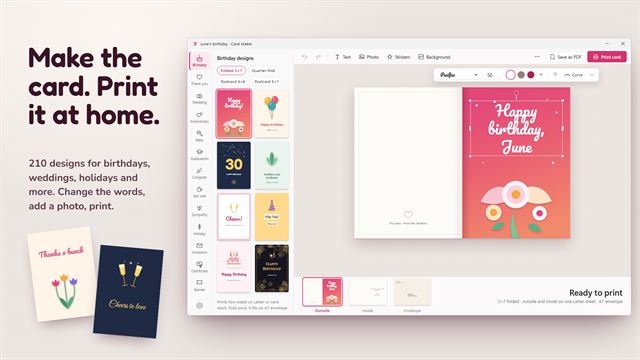

Card Maker
PDF and documentsMake greeting cards, invitations, certificates, banners and calendars, and print them at home. 210 designs for 14 occasions, folded cards that print in fold order, and a matching envelope.
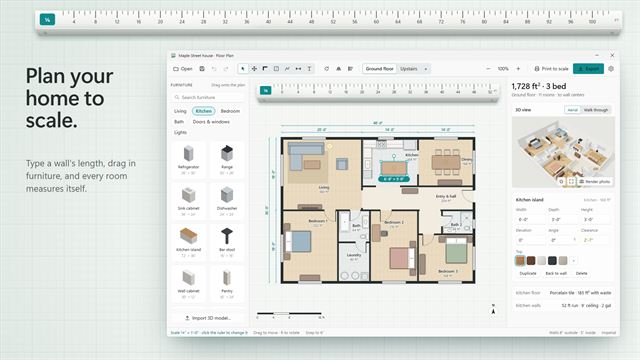
Floor Plan
PDF and documentsDraw your home to scale, furnish it from a 50-piece catalog and walk through it in 3D. Rooms measure themselves, clearance tells you whether the sofa fits, and the plan prints and exports as a to-scale PDF.
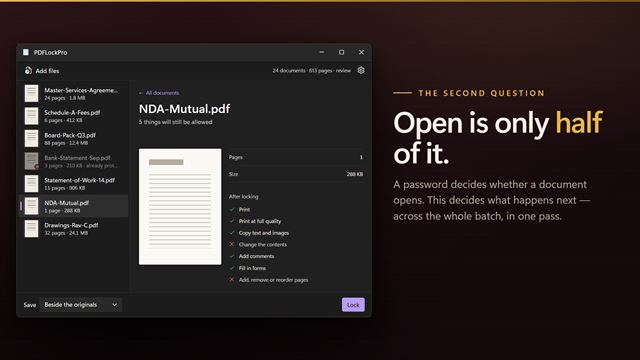
PDFLockPro
PDF and documentsA password decides whether a document opens. PDFLockPro decides what happens next. Pick Read only, Read and print, Review or Password only — or set the seven permissions yourself — and apply it across a whole batch at once. Stop copying, editing, printing, commenting or page reordering, with a separate owner password so the restrictions hold. AES-256 throughout. Everything runs on your PC.

PPTX Locker
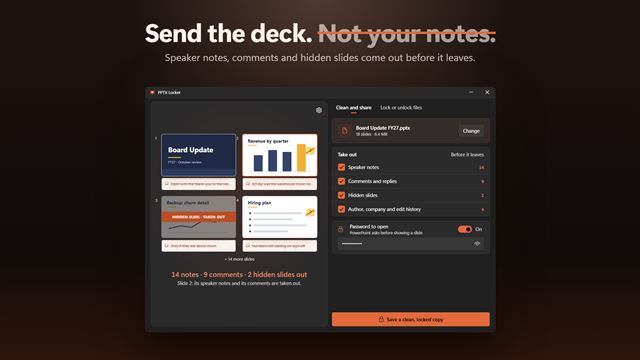
PDF and documentsTake speaker notes, comments, hidden slides and your name out of a PowerPoint deck before it leaves, then lock it with a password to open. Lock or unlock a whole folder of decks at once.
VSD Viewer & Editor
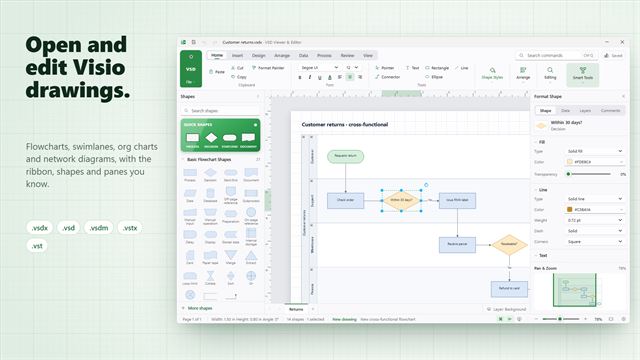
PDF and documentsOpen, edit and save Microsoft Visio drawings, including old .vsd files, without Visio. Flowcharts, swimlanes, org charts and network diagrams, with a full ribbon, 29 shape libraries, Shape Data and a diagram checker.
 Video
Distraction-Free Writer
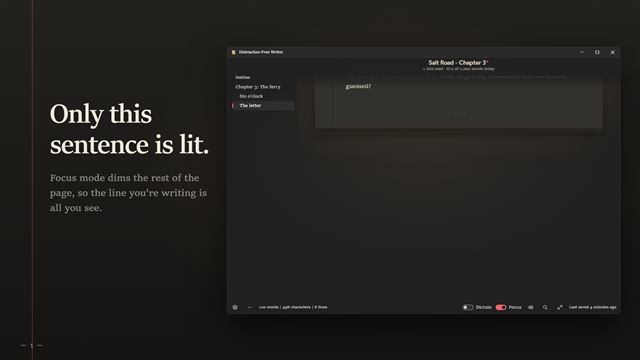
PDF and documentsA distraction-free writing app with a room around the page: rain on the window, a fireplace or a summer night. Focus mode keeps only your sentence lit, sprints keep you going, dictation writes as you speak, and the time machine rewinds any draft. Save as text, Markdown or Rich Text.
Label Maker
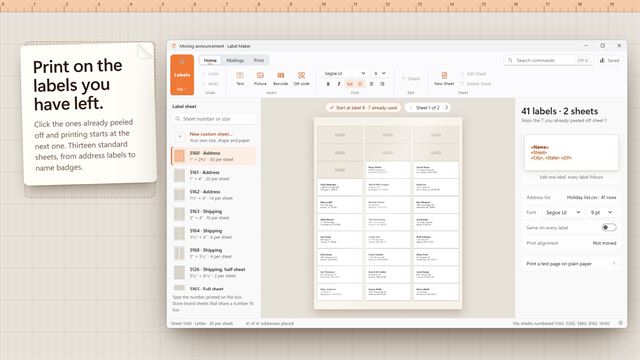
PDF and documentsDesign and print address labels, shipping labels, jar labels and name badges on standard sheets or your own die-cut shapes. Mail merge from Excel, CSV or your contacts, add barcodes and QR codes, and start at any label on a half-used sheet.
Evlar PDF Editor
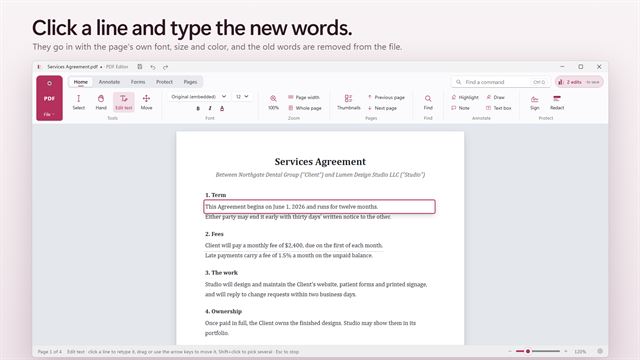
PDF and documentsChange the words in a PDF, not just draw on it. Sign, fill in forms, redact with proof that it worked, and make scanned pages searchable.
Document Converter
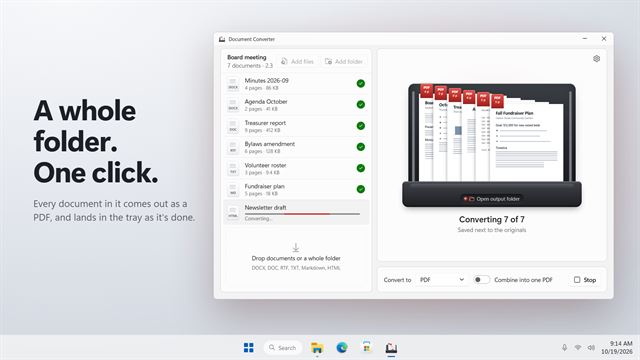
PDF and documentsDrop a whole folder of documents and convert every one in a single click. DOCX, DOC, RTF, TXT, Markdown and HTML go in; PDF, page images and twelve other formats come out, or combine everything into one PDF.
Page Studio
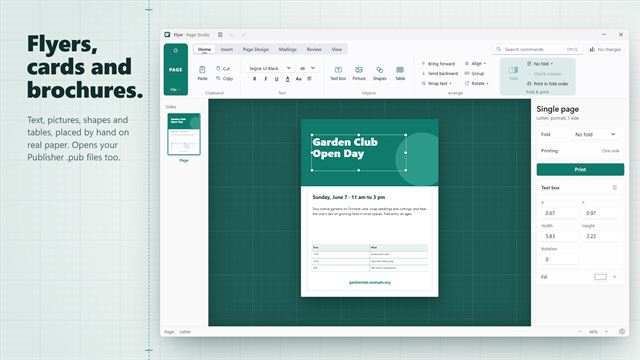
PDF and documentsOpen Publisher .pub files, or make flyers, greeting cards, brochures, business cards and one-page newsletters. See the paper folded before you print, and print every side the right way round.

Tier List Maker Pro
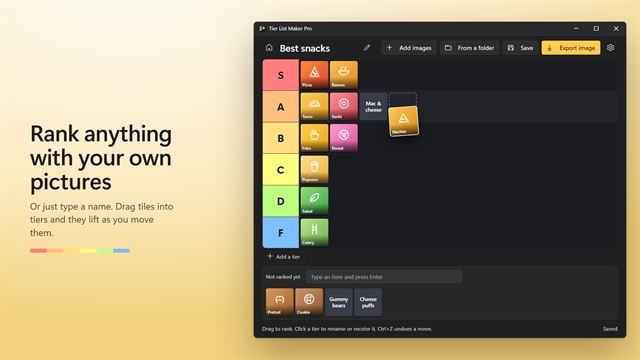
PDF and documentsMake a tier list of anything with your own pictures. Drag tiles into S to F tiers, rename and recolor the tiers, start from a folder of pictures, and export the whole board as one sharp PNG to share.

XLSX Locker
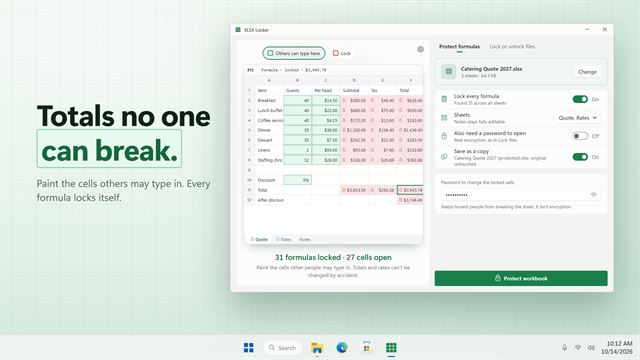
PDF and documentsPaint the cells others may type in, and every formula and total is locked for you. Add a password to open for real encryption, or lock and unlock a whole folder of workbooks at once.
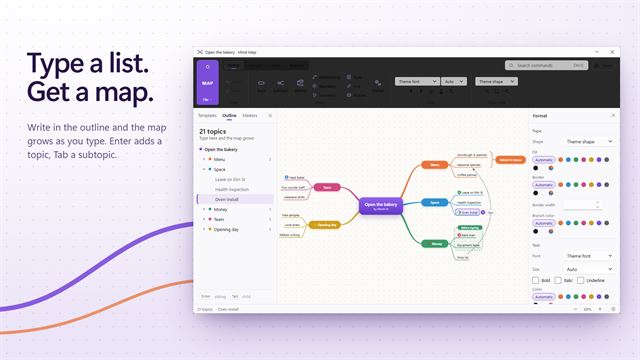

Mind Map
PDF and documentsBrainstorm, plan and outline as a mind map. Type a list and the map grows, then switch between six layouts, add relationships and markers, present it branch by branch and export to PowerPoint or PDF.
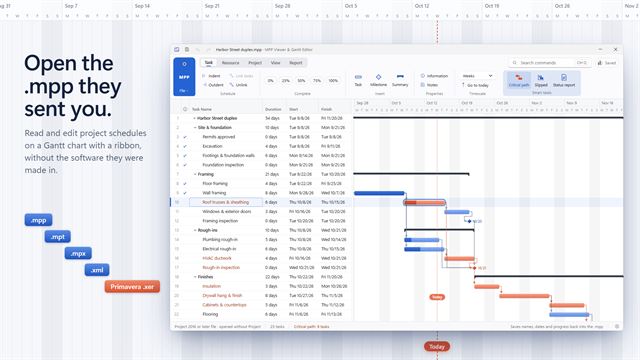
MPP Viewer & Gantt Chart Editor
PDF and documentsOpen, edit and print .mpp project schedules on a Gantt chart, without the software they were made in. Critical path, slipped tasks against the baseline, a one-page status report, and edits saved back into the .mpp.
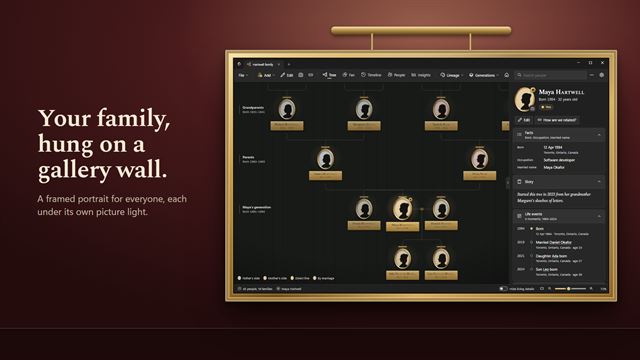

Family Tree Gallery
PDF and documentsHang your family on a gallery wall. Family Tree Gallery turns your family tree into framed portraits you can walk through, with a fan chart, a timeline and a view of how anyone is related to you. Start from scratch or bring in a GEDCOM file from Ancestry, FamilySearch or MyHeritage. Your trees stay on your PC.
PDF to PPTX Converter
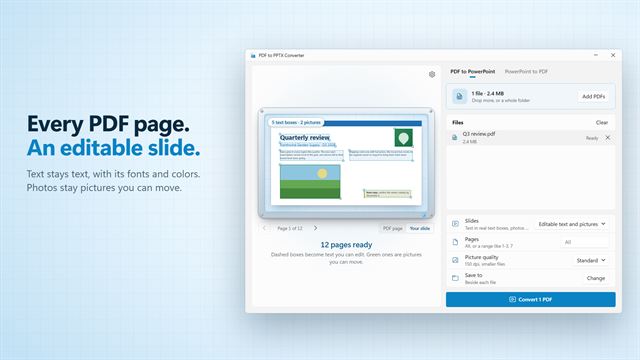
PDF and documentsTurn PDFs into PowerPoint slides you can edit: the text stays text, with its fonts and colors, and photos stay pictures you can move. Save PowerPoint decks as PDF or as pictures too.