System and battery apps for Windows
13 apps for keeping an eye on the PC itself: battery health and live charge widgets, CPU stress tests and benchmarks, activity lights and tools that stop Windows from sleeping while a job runs.
Every app in this category13
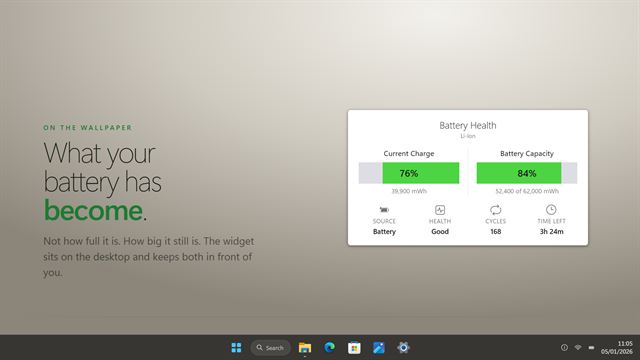

Battery Health
System and batteryShows what your battery has become, not just how full it is right now.
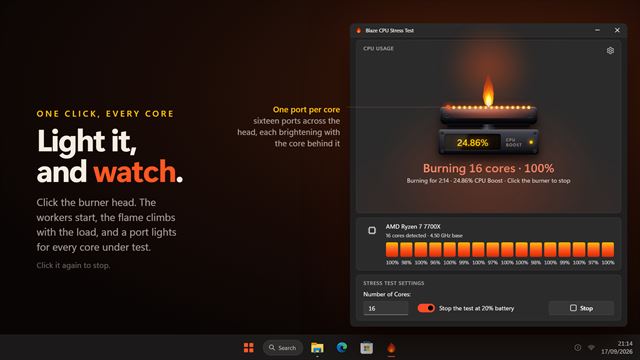

Blaze CPU Stress Test
System and batteryLight up every core and see how much turbo your processor really has. Click the burner, watch the flame climb with the load, and read the CPU Boost figure Task Manager hides: the share of processor utility running past 100%.
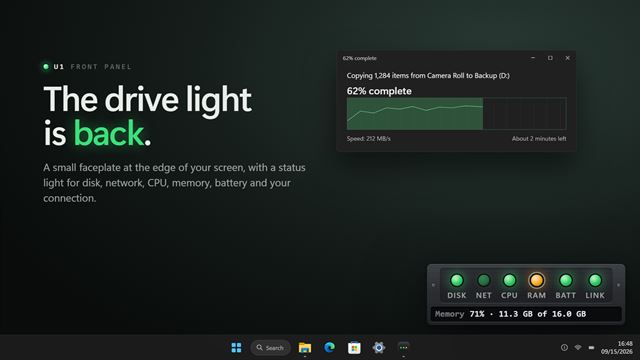
System Activity LED Indicators
System and batteryServer-style status lights for CPU, memory, disk, network and battery, on a small strip that sits at the edge of your screen.
 Video

System Health Widget
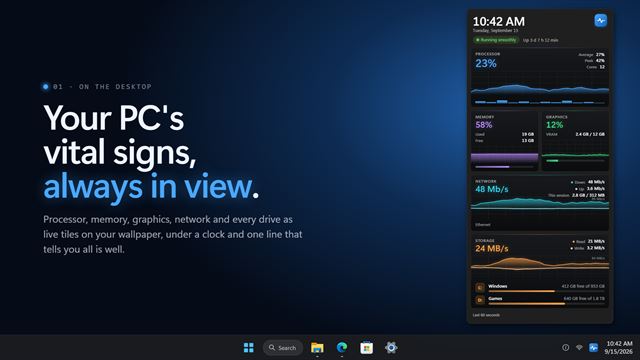
System and batteryYour PC's vital signs, live on the desktop. Processor, memory, graphics, network, drives and battery as glowing tiles under a big clock, with one line that says whether everything is running smoothly. Set your own warning levels, and a tile turns amber the moment something needs you.

Modern Battery Widget
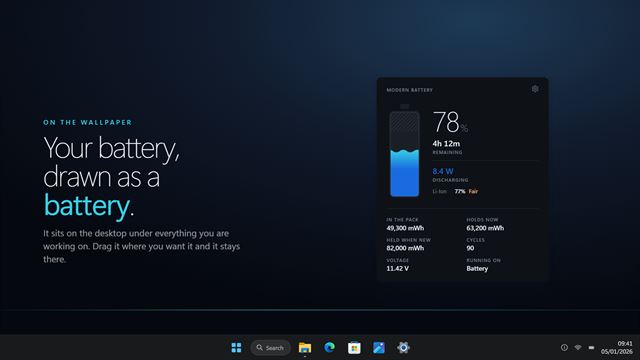
System and batteryEvery battery reading Windows knows, on one clean panel on your desktop.
Quick CPU Stress Tester
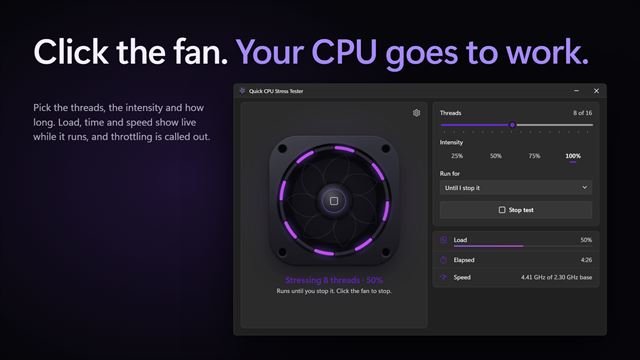
System and batteryStress your processor on purpose and watch how it holds up. Pick how many threads, how hard and how long, then click the fan: it spins up with the load, its light ring shows every thread under test, and a report at the end tells you whether the processor kept its speed.

Battery Monitor Widget
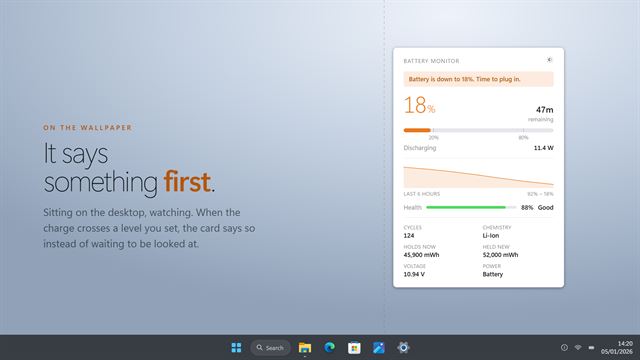
System and batteryWatches the battery and tells you before it matters, at the levels you choose.
Driver Query
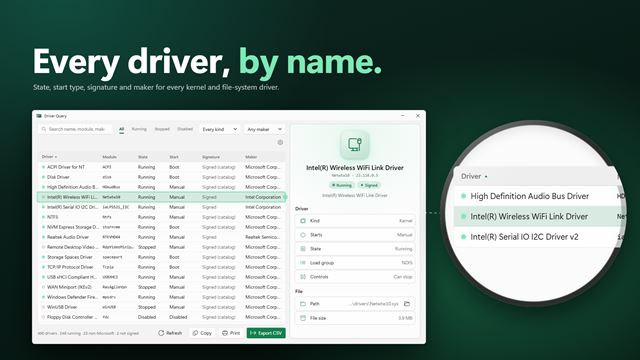
System and batterySee every driver on your PC and everything about it. Driver Query lists every kernel and file-system driver with its state, start type, maker, version and signature, lets you search and filter the list, and copies, exports or prints it in one click.

Accurate Battery Stats
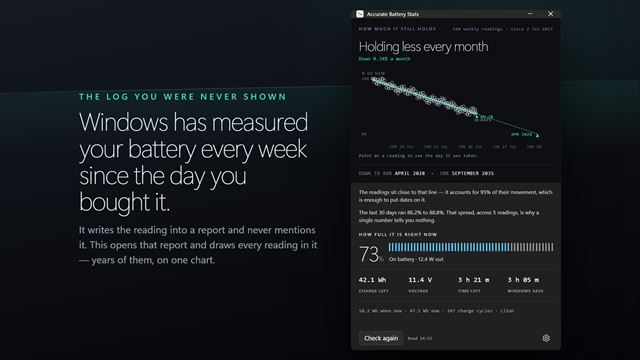
System and batteryPlots every capacity reading Windows has kept for your battery, and the trend through them.
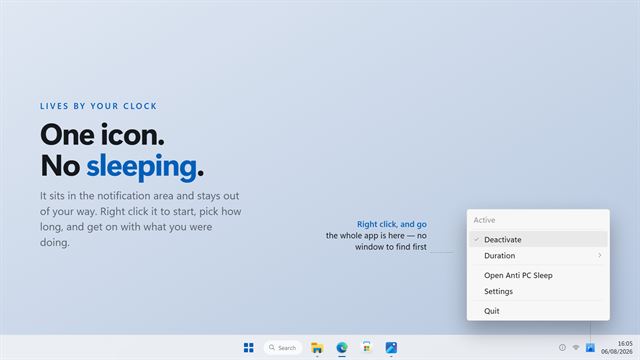

Anti PC Sleep
System and batteryKeeps your PC awake from one icon beside the clock. Right click, pick how long, and get on with what you were doing.
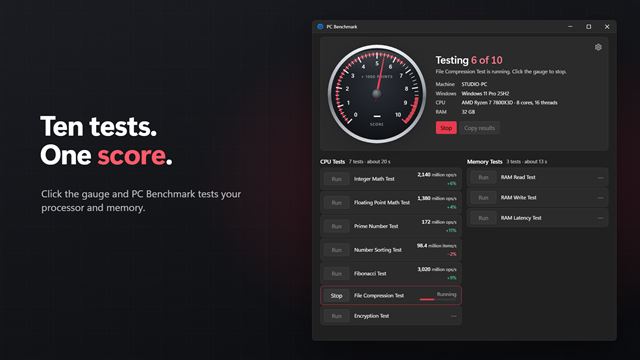

PC Benchmark
System and batteryClick the gauge and PC Benchmark tests your processor and memory: math, sorting, compression, encryption and RAM speed. Ten tests add up to one score, and every result is compared with your last run, so you can see what an update or a new part really changed.
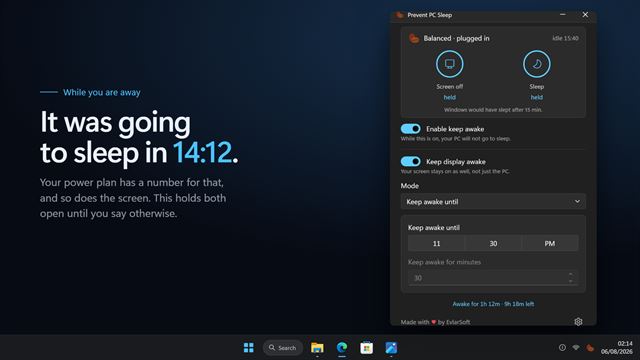

Prevent PC Sleep
System and batteryStop your PC sleeping while you are away from it, and see exactly what it would have done otherwise.
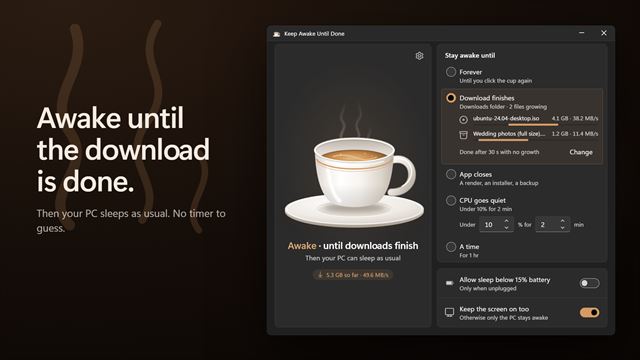

Keep Awake Until Done
System and batteryFree to keep your PC awake until you stop it. PRO keeps it awake only until a download finishes, an app closes or the CPU goes quiet, then lets it sleep as usual.