Audio and music apps for Windows
27 apps for sound on Windows, from per-app volume mixers, limiters and microphone mute hotkeys to a decibel meter, a guitar tuner and a tone generator. The Evlar studios go further, for making beats, recording vocals and mastering a finished track.
Every app in this category27
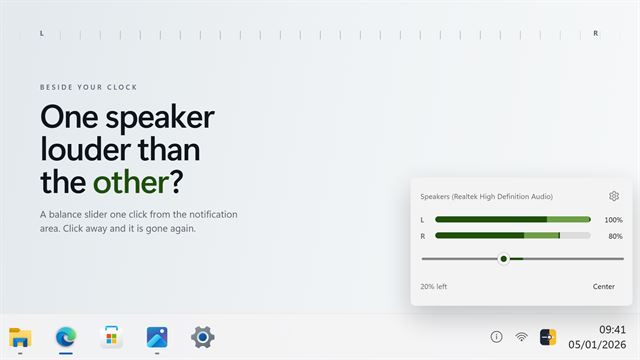

Modern Audio Balancer
Audio and musicA left and right balance slider that lives beside your clock. Click the tray icon, move the slider, click away. One button puts it back to center, and the tray menu has left, center and right without opening anything. Point it at any output rather than only the one Windows is using, and read what it did in words. It does not lower your volume to shift the balance, and it does nothing at all while it is closed.
 Video

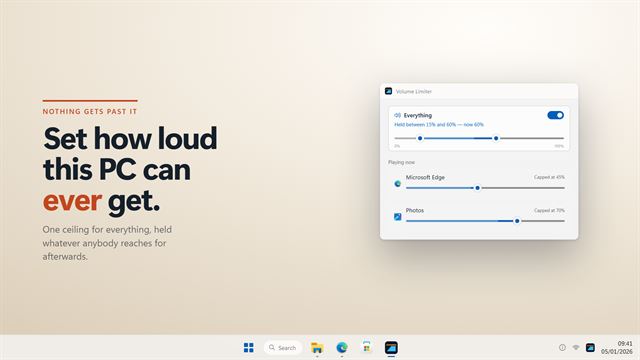
Volume Limiter
Audio and musicSet how loud this PC can ever get. Volume Limiter holds a ceiling on the system volume, and a cap of its own for each app that is playing, so nothing anybody does afterwards gets past it. It holds a floor too, so a film that whispers is still audible. And because an ad break does not move the volume — it is simply mixed louder — the loudness guard watches the meter rather than the slider, catches the jump, and puts the app back where it was. Lock it with a password on a shared machine.
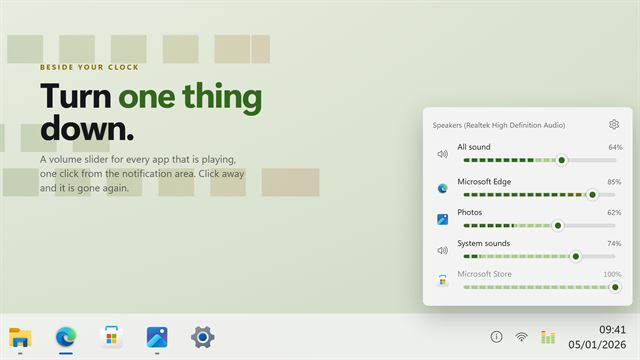

Modern Volume Mixer
Audio and musicA volume slider for every app that is playing, one click from your clock. Click the tray icon, turn one thing down, click away. Each slider carries a live level bar, so you can see which app is making the noise, and its own icon and name so you can tell them apart. Mute one app without muting the rest, level everything again from the tray menu, and point it at any output rather than only the one Windows is using. It does nothing at all while it is closed.
 Video

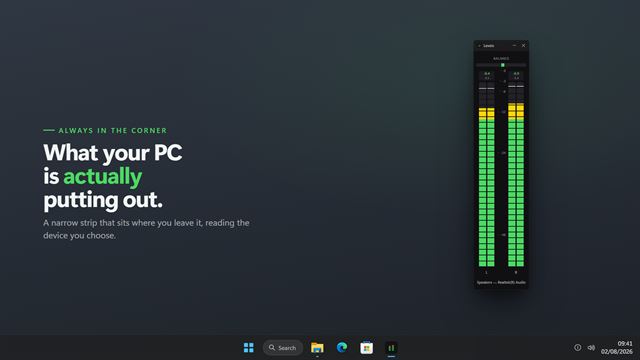
Audio Levels Monitor
Audio and musicA level meter for whatever your PC is playing, or whatever your microphone is hearing — real dBFS, one bar per channel.

Audio Input/Output Lock
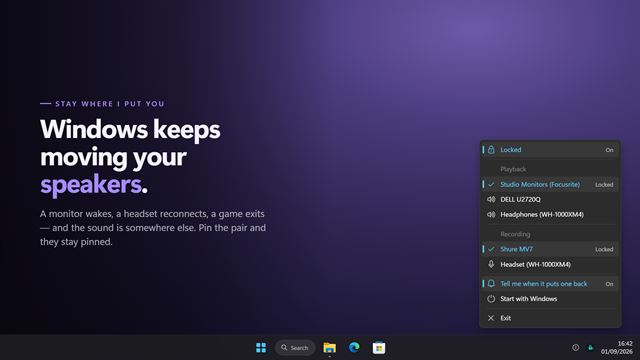
Audio and musicWindows moves your default speakers and microphone on its own — a monitor wakes, a headset reconnects, a game exits — and there is no setting that stops it. Audio Input/Output Lock holds both where you put them, puts them back within a moment of anything changing them, and tells you which one moved. Unlocked it is still the fastest way to switch: both device lists in one menu in the notification area, without opening Sound settings at all.
Evlar Beat Maker Studio
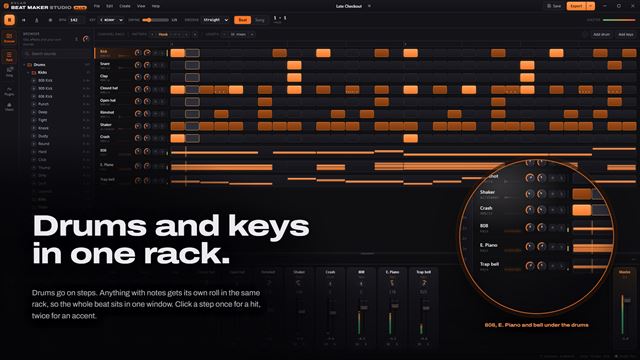
Audio and musicEvlar Beat Maker Studio is a beat maker and drum machine for your PC. Program drums on the step sequencer, write basslines and melodies on the piano roll, and arrange patterns into a song. 115 drum sounds and 93 instruments, most synthesized as you play and ten recorded from real instruments, including an upright piano. Start from one of seven starter beats and export an MP3. Free to use, with Studio Plus for every sound, and sibling apps to record over and master your beat.

Volume Level Locker
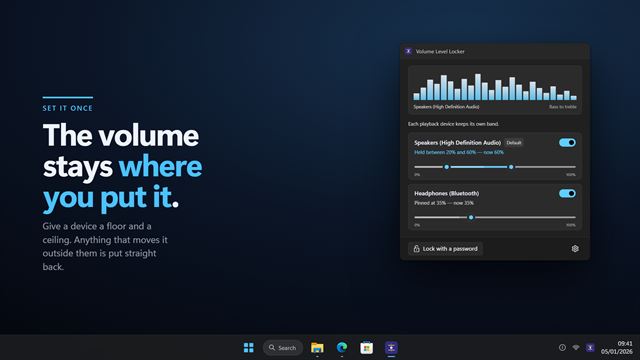
Audio and musicSet a volume and have it stay there. Volume Level Locker gives each playback device a floor and a ceiling and holds it between them, so anything that moves the volume outside the band — a keyboard key, a headset dial, another program, somebody else at the desk — is put straight back. Mute it and it unmutes, because a floor means sound keeps coming out. Every device keeps its own band, so the speakers and the headphones are not the same rule. Lock it with a password on a shared machine.
Evlar Rap Studio
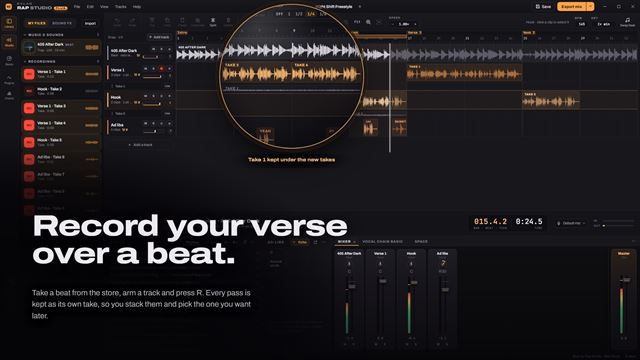
Audio and musicEvlar Rap Studio is a recording studio for your PC, made for rap. Pick a beat or import your own, arm a track and record your verse. Your vocal lands tuned to the beat's key, with compression, de-essing and reverb already on it. Stack takes, write your lyrics beside the timeline and export the song as an MP3. Free to use, with Studio Plus for every beat, unlimited tracks and lossless export, and two sibling apps for making the beat and mastering the song.
Mic Mute Button
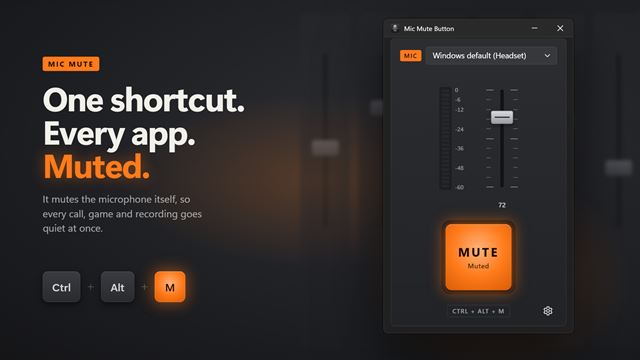
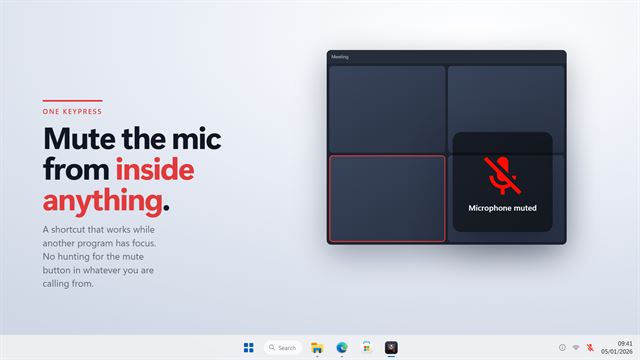
Audio and musicMute your microphone from any app, instantly. Press Ctrl+Alt+M, or a shortcut of your own, and Mic Mute Button mutes the mic at the Windows level, so every call, game and recording goes quiet at once. A mute pad above the clock confirms it, and a live meter shows when you are back on. Your phone can be a mute button too, with no app to install.
Hotkey Microphone Muter
Audio and musicMute your microphone with one keypress, from anywhere. Hotkey Microphone Muter puts a mute shortcut over every program on your PC, so you can cut the mic mid-sentence without hunting for the button in whatever app you are calling from. A plate appears in the corner of every monitor to tell you which way it went, and it watches the microphone itself, so a mute made by your meeting software or a headset button shows up too. Pick your own shortcut, pick your microphone, set its input volume.

Camera & Mic Privacy Indicator
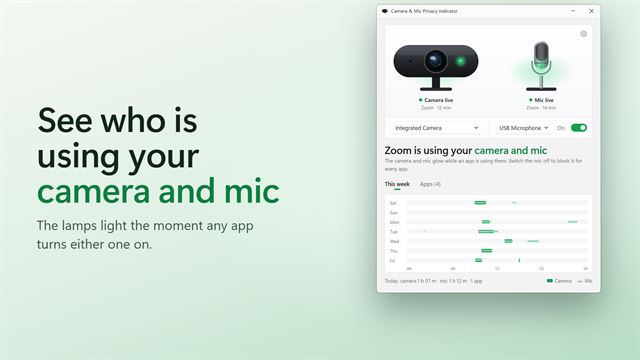
Audio and musicSee which apps are using your camera and microphone. Tally lamps light up the moment an app turns either one on, and a week of history shows who used them and for how long.

Quick Voice Memo Recorder
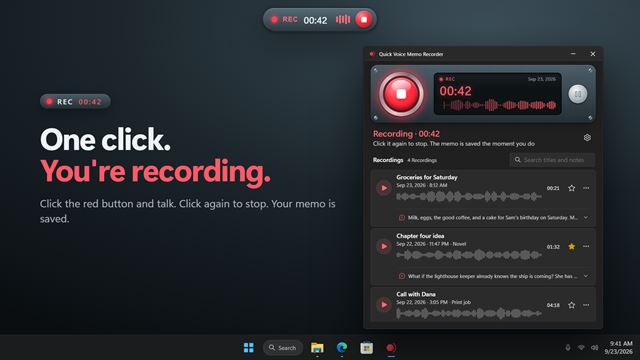
Audio and musicClick the red button and talk. Quick Voice Memo Recorder saves every memo and types out what you said, right on your PC, with no internet and nothing uploaded. Record from any app with a shortcut, search your memos by what you said, and copy the text wherever you need it.
Evlar Mastering Studio
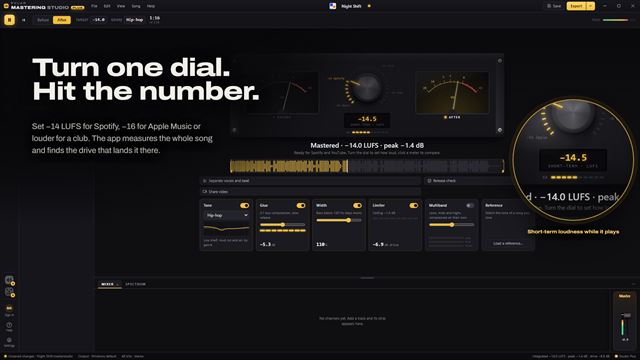
Audio and musicEvlar Mastering Studio is audio mastering software for a finished song. Turn one dial to a loudness from −16 to −8 LUFS and the app measures the song and lands it on that number, with a live LUFS meter and two VU meters to watch. Hear before and after at the same loudness, run a release check and export the master as an MP3, or master a whole album to one level. Free to use, with Studio Plus for multiband, reference matching and WAV and FLAC.

Keyboard Press Sound Effects
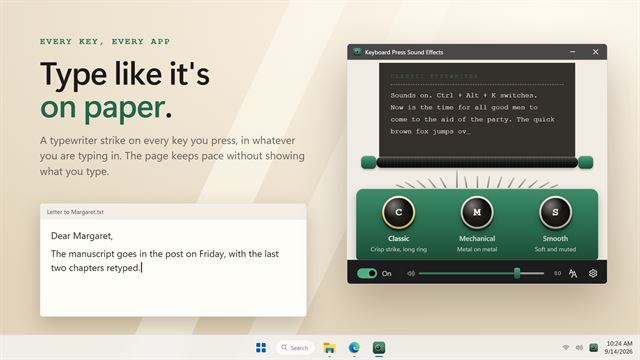
Audio and musicHear a typewriter with every key you press. Keyboard Press Sound Effects plays a crisp strike in whatever app you are typing into, from a document to a chat, and keeps up however fast you type. Choose between three typewriters, set the volume, and turn it off with one shortcut when a call starts.
Speaker Auto Muter
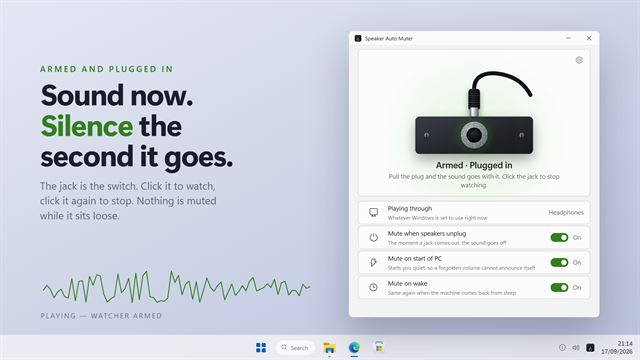
Audio and musicPull the headphones out and the sound follows them to the speakers, at whatever volume you had them. Speaker Auto Muter watches the playback devices and mutes the moment one is unplugged, so nothing is broadcast to the room. It can also start you quiet after a restart or a wake from sleep. It sits in the notification area, and there is now a window for the three switches and the state.

Quick Audio to WAV Converter
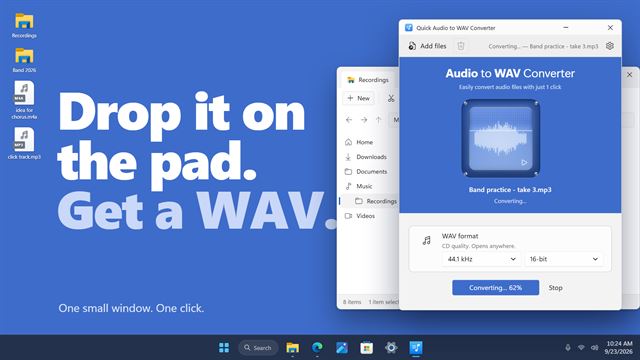
Audio and musicDrop a file on the pad and click Convert to WAV. Quick Audio to WAV Converter turns MP3, M4A, FLAC, WMA and more into WAV files, one or a whole row at a time. Click the pad to hear a file first, pick CD quality or 24-bit, and find the WAV right next to the original.

Keyboard Soundboard
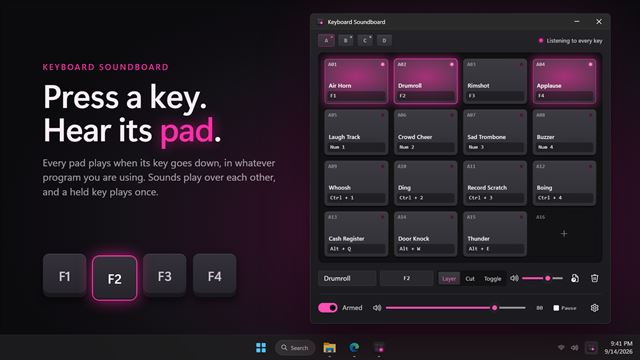
Audio and musicPut a soundboard on your keyboard. Keyboard Soundboard plays your own sound files when you press a key, from any program: an air horn on F9 in a game, applause on Ctrl+1 on a call, a rimshot on Alt+R for a stream. Drop sounds onto a 4 by 4 grid of pads, press a key to bind each one, and play them over each other or cut the rest.
Push To Talk Mic
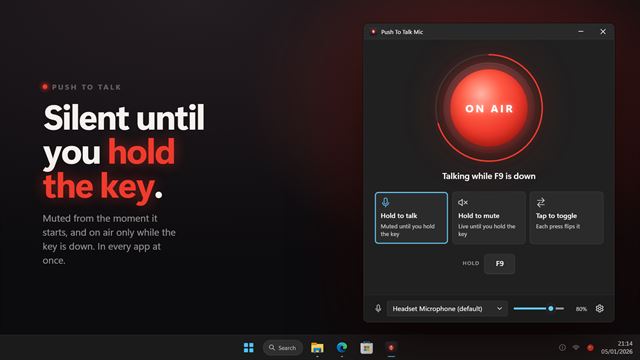
Audio and musicStay muted, and talk only while you hold a key. Push To Talk Mic works in every app at once, from Discord and Teams to a game with no push to talk of its own, because it mutes the microphone itself rather than one program's copy of it. Hold to talk, hold to mute, or tap to toggle; a small on-air pill at the top of the screen tells you when you are live.
Walkie Talkie Mic
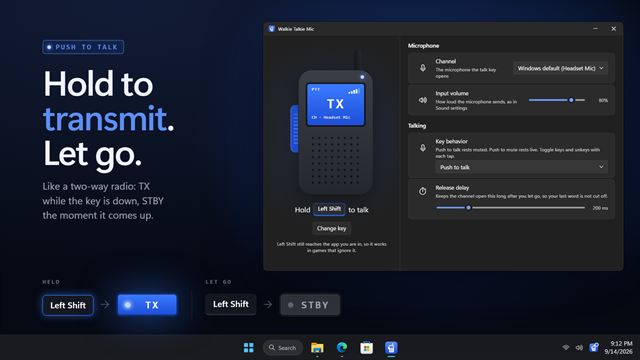
Audio and musicTalk like a two-way radio: hold a key or a mouse button to key the microphone, and let go to go back on standby. Walkie Talkie Mic mutes the microphone itself, so it works in every app at once, from Discord and Teams to a game with no push to talk of its own. Any key, a combination or a side mouse button, a release delay so your last word gets through, and a TX light in the corner of your screen.

Any Sound Converter
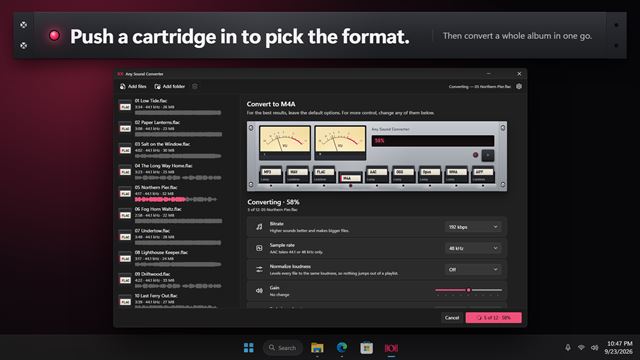
Audio and musicConvert music and audio between MP3, WAV, FLAC, M4A, AAC, OGG, Opus, WMA and AIFF, a whole batch at a time. Push a cartridge into the rack to pick the format, choose the quality, and level every file to the same loudness. Trim, fade and play files first, with twin VU meters that move to the music. Everything happens on your PC.

Frequency Sound Generator
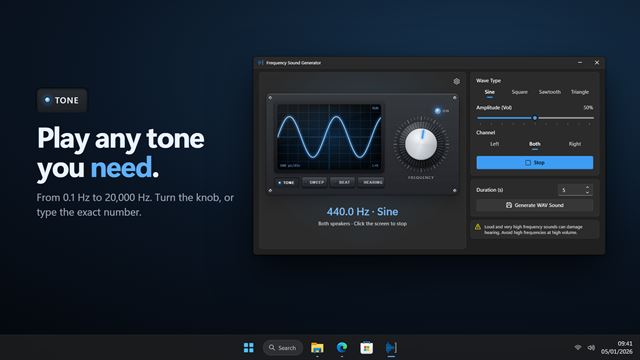
Audio and musicPlay any tone from 0.1 Hz to 20,000 Hz. Pick a sine, square, sawtooth or triangle wave and turn the knob. Sweep across the range to test speakers and subwoofers, play binaural beats on headphones, find out how high you can hear, and save any of it as a WAV file.

Audio To WAV Converter
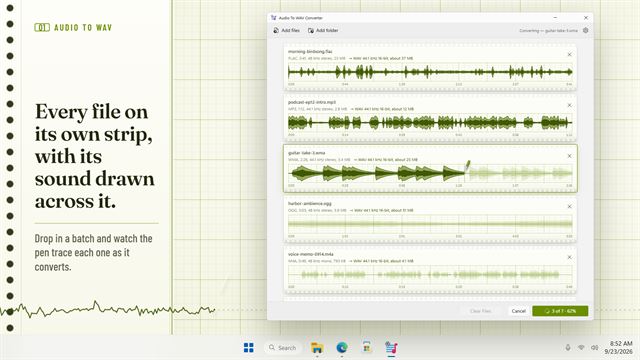
Audio and musicTurn MP3, AAC, WMA, FLAC, M4A, OGG and more into WAV, a whole batch at once. See and play every file first, pick the WAV your gear expects, from CD quality to 96 kHz hi-res, and know how big each file will be before you convert. Everything stays on your PC.
Ambient Noise Player
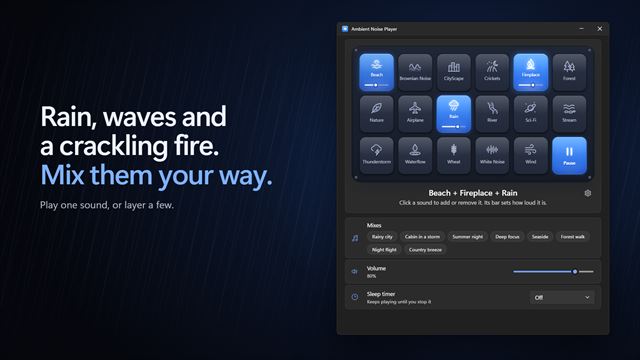
Audio and musicRain, waves, a crackling fire, brown noise and 13 more ambient sounds. Play one, or layer as many as you like, each at its own volume. Start one of 8 ready-made mixes with a click, and set a sleep timer that fades the sound out gently when it ends.
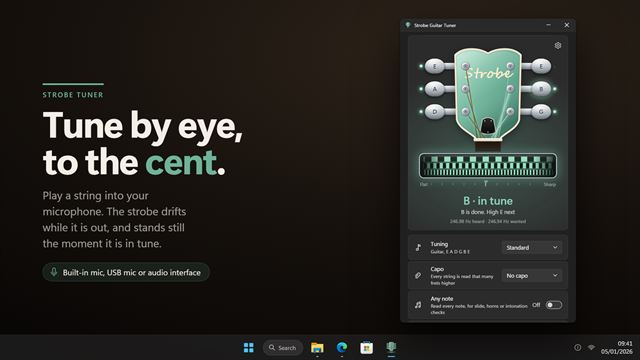

Strobe Guitar Tuner
Audio and musicA strobe tuner for guitar, bass and ukulele. Play a string and the strobe drifts left when it is flat, right when it is sharp, and stands still when it is in tune, accurate to within a cent. Click a peg to hear that string as a plucked reference note. 16 tunings including Drop D, DADGAD and open tunings, 4- and 5-string bass, and ukulele, plus a capo and an any-note mode.
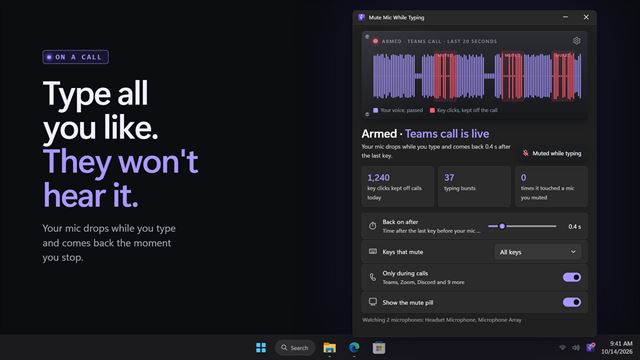
Mute Mic While Typing
Audio and musicKeep your keyboard off the call. Mute Mic While Typing drops your microphone while you type and brings it back a moment after the last key, only during calls, and never touches a mic you muted yourself.
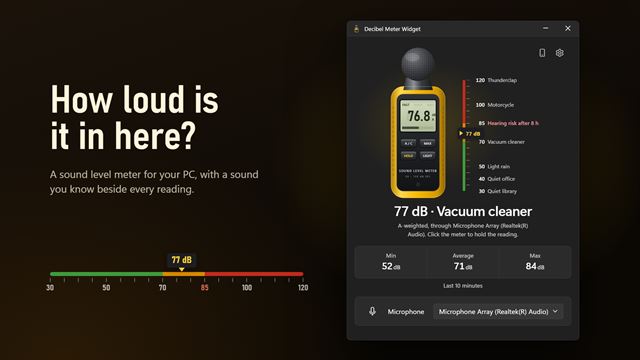
Decibel Meter Widget
Audio and musicHow loud is it in here? Decibel Meter Widget turns your PC's microphone into a sound level meter, with a sound you know beside every reading, the lowest, average and loudest of the last 10 minutes, and an alert when the room gets too loud. Measure with your phone too, with no app to install.
Tone Checker
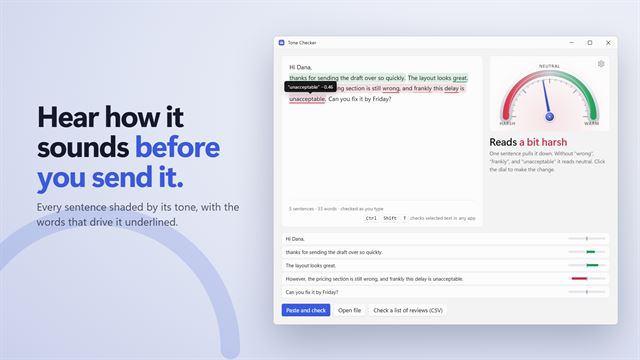
Audio and musicHear how your message sounds before you send it. Tone Checker puts a small badge on the text box you are typing in, in any app: green reads warm, grey neutral, red harsh. Click it to see which sentence pulls it down and what to change. Everything is checked on your PC.